




Paper • 2306.02707 • Published • 51
TheBloke's LLM work is generously supported by a grant from andreessen horowitz (a16z)
Mistral 7B OpenOrca - GPTQ
- Model creator: OpenOrca
- Original model: Mistral 7B OpenOrca
Description
This repo contains GPTQ model files for OpenOrca's Mistral 7B OpenOrca.
Multiple GPTQ parameter permutations are provided; see Provided Files below for details of the options provided, their parameters, and the software used to create them.
Repositories available
- AWQ model(s) for GPU inference.
- GPTQ models for GPU inference, with multiple quantisation parameter options.
- 2, 3, 4, 5, 6 and 8-bit GGUF models for CPU+GPU inference
- OpenOrca's original unquantised fp16 model in pytorch format, for GPU inference and for further conversions
Prompt template: ChatML
<|im_start|>system
{system_message}<|im_end|>
<|im_start|>user
{prompt}<|im_end|>
<|im_start|>assistant
Provided files, and GPTQ parameters
Multiple quantisation parameters are provided, to allow you to choose the best one for your hardware and requirements.
Each separate quant is in a different branch. See below for instructions on fetching from different branches.
Most GPTQ files are made with AutoGPTQ. Mistral models are currently made with Transformers.
| Branch | Bits | GS | Act Order | Damp % | GPTQ Dataset | Seq Len | Size | ExLlama | Desc |
|---|---|---|---|---|---|---|---|---|---|
| main | 4 | 128 | Yes | 0.1 | wikitext | 32768 | 4.16 GB | Yes | 4-bit, with Act Order and group size 128g. Uses even less VRAM than 64g, but with slightly lower accuracy. |
| gptq-4bit-32g-actorder_True | 4 | 32 | Yes | 0.1 | wikitext | 32768 | 4.57 GB | Yes | 4-bit, with Act Order and group size 32g. Gives highest possible inference quality, with maximum VRAM usage. |
| gptq-8bit--1g-actorder_True | 8 | None | Yes | 0.1 | wikitext | 32768 | 7.52 GB | No | 8-bit, with Act Order. No group size, to lower VRAM requirements. |
| gptq-8bit-128g-actorder_True | 8 | 128 | Yes | 0.1 | wikitext | 32768 | 7.68 GB | No | 8-bit, with group size 128g for higher inference quality and with Act Order for even higher accuracy. |
| gptq-8bit-32g-actorder_True | 8 | 32 | Yes | 0.1 | wikitext | 32768 | 8.17 GB | No | 8-bit, with group size 32g and Act Order for maximum inference quality. |
| gptq-4bit-64g-actorder_True | 4 | 64 | Yes | 0.1 | wikitext | 32768 | 4.30 GB | Yes | 4-bit, with Act Order and group size 64g. Uses less VRAM than 32g, but with slightly lower accuracy. |
How to download, including from branches
In text-generation-webui
To download from the main branch, enter TheBloke/Mistral-7B-OpenOrca-GPTQ in the "Download model" box.
To download from another branch, add :branchname to the end of the download name, eg TheBloke/Mistral-7B-OpenOrca-GPTQ:gptq-4bit-32g-actorder_True
From the command line
I recommend using the huggingface-hub Python library:
pip3 install huggingface-hub
To download the main branch to a folder called Mistral-7B-OpenOrca-GPTQ:
mkdir Mistral-7B-OpenOrca-GPTQ
huggingface-cli download TheBloke/Mistral-7B-OpenOrca-GPTQ --local-dir Mistral-7B-OpenOrca-GPTQ --local-dir-use-symlinks False
To download from a different branch, add the --revision parameter:
mkdir Mistral-7B-OpenOrca-GPTQ
huggingface-cli download TheBloke/Mistral-7B-OpenOrca-GPTQ --revision gptq-4bit-32g-actorder_True --local-dir Mistral-7B-OpenOrca-GPTQ --local-dir-use-symlinks False
With git (not recommended)
To clone a specific branch with git, use a command like this:
git clone --single-branch --branch gptq-4bit-32g-actorder_True https://huggingface.co/TheBloke/Mistral-7B-OpenOrca-GPTQ
Note that using Git with HF repos is strongly discouraged. It will be much slower than using huggingface-hub, and will use twice as much disk space as it has to store the model files twice (it stores every byte both in the intended target folder, and again in the .git folder as a blob.)
How to easily download and use this model in text-generation-webui.
Please make sure you're using the latest version of text-generation-webui.
It is strongly recommended to use the text-generation-webui one-click-installers unless you're sure you know how to make a manual install.
- Click the Model tab.
- Under Download custom model or LoRA, enter
TheBloke/Mistral-7B-OpenOrca-GPTQ.
- To download from a specific branch, enter for example
TheBloke/Mistral-7B-OpenOrca-GPTQ:gptq-4bit-32g-actorder_True - see Provided Files above for the list of branches for each option.
- Click Download.
- The model will start downloading. Once it's finished it will say "Done".
- In the top left, click the refresh icon next to Model.
- In the Model dropdown, choose the model you just downloaded:
Mistral-7B-OpenOrca-GPTQ - The model will automatically load, and is now ready for use!
- If you want any custom settings, set them and then click Save settings for this model followed by Reload the Model in the top right.
- Note that you do not need to and should not set manual GPTQ parameters any more. These are set automatically from the file
quantize_config.json.
- Once you're ready, click the Text Generation tab and enter a prompt to get started!
Serving this model from Text Generation Inference (TGI)
It's recommended to use TGI version 1.1.0 or later. The official Docker container is: ghcr.io/huggingface/text-generation-inference:1.1.0
Example Docker parameters:
--model-id TheBloke/Mistral-7B-OpenOrca-GPTQ --port 3000 --quantize gptq --max-input-length 3696 --max-total-tokens 4096 --max-batch-prefill-tokens 4096
Example Python code for interfacing with TGI (requires huggingface-hub 0.17.0 or later):
pip3 install huggingface-hub
from huggingface_hub import InferenceClient

endpoint_url = "https://your-endpoint-url-here"

prompt = "Tell me about AI"
prompt_template=f'''<|im_start|>system
{system_message}<|im_end|>
<|im_start|>user
{prompt}<|im_end|>
<|im_start|>assistant
'''

client = InferenceClient(endpoint_url)
response = client.text_generation(prompt,
 max_new_tokens=128,
 do_sample=True,
 temperature=0.7,
 top_p=0.95,
 top_k=40,
 repetition_penalty=1.1)

print(f"Model output: {response}")
How to use this GPTQ model from Python code
Install the necessary packages
Requires: Transformers 4.33.0 or later, Optimum 1.12.0 or later, and AutoGPTQ 0.4.2 or later.
pip3 install transformers optimum
pip3 install auto-gptq --extra-index-url https://huggingface.github.io/autogptq-index/whl/cu118/ # Use cu117 if on CUDA 11.7
If you have problems installing AutoGPTQ using the pre-built wheels, install it from source instead:
pip3 uninstall -y auto-gptq
git clone https://github.com/PanQiWei/AutoGPTQ
cd AutoGPTQ
git checkout v0.4.2
pip3 install .
You can then use the following code
from transformers import AutoModelForCausalLM, AutoTokenizer, pipeline

model_name_or_path = "TheBloke/Mistral-7B-OpenOrca-GPTQ"
# To use a different branch, change revision
# For example: revision="gptq-4bit-32g-actorder_True"
model = AutoModelForCausalLM.from_pretrained(model_name_or_path,
 device_map="auto",
 trust_remote_code=False,
 revision="main")

tokenizer = AutoTokenizer.from_pretrained(model_name_or_path, use_fast=True)

prompt = "Tell me about AI"
prompt_template=f'''<|im_start|>system
{system_message}<|im_end|>
<|im_start|>user
{prompt}<|im_end|>
<|im_start|>assistant
'''

print("\n\n*** Generate:")

input_ids = tokenizer(prompt_template, return_tensors='pt').input_ids.cuda()
output = model.generate(inputs=input_ids, temperature=0.7, do_sample=True, top_p=0.95, top_k=40, max_new_tokens=512)
print(tokenizer.decode(output[0]))

# Inference can also be done using transformers' pipeline

print("*** Pipeline:")
pipe = pipeline(
 "text-generation",
 model=model,
 tokenizer=tokenizer,
 max_new_tokens=512,
 do_sample=True,
 temperature=0.7,
 top_p=0.95,
 top_k=40,
 repetition_penalty=1.1
)

print(pipe(prompt_template)[0]['generated_text'])
Compatibility
The files provided are tested to work with AutoGPTQ, both via Transformers and using AutoGPTQ directly. They should also work with Occ4m's GPTQ-for-LLaMa fork.
ExLlama is compatible with Llama and Mistral models in 4-bit. Please see the Provided Files table above for per-file compatibility.
Huggingface Text Generation Inference (TGI) is compatible with all GPTQ models.
Discord
For further support, and discussions on these models and AI in general, join us at:
Thanks, and how to contribute
Thanks to the chirper.ai team!
Thanks to Clay from gpus.llm-utils.org!
I've had a lot of people ask if they can contribute. I enjoy providing models and helping people, and would love to be able to spend even more time doing it, as well as expanding into new projects like fine tuning/training.
If you're able and willing to contribute it will be most gratefully received and will help me to keep providing more models, and to start work on new AI projects.
Donaters will get priority support on any and all AI/LLM/model questions and requests, access to a private Discord room, plus other benefits.
- Patreon: https://patreon.com/TheBlokeAI
- Ko-Fi: https://ko-fi.com/TheBlokeAI
Special thanks to: Aemon Algiz.
Patreon special mentions: Pierre Kircher, Stanislav Ovsiannikov, Michael Levine, Eugene Pentland, Andrey, 준교 김, Randy H, Fred von Graf, Artur Olbinski, Caitlyn Gatomon, terasurfer, Jeff Scroggin, James Bentley, Vadim, Gabriel Puliatti, Harry Royden McLaughlin, Sean Connelly, Dan Guido, Edmond Seymore, Alicia Loh, subjectnull, AzureBlack, Manuel Alberto Morcote, Thomas Belote, Lone Striker, Chris Smitley, Vitor Caleffi, Johann-Peter Hartmann, Clay Pascal, biorpg, Brandon Frisco, sidney chen, transmissions 11, Pedro Madruga, jinyuan sun, Ajan Kanaga, Emad Mostaque, Trenton Dambrowitz, Jonathan Leane, Iucharbius, usrbinkat, vamX, George Stoitzev, Luke Pendergrass, theTransient, Olakabola, Swaroop Kallakuri, Cap'n Zoog, Brandon Phillips, Michael Dempsey, Nikolai Manek, danny, Matthew Berman, Gabriel Tamborski, alfie_i, Raymond Fosdick, Tom X Nguyen, Raven Klaugh, LangChain4j, Magnesian, Illia Dulskyi, David Ziegler, Mano Prime, Luis Javier Navarrete Lozano, Erik Bjäreholt, 阿明, Nathan Dryer, Alex, Rainer Wilmers, zynix, TL, Joseph William Delisle, John Villwock, Nathan LeClaire, Willem Michiel, Joguhyik, GodLy, OG, Alps Aficionado, Jeffrey Morgan, ReadyPlayerEmma, Tiffany J. Kim, Sebastain Graf, Spencer Kim, Michael Davis, webtim, Talal Aujan, knownsqashed, John Detwiler, Imad Khwaja, Deo Leter, Jerry Meng, Elijah Stavena, Rooh Singh, Pieter, SuperWojo, Alexandros Triantafyllidis, Stephen Murray, Ai Maven, ya boyyy, Enrico Ros, Ken Nordquist, Deep Realms, Nicholas, Spiking Neurons AB, Elle, Will Dee, Jack West, RoA, Luke @flexchar, Viktor Bowallius, Derek Yates, Subspace Studios, jjj, Toran Billups, Asp the Wyvern, Fen Risland, Ilya, NimbleBox.ai, Chadd, Nitin Borwankar, Emre, Mandus, Leonard Tan, Kalila, K, Trailburnt, S_X, Cory Kujawski
Thank you to all my generous patrons and donaters!
And thank you again to a16z for their generous grant.
Original model card: OpenOrca's Mistral 7B OpenOrca
🐋 TBD 🐋
👁 OpenOrca Logo
👁 Built with Axolotl
OpenOrca - Mistral - 7B - 8k
We have used our own OpenOrca dataset to fine-tune on top of Mistral 7B. This dataset is our attempt to reproduce the dataset generated for Microsoft Research's Orca Paper. We use OpenChat packing, trained with Axolotl.
This release is trained on a curated filtered subset of most of our GPT-4 augmented data. It is the same subset of our data as was used in our OpenOrcaxOpenChat-Preview2-13B model.
HF Leaderboard evals place this model as #2 for all models smaller than 30B at release time, outperforming all but one 13B model.
TBD
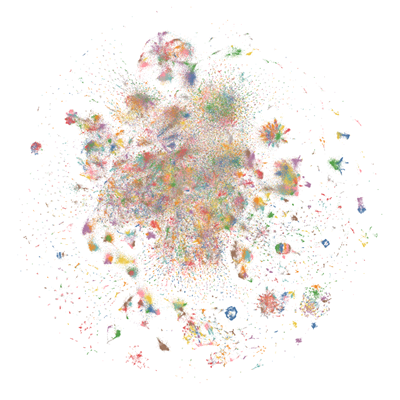
Want to visualize our full (pre-filtering) dataset? Check out our Nomic Atlas Map.
We are in-process with training more models, so keep a look out on our org for releases coming soon with exciting partners.
We will also give sneak-peak announcements on our Discord, which you can find here:
or on the OpenAccess AI Collective Discord for more information about Axolotl trainer here:
Prompt Template
We used OpenAI's Chat Markup Language (ChatML) format, with <|im_start|> and <|im_end|> tokens added to support this.
Example Prompt Exchange
TBD
Evaluation
We have evaluated using the methodology and tools for the HuggingFace Leaderboard, and find that we have significantly improved upon the base model.
TBD
HuggingFaceH4 Open LLM Leaderboard Performance
TBD
GPT4ALL Leaderboard Performance
TBD
Dataset
We used a curated, filtered selection of most of the GPT-4 augmented data from our OpenOrca dataset, which aims to reproduce the Orca Research Paper dataset.
Training
We trained with 8x A6000 GPUs for 62 hours, completing 4 epochs of full fine tuning on our dataset in one training run. Commodity cost was ~$400.
Citation
@misc{mukherjee2023orca,
 title={Orca: Progressive Learning from Complex Explanation Traces of GPT-4},
 author={Subhabrata Mukherjee and Arindam Mitra and Ganesh Jawahar and Sahaj Agarwal and Hamid Palangi and Ahmed Awadallah},
 year={2023},
 eprint={2306.02707},
 archivePrefix={arXiv},
 primaryClass={cs.CL}
}
@misc{longpre2023flan,
 title={The Flan Collection: Designing Data and Methods for Effective Instruction Tuning},
 author={Shayne Longpre and Le Hou and Tu Vu and Albert Webson and Hyung Won Chung and Yi Tay and Denny Zhou and Quoc V. Le and Barret Zoph and Jason Wei and Adam Roberts},
 year={2023},
 eprint={2301.13688},
 archivePrefix={arXiv},
 primaryClass={cs.AI}
}
- Downloads last month
- 177
Safetensors
Model size
7B params
Tensor type
I32
·
F16 ·
Model tree for TheBloke/Mistral-7B-OpenOrca-GPTQ
Base model
Open-Orca/Mistral-7B-OpenOrca