

Using PyCryptodome for Encryption in Python

In the age of digital transformation, the importance of robust cryptographic mechanisms cannot be overstated. Cryptography ensures the security and privacy of data as it traverses through various networks and systems. PyCryptodome is a Python library that stands out in the cryptographic landscape, offering a plethora of functionalities to facilitate secure data handling, such as authenticated encryption modes (GCM, CCM, EAX, SIV, OCB) and accelerated AES with first-class support. This article delves into the last official version of PyCryptodome, exploring its features, use cases, simplified install process, and how it can be utilized effectively in various applications. We will also create encrypted PDF files using a separate C# library, IronPDF, with PyCryptodome.
Overview of PyCryptodome
PyCryptodome is a self-contained Python package of low-level cryptographic primitives. It was designed to be a drop-in replacement for the old PyCrypto library, addressing many of its limitations and extending its capabilities. It provides a wide range of cryptographic algorithms and protocols, making it an invaluable tool for developers needing to implement security features in their applications.
Key Features
- Wide Algorithm Support: PyCryptodome supports a comprehensive array of cryptographic algorithms, including AES, RSA, DSA, and many more. This extensive support ensures that developers can find the necessary tools for various cryptographic needs.
- Ease of Use: The library is designed to be user-friendly, with a clear and concise API that allows even those with limited cryptographic knowledge to implement security features effectively.
- Active Maintenance: Unlike its predecessor PyCrypto, PyCryptodome is actively maintained, with regular updates and improvements, ensuring compatibility with the latest Python versions and security standards.
- Self-Contained: PyCryptodome does not require any external dependencies, making it straightforward to install and use across different environments.
- Integration with Existing Libraries: PyCryptodome can seamlessly integrate with other Python libraries and frameworks, enhancing its utility in various applications.
Installation
Installing PyCryptodome is a simple process, thanks to its self-contained nature. It can be installed via pip, Python's package installer, using the following command:
pip install pycryptodomepip install pycryptodomeCore Concepts and Modules
PyCryptodome is organized into several modules, each catering to different aspects of cryptography. Understanding these modules is crucial for leveraging the library effectively.
Hashing
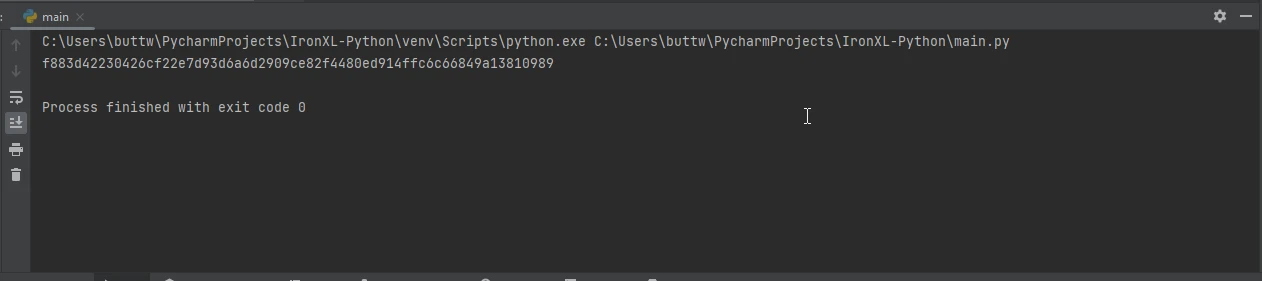
Hash functions are fundamental to cryptography, providing a way to produce a fixed-size hash value from arbitrary data. PyCryptodome supports various hash algorithms through the Crypto.Hash module.
Example of using the SHA-256 hash function
from Crypto.Hash import SHA256

# Create a new SHA-256 hash object
hash_object = SHA256.new(data=b'Hello, PyCryptodome!')

# Output the hexadecimal digest of the hash
print(hash_object.hexdigest())
from Crypto.Hash import SHA256
# Create a new SHA-256 hash object
hash_object = SHA256.new(data=b'Hello, PyCryptodome!')
# Output the hexadecimal digest of the hash
print(hash_object.hexdigest())👁 PyCryptodome (How It Works For Developers): Figure 1 - Hashing Output
Symmetric Encryption
Symmetric encryption involves the same key for both encryption and decryption. PyCryptodome's Crypto.Cipher module supports several symmetric ciphers, including AES, DES, and more.
Example of AES encryption and decryption
from Crypto.Cipher import AES
from Crypto.Random import get_random_bytes

# Generate a random AES key
key = get_random_bytes(16) # 16 bytes for AES-128

# Create a new AES cipher in EAX mode for encryption
cipher = AES.new(key, AES.MODE_EAX)
data = b'Secret Message'

# Encrypt the data and get the nonce, ciphertext and tag
nonce = cipher.nonce
ciphertext, tag = cipher.encrypt_and_digest(data)

# Create a new AES cipher in EAX mode for decryption
cipher = AES.new(key, AES.MODE_EAX, nonce=nonce)
plaintext = cipher.decrypt(ciphertext)

# Verify the authenticity of the message
try:
 cipher.verify(tag)
 print("The message is authentic:", plaintext)
except ValueError:
 print("Key incorrect or message corrupted")
from Crypto.Cipher import AES
from Crypto.Random import get_random_bytes
# Generate a random AES key
key = get_random_bytes(16) # 16 bytes for AES-128
# Create a new AES cipher in EAX mode for encryption
cipher = AES.new(key, AES.MODE_EAX)
data = b'Secret Message'
# Encrypt the data and get the nonce, ciphertext and tag
nonce = cipher.nonce
ciphertext, tag = cipher.encrypt_and_digest(data)
# Create a new AES cipher in EAX mode for decryption
cipher = AES.new(key, AES.MODE_EAX, nonce=nonce)
plaintext = cipher.decrypt(ciphertext)
# Verify the authenticity of the message
try:
cipher.verify(tag)
print("The message is authentic:", plaintext)
except ValueError:
print("Key incorrect or message corrupted")👁 PyCryptodome (How It Works For Developers): Figure 2 - AES Output
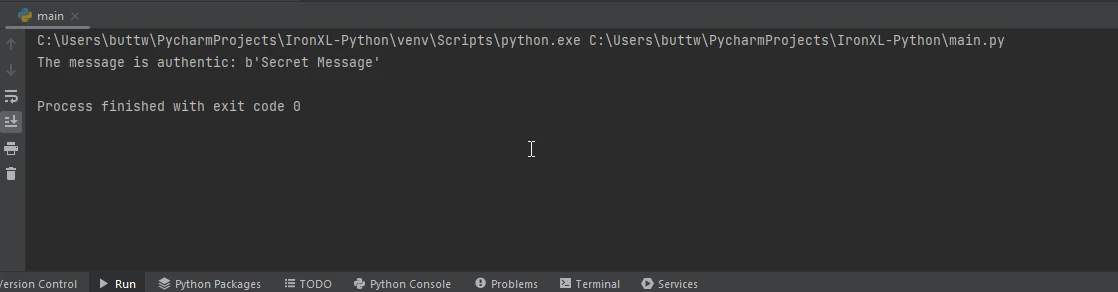
Asymmetric Encryption
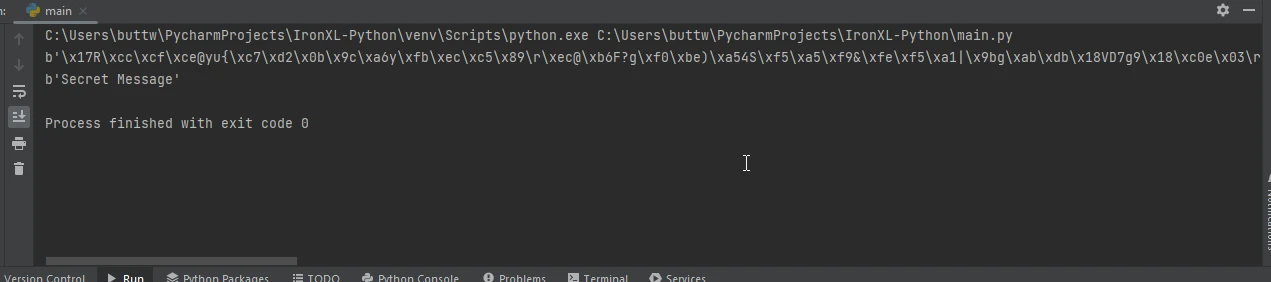
Asymmetric encryption uses a pair of keys: a public key for encryption and a private key for decryption. PyCryptodome's Crypto.PublicKey module provides support for RSA, DSA, and ECC (Elliptic Curve Cryptography).
Example of RSA encryption and decryption
from Crypto.PublicKey import RSA
from Crypto.Cipher import PKCS1_OAEP

# Generate an RSA key pair
key = RSA.generate(2048)
public_key = key.publickey()

# Encrypt the message using the public key
cipher = PKCS1_OAEP.new(public_key)
ciphertext = cipher.encrypt(b'Secret Message')

# Decrypt the message using the private key
cipher = PKCS1_OAEP.new(key)
plaintext = cipher.decrypt(ciphertext)
print(plaintext)
from Crypto.PublicKey import RSA
from Crypto.Cipher import PKCS1_OAEP
# Generate an RSA key pair
key = RSA.generate(2048)
public_key = key.publickey()
# Encrypt the message using the public key
cipher = PKCS1_OAEP.new(public_key)
ciphertext = cipher.encrypt(b'Secret Message')
# Decrypt the message using the private key
cipher = PKCS1_OAEP.new(key)
plaintext = cipher.decrypt(ciphertext)
print(plaintext)👁 PyCryptodome (How It Works For Developers): Figure 3 - RSA Output
Key Derivation
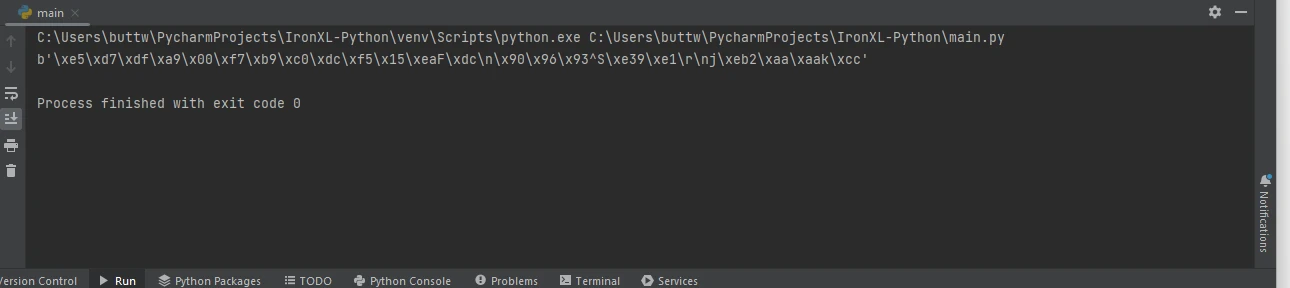
Key derivation functions generate cryptographic keys from a password or passphrase. This is particularly useful in password-based encryption. PyCryptodome supports PBKDF2, scrypt, and other key derivation algorithms.
Example of using PBKDF2
from Crypto.Protocol.KDF import PBKDF2
from Crypto.Random import get_random_bytes

# Define a password and generate a salt
password = b'my secret password'
salt = get_random_bytes(16)

# Derive a key from the password and salt using PBKDF2
key = PBKDF2(password, salt, dkLen=32, count=1000000)
print(key)
from Crypto.Protocol.KDF import PBKDF2
from Crypto.Random import get_random_bytes
# Define a password and generate a salt
password = b'my secret password'
salt = get_random_bytes(16)
# Derive a key from the password and salt using PBKDF2
key = PBKDF2(password, salt, dkLen=32, count=1000000)
print(key)👁 PyCryptodome (How It Works For Developers): Figure 4 - PBKDF2 Output
Use Cases
Password Management
Password managers benefit from PyCryptodome's key derivation functions to securely store and retrieve user passwords. By using strong key derivation algorithms like PBKDF2, developers can ensure that stored passwords are resistant to brute-force attacks.
Example of securing passwords
from Crypto.Protocol.KDF import PBKDF2
from Crypto.Random import get_random_bytes
from Crypto.Cipher import AES

# Derive a strong key from a password
password = b'user_password'
salt = get_random_bytes(16)
key = PBKDF2(password, salt, dkLen=32, count=1000000)

# Encrypt the password before storing
cipher = AES.new(key, AES.MODE_EAX)
stored_password = b'ActualPassword'
nonce = cipher.nonce
ciphertext, tag = cipher.encrypt_and_digest(stored_password)

# Store ciphertext, nonce, salt, and tag securely
password_data = {
 'ciphertext': ciphertext,
 'nonce': nonce,
 'salt': salt,
 'tag': tag
}

# Decrypt the password when needed
key = PBKDF2(password, password_data['salt'], dkLen=32, count=1000000)
cipher = AES.new(key, AES.MODE_EAX, nonce=password_data['nonce'])
plaintext = cipher.decrypt(password_data['ciphertext'])

# Verify the authenticity of the password
try:
 cipher.verify(password_data['tag'])
 print("The stored password is authentic:", plaintext)
except ValueError:
 print("Key incorrect or password corrupted")
from Crypto.Protocol.KDF import PBKDF2
from Crypto.Random import get_random_bytes
from Crypto.Cipher import AES
# Derive a strong key from a password
password = b'user_password'
salt = get_random_bytes(16)
key = PBKDF2(password, salt, dkLen=32, count=1000000)
# Encrypt the password before storing
cipher = AES.new(key, AES.MODE_EAX)
stored_password = b'ActualPassword'
nonce = cipher.nonce
ciphertext, tag = cipher.encrypt_and_digest(stored_password)
# Store ciphertext, nonce, salt, and tag securely
password_data = {
'ciphertext': ciphertext,
'nonce': nonce,
'salt': salt,
'tag': tag
}
# Decrypt the password when needed
key = PBKDF2(password, password_data['salt'], dkLen=32, count=1000000)
cipher = AES.new(key, AES.MODE_EAX, nonce=password_data['nonce'])
plaintext = cipher.decrypt(password_data['ciphertext'])
# Verify the authenticity of the password
try:
cipher.verify(password_data['tag'])
print("The stored password is authentic:", plaintext)
except ValueError:
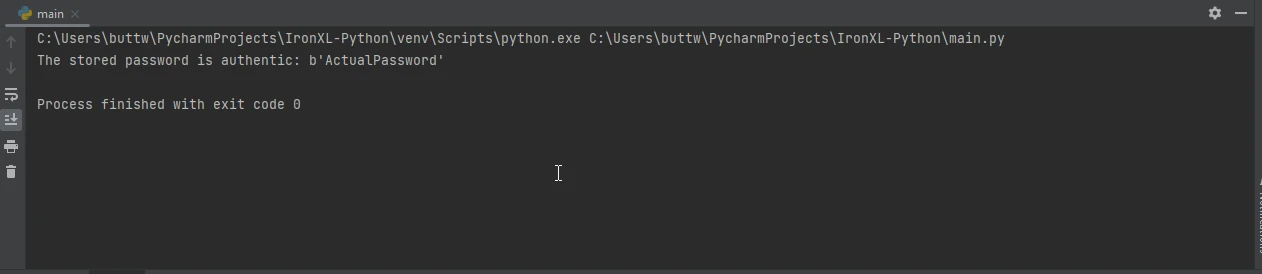
print("Key incorrect or password corrupted")👁 PyCryptodome (How It Works For Developers): Figure 5 - Securing Password Output
IronPDF for Python
IronPDF is a powerful PDF generation library for Python that allows developers to create, edit, and manipulate PDF documents effortlessly. It provides a wide range of functionalities, from converting HTML to PDF to merging multiple PDFs, making it an ideal choice for automating document workflows. When combined with PyCryptodome, a robust library for cryptographic operations, developers can add secure features to their PDF documents, such as encryption and digital signatures. This integration is particularly useful for applications requiring high levels of security and data integrity, such as in financial, legal, or confidential environments.
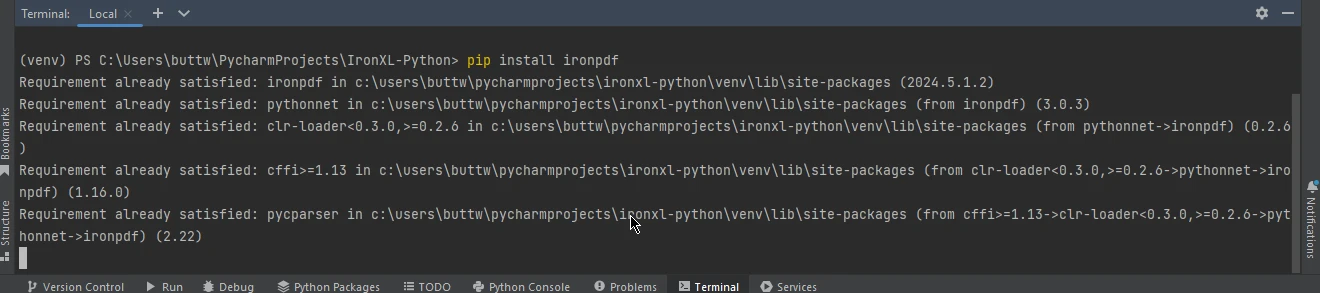
To install IronPDF, you can use pip, the Python package manager. Here's how to get started:
pip install ironpdf
👁 PyCryptodome (How It Works For Developers): Figure 6 - IronPDF
After installation, you can begin using IronPDF to create and manipulate PDFs. Below is a simple example demonstrating how to create a PDF with IronPDF and then use PyCryptodome to encrypt it:
from ironpdf import ChromePdfRenderer
from Crypto.Cipher import AES
from Crypto.Util.Padding import pad
import os

# Create a new PDF renderer
renderer = ChromePdfRenderer()

# Render a URL as a PDF and save it
pdfFromUrl = renderer.RenderUrlAsPdf("https://ironpdf.com/")
pdfFromUrl.SaveAs("output.pdf")

# Function to encrypt a file using AES
def encrypt_file(file_name, key):
 cipher = AES.new(key, AES.MODE_CBC) # Use AES in CBC mode
 iv = cipher.iv
 with open(file_name, 'rb') as f:
 data = f.read()
 encrypted_data = iv + cipher.encrypt(pad(data, AES.block_size))
 with open(file_name + '.enc', 'wb') as f:
 f.write(encrypted_data)

# Example usage
key = os.urandom(16) # AES key must be either 16, 24, or 32 bytes long
encrypt_file("output.pdf", key)
from ironpdf import ChromePdfRenderer
from Crypto.Cipher import AES
from Crypto.Util.Padding import pad
import os
# Create a new PDF renderer
renderer = ChromePdfRenderer()
# Render a URL as a PDF and save it
pdfFromUrl = renderer.RenderUrlAsPdf("https://ironpdf.com/")
pdfFromUrl.SaveAs("output.pdf")
# Function to encrypt a file using AES
def encrypt_file(file_name, key):
cipher = AES.new(key, AES.MODE_CBC) # Use AES in CBC mode
iv = cipher.iv
with open(file_name, 'rb') as f:
data = f.read()
encrypted_data = iv + cipher.encrypt(pad(data, AES.block_size))
with open(file_name + '.enc', 'wb') as f:
f.write(encrypted_data)
# Example usage
key = os.urandom(16) # AES key must be either 16, 24, or 32 bytes long
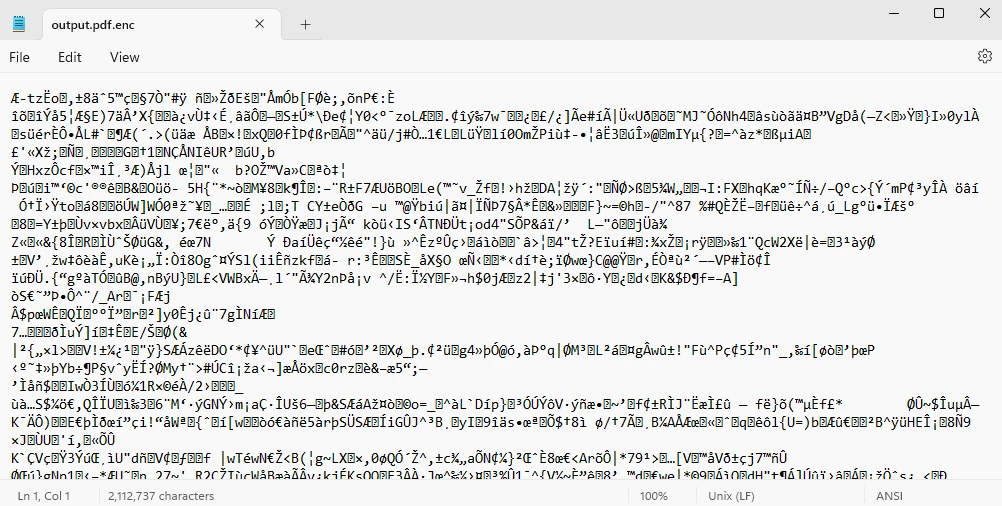
encrypt_file("output.pdf", key)This script showcases the creation of a simple PDF using IronPDF and then encrypts it using AES from PyCryptodome, providing a foundation for building more complex and secure PDF handling applications.
👁 PyCryptodome (How It Works For Developers): Figure 7 - Encrypted File Output
Conclusion
In conclusion, PyCryptodome is a powerful and versatile Python library that significantly enhances cryptographic operations for developers, offering a wide array of algorithms and easy integration with other tools like IronPDF. With its comprehensive feature set, including support for authenticated encryption modes, symmetric and asymmetric encryption, hashing, and key derivation, PyCryptodome addresses the needs of modern applications requiring robust security measures. Its ease of use, active maintenance, and self-contained nature make it an indispensable tool for implementing secure data handling in various scenarios, from password management to secure document generation and encryption, ensuring data integrity and confidentiality in an increasingly digital world.
For details on IronPDF licensing, see the IronPDF license page. To explore further, check out our thorough tutorial on converting HTML to PDF.

























