

SciPy Python (How It Works For Developers)

SciPy is a mainstay among the many scientific Python libraries available, providing an abundance of capabilities for numerical integration, data analysis, and scientific computing. Because of its extensive set of features and methods, data scientists, engineers, and researchers may easily tackle challenging issues. IronPDF, on the other hand, offers a smooth way to dynamically create PDF documents inside scientific Python programs, acting as a link between data insights and useful reports.
As we go out on our investigation, we'll explore the possibilities of SciPy Python and see how it can be easily used with IronPDF to reveal insights to new contributors and efficiently disseminate results. SciPy allows users to explore the depths of data, from statistical analysis to signal processing, and IronPDF supports these efforts by offering the tools to show results in a user-friendly, expert, and eye-catching way.
Come along with us as we explore the fields of scientific computing and document creation while learning about the mutually beneficial interaction between IronPDF and SciPy Python. When combined, they create a complete environment and a formidable team that allows users to drive innovation and make well-informed decisions by bridging the gap between scientific and technical computing, science and engineering, data discovery, and communication.
SciPy Python Features
👁 SciPy Python (How It Works For Developers): Figure 1 - SciPy Python
Numerical Operations
SciPy has a wide standard collection of functions for performing various numerical computing operations, such as numerical differentiation, linear algebra, optimization, integration, and interpolation. Users can efficiently do complicated mathematical operations with the help of a standard collection of these functions.
Statistical Functions
For data analysis, hypothesis testing, probability distributions, and descriptive statistics, the SciPy library provides an extensive collection of statistical functions. These features enable users to investigate and evaluate datasets, from data input derive significant insights, and arrive at well-informed judgments.
Signal and Image Processing
Filtering, Fourier transformations, wavelet transformations, and image manipulation are among the methods available in SciPy's signal and image processing modules. In domains like computer vision, image analysis, and digital signal processing, these skills are critical to scientific and technical computing.
Sparse Matrices
Sparse matrices are memory-efficient data structures that can be used to manage sizable, sparse datasets. SciPy supports them. In applications including finite element analysis, computational biology, and network analysis, sparse matrices are frequently utilized.
NumPy Integration
SciPy easily combines with the NumPy extension, the core Python library for efficient numerical routines. NumPy arrays can be used as inputs and outputs for SciPy functions thanks to this integration, which guarantees compatibility and interoperability of source code between the two libraries.
Optimization
SciPy has optimization algorithms that can be used to solve optimization issues that are both limited and unconstrained. These algorithms are helpful for a variety of optimization tasks, including model fitting algorithms, parameter estimates algorithms, and objective function optimization algorithms.
Integration and Differential Equations
SciPy has functions for resolving integral equations, partial differential equations, and ordinary differential equations (ODEs, PDEs). Users can solve boundary value problems, model physical processes, and simulate dynamic systems with these tools.
Sparse Linear Algebra
SciPy provides functions for sparse linear algebra activities, various functions such as solving linear algebra for systems, in addition to functions for sparse matrices.
Create and Config SciPy Python
Installing the library and configuring it to function within your Python environment are the first steps in creating and configuring SciPy in Python. Let's go over the procedure using an explanation.
Installation Instructions
You can install the SciPy package from PyPI with pip:
pip install scipy
# or
python -m pip install scipy
pip install scipy
# or
python -m pip install scipyAlternatively, you can install SciPy from the defaults or conda-forge channels using conda:
conda install scipyconda install scipyTo know more about SciPy installation, please visit the installation guide.
Import Necessary Modules
After installing SciPy Package, import the necessary modules into your Python script:
import numpy as np
from scipy import optimize
import numpy as np
from scipy import optimizeHere, optimize from SciPy, which we'll utilize for optimization tasks, and NumPy as np are imported.
Define an Objective Function
We'll build a straightforward objective function in this case that we wish to minimize. Let's define a function that symbolizes an elementary mathematical formula:
# Define an objective function
def objective(x):
"""Calculates the objective function value for a given x."""
return x**2 + 10*np.sin(x)# Define an objective function
def objective(x):
"""Calculates the objective function value for a given x."""
return x**2 + 10*np.sin(x)This function takes a single parameter, x, and outputs x**2 + 10*np.sin(x), where x is the parameter.
Find the Minimum of the Objective Function
Next, we'll determine the objective function's minimum using SciPy's optimization package. The minimize function from the optimize module will be employed here:
# Find the minimum of the objective function
result = optimize.minimize(objective, x0=0)# Find the minimum of the objective function
result = optimize.minimize(objective, x0=0)minimize reduces the objective function, with an initial guess for the minimum value (x0=0). The result variable contains the optimization result.
What is IronPDF?
IronPDF for Python is essentially a Python library for producing, modifying, and working with PDF files. Python scripts can use IronPDF functions just like regular Python functions. As an alternative, you can use IronPDF to establish a .NET-based web service and communicate with it from Python using HTTP requests. With either approach, Python developers may take advantage of IronPDF's powerful PDF manipulation features without having to leave their favorite Python environment.
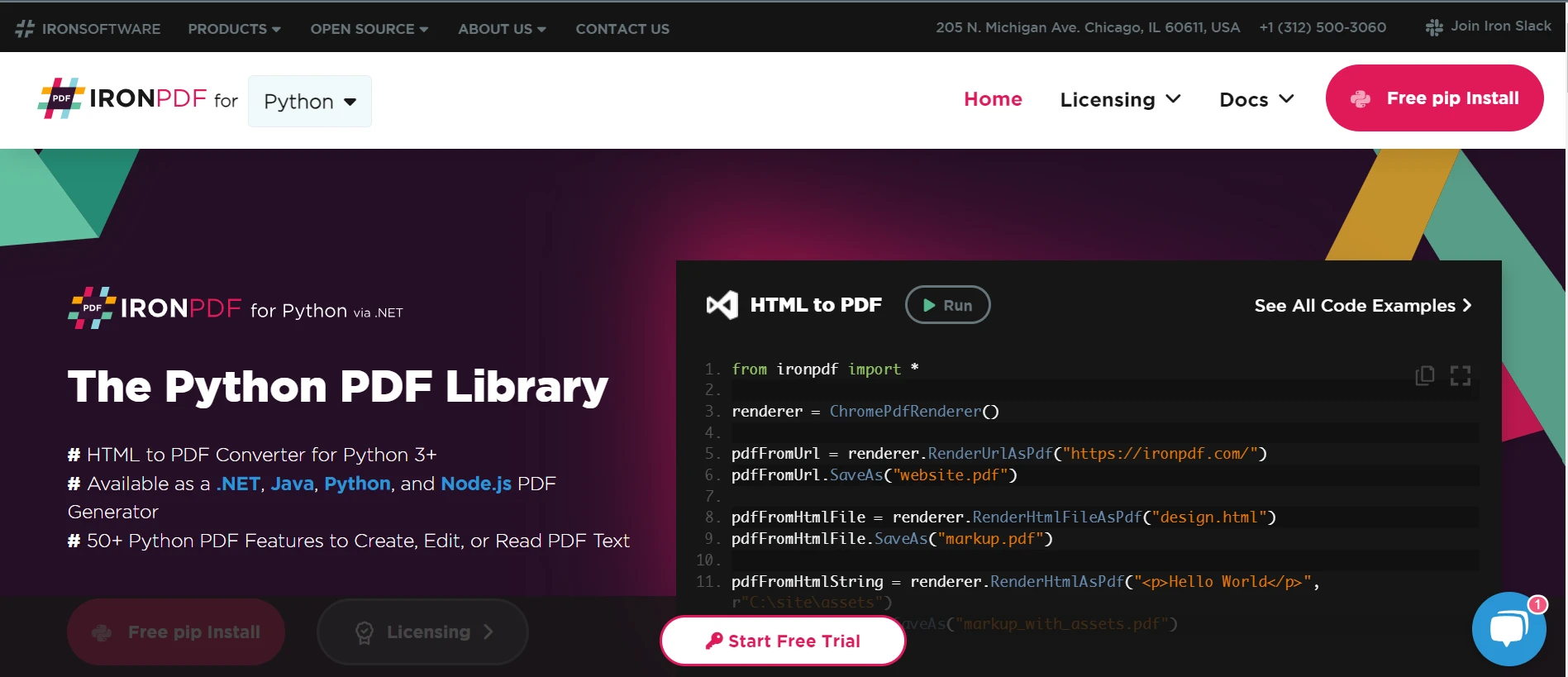
👁 SciPy Python (How It Works For Developers): Figure 2 - IronPDF for Python: The Python PDF Library
Key Features of IronPDF
HTML to PDF Conversion
Create PDF documents from HTML information, including JavaScript and CSS styling. Maintain the original HTML content's structure, formatting, and interaction in the PDFs that are created.
URL to PDF Conversion
Create PDF documents straight from URLs by inserting dynamically created content from web applications or web pages. Assistance in taking screenshots of websites and turning them into PDFs.
Image to PDF Conversion
Create PDF documents from images (JPG, PNG, BMP, and GIF). Easily include graphics and other visual elements in PDF files by seamlessly embedding images into the document.
Document Manipulation
Combine several PDF files into a single PDF file. Divide PDF files according to predetermined parameters into distinct files. Take out particular pages or sections of pages from PDF files. Add, prepend, or insert pages into PDF documents that already exist. You can delete, rotate, or rearrange the pages in PDF files.
Prerequisites
Required .NET SDK: The .NET 6.0 SDK must be installed on your computer as IronPDF for Python relies on .NET 6 runtime as its underlying technology. It is available for download on the .NET download page.
Install IronPDF
Installing IronPDF using pip is the first step.
pip install ironpdf
Getting Started
Setting up both libraries in your Python environment and presenting a basic example of writing code and how to use them together are the first steps in getting started writing code together with SciPy Python and IronPDF.
Import Necessary Modules
Once the SciPy and IronPDF packages are installed on your system, bring in the necessary modules for your Python script.
import numpy as np
from scipy import optimize
from ironpdf import *import numpy as np
from scipy import optimize
from ironpdf import *Here, we import the IronPDF class from IronPDF, the optimize module from SciPy, and NumPy as np.
Using SciPy with IronPDF
Use the optimization module in SciPy to define an objective function that you wish to minimize. Utilize the optimization module in SciPy to determine the objective function's minimum. Please let us use IronPDF to dynamically generate a PDF document.
# Define an objective function
def objective(x):
 """Calculates the objective function value for a given x."""
 return x**2 + 10*np.sin(x)
# Find the minimum of the objective function
result = optimize.minimize(objective, x0=0)
# Create a PDF with the result
renderer = ChromePdfRenderer()
html_content = f"<html><body><h1>Minimum value: {result.fun}</h1><p>Optimal solution: {result.x}</p></body></html>"
pdf_content = renderer.RenderHtmlAsPdf(html_content)
pdf_content.SaveAs("output.pdf")# Define an objective function
def objective(x):
"""Calculates the objective function value for a given x."""
return x**2 + 10*np.sin(x)
# Find the minimum of the objective function
result = optimize.minimize(objective, x0=0)
# Create a PDF with the result
renderer = ChromePdfRenderer()
html_content = f"<html><body><h1>Minimum value: {result.fun}</h1><p>Optimal solution: {result.x}</p></body></html>"
pdf_content = renderer.RenderHtmlAsPdf(html_content)
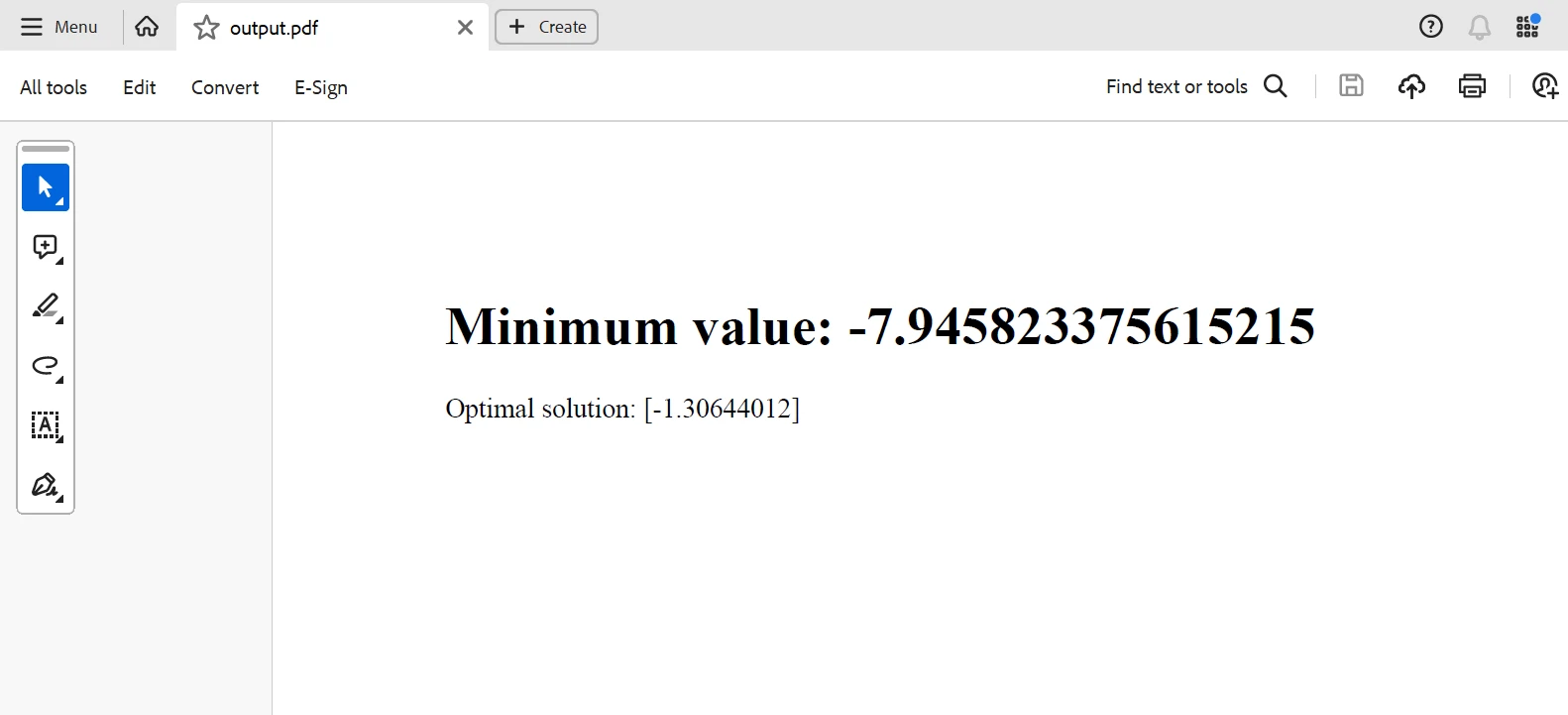
pdf_content.SaveAs("output.pdf")Here, we use IronPDF to transform the HTML text containing the minimum value and optimal solution discovered by SciPy into a PDF, which is then saved to a file called "output.pdf".
OUTPUT
Conclusion
In summary, the combination of SciPy Python and IronPDF provides a strong means of gaining access to data science insights and efficiently disseminating research results. Through the seamless integration of IronPDF's dynamic PDF-generating capabilities with SciPy's scientific computing and data analysis capabilities, users may perform analysis, visualize findings, and produce reports that appear professional. The combination of SciPy Python and IronPDF proves to be a useful tool in the data science toolkit, enabling users to make deft judgments and spur innovation as businesses work to extract value from data and effectively convey insights.
IronPDF also offers detailed documentation and various code examples to help users to get started. For additional information about the software products that Iron Software offers, please visit this website.

























