|
VOOZH | about |
|
VOOZH | about |
Fast-loading images keep visitors engaged and improve your search rankings. But you shouldn’t have to sacrifice sharp visuals to get better performance. WordPress image optimization plugins compress, resize, and convert your images automatically, often cutting file sizes in half without anyone noticing a difference in quality.
In this guide, we’ll rank popular WordPress image optimization plugins. You’ll learn what to look for, how each tool performs, and which one fits your site’s needs.
With so many image optimization plugins promising faster load times, it can be tough to know which ones actually deliver. So we evaluated each plugin hands-on in a real WordPress environment. The goal was simple: find the tools that improve site speed without creating extra issues.
Here’s what we looked at:
Taken together, these criteria helped us separate the standouts from the plugins that look good on paper but fall flat in practice.
The best image optimization plugins shrink files and improve your user experience from the moment someone lands on a page. Below, you’ll find some of the most popular tools:
Jetpack Boost is a performance plugin that improves Core Web Vitals with just a few toggles. It automatically converts and serves images in modern formats like WebP and generates Critical CSS to speed up how quickly pages appear to load.
A baseline test run through GTmetrix without any image optimization plugins enabled showed decent results already:
But after running a test post through the tool with Jetpack Boost enabled, the performance and LCP improvements speak for themselves:
Jetpack Boost offers a straightforward experience. Turn on the features you want and let the plugin handle everything automatically.
Creators, bloggers, and small business sites that want faster images and better performance will thrive with this plugin.
Free. Some advanced performance features do require premium Jetpack plans, however.
Smush is a popular image optimization plugin built for ease of use. It automatically compresses uploads, supports bulk optimization for large libraries, and includes lazy loading to improve visual performance. It’s a strong pick for beginners thanks to its simple setup and useful free features.
Smush has a simple setup process. Install the plugin, enable automatic optimization, and it works behind the scenes.
This plugin works best for bloggers, those with portfolio sites, and small businesses wanting fast wins without complexity.
Free with core tools included. Smush Pro adds stronger compression, WebP conversion, and automation features, starting around $72 per year.
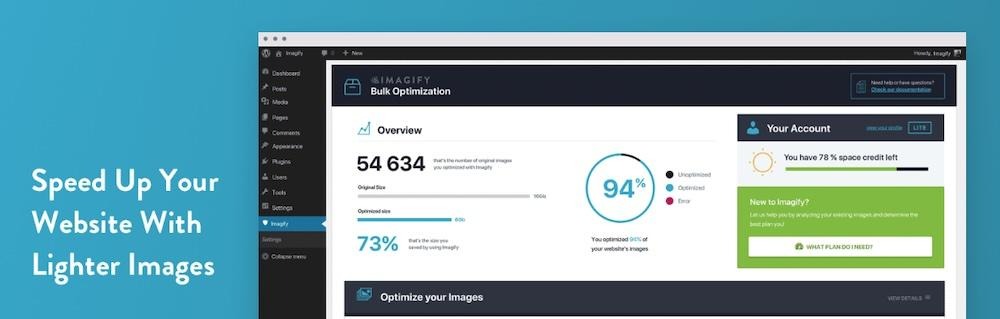
Imagify is a well-designed image optimization plugin that offers strong compression options, automatic resizing, and modern formats like WebP and AVIF, all with a user-friendly interface. It’s a great option for those who want noticeable performance improvements without sacrificing image clarity.
Imagify is designed to be beginner-friendly. Activate the plugin, enable Smart Compression, and it handles everything automatically. Bulk optimization and format conversion are both handled with just a couple of clicks — no technical skills required.
Small to medium sites that want stronger compression than Smush provides, plus modern formats, without digging into advanced settings.
The Fee plan is available with a small optimization quota each month. Paid plans start at around $4.99 per month, paid annually, lifting data limits and enabling large-scale optimization across one or more sites.
EWWW Image Optimizer offers automation and deep customization for image optimization in WordPress. It can handle unlimited local compression for free, bulk optimize large libraries, resize images, and convert them to modern formats with optional cloud and CDN upgrades for stronger performance.
EWWW Image Optimizer is simple if you stick to Easy Mode. You can make use of the optional advanced controls should the need arise, but they’re not necessary for most.
Larger sites needing unlimited optimization or people who need full control over compression settings will find this plugin to be a winner.
Free core plugin with unlimited local optimization. Paid plans add cloud compression and CDN delivery, starting at $8/month.
ShortPixel Image Optimizer is a cloud-based plugin known for excellent compression results, often achieving much smaller files than other tools while maintaining solid visual quality. It supports multiple compression levels and modern formats, and works well for media-heavy websites.
Setup is quick once you add an API key. Automatic optimization runs in the background, with bulk tools for older uploads.
Photography websites, portfolios, ecommerce shops, and any site with high-resolution images that demand strong compression will benefit from ShortPixel.
The free plan includes 100 credits/month. Paid plans start at $9.99 per month for unlimited images.
The TinyPNG plugin connects WordPress to the popular TinyPNG and TinyJPG compression service. It automatically shrinks images on upload and can bulk optimize older files, with support for modern formats like WebP and AVIF.
Install, add an API key, and choose automatic or manual compression. Most people can be up and running in under a minute.
Blogs, small business sites, and portfolios that need fast, reliable compression but don’t upload massive volumes of images each month will find this plugin suitable.
There’s a free plan with 500 monthly compression credits included. Paid plans expand credits and remove limits for higher-volume sites, starting at $0.009 per image compression.
Robin Image Optimizer is a simple, free plugin focused on automating image compression without limits or technical setup. It’s especially useful for older sites with large media libraries because it allows for unlimited bulk optimization.
This plugin is simple to install and run. Once enabled, automatic optimization works quietly in the background. Bulk tools and background processing keep things stress-free even on large sites.
Site owners who want a completely free optimizer with no caps. Blogs, portfolios, and older sites full of unoptimized images stand to benefit the most.
The free version includes unlimited compression. Paid plans start at $39 per year for up to 5000 images per month and bulk optimization options.
Converter for Media focuses on converting your WordPress images to modern formats like WebP, and AVIF if you upgrade, to significantly reduce file sizes and speed up load times. It bulk-converts existing media and automatically handles new uploads going forward, while preserving your originals for fallback.
Converter for Media is very simple to set up. Just enable format conversion, run the bulk tool once, and let the plugin handle things automatically from then on.
Anyone wanting a quick path to WebP or AVIF without changing production workflows or image-editing habits can make the most of this plugin.
This plugin is free for unlimited WebP conversions. The Pro upgrade adds AVIF conversion and extra performance options, starting at $5 per month.
If you want even smaller file sizes before uploading images to WordPress, or you’re working with just a few visuals, free online compressors often suffice. These tools let you shrink images manually without plugins, giving you more control over file formats and quality.
Squoosh is a browser-based app that gives you complete control over compression settings. You can compare original versus optimized images side by side, tweak formats like WebP or AVIF, and dial in the perfect balance of quality and size before uploading.
The plugin version of this tool was on the list previously, but the browser-based version is a popular option that automatically compresses PNG and JPEG files using smart lossy optimization. Just drag and drop your images, download the smaller version, and upload to WordPress. It’s a quick and simple method that delivers great results without any visual drop-off.
Compressor.io is a free browser-based tool that quickly compresses JPEG, PNG, GIF, and SVG files. It offers lossy and lossless compression modes, making it straightforward to shrink images significantly while maintaining strong visual quality. Just drag, compress, download, and upload to WordPress, no account or installation required.
If your site already has a lot of media uploaded, a plugin can optimize everything for you, past and future images included.
Here’s the typical workflow:
Pick one from the list above like Jetpack Boost.
Most plugins will compress and convert images in the background without any extra effort. In Jetpack Boost, you can do this by ensuring Image CDN is toggled on.
This reduces the size of every image already stored in WordPress. If the tool you select doesn’t have an auto-optimize feature upon installation, enable this to ensure new and old uploads are optimized going forward.
This prevents oversized files from ever slowing down your pages. In Jetpack Boost, you can also turn on Image Guide to help you identify images that need to be resized on your site currently.
Once automation is enabled, your images stay optimized without ongoing work.
If you want the most efficient media from the start, you can optimize images yourself before they ever reach WordPress. This helps keep storage lower and prevents oversized files from piling up.
Choose the size they’ll actually be displayed. Avoid uploading giant 4K assets if they appear as tiny thumbnails.
Use JPEG or WebP for photography, PNG for graphics with transparency, and SVG for simple logos or icons.
Use tools like Squoosh, TinyPNG, or Compressor.io to reduce file sizes while preserving quality.
This cuts unnecessary file weight by stripping location data, color profiles, and camera information that visitors never see.
Check that the image still looks sharp and clear, and adjust compression if needed.
When optimizing images, most tools give you two main compression options: lossy and lossless. Each has different benefits depending on how much you’re trying to shrink your files and how sharp your visuals need to be.
Here’s a quick primer:
Lossless keeps every pixel of the original image intact. You’ll see a smaller file size, but the change is usually modest. It’s ideal for logos, icons, and high-detail graphics where quality needs to remain perfect.
Lossy makes more aggressive reductions by removing some visual data that most people will never notice. You’ll get much smaller file sizes, but if you push the slider too far, you may spot slight blurring.
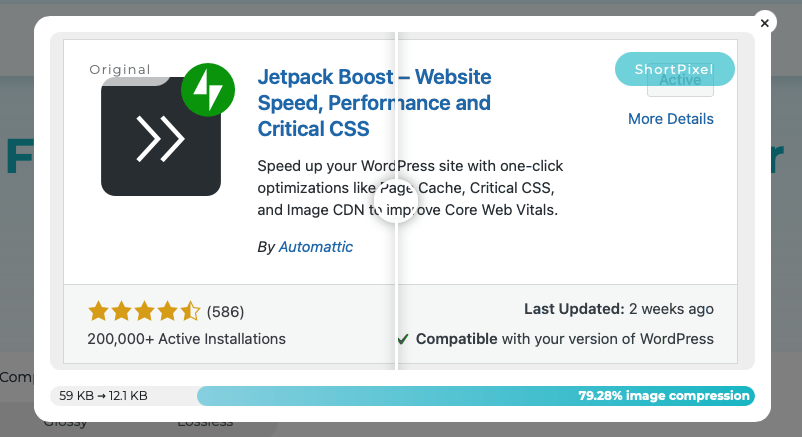
After using the compression tool on the ShortPixel website, you can view a side-by-side comparison of lossless versus lossy:
Now, let’s answer a few commonly asked questions about WordPress image optimization plugins.
Image compression involves the process of reducing file size without noticeably changing how the image looks, so pages load faster and use less bandwidth.
Yes, you can optimize images that are already uploaded to your WordPress site rather simply, especially since most optimization plugins include a bulk tool to compress your entire media library in one go.
Jetpack Boost has a free option that helps with automatic compression, identifying oversized images, and speeding up other aspects of your site.
Optimizing images won’t make them blurry so long as you choose the right settings. Lossless keeps perfect quality, while lossy should still look sharp when used moderately.
Yes, reverting images is often possible. Many plugins keep a backup of the original image file, so you can restore it at any time.
Yes, image optimization does affect image SEO. Smaller images help pages load faster, which improves SEO signals and user experience. Just be sure to keep alt text and filenames descriptive.
Yes, image optimization does improve Core Web Vitals, especially Largest Contentful Paint (LCP) and sometimes INP. Faster image delivery leads to faster perceived loading.
The best image optimization plugin for WordPress right now depends on your needs, but Jetpack Boost for simplicity is a solid go-to plugin for straightforward, hands-off optimization.
WebP is widely supported and a safe default. AVIF offers even smaller file sizes and great quality, but isn’t supported everywhere yet.
To convert existing images in your Media Library to WebP or AVIF, use a plugin that supports bulk format conversion.
Jen Swisher
Jen is a Customer Experience Specialist for Jetpack. She has been working with WordPress and Jetpack for over a decade. Before starting at Automattic, Jen helped small businesses, local non-profits, and Fortune 50 companies create engaging web experiences for their customers. She is passionate about teaching others how to create on the web without fear.
The easiest speed optimization plugin for WordPress
Jetpack Boost gives your site the same performance advantages as the world’s leading websites, no developer required.
Boost your site for freeHave a question?
Comments are closed for this article, but we're still here to help! Visit the support forum and we'll be happy to answer any questions.
View support forum