vscode-data-table
👁 Apache-2.0 License
👁 Version
👁 Installs
👁 Downloads
👁 https://ko-fi.com/dataPixy
See Data Preview 🈸 vscode extension for a generic Grid Data Viewer with many common data formats support, search, sort, filters, grouping, splits, pivot tables, aggregates and basic charts 📊.
Support
These Data Table Renderers were created to enhance raw data views in Jupyter and custom VSCode Notebooks 📚.
Please consider becoming a Fan and sponsoring our dev efforts on this and other Random Fractals, Inc. code and data viz extensions if you find them useful, educational, or enhancing your daily dataViz/dev code workflows and exploratory data analysis:
☕️ https://ko-fi.com/dataPixy
💖 https://github.com/sponsors/RandomFractals
Data Table 🈸 Renderers
Data Table Renderers is a collection of custom tabular data renderers for vscode notebooks.
👁 Data Table 🈸 Renderers
🈸 Features
- View
CSV, semi-flat XML, GeoJSON and JSON array data Notebook 📓 cell ⌗ output in HTML table with column sort, number and date formatting
- Incremental Data Table 🈸 rows creation on table scroll for faster display of larger datasets
- Data Summary 📊 Renderer View for a quick overview of loaded dataset
- Flat Data 中 Grid Renderer with column summary headers, filtering, and
CSV save options
- Built-in REST Book 📓, Python 🐍, TypeScript Notebook 📓, .NET Interactive Notebook 📓, and Pyolite/Pyodide 🐍 Notebook Examples 📚
- Geo 🌐 Data Table 🈸 View
- Experimental XML Data Table 🈸 View
- Notebook 📓 cell ⌗ Text Output scrollable container with code pre-wrap for quick copy/paste to other places
- Use Data Table, Flat Data Grid & Data Summary Notebook 📓 cell renderers with Pyolite/Pyodide 🐍 kernel in Jupyter Notebooks VSCode web editor on vscode.dev and github.dev:
👁 Flat Data Grid 中 in browser
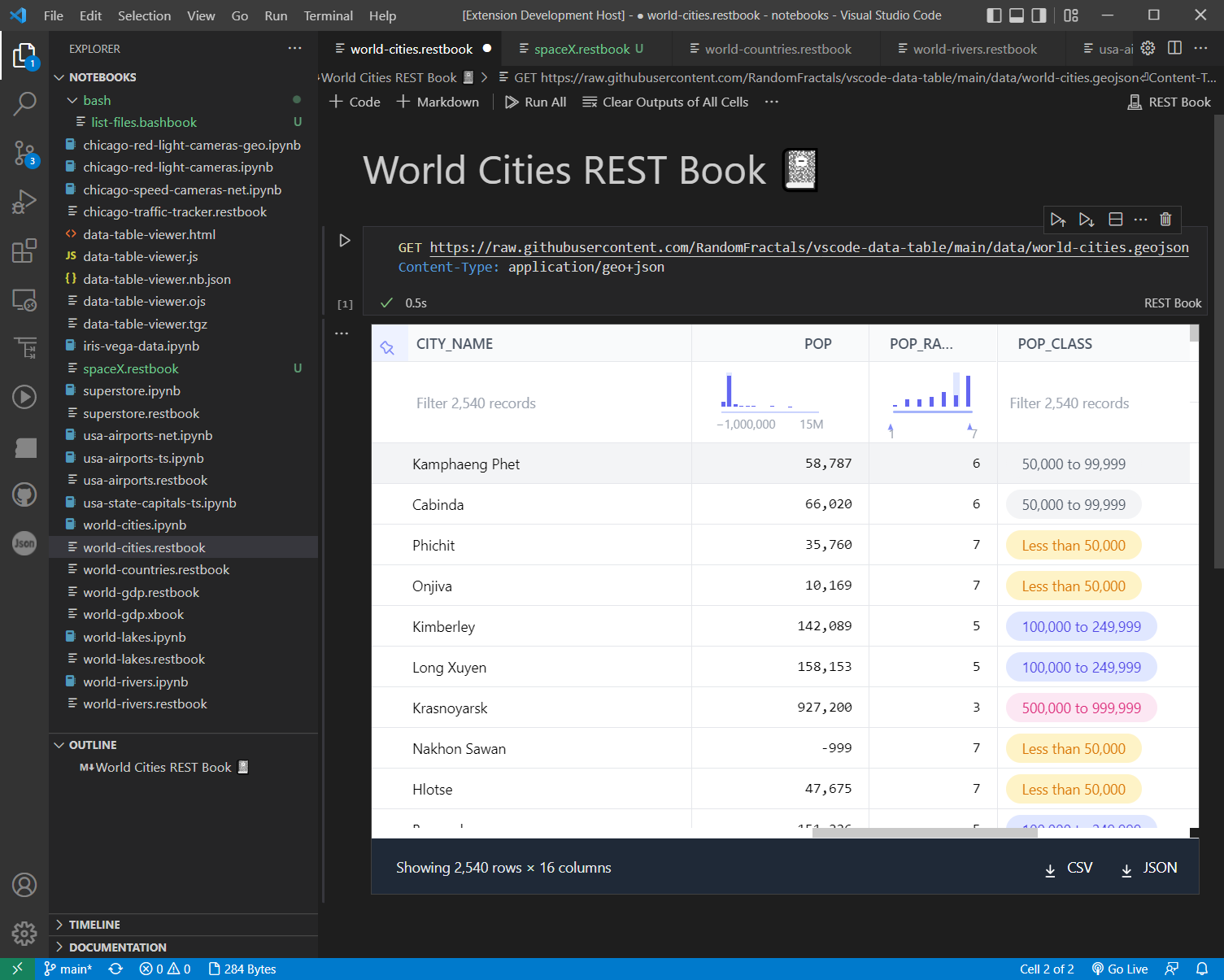
Data Table 🈸 Renderer View
Data Table 🈸 Notebook 📓 cell ⌗ output renderer uses Observable Inputs Table component for fast incremental data display and scrolling of datasets loaded in VSCode Notebooks 📚
👁 Data Table 🈸 Renderer View
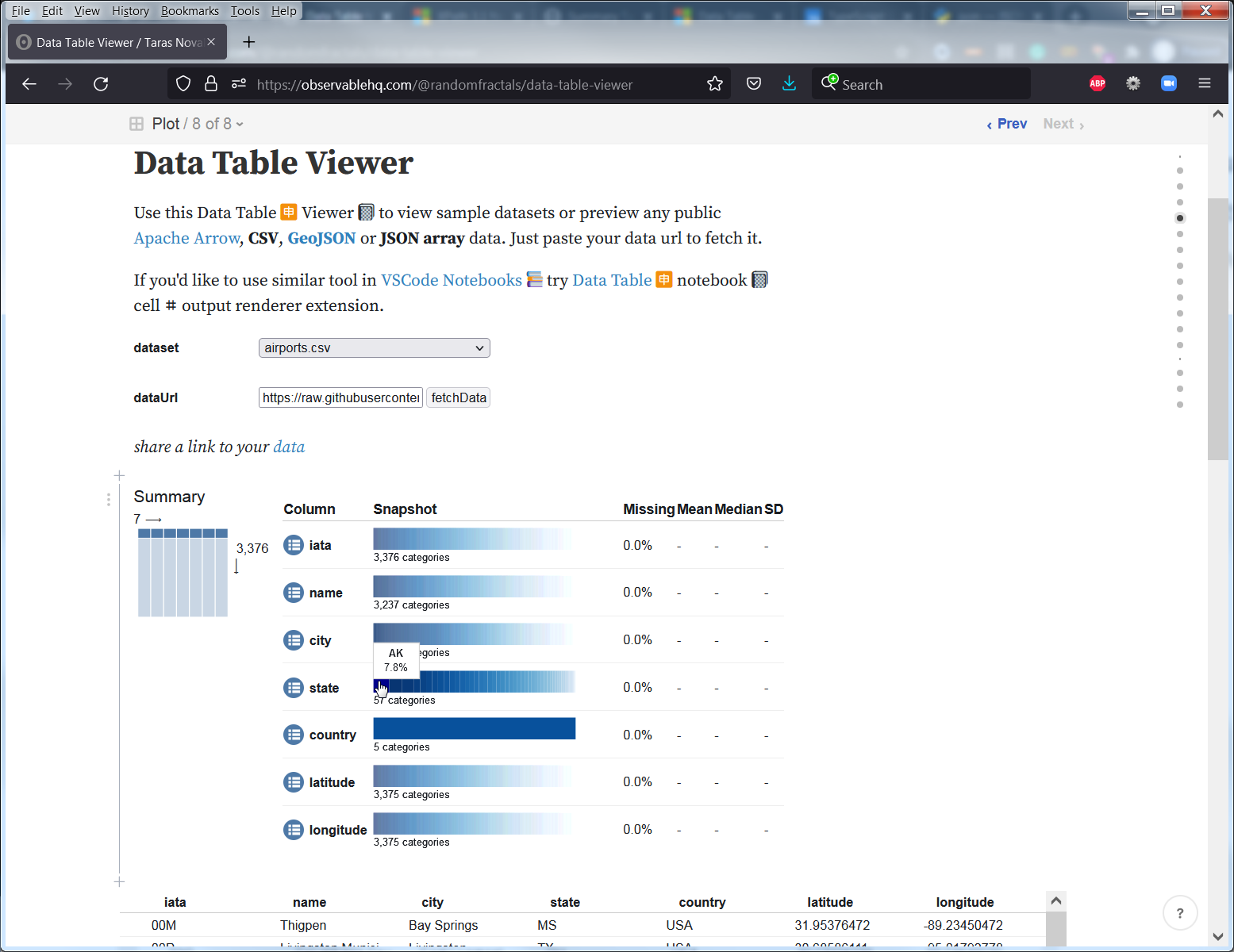
Observable Data Table 🈸 Viewer 📓
You can also use our generic Data Table Viewer 📓 notebook to preview public datasets in a browser:
👁 Observable Data Table 🈸 Viewer 📓
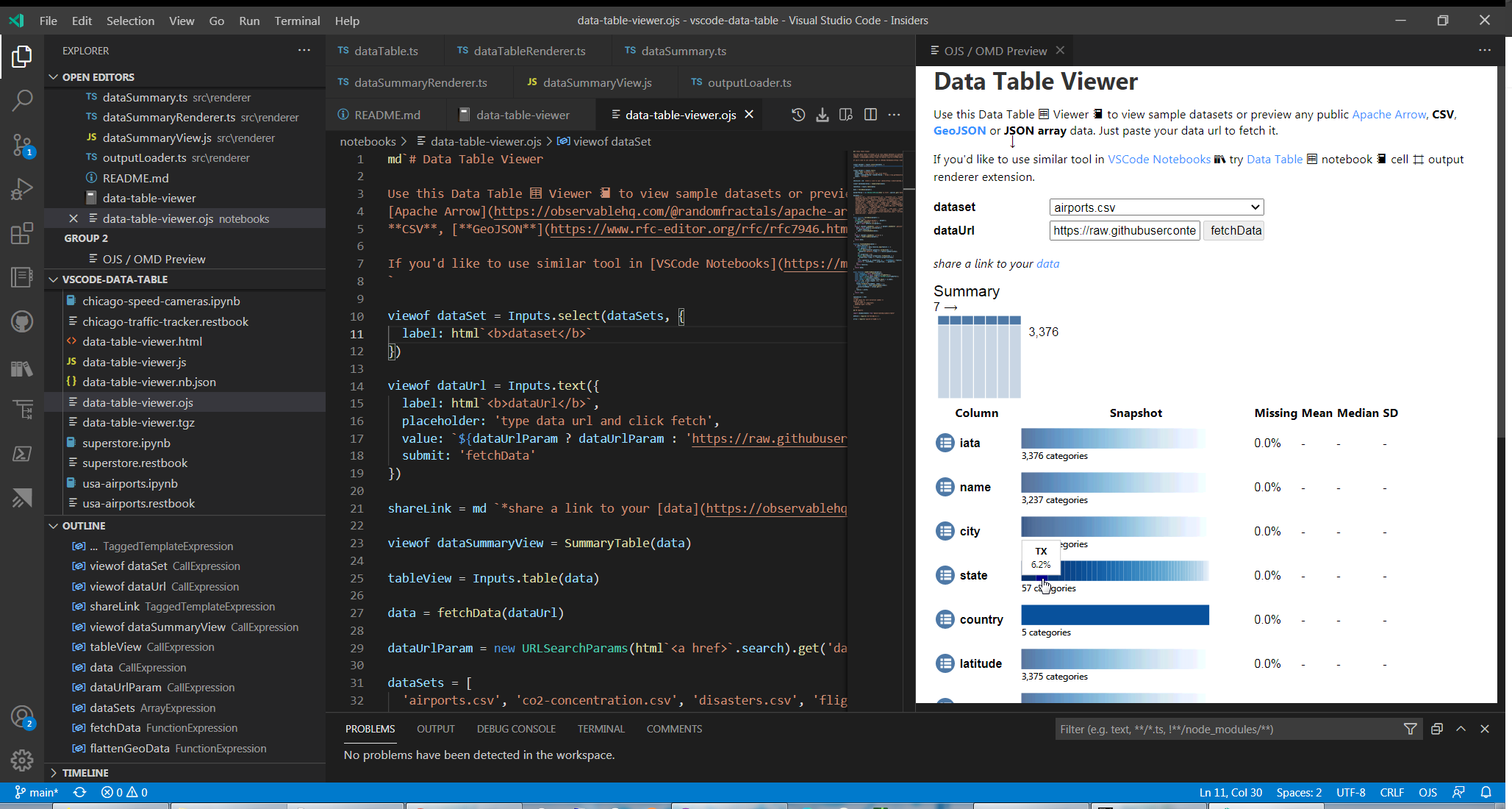
Or use it in vscode with Observable JS Notebook 📓 Inspector 🕵️:
👁 Observable JS Data Table 🈸 Viewer 📓 Inspector 🕵️
Or load Data Table 🈸 Viewer 📓 with Observable JS vscode extension:
👁 Observable JS Data Table 🈸 Viewer 📓
Data Summary 📊 Renderer View
This general purpose Data Table 🈸 Renderer extension also includes Data Summary 📊 Renderer based on modifield Observable Summary Table component for a quick overview of datasets loaded in VSCode Notebooks 📚
👁 Data Summary 📊 Renderer View
Flat Data 中 Grid Renderer
Flat Data Grid renderer is the latest addition to this custom tabular data renderers collection vscode extension. It's based on the Flat UI React data grid component library created by the GitHub Next dev team & used in Flat Data viewer on flatgithub.com.
👁 Flat Data 中 Grid Renderer Example
🈸 Examples
Data Table 🈸 for Notebooks 📚 extension v1.6.0 and up ships with built-in Notebook examples. You can access provided Notebook Examples listed below via Data Table: Notebook Examples command from View -> Command Palette... vscode menu:
👁 Data Summary Data Table 🈸 Notebook Examples
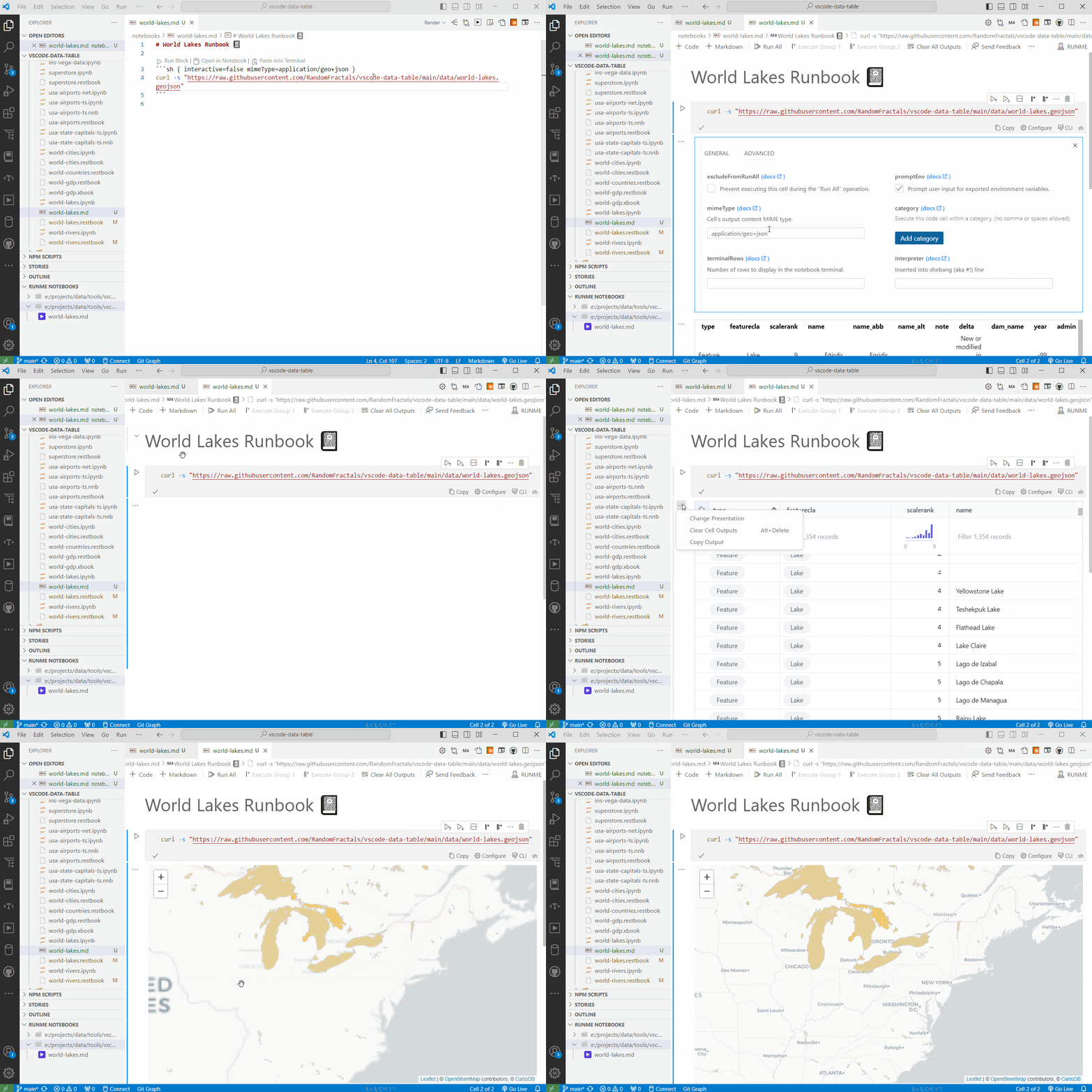
Runme Notebook Example
Install Runme vscode extension
Load notebooks/world-lakes.md document
Click on ▶️ in the markdown text editor context menu to Open markdown as Runme 📓.
Run All ᐅ cells ⌗
Click on ... in the gutter of the curl command cell and Change Presentation to one of the Data Table 🈸 renderers or Leaflet 🍃 Map 🗺️ renderer:
👁 World Lakes Runme Notebook 📓
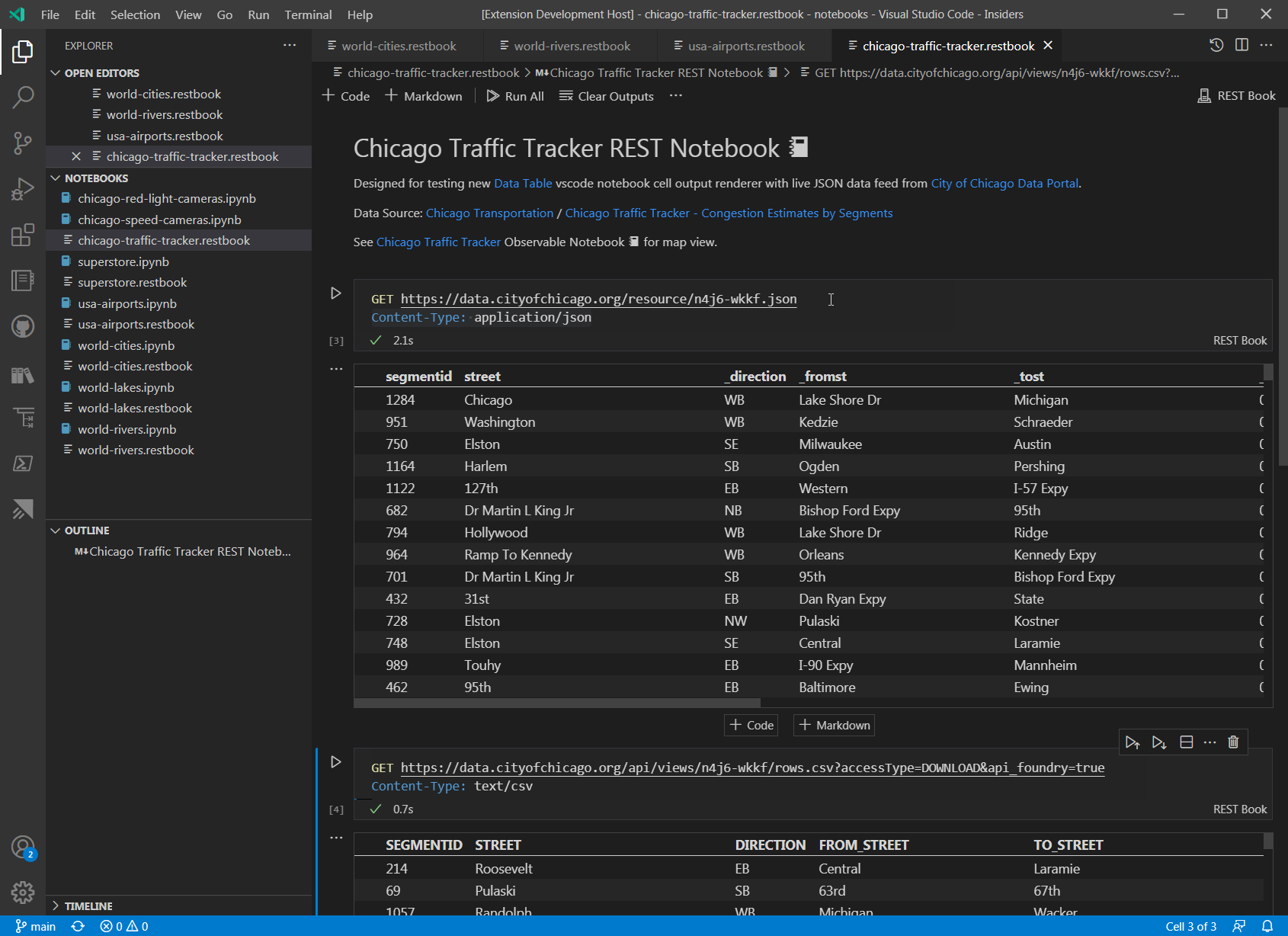
REST Book Example
Install REST Book 📓 vscode extension
Load Chicago Traffic Tracker REST Book 📓
Run All ᐅ cells ⌗
Click on ... in the gutter of GET data output and change it to Data Table 🈸 renderer:
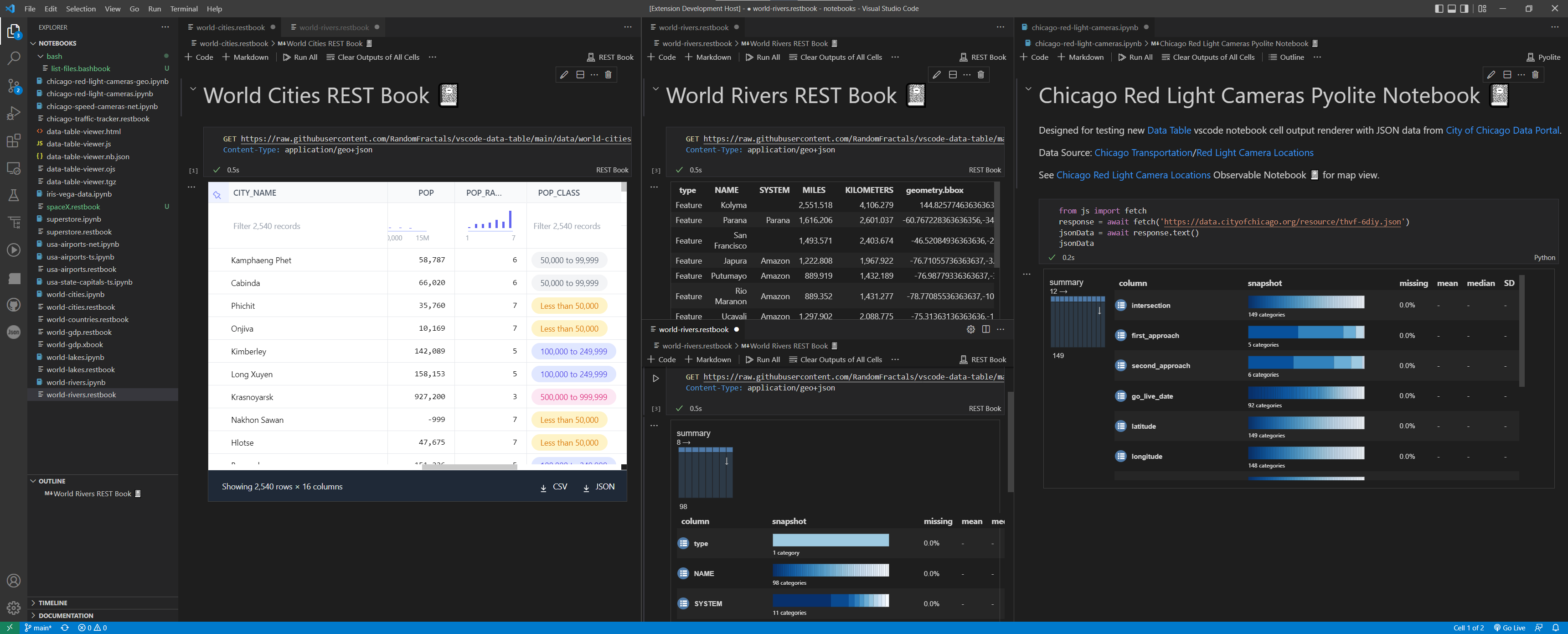
👁 Chicago Traffic Data REST Book 📓
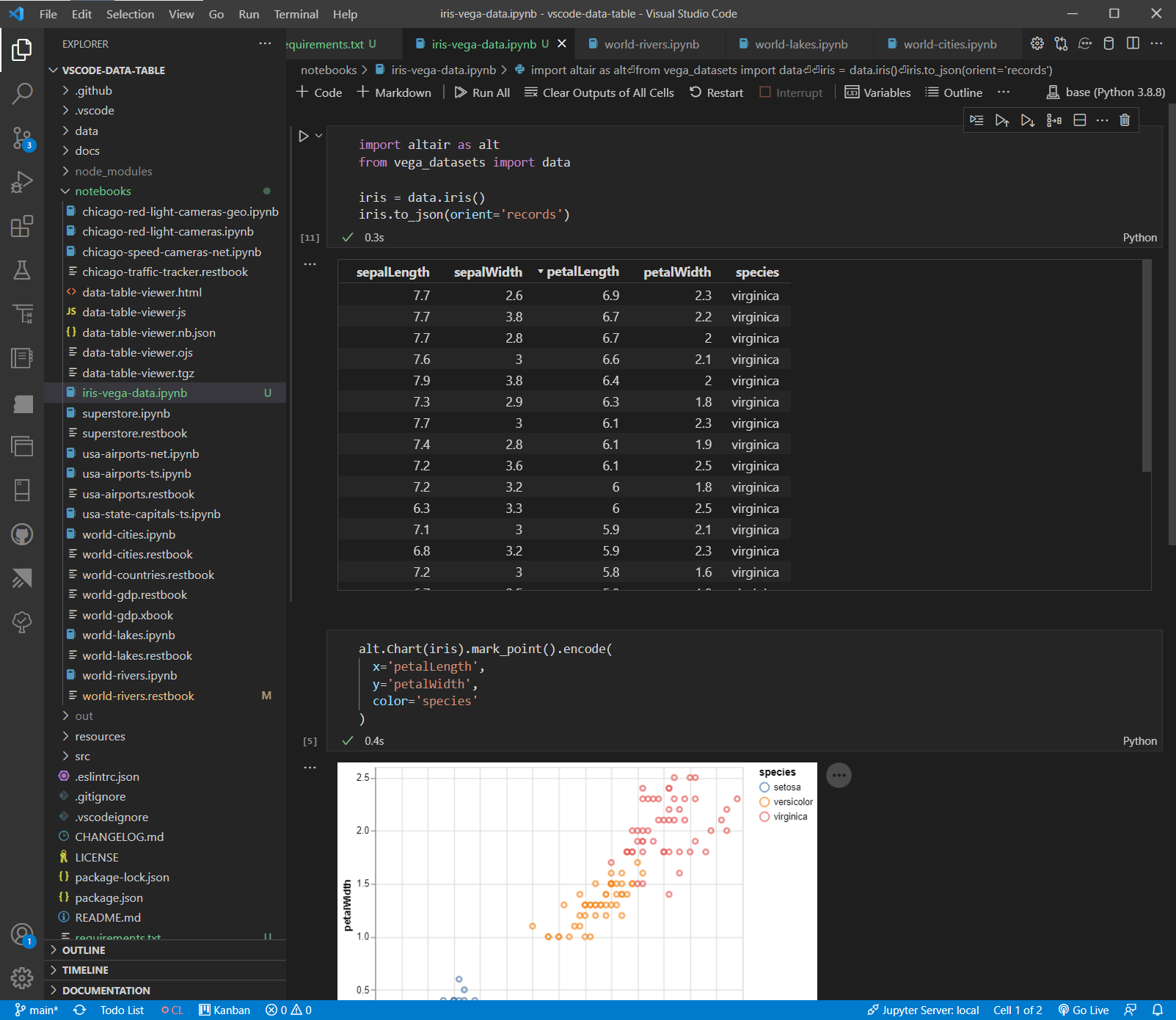
Python Notebook Example
- Install
vega_datasets and altair Python libraries via pip or conda:
$ pip install altair vega_datasets
or
$ conda install -c conda-forge altair vega_datasets
Load Iris Vega Data Python 🐍 Notebook 📓
Run All ᐅ cells ⌗
Click on ... in the gutter of iris data output and change it to Data Table 🈸 renderer:
👁 Iris Vega Data Table 🈸 View
or switch it to Data Summary 🈷️ renderer:
👁 Iris Vega Data Summary 🈷️ View
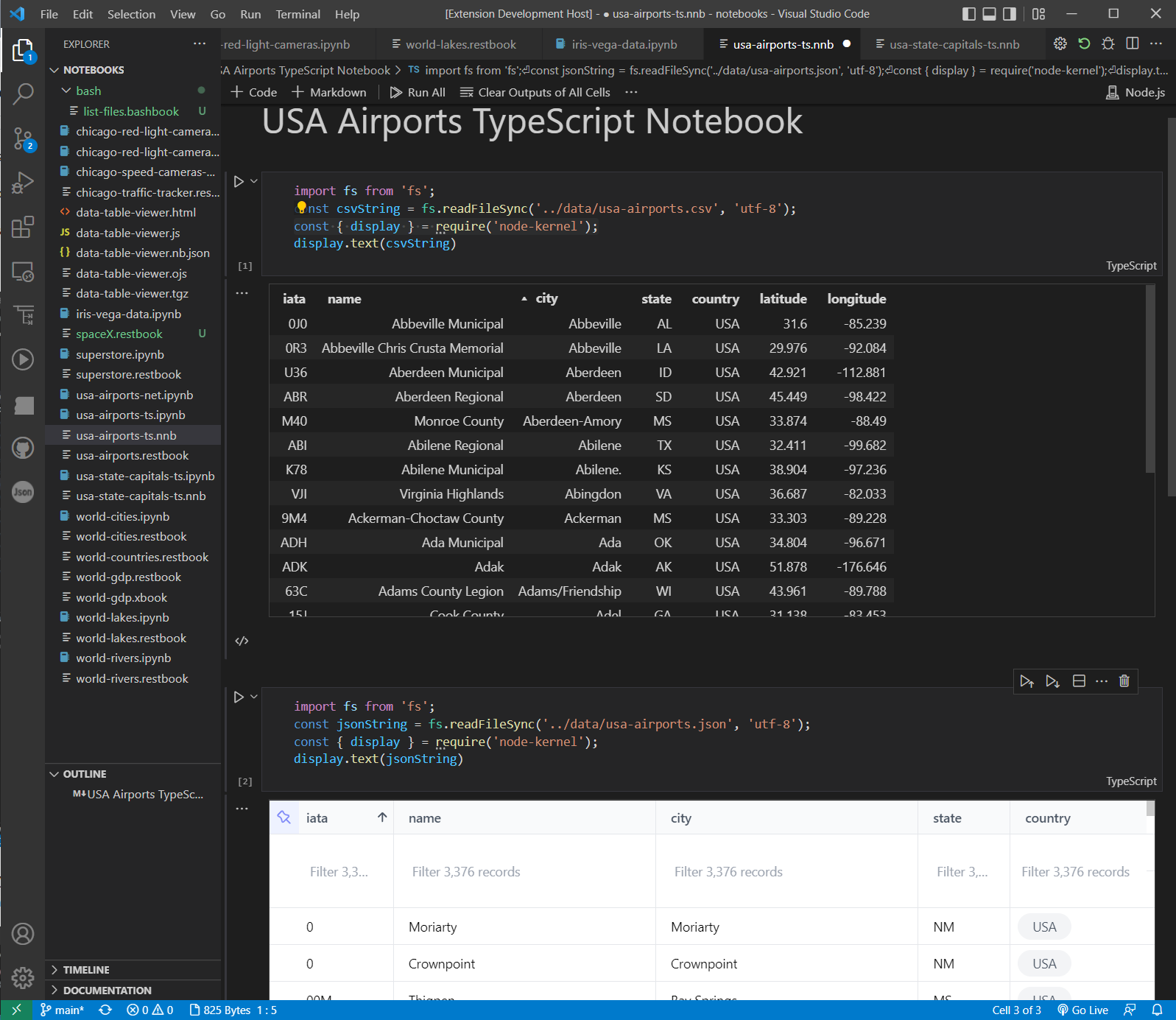
TypeScript Notebook Example
Install TypeScript Notebooks 📚 vscode extension
Download USA Airports data files
Load USA Airports TypeScript Notebook 📓
Run All ᐅ cells ⌗ to view local CSV and JSON text data outputs with Data Table 🈸:
👁 USA Airports TypeScript Notebook 📓
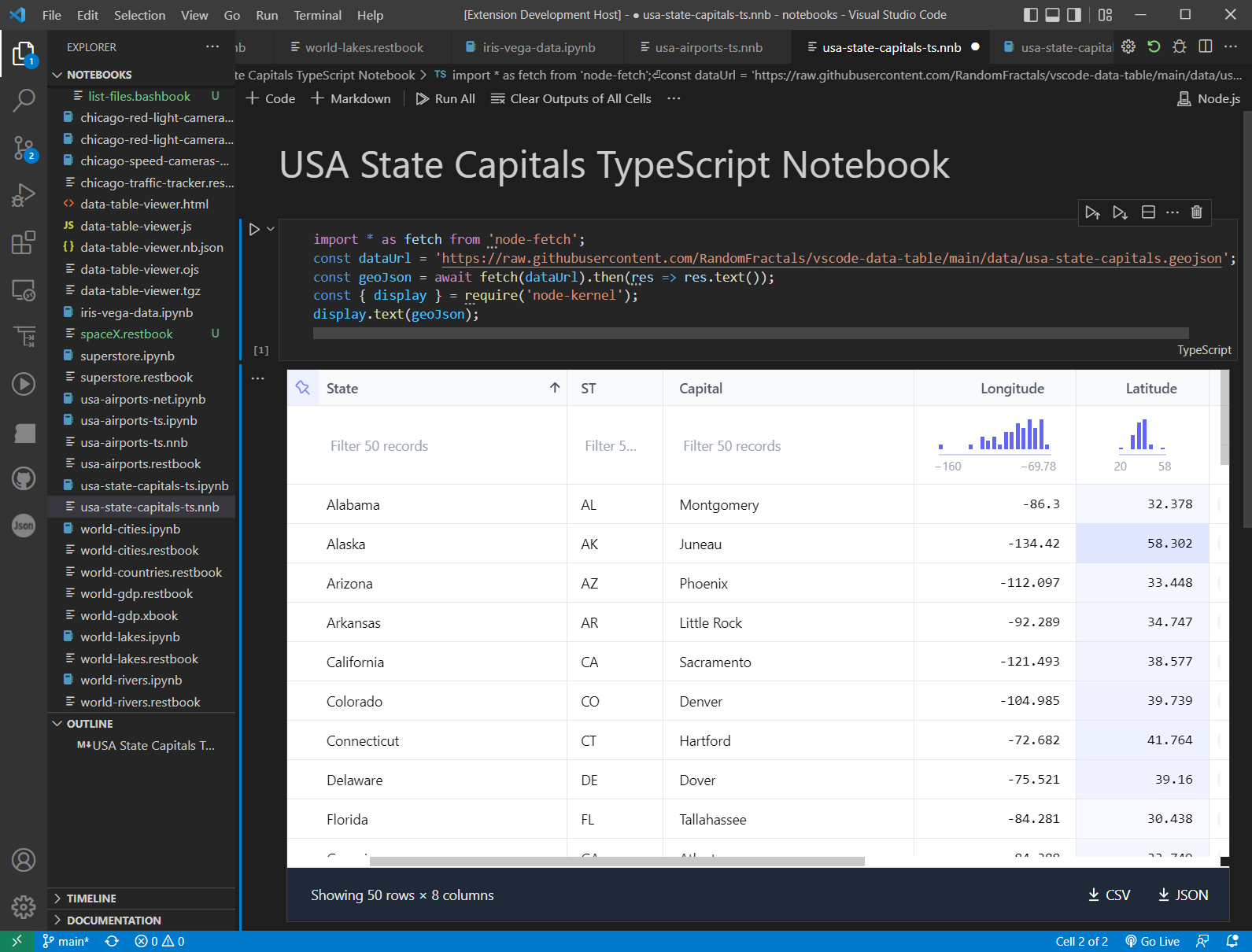
Also, try new USA State Capitals TypesScript Notebook 📓 with GeoJSON node-fetch and Flat Data Grid renderer from built-in Notebook Examples:
👁 USA State Captitals TypeScript Notebook 📓
.NET Interactive Notebook Example
Install .NET Install Tool for Extension Authors vscode extension
Install .NET Interactive Notebooks 📚 vscode extension
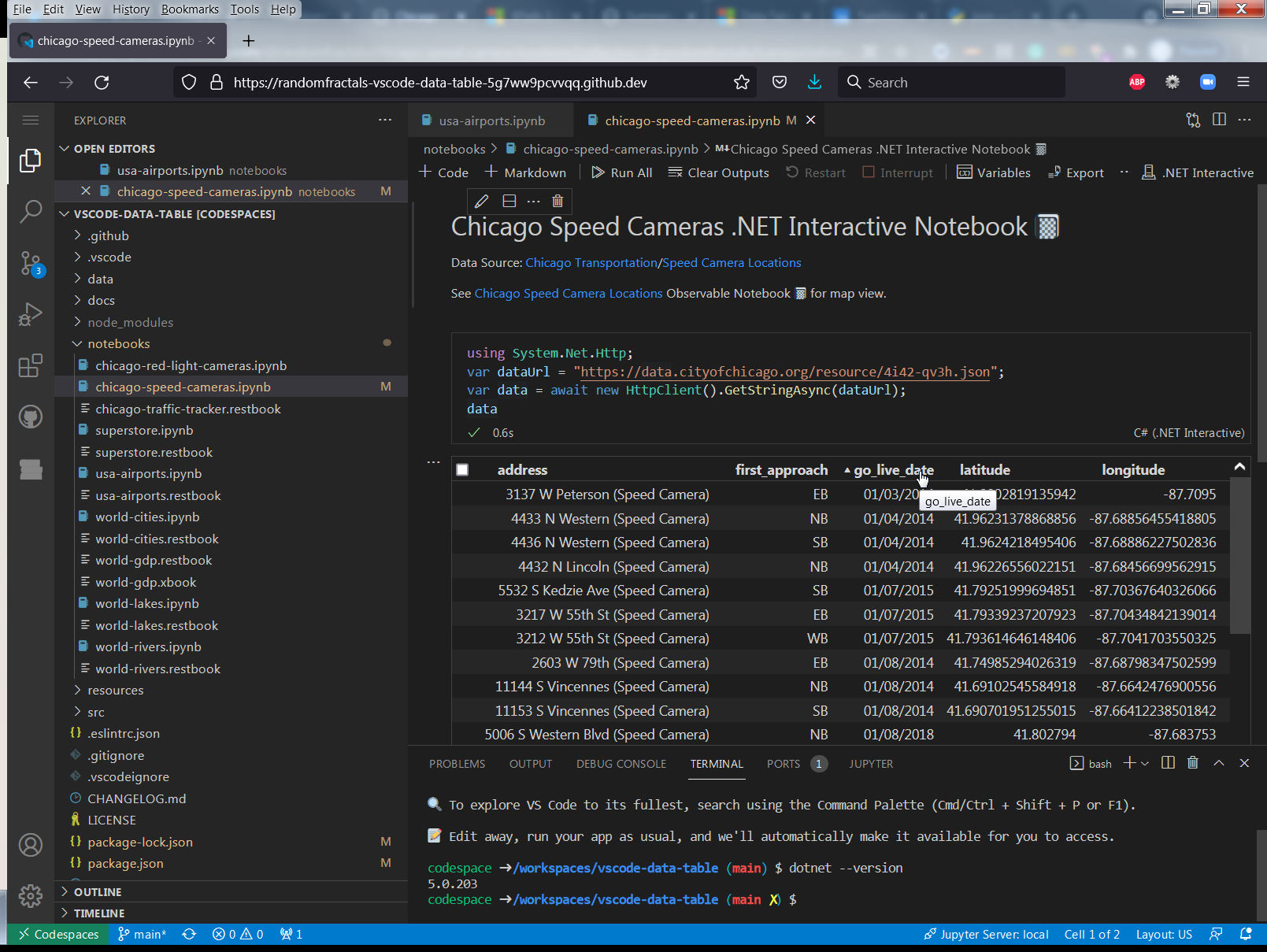
Load Chicago Speed Cameras .NET Interactive Notebook 📓
Run All ᐅ cells ⌗:
👁 Chicago Speed Cameras .NET Interactive Notebook 📓
Pyolite Notebook Example
Install Pyodide 🐍 vscode extension
Load Chicago Red Light Cameras Pyolite Notebook 📓
Run All ᐅ cells ⌗:
👁 Chicago Red Light Cameras Pyolite Notebook 📓
Geo 🌐 Data Table 🈸 View
Install REST Book 📓 vscode extension
Load World 🌐 Rivers REST Book 📓
Run All ᐅ cells ⌗
Click on ... in the gutter of GET data output and change it to Data Table 🈸 for geo table view:
👁 World 🌐 Rivers Geo Data REST Book 📓
XML Data Table 🈸 View
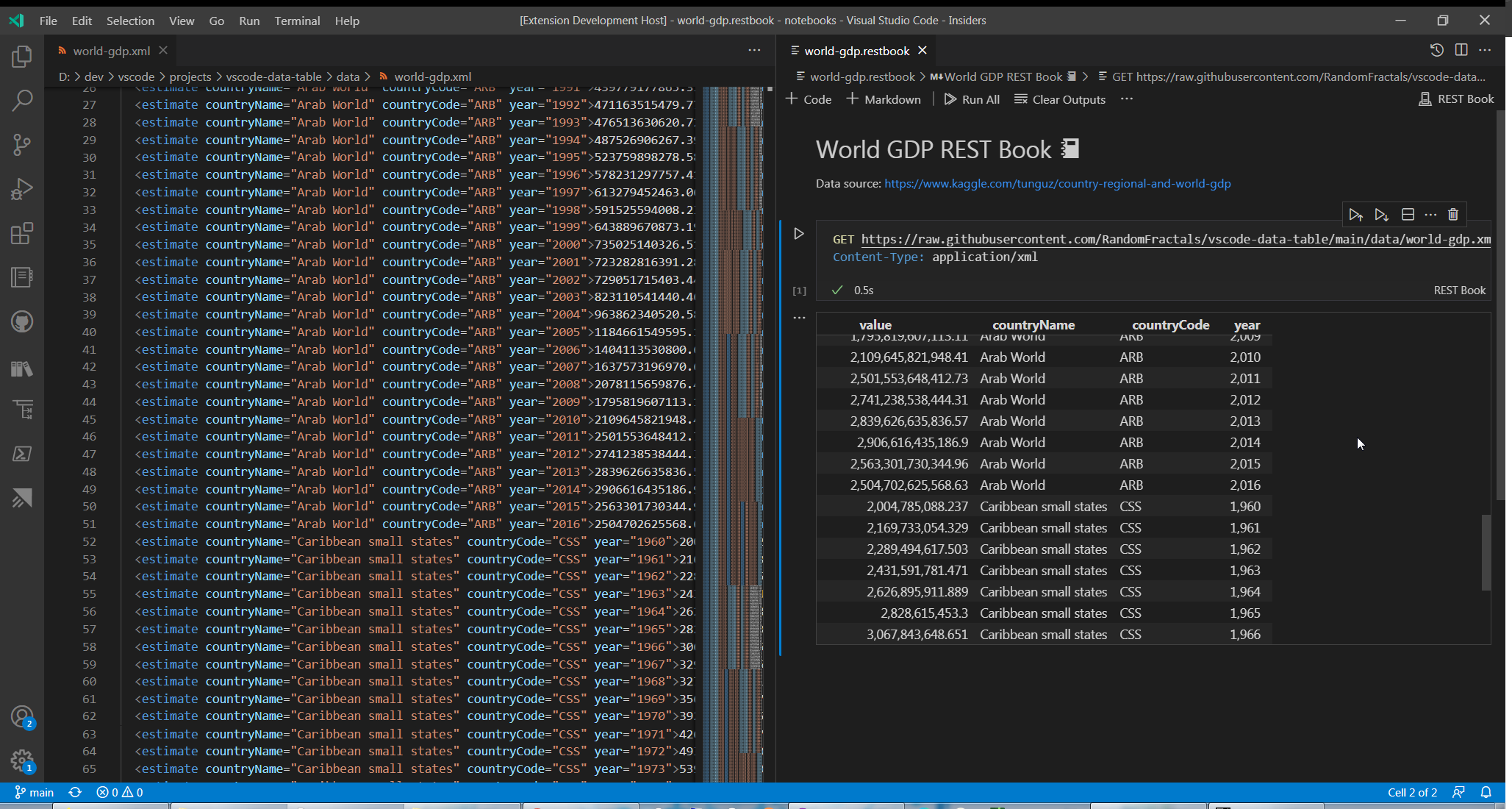
Load World 🌐 GDP REST Book 📓
Run All ᐅ cells ⌗
Click on ... in the gutter of GET data output and change it to Data Table 🈸 for XML data table view:
👁 World 🌐 GDP Data REST Book 📓
Text Oputput View
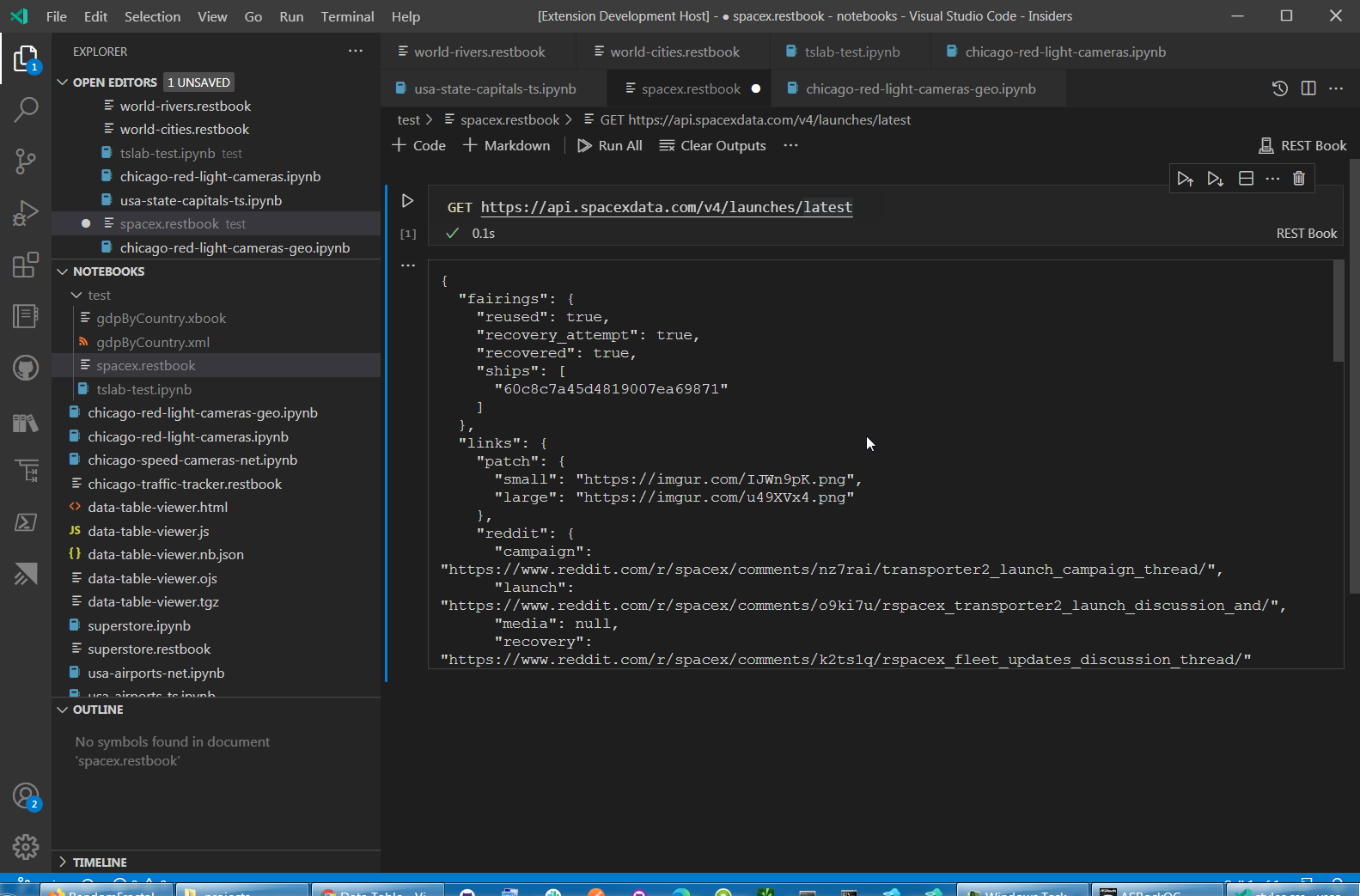
Data Table 🈸 renderer displays data that is not in CSV, GeoJSON or JSON array data format in a scrollable text container:
👁 Text Output Notebook 📓 View
Data Table Renderers Extension Dependency
You can add our Data Table 🈸 Notebook 📓 Renderers dependency to your custom VSCode notebook kernels to enable users of your custom notebooks to view data with our Data Table renderers by declaring extension dependency in your VSCode extension package.json:
"extensionDependencies": [
		"RandomFractalsInc.vscode-data-table"
	],
See VSCode Extension Manifest doc for more info.
Recommended Extensions
Recommended extensions for working with Interactive Notebooks 📚, data 🈸, charts 📈, and geo 🗺️ data formats in VSCode:
| Extension |
Description |
| Data Preivew 🈸 |
Data Preview 🈸 extension for importing 📤 viewing 🔎 slicing 🔪 dicing 🎲 charting 📊 & exporting 📥 large JSON array/config, YAML, Apache Arrow, Avro & Excel data files |
| Geo Data Viewer 🗺️ |
kepler.gl Geo Data Analytics tool to gen. some snazzy 🗺️s w/0 Py 🐍 pyWidgets ⚙️ pandas 🐼 or react ⚛️ |
| Vega Viewer 📈 |
Provides Interactive Preview of Vega & Vega-Lite maps 🗺️ & graphs 📈 |
| Leaflet 🍃 Map 🗺️ |
Leaflet 🍃 Map 🗺️ for Notebook 📓 cell ⌗ data outputs |
| JS Notebook 📓 Inspector 🕵️ |
Provides Interactive Preview of Observable JS Notebooks 📚, Notebook 📓 nodes ⎇ & cells ⌗ source code |
| Observable JS |
Observable Notebooks 📚 Interpreter with VSCode Notebook view support, Observable js and md code outlines and previews |
| Runme ▶️ |
Runme executes commands and code blocks from markdown documents, and provides direct CLI integration and multi-language support in Visual Studio Code markdown text editor and markdown-based notebooks. |
| DeltaXML XPath Notebook |
XPath 3.1 Notebook 📓 for Visual Studio Code |
Dev Log
See #DataTableView 🈸 & #DataTableRenderers tags on our Twitter feed for the latest & greatest updates on this vscode extension & what's next in store for new data tools in vscode.
Dev Build
$ git clone https://github.com/RandomFractals/vscode-data-table
$ cd vscode-data-table
$ npm install
$ npm run compile
$ code .
F5 to launch Data Table extension VSCode debug session.
||
vscode-data-table>vsce package
to generate VSIX Data Table extension package with vsce from our latest for local dev install in VSCode.
Contributions
Any and all test, code or feedback contributions are welcome.
Open an issue or create a pull request to make this Data Table 🈸 Renderers vscode notebooks 📚 extension work better for all.
Backers
👁 support me on ko-fi.com