|
VOOZH | about |
|
VOOZH | about |
28 June 2011
UPDATE: many browsers are now rendering the placeholder attribute in this way by default (newer versions of Firefox, Chrome, and Safari), but the technique still benefits older browsers.
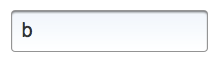
I’ve noticed a UI feature on a few sites recently where placeholders still show up after you click into a form input. Normally, the text disappears once you trigger the focus on an input, but these ones persist—often going a shade lighter—and then they disappear completely once you start typing. It looks like this…
I don’t know who originated it—it is common with apple products, like on the iPhone—but the first few sites that I saw using this technique were Tumblr, Twitter, and Wordnik. I also couldn’t find anyone talking about it, so I put together a simple, little persistent placeholder jsfiddle to show a way that it can be done (with a little help from jQuery). Click on the result tab to see the final result.
Both the markup and CSS are pretty simple—it’s just a label and an input (or textarea) wrapped in a div, which accepts two additional classes to determine the state. There’s no actual placeholder, it’s just the label being positioned absolutely. The JavaScript code watches the input and updates the classes on the parent to make it all work. But you don’t have to take my word for it, read the code.
Here are a few reasons why this technique is swell:
Let me know in the comments if someone has a better name for this. My brainstorm list was:
I’ll see you next time!
is a software engineer living in NYC who is building
Superset 💪
and also created
GoFullPage 📸
more »
github · soundcloud · rss
mrcoles.com © 2026