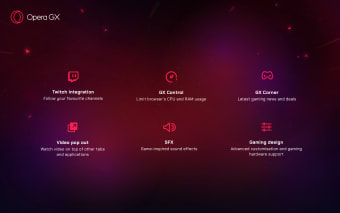
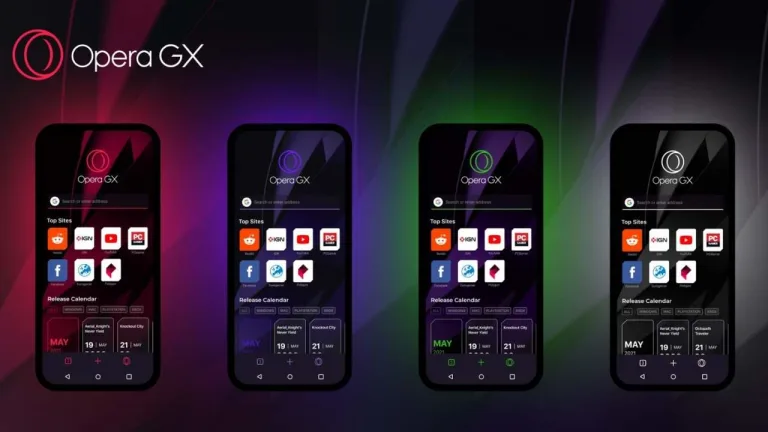
Unlike traditional browsers, Opera GX includes features like RAM and CPU limiters, GX Corner for gaming news, and built-in Twitch and Discord integrations. Whether you're an avid gamer, a streamer, or someone who values a fast and efficient browser, Opera GX offers an innovative experience.
Opera frequently listens to user feedback to introduce new elements and improvements based on gamers' needs. Through the Opera GX Discord server and social media channels, users can share their experiences, suggest updates, and interact with developers.
Why Download Opera GX for Windows?
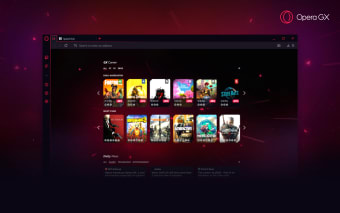
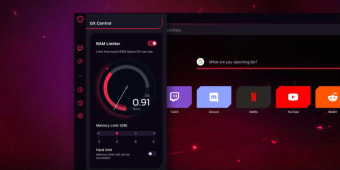
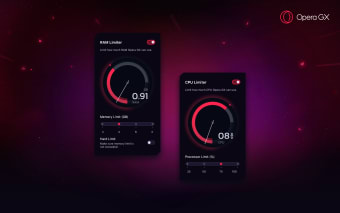
One of the standout reasons to download Opera GX is its design, featuring a sleek aesthetic and powerful performance tools like GX Control, which manages CPU, RAM, and network bandwidth usage to prevent browser slowdowns during gaming. You can customize RGB lighting to sync with your browser and also stay connected to your community with built-in live-streaming and communication platforms. Find the GX Corner and keep up-to-date with the latest gaming news, deals, and free game offers.
Opera GX is tailored to ensure users get the best experience without unnecessary resource drain. Beyond its gaming-oriented features, Opera GX offers a fast and secure browsing experience with extensive customization options. Some of its key browsing benefits include a built-in ad blocker, free VPN for secure and private browsing, dark mode, and themes to match gaming setups. The floating video player (Picture-in-Picture) is exceptionally useful for multitasking. With Opera GX, users can enjoy an uninterrupted, efficient, and visually appealing browsing experience tailored to their preferences. Beyond its gaming benefits, Opera GX prioritizes privacy and protection, making it a reliable choice for everyday browsing. With this free built-in VPN, tracker blockers, and ad-blocking features, users can enjoy a safer and more private online experience.
Key Features of Opera GX for Windows
Performance control is made easy with exclusive tools that allow users to perfect system resources while browsing and gaming simultaneously.
Some of its notable performance-enhancing features, like the network limiter, prevent the browser from consuming excessive bandwidth, while CPU and RAM limiters allocate resources efficiently. Gaming Mode and its GX cleaner minimize distractions and remove unnecessary browser clutter for improved playing. These tools ensure users can balance browsing and gaming without lag or slowdowns.
Seamless Integration with Gaming and Streaming Services
Opera GX connects effortlessly with various gaming and streaming platforms, allowing users to stay engaged with their favorite content.
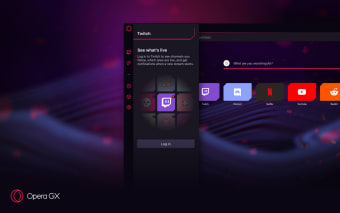
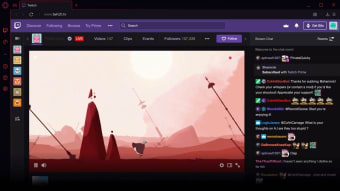
Live stream tracking directly from the browser and the ability to chat with gaming communities keep users informed and engaged. A YouTube Music and Spotify sidebar can be pinned for easy access to soundtracks and, instant messaging apps like Facebook Messenger and WhatsApp allow for quick, effective communication. This connectivity makes Opera GX an adaptable browser for both gaming and everyday browsing.
This level of engagement ensures that the browser continues to evolve, staying ahead of competitors in gaming-focused browsing technology. Additionally, Opera GX regularly releases updates to enhance performance, introduce new integrations, and update security measures. As gaming trends evolve, Opera GX aims to remain at the forefront, providing an even more efficient browsing experience for users worldwide.
Opera GX is widely available for Windows users and can be downloaded directly from the official Opera website or trusted software distribution platforms. Designed with gamers in mind, the browser is optimized for performance while ensuring compatibility with a range of system configurations.
Opera GX is free to download and is compatible with Windows 10 and later versions. It is also available for macOS, offering similar gaming-centric features. Regular updates ensure users always have access to the latest enhancements, security patches, and new integrations with gaming services.
System Requirements
To run Opera GX smoothly, your system should meet the following minimum requirements:
Minimum Requirements:
- Operating System: Windows 10 (64-bit) or later
- Processor: Intel Core i3 or equivalent
- RAM: 4GB
- Storage: 400MB of free disk space
- Graphics: Integrated graphics or dedicated GPU for better visual performance
- Internet Connection: Required for installation and updates
Recommended Requirements:
- Operating System: Windows 11 (64-bit)
- Processor: Intel Core i5 or higher
- RAM: 8GB or more
- Storage: 1GB of free disk space
- Graphics: Dedicated GPU for enhanced animations and visuals
- Internet Connection: Broadband for the best browsing experience
With its lightweight installation and customizable features, Opera GX is accessible to a broad range of users, from casual gamers to high-performance PC enthusiasts. Whether running on a mid-range laptop or a powerful gaming rig, Opera GX ensures smooth browsing and an optimized experience tailored to gamers' needs.
Opera GX is a must-have browser for gamers and power users who want a seamless balance between browsing and gaming. With features like system resource management, gaming integrations, and an intuitive design, Opera GX enhances both performance and user experience.
For those interested in alternative gaming-friendly browsers, the Opera Browser also offers an optimized web experience. However, Opera GX remains a top choice for users looking for speed, efficiency, and customization and can be downloaded on the Softonic website.
Opera GX is more than a web browser, it is a complete gaming companion designed to enhance your browsing, research, and gameplay. With advanced, user-friendly features, this browser assures your games run smoothly without undue slowdowns. Keep updated with the latest gaming news and deals, and remain entertained and informed via Twitch and Discord. Music streaming services create an encompassing experience designed for gamers. Whether you're multitasking during a gaming session or simply browsing the web for news about upcoming game release dates, Opera GX offers the speed, security, and customization you need.
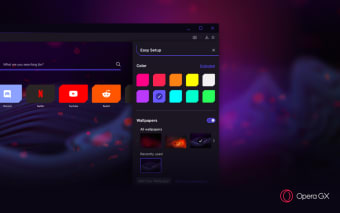
Additionally, its highly customizable interface allows users to personalize everything from themes and sounds to browser layouts, ensuring a unique and visually appealing experience. Whether you're a dedicated gamer or simply someone who values a fast and efficient browser, Opera GX stands out as a dynamic and feature-rich option for Windows users.