bvanhoekelen/terminal-style
Return your terminal message in style! Change the text style, text color and text background color form the terminal interface with ANSI color codes. The terminal style tool support Laravel and Composer.
Maintainers
Requires
- php: >=5.4.0
Requires (Dev)
- larapack/dd: 1.*
- phpunit/phpunit: ^5.7
Suggests
None
Provides
None
Conflicts
None
Replaces
None
Apache-2.0 4afb08b4a005b1159f45deaf3b96531f852654cc
phpcommand linecolorsterminalbashansiterminal colorsphp terminal colorsphp terminal stylecommand line colorscommand line style8-bits background colorANSI color codes
This package is auto-updated.
Last update: 2026-06-29 01:33:32 UTC
README
👁 Hex.pm
👁 GitHub release
👁 Packagist
👁 Github issues
Highlight
- The easiest way to style your text in the command line / terminal
- Change text color to red, green, yellow ... » Text color
- Change background color to red, green, yellow ... » Background color
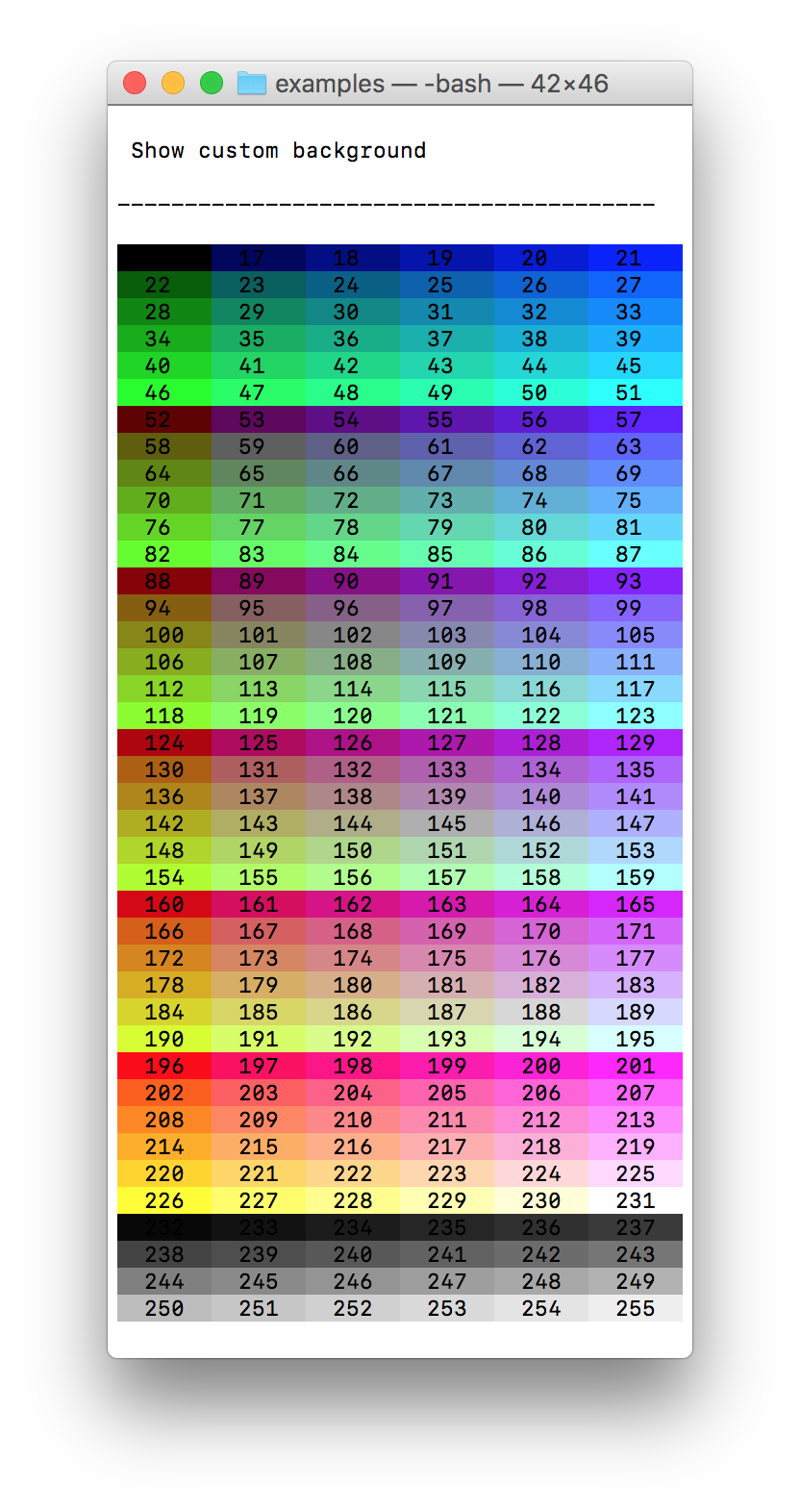
- Change background in customer 8-bit color » Custom background color
- Change text style to bold, dim, underlined, blink ... » Text style
- Support for Laravel framework » Laravel
- Easy to install » installation
- Love feedback » backlog or create issues
How to use
echo terminal_style($message = null, $color = null, $background = null, $style = null);
Text color
👁 PHP Terminal style set text color

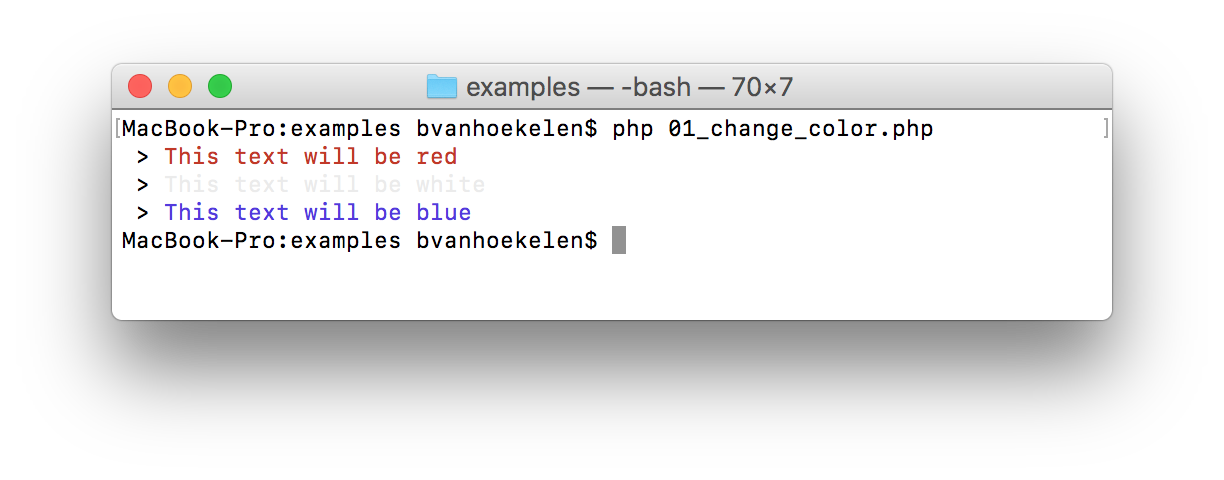
Code example
// Print red text
echo terminal_style('Here your text', 'red');
Text color names
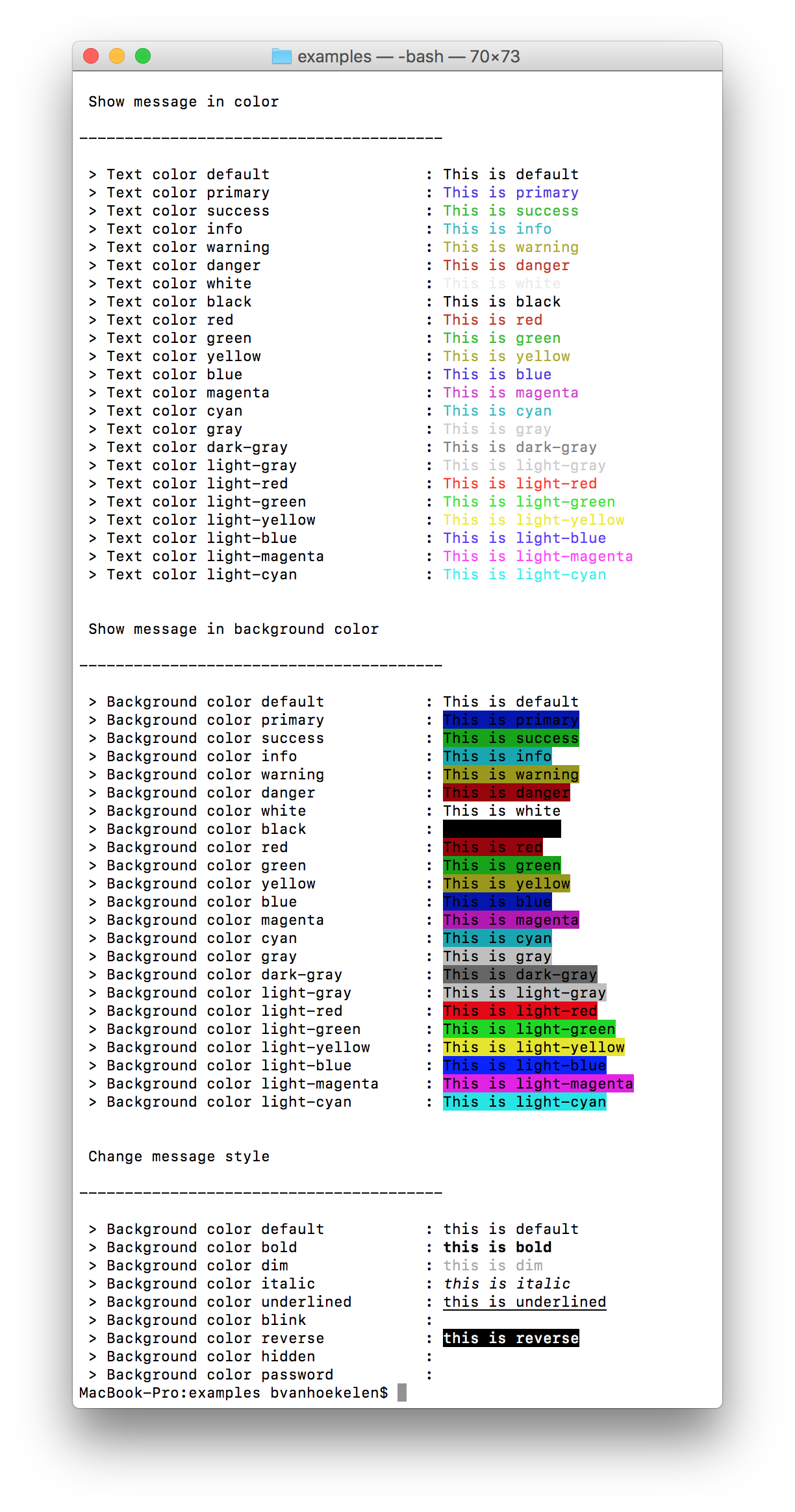
Use can use: default, yellow, red, green, light-gray ...
See the full color name list here
Background color
👁 PHP Terminal style set background color

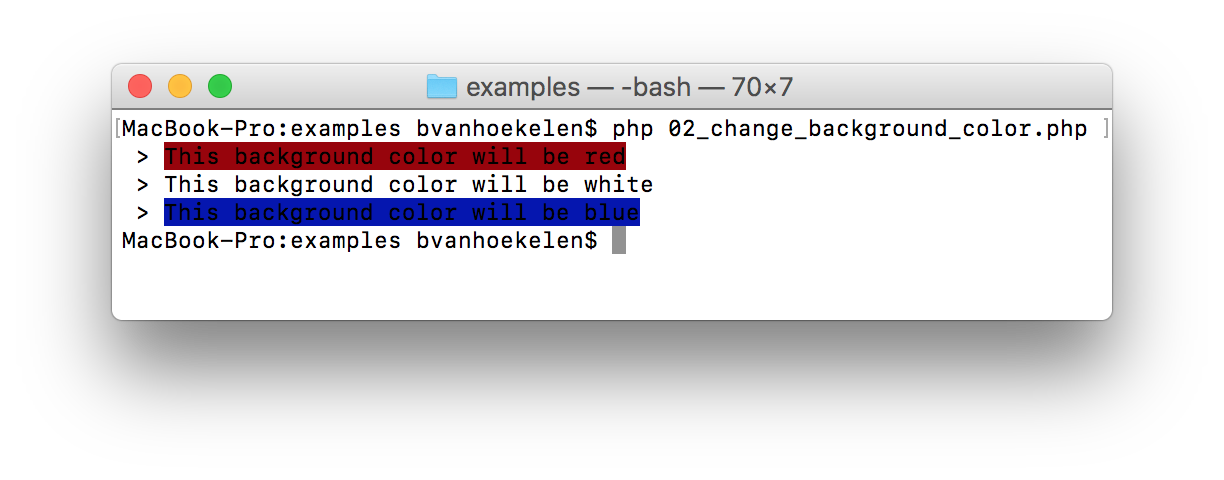
Code example
// Print text with background red
echo terminal_style('Here your text', null, 'red');
Background colors names
Use can use: default, yellow, red, green, light-gray ...
See the full background color name list here or see custom background color
Text style
👁 PHP Terminal style set style

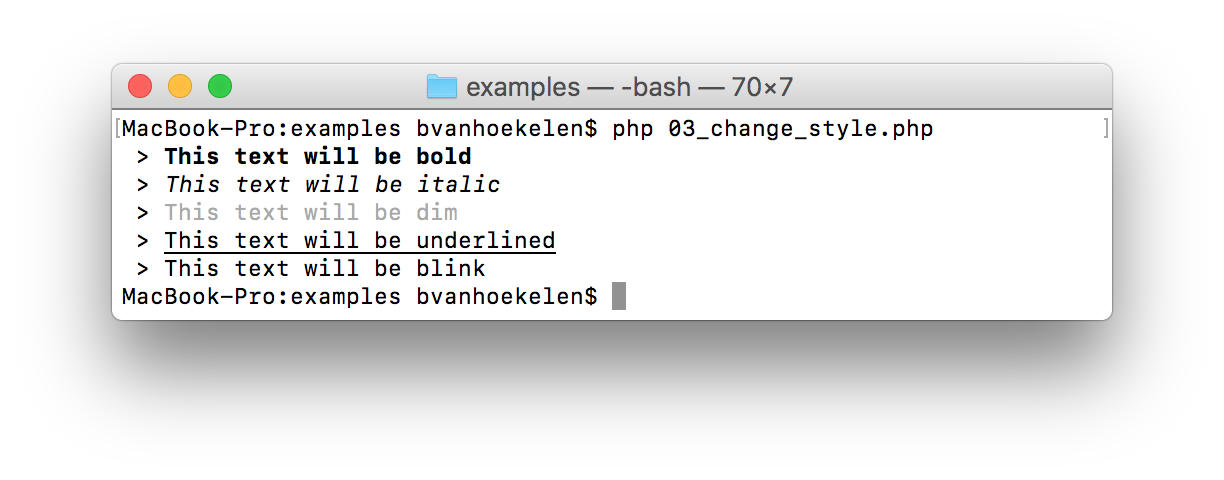
Code example
// Print text style bold
echo terminal_style('Here your text', null, null, 'bold');
Text styles
Use can use: default, bold , dim, italic, underlined, 'blink' ...
See the full text style name list here
Help, docs and links
Backlog & Feedback
If you have any suggestions to improve this php terminal style tool? Please add your feature, bug or improvement to the BACKLOG.dm. Or create a issues.
Installation
Install with Laravel
Get PHP terminal style tool by running the Composer command in the command line.
$ composer require bvanhoekelen/terminal-style
Open your file and use terminal_style()
// Print red text
echo terminal_style('Here your text', 'red');
Install with composer
Get PHP terminal style tool by running the Composer command in the command line.
$ composer require bvanhoekelen/terminal-style
Open your file and use terminal_style()
// Require vender autoload
require_once('../vendor/autoload.php');

// Print red text
echo terminal_style('Here your text', 'red');
Overview
👁 PHP Terminal style all styles