

tapp/filament-authentication-log
Filament authentication log plugin.
Maintainers
Package info
github.com/TappNetwork/filament-authentication-log
pkg:composer/tapp/filament-authentication-log
Requires
- php: ^8.3
- filament/filament: ^4.0|^5.0
- rappasoft/laravel-authentication-log: ^6.0|^5.0
- spatie/laravel-package-tools: ^1.9
Requires (Dev)
- larastan/larastan: ^2.9||^3.0
- laravel/pint: ^1.14
- nunomaduro/collision: ^8.1.1||^7.10.0
- orchestra/testbench: ^11.0.0||^10.0.0||^9.0.0||^8.22.0
- pestphp/pest: ^4.0||^3.7
- pestphp/pest-plugin-arch: ^4.0||^3.0||^2.7
- pestphp/pest-plugin-laravel: ^4.0||^3.0||^2.3
- phpstan/extension-installer: ^1.3||^2.0
- phpstan/phpstan-deprecation-rules: ^1.1||^2.0
- phpstan/phpstan-phpunit: ^1.3||^2.0
- spatie/laravel-ray: ^1.35
Suggests
None
Provides
None
Conflicts
None
Replaces
None
MIT b4bfb53895c530c3ac19b571a3773d72c659e683
- Tapp Network <steve.woop@tappnetwork.com>
- Tapp Network <andreia.bohner.woop@tappnetwork.com>
logAuthenticationresourcefilamenttapp networkrelation manager
README
👁 Latest Version on Packagist
👁 Code Style Action Status - Pint
👁 Total Downloads


A Filament plugin for Laravel Authentication Log package.
This package provides a Filament resource and a relation manager for Laravel Authentication Log.
Dependencies
Follow the configuration instructions for laravel-authentication-log
- Publish and run the migrations
- Add the
AuthenticationLoggableandNotifiabletraits to yourUsermodel
Version Compatibility
| Filament | Laravel | Laravel Authentication Log | Filament Authentication Log | Documentation |
|---|---|---|---|---|
| 2.x | 9.x/10.x | 3.x | 2.x | Check the docs |
| 3.x | 10.x/11.x | 4.x | 3.x | Check the docs |
| 3.x | 12.x | 5.x | 4.x | Check the docs |
| 4.x/5.x | 12.x | 5.x/6.x | 5.x | Current |
Installation
Important
Please check the Filament Authentication Log plugin version you should use in the Version Compatibility table above.
You can install the plugin via Composer:
composer require tapp/filament-authentication-log:"^5.0"
You can publish the translations files with:
php artisan vendor:publish --tag="filament-authentication-log-translations"
You can publish the config file with:
php artisan vendor:publish --tag="filament-authentication-log-config"
Using the Resource
Add this plugin to a panel in the plugins() method.
E.g., in app/Providers/Filament/AdminPanelProvider.php:
use Tapp\FilamentAuthenticationLog\FilamentAuthenticationLogPlugin;

public function panel(Panel $panel): Panel
{
 return $panel
 // ...
 ->plugins([
 FilamentAuthenticationLogPlugin::make()
 // ->panelName('admin') // Optional: specify the panel name if needed
 ]);
}
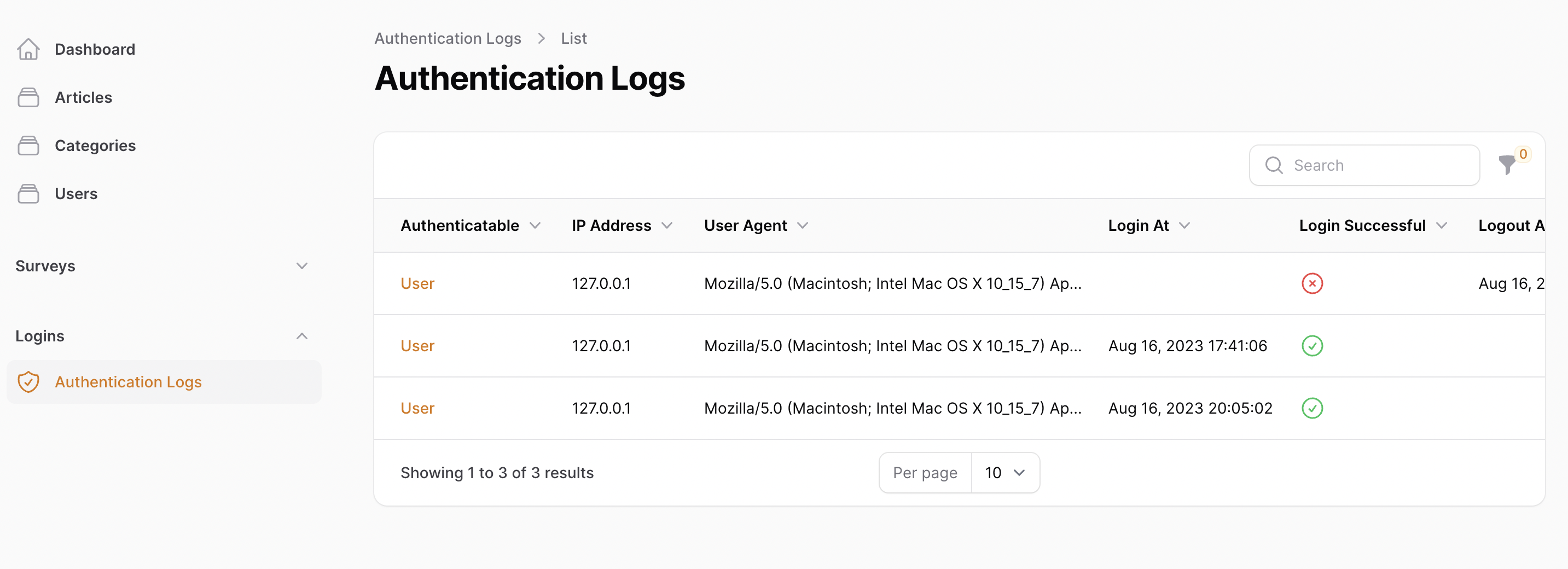
That's it! Now you can see the Authentication Log resource on left sidebar.
This customization ->panelName('admin') allows for better organization if you have multiple panels, such as Developer and Admin panels, where the FilamentAuthenticationLogPlugin is used in one panel but the user resource is available only in another panel.
Resource appearance
👁 Filament Authentication Log Resource

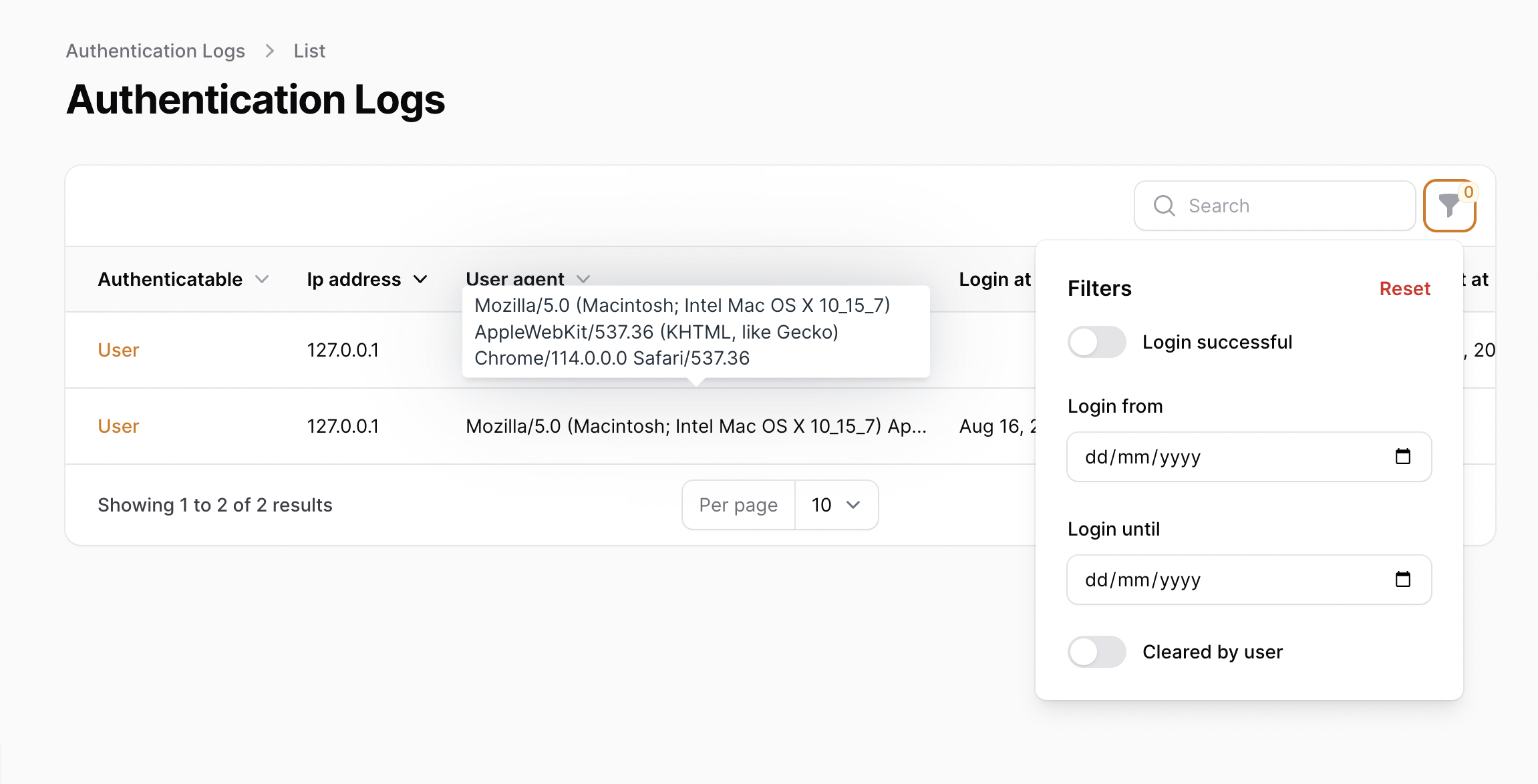
👁 Filament Authentication Log Resource with filters and tooltip

Using the Relation Manager
Add the Tapp\FilamentAuthenticationLog\RelationManagers\ to the getRelations() method on the Filament resource where the model uses the AuthenticationLoggable trait.
E.g. in App\Filament\Resources\UserResource.php:
use Tapp\FilamentAuthenticationLog\RelationManagers\AuthenticationLogsRelationManager;

public static function getRelations(): array
{
 return [
 AuthenticationLogsRelationManager::class,
 // ...
 ];
}
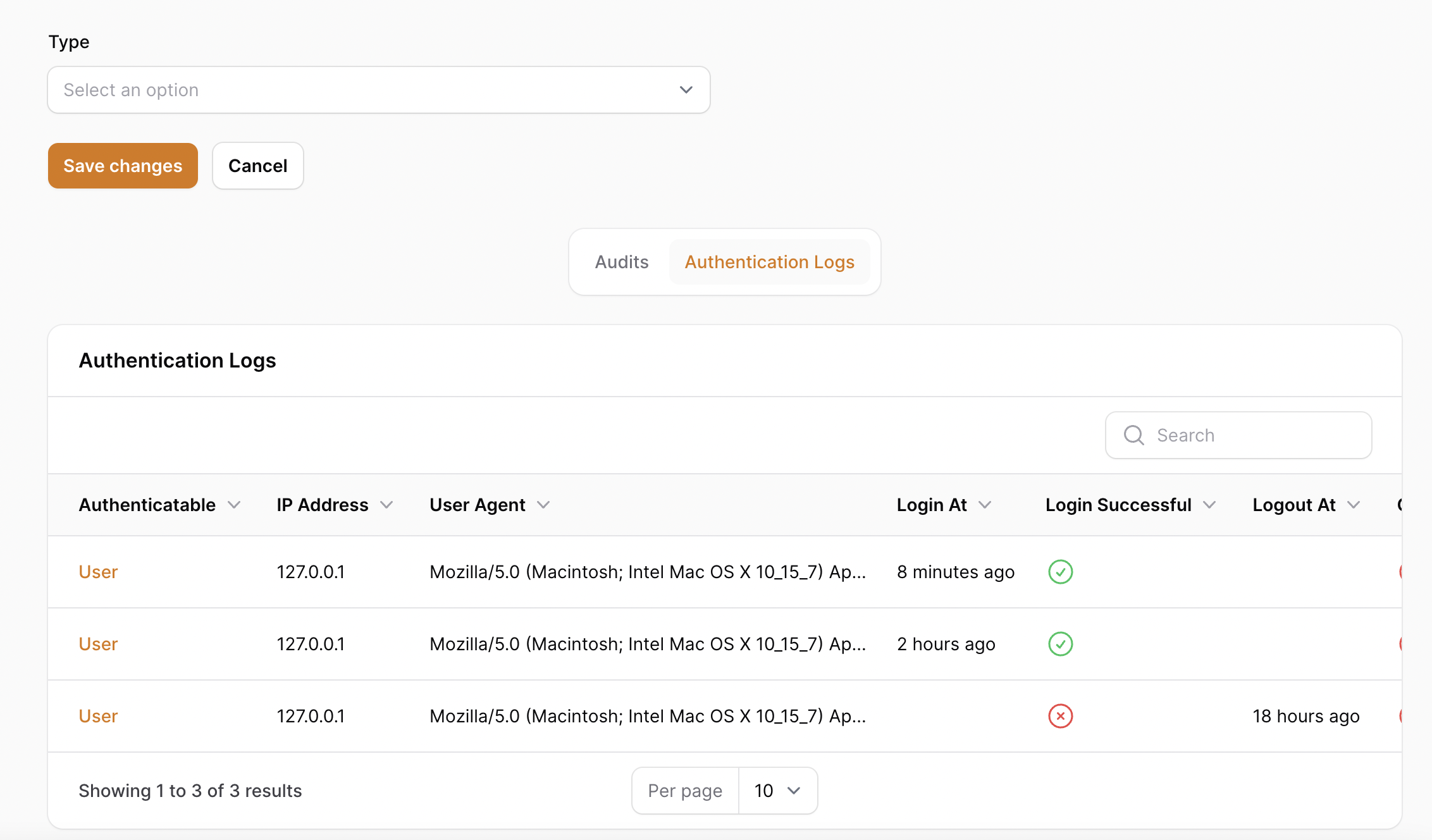
Relation manager appearance
👁 Filament Authentication Log Relation Manager

Displaying Authenticatable Names
To display the actual name of the authenticatable user instead of the class name, you can configure the plugin to show a specific field. By default, it will use the name field if available. If your model does not have a name column, you can add a custom attribute:
In your model:
public function getNameAttribute(): string
{
 return trim($this->first_name . '' . $this->last_name);
}
Configuration
To specify a custom field to display for the authenticatable user, update the config/filament-authentication-log.php configuration file:
'authenticatable' => [
 'field-to-display' => 'name', // Change 'name' to your custom field if needed
 'resource-page' => 'edit', // Change 'edit' to another resource page, such as 'view'
],
Authenticatable Resource Page
By default, the authenticatable link points to the edit page of the detected Filament resource. To link to another resource page, such as view, update the resource-page configuration value:
'authenticatable' => [
 'resource-page' => 'view',
],
Make sure the target resource defines the configured page name.
Custom User Resource
If you have a custom user resource in your application that is not automatically detected by the package, you can specify it in your configuration file. This is particularly useful when:
- Your user resource has a non-standard name or location
- You have multiple panels and the default user resource detection fails
- You want to link authentication logs to a specific user resource implementation
To configure a custom user resource, add this to your config/filament-authentication-log.php file:
'user-resource' => \App\Filament\Resources\YourCustomUserResource::class,
This configuration allows the authentication log to properly generate edit links to your user records on resource, even when the default user resource detection mechanism cannot find them.
License
The MIT License (MIT). Please see License File for more information.