|
VOOZH | about |
|
VOOZH | about |
Install latest/stable of invoiceninja
Ubuntu 16.04 or later?
Make sure snap support is enabled in your Desktop store.
Install using the command line
sudo snap install invoiceninjaDon't have snapd? Get set up for snaps.
| Channel | Version | Published |
|---|
You are about to open
Do you wish to proceed?
Thank you for your report. Information you provided will help us investigate further.
There was an error while sending your report. Please try again later.
Generate an embeddable card to be shared on external websites.
Customise your embeddable card using the options below.
Note: if the app fails to run using snap run invoiceninja it may help to run /snap/invoiceninja/current/bin/invoiceninja instead
Create. Send. Get Paid.
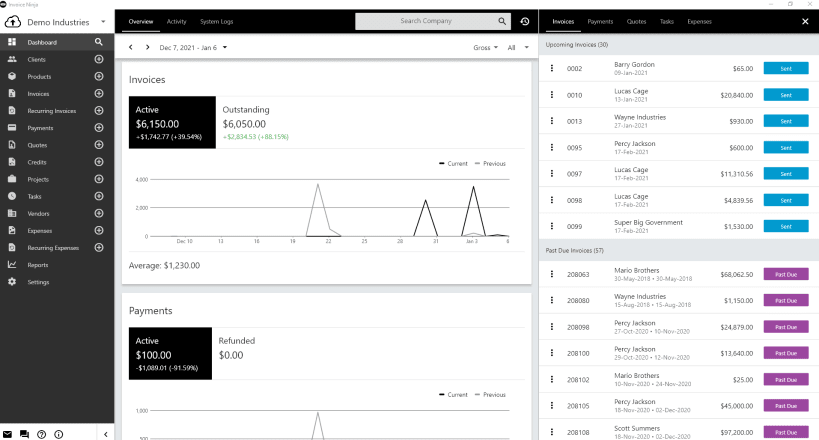
Invoice Ninja is a leading source-code available platform for SMB’s to invoice, accept payments, track expenses & time billable-tasks. Designed for freelancers and small to medium size businesses, Invoice Ninja is a suite of apps to help you get paid.
• Incredibly easy to use
Invoice Ninja was built to serve freelancers and business owners with a complete suite of invoicing & payment tools to advance your business.
• Invoicing & Payments
Every feature is geared towards accurate and secure invoicing and getting you paid. With Invoice Ninja you can send beautiful branded invoices with minimum of effort and maximum professionalism.
• Time Tracker & Projects
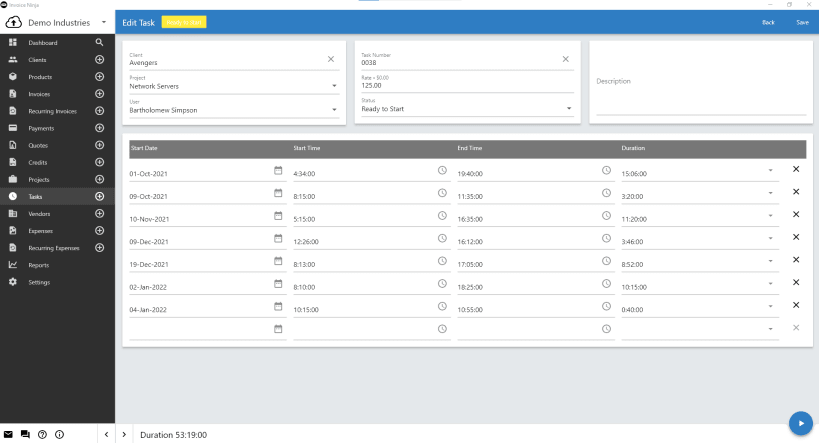
Create projects and individual tasks per project. When done, simply “Send task to invoice” and all details will be sent ready for your clients to pay!
• Track Vendors & Expenses
With Invoice Ninja, all your earnings, expenses, clients and vendors are stored and managed in one system. Categorize your vendors & re-invoice expenses to clients, or simply run expense reports.
All of these features combine to help you receive the money you deserve and reduce the amount of time you spend on repetitive invoicing tasks. Spend less time on paperwork and more time at your craft.
Choose your Linux distribution to get detailed installation instructions. If yours is not shown, get more details on the installing snapd documentation.