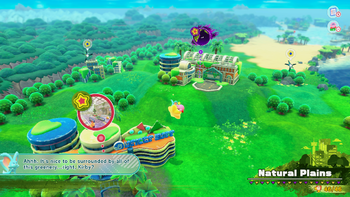
A World Map[1] refers to any image or construct that represents an entire playable area in a video game. Typically in addition to viewing a visual representation of a world - with its major areas and their locations relative to one-another - a world map screen will allow the player to either view information about an area by scrolling over it, or warp the playable character to an unlocked location. Often, world maps will start out incomplete (whether landmarks are simply not shown or entire sections of the map are obscured) and be filled by having the playable character explore that region. World maps are distinguished from Level hubs in that world maps will allow access to whole levels, whereas level hubs allow access only to their stages, and to the levels adjacent, in most cases.
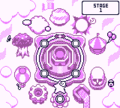
In the context of the Kirby series, world maps are often used only for the purpose of selecting levels. The first game in the series to do this was Kirby's Dream Course, which showed a depiction of all of the various courses on one continuous screen. (Despite coming out before this, Kirby's Adventure does not have a proper world map, instead merely having a series of level hubs strung together.) Other Kirby games that feature a world map include the following:
Kirby's Block Ball: This game features an overhead map which holds all of the main levels of the game, as well as access to the four Sub-Games, which can be freely visited after completing the main game.
Kirby's Star Stacker for Super Famicom: The story mode has each of its encounters lain across a world map, though this is a purely visual form of selection similar to the level hubs in Kirby's Dream Land 3.
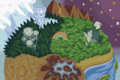
Kirby 64: The Crystal Shards: A 'space map' is present in this game that allows up to seven planets to be visited.
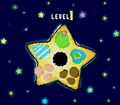
Kirby Tilt 'n' Tumble: This game features a world map which consists of a wide view of Planet Popstar as well as some supplemental star-shaped areas around the main star.
Kirby & The Amazing Mirror: This game does not have a traditional map, instead featuring a visual world map and a system of shortcut Mirrors that can be used to travel from the Central Circle to various locations once unlocked.
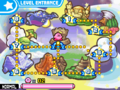
Kirby: Squeak Squad: Also referred to as the Level Entrance, the world map in this game consists of a simple map depicting each major area. The final area - Gamble Galaxy - is not visible on the map until it is unlocked. Additionally, once all the pieces of the secret map are collected, Kirby can access the Copy Ability Room in the center of the map.
Kirby Mass Attack: A visual representation of the Popopo Islands and Necro Nebula is used to travel between each world. Travel to an island patrolled by Skullys will cause all but one Kirby to vanish.
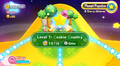
Kirby: Triple Deluxe: Each of the six main levels are represented as floating islands connected to the Dreamstalk in this title. Kirby runs up and down the Dreamstalk to access each level.
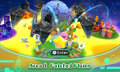
Kirby: Planet Robobot: Planet Popstar and the embedded Access Ark are used to visually represent each level in this title. Kirby can use a Warp Star to fly to each level.
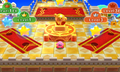
Kirby's Blowout Blast: Kirby starts on a platform which contains Warp Stars representing each level. Accessing a level is a simple matter of hopping onto the correct star.
Kirby Star Allies: While there is no visual representation of a world map from which each level can be visited, there is a menu allowing the player to quickly skip to each level hub.
In Kirby & The Amazing Mirror, there is a special item which Kirby obtains just before entering the Central Circle called the World Map. This item enables the player to see the world map at any time during gameplay.
In Kirby 64: The Crystal Shards, each planet is viewed from a different angle. Shiver Star and Ripple Star are the only planets from which every other can be seen in full, although Pop Star shows the rocks orbiting Rock Star while the planet itself is just off-screen.
References
↑Name taken from menu text in Kirby and the Forgotten Land