 |
VOOZH | about |
|
VOOZH | about |
We offer easy, convenient returns with at least one free return option: no shipping charges. All returns must comply with our returns policy.
Learn more about free returns.We offer easy, convenient returns with at least one free return option: no shipping charges. All returns must comply with our returns policy.
Learn more about free returns.| Brand | TP-Link |
| Hardware Interface | Ethernet |
| Color | White |
| Compatible Devices | Desktop |
| Product Dimensions | 2"L x 1.1"W x 2.6"H |
| Data Link Protocol | Ethernet |
| Data Transfer Rate | 100 Megabits Per Second |
| Item Weight | 13.76 ounces |
| Number of Packs | 2 |
| Unit Count | 1.0 Count |
TP-Link is a U.S.-based global networking leader with over 20 years of experience delivering award-winning reliability.
TP-Link is a signatory of the U.S. Cybersecurity and Infrastructure Security Agency’s (CISA) Secure-by-Design pledge, integrating advanced security into every product.
Our products feature advanced technology, from the latest Wi-Fi standards to AI-powered network optimization, helping deliver seamless connectivity to your home or workplace.
| Hardware Interface | Ethernet |
|---|---|
| Compatible Devices | Desktop |
| Data Link Protocol | Ethernet |
| Data Transfer Rate | 100 Megabits Per Second |
| Item Dimensions L x W x H | 2"L x 1.1"W x 2.6"H |
|---|---|
| Item Weight | 13.76 ounces |
| Color | White |
|---|
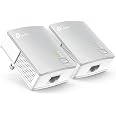
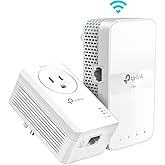
TP-Link AV600 Powerline Ethernet Adapter Kit - Gigabit Port, Plug Pair &Play, Power Saving, Nano Sized Powerline Network Adapter (TL-PA4010 KIT)
Share:
Found a lower price? Let us know. Although we can't match every price reported, we'll use your feedback to ensure that our prices remain competitive.
Fields with an asterisk * are required
| Brand | TP-Link |
|---|---|
| UPC | 845973032029 |
| Global Trade Identification Number | 00845973032029 |
| Manufacturer | TP-LINK |
| Mfr Part Number | TL-PA4010KIT |
| Model Number | TL-PA4010KIT |
| Unit Count | 1.0 Count |
| External Testing Certification | CE,FCC,RoHS |
| Warranty Description | 2 year manufacturer |
| Built-In Media | 2 × Ethernet Cables, TL-PA4010 KIT |
| Best Sellers Rank | |
| ASIN | B00AWRUICG |
| Customer Reviews |
4.2 out of 5 stars |
Using advanced Home Plug AV technology, TL-PA4010 KIT provides users with AV600 powerline speeds on a line length of up to 750 ft. The dimensions for this product are 2 x 1.1 x 2.6 inches. The terms “AV600” and “600Mbps” are derived from applicable specifications and refer to the theoretical maximum physical-layer data transfer rate. Those terms are used on this product solely to indicate its compatibility with other “AV600” or “600Mbps” powerline devices. Actual data speeds vary and may be limited by the product’s Ethernet port and other network conditions such as data traffic, electrical noise, and wiring issues. For better performance, powerline devices should be deployed on the same electrical circuit and rated for the same HomePlug standard. A minimum of two powerline devices are required to establish a powerline connection. If you are uncertain about your network conditions, you should consult an IT professional to assist in selecting a networking product. About power saving, actual power saved varies based on network conditions and environmental factors.
1. The theoretical maximum channel data transfer rate is derived from HomePlug AV2 specifications. Actual data transfer rate will vary from network environment including: distance, network traffic, noise on electrical wires, building material and construction, quality of electrical installation and other adverse conditions. 2. The Power Saving feature takes effect when your appliances are disconnected or turned off. Actual power saving data will vary in different network conditions and environments. 3. Compatible with all HomePlug AV and AV2 Standard Powerline adapters. This product may not be compatible with routers or gateways with firmware that has been altered, is based on open source programs, or are non-standard or outdated. 4. Actual network speed may be limited by the rate of the product's Ethernet WAN or LAN port, the rate supported by the network cable, Internet service provider factors and other environmental conditions.
Customer Reviews, including Product Star Ratings help customers to learn more about the product and decide whether it is the right product for them.
To calculate the overall star rating and percentage breakdown by star, we don’t use a simple average. Instead, our system considers things like how recent a review is and if the reviewer bought the item on Amazon. It also analyzed reviews to verify trustworthiness.
Learn more how customers reviews work on AmazonI've been a Network Engineer for over 10 years and ever since I've dealt with computers, cabling is one of the worst aspects of the job. I can't tell you how many times I've run/extended CAT3/CAT5/CAT5e/CAT6 cabling and ended up terminating both ends and testing them. Some situations are easier than others when you're allowed to run a cable across the floor or above ceiling tile... but in other situations like getting networking in a certain room in your house can be a total pain in the butt.
For the average home user, the only way to get networking from point A to your house to point B is either wired with cabling or use WiFi & bridging if the WiFi didn't extend far enough. When Powerline technology came out it added convenience of using existing power cabling but still was a little flaky and troublesome. But since then, Powerline has jumped leaps and bounds since and is much more reliable & faster.
When it came time to buy originally back in July 2012, I put a lot of research into looking into the latest powerline solution for my home. I wanted something with high performance and the current version of "high performance Powerline devices" allows 500Mbps transfer rate. Even still, I was having trouble selecting which manufacturer to go with (Belkin, Cisco, Netgear, etc). After my homework (and despite Netgear's horrible sales support), I ended up with the NETGEAR Powerline 500Mbps Nano Adapter - Starter Kit (XAVB5101).
Despite the insane price point (currently $87.99 on Amazon - 12/13/2013; I bought these for $108 back in July 2012), the Netgear adapters worked wonderfully in my home. I was able to maintain faster throughput from device to device while on wired Ethernet while not saturating my WiFi network. However, over the course of a year and a half, the number of devices I had in my house grew considerably (especially over WiFi).
In the past year, I added a few cell phones, a laptop, a tablet, a Roku 3, a Western Digital TV Live, 2 Chromecasts, and a new Smart TV. Because of that, my WiFi started to become degraded because every single one of those new devices was connecting to my network over WiFi. When multiple devices would start streaming things like Netflix and I was doing transfers from my media server to a PC, Netflix would stutter and my WiFi throughput would literally crawl slower than a snail on a salt bed. That's when I realized I needed to invest in more Powerline Adapters for certain rooms to speed up transfers as well as help reduce the load of my WiFi network.
But you see, despite being pleased with my Netgear adapters, I didn't want to spend another $100. A friend of mine (who I told the Netgear adapters about) bought another brand of Powerline AV 500Mbit adapters from a company called TP-Link to save money. He said they worked pretty good. After finding out that they were $35 on Amazon, I immediately pulled the trigger. I mean after all, I had a word of mouth approval from a friend and you can't argue saving over $50 vs another set of my Netgear adapters... the result? Absolutely no difference in speeds.
Just like the Netgear adapters, these are essentially Plug & Play. There were literally no problems connecting these in my house. I went to the living room where I needed wired connectivity and plugged these up to the wall. The TP-Link adapter immediately recognized my existing Netgear Powerline adapters and the 2nd LED (Powerline LED indicator) immediately lit up. I plugged in my small 10/100 switch to it and then my Roku & TV up to it and the 3rd LED (Ethernet indicator) lit up and the devices could not only talk to other devices on my LAN, but they had Internet access as well. I personally noticed NO DIFFERENCE in throughput speeds both within the LAN and the Internet.
The *ONLY* difference between the TP-Link set and the Netgear is the that the TP-Link doesn't tell you the "current speed" of that adapter's Powerline network. The Netgear has multicolored LEDs that indicate the speed of your Powerline network. While this normally won't matter to a lot of people, it will tell you whether you are having degraded performance within your home's electrical wiring. It also aids in troubleshooting as well. But it's not a show stopper...
Personally, I would recommend this product over the Netgear adapters I have.
1. The price is a LOT cheaper.
2. TP-Link has a TWO YEAR WARRANTY vs the Netgear's ONE YEAR WARRANTY. If you're really concerned on whether you're buying "a crap product", rest assured that this works just as good as the bigger name brands and you have an extra year of product care!
Highly recommended.
This is PERFECT!
First, my setup. I have a NAS from where I stream all of my media (mostly to my Minix NEO X8H Plus using Kodi / XBMC) using the wifi served by router A. Only my TV box and laptop are connected to the wifi served by router A (everyone else's devices use another wifi network served by router B) but nevertheless it kept losing a lot of its link speed when everyone was home, mostly in the evenings, when a lot of streaming occurs (my devices from the NAS, everyone else I assume netflix or just browsing. Only my devices have access to the NAS). This resulted in buffering occurring sometimes which was very annoying, particularly because I knew the wifi local network could stream my files without problems, as it did most of the times. I tweaked the channels the wifi network on router A used (made sure they weren't the same as router B's, etc.), also made sure the laptop wasn't connected to the wifi from router A when I was streaming from it just to make sure, but the buffering still occurred. I needed a permanent solution.
I didn't even know what powerline adapters were a week before buying these, but I read about someone's setup using them to stream from a NAS on a forum somewhere and immediately started looking up what this devices were about. I'm glad I did, and particularly glad that I went with these TPLink ones. TPLink has quickly become my go to brand for any home-related networking and for good reason: they perform very well.
THE GOOD
Pairing both units is as easy as the quick installation guide says (I used the pair button method). Once it's done and you locate your devices where you need them (unit 1 connected directly to the power outlet closest to the router, unit 2 to the power outlet where closest to my android TV box) it's like you're connected directly to your router using an ethernet cable! Some buyers have reported that their units kept disconnecting every week or so and luckily that's not something I have experienced at all!
Using the software utility I see that the link speed between both powerline units (please note that this is different from the link speed between devices in your local network) is anywhere from 196Mbps to 211Mbps which, theoretically, is enough to carry the 100Mbps output that can be sent through this units ethernet port (it is not a gigabit port). This also means that it probably makes a big difference to buy the AV500 version over the AV200 one. I have the AV500, I'm just guessing but this probably means that it lost more than half of the supposed 500Mbps connection speed on my house's wiring alone. I don't know if this means that you will get less than 100mbps connection speed between both units using the AV200 version but if you're a first time powerline adapter buyer (like I was) maybe it makes sense to throw a couple of bucks more to make sure that your experience is at least optimal.
My apartment is relatively new (around 16 years, we are first tenants). I don't know how long the wiring is between one outlet and the other but actual distance between the two must be around 25 feet (they are in different rooms, there is a room between one and the other). The wired distance must be longer since has to go through the walls and I believe it has to go through the power switch before reaching one another.
THE BAD
*I don't know if using high voltage household appliances has an effect on the performance of powerline networks but so far that seems to be the case in my house. I had some video buffering happening while ironing some clothes. It was very unusual and it has not happened again but I will update this review if I can figure out exactly what may have caused it. Maybe someone can offer a more technical explanation?
*The power saving feature seems to work great but unit 1 seems to never go into power saving mode. I guess it makes sense because the router is always powered on but I kind of assumed both units slept after not being used for a while.
*There isn't a version of the software utility for Linux. I installed it via WINE but it didn't run, there may be a way tweaking it and doing-who-knows-what but I'm too old for that now, I just booted up windows and installed it there. They should work some kind of web interface for this utility. A desktop application for a networking device? What year is this?
*It would've been useful if the software utility could tell you which pairing method was used on the units, given the fact that if you just plug both units to the power outlet they get paired, once you use the pairing button method (which is allegedly more secure) you don't know if the pairing worked via the pairing button or it just fallbacked into the regular "just plug it in" pairing. I ended up establishing my own network name between both units manually using the utility because of this. According to tplink support this is what the pairing button method does, only that it generates a random network name for both units to use.
*The powerline utility doesn't work unless you connect your computer directly to the powerline unit via the ethernet port. That was very disappointing since my laptop doesn't have one but I guess it makes sense technically. Still it would've been nice if there could be some kind of web interface that could be used if both devices were on the same network (maybe TPLink could integrate one in their routers?). This was the most disappointing of all but once you setup both units to your liking you really shouldn't need to use the software utility. You may not need the software utility at all. I did not find the software utility as unpleasant as some people did, it does the job and it has a simple and clear interface. Why the hate (besides what I just outlined lol)?
TECHNICAL SUPPORT
While the technical support representatives were relatively prompt to respond to my queries (they took at least 12 hours to answer) and very informative once they did, the technical support website JUST SUCKS. Seriously, there is something seriously wrong with the way it handles its cache. Sometimes I got an email about my ticket being answered and when I opened the link via the email it still showed the website as it was in my last visit, as if no response had been posted, I had to manually refresh it even though I had just opened the darn website! It's crazy and very confusing. I didn't try phone call support which is the one you may need to use if you need urgent help, I just needed clarification on some technical aspects of the units.
CONCLUSION
Someone more picky (or prickly) could very well have take one star off from the review judging by the negative points I listed but they all amount to minor matters in my book. Only one of those could become an ongoing worry (video buffering while high voltage appliances are being used) and the review will be updated accordingly depending if the issue occurs again, even though that may have to do more with the powerline adapter standard than the units themselves. The remaining issues have little to do with the performance of the units once they're set up. Luckily, the units perform very well for what I wanted them and that is more than enough for me.
EDIT: 6-1-2014
TP-Link TL-PA4010KIT AV500 is the product this review is for. Its been brought to my attention that the ethernet cables that come with these are only Cat5 not Cat5e. Also, the gauge is too thin. Replace them as soon as you can. I did and am now having better results. I hope this helps.
ORIGINAL POST:
We had the option to add network cabling when our house was built, but we did not. We did not know someday everything would be connected to the Internet. I want ethernet cables for my wired devices and wifi for my wireless devices in order to get better internet signal all around.
I saw Powerline Adapters on Amazon and ordered them on a whim. Normally I don't do something like that but I figured for $40, what the hell. My hopes aren't too high but I'm hoping these gadgets work pretty well. It took a week for them to arrive, and in the meantime I was so excited I kept reading reviews on Amazon just to get some ideas on installing them. I usually get little bits of information here and there from reading Amazon reviews, so thanks fellow reviewers for all of your tips and tricks. I also consolidated some outlets in areas I knew I wanted to test them. They arrived on a Thursday. I planned on installing them on Friday after work, but was so excited to test their performance, I ended up installing them at like 2am. They are very small and un-intrusive looking. They synced up and connected super quick and easy. I didn't even push the sync button, just plugged them in. I did a speed check on my connection speed and was getting the same as a full wired connection. Awesome! But about 20 minutes in, my computer lost connection to the Internet. I was still connected to my network, just not the Internet. I fiddled with some connection settings on my router to ensure that it was a wired connection and not a wireless one. Power cycled everything back on, & I was back on the Internet.... For about 20 more minutes, then it disconnected again. It connected up by itself a few seconds later. Neither of them are plugged into surge protectors, they are plugged directly into the wall. They keep losing connection, it's worse than wifi. I think it could be some sort of power spike in the electrical lines. I don't know. I'm not sure if a different outlet would do any better in my house or if something is inherently wrong with my home's electrical wiring. I've also read that noise from other electrical appliances could cause interference. This is connected to my desktop PC in the kitchen obviously with a lot of other appliances. I do not want to update the firmware or try to re-pair these I might just put them in the box and send them back to Amazon. Most reviews would have you believe that this is more stable than wifi, it is not. It's about as reliable as wifi, maybe less.
For $40 it was a worthy experiment. Who knows, it might work in a different application such as a Blu ray player without wifi, I will have to test that. I was hoping this would give me the same performance as a wired ethernet connection. Installation is definitely fast and easy, the connection is just not reliable. I just wanted to try a pair before I bought a bunch of them.
Kinda disappointed, not surprised, but disappointed.
Update:
I really wanted these to work. I installed one in the master bedroom instead of the kitchen, where I have a non- wifi Smart TV as well as a Blu-ray player. I set up an old router as an access point and connected it to the adapter. Now the TV & Blu-ray player have internet. I've streamed some movies (in HD, of course) while running the vacuum on the same circuit, no problem. Being on the kitchen circuit must have been the problem in my first installation. Or maybe my ISP was doing maintenance on the system. It was 2 a.m. after all. A week later, I have not had a single disconnect. Plus, the second router is boosting the wifi signal all over the house and to the backyard.
I must concede that powerline adapters are very reliable and dependant on the electrical lines to which they're connected. Like a lot of networking devices, environment, equipment and settings play a big part in success.
Update 2:
Just for fun, I took the adapter back out to the kitchen and reconnected it to my desktop PC. It had some connection issues on the first day, but only to the internet and not to my home network. After a week, that's been the only one. I have no idea why they only have the connection issues at first. Now, I'm considering getting another pair of these. They seem to be working out very well.
I will update further if I have any more issues. I'm changing my rating to 4 stars for ease of installation and convenient network configuration. It is plug and play, but it took some fiddling to get it to work right.
Update 3:
I've had it in the kitchen for over a month now and only get a few disconnects. Sometimes where a web page won't load, but it usually connects right back up when I retry. I added a six plug outlet adapter to this outlet just to see how it would work, and it is no problem. I also used this computer to serve some video files to the ps3, wirelessly and that worked well too. I am going to get another pair of these and put them in my entertainment areas.
Advertised as AV600, but was actually AV500. Product works well enough, but mis-advertising always gets 3 stars.
update: AV500 and AV600 are the same thing, TP-Link marketing snafu. Increased to 5 stars.
Note that this does not work particularly well with old BX wiring--it works like a Faraday cage and it was not stable enough for me to use. That is not a product issue, but a wiring issue, but be aware.
This is not the first time I’ve purchased it. This will be my second. This little device is a reliable device, it helped not pulling wire across walls, just use power outlets and send the internet signal to the other devices on a second room power outlet. Plus it does work. Let me add more information.
The TP-Link AV600 is a good choice for hose that don’t want to install wires. It’s plug and play device, but you have to follow the instructions it comes with to make work for you. Once you connect to your router, you have to pair both devices at once to make the connection between your router and the other electronic device you want to get internet connection. Thanks great product, I recommend this product to anyone wanting to not use cables to connect to another room.
This is not the first time I’ve purchased it. This will be my second. This little device is a reliable device, it helped not pulling wire across walls, just use power outlets and send the internet signal to the other devices on a second room power outlet. Plus it does work. Let me add more information.
The TP-Link AV600 is a good choice for hose that don’t want to install wires. It’s plug and play device, but you have to follow the instructions it comes with to make work for you. Once you connect to your router, you have to pair both devices at once to make the connection between your router and the other electronic device you want to get internet connection. Thanks great product, I recommend this product to anyone wanting to not use cables to connect to another room.
Plug and play in 5 minutes. I trialed against my Wifi on a decent Netgear Nighthawk r7000 wifi router. My Dell laptop was about 60ft from the wifi router in a wood framed house. Wifi 2.5mhz gave me 50Mbps download. 5.0Mbps gave me 95Mbps. Plugged in the powerline and got 15Mbps. Roughly 20Mbps is needed to stream a 4k movie. I ran around the house and tried plugs. All gave me me about 15Mbps no matter which fuse circuit the plug was on. I needed 25Mbps, so this didn't cut it for me.
----- UPDATE -----
Dropping rating to one star. It is trivial for anyone to break into your network if they can get plugged into your power grid, which, depending on where you live, could mean they don't even have to enter your property. This is not an issue with the HomePlug AV spec, but in how TP-Link (and probably some other manufacturers) implements it. Search "plc dak attack" for details. In short, there is a password that is unique to each device that allows it to be remotely configured from any other device. TP-Link derived that password from the MAC address of the device, *which is broadcast in the powerline communications*. If you want to see for yourself, install the open-plc-utils package on GitHub (which is distributed by Qualcomm Atheros, the manufacturer of the powerline chipset used in these devices) and run "mac2pw -l 20 aabbccddeeff", where aabbccddeeff is the MAC address of the device (should be printed on it). Compare the result with the password printed on the device. Anyone could use this to insert themselves into your network without you knowing.
TL;DR: Having these in your network is as bad as having open WiFi. It's possible for these devices to be done correctly, but TP-Link didn't do it.
----- ORIGINAL REVIEW -----
First and foremost: DO YOUR RESEARCH! Don't buy this or any other powerline communication device and expect to be able to just plug it into any two outlets and get the full advertised speed. You'll want to learn a bit about your house's wiring, and read up on the effects of the multiple legs/phases of power in most houses on equipment like this.
These devices conform to the HomePlug AV standard, and should thus coexist peacefully with other communication/automation devices that also follow that standard. (Note: I have not tested that, as I don't have any other devices to test.)
While these will work "plug and play"-style without any additional setup, I *strongly* urge you to do the extra (very simple) pairing process. The devices use encryption to secure communications, but until you pair them, they are using the same default encryption key as *every* other device. That means anyone may be able to walk up to your house, plug into an external power jack, and have immediate access to your network. (It may even be possible to do with without actually entering your property, but I haven't heard of anyone actually successfully doing that.)
For security, the HomePlug AV standard uses AES-128, which is considered likely to remain secure for quite some time yet. Unfortunately, from my reading of the HomePlug AV whitepaper, one thing it leaves up to the manufacturer is how the network key (NMK in HomePlug parlance) is distributed to new devices (in the pairing process). There are secure and not-so-secure ways of doing this. I couldn't find any detail in the product documentation, so I asked TP-Link support to clarify how they exchange keys. After a few days, the response received was "After confirming with our engineers, we are sorry to tell that we can not provide the information you want!". It's not clear whether they *can't* or *won't* provide the information. This is a pretty big hole to me, though, so unless I can find the information somewhere, I can't recommend these devices to anyone who is at all security-conscious. (To be fair, though, this is my first experience with powerline communication devices, so I don't know if I'd be able to find this information about *anyone's* similar devices. Also, I realize that there are ways to mitigate this risk. But the fact that they can't or won't divulge details of the security methods used by the devices is a reg flag for me.)
I set these up and did some speed tests by simply copying a large (~500 MB) file via FTP from one statically-addressed computer to another. All outlets behind the same breaker got me about 80 Mbps, a little low but reasonably close to the 100 Mbps limit. Between two different breakers on the same leg/phase (whether the same floor or different), I got about half that. Still plenty to saturate the internet connection, which is my intended use for this. I then tried a couple of connections to the opposite leg/phase... the first resulted in a painfully slow (think dial-up) connection, the other couldn't make a connection at all. So, going back to the first paragraph, do your research and know what these are and aren't capable of (without additional equipment; see "phase couplers").
So if you're unfamiliar with powerline adapters as I was before I encountered them just recently, then the product description may sound too good to be true. You can plug a small box into a wall outlet, hook it up to your modem, and use the second box anywhere in the house within 1,000ft to set up a router/internet connection by simply plugging it into the wall? YES. YES YOU CAN.
The adapters are pretty small, they fit well on a wall outlet and leave plenty of room for other connections. I currently have one adapter set up about 4 feet away from my modem on the far end of one side of the house, hooked up via an ethernet cable (provided in the package), and the other adapter is set up in a room about 250ft away on the furthest wall on the opposite side of the house (upstairs above the garage, past several rooms, including the kitchen, living room, dining room, laundry room, and bedroom). I simply plugged the second adapter into the wall outlet into the far room, synced the two adapters by pressing the button on each one, and had internet access.
On the second adapter (the one on the far end of the house where internet connection was needed), I have it hooked up to a Wireless-G Belkin router. Internet connection speeds via speedtest are roughly 20mpbs, upload speeds are about 10mbps.. ping usually sits between 12ms-45ms. It isn't terribly fast, but it'll definitely knock out the hassle of having a second modem added to the house.. extra wiring.. extra money.. time.. no thank you.
I did notice a couple of strange things, though.
When I synced the two adapters, I synced them in the same room so I could access them fairly quickly. I initially tested the adapter by hooking up my desktop to the receiving adapter. My speeds according to speedtest were 10mbps download speed, and about 6mbps upload speed. That's when my desktop is hooked directly to the receiving adapter in the SAME room as the adapter connected to the modem.
I'm not sure why I receive better speeds on the far end of the house, people have mentioned it has something to do with the breaker.. but I have no idea. What I'm saying is, hopefully this won't be a hit and miss for you. You may be taking some chances with your download/upload speeds depending on the room you need internet access in. I just happened to get lucky I guess.
Anyways, this works great and saved me a ton of time and money... and I now have internet access throughout the entire house thanks to both routers on each end. I'm very grateful.
On that note, if anyone knows of a coax adapter that will do something similar to this, let me know. I'm trying to get Comcast cable set up in the room upstairs as well.. but I fear running a 150-200ft coax cable would be a pain.
EDIT: I should mention that my speeds via speedtest when hooked directly to my modem (Comcast ISP) I get a ping of 10ms, Download speed of 121mbps, and upload speed of 23.42mbps. So there is a huge difference in the speed. When physically downloading something, my desktop peaks at about 17mbps when hooked directly to the modem, whereas with this powerline adapter it is about 1.8mb/s and typically ranges from 500kb/s-1mb/s
Works very well for Indian wiring also. I was tired of collisions occurring in typical wifi range extenders as they share the same radio channel thereby reducing bandwidth to half and frequent dropouts.
With this I was able to add a "wired" access point to a distant part of the apartment and setup a seamless wifi handoff by adding a basic router to it
Works very well for Indian wiring also. I was tired of collisions occurring in typical wifi range extenders as they share the same radio channel thereby reducing bandwidth to half and frequent dropouts.
With this I was able to add a "wired" access point to a distant part of the apartment and setup a seamless wifi handoff by adding a basic router to it
الجهاز لا يعمل
Produto cumpre o que promete! Original e consegue trazer o sinal sem perda para todos os cômodos da casa
Purchased based on other reviews. So glad I listened. Fast delivery and so simple to set up. Was chuffed.
Izz sooo good
From TP-Link
One-time purchase: $37.99 5% Savings
List Price: $39.99
$99.99 , 4.1 out of 5 stars, 205 ratings
In Stock
1. The theoretical maximum channel data transfer rate is derived from HomePlug AV2 specifications. Actual data transfer rate will vary from network environment including: distance, network traffic, noise on electrical wires, building material and construction, quality of electrical installation and other adverse conditions. 2. The Power Saving feature takes effect when your appliances are disconnected or turned off. Actual power saving data will vary in different network conditions and environments. 3. Compatible with all HomePlug AV and AV2 Standard Powerline adapters. This product may not be compatible with routers or gateways with firmware that has been altered, is based on open source programs, or are non-standard or outdated. 4. Actual network speed may be limited by the rate of the product's Ethernet WAN or LAN port, the rate supported by the network cable, Internet service provider factors and other environmental conditions.
Did you find this product summary feature useful?







![👁 Internet Splitter 1 in 4 Out, Gigabit Ethernet LAN Splitters High Speed 1000Mbps RJ45 Ethernet Switch for Cat8/7/6/5e/5 Cable [4 Devices Simultaneous Networking]](https://m.media-amazon.com/images/I/41vyh65jwdL._AC_SR100,100_QL65_.jpg)


