|
VOOZH | about |
|
VOOZH | about |
The easiest way to connect Power BI with real-time data from any application, database or data warehouse, anywhere.
Connect to hundreds of data sources including databases, SaaS, NoSQL, files, and web services. Creates optimized table layers with full metadata discovery, enabling efficient queries even for schema-less sources.
Full SQL-92 support with intelligent push-down for server-side processing and bulk operations for optimal performance. Supports Power BI's DirectQuery feature for large datasets, unlike many third-party connectors.
Handles diverse authentication methods (Basic, OAuth, tokens, SSO) at the connector level. Supports TLS/SSL encryption for enterprise-grade data protection across all sources.
Works with Power BI Desktop and Power BI Cloud, including On-Premises Gateway for automatic data refresh. Ensures consistent connectivity for both local and cloud collaboration scenarios.
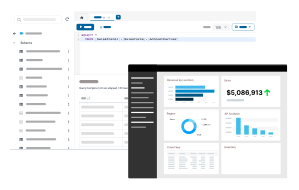
Fully-integrated Power BI Connectors with real-time data access (Direct Query).
Don't see your application listed here? Explore our driver development options to learn how we can help you SQL-enable your data source with custom drivers. Standards-based drivers provide a universal bridge between your data, and the world of BI & Analytics. Let our team show you how.
Learn MoreWatch the video overview for a first-hand look at the powerful data connectivity capabilities included in the CData Power BI Connectors.
Watch the VideoComprehensive Metadata Discovery
Extensive schema discovery capabilities for every data source. Explore tables, columns, keys, and other data constructs based on user identity.
Flexible NoSQL flattening
Easily connect Power BI directly with complex hierarchical data through flexible and extensible NoSQL flattening.
Learn more: Parsing hierarchical data
Blazing Data Connectivity
Our drivers push the boundaries of data access, optimizing socket-level streaming and compression capabilities, and delivering truly exceptional data access.
Learn more: Unmatched performance
Easily customizable and configurable
The data model exposed by our Power BI Connectors can easily be customized to add or remove tables/columns, change data types, etc. without requiring a new build. These customizations are supported at runtime using human-readable schema files that are easy to edit.
Enterprise-class security
Includes standard Enterprise-class security features such as TLS/ SSL data encryption for all client-server communications.
Common questions about Power BI Data Connectors
What are connectors for Power BI?
In Power BI, connectors act as bridges between your data sources and the Power BI environment. They essentially allow you to retrieve data from various locations and bring it into Power BI for analysis and visualization. Connectors offer a wide range of options to connect to various data sources, eliminating the need for complex configurations or custom coding.
At CData, we build customer data connectors that extend Power BI with real-time connectivity to a wide range of data sources. Our Power BI connectors offer several advantages over the standard Power BI connectors, particularly when dealing with a wider range of data sources or needing more advanced control.
Benefits include:
How do we install connectors in Power BI?
Installing CData Power BI Connectors involves downloading the specific connector for your data source and following the setup instructions.
More information can be found online in the CData Power BI Connector Getting Started Guide.
Does the Power BI connector support ARM64 devices?
Yes, our Power BI connector supports ARM64 Windows.
Download the CData Power BI connectors and power your BI and Analytics reports with live data from anywhere. Interested in a data source that is not listed above? Contact us below, and let's talk.
Thank you for your interest in our products. Your email has been sent successfully, and a product specialist will be in contact with you within a few hours.
Please feel free to follow up with us at any time. You can Email our sales team at ([email protected]), or call (919) 928-5214.