

Apply Statistical Analysis Using Minitab for Beginners
Keep adding new skills with 10,000+ programs for $239 (usually $399). Save now.

Apply Statistical Analysis Using Minitab for Beginners
This course is part of Apply Statistical Data Analysis with Minitab Specialization

Included with
Ask Coursera
Recommended experience
Recommended experience
What you'll learn
Navigate the Minitab interface and use menus to perform basic statistical analysis confidently.
Create and interpret charts, graphs, and probability distributions using Minitab tools.
Apply Minitab features to analyze real datasets for data-driven decision making.
Skills you'll gain
Tools you'll learn
Details to know

February 2026
6 assignments
See how employees at top companies are mastering in-demand skills

Build your subject-matter expertise
- Learn new concepts from industry experts
- Gain a foundational understanding of a subject or tool
- Develop job-relevant skills with hands-on projects
- Earn a shareable career certificate

There are 2 modules in this course
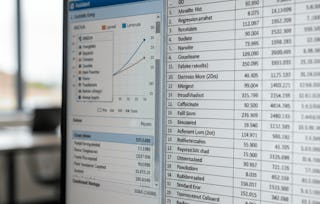
Learners will be able to navigate the Minitab interface, apply essential statistical tools, and create meaningful data visualizations to support data-driven decision-making. By the end of this course, learners will confidently use Minitab’s menus, perform basic statistical analysis, explore predictive analytics features, and interpret graphical outputs such as probability distributions.
This beginner-focused course is designed to provide a structured, hands-on introduction to Minitab without requiring prior statistical or programming experience. Learners benefit from a clear, step-by-step approach that emphasizes practical usage over theory, making complex analytical concepts accessible and easy to apply. Through guided demonstrations, menu-driven workflows, and visual assistants, learners quickly build confidence in working with real datasets. What makes this course unique is its emphasis on learning Minitab through exploration of its interface and tools exactly as they are used in professional environments. Instead of overwhelming learners with formulas or advanced techniques, the course focuses on developing practical skills that can be immediately applied in quality management, operations, analytics, and academic projects. This makes the course ideal for students, professionals, and beginners seeking a fast, effective entry into statistical analysis using Minitab.
This module introduces learners to the Minitab environment, course structure, and core interface components, enabling beginners to confidently navigate menus and understand how Minitab supports basic statistical and predictive analytics tasks.
What's included
4 videos3 assignments
4 videos•Total 27 minutes
- Introduction to Course•5 minutes
- Menu Introduction•8 minutes
- Menu Introduction Continued•9 minutes
- Predictive Analytics Module•5 minutes
3 assignments•Total 50 minutes
- Getting Started with Minitab•30 minutes
- Welcome & Course Orientation•10 minutes
- Exploring the Minitab Interface•10 minutes
This module focuses on applying Minitab’s statistical menus and graphical assistants to analyze data, interpret results, and visualize distributions, helping learners transform raw data into meaningful insights.
What's included
4 videos3 assignments
4 videos•Total 40 minutes
- File to Stat Menu•12 minutes
- Stat Menu•8 minutes
- Graph to Assistant•10 minutes
- Graph to Assistant Continued•9 minutes
3 assignments•Total 50 minutes
- Working with Data, Statistics, and Visual Tools•30 minutes
- Data Analysis Using Statistical Menus•10 minutes
- Visualizing Insights with Graphical Tools•10 minutes
Earn a career certificate
Add this credential to your LinkedIn profile, resume, or CV. Share it on social media and in your performance review.

Explore more from Data Analysis
- Status: Free Trial
Course
- Status: Free Trial
Specialization
- Status: Free Trial
Course
- Status: Free Trial



Why people choose Coursera for their career






Frequently asked questions
To access the course materials, assignments and to earn a Certificate, you will need to purchase the Certificate experience when you enroll in a course. You can try a Free Trial instead, or apply for Financial Aid. The course may offer 'Full Course, No Certificate' instead. This option lets you see all course materials, submit required assessments, and get a final grade. This also means that you will not be able to purchase a Certificate experience.
When you enroll in the course, you get access to all of the courses in the Specialization, and you earn a certificate when you complete the work. Your electronic Certificate will be added to your Accomplishments page - from there, you can print your Certificate or add it to your LinkedIn profile.
Yes. In select learning programs, you can apply for financial aid or a scholarship if you can’t afford the enrollment fee. If fin aid or scholarship is available for your learning program selection, you’ll find a link to apply on the description page.
More questions
Financial aid available,