

Draw a wireframe in Wireframe.cc
Keep adding new skills with 10,000+ programs for $239 (usually $399). Save now.


Ask Coursera
What you'll learn
Create a user-personas mobile app wireframe
Add, group and position elements
Add annotations
Skills you'll practice
Tools you'll use
Details to know

Only available on desktop
See how employees at top companies are mastering in-demand skills

Learn, practice, and apply job-ready skills in less than 2 hours
- Receive training from industry experts
- Gain hands-on experience solving real-world job tasks
- Build confidence using the latest tools and technologies

About this Guided Project
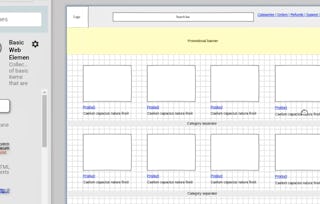
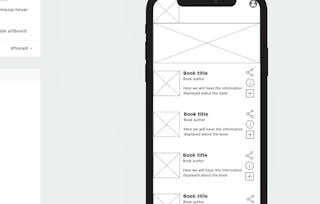
In this project you will draw a wireframe for an internal news and communications business app in Wireframe.cc, define user personas, drawing elements, menus, icons, using color coding prioritizazion and other elements of interface design.
Learn step-by-step
In a video that plays in a split-screen with your work area, your instructor will walk you through these steps:
- •
Define strategy and create user personas
- •
Set up canvas, draw header and logo
- •
Design the commsfeed
- •
Use icons and colors
- •
Draw menus
- •
Group and align elements
- •
Add social components
- •
Add annotations
8 project images
Instructor

How you'll learn
Skill-based, hands-on learning
Practice new skills by completing job-related tasks.
Expert guidance
Follow along with pre-recorded videos from experts using a unique side-by-side interface.
No downloads or installation required
Access the tools and resources you need in a pre-configured cloud workspace.
Available only on desktop
This Guided Project is designed for laptops or desktop computers with a reliable Internet connection, not mobile devices.
Why people choose Coursera for their career


You might also like
- C
Coursera
Guided Project
- Status: Free TrialC
California Institute of the Arts
Course
- Status: Free Trial
Guided Project
- Status: Free
Guided Project






Frequently asked questions
In this course, mobile app wireframing means sketching the structure of an app screen so key content and interface elements are arranged clearly. The emphasis is on planning for users, layout, and priorities in Wireframe.cc rather than building a polished final design.
You would use a wireframe when you need to shape an app screen before spending time on more detailed interface design choices. In this course, it supports thinking through user needs, content placement, and how menus, icons, and other elements should work together.
Wireframing fits into the early and middle stages of design, after you clarify users and goals and while you are still organizing the screen. Here it acts as a working draft for arranging structure, navigation, and notes before moving into more refined interface decisions.