

Web Design: Wireframes to Prototypes
Keep adding new skills with 10,000+ programs for $239 (usually $399). Save now.

Web Design: Wireframes to Prototypes
This course is part of UI / UX Design Specialization

Instructor: Roman Jaster
81,219 already enrolled
Included with
918 reviews
918 reviews
Skills you'll gain
- UI/UX Research
- User Interface and User Experience (UI/UX) Design
- Responsive Web Design
- Prototyping
- HTML and CSS
- Wireframing
- User Interface (UI) Design
- Web Design and Development
- Mockups
- User Experience Design
- Web Design
- User Experience
- Visual Design
- Graphic and Visual Design
- Design Elements And Principles
- Typography
- Interactive Design
- UI/UX Strategy
- User Interface (UI)
Tools you'll learn
Details to know

See how employees at top companies are mastering in-demand skills

Build your subject-matter expertise
- Learn new concepts from industry experts
- Gain a foundational understanding of a subject or tool
- Develop job-relevant skills with hands-on projects
- Earn a shareable career certificate

There are 5 modules in this course
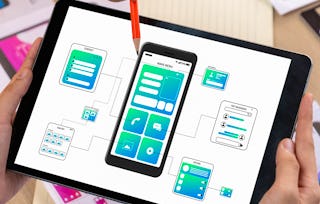
This course is focused on the application of the early UX research to actual user interfaces: the creation of wireframes, high-fidelity mockups, and clickable prototypes. Along the way we will also discuss:
- Responsive web design and mobile web challenges - Mobile-first approach - Web typography - The relationship between design and programming and whether it is important to know how to code - The different web technologies that make the web work, such as HTML, CSS, JavaScript, server-side coding, and databases. This course is the continuation of the course Web Design: Strategy and Information Architecture, in which students completed the first half of a large scale project—developing a comprehensive plan for a complex website. If you are intending to complete the assignments in this course to earn a certificate you must complete the Strategy and Information Architecture course first so you have the materials and data needed to begin creating wireframes and mockups in this course. This is the fourth and last course in the UI/UX Design Specialization, which brings a design-centric approach to user interface (UI) and user experience (UX) design, and offers practical, skill-based instruction centered around a visual communications perspective, rather than on one focused on marketing or programming alone. These courses are ideal for anyone with some experience in graphic or visual design and who would like to build their skill set in UI or UX for app and web design. It would also be ideal for anyone with experience in front- or back-end web development or human-computer interaction and want to sharpen their visual design and analysis skills for UI or UX.
What's included
1 video4 readings
1 video•Total 2 minutes
- Course Introduction•2 minutes
4 readings•Total 10 minutes
- About this course•2 minutes
- About the assignments•3 minutes
- Required tools•2 minutes
- About CalArts and the Program in Graphic Design•3 minutes
This week is all about wireframes. After mapping out our strategy and scope in the previous course, Web Design: Strategy and Information Architecture, this is the first time in the process that we will address the screen. Now things are going to get much more concrete as we’re starting to actually lay out elements for the user interface. This week you will learn why working on wireframes first—before designing high-fidelity mockups—is a helpful intermediate step. I’ll also talk about responsive design, navigation systems, wayfinding, common design patterns, and strategies for homepage design. And, we’ll discuss which tools are most appropriate for creating wireframes. Because creating those will be your assignment at the end of the week.
What's included
15 videos9 readings3 assignments1 peer review
15 videos•Total 106 minutes
- Introduction to Week 1•1 minute
- Introduction to Wireframes•5 minutes
- Responsive Design: What size should your website be?•8 minutes
- Navigation Systems•15 minutes
- Wayfinding•9 minutes
- Common Web Design Patterns•13 minutes
- Common Form Elements•6 minutes
- Examples of Homepage Content Strategies•13 minutes
- Wireframing Tools•3 minutes
- Wireframes: Bradley•8 minutes
- Wireframes: Alyson, part 1•9 minutes
- Wireframes: Alyson, part 2•8 minutes
- Why Peer Review? •2 minutes
- Peer Review Tips•4 minutes
- How to apply feedback •2 minutes
9 readings•Total 69 minutes
- Project Brief•2 minutes
- Scrolling•6 minutes
- Further Reading•10 minutes
- Jakob’s law •10 minutes
- Resource: Design Patterns Collection•10 minutes
- Further Reading•10 minutes
- Try it yourself: Sketch out a wireframe•15 minutes
- What is peer review?•5 minutes
- A Final Thought for the Week•1 minute
3 assignments•Total 48 minutes
- Week 1 Quiz•30 minutes
- Navigation Systems•10 minutes
- Common Design Patterns•8 minutes
1 peer review•Total 120 minutes
- Wireframes•120 minutes
We finally reached the point that many of you—especially if you consider yourself a visual designer—have probably been waiting for. We’ll now talk about designing the look and feel for your website. Meaning, we’re ready to design visual mockups. Finally, you’ll get to decide on colors, typefaces, and images. Maybe you’ll create a few illustrations. And your site will need a logo, too. This week, we’ll focus on designing the visual mockups of just the homepage. To find some inspiration, I’ll also have you create a mood board.
What's included
13 videos6 readings3 assignments1 peer review
13 videos•Total 120 minutes
- Introduction to Week 2•1 minute
- Visual Mockups•4 minutes
- Design Principles•4 minutes
- What is whitespace?•6 minutes
- Using whitespace to style a form•5 minutes
- A visual comparison•2 minutes
- Web Fonts•7 minutes
- Web Typography: A few tips•8 minutes
- Creating Visual Mockups•8 minutes
- Visual Mockups Example•13 minutes
- Moodboards and Homepage Mockup: Bradley•7 minutes
- Homepage Mockup: Alyson•13 minutes
- Bonus Material: Interview with Rob Hope on Web Design Trends•44 minutes
6 readings•Total 71 minutes
- Aesthetic Usability Effect•10 minutes
- The Grid•19 minutes
- Further Reading•20 minutes
- Web History, Skeuomorphs & Flat Design•14 minutes
- Moodboards•7 minutes
- A Final Thought for the Week•1 minute
3 assignments•Total 50 minutes
- Week 2 Quiz•30 minutes
- Design Principles/Whitespace•12 minutes
- Web Typography•8 minutes
1 peer review•Total 240 minutes
- Visual Mockups: Home Pages•240 minutes
This week, you’ll continue the visual design of your websites, refining the look and feel based on peer feedback. Having worked on the homepage mockup last week, it’s time to design the remaining screens. As an important aside, I will take you on a short expedition to the land of code. Although this specialization isn’t about learning how to code, I want to at least introduce you to the technologies that make the web work. And we’ll look at a few coding examples. After all, the web is built upon certain languages—HTML, CSS, and JavaScript. in order to be an effective UX designer, it is helpful to have a rudimentary understanding of these technologies.
What's included
8 videos6 readings1 assignment1 peer review
8 videos•Total 99 minutes
- Introduction to Week 3•1 minute
- Do I Need to Learn How to Code?•4 minutes
- Survey of Web Technologies•14 minutes
- HTML vs. CSS vs. Javascript: A metaphorical adventure•6 minutes
- HTML Basics•5 minutes
- CSS Basics•9 minutes
- Web Inspector•8 minutes
- Bonus Material: Interview with Rob Hope, Part 2•52 minutes
6 readings•Total 98 minutes
- A Web Design History Primer•7 minutes
- How to become a unicorn•5 minutes
- Try it yourself: Styling Buttons•15 minutes
- More from Rob Hope: “Show Them” Landing Page Course•1 minute
- Bonus Material: Intrinsic Web Design•69 minutes
- A Final Thought for the Week•1 minute
1 assignment•Total 30 minutes
- Week 3 Quiz•30 minutes
1 peer review•Total 300 minutes
- Visual Mockups: Full Set•300 minutes
Welcome to the final week of this course and the final week of the entire UI/UX Design Specialization. I hope that you learned a lot of new concepts, techniques, and skills that will allow you to design some amazing interactive experiences in the real world. This week, you will have time to revise any of your project components. And then I’d like you to assemble them into a presentation that will represent the culmination of all of the UX phases we covered. This should be a great project to include in your portfolio. I’ll also show you how to take your static mockups and assemble them into clickable prototypes.
What's included
7 videos3 readings1 assignment1 peer review1 discussion prompt
7 videos•Total 70 minutes
- Introduction to Week 4•1 minute
- Clickable Prototype Example Part 1•5 minutes
- Clickable Prototype Example Part 2•13 minutes
- Accessibility•7 minutes
- Bonus Material: Interview with Margaret Andersen•28 minutes
- Full Mockups: Bradley•9 minutes
- Full Mockups: Alyson•8 minutes
3 readings•Total 26 minutes
- Accessibility Resources•10 minutes
- Dark Patterns•15 minutes
- A Final Thought for the Week•1 minute
1 assignment•Total 30 minutes
- Week 4 Quiz•30 minutes
1 peer review•Total 180 minutes
- Final Project Submission•180 minutes
1 discussion prompt•Total 10 minutes
- Dark Patterns•10 minutes
Earn a career certificate
Add this credential to your LinkedIn profile, resume, or CV. Share it on social media and in your performance review.
Instructor
Offered by

Explore more from Music and Art
- Status: Free TrialC
California Institute of the Arts
Course
- Status: Free Trial
Course
- Status: Free Trial
Course
- Status: PreviewN
Northeastern University
Course


Why people choose Coursera for their career


Learner reviews
- 5 stars
89%
- 4 stars
8.70%
- 3 stars
1.41%
- 2 stars
0.21%
- 1 star
0.65%
Showing 3 of 918
Reviewed on Dec 1, 2022
core skill teaching as UI UX i learned much about UI UX design in this course. As a graphics designer, i have been enhancing my skill from this course.
Reviewed on Jun 4, 2022
This course did a great job of explaining the why's and how's of designing wireframes. The content is easy to understand and follow.
Reviewed on Oct 20, 2021
This is an amazing course, the lecturer has a great charisma and the material is well prepared, you will get the difference once you experience other courses out there.




Frequently asked questions
Since this is a graphic design course, to complete the assignments you will need access to a desktop or laptop computer with the appropriate software installed. You can't really do graphic design work properly on a smartphone or tablet. Adobe CC software is recommended for these courses, but alternatives are available. Software will be reviewed in greater detail in the first week of the course.
To access the course materials, assignments and to earn a Certificate, you will need to purchase the Certificate experience when you enroll in a course. You can try a Free Trial instead, or apply for Financial Aid. The course may offer 'Full Course, No Certificate' instead. This option lets you see all course materials, submit required assessments, and get a final grade. This also means that you will not be able to purchase a Certificate experience.
When you enroll in the course, you get access to all of the courses in the Specialization, and you earn a certificate when you complete the work. Your electronic Certificate will be added to your Accomplishments page - from there, you can print your Certificate or add it to your LinkedIn profile.
More questions
Financial aid available,
¹ Some assignments in this course are AI-graded. For these assignments, your data will be used in accordance with Coursera's Privacy Notice.