

Generative AI for Graphic Designers
Keep adding new skills with 10,000+ programs for $239 (usually $399). Save now.


Ask Coursera
Recommended experience
Recommended experience
What you'll learn
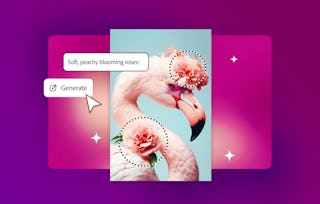
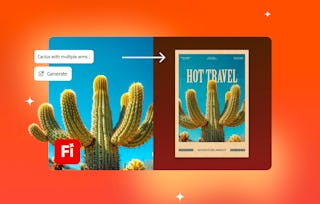
Generate vector artwork and patterns using Illustrator’s AI tools.
Write effective prompts to guide AI output and creative direction.
Apply AI-driven recolor workflows to enhance and adapt artwork.
Integrate AI tools confidently into your design process and projects.
Skills you'll gain
Details to know

See how employees at top companies are mastering in-demand skills

There are 3 modules in this course
Generative AI is changing the way designers work—turning ideas into visuals faster than ever. In this course, you’ll learn how to use Adobe Illustrator’s AI-powered features to generate artwork, recolor designs, and create patterns directly from text prompts. You’ll start by generating your first vector graphics and understanding how prompts shape creative output. Then, you’ll refine prompts to create custom patterns and explore how AI can assist with recoloring artwork and developing new design variations. Throughout the course, you’ll gain insight into how AI fits within a designer’s creative process, expanding your ideas, saving time, and enhancing originality. By the end, you’ll know how to confidently integrate AI tools into your Illustrator workflow to generate, adjust, and polish professional design projects that reflect both human creativity and machine innovation.
Generative AI may sound futuristic, but in Illustrator it’s already here. This module introduces you to Illustrator’s AI tools and gets you experimenting with your first text-to-vector graphics. You’ll see how prompts can spark creative directions in seconds, expanding the way you think about design.
What's included
2 videos4 readings1 assignment
2 videos•Total 3 minutes
- Welcome to Generative AI in Illustrator•1 minute
- Generate artwork from text with Text to Vector Graphic•2 minutes
4 readings•Total 40 minutes
- Course outline•10 minutes
- Tutorial: Generate artwork with Text to Vector Graphic•10 minutes
- Learning Paths and Certifications•10 minutes
- Join the Adobe Community•10 minutes
1 assignment•Total 5 minutes
- Knowledge check•5 minutes
This module is all about practice. You’ll explore how Illustrator’s AI responds to different kinds of prompts and experiment with generating patterns and vector artwork. These workflows give you a sense of how to guide AI creatively while keeping your own vision at the center.
What's included
2 videos2 readings1 assignment
2 videos•Total 10 minutes
- Working with prompts •7 minutes
- Explore creating stunning patterns with Text to Vector Graphic•3 minutes
2 readings•Total 20 minutes
- Using Generative Shape Fill•10 minutes
- Tutorial: Create patterns with Text to Vector•10 minutes
1 assignment•Total 5 minutes
- Knowledge check•5 minutes
Now it’s time to put AI to work inside your projects. In this module you’ll use Illustrator’s Generative Recolor to quickly reimagine artwork colors, experiment with palettes, and test design variations. You’ll see how AI can expand your creative choices and save time while still leaving you in control of the final outcome.
What's included
1 video4 readings1 assignment
1 video•Total 3 minutes
- Quickly experiment with color using Generative Recolor in Illustrator•3 minutes
4 readings•Total 40 minutes
- Harnessing Generative AI in graphic design•10 minutes
- Tutorial: Use brand colors with Generative Recolor•10 minutes
- Showcase your creativity with Behance•10 minutes
- You did it — now share the love•10 minutes
1 assignment•Total 5 minutes
- Knowledge check•5 minutes

Explore more from Entrepreneurship
- Status: Free Trial
Course
- Status: Free Trial
Specialization
- Status: Free Trial
Course
- Status: Free Trial
Course


Why people choose Coursera for their career






Frequently asked questions
To access the course materials, assignments and to earn a Certificate, you will need to purchase the Certificate experience when you enroll in a course. You can try a Free Trial instead, or apply for Financial Aid. The course may offer 'Full Course, No Certificate' instead. This option lets you see all course materials, submit required assessments, and get a final grade. This also means that you will not be able to purchase a Certificate experience.
When you purchase a Certificate you get access to all course materials, including graded assignments. Upon completing the course, your electronic Certificate will be added to your Accomplishments page - from there, you can print your Certificate or add it to your LinkedIn profile.
Yes. In select learning programs, you can apply for financial aid or a scholarship if you can’t afford the enrollment fee. If fin aid or scholarship is available for your learning program selection, you’ll find a link to apply on the description page.
More questions
Financial aid available,