The Docker Dashboard Welcomes Hub and Local Images

November 2024 update: Learn about the upgraded Docker plans and choose the best Docker Subscription for you. Simpler, more value, better development and productivity.
Read our Docker Desktop release collection to learn about our latest enhancements and innovations.
—
Last year we released the Docker Dashboard as part of Docker Desktop, today we are excited to announce we are releasing the next piece of the dashboard to our community customers with a new Images UI. We have expanded the existing UI for your local machine with the ability to interact with your Docker images on Docker Hub and locally. This allows you to: display your local images, manage them (run, inspect, delete) through an intuitive UI without using the CLI. And for you images in Hub you can now view you repos or your teams repos and pull images directly from the UI.
To get started, Download the latest Docker Desktop release and load up the dashboard (we are also excited that we have given the dashboard an icon)
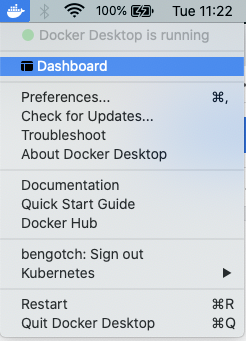
You will be able to see that we have also added a new sidebar to navigate between the two areas and we are planning to add new sections in here soon. To find out more about what’s coming or to give feedback on what you would like to see check out our public roadmap.
Let’s jump in and have a look at what we can do…
From the whale menu, you can access the “Dashboard” and then “Images” where you’ll see a summary and each image with its details: tag, image id, creation date, and size.
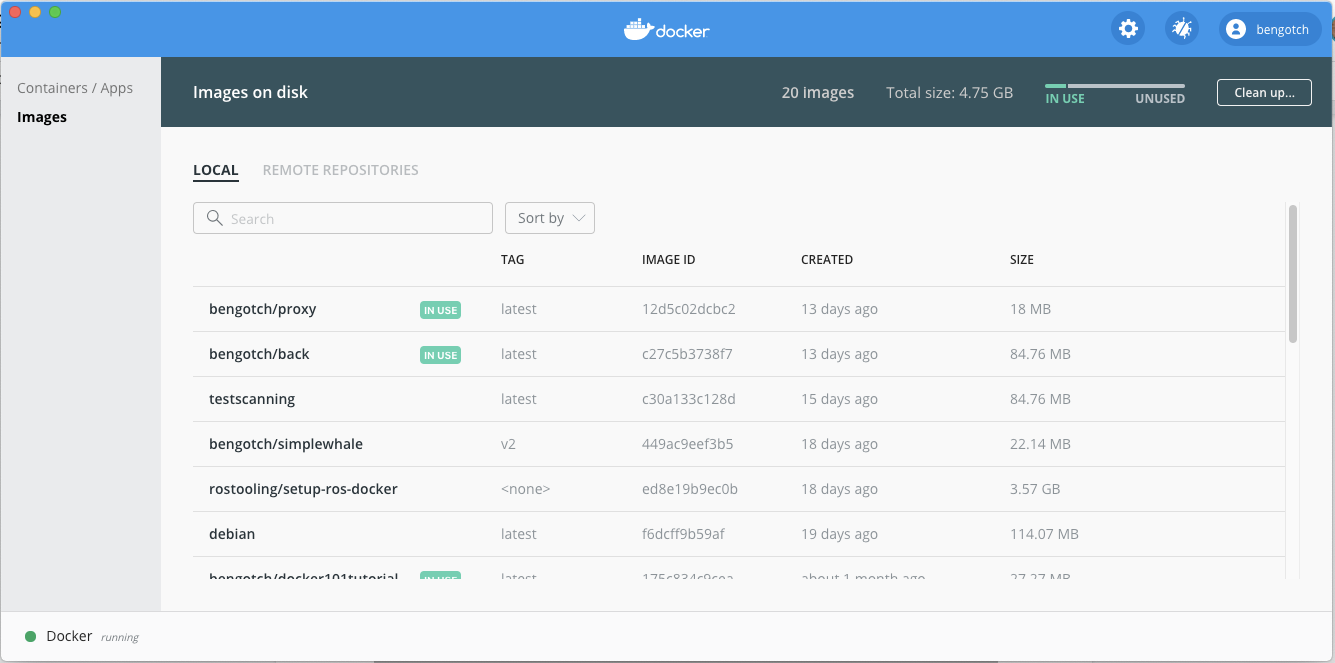
I can also see which of my images are being used by a running or stopped container with 👁 - docker dashboard local images 2

Now I have all these images, I can have a go at running one of them.I will go for my standard demo my simple Whale, when I hover over the image line I can see I get two new buttons, I am going to start off by clicking ‘run’

This pops up a UI where you can either just ‘run’ or add in some values. In this instance I am just going to add a port mapping so I can see what is running in my container once I have started it.
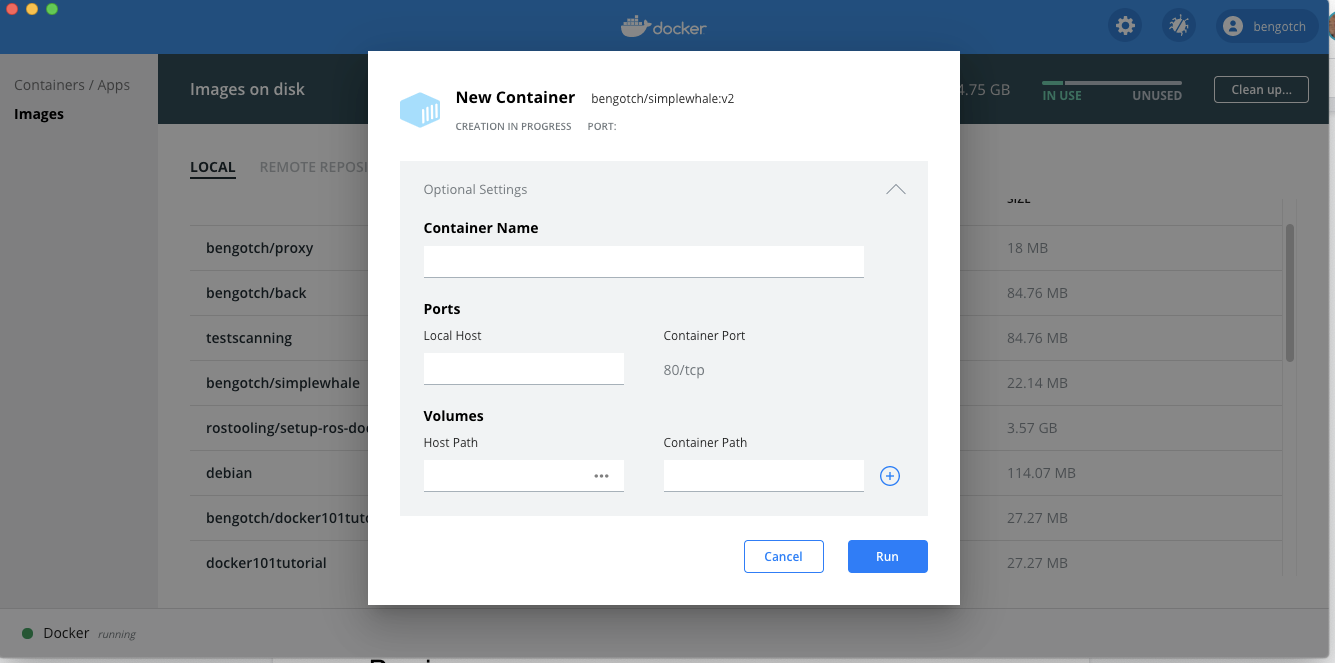
Great this now takes me to my running container UI and I can see that my container is alive!
Next let’s look at clearing up what we have not used so far. I am going to start by hitting the clean up button we saw in the top right corner of our images UI
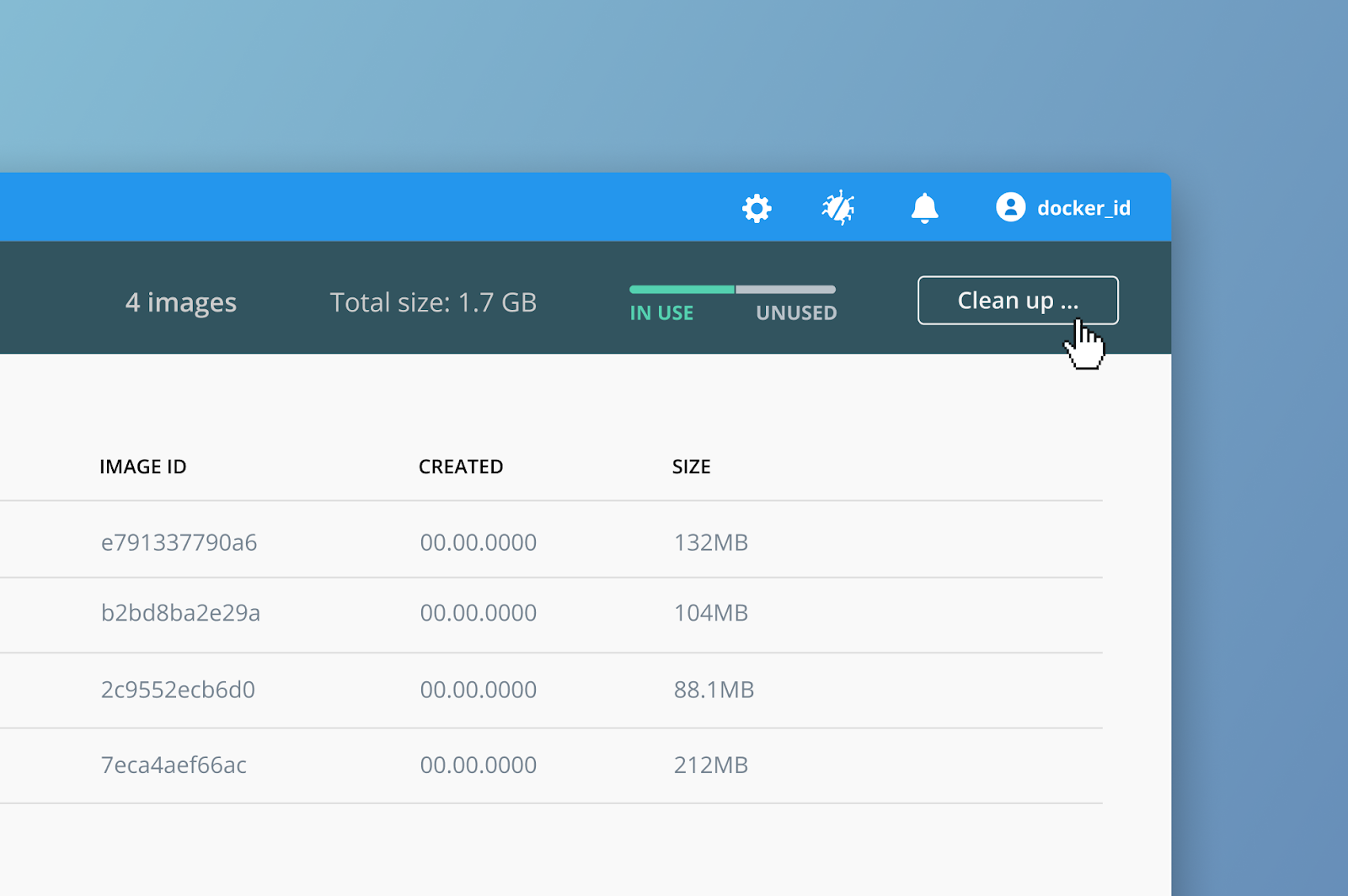
Then my UI changes, I am going to remove all my unused images, I can see I will free up 4gb which isn’t bad!
👁 - docker dashboard local images 5
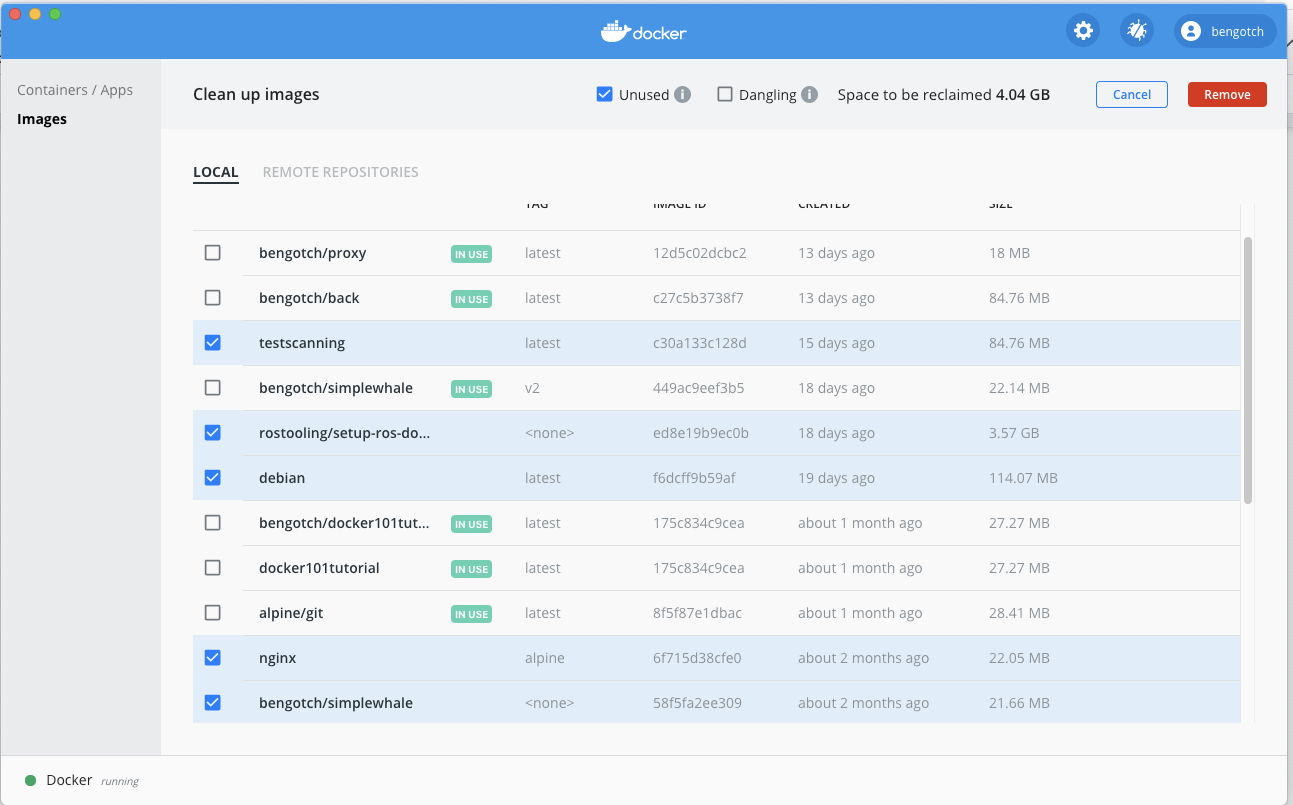
I hit remove up and I can then see after I accept the warning my clean up happens I only have my in use images remaining!

Now let’s have a look at our Hub images, as I am signed in I can just click on the remote repositories tab👁 - docker dashboard local images 7
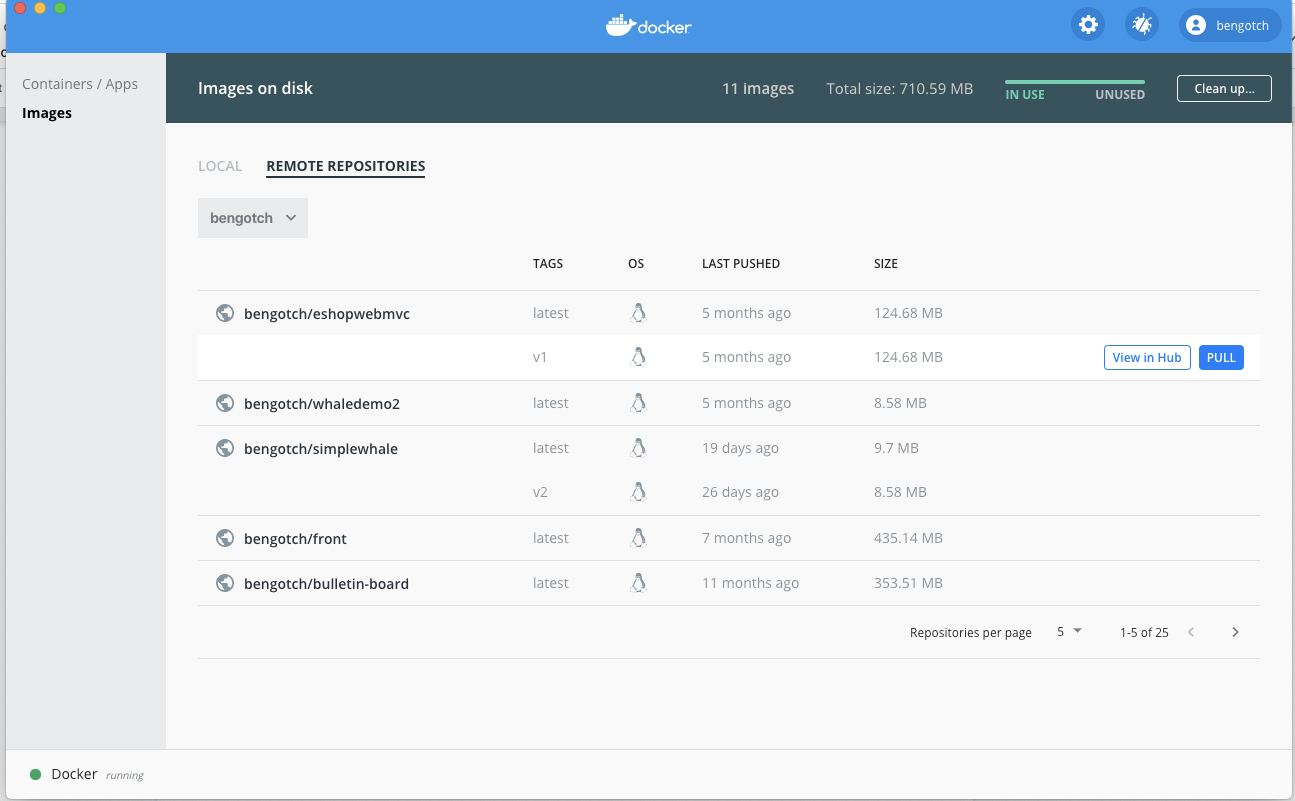
Great! I can now see my repos in Hub along with my tags, I can either pull my image to then run it or I can switch between my Teams to see the repositories in my teams. If I click pull on one of my images, I can see this is started as it takes me back to my local image cache screen and shows me the progress of the download:

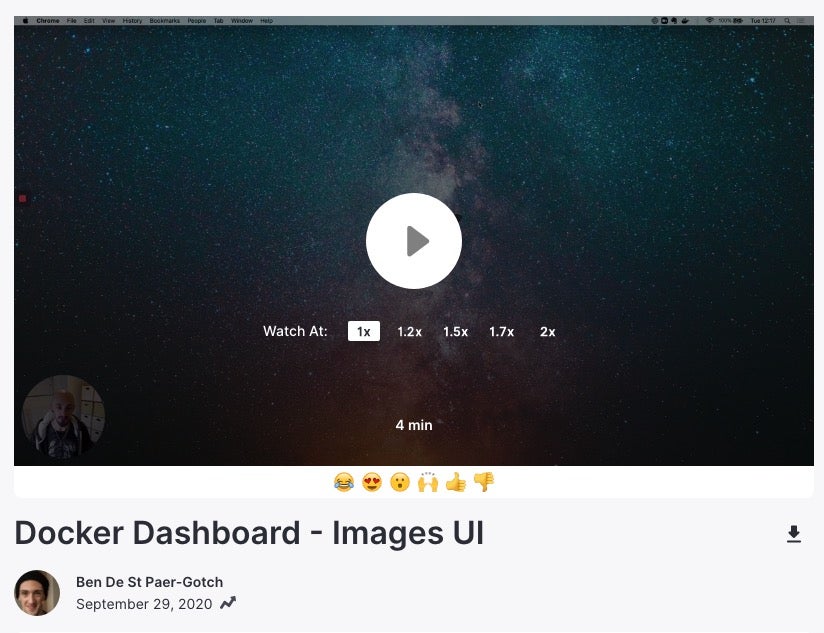
I’ve also created an “unboxing” walkthrough of the entire process. You can join me on a guided tour of the new features in this video.
We hope you are as excited as we are for the next piece of our Docker Dashboard, to get started you can download the latest Docker Desktop release to explore your local images. You can try out the Remote Repository functionality by signing into Docker Hub and pulling any of your existing images or if you are new why not try pulling a Docker Official Image like NGINX , retagging it and then having a go at pushing it from the UI.
About the Authors
Ben is a Product Manager for Docker Desktop.
Related Posts
-
May 12, 2026
Docker AI Governance: Unlock Agent Autonomy, Safely
Introducing Docker AI Governance: centralized control over how agents execute, what they can reach on the network, which credentials they can use, and which MCP tools they can call, so every developer in your company can run AI agents safely, wherever they work. Your laptop is the new prod Agents are the biggest productivity unlock…
Srini SekaranRead now
-
Jun 16, 2026
Docker Content Trust: Retirement and Migration Guidance
Docker Content Trust (DCT) and the Notary v1 service at notary.docker.io are being fully retired (first announced in July of 2025). This blog explains what is changing, who is affected, and how to move to modern alternatives.
Julia WilsonandAditya TripathiRead now
-
Jun 15, 2026
Docker joins the Athena coalition: a cross-industry collaboration for supply chain security
AI is lowering the bar for supply chain attacks. Docker is joining the Athena alliance, a cross-industry effort to coordinate the defense of open source, building on our work to give every developer secure-by-default tools and our track record of sharing signals across the ecosystem.
Tushar JainRead now
-
Jun 11, 2026
Docker Hardened Images enhanced vulnerability scanning with Docker and Aikido
Aikido now scans Docker Hardened Images (DHI) with built-in VEX support. Vulnerabilities that Docker has verified as non-exploitable drop out of the queue automatically, so developers spend their time on findings that actually matter. This post walks through what changed, why it matters, and how users can benefit from the new integration. Why teams are…
Dan StelzerandBjorn HovdRead now