A practical guide to Agentforce customer service in 2026


Last edited May 7, 2026
Disclosure: This article is published by eesel AI, a competitor of Salesforce Agentforce. We encourage you to read Salesforce's own materials for their perspective.
Customer support has moved well past pre-scripted chatbots. The platforms teams are evaluating today are autonomous agents -- software that reads context, reasons through a problem, and acts without a human queuing up every step. Salesforce is central to that conversation with Agentforce, its enterprise-grade agentic platform that became generally available in October 2025 as part of the Agentforce 360 release.
This guide covers what Agentforce customer service actually is, how the architecture works, what knowledge ingestion and testing look like in practice, what everything costs, and where the platform is a good fit -- and where it isn't.
What is Agentforce customer service?
Agentforce that handle customer service, sales, field service, HR, IT, and industry-specific workflows. Instead of following a fixed script, an Agentforce agent uses a reasoning engine to interpret customer requests and take action -- pulling data, updating records, and routing cases without human involvement at each step.
The platform runs on the Agentforce 360 Platform (formerly the Salesforce Platform) and draws on Data 360 (formerly Data Cloud), Customer 360 apps, and Slack. At the Agentforce 360 launch in October 2025, Salesforce reported 12,000 customers using the platform, and cited several customer outcomes in the same announcement:
- Reddit deflected 46% of support cases and cut resolution times by 84%, from 8.9 minutes to 1.4 minutes (source)
- OpenTable resolved 70% of diner and restaurant inquiries autonomously (source)
- 1-800Accountant achieved a 90% case deflection rate during tax week (source)
- Engine reduced handle time by 15%, saving over $2 million annually (source)
All of these numbers come from the Salesforce press release itself, with quotes from named executives at each company. On G2, Agentforce holds a 4.3/5 rating across 1,095 reviews as of May 2026, and Salesforce claims it was ranked "#1 Best Agentic AI Product" in G2's 2026 Best Software Awards.
How Agentforce agents work
Topics and actions
When you configure an Agentforce agent, you define Topics and Actions. Topics scope the agent's area of responsibility -- "order management," "password resets," "refund requests." Actions are the tasks the agent can actually perform, wired into existing Salesforce automations like Salesforce automations.
The agent's capabilities grow directly out of your existing Salesforce configuration. If your team has invested heavily in Flows and Apex, there is a lot to connect to. If your Salesforce setup is modest, there is meaningful build work ahead before the agent has real operational capability.
One mid-market reviewer on G2 put it well: "The low-code agent builder is remarkably intuitive. We were able to configure our first customer service agent in just a few hours without deep technical expertise." That experience is real -- and it is most accessible when the underlying Salesforce infrastructure is already in good shape.
The Atlas Reasoning Engine
The Atlas Reasoning Engine is Agentforce's planning and execution layer. Salesforce describes it as a system that "understands user intent, decides what data is needed, and autonomously executes the required actions." In practice, it classifies each incoming request against the agent's Topics, then runs an agentic loop: breaking the request into smaller steps, proposing a plan, evaluating the result, and adapting if the output is not satisfactory.
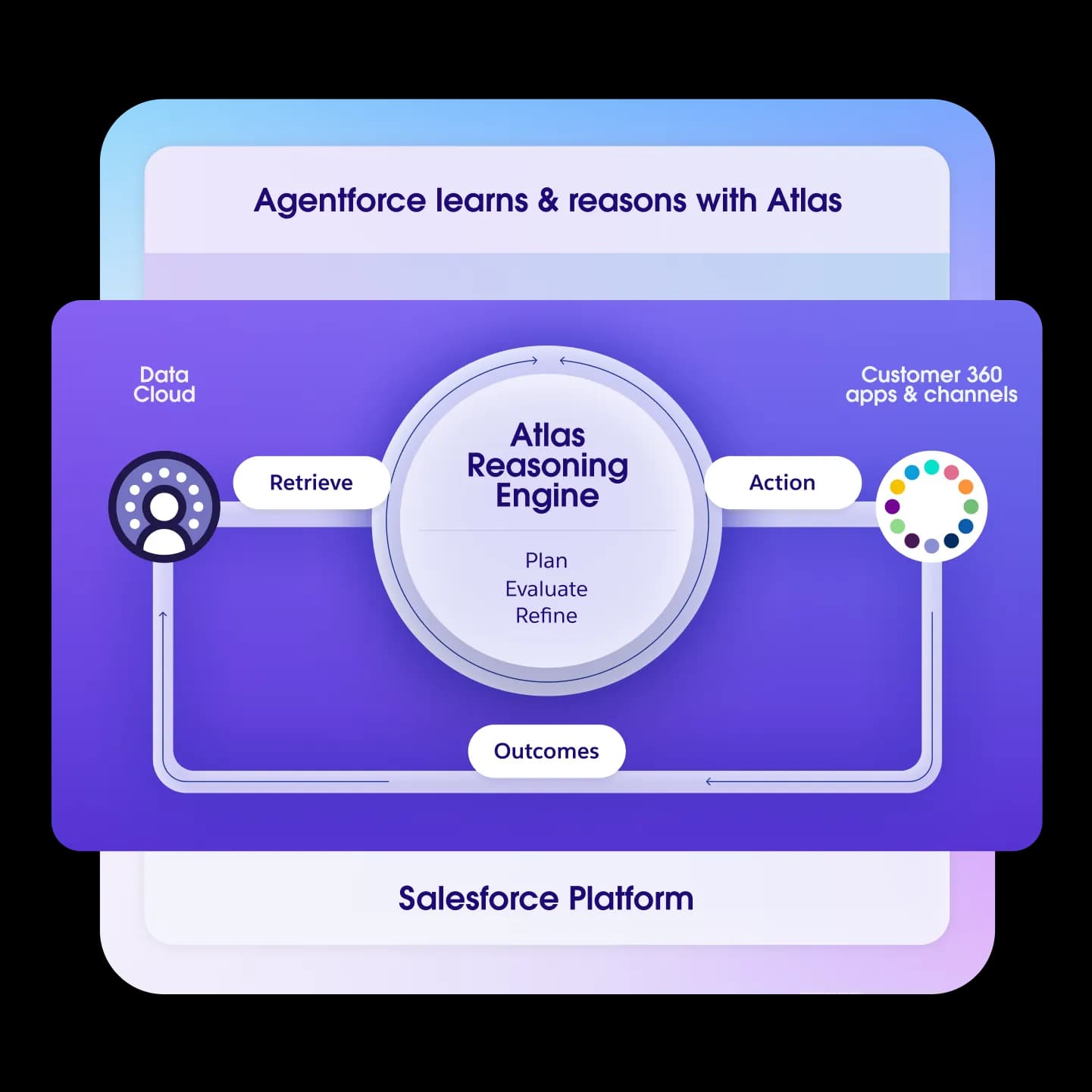
The reasoning uses ensemble RAG. The Agentforce 360 release added Hybrid Reasoning, which lets teams configure how much the engine relies on LLM flexibility versus deterministic business logic using a new scripting layer called Agent Script. Model choice now includes OpenAI, Anthropic, and Google Gemini.
The reasoning engine's performance depends heavily on data quality. A G2 reviewer noted: "Agentforce depends on the data in Salesforce so if data is messy and contains duplicate records then Agentforce's response will also not be very accurate -- sometimes it gets hallucinated." Getting structured customer data in order before deployment is a prerequisite, not a follow-on task.
External knowledge and data sources
Agentforce can ingest external knowledge -- Confluence, Google Drive, SharePoint, MuleSoft-mediated connections -- but the ingestion path runs through Salesforce Data 360 (the new name for Data Cloud). The Agentforce Data Library indexes this content inside Data 360 and exposes it to agents via the "Answer Questions with Knowledge" action.
The Data Library setup help article states clearly:
Before you begin, turn on Data 360.
That prerequisite is real. Knowledge ingestion through the Data Library requires Data 360 enabled in your org, plus a user holding both the Data Cloud Architect permission set and a System Administrator profile. Foundations provides 250K Data Cloud credits to start; larger data volumes require a separate Data 360 subscription, which is sold separately and not priced on the Agentforce pricing page.
Connector availability varies by source. The Confluence connector is currently in Beta, with a standard "Beta Service" disclaimer from Salesforce, and requires enabling the Beta connector through the feature manager. The Google Drive connector and the MuleSoft Direct connector are documented as generally available. The simplest knowledge path -- no external connector needed -- is uploading files directly or indexing Salesforce Knowledge articles.
One G2 reviewer specifically flagged the gap in out-of-the-box email integration, noting: "We are trying to implement Agentforce with email information included, but there isn't an out-of-the-box integration available for this" (source). The current Agent Builder supports Messaging connections and Enhanced Chat v2 connections for Service agents; other channel types route through legacy configurations.
Testing and simulation
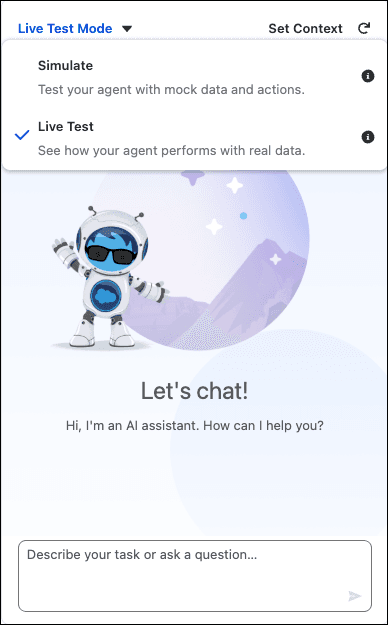
Agentforce Agent Builder ships with two built-in test modes, documented in the test modes guide.
Simulate mode is a risk-free environment for checking agent configuration. It verifies that the agent selects the right subagents and actions and responds as expected, without modifying any Salesforce data. It's the recommended starting point before any live testing.
Live Test mode tests actual action execution and actively updates CRM data. It is designed to test whether the tools the agent needs are correctly configured and integrated, and Salesforce recommends using it only after Simulate mode confirms the basic setup.
For larger-scale validation, Salesforce offers a separate Agentforce Testing Center for batch testing. It supports evaluations for response accuracy, subagent recognition, completeness, coherence, conciseness, latency, and instruction adherence. The help doc notes two important caveats: "Running tests consumes requests and credits" and "To avoid issues, be sure to use Testing Center only in your sandbox environment." Both test modes and Testing Center are available in Enterprise, Performance, Unlimited, and Developer Editions.
Agentforce pricing
Salesforce publishes five buying options on its pricing page. The page includes the disclaimer: "This page is provided for information purposes only and is subject to change. Contact a sales representative for detailed pricing information."
| Plan | Price | Notes |
|---|---|---|
| Salesforce Foundations | $0 | Includes Agent Builder, 200K Flex Credits, 250K Data Cloud credits |
| Flex Credits | $500 per 100,000 credits | Covers customer + employee agents, Voice |
| Conversations | $2 per conversation | Customer-facing agents; pre-purchase only |
| Agentforce add-ons | $125 user/month | Sales, Service, Field Service; unmetered AI for employees |
| Agentforce 1 Editions | From $550 user/month | Includes add-on + 2.5M Flex Credits/year |
A few structural points to understand before modeling costs:
Flex Credits and Conversations can't be mixed -- you choose one model per org. The Flex Credits cost examples on the pricing page carry an explicit disclaimer: "This example does not include other costs like Data 360 credits or other consumption services" (source). Implementation fees and Data 360 subscription costs are not on the pricing page; a conversation with Salesforce sales is required to scope those.
Multiple G2 reviewers flag this as a real friction point. Arjun G., an Associate Salesforce Consultant, wrote:
"The only blocker that I faced is its complex pricing model and rates per use. Sometimes it's unpredictable how much the agent will be used, which leads our clients to withdraw their plans of adopting Salesforce Agentforce."
A Salesforce Ben editor reviewing the platform put it plainly: "pricing is still clear as mud to me."
Who should consider Agentforce?
Agentforce is built for organizations already running on Salesforce. Its strengths are real: Service Cloud grounding, full CRM context, Slack integration, and the Einstein Trust Layer create a compelling option for large enterprises where that investment is already in place. One G2 reviewer at a mid-market firm noted: "The seamless integration with Service Cloud means agents have full context of customer history, which leads to much more personalized interactions."
The platform requires Enterprise Edition or higher for most features. Each agent type maps to a corresponding Salesforce cloud -- a Service Agent requires Service Cloud entitlements. For organizations whose support runs on other platforms, Agentforce is not a standalone addition.
Setup effort is a recurring theme in user feedback:
"The initial setup with Salesforce Agentforce was a lot of work. We have a whole Salesforce department, and it's still kind of a work in progress to get it to be exactly the way we want."
Jennifer S., Activations Specialist, Mid-Market, G2

For teams trying to automate support without a full Salesforce foundation, the implementation overhead can be substantial. Building Agentforce agents requires understanding Salesforce tools like Flows and Apex -- a meaningful barrier for support teams without dedicated Salesforce developers.
An alternative for teams outside the Salesforce ecosystem
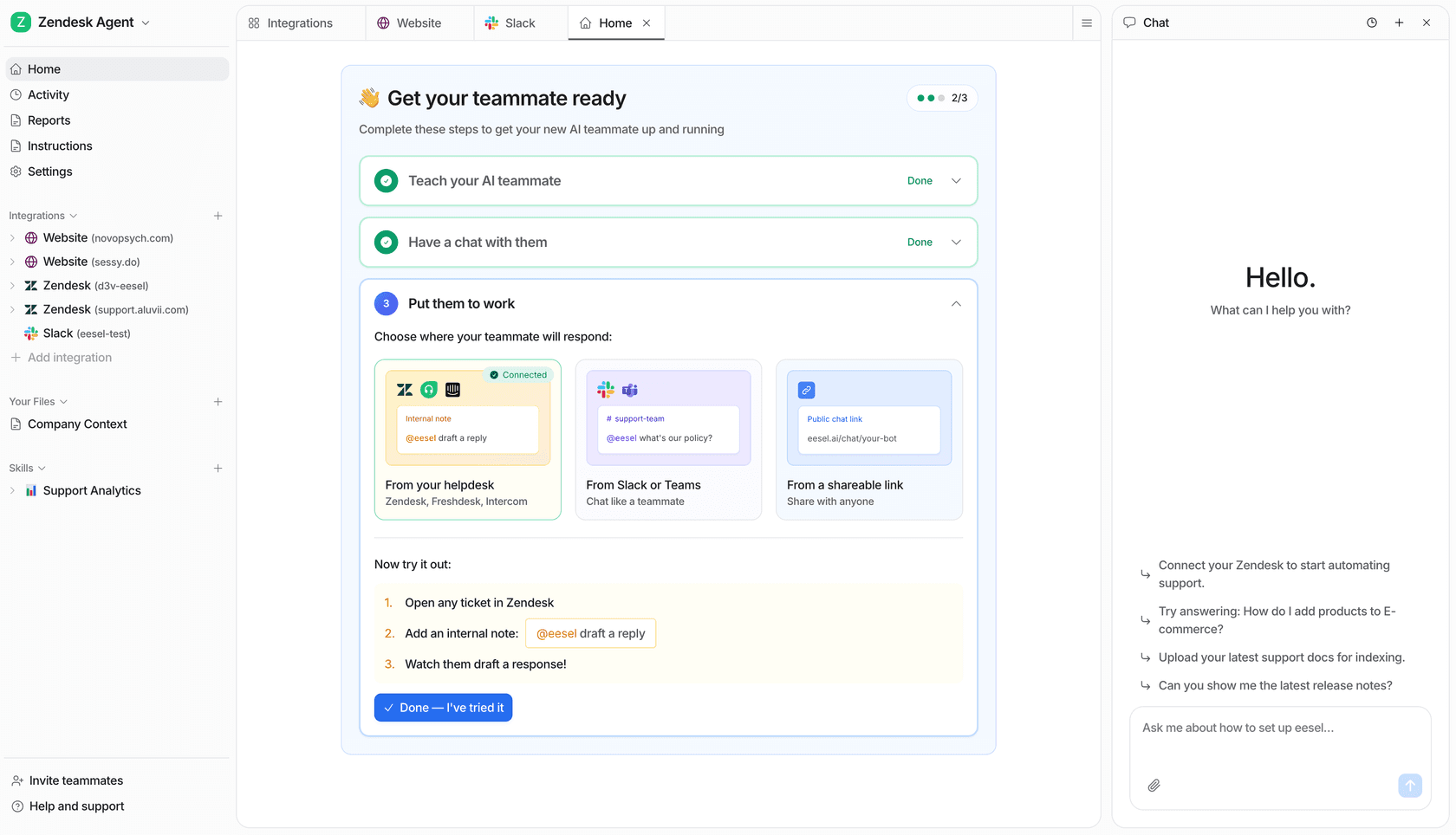
For support teams running on Zendesk, Freshdesk, or other platforms, eesel AI connects directly to the tools you already use. Knowledge from Confluence, Google Docs, help center articles, and past tickets can be pulled in without routing through a separate data platform.
Pricing is per-task at eesel.ai/pricing: $0.40 per regular support interaction, $4 for heavier tasks -- no per-seat fee, no spending minimum required to start. There's a simulation mode for testing on historical tickets before going live, and you can connect your help desk and run your first agent in under five minutes.
If you are already committed to Salesforce and building on Service Cloud, Agentforce is the most deeply integrated option available. If you're evaluating AI automation more broadly, it's worth running the numbers on your actual Salesforce edition, the Data 360 prerequisite, and what your implementation timeline looks like before committing.
Start free and you can have your first AI agent running in under five minutes, no Salesforce setup required.
Frequently asked questions

Share this article

Article by
Kenneth Pangan
Writer and marketer for over ten years, Kenneth Pangan splits his time between history, politics, and art with plenty of interruptions from his dogs demanding attention.