AI community support automation: a practical guide for 2026


Last edited June 23, 2026
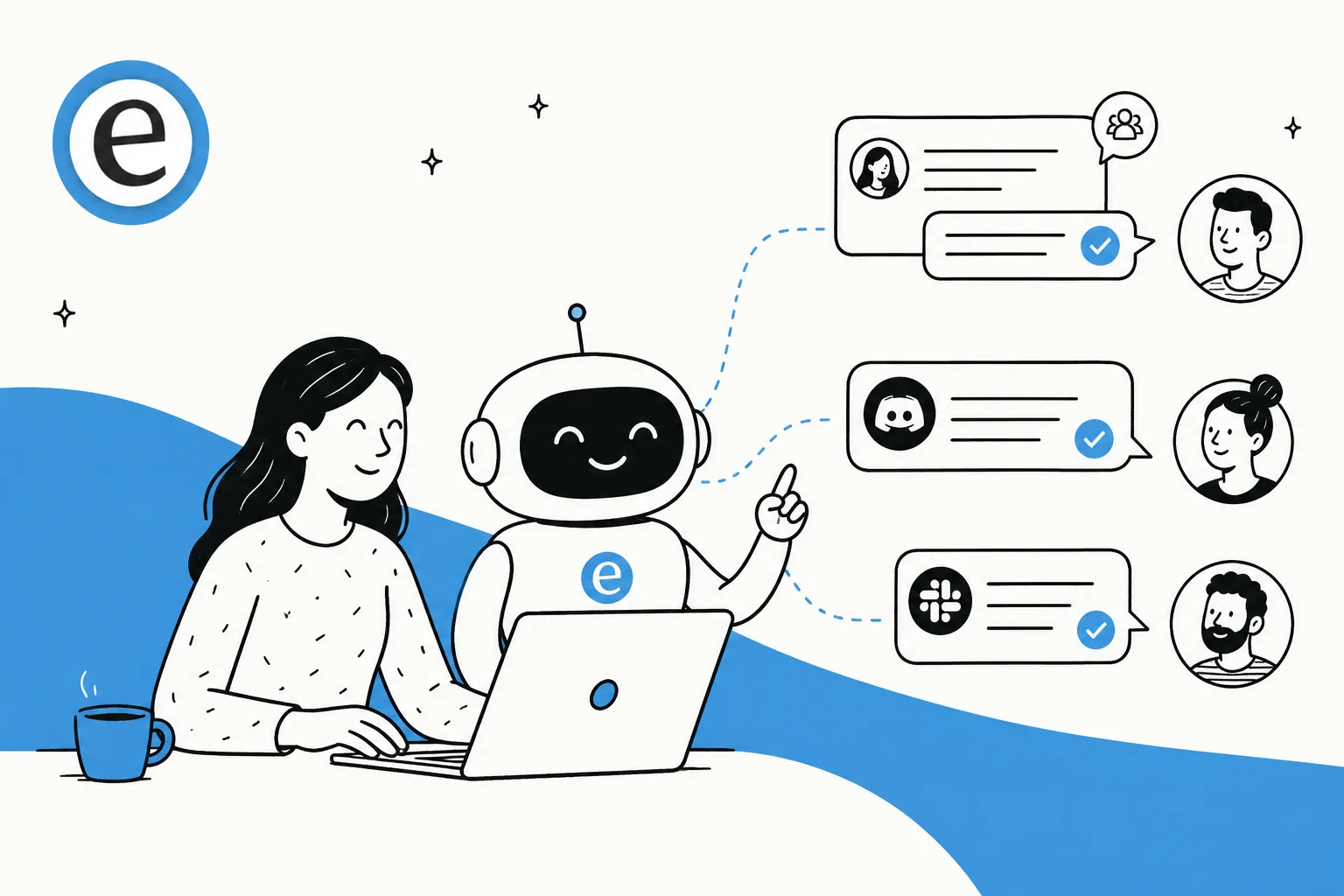
Table of Contents
- What "community support" actually means (and why it's harder than a helpdesk)
- How AI community support automation works
- Where it lives: Discord, Slack, forums, and Q&A boards
- What's it actually worth? A rough estimator
- Watch the pricing model, not just the price
- How to roll it out without breaking trust
- Where to keep a human, always
- Try eesel for community support
What "community support" actually means (and why it's harder than a helpdesk)
Most support automation advice assumes a private inbox: one customer, one ticket, one reply. A community is a different animal. It's public and many-to-many a question posted in a Discord channel is seen by everyone, answered by whoever's around, and then buried by the next hundred messages.
That changes the math in two ways. First, the stakes of a public answer are higher: a wrong reply in a ticket embarrasses you to one person, but a wrong reply in a forum thread gets indexed, screenshotted, and quoted back at you for months. Second, the upside is bigger too. A single good answer in a searchable forum quietly deflects the next fifty people who search before they post. That's the dream of real self-service, and it's the same payoff teams chase with AI for customer service in a ticket queue, just pointed at a public space instead.
The catch is that the knowledge to answer those questions is scattered. It lives in old threads, in your knowledge base, in a pinned message someone wrote in 2024, in a ChatGPT-style knowledge base you half-built, and in the heads of three regulars who always show up to help. AI community support automation is really about pulling all of that into one place an AI can actually use.
How AI community support automation works
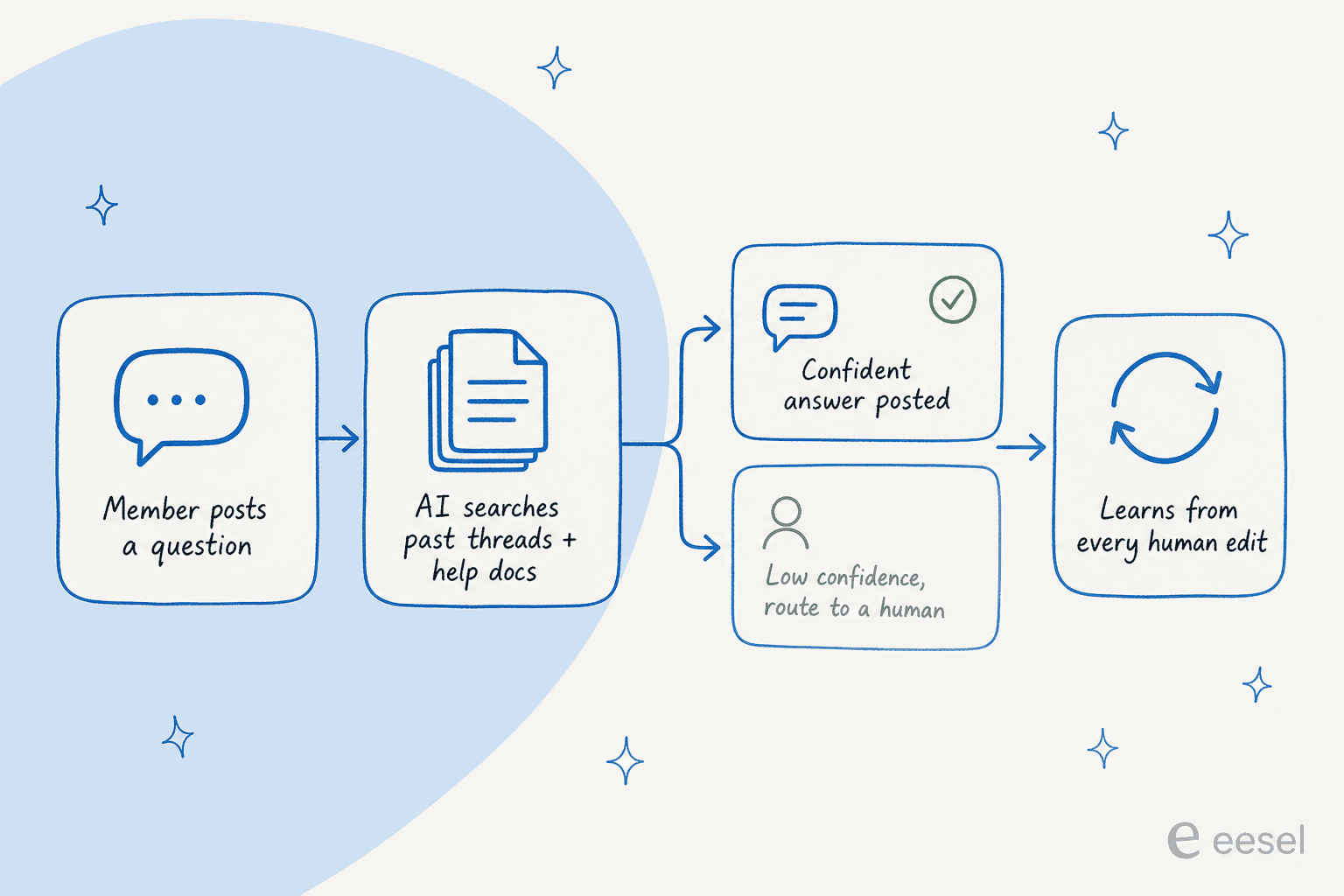
Under the hood, a good community automation flow has four steps, and the third one is where most tools either earn their keep or fall apart.
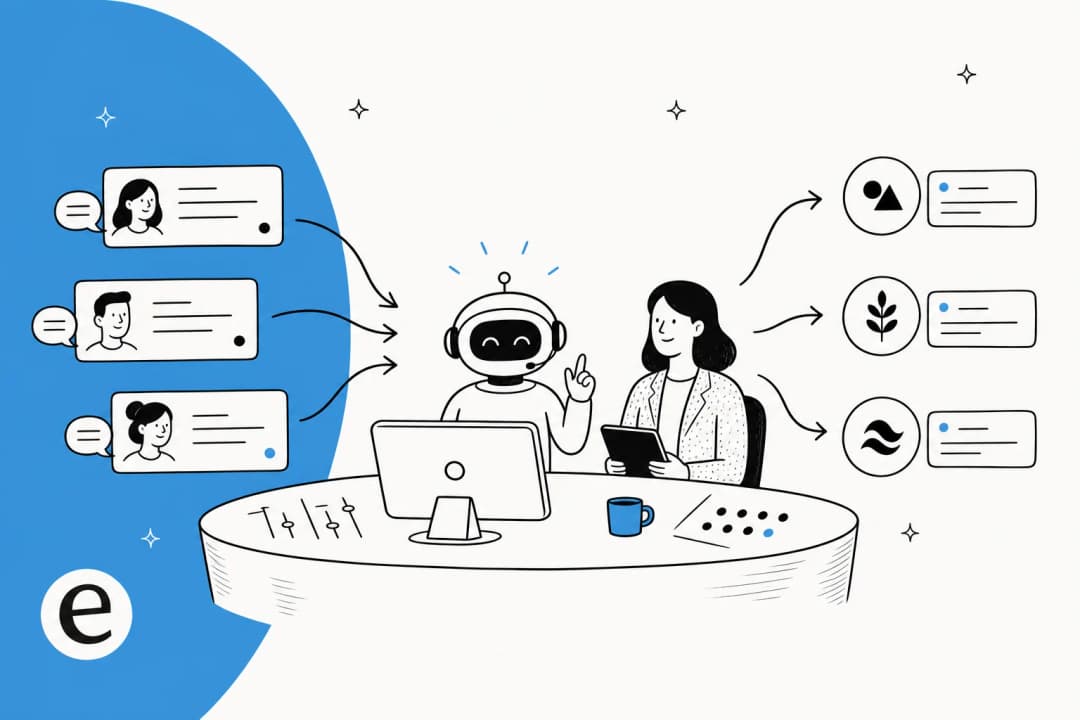
- A member asks a question. In a channel, a forum thread, a DM to your community bot, wherever your people actually post.
- The AI searches what it knows. It checks your past resolved threads, your help docs, and any connected sources, then assembles a draft answer with the supporting sources attached. This is the same knowledge retrieval problem helpdesk AI solves, just pointed at community content.
- It decides whether it's confident enough to answer. This is the whole ballgame. A confident, well-sourced answer gets posted. A shaky one gets held back and routed to a human instead of guessing in public.
- It learns from the correction. When a human edits or replaces the AI's answer, that correction feeds back in, so the next time the same question comes up, the AI does better.
The reason step three matters so much is that it's the difference between a helpful teammate and a chatbot that answers incorrectly in front of your entire user base. We've spent the last three-plus years putting AI agents on live support queues, and the hardest-won lesson is exactly this: an AI that knows what it doesn't know is far more valuable than one that answers everything. One CX lead I'll anonymize as a DTC supplements lead put it perfectly: "I need an AI who is only handling the tickets that it's confident to handle and all the other ones, leave them alone." That instinct is even more important in public.
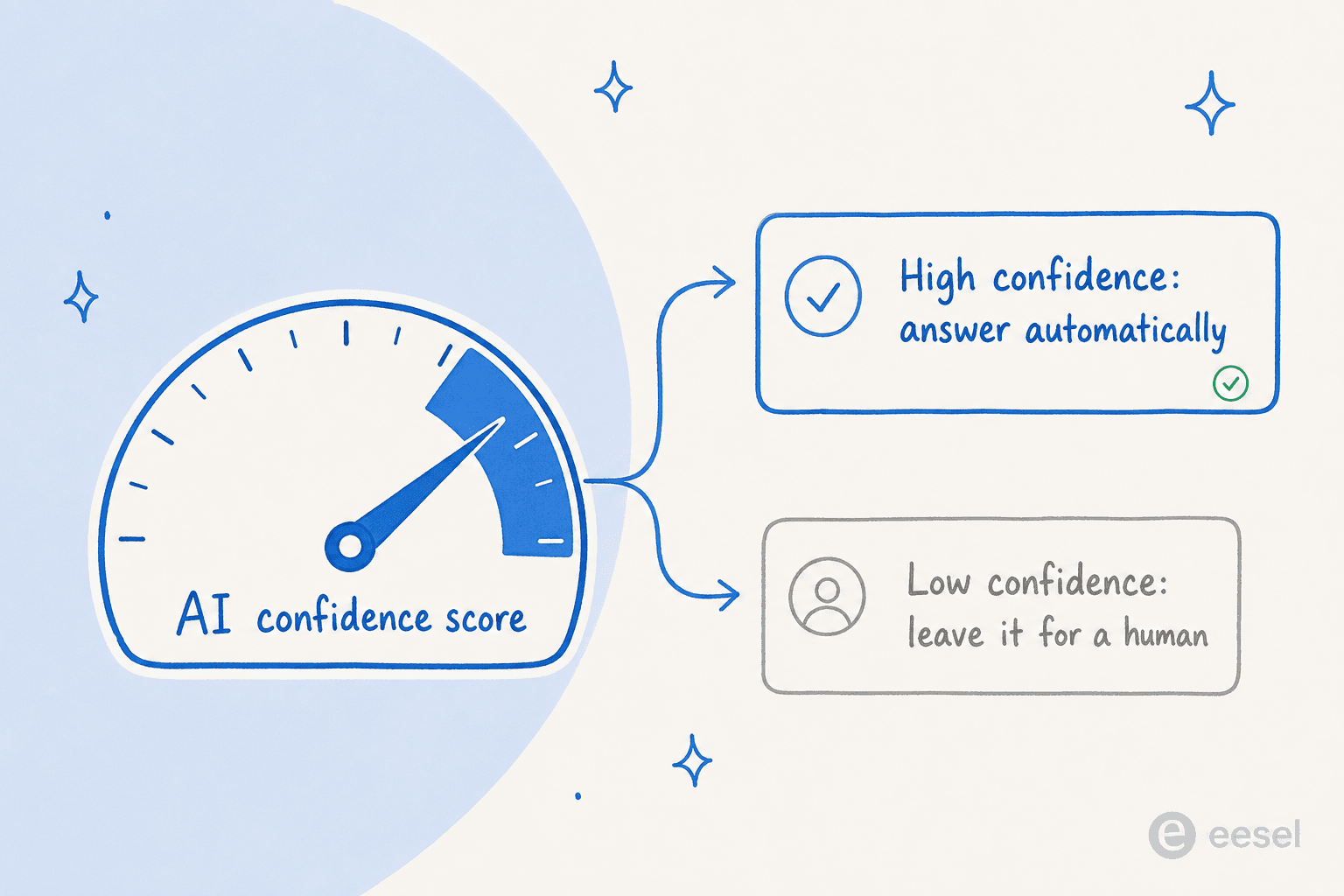
Confidence-based routing, in plain terms
You don't want a single on/off switch for "let the AI reply." You want a dial. High confidence and a clear source? Let it answer. Borderline? Draft a reply for a human to approve. No good source at all? Stay quiet and flag it.
This is the same principle behind well-run AI agent escalations in a helpdesk: the AI handles the easy volume and pulls a person in the moment things get ambiguous. In a community, "staying quiet" is a real, valid action, and a tool that can't do that, including most off-the-shelf no-code chatbots, isn't ready for a public channel.
Where it lives: Discord, Slack, forums, and Q&A boards
Communities don't live in one place, so neither should your automation. The four most common homes each have their own texture.
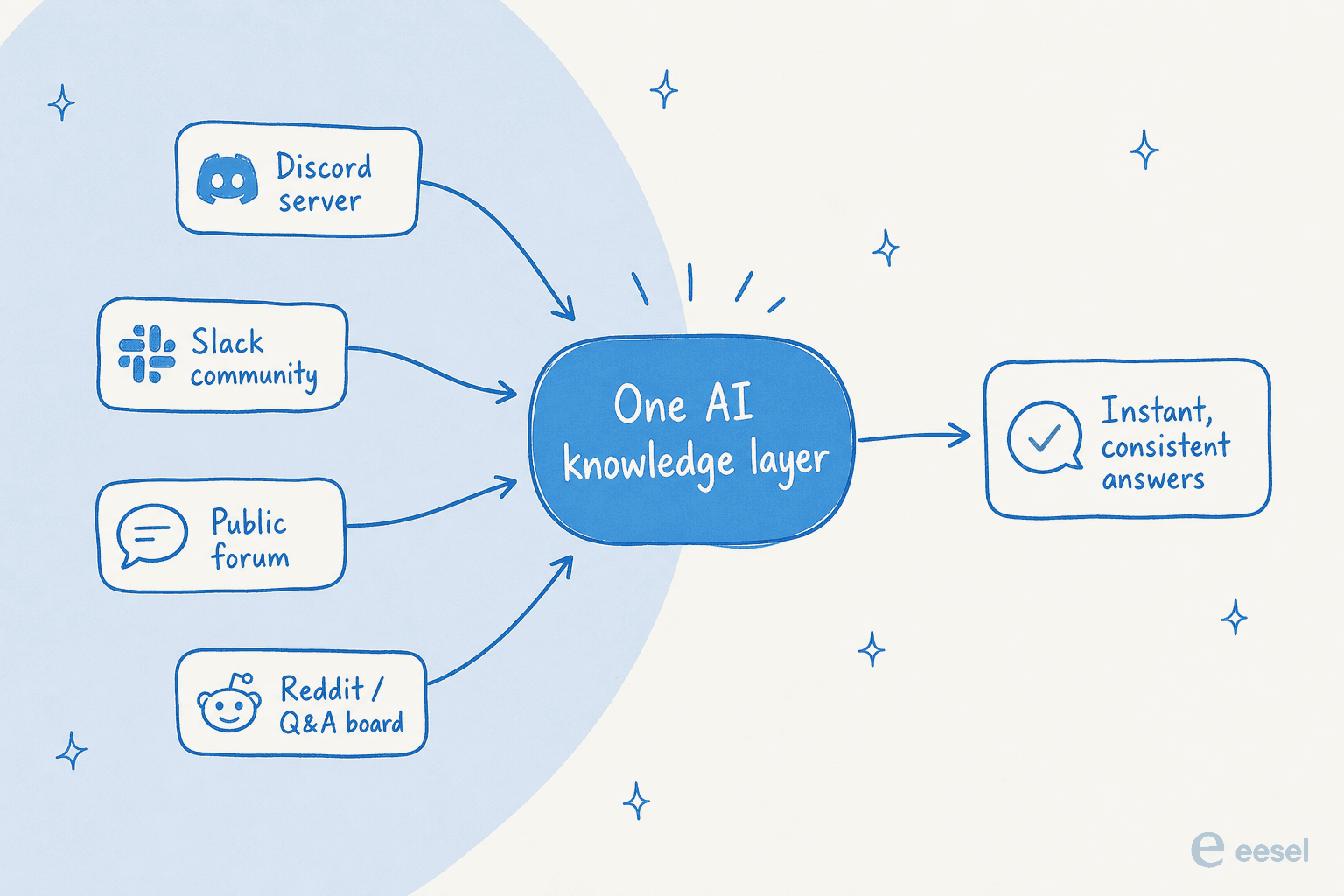
- Discord. Fast-moving, casual, and the default for gaming, crypto, and developer communities. Questions scroll away in seconds, so an AI that answers in-channel (or in a dedicated help thread) saves your mods from repeating themselves all day. There's a healthy ecosystem of Discord AI bots for this, and if you're still weighing whether Discord is the right home, our Discord pricing guide breaks down the tiers.
- Slack. The home of B2B, SaaS, and customer communities, plus internal teams. Slack is also where a lot of internal support happens, so the same AI that answers your customer community can double as help for your own staff. Slack AI has native features, but they're general-purpose; a support-trained agent goes deeper. (If you just want lighter housekeeping, Slack automation covers the basics.)
- Public forums. Discourse, vanilla web forums, and help communities. These are the SEO goldmine: answers here get indexed and deflect search traffic for years, which makes accuracy especially worth protecting.
- Q&A and Reddit-style boards. Threaded, voteable, and often where the sharpest product questions surface. Harder to automate directly (platform rules vary), but invaluable as a training source for what your community actually struggles with, the same raw material that powers good ticket triage.
The thing that ties these together is the knowledge layer. You don't want four disconnected bots learning four different versions of the truth. You want one place the answers come from, feeding every channel, so the answer in Discord matches the answer in the forum matches the answer your helpdesk agent gives in a ticket.
What's it actually worth? A rough estimator
Before you spend a cent, it helps to size the prize. The value of community automation isn't abstract: it's the hours your team (and your unpaid power users) currently spend retyping answers to questions that already have answers.
Here's a quick back-of-the-envelope. Pick the rough volume of repetitive questions your community sees in a week, and see what's recoverable if an AI handles the obvious repeats.
Community Q&A time-saved estimator
How many repetitive questions hit your community each week?
Rough estimate, assuming ~60% of repetitive questions are confidently auto-answerable and ~4 minutes of human time saved per answer. Your real numbers depend on how repetitive your community's questions are.
Those are deliberately conservative assumptions, and they still add up fast. For a busy community, the recoverable time is most of a full-time role's worth of repetitive answering every year. That's the case that makes the cost question worth taking seriously, which brings us to pricing.
Watch the pricing model, not just the price
The single biggest mistake I see teams make here is choosing a tool on sticker price and getting burned by the model. Three traps to watch:
- Per-seat pricing. Communities are answered by lots of people, mods, support, sometimes volunteers. If you pay per seat, you either pay a fortune or you ration access. Either way it's the wrong incentive.
- Per-resolution pricing with fuzzy definitions. Some tools bill per "resolution" but define a resolution generously in their favor. Read the fine print on what counts.
- Flat tiers with hidden caps. A cheap monthly plan that throttles after N answers isn't cheap once your community grows.
The model I'd actually want for a community is usage-based pricing tied to answers delivered, with no per-seat fee so the whole team can pitch in without the bill exploding. For context, eesel AI runs on exactly this: $0.40 per resolved conversation, no seat fees, no minimums. If you want the deeper economics, our AI agent vs human agent cost comparison lays out the full math, and our roundup of AI helpdesk software shows how the pricing models stack up across tools.
How to roll it out without breaking trust
Here's the part most guides skip. Dropping an AI into a live community cold is how you lose the room. The community can smell a half-baked bot instantly, and first impressions are hard to undo. The rollout I'd run:
- Train it on your own threads first. Not a generic model, not just your marketing site, your actual solved questions. An AI trained on past tickets and real conversations answers in your community's actual context. This is the most-requested and most-underrated capability: years of history becoming usable knowledge on day one.
- Simulate before you go live. Run the AI against a few hundred of your historical questions and look at what it would have said. A good tool gives you a coverage estimate by topic so you can see exactly where it's solid and where it's thin, before a single member sees it. This is the step that separates a confident launch from a public faceplant.
- Start in copilot mode. Let the AI draft answers that a human approves before posting. You build trust in its accuracy (and tune its voice) while a person still owns the publish button. This draft-reply workflow is a low-risk on-ramp.
- Grant autonomy gradually. Once you trust it on, say, billing and setup questions, let it answer those automatically while still drafting for the harder categories. Expand the autonomous set as confidence grows.
- Keep the feedback loop tight. Every human correction should make the AI better. Review what it got wrong weekly, fill the knowledge gaps it surfaces, and re-simulate.
That gradual path is exactly how the strongest deployments I've seen got their results. A director of support at a fast-growing EdTech community platform, running an AI agent alongside human reps on a small team with a high customer-to-employee ratio, told us their setup felt like a partnership: "a new customer success hire joked that our eesel AI bot was their best friend during onboarding." That's what good looks like, the AI carries the load so the humans (and the community) feel supported, not replaced.
Where to keep a human, always
To be clear about the boundary, because it matters: some things should never be fully automated in a community.
- Emotional or escalated threads. An angry user, a public complaint, a moment that needs empathy. A human takes these, every time.
- Anything that shapes community culture. Welcomes, recognition, judgment calls about tone and norms. That's the human heart of a community and the reason people stay.
- Genuinely novel questions. If the AI has no good source, it should flag, not guess. Novel questions are also your signal for what to document next.
- Policy, legal, or sensitive territory. Refunds beyond a clear rule, anything regulated, anything where a wrong answer has real cost.
The goal of AI community support automation isn't a bot-run community. It's the opposite: get the repetitive volume off your humans so they can do the high-empathy, high-judgment work that actually builds a community. The same logic applies whether you're supporting customers or your own internal teams.
Try eesel for community support
If your community lives in Slack, eesel AI works like a new teammate that plugs in within minutes and already knows your help center and past threads. It learns from your solved conversations (not just your docs), routes by confidence so it only answers what it's sure about, and you can run it in simulation mode against your real history to see its coverage before it posts a single public reply. It's free to try, with $50 of usage and no credit card.
It's the same engine behind the results I keep citing: 73% of tier-1 requests resolved in the first month for one customer, up to 80% time savings finding answers for another, all on a model that bills per answer, not per seat. Point it at your community's repetitive questions and let your team get back to the threads that actually need them.
Frequently Asked Questions


Automate community support in Slack
An AI teammate that learns from your threads and answers the repeats for you.
Share this article

Article by
Riellvriany Indriawan
Riell is a designer and writer at eesel AI with about two years of experience researching CX platforms, AI chatbots, and helpdesk software. She combines her design background with a sharp eye for how these tools actually look and feel in practice — making her comparisons unusually visual and user-focused.