A practical guide to AI documentation search


Last edited October 21, 2025

Table of Contents
- What is AI documentation search?
- How AI documentation search platforms are built
- Key AI documentation search features and use cases
- Choosing the right AI documentation search tool: What to look for
- Moving from search to answers with AI documentation search
- Get started with AI documentation search in minutes
You know the feeling. The answer you need is buried somewhere in your company’s maze of wikis, helpdesks, and shared drives. You type a keyword into the search bar, press enter, and get a list of a dozen totally irrelevant documents from three years ago. Let's be honest, traditional keyword search just doesn't cut it anymore. It was built for a time when just finding a document was good enough, but today, we need the specific answer inside that document.
The good news is there’s a much better way to work. AI documentation search is a huge step up because it understands what you mean, almost like asking a knowledgeable colleague for help. It doesn’t just match words; it understands concepts.
In this guide, we'll walk through what AI documentation search is, how it works, its most common uses, and what you should look for when choosing a tool that can help your team without becoming a months-long headache to set up.
What is AI documentation search?
AI documentation search goes beyond just matching keywords to understand the meaning behind your question. It’s the difference between searching for "return policy" and asking, "Can a customer in Germany return a product after 45 days?" A traditional search will just dump the policy document on you; an AI search will give you the actual answer.
This is possible thanks to a few clever technologies working together:
-
Semantic Search: This is the system's ability to search based on concepts and context, not just the exact words you type. For example, a semantic search for "laptop issues" would know you're also interested in documents that mention "MacBook problems" or "troubleshooting my notebook," even if you didn't use those specific phrases.
-
Vector Embeddings: You can think of this as turning documents into unique numerical "fingerprints." The AI converts your text into a string of numbers (a vector) that represents its meaning. When you ask a question, your query gets turned into a vector, too. The system then finds the documents with the most similar fingerprints. It's a bit like a super-powered matching game.
-
Retrieval-Augmented Generation (RAG): This is the part that makes the whole experience feel like a conversation. It's a two-step process. First, the AI retrieves the most relevant snippets of info from your documents using semantic search. Second, it uses a large language model to generate a clear, plain-language answer based only on that information, often with citations pointing right back to the original source.
These pieces together create that "ChatGPT-like" experience people expect now, but it all happens securely within your company's private knowledge.
How AI documentation search platforms are built
Getting an AI search system running means connecting your data, indexing it so the AI can read it, and giving your team an interface to use. But the path to get there can be wildly different, ranging from a massive engineering project to a setup that takes less than five minutes.
The platform approach: Building from the ground up
Some companies decide to build their own solution using powerful but complex developer toolkits like Azure AI Search or Google Cloud's Vertex AI. These platforms give you all the raw materials, like vector databases and model APIs, to create a custom search application.
While this path gives you total flexibility, it's a serious undertaking. It requires a lot of engineering resources, deep expertise in machine learning, and a real commitment to ongoing maintenance. This isn't a "plug-and-play" option; it's a full-on development project that can take months to get rolling and needs a dedicated team to keep it from breaking.
The integrated solution: Ready in minutes
Thankfully, there’s another way. Integrated platforms are designed for the people who will actually use them, and they handle all the technical heavy lifting for you. They’re built to get you results right away, not after a full quarter of development work.
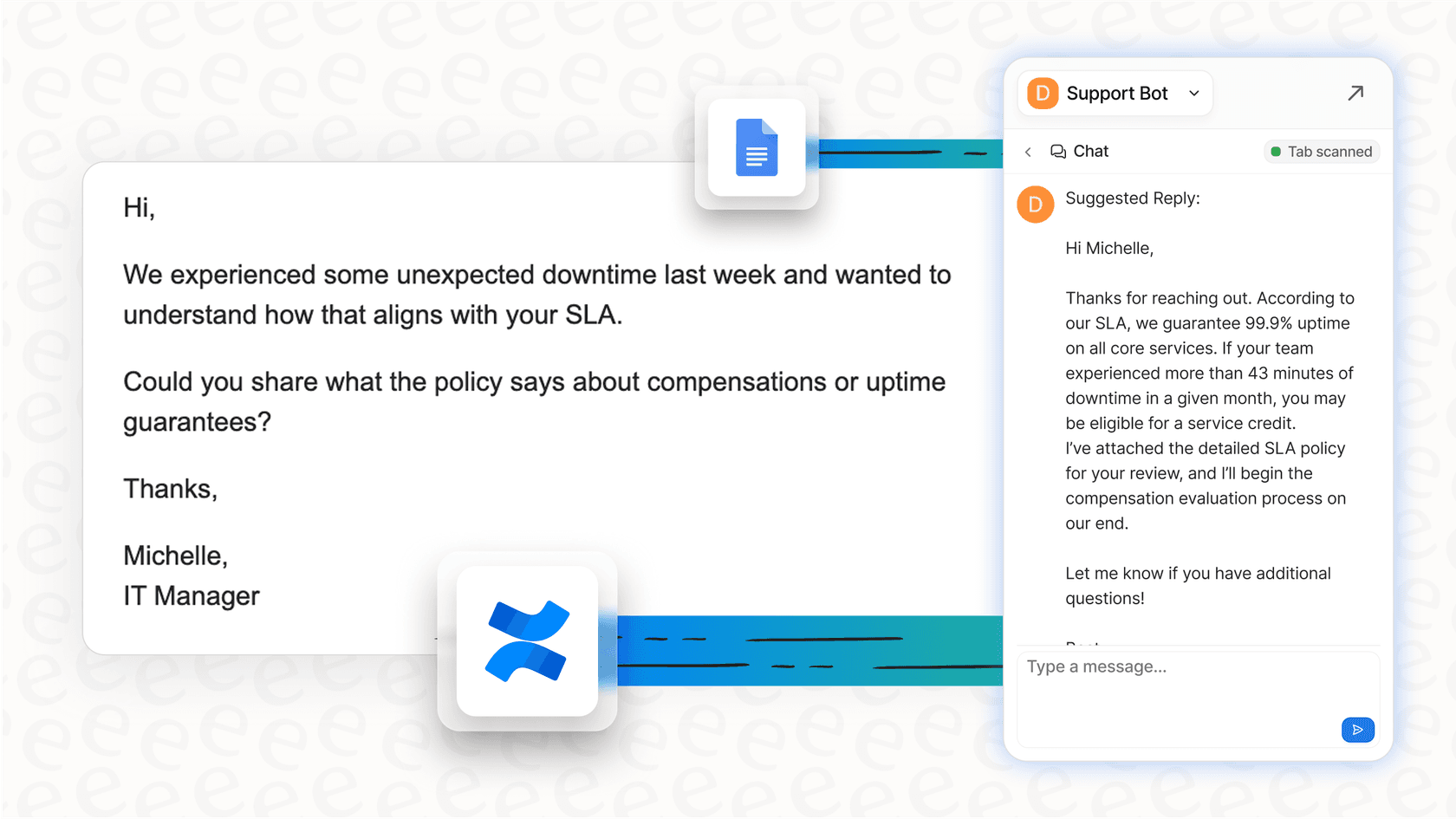
This is where a tool like eesel AI fits in. Instead of asking you to write code, it offers simple, one-click integrations with the knowledge sources you already rely on, like Confluence, Google Docs, and helpdesks such as Zendesk. The key difference is an obsession with being self-serve. You can sign up, connect your tools, and have a working AI assistant in minutes, without ever needing to talk to a salesperson.
Most other platforms make you book a demo just to see the product. With eesel AI, you can go from zero to a fully working AI in less time than it takes to brew a pot of coffee. It can even train on your past support tickets, giving it a solid grasp of your company's specific issues and brand voice from the very first day.

Key AI documentation search features and use cases
The right AI search tool really boils down to what you’re trying to do. A tool designed to search the entire company’s knowledge base is going to have different strengths than one built specifically for one team’s workflow.
Use case 1: A single search for the whole company
This is the "one search bar to rule them all" idea. The goal is to create a central search engine for the whole company, connecting dozens or even hundreds of different applications.
A well-known tool in this area is Glean. It’s great at connecting a huge number of apps to give employees one place to search. However, getting a tool like this up and running can be a massive, expensive, and lengthy project. And because it's built to be a generalist tool, it often doesn't have the specialized features needed for specific teams, like customer support or internal IT helpdesks.
Use case 2: Helping your internal teams
A more focused approach is to give an AI assistant to a specific team, like HR, IT, or sales, to answer common questions right where they work.
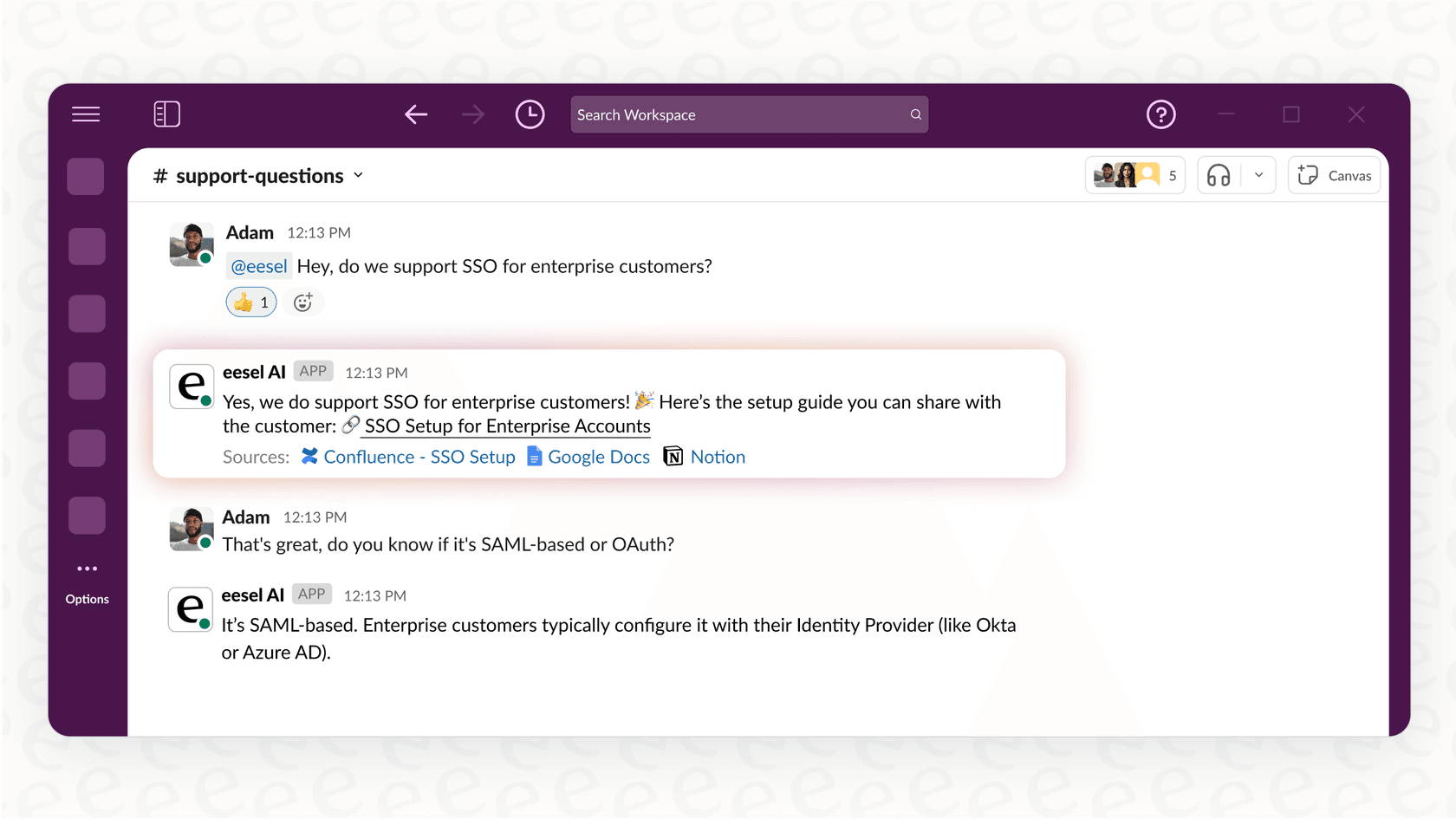
This is exactly what eesel AI's Internal Chat is made for. It connects to your internal wikis and knowledge bases and can be dropped directly into Slack or Microsoft Teams. Instead of pinging a coworker and waiting for them to get back to you, employees can get instant, accurate answers from an AI that’s trained only on their team's documents. It brings the power of AI search to the team without the cost and complexity of a company-wide rollout.
Use case 3: Automating customer support
This is where AI documentation search often has the most immediate and visible impact: powering customer-facing chatbots or helping human agents find answers in seconds.
While many tools can find information, eesel AI integrates it directly into the support workflow to not just find information, but to act on it. This is a really important distinction.
-
The AI Agent uses this search ability to understand a customer's problem, find the right answer in your knowledge base, and resolve the support ticket all on its own.
-
The AI Copilot uses it to give human agents a perfect head start, drafting instant replies by pulling from past tickets and help center articles to keep everything consistent and accurate.
Other tools can find a document for you, but eesel AI uses that document to actually close the ticket. It turns a search tool into an automation engine.
Choosing the right AI documentation search tool: What to look for
When you start digging into AI documentation search tools, you'll run into a few practical hurdles. The right solution isn't just about the tech; it's about how easily you can set it up, trust it, and afford it.
What does setting up AI documentation search involve?
As we've touched on, platforms like Google's Document AI are incredibly powerful, but at their core, they are toolkits for engineers. They demand a dedicated team and a big time investment to become a product you can actually use.
In contrast, eesel AI is built for the teams who will be using it day-to-day. A support manager or an IT lead can set up and launch an AI agent without writing a single line of code. The self-serve model means you can get started right away and see results in minutes, not months.
Can you trust your AI documentation search before going live?
One of the biggest worries with AI is that it will give a wrong or nonsensical answer to a customer. Many platforms offer very limited ways to test, forcing you to just "flip a switch" and hope for the best. That's a risk most teams aren't comfortable taking.
This is where eesel AI's simulation mode makes a huge difference. It’s a unique, risk-free way to test your setup in a safe sandbox environment. You can run the AI on thousands of your past support tickets and see exactly how it would have responded. The simulation gives you an accurate forecast of your automation rate and even flags gaps in your knowledge base, all before you ever turn it on for a single customer.

Understanding AI documentation search pricing
AI pricing can be confusing and, frankly, a bit of a headache. Many tools have opaque enterprise pricing that requires multiple sales calls just to get a number, while others charge you per resolution. This "per-resolution" model can lead to unpredictable bills and basically penalizes you for doing well. The more tickets your AI resolves, the more you pay.
eesel AI has transparent, predictable pricing with no hidden fees. The plans are based on the features and capacity you need, so you'll never be surprised by a huge bill after a busy month.
| Plan | Effective Monthly Price (Annual Billing) | AI Interactions/mo | Key Features |
|---|---|---|---|
| Team | $239 | Up to 1,000 | Train on websites/docs, Copilot for help desk, Slack integration. |
| Business | $639 | Up to 3,000 | Everything in Team + Train on past tickets, AI Actions (triage/API calls), Bulk Simulation. |
| Custom | Contact Sales | Unlimited | Advanced actions, multi-agent orchestration, custom integrations. |
Moving from search to answers with AI documentation search
So, what's the takeaway? AI documentation search is more than just a fancy new technology. It’s a fundamental shift from finding documents to getting immediate answers. It unlocks all the collective knowledge that’s currently trapped in your company’s different apps and actually puts it to work.
While the tech behind it can be complicated, tools like eesel AI are making it accessible, controllable, and easy for any team to get started. The trick is to find a tool that fits into how you already work, proves its value before you go live, and gets you results quickly.
Get started with AI documentation search in minutes
If you’re ready to move beyond broken keyword search, eesel AI is the perfect place to start. You can connect your knowledge sources in a few clicks, train an AI on your actual business context, and safely test its performance before it ever talks to a customer. Stop searching for documents and start getting answers.
Sign up for a free trial and see how quickly you can automate your support and internal Q&A.
Frequently asked questions

Share this article

Article by
Stevia Putri
Stevia Putri is a marketing generalist at eesel AI, where she helps turn powerful AI tools into stories that resonate. She’s driven by curiosity, clarity, and the human side of technology.