AI for content creation: A practical guide for 2025

Last edited August 18, 2025

It feels like everyone is talking about AI for content creation these days. From solo bloggers to big marketing teams, people are using it to generate blog drafts, social media posts, and email copy at lightning speed. It's exciting to whip up a blog post in 30 seconds, but once the novelty fades, you're left with a bigger question: Now what?
Where does all that AI-generated content go? How do your teams find it and use it? Does it actually help a customer solve a problem or an employee find an answer? This is the part most conversations about AI content tools don't cover. They get stuck on the 'creation' bit and forget about the rest of the journey.
This guide looks at the whole picture. It’s not just about writing faster; it’s about creating a smart system where your content actually gets used to help your teams and customers.
What is AI for content creation, really?
Simply put, AI for content creation uses technology like large language models (LLMs) to generate text, images, and other media based on what you ask it to do. It's the engine behind all the new tools that are changing how we think about marketing and communication.
But it's important to know the difference between the two main kinds of AI you'll run into: generic, public-facing tools and specialized, business-focused ones. Which one you pick makes a huge difference in your results.
The difference between generic and business-specific AI for content creation
Generic AI tools, like the free version of ChatGPT, get their information from the public internet. This can be fine for a quick brainstorm, but it often spits out content that sounds generic, doesn't match your brand voice, and can be factually wrong or out of date. It has no idea who your business is, what your customers need, or how you work internally.
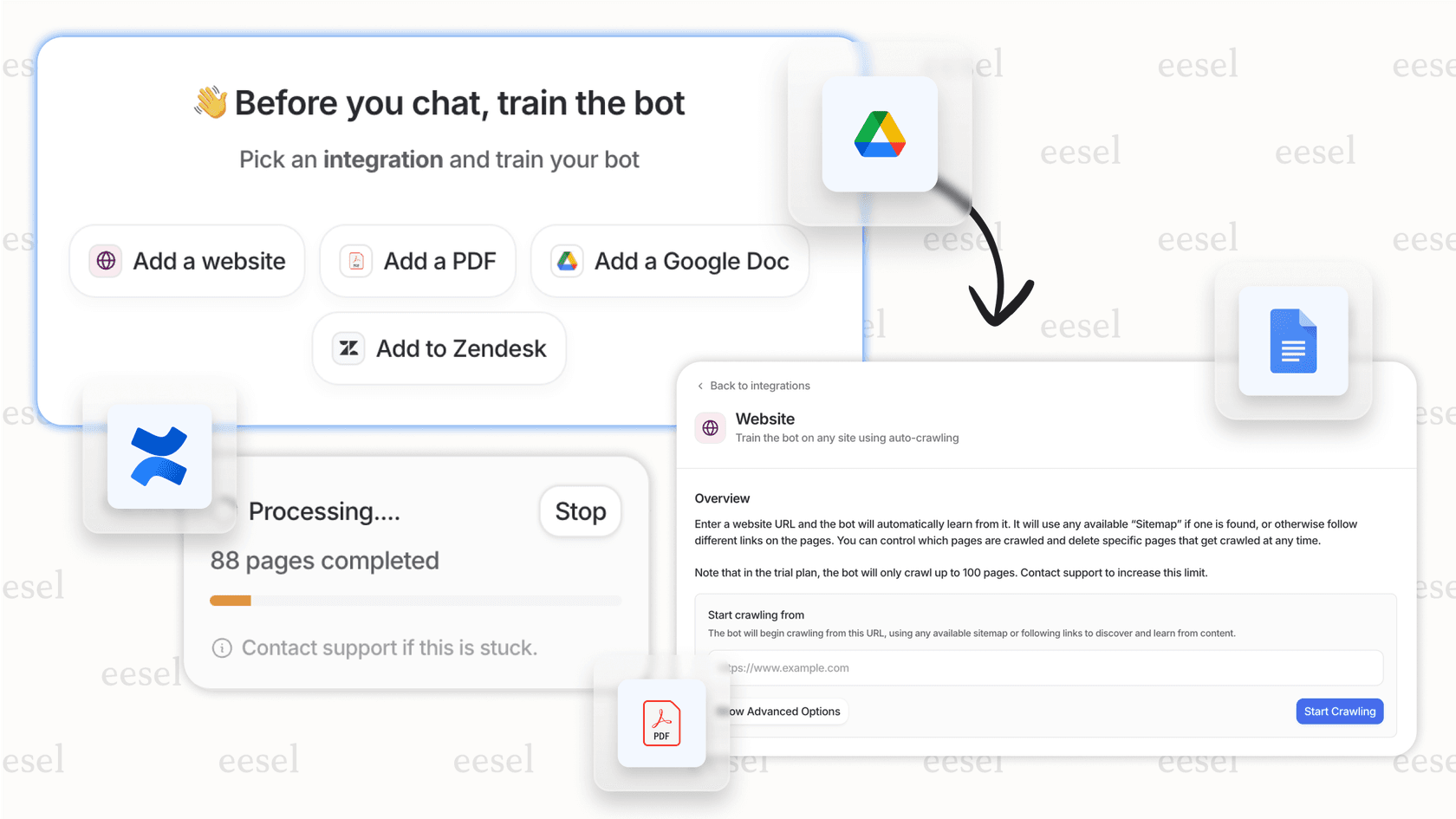
On the other hand, business-specific AI is trained on your company's own private data. You can think of it as an expert in your world. It learns from your help center articles, old support tickets, internal wikis on Confluence, and project plans in Google Docs.
This is how the best modern platforms work. Instead of making you move all your knowledge into a new system, they add an intelligent layer on top of the tools you already use. For example, eesel AI securely connects to your company's knowledge sources to make sure the content it creates is accurate, on-brand, and actually helpful for your teams and customers. It’s the difference between hiring a random person off the street and promoting a seasoned internal expert.
The three steps of a modern AI for content creation workflow
A good AI content plan is more than just hitting 'generate.' It’s a full process that covers planning, writing, and actually using the content. Here are the three main steps that make all the difference.
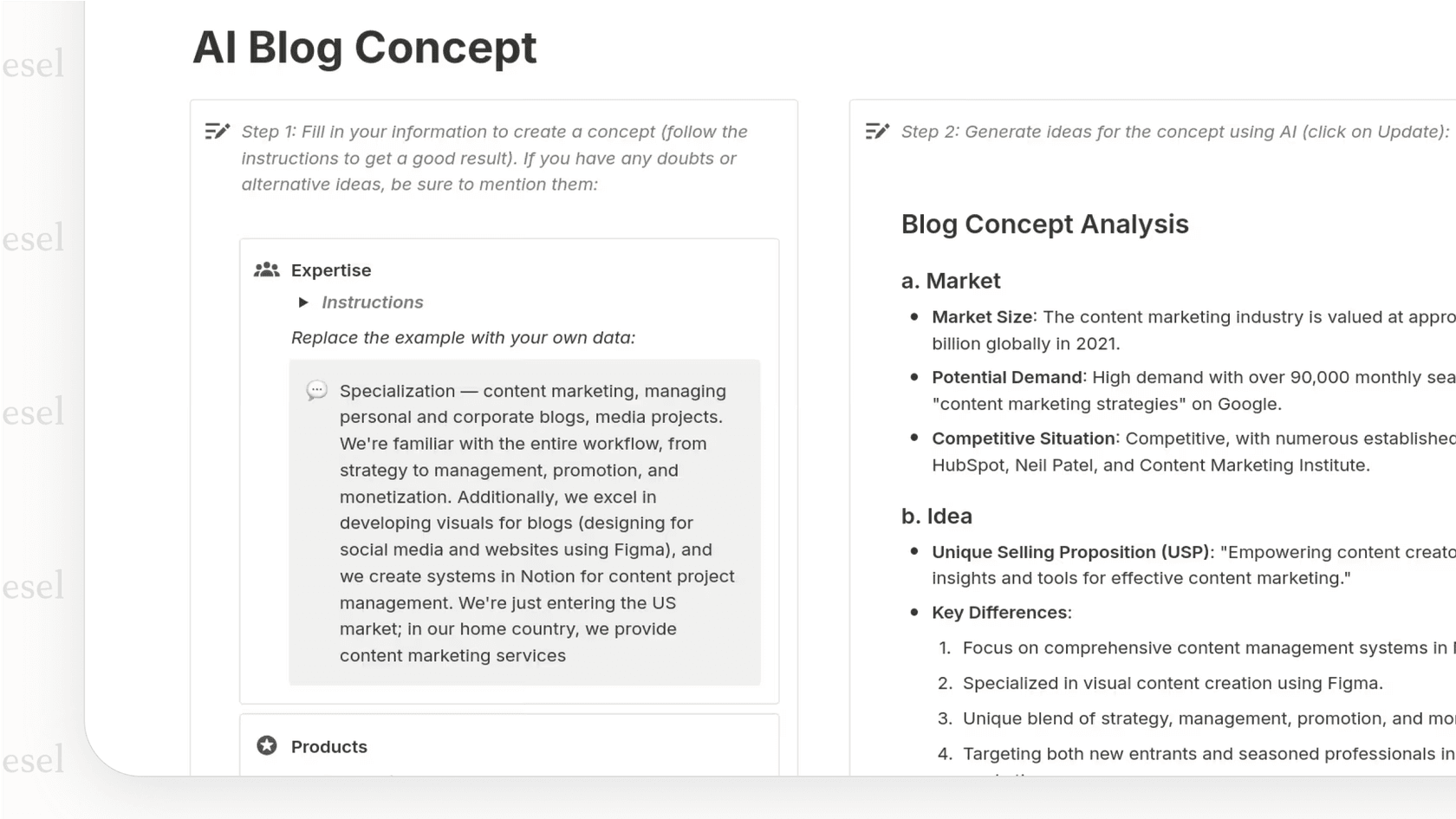
1. Planning and ideation with AI for content creation
Before you write a single word, you need a plan. AI tools can be fantastic brainstorming partners, helping you get past that dreaded blank page.
How you can use it:
- Topic brainstorming: Ask it for a list of blog ideas or campaign angles based on a central theme.
- Keyword research: Use it to find relevant search terms and related topics to improve your SEO.
- Content outlining: Let it structure your articles or whitepapers with a logical flow, saving you hours of work.
Where it falls short: AI can give you a hundred ideas, but they might be pretty generic without a real understanding of your audience. You still need a human to filter those ideas, pick the topics that line up with your business goals, and connect with your customers. Your team's expertise is what turns raw ideas into a focused content plan.
2. Drafting and polishing using AI for content creation
This is the part everyone knows: drafting copy, creating images, and repurposing content. It's where the speed and efficiency of AI really stand out.
How you can use it:
- Writing first drafts of blog posts, emails, and product descriptions.
- Creating dozens of ad copy or social media post variations for A/B testing.
- Summarizing long-form content, like turning a one-hour webinar into a blog post or a quick list of takeaways.
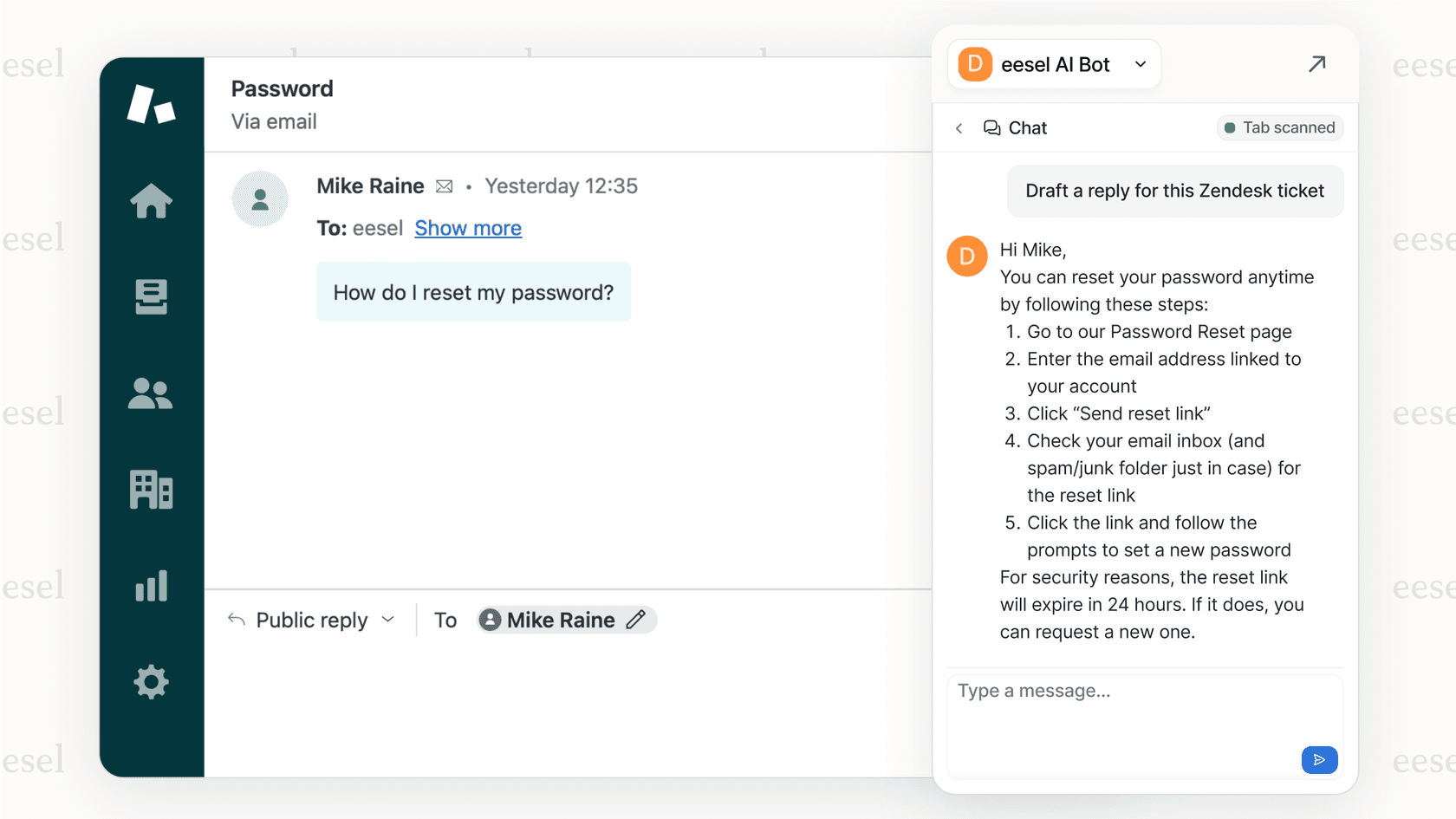
Where it falls short (and how to fix it): Here’s the problem with most standalone AI writers. They don't connect to where your team actually works. You generate content in one tab, then copy and paste it into your help desk, CMS, or email tool. This leads to a lot of awkward copy-pasting, confusion over which version is the latest, and a generally clunky process. An integrated tool like the eesel AI Copilot, however, works right inside your help desk (like Zendesk or Freshdesk), drafting replies for your agents using the knowledge you’ve already created. It's seamless.
3. Putting your AI for content creation to work
This is the step everyone forgets, but it might be the most valuable one. What do you do with the content once it's polished and ready? If your answer is "publish it and hope for the best," you're leaving most of its value on the table.
The goal is to turn static content into a "living" knowledge base that can be accessed and used instantly by AI agents to get work done.
How you can use it (with an eesel AI example):
- Customer support: An FAQ document you created with AI isn't just a page on your website. With eesel AI, that FAQ becomes instant training data for an AI Agent that can accurately answer customer tickets in seconds.
- Internal help: Onboarding guides or policy docs created with AI can power an Internal Chat in Slack or Microsoft Teams. This gives employees instant, self-serve answers without them having to dig through a shared drive.
- E-commerce: Product descriptions and specs can feed an AI Chatbot on your Shopify store to answer questions from shoppers and help them find the right product.
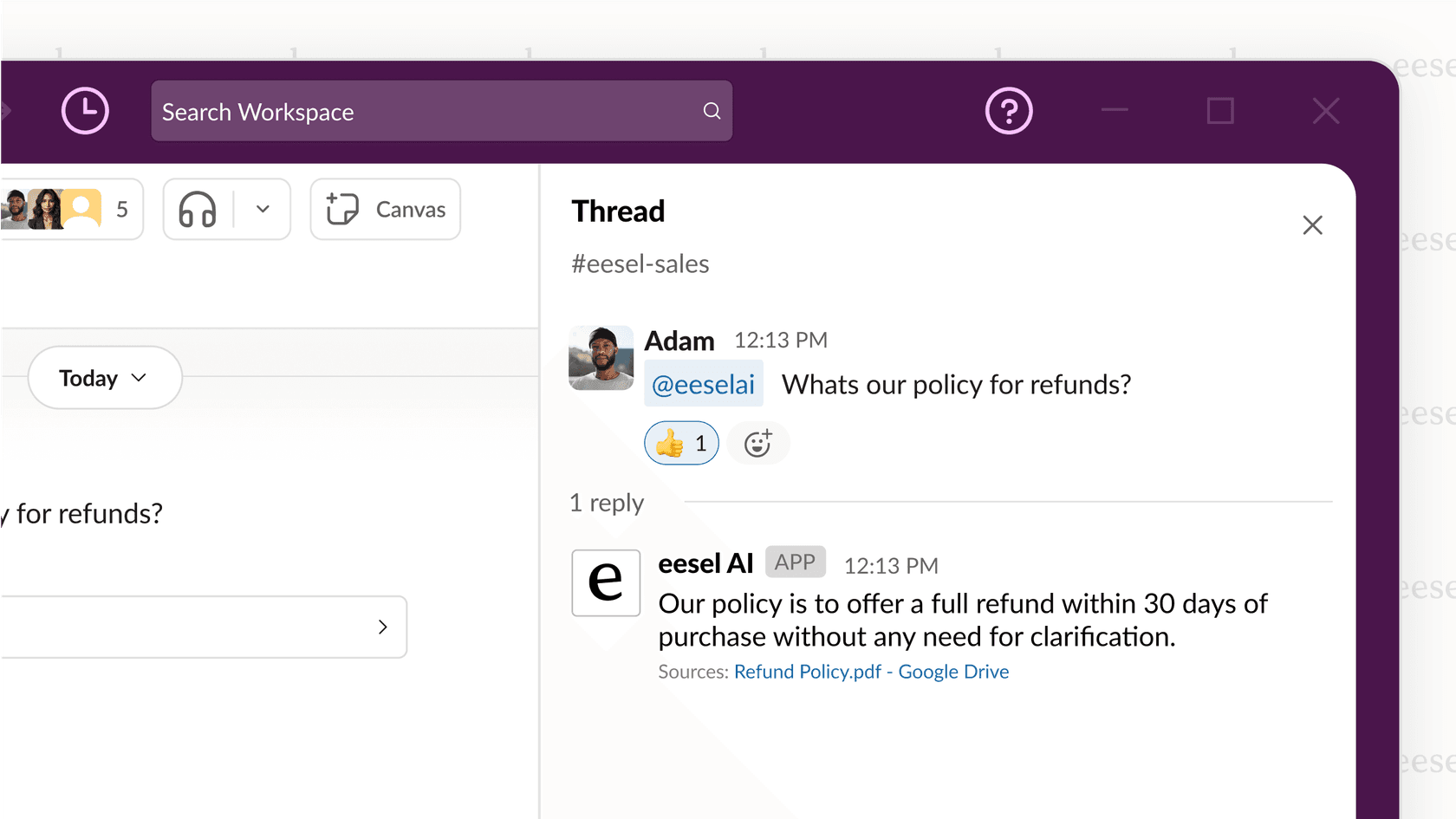
Pro tip: Your content's value multiplies every time it's connected to a workflow. Don't let your AI-generated articles and guides die in a Google Doc. Connect them to a system that puts them to work 24/7.
Challenges and tips for using AI for content creation
Just signing up for an AI tool isn't enough. To get real value from it and avoid some common headaches, it helps to have a plan.
Always keep a human in the loop with AI for content creation
The challenge: Leaning too heavily on AI can lead to weird factual errors (what people call "hallucinations"), a tone that doesn't sound like you, and a general lack of personality. If every piece of content sounds like it was written by the same robot, you'll lose your audience's trust pretty quickly.
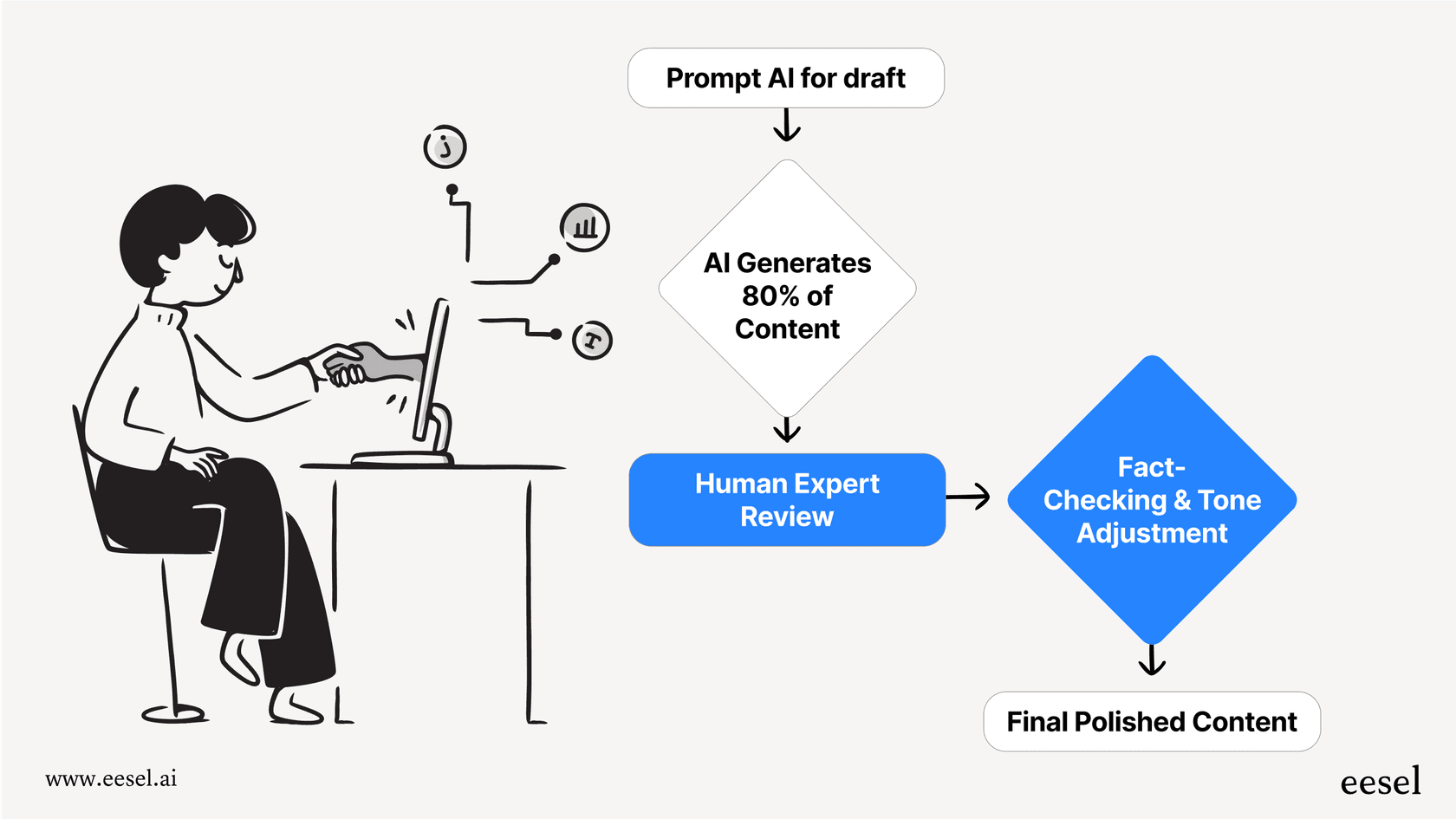
How to handle it: Set up a clear review process from the start. Use AI to generate the first 80% of a draft, but always have a human expert, a writer, a product manager, a support lead come in to handle the final 20%. This person adds nuance, checks facts, and makes sure the tone is a perfect match for your brand. It's more of a partnership than a replacement.
With AI for content creation, focus on integration, not just creation
The challenge: When everyone on your team uses a different, disconnected AI tool, you end up with a mess. Your content writer uses one tool, your social media manager uses another, and your support team can't access the information created in either. It leads to inconsistent answers for customers and a lot of wasted time.
How to handle it (with an eesel AI example): Choose a platform that connects with the tools you already have. The real value of eesel AI is that it's not another separate tool to manage. It's an intelligent layer that improves the systems you rely on every day, like Zendesk, Intercom, and Slack. This approach brings all your knowledge together and makes it instantly available wherever it's needed, ensuring everyone is working from the same playbook.
| Feature | Standalone AI Writers (e.g., Jasper, Copy.ai) | Integrated AI Platforms (e.g., eesel AI) |
|---|---|---|
| Primary Use | Content generation in a separate application. | Automating workflows within your existing tools. |
| Knowledge Source | Primarily public web data or manually uploaded files. | Your live, connected systems (Help Desk, Wiki, etc.). |
| Workflow | Generate -> Copy -> Paste -> Publish. | Works directly inside your help desk, chat tools, etc. |
| Key Benefit | Great for initial drafts and creative brainstorming. | Turns static content into automated actions and answers. |
| Main Drawback | Creates workflow friction and isolated data silos. | Requires setup and integration with your current tech stack. |
Stop wasting time, start using AI for content creation:
The future of AI for content creation isn't just about churning out more articles. The speed is great, but the real, long-term win is using that content to power smart, helpful, automated tools across your business.
The smartest companies aren't just creating a library of documents; they're building a central brain for their organization. This brain is powered by their unique company knowledge and is accessible to AI agents that can serve customers, help employees, and qualify leads 24/7. It’s the difference between just having content and actually using it.
If you're ready to connect your content to your customer service and internal support workflows, eesel AI is the intelligent layer that makes it all happen. Stop copy-pasting and start automating. Book a demo or start a free trial to see how you can put your content to work today.
Frequently asked questions

Share this article

Article by
Stevia Putri
Stevia Putri is a marketing generalist at eesel AI, where she helps turn powerful AI tools into stories that resonate. She’s driven by curiosity, clarity, and the human side of technology.