AI content creation: Tools & workflows that work (2026)


Last edited December 9, 2025

Let's be honest, the pressure on content teams right now is a lot. You’re expected to pump out quality blog posts, social media updates, videos, and ads for what feels like a dozen channels. And you have to do it all while staying on-brand and on-budget. It’s the perfect setup for burnout and content that just doesn’t hit the mark.
This is where AI content creation steps in. It's not here to replace human creativity, but to act as a seriously helpful assistant. Think of it as a tool to take over the repetitive, soul-crushing parts of the job, like drafting outlines, generating first-pass copy, and scaling up production. This frees you up to focus on what actually moves the needle: strategy, polishing the final product, and actually connecting with your audience.
In this guide, we’ll walk through what AI content creation really looks like today. We'll check out the main types of tools available, compare a few of the big players (including their pricing), and share some tips for making AI a genuinely useful part of your workflow.
What is AI content creation?
At its simplest, AI content creation means using artificial intelligence, specifically generative AI, to help produce, edit, and optimize content. It’s all powered by large language models (LLMs), which are the brains behind tools like OpenAI's GPT series or Anthropic's Claude. You give them a prompt, and they generate surprisingly human-like text and visuals.
These systems learn by analyzing enormous amounts of text and images from the internet, which teaches them to spot patterns and create something entirely new. The scope of what they can do is pretty wild. We're talking about everything from blog posts and social media captions to detailed ad copy and email newsletters. AI can also whip up unique images with tools like DALL-E, or even turn your articles into videos with platforms like Lumen5.
So, why is everyone talking about this now? It’s a direct response to the endless demand for more content, faster. Teams need to find ways to be more efficient without sacrificing quality, and AI is offering a pretty practical solution.
The main types of AI content creation tools
Not all AI tools are created equal. The market is packed with specialized platforms for different parts of the content process. Knowing the different categories helps you figure out what you actually need and how to build a tech stack that makes your life easier, not more complicated.
Text and copy generation tools
These are your AI wordsmiths. Platforms like Jasper, Copy.ai, and Writesonic are all designed to help you generate text-based content at speed.
You can use them to get a blog post started, create a batch of social media captions, write ad copy for different platforms, or draft your next email campaign. Jasper, for example, has over 90 templates built for specific writing tasks.
But they definitely have their limits. They’re great for getting a first draft out the door, but you’ll almost always need a human to edit the text to match your brand's unique voice. As plenty of people on Reddit will tell you, raw AI text can often sound a bit "robotic" and sometimes spits out generic or factually incorrect information if the prompt isn't super specific.
Visual and video generation tools
These platforms focus on turning text prompts into images or creating videos from existing content. The big names you'll see here are Canva AI, OpenAI's DALL-E, and Lumen5.
They’re perfect for creating a custom blog header without spending hours scrolling through stock photo sites, designing social media graphics, or turning a long article into a quick video for TikTok. Lumen5’s AI can even summarize a blog post for you and find relevant clips to build a video around it.
The catch? Visual AI can sometimes struggle with brand consistency unless the tool has a strong brand kit feature. Video tools are often template-based, which can feel a little restrictive. And while you own what you create with tools like DALL-E, their terms of use make it clear that the images you generate might not be unique to you.
Workflow automation and optimization platforms
This category is about more than just creating a single piece of content. These platforms want to help automate your entire workflow, from planning and scheduling all the way to compliance and performance tracking. Here, you'll find tools like Sprinklr and Blaze.ai.
Their real power is in helping you plan content calendars, optimize articles for SEO, schedule posts across 30+ channels, and see what’s working from one dashboard. Blaze.ai, for instance, connects directly with WordPress, Meta, and LinkedIn to make publishing a one-click affair.
The trade-off is that many of these are complex, enterprise-level systems. Sprinklr, for one, no longer offers self-serve products and focuses entirely on large enterprise clients. That usually means a steep learning curve, a long setup process, and a price tag to match.
Comparing key players in AI content creation
Picking the right tool means getting a clear look at both features and pricing. Here’s a quick breakdown of what some of the popular platforms offer and what they’ll cost you.
Jasper: Pricing and features
-
Pro Plan: Starts at $59 per seat, per month (billed annually). This gives you one seat, two "Brand Voices," and five "Knowledge assets," making it a solid choice for freelancers or small teams.
-
Business Plan: Custom pricing. You get everything from the Pro plan plus unlimited Brand Voices and Knowledge assets, API access, better admin controls, and your own account manager.
-
Key Features: Jasper is known for its Brand Voice feature, which studies your existing content to learn and mimic your style. It can also generate assets for entire marketing campaigns from a single brief.
Copy.ai: Pricing and features
-
Chat Plan: Starts at $24 per month (billed annually) and comes with five seats. It includes unlimited words in their chat interface and access to models from OpenAI, Anthropic, and Gemini.
-
Agents Plan: Starts at $211 per month (billed annually) for up to ten seats. This includes everything in the Chat plan plus workflow credits and the ability to train custom content "agents."
-
Key Features: The Copy.ai GTM AI platform is built with sales and marketing teams in mind. It offers Brand Voice, an "Infobase" to store your brand guidelines, and automated Workflows. It’s also SOC 2 Type 2 compliant, which is a big plus for security.
Writesonic: Pricing and features
-
Lite Plan: Starts at $39 per month (billed annually) for one user. It includes 15 AI article generations and two writing styles.
-
Standard Plan: Starts at $79 per month (billed annually) for one user, bumping you up to 30 AI articles and five writing styles.
-
Professional Plan: Starts at $199 per month (billed annually) for two users. This plan adds AI search tracking, 100 articles, and unlimited writing styles.
-
Key Features: If SEO is your world, Writesonic is likely on your radar. Its tools are focused on keyword research, content optimization, and tracking how your brand shows up on AI search platforms like ChatGPT and Perplexity.
Canva: Pricing and features
-
Free Plan: A great way to get started with limited AI access, one Brand Kit, and 5GB of storage.
-
Pro Plan: Starts at $15 per month for one person. This unlocks premium templates, five Brand Kits, more AI usage, and 100GB of storage.
-
Business Plan: Starts at $20 per person, per month. You get everything in Pro plus 100 Brand Kits, even higher AI limits, and team admin tools.
-
Key Features: Canva's Magic Studio is a collection of AI tools, including Magic Write (for text), Magic Media (text-to-image), and Magic Resize. It’s a great all-in-one option for creating visual content quickly.
Enterprise-only platforms like Sprinklr
-
Pricing: You won't find a pricing page for a tool like Sprinklr. You have to request a demo to get a custom quote.
-
Model: This "contact us" model is pretty standard for huge, all-in-one platforms. Sprinklr's Unified-CXM platform is built for global brands managing 30+ channels, so it’s less of a software subscription and more of a strategic partnership.
| Platform | Starting Price (Annual) | Key AI Features | Best For |
|---|---|---|---|
| Jasper | $59/seat/month (Pro) | Brand Voice, AI Campaigns, 90+ Templates | Marketing teams needing on-brand copy at scale. |
| Copy.ai | $24/month (Chat, 5 seats) | Workflows, Infobase, Brand Voice | Go-to-market teams focused on automation. |
| Writesonic | $39/month (Lite) | AI Article Writer, SEO & GEO Tools | SEO specialists and content marketers. |
| Canva | $15/month (Pro) | Magic Studio (Text & Image), Brand Kits | Teams needing fast, on-brand visual content. |
How to choose the right AI content creation platform for your team
Looking at feature lists is one thing, but finding a tool that actually solves your team’s problems is another. Too many teams end up with a mess of disconnected tools, off-brand AI content, and clunky platforms that take forever to show any real value. Here’s what to look for instead.
Ensuring your AI tool plays nice with your other tools
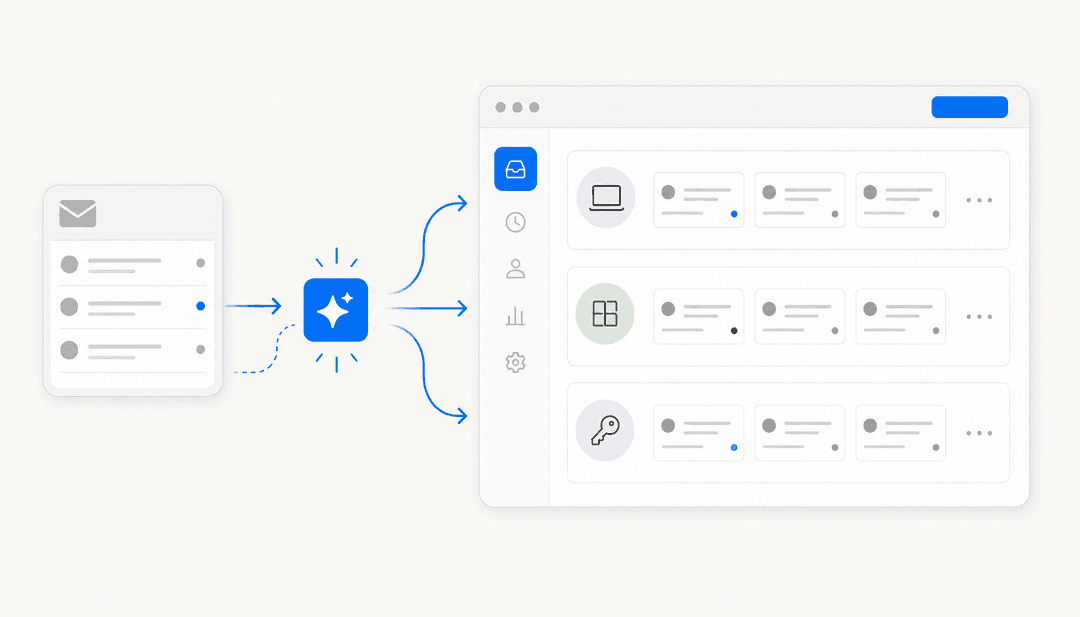
There’s nothing worse than getting a "time-saving" tool that just forces you to copy and paste between five different browser tabs. Many AI tools are standalone apps, which completely breaks your workflow and kills any efficiency you were hoping to gain.
The trick is to find a platform that plugs directly into the systems you already use every day. If you're on a customer service team, you need an AI tool that works inside your helpdesk (like Zendesk) and your team’s chat app (like Slack).
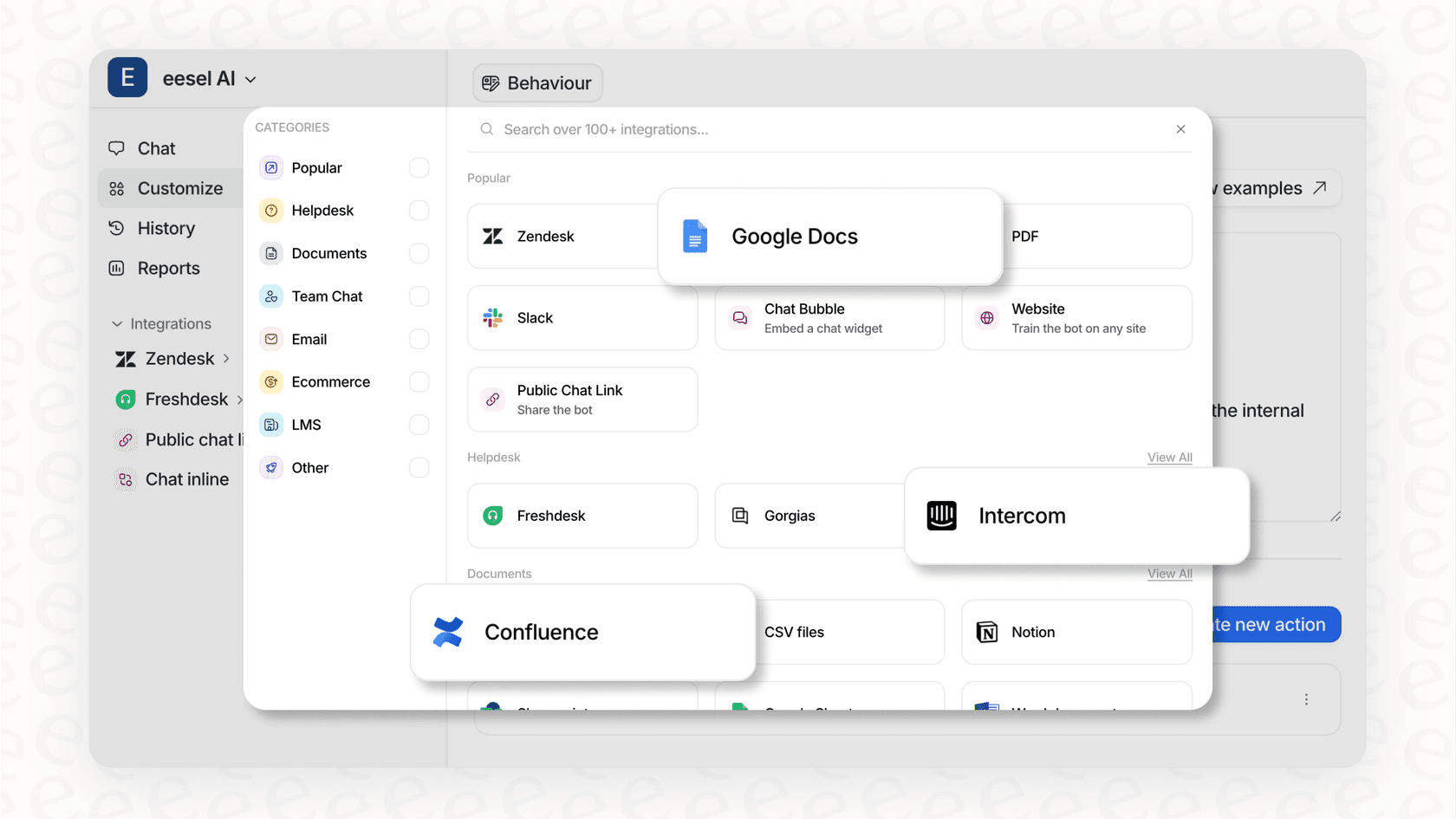
This is where a platform like eesel AI is built differently. It's designed from the ground up to connect with your existing tools. With over 120 one-click integrations for helpdesks, knowledge bases like Confluence, and internal chat, it gives you a connected workflow instead of another siloed app.
Can you control the brand voice with AI?
The easiest way to spot generic AI content is a bland, robotic tone that sounds nothing like your brand. This can seriously damage your credibility and confuse your customers.
Look for tools that give you real control over the AI's voice and personality. That means features like customizable tone guides, style rules, and, most importantly, the ability for the AI to learn from your team's actual past conversations.
For example, eesel AI lets you customize the AI's tone for each bot you create. It can train on your past helpdesk tickets and internal knowledge bases to make sure every response, whether it's for an internal question or a customer email, sounds exactly like you.
How long until your AI is actually useful?
Some of the most powerful AI platforms are also incredibly complicated. They can require long onboarding sessions and dedicated training just to get going. As we saw with enterprise tools like Sprinklr, this can mean waiting months before you see any return on your investment.
You have to ask: what's the "time to value"? Can your team sign up and see a real impact in a few minutes, or are you looking at months of setup and mandatory sales calls?
eesel AI is designed to be completely self-serve. Teams can go live in minutes, not months, connecting their tools and automating workflows without needing a long training course. You can even start a free 7-day trial to see the value for yourself right away.
Best practices for an effective AI content creation workflow
So, you've picked a tool. Now what? The tech is only half the equation. How you use it is what really makes the difference. Here are a few proven ways to build an AI-powered content workflow that actually works.
Be a good manager to your AI. Don't just ask your tool to "write a blog post." Vague instructions get vague results. Give it detailed context: Who is the target audience? What tone should it use? What are the key points to cover? What keywords are you targeting? The better your prompt, the better the output.
Treat AI as the first drafter, not the final editor. Always, always, always keep a human in the loop. Use AI to get you past that scary blank page and do the initial heavy lifting. But you need your team's expertise for that final 20% of editing to check for accuracy, add nuance, and make sure the content aligns with your strategy.
Feed it your secret sauce. The best AI tools are the ones that can learn from your company's own information. Give it access to your brand guidelines, your best-performing articles, and your internal documents. This is how you get content that is truly relevant and sounds like it came from you.
Create a feedback loop. Use your analytics to see what content is working. Take those insights, like which headlines get the most clicks or which formats drive the most engagement, and feed them back into your AI prompts. This cycle of human-guided improvement is what leads to real results.
Final thoughts on AI content creation
AI content creation is clearly more than just a passing trend. It's a practical, powerful tool for any team that creates content, whether you're in marketing, support, or operations. The trick is to see it as a collaborator that can handle the grunt work, which frees up your team to focus on what humans do best: strategy, creativity, and connecting with other humans.
The best approach is to find an integrated, easy-to-use platform and pair it with a smart, human-led workflow. That balance of smart automation and human oversight is what turns AI from a fun toy into a real competitive advantage.
Ready to see how a seamlessly integrated AI platform can transform your team's workflow? Start your free 7-day trial of eesel AI and go live in minutes.
Frequently asked questions

Share this article

Article by
Kenneth Pangan
Writer and marketer for over ten years, Kenneth Pangan splits his time between history, politics, and art with plenty of interruptions from his dogs demanding attention.