AI onboarding email generator: how to write a welcome sequence that actually activates users


Last edited June 22, 2026
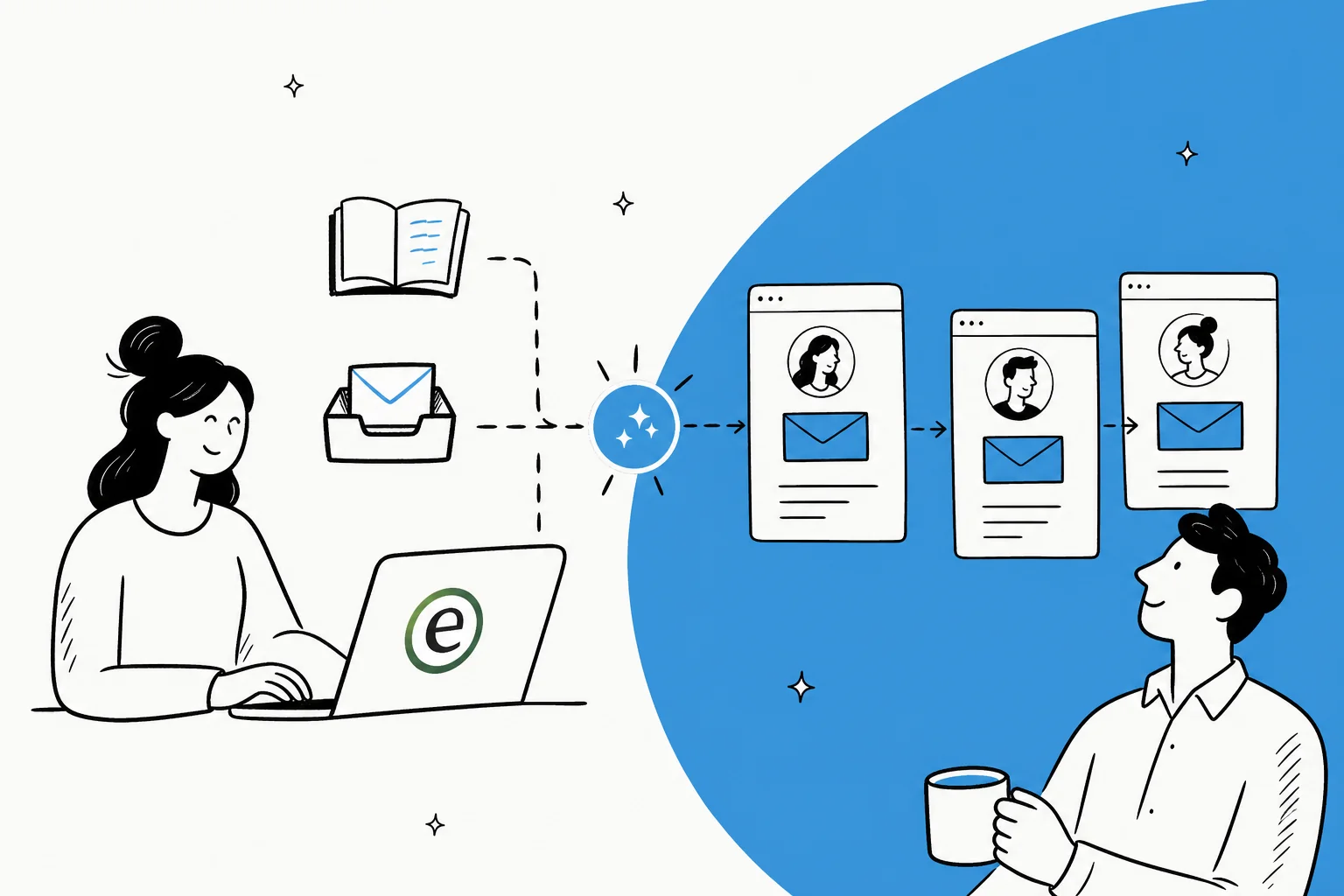
Table of Contents
- What an "AI onboarding email generator" actually is
- How AI onboarding email generation works
- The tools that already generate onboarding emails
- Why generic AI onboarding emails fall flat
- What actually makes them work: context and behavior triggers
- The half everyone forgets: onboarding emails create support tickets
- Try eesel for the onboarding questions your emails create
What an "AI onboarding email generator" actually is
I work on the support side at eesel, which means I see the other end of onboarding: the tickets. And the thing that strikes you fast is how predictable week-one questions are. In a single week I watched a cohort of new users all get stuck in the same few places, asking how to connect their tools and where to add their data before they'd done anything useful in the product. Different companies, near-identical questions.
That's the insight a good onboarding email generator is built on, and the one a bad one ignores. So it helps to split the phrase into the two jobs hiding inside it.
The drafting job is writing the copy: the subject line, the body, the call to action. This is what people picture when they hear "AI email generator," and it's the part AI is good at. Tools like Copy.ai's marketing email generator and eesel's AI Writer live entirely here: you give them a topic, a tone, and a goal, and they hand back copy in seconds.
The orchestration job is everything around the copy: who gets which email, in what order, triggered by what. This is the part that decides whether the sequence actually activates anyone, and it's the part a standalone writer can't touch. A platform like Customer.io is built almost entirely for this job.
Most teams over-index on the first job and ignore the second. They generate five polished emails, drip them on days 1, 3, 5, 7, and 9, and wonder why activation doesn't move. The copy was never the problem.
How AI onboarding email generation works
Strip away the branding and almost every workflow follows the same pipeline. Knowing the shape helps you see where each tool starts and stops.
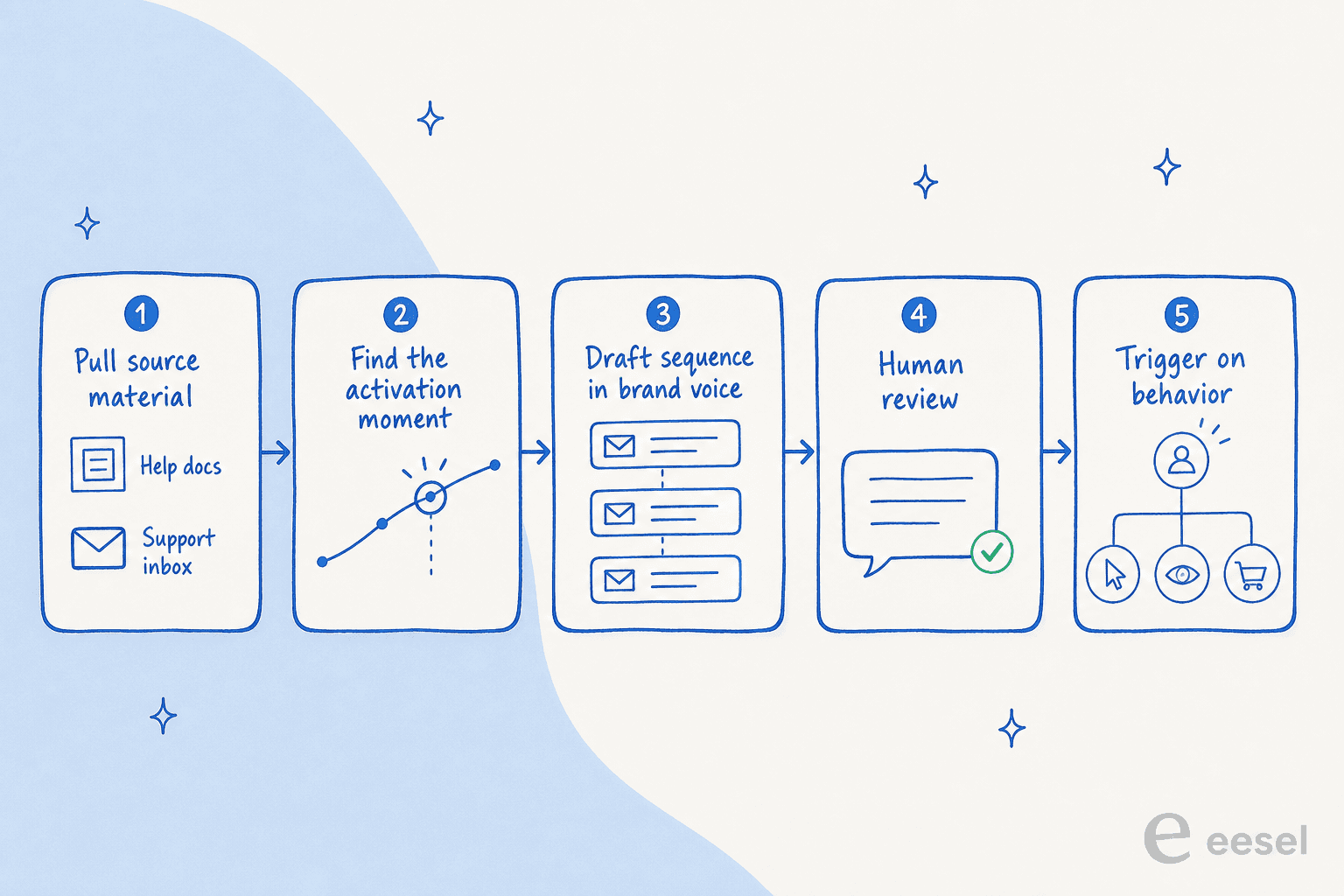
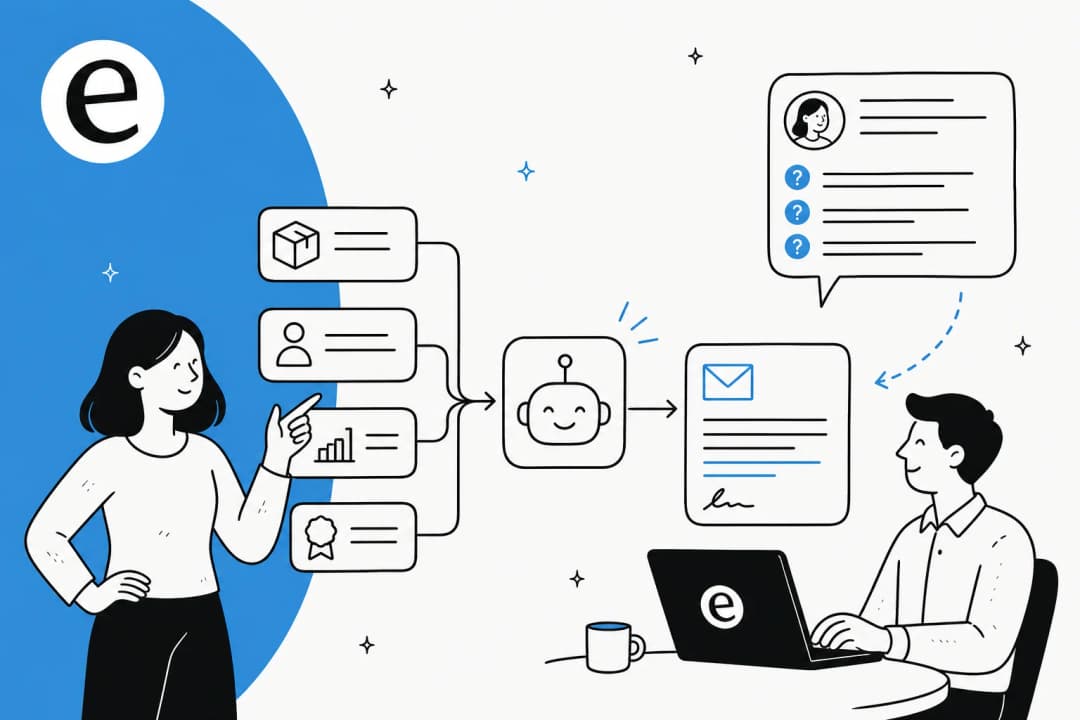
- Pull the source material. The best inputs aren't a clever prompt, they're your real product context: positioning, help docs, and the questions your support inbox sees most. This is the step that decides whether the output is specific or generic.
- Find the activation moment. Define the one action that means a user "got it" (created a project, sent a first message, connected an integration). The whole sequence points at that moment.
- Draft the sequence in brand voice. Now the AI writes. Customer.io can even extract your global styles straight from your domain so drafts stay on-brand without manual setup.
- Review it. A human reads every email, cuts the filler, and checks the tone. Skipping this is how the robotic copy ships.
- Trigger on behavior. The sequence fires on what users do, not just what day it is. Welcome on signup, then branch based on whether they activated.
Steps 1 and 5 are where teams win or lose, and they're exactly the steps a blank-box prompt has nothing to say about.
The tools that already generate onboarding emails
You probably don't need a brand-new category of tool. Here's what the common options actually do, and the line that matters most is whether the tool sends the sequence or just writes it.
| Tool | Type | What its AI does for onboarding | Sends & behavior-triggers? | Free tier |
|---|---|---|---|---|
| HubSpot AI Email Writer | All-in-one CRM + marketing | Drafts copy from prompts, edits via slash and highlight commands, personalizes on lifecycle stage and list membership | Yes, workflows trigger on engagement | Free email tools, no card |
| Mailchimp | Email marketing platform | AI assists on copy; "welcome series" is a named automation | Yes, automation flows | Free up to 500 contacts |
| Customer.io | Lifecycle / behavior platform | AI builds segments from a prompt, extracts brand styles, translates, picks send time | Yes, behavior triggers are the core strength | 14-day trial, no card |
| Copy.ai | Standalone generator | Drafts marketing and lifecycle email copy from audience and brand voice | No, feeds a sending platform | Free tools |
| eesel AI Writer | Standalone generator | Drafts emails and other content with tone, language, and length controls | No, drafting only | Unlimited, free |
A few things worth pulling out.
HubSpot folds the writer into the CRM, which is its real advantage for onboarding. Its email product lets you "use contact name, company, lifecycle stage, list membership, and more" to personalize, then trigger follow-ups on engagement. The dedicated AI Email Writer is still labelled Beta, and its framing leans hard toward volume ("generate hundreds of sales email drafts in minutes"), so the human review step matters more here, not less. If you already live in HubSpot, our guide to HubSpot AI and the HubSpot AI integrations list go deeper.
Mailchimp names the welcome series as a core email automation and is the easiest on-ramp for small lists, with a free plan up to 500 contacts. One caveat: its two generative-AI feature pages were down when I checked, so judge the AI features live rather than on the marketing copy. If you're shopping the category, these AI email marketing tools cover the alternatives.
Customer.io is the one built for behavior. Its AI features are concentrated on audience, styling, translation, and send-time rather than a one-click "write my welcome email" button, which tells you where the value is: the orchestration, not the prose. It's the strongest fit when your onboarding depends on what users do.
Copy.ai and eesel's AI Writer are pure drafting tools. They write good copy fast, then you paste it into whatever sends your email. If all you need is the words, a free AI email writer is plenty, and you can lean on the same kind of AI writing tools you'd use for any other B2B SaaS content.
Why generic AI onboarding emails fall flat
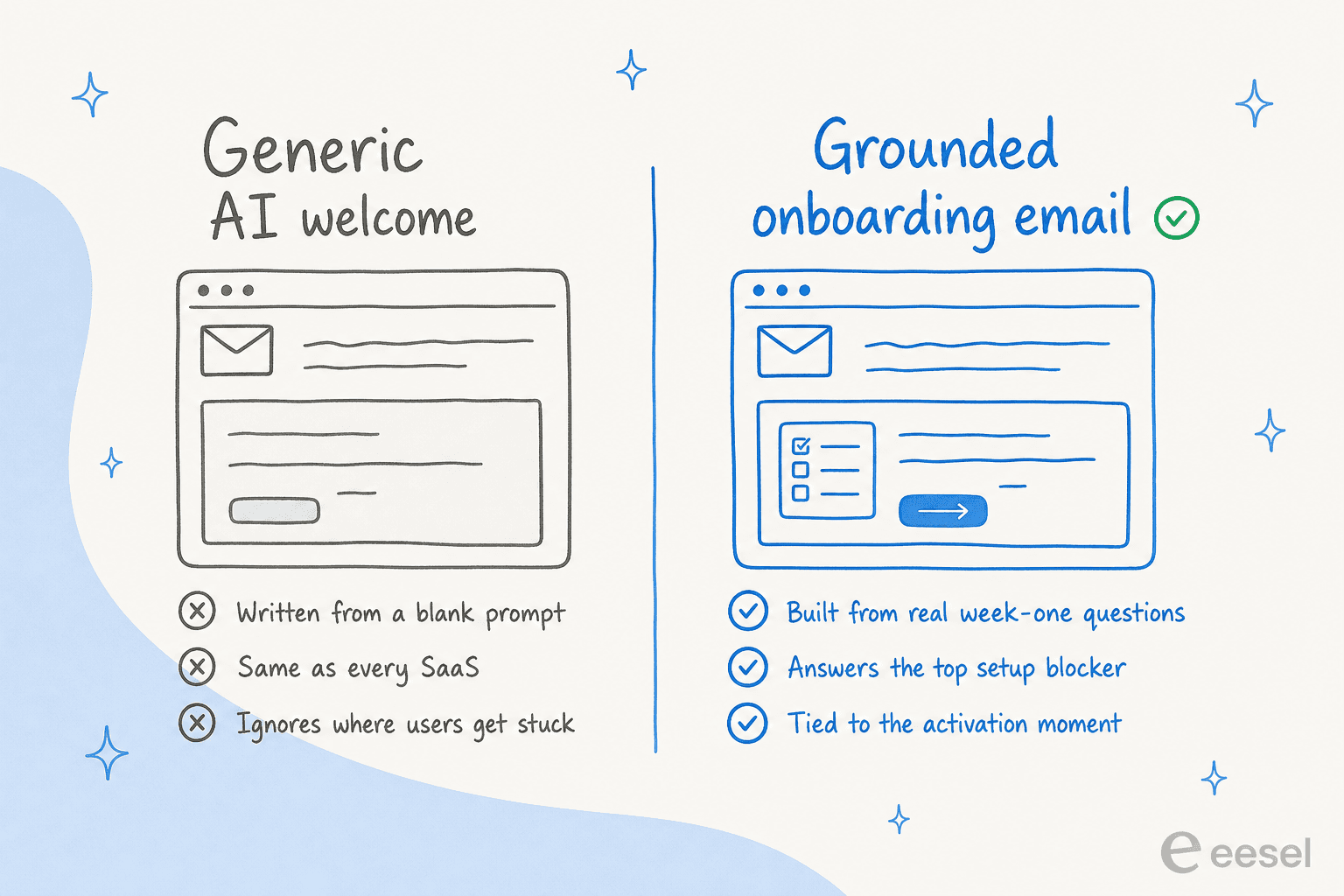
This is the complaint you'll find under every AI email tool, and it's worth taking seriously because the people making it want the tools to work.
A founder doing SaaS outreach laid out the problem in a thread on r/SaaS:
"Not just writing, making them not sound generic, slightly personalized, and not spammy. I've tried AI tools, but most outputs feel: too generic / over-polished / robotic or need too much editing to actually send."
The sharpest reply in that thread diagnosed exactly why, and it's the line this whole post is built around:
"Most AI email tools are a failure because they focus on writing, not context. The secret to success isn't a 'writer,' it's a system that retrieves a series of signals to write a message."
That's it. The output is generic because the input was generic. Another commenter put it in plain terms: "AI ruins your authenticity. I had a client call me out on this, they straight-up told me to stop using AI." An onboarding email that reads like it was written for any product, by no one in particular, doesn't just underperform. It actively tells your brand-new user that nobody's home.
The fix isn't a fancier prompt. It's the same discipline that keeps an AI support agent from making things up: control what the model sees, and review what it writes.
What actually makes them work: context and behavior triggers
The counter-example is just as well documented, and it points at the method. A founder on r/buildinpublic built a full six-email onboarding sequence with AI in a single day. The difference was the input:
"I didn't just paste the article raw into GPT. I already have a private GPT folder with everything about my product (positioning, target users, benefits, copy). So when I fed it the article, the output came back tailored... Not generic templates. Actual emails that felt human and specific."
Same model, same "AI email generator," opposite result, because of what went in. His sequence ran Day 0 welcome, then quick wins, social proof, a usage review, a sales touch, and a final nudge, each tied to where a user was in their journey.
Then the second lever: triggers. The strongest onboarding sequences fire on behavior, not the calendar. Fire the welcome on signup, but only send the "here's your first quick win" email after someone's done the setup step, and send a different nudge to the people who haven't. That branching is the whole reason a lifecycle platform exists, and it's why Customer.io leans into segments and send-time over a writing button.
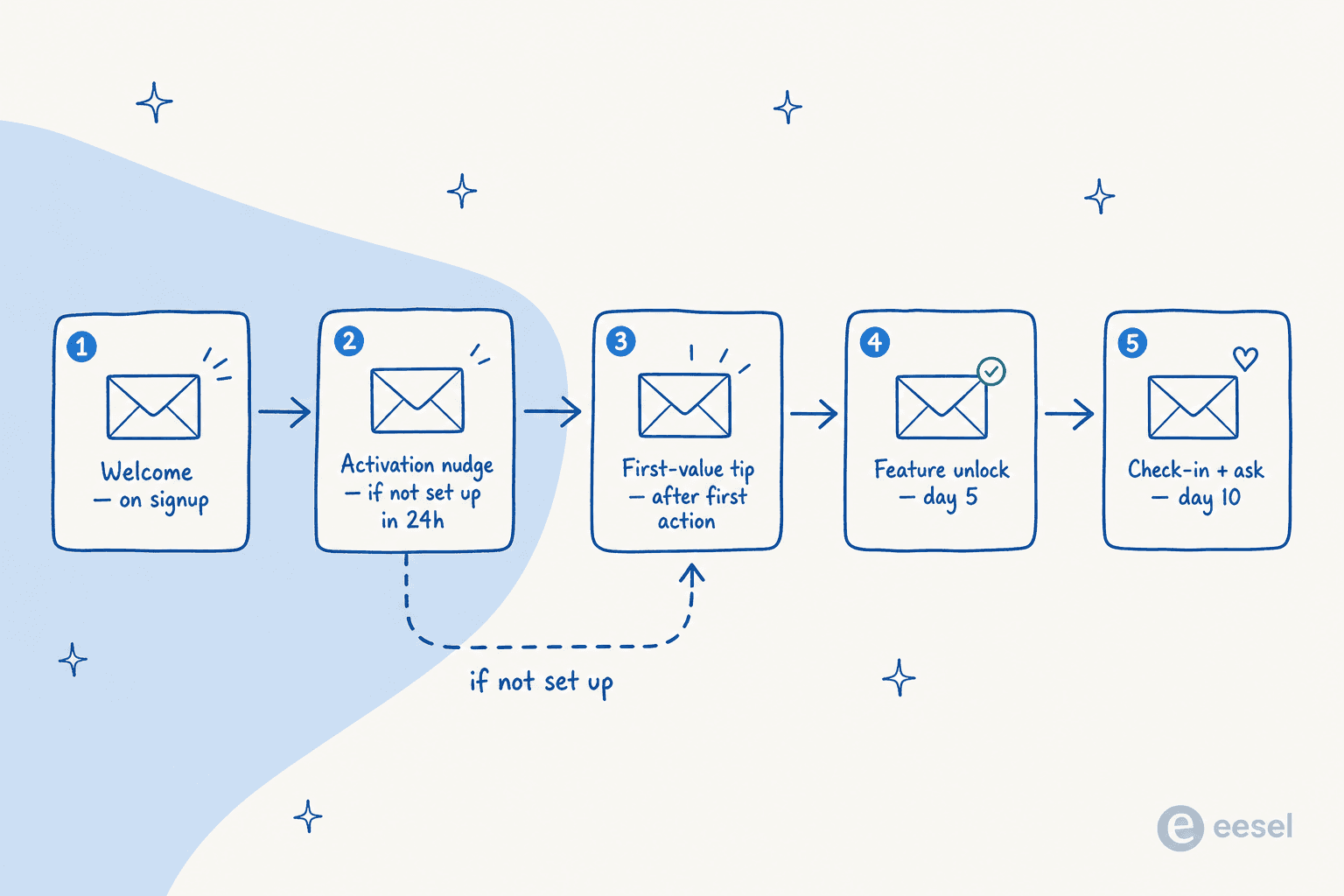
Put the two together and you have the recipe: feed the generator real product context and the questions users get stuck on, draft the sequence, review it, then wire each email to an activation signal. That's a workflow, not a prompt, and it's closer to running a small content pipeline than hitting "generate."
The half everyone forgets: onboarding emails create support tickets
Here's the part I see from the support queue that the marketing guides never mention. Every onboarding email is an invitation to reply. "Stuck? Just hit reply." "Reach out if you have questions." And new users do, in volume, with exactly the predictable questions I described at the top.
So the job isn't done when the sequence sends. It's done when the questions the sequence triggers get answered fast, without a human burning their morning on the same five tickets. This is where the content side and the support side meet, and where a generic email tool leaves you exposed.
The teams that get onboarding right close the loop: the same week-one questions that shape the email sequence also train the AI knowledge base chatbot that fields the replies. Answer the top setup blocker in email and instantly in chat, and activation climbs while the inbound load stays flat. Treat the email as the finish line and you've just scheduled yourself a support spike. The same logic applies to employee onboarding questions on the internal side.
Try eesel for the onboarding questions your emails create
eesel isn't a Mailchimp or a Customer.io, and it won't send your drip campaign. Where it earns its place is the moment right after: a new user reads your getting-started email, gets stuck, and asks. eesel's AI support agent trains on your help center, past tickets, and macros, then answers those questions instantly in chat or email, the same way your best onboarding specialist would.
The differentiator is that it learns from your solved tickets, not just your help-center articles, so it knows how your team actually answers the week-one questions, and you can run it against past tickets in simulation mode before it ever replies to a live user. Need the email copy too? eesel's free AI Writer drafts the sequence, and the same content engine publishes SEO posts at real scale (one team runs 360 a month through it).

So instead of an onboarding flow that activates some users and quietly buries your support team under the rest, you get both halves working together. You can try eesel free and point it at your own docs to see what it drafts.
Frequently Asked Questions

Share this article

Article by
Riellvriany Indriawan
Riell is a designer and writer at eesel AI with about two years of experience researching CX platforms, AI chatbots, and helpdesk software. She combines her design background with a sharp eye for how these tools actually look and feel in practice — making her comparisons unusually visual and user-focused.