AI ticket tagging for ecommerce: how it works and how to set it up


Last edited June 20, 2026

Table of Contents
- I spend my day in an ecommerce inbox, so here's the honest version
- What AI ticket tagging actually is
- How the big ecommerce helpdesks tag tickets
- Where native tagging runs out of road
- What good ecommerce tagging looks like: tag, then triage, then act
- How to set up AI ticket tagging for your store
- Try eesel for ecommerce ticket tagging
I spend my day in an ecommerce inbox, so here's the honest version
I'm on the support team at eesel, and a lot of what I do is the unglamorous middle of support: reading a ticket, working out what it's actually about, and getting it to the right place. We've spent the last few years building and running AI on live support queues, across thousands of real tickets, so I've watched what tagging does when it works and what it does when it quietly mislabels half your returns as "general question."
Here's the number that made it click for me. We ran a trial for a German online jewelry retailer doing about 1,000 tickets a month on Zendesk and Shopify. With the AI trained on their own ticket history, triage came in at 93% accuracy, 100% spam detection with zero false positives, and the draft replies it suggested were directionally useful 93.8% of the time on returns and refunds and 100% on product questions. That's not a generic classifier guessing from keywords. That's a model that learned what their tickets look like.
The reason this matters for ecommerce specifically: your inbox is more predictable than almost any other kind of support. When Gridwise ran eesel on Zendesk, their team noted the platform's "automations for ticket tagging, assignment, and status updates" alongside resolving 73% of tier-1 requests in the first month. Predictable volume is exactly what tagging is good at.
What AI ticket tagging actually is
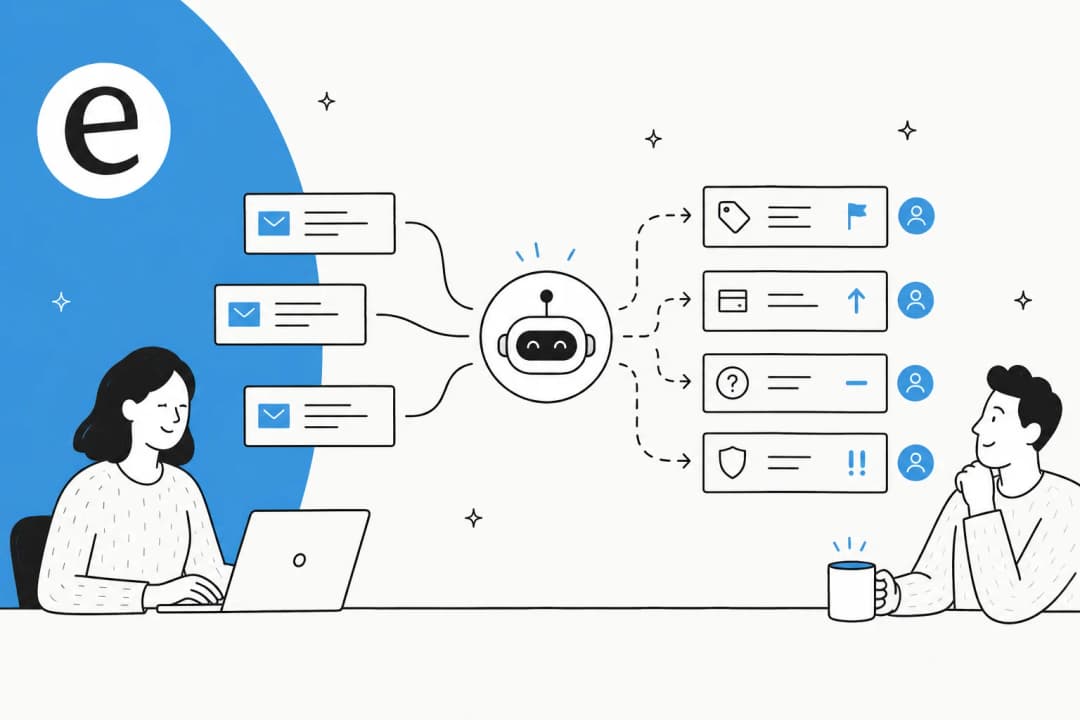
Strip away the marketing and tagging is just classification. A model reads an incoming message and writes labels onto the ticket:
- Intent (or "topic"): what the customer wants. Returns, exchange, order status, refund, subscription change, product question.
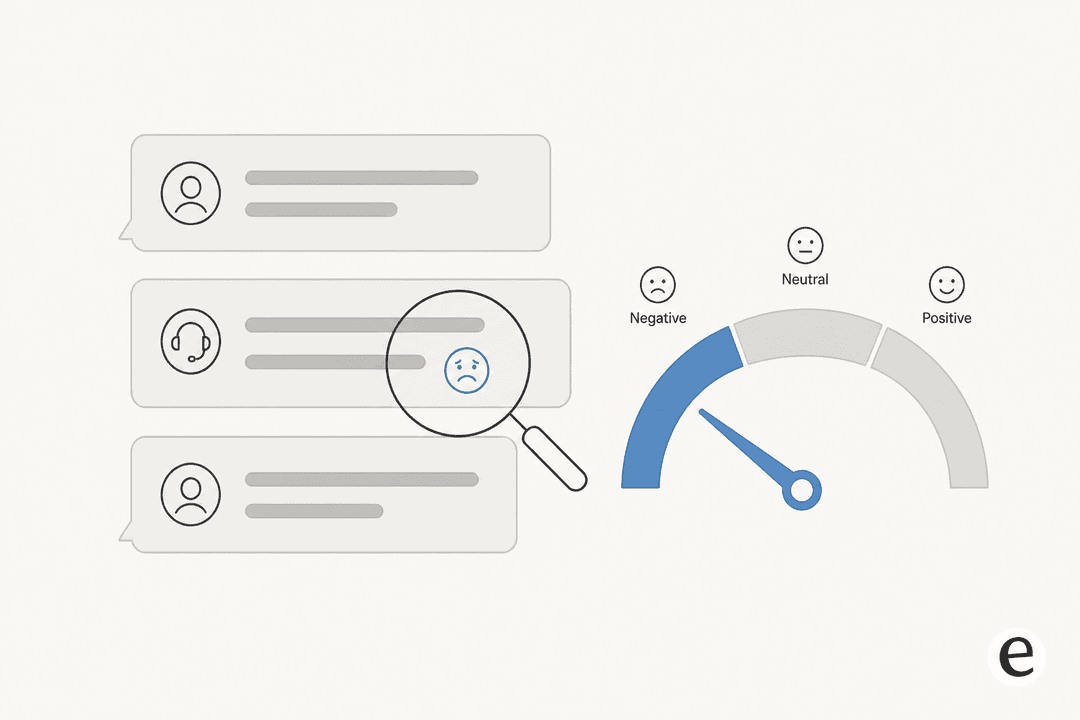
- Sentiment: how they feel. Positive, neutral, negative, sometimes a "very negative" or "threatening" bucket for the angry ones.
- Language: so a French ticket can go to a French-speaking agent or get a localised reply.
- Entities: specific details pulled out of the text, like an order number or a product name.
Those labels are the input to everything downstream: routing to the right team, prioritising the furious customer, firing an auto-reply on a known refund question, or surfacing a report of what people are actually contacting you about. Tagging is the foundation that ticket triage and support ticket automation are built on. Get the tag wrong and everything after it goes to the wrong place.
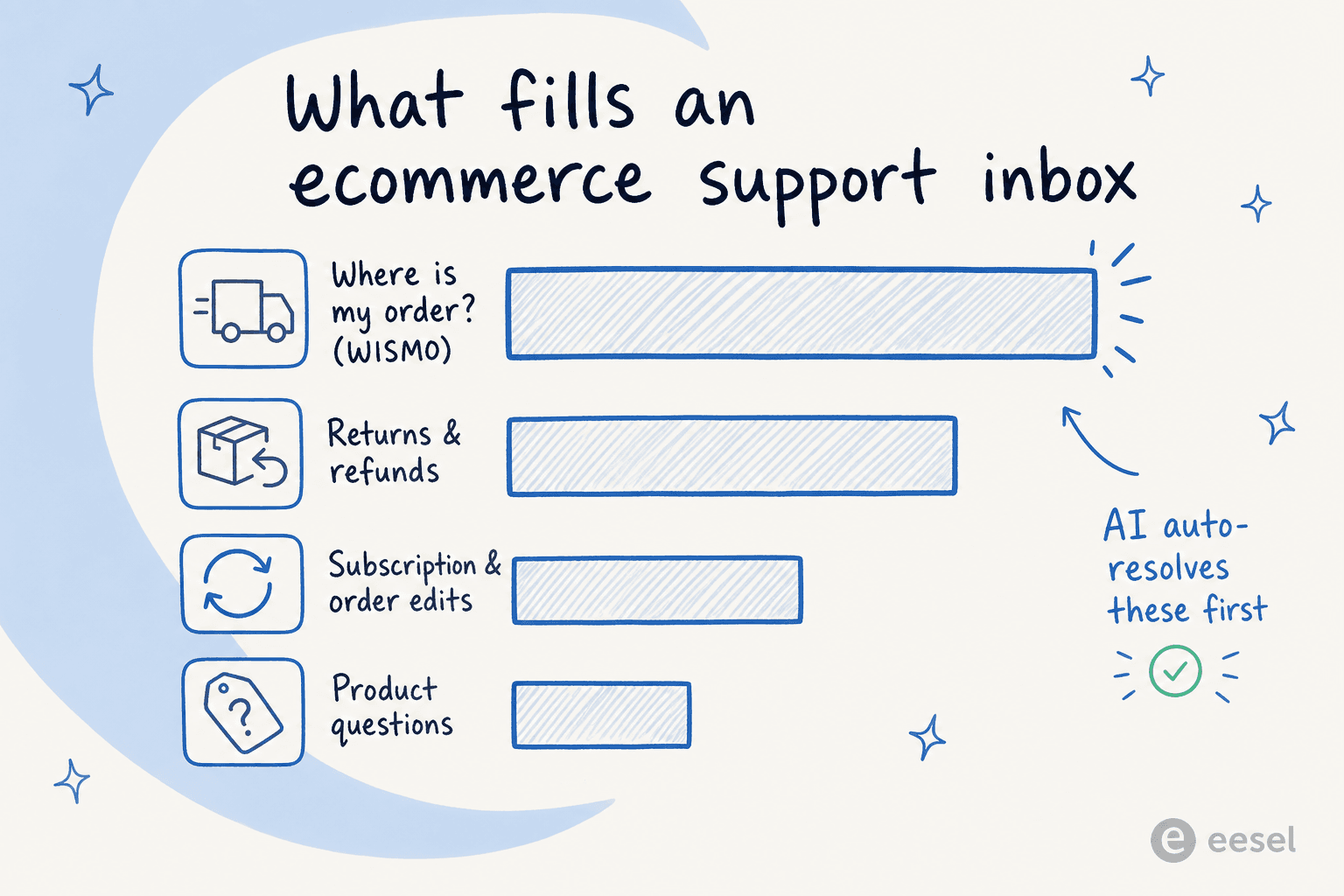
For an ecommerce store, the intents cluster tightly around store operations. That's the whole reason this is automatable.
How the big ecommerce helpdesks tag tickets
If you're on Gorgias, Zendesk or Freshdesk, you already have native AI tagging. They're genuinely good at the core job, so it's worth knowing exactly what each one does before you reach for anything else.
Gorgias: intent and sentiment detection feeding rules
Gorgias is the most ecommerce-native of the three, and its model is the cleanest to reason about. When a ticket comes in, Gorgias detects intent and sentiment against a fixed list, labels the message when it's confident, and leaves the field blank when it isn't. The intent taxonomy is built around a store: Return/Status, Order/Cancel, Refund/Request, Shipping/Delivery-Issue, Subscription/Cancel, and so on. A single message can carry several intents.
The key thing to understand is the two-layer split. The AI detects the intent; a Gorgias rule is what actually applies a tag and takes an action, on a WHEN → IF → THEN builder. Gorgias even ships a ready-made "Identify intents and sentiments" template that tags tickets RETURN/EXCHANGE, ORDER-STATUS, PRODUCT and PROMOTION for you. Those tags then drive routing, the Tags report, and dedicated views like an all-negative-sentiment queue. If you want to go deeper, we've written about Gorgias tags and how to use Gorgias AI to split refund from exchange intent.
Two honest gotchas. Basic detection is available on all helpdesk plans, but the richer AI Agent intent analytics need a separate subscription. And there's a real trap in the automation engine: the Ticket Updated trigger does not fire on changes to message intents, so a tagging pipeline built the obvious way can silently miss tickets.
Zendesk: intelligent triage behind the Copilot add-on
Zendesk's feature is called intelligent triage, and it classifies four things on every incoming ticket: topic, sentiment, language, and entities. Zendesk says it saves 30 to 60 seconds per request by removing manual reading and categorising. Each classification carries a confidence score, and agents can override any value.
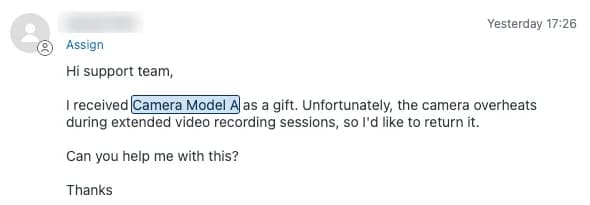
The entity piece is the most useful for ecommerce. Entity classification pulls specific details like product names and order numbers out of the message and highlights them in the ticket, and you can wire it to auto-fill a custom ticket field.
The catch is cost and scope. Intelligent triage isn't in the base Suite plans, it requires the Copilot add-on at $50/agent/month on top of your plan. And there's a limit that bites multilingual stores: when you build triggers or reports on triage values, those values are only available in English, even though the model can classify many languages. If you want to act on the tags, our Zendesk ticket routing automation guide covers the next step.
Freshdesk: Freddy Auto Triage
Freshdesk's tagging engine is Freddy Auto Triage, part of Freddy AI Copilot. It predicts values for three default fields (Priority, Group, Type) plus custom dropdowns and nested fields, by analysing the ticket text, customer intent and sentiment, and your historical ticket patterns.
You can run it in Manual mode (Freddy suggests, agent clicks Apply) or Automatic mode (the value is applied on ticket creation). It's flexible, but the prerequisites are the heaviest of the three: it needs a Freshdesk Pro or Enterprise plan plus the paid Copilot add-on (roughly $84/agent/month combined), a recommended minimum of about 2,000 historical tickets before predictions are reliable, and it only fires on Email and Portal tickets. One more thing that trips people up: if an automation rule and Auto Triage both try to set the same field, the rule always wins. The full cost picture is in our Freshdesk AI pricing guide, and if Freddy isn't a fit there are Freshdesk AI alternatives worth a look.
Side by side
| Helpdesk | Tagging feature | What it labels | Plan to unlock it | Realistic cost | The limit that bites |
|---|---|---|---|---|---|
| Gorgias | Intent & sentiment detection → rules | Intent (fixed list), sentiment | Detection on all helpdesk plans; analytics needs AI Agent | Helpdesk from $10–$300/mo; $0.40/ticket overage | Fixed taxonomy; Ticket Updated ignores intent changes |
| Zendesk | Intelligent triage | Topic, sentiment, language, entities | Copilot add-on on Suite / Support Pro+ | +$50/agent/mo on top of base plan | Triage values are English-only in triggers & reports |
| Freshdesk | Freddy Auto Triage | Priority, Group, Type, custom dropdowns | Pro/Enterprise + Freddy Copilot add-on | ~$84/agent/mo combined | Needs ~2,000 tickets; Email/Portal only; rules override AI |
Where native tagging runs out of road
Native tagging is fine at putting a label on a ticket. The trouble starts when you want that label to actually do something, and to keep doing it as your catalogue and policies change.
A few patterns I keep running into with ecommerce teams:
- The taxonomy is fixed, your store isn't. A pre-baked intent list doesn't know about your "pre-order delay" flow or the difference between a warranty claim and a damaged-in-transit claim. You're stuck mapping your real contact reasons onto someone else's categories.
- You pay per seat to tag. Zendesk and Freshdesk both charge a per-agent add-on, so the cost of tagging scales with headcount, not with how many tickets you actually tag.
- The label is the finish line. The helpdesk tags the ticket and hands it back to you. Routing, drafting, replying, that's still all manual unless you build it. Tagging without action just makes a tidier backlog.
- It needs a lot of history before it's trustworthy, and even then it's classifying, not learning your tone or your answers.
This is the gap. The tag is step one of three, and most native tools only do step one.
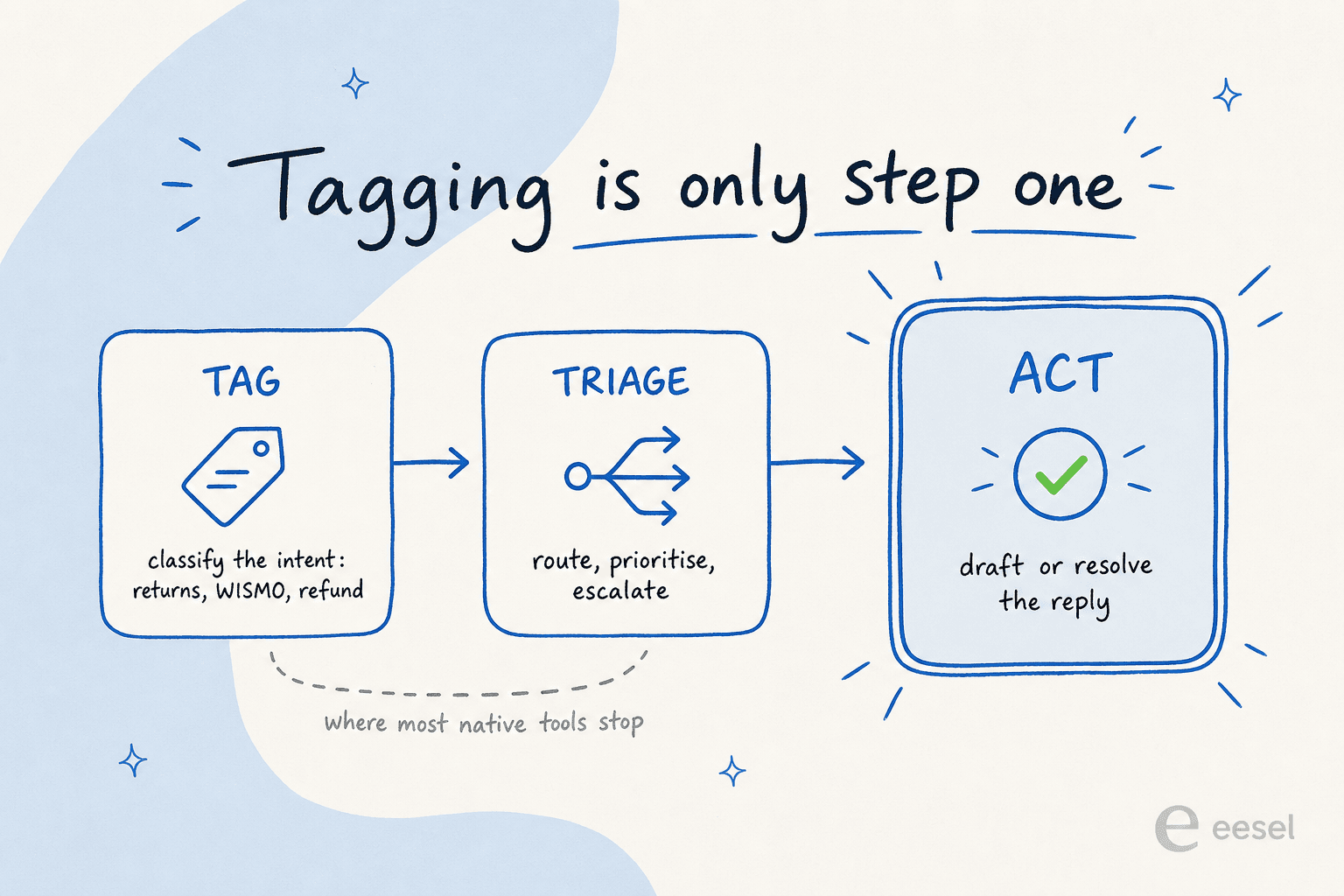
What good ecommerce tagging looks like: tag, then triage, then act
The version I'd actually want running on a store inbox does three things in one pass, and it learns from your own tickets to do them.
First, it learns your tags from your history, not from a generic list. Train on a year of solved tickets and the model picks up that "my package says delivered but I don't have it" is your porch-piracy flow, and tags it that way, in your words. This is the single biggest accuracy lever, and it's why that jewelry-store trial hit category usefulness in the 90s rather than the 60s.
Second, it triages and acts on the tag. Tagged a refund-status question? Draft the reply from your refund policy and the order data. Tagged an angry "where's my order" on a VIP customer? Escalate it. The tag isn't filed, it's used.
Third, it stays under your control. This is the objection I hear most, and it's the right one to have. As one CX lead at a DTC supplements brand on Gorgias and Shopify put it to us:
"The AI will never be able to answer 100% of the questions... I need an AI who is only handling the tickets that it's confident to handle and all the other ones, leave them alone."
That's the whole game. Tag and act on what you're confident about; leave the rest for a human. A team I worked with running B2B vehicle telematics on Zendesk wanted exactly this combination, auto-tagging from a defined tag list, field auto-fill, escalation workflows, plus replies in the customer's own language, all without handing the AI the keys to everything.
This is the model eesel is built around. It connects to the helpdesk you already run, learns your tags from past tickets, and then drafts or resolves inside Gorgias, Zendesk or Freshdesk, no migration required.
How to set up AI ticket tagging for your store
Here's the order I'd actually do it in, whether you use a native tool or layer something on top.
- Map your real contact reasons first. Before touching any AI, pull your last few months of tickets and list the intents that actually show up. This is your tag list. If you skip this, you'll inherit a vendor's taxonomy and spend months fighting it. Our guide to working with ticket tags is a good starting point.
- Connect your historical tickets. Accuracy comes from history. Freshdesk wants ~2,000 tickets for a reason. Point the model at your solved tickets so it learns your patterns, your products, and your tone.
- Simulate before you go live. This is the step that saves you. Replay the AI against thousands of past tickets and look at how it would have tagged and answered them, so you catch the misroutes in a dashboard instead of in front of a customer.
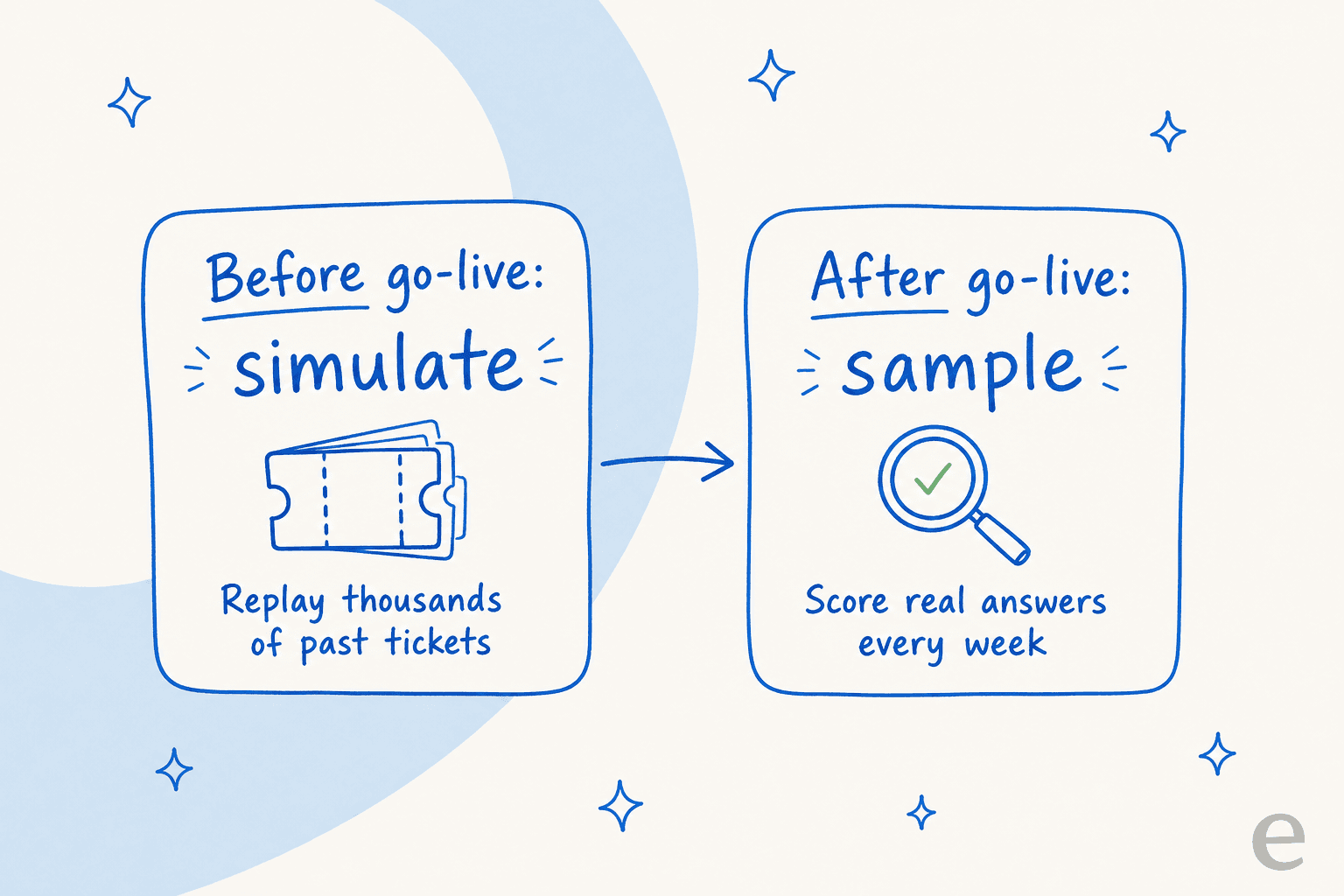
- Turn it on for confident intents first. Start with the high-volume, low-risk tags, order status, tracking, simple product questions, and let the AI act on those. Keep refunds and angry escalations supervised until you trust the numbers.
- Review weekly and feed corrections back. Every time an agent fixes a mislabelled ticket, that's training data. A setup that learns from corrections gets better; one that doesn't just repeats the same mistake.
If you want the broader picture of automating the queue around your tags, we've covered ticket automation and customer service automation in more depth.
Try eesel for ecommerce ticket tagging
If you're running an ecommerce inbox on Gorgias, Zendesk or Freshdesk and the native tagging stops at the label, that's the gap eesel fills. It plugs into your existing helpdesk in a few minutes, learns your tags and answers from your past tickets, and then tags, triages, drafts and resolves, only on the tickets it's confident about. The simulation mode lets you run it against your real ticket history first, so you see the accuracy before a single customer is affected, and pricing is usage-based rather than per-seat, so tagging doesn't get more expensive every time you hire.
It's free to try, no credit card, and you can have it tagging your inbox the same afternoon. Take a look at the ecommerce AI agent or check pricing to see what it'd cost on your volume.

Frequently Asked Questions

Share this article

Article by
Riellvriany Indriawan
Riell is a designer and writer at eesel AI with about two years of experience researching CX platforms, AI chatbots, and helpdesk software. She combines her design background with a sharp eye for how these tools actually look and feel in practice — making her comparisons unusually visual and user-focused.