A complete overview of Freddy AI Copilot in 2025


Last edited October 21, 2025

AI assistants are popping up everywhere in customer support and IT toolkits, and for good reason. They promise to take over the repetitive tasks so agents can focus on the trickier problems that need a human touch. Freshworks has its own player in the game: Freddy AI Copilot.
This guide gives you a straight-up look at what Freddy does, what it costs, and where it might fall short, especially for teams who need an AI that can work with all their tools, not just one.
What is Freddy AI Copilot?
Freddy AI Copilot is the AI assistant built right into the Freshworks product family, mainly showing up in Freshdesk for customer service and Freshservice for IT teams. Its main goal is to help agents work faster and smarter by drafting replies, summarizing long ticket threads, and automating some of the more tedious parts of their day.
It's worth mentioning that Freshworks has another Freddy Copilot for developers, but we're focusing on the one your support and IT agents will be using every day inside their helpdesk.
What can Freddy AI Copilot actually do?
Freddy AI Copilot is loaded with features designed to make an agent's life easier. But how do they hold up in a real-world support environment? Let's break down its main functions and see where a more specialized AI platform might have the edge.
Freddy AI Copilot: Giving agents a hand
At its core, Freddy is there to act as a sidekick for your agents. It offers a few tools to speed up conversations and keep quality high:
-
Reply Suggester: It cooks up relevant responses based on old tickets and your knowledge base articles.
-
Ticket Summarization: This is a lifesaver. It turns long, messy ticket histories into a few key bullet points, which is perfect when you need to escalate an issue or hand it off to a teammate.
-
Tone Enhancer: It can rewrite an agent’s draft to sound more professional, empathetic, or casual, helping you keep your brand voice consistent.
-
Translation: For global teams, it offers real-time translation to help break down language barriers.
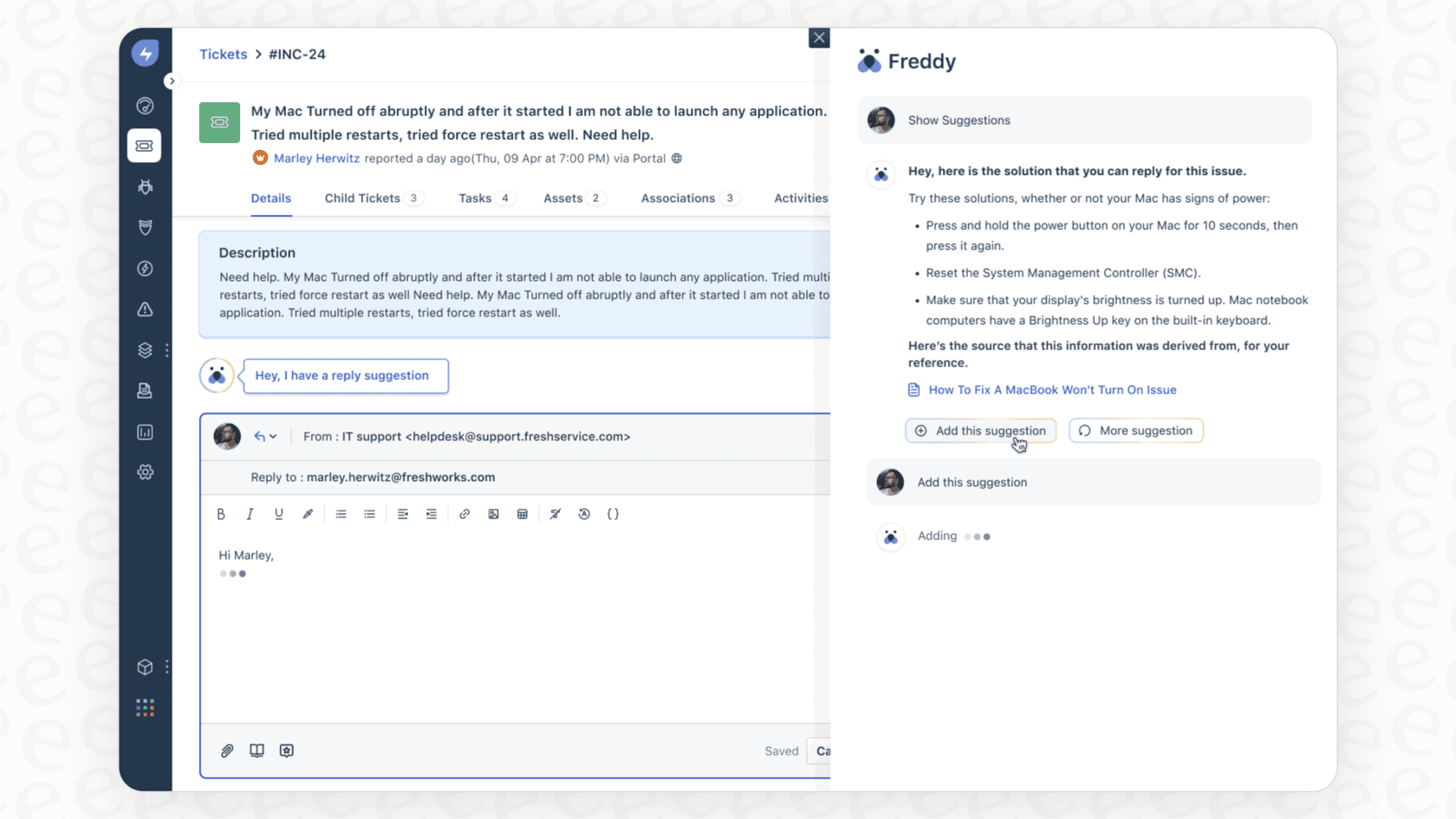
These are all genuinely useful features, but they share one big weakness: they operate inside a walled garden. Freddy mostly learns from data that lives inside your Freshworks account. So what happens when the answer a customer needs is buried in a Confluence page, a Google Doc, or a random Slack thread? The AI is stuck.
This is where a tool like eesel AI really opens things up. Instead of being locked into one platform, it pulls your knowledge together from everywhere. It connects to Confluence, Google Docs, your website, and over 100 other apps to give agents and bots the full picture, no matter where the info is hiding.

Freddy AI Copilot: Automation on the back end
Beyond just helping with replies, Freddy also tidies up things behind the scenes. Its Ticket Field Suggester automatically categorizes new tickets, the Similar Ticket Suggester helps you find related issues, and Sentiment Analysis can flag angry customers so you can jump on their tickets first.
This is helpful for basic routing and sorting. The catch, though, is that you're stuck with the automation rules that Freshworks gives you. If you need your AI to do something more specific, like check an order status in Shopify and then tag the ticket, you’ll probably find yourself stuck.
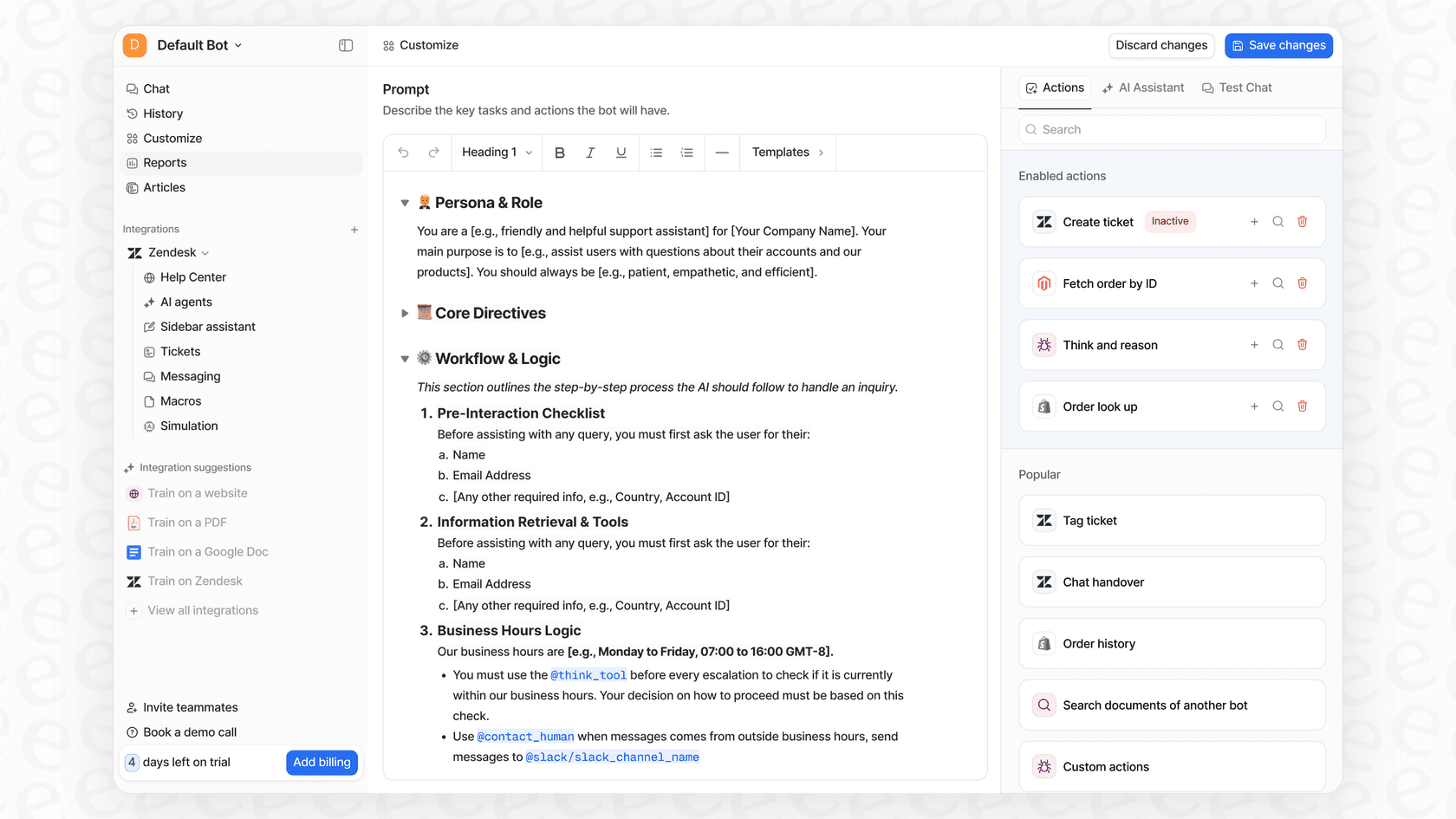
In contrast, eesel AI is built on a fully customizable workflow engine. You get total control over which tickets the AI handles and what it does with them. You can create custom actions that let the AI look up live information from other systems, update ticket fields, or escalate to a specific person based on your own logic. It’s automation that actually fits your workflow, not the other way around.
Freddy AI Copilot: Knowledge base and self-service help
One of Freddy’s neater tricks is its Help Article Generator. It can look at a resolved ticket and spin up a draft article for your knowledge base. This is a pretty cool way to fill content gaps and build out your help center based on actual customer problems.
The only issue is that this is a reactive way of managing knowledge. You’re creating content after an agent has already solved the problem. A better way would be to get ahead of the curve by spotting what customers are asking about most and where your knowledge base is letting them down.
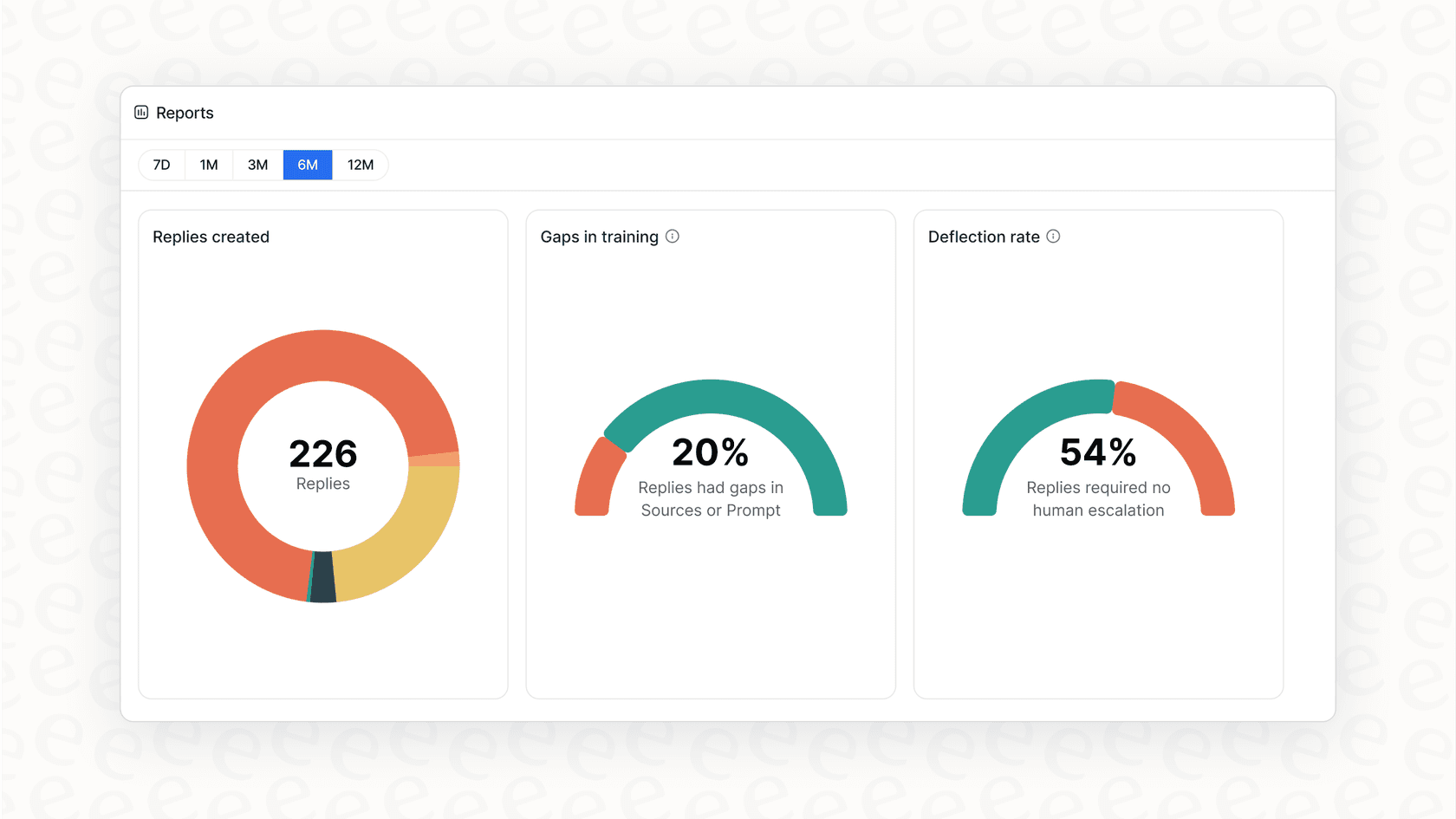
That’s exactly what the reporting in eesel AI is for. Its analytics don't just show you what the AI did; they flag the questions it couldn't answer and show you the top themes in your support tickets. This gives you a clear, data-backed to-do list for your knowledge base, making sure you’re always writing about what your customers actually care about.
Freddy AI Copilot pricing explained
Alright, let's talk money. Figuring out the cost of a new tool is always a big step. Freddy AI Copilot’s pricing is pretty straightforward, but it comes with a few strings attached.
First off, it’s a paid add-on. You can't get it with the cheaper Freshdesk or Freshservice plans; you have to be on a Pro or Enterprise plan to even have the option. Second, you pay for it per agent, per month.
Here's the official breakdown from Freshworks:
| Billing Frequency | Price per Agent (USD) | Price per Agent (EUR) | Price per Agent (GBP) |
|---|---|---|---|
| Annual | $29 | €29 | £23 |
| Monthly | $35 | €35 | £28 |
This model can get pricey, and fast. For a large team, that’s a serious monthly expense. The bigger problem is that you’re paying for a seat license, regardless of whether an agent uses the copilot ten times a day or twice a month. There’s no wiggle room for teams where usage might go up and down.
This is a totally different approach from eesel AI's pricing model, which is based on AI interactions. With eesel AI, you pay for the value you actually get, not for how many people are on your team. This makes your costs predictable and ties them directly to how much work the AI is actually doing for you. Plus, eesel AI offers flexible month-to-month plans, so you aren’t locked into a year-long contract.
Freddy AI Copilot: Setup, implementation, and limitations
Getting new software up and running can be a pain, so let's look at what it takes to get Freddy AI Copilot going and the bigger-picture limitations you should think about.
The Freddy AI Copilot setup process and vendor lock-in
If you're already a Freshworks customer on the right plan, switching on Freddy is easy since it's built in. You buy the add-on licenses, give them to your agents, and you’re off to the races.
The major downside here is vendor lock-in. Freddy AI Copilot only works with Freshworks. Your whole AI setup, all the training, and your entire investment are chained to their ecosystem. If you ever decide to switch to a different helpdesk like Zendesk or Intercom, you lose it all and have to start over from square one.
This is why a platform-agnostic solution like eesel AI is a safer, more future-proof bet. It plugs into your current helpdesk, including Freshdesk, in just a few minutes. If you ever decide to switch platforms, it can move right along with you. The setup is completely self-serve, so you can go live without sitting through long sales calls or mandatory demos.
Testing and rolling out Freddy AI Copilot with confidence
Once Freddy is live, Freshworks gives you usage reports showing which features are being used and by who. This data is good for seeing who's using it, but it’s all after the fact. You can only see how it’s performing after it’s already talking to customers.
That approach leaves a lot to chance. How can you be sure the AI will do a good job before you let it loose?
eesel AI solves this with a powerful simulation mode. Before you activate anything for your customers, you can test your entire AI setup on thousands of your past tickets in a safe, sandboxed environment. This gives you a surprisingly accurate forecast of your resolution rate, shows you exactly how the AI will respond to different questions, and lets you tweak its behavior before it ever sees a real customer. You can launch your AI knowing exactly how it’s going to perform.

The verdict: Is Freddy AI Copilot right for you?
So, should you go with Freddy AI Copilot? It really depends on what your team needs now and where you see yourself in a few years.
Freddy is a decent choice for teams who are all-in on the Freshworks ecosystem and just want a simple, integrated AI assistant to help agents out. It has a good set of features that will definitely save them some time.
However, the downsides are pretty big. The vendor lock-in, rigid per-agent pricing, inability to connect to outside knowledge, and lack of any pre-launch testing make it a tough sell for teams who want flexibility, control, and a clear return on their investment.
Here’s a quick summary of how it compares to a dedicated AI platform:
| Feature | Freddy AI Copilot | eesel AI |
|---|---|---|
| Platform Compatibility | Freshworks suite only | Integrates with Freshdesk, Zendesk, Gorgias, & more |
| Knowledge Sources | Limited to Freshworks data | Unifies knowledge from Confluence, Google Docs, Notion, & 100+ sources |
| Setup & Onboarding | Built-in for specific plans | Completely self-serve; go live in minutes |
| Automation Control | Standard, rule-based | Fully customizable workflow engine with custom API actions |
| Pre-Launch Testing | Post-launch usage reports | Powerful simulation mode on historical tickets for ROI forecasting |
| Pricing Model | Per-agent, per-month | Interaction-based; you pay for the value you get |
The Freddy AI Copilot takeaway: Think beyond built-in AI
While Freddy AI Copilot is a capable tool for die-hard Freshworks users, it feels like an older, more rigid way of doing AI. Today's support and IT teams work across dozens of apps, and their knowledge is scattered everywhere. They need an AI that can bring all that knowledge together, adapt to their specific workflows, and give them the confidence to automate without crossing their fingers. A built-in solution just can't offer that kind of freedom.
Ready to see what an AI platform that adapts to your tools can do? Plug AI into your Freshdesk or other helpdesk in minutes. Try eesel AI for free.
Frequently asked questions

Share this article

Article by
Stevia Putri
Stevia Putri is a marketing generalist at eesel AI, where she helps turn powerful AI tools into stories that resonate. She’s driven by curiosity, clarity, and the human side of technology.