Freshservice Starter plan: Features, pricing, and limitations in 2026

Last edited March 11, 2026
Table of Contents
If your IT team is still managing requests through a shared email inbox, you've probably started looking for something better. Freshservice is one of the first names that comes up, and their Starter plan at $19 per agent looks like an easy entry point. But before you sign up, you need to know exactly what you're getting and, more importantly, what you're not.
This guide breaks down the Freshservice Starter plan: the features, the limitations, the hidden costs, and whether it's actually the right fit for your team.
What is Freshservice?
Freshservice is an IT Service Management (ITSM) platform built by Freshworks. It's designed specifically for internal IT teams rather than customer-facing support. Think of it as a specialized tool for managing employee tech requests, onboarding new hires, tracking assets, and running your IT operations.
The platform follows ITIL (Information Technology Infrastructure Library) principles, which means it structures workflows around industry best practices for incident management, problem resolution, and change control. Freshservice is used by over 74,000 businesses including companies like Databricks, Marvel, and the University of Oxford.
It's worth noting that Freshservice is different from Freshdesk, another Freshworks product. Freshdesk handles customer support tickets, while Freshservice focuses on internal IT and employee service management. If you're looking for a customer-facing helpdesk, you're in the wrong place.
Freshservice Starter plan pricing and features
Pricing breakdown
The Starter plan costs $19 per agent per month when billed annually, or $29 per agent if you pay monthly. There's no minimum agent requirement, so you can start with just one or two seats. Freshservice offers a 14-day free trial with full access to test the platform before committing.
Here's how the annual billing compares across all plans:
| Plan | Annual Price | Monthly Price | Best For |
|---|---|---|---|
| Starter | $19/agent/month | $29/agent/month | Small teams starting their first service desk |
| Growth | $49/agent/month | $59/agent/month | Teams building foundational IT practices |
| Pro | $99/agent/month | $119/agent/month | Advancing teams unifying service management |
| Enterprise | Custom pricing | Custom pricing | Mature IT organizations with AI needs |
Source: Freshservice pricing
What's included in Starter
The Starter plan covers the basics of ticket management. You get incident management to track and resolve IT issues, a knowledge base for self-service, and a self-service portal where employees can submit requests. SLA management lets you set response time targets, and workflow automation (limited to 1,000 orchestration transactions per month) handles basic routing and notifications.
You also get mobile apps for iOS and Android, access to the Freshservice Marketplace for integrations, custom SSL for your portal, and ServiceBot for Microsoft Teams and Slack. Analytics are limited to the Starter tier, which gives you basic reporting but not the deeper insights available on higher plans.
Feature limitations by plan
The real story is what you don't get. Here's a clear comparison:
| Feature | Starter | Growth | Pro |
|---|---|---|---|
| Asset management | Not included | 100 assets | Unlimited |
| Service catalog | Not included | Included | Included |
| Problem management | Not included | Not included | Included |
| Change management | Not included | Not included | Included |
| Portal customization | Not included | Included | Included |
| Orchestration transactions/month | 1,000 | 2,000 | 5,000 |
Source: Freshservice pricing
Key limitations of the Freshservice Starter plan
The most significant gap is asset management. If your team needs to track laptops, monitors, software licenses, or any physical IT equipment, Starter won't help you. That's a major limitation for most IT departments, even small ones.
The 1,000 orchestration transactions per month sounds like plenty until you start automating. Every automated action (sending a notification, updating a field, routing a ticket) counts as one transaction. A moderately active team can burn through this limit quickly.
You also miss out on the service catalog, which lets you standardize common requests like password resets or software access. Without it, every request becomes a custom ticket. Portal customization is locked behind Growth, so your self-service portal will look like every other Freshservice customer's.
The ITIL processes (problem management, change management, release management) are only available on Pro and above. If your organization needs formal change approval workflows or root cause analysis tracking, Starter won't cut it. Project management capabilities are also missing, so you can't track IT projects within the same system.
Hidden costs to consider
The $19 per agent sticker price is just the starting point. If you need asset management later, you'll pay $75 per 500 assets as an add-on. If you hit your orchestration limit, additional transaction packs cost $250 per 1,000 transactions.
Want AI assistance? Freddy AI Copilot costs approximately $29 per agent per month as an add-on. Freddy AI Agent is only included on Enterprise plans. Day passes for occasional agents (contractors or temporary staff) start at $3 each.
Let's run the numbers for a 5-agent team. At Starter pricing, you're looking at $95 per month annually. But if you need asset management for 200 devices, that's an extra $150 per month. Add Freddy AI Copilot for two key agents and you're up another $58. Suddenly you're paying $303 per month for what looked like a $95 plan.
Training and onboarding costs are easy to overlook. Freshservice has a learning curve, especially if you're moving from email or a simpler tool. Factor in the time your team spends learning the system and configuring workflows.
Who should use the Starter plan?
Good fit for:
- Very small IT teams (2-5 agents) with straightforward needs
- Teams moving from shared email inboxes who need basic ticket tracking
- Organizations with simple IT requests that don't require asset tracking
- Companies testing ITSM before committing to a larger investment
- Teams that primarily need incident management and knowledge base functionality
Not a good fit for:
- Teams needing asset tracking or inventory management
- Organizations with 100+ employees where IT complexity scales quickly
- MSPs (Managed Service Providers) managing multiple client environments
- Teams requiring ITIL compliance or formal change management
- Companies with complex approval workflows or multi-stage processes
When to upgrade from Starter
Clear signals you need Growth ($49/agent):
- You're hitting the 1,000 orchestration transaction limit regularly
- You need asset management, even just for 100 assets
- You want to customize your self-service portal with your branding
- You need a service catalog to standardize common requests
- You're managing multiple SLAs for different types of requests
Clear signals you need Pro ($99/agent):
- ITIL processes are required (change management, problem management)
- You need project management capabilities for IT initiatives
- Software license tracking and contract management matter to your organization
- You want advanced analytics and custom reporting
- Alert management and on-call scheduling are priorities
eesel AI: A modern alternative for growing teams
If the Freshservice Starter plan limitations feel restrictive but you're not ready for a $99 per agent Pro plan, there's another approach worth considering. At eesel AI, we take a fundamentally different angle on service management.

Instead of a traditional ITSM platform you configure, we offer an AI teammate that learns your business and works alongside your team. Here's how we differ:
AI-first from day one. While Freshservice treats AI as an expensive add-on (Freddy AI Copilot at $29/agent, Freddy AI Agent only on Enterprise), our AI capabilities are core to the platform. You don't pay extra for intelligent assistance.
Progressive rollout. Like any new hire, our AI starts with guidance. You can have it draft replies for agent review, then gradually expand to autonomous responses as it proves itself. You're always in control of the pace.
Plain English instructions. Define behavior in natural language rather than complex workflow builders. Tell the AI "escalate billing disputes to Sarah" or "always CC the account manager for VIP customers." No coding required.
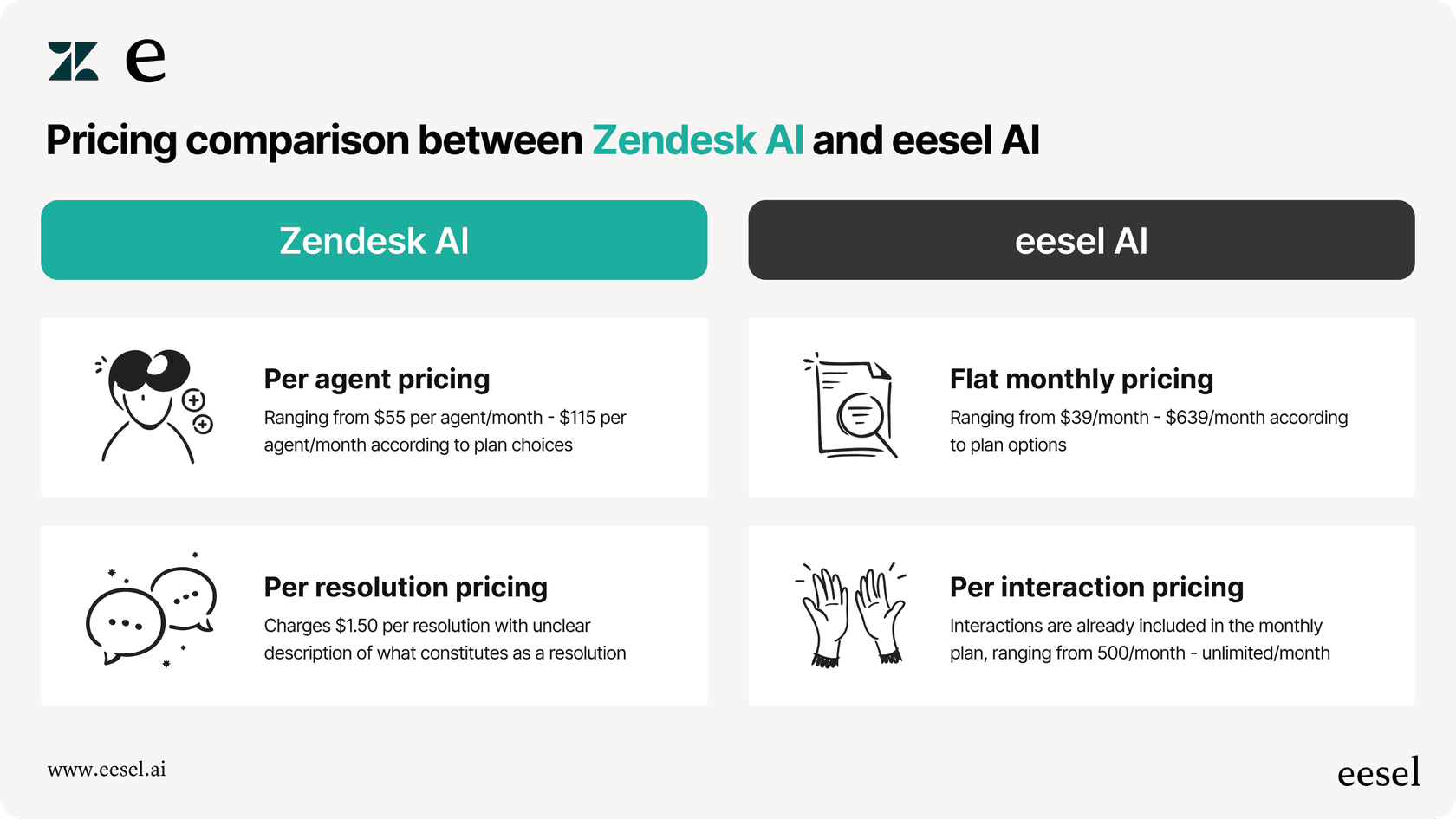
Per-interaction pricing. Our Business plan at $639 per month includes unlimited agents and 3,000 AI interactions. For a 10-agent team, that's $64 per agent versus Freshservice's $49 Growth plan, but you get full AI capabilities, asset management isn't an extra charge, and you can run multiple bots for different teams.
Works with your existing tools. We integrate with Zendesk, Freshdesk, Slack, Microsoft Teams, and 100+ other platforms. You don't need to migrate everything to a new system.
If you're finding Freshservice Starter too limited but the jump to Growth or Pro feels steep, try our 7-day free trial and see how an AI teammate approach compares.
Making the right choice for your IT team
Choosing the right plan comes down to three factors: team size, asset volume, and compliance needs.
For teams under 5 agents with no asset tracking requirements and simple ticketing workflows, Freshservice Starter can work. Just go in with realistic expectations about the limitations. Use the 14-day trial to test whether 1,000 orchestration transactions will actually cover your monthly volume.
If you're managing more than a handful of laptops and software licenses, factor the asset management add-on into your total cost. At $75 per 500 assets, it adds up fast. You might find that Growth at $49 per agent is actually cheaper once you include the add-ons you'd need on Starter.
Consider your 12-month growth trajectory too. If you're hiring and expect to double your team, the per-agent pricing model means your costs scale linearly. Alternative pricing models (like our per-interaction approach at eesel AI) might make more sense for rapidly growing teams.
Bottom line: calculate your total cost of ownership, not just the sticker price. Factor in add-ons, training time, and the cost of hitting limitations that force an upgrade mid-contract. The cheapest plan isn't always the most economical choice.
Frequently Asked Questions

Share this article

Article by
Stevia Putri
Stevia Putri is a marketing generalist at eesel AI, where she helps turn powerful AI tools into stories that resonate. She’s driven by curiosity, clarity, and the human side of technology.