Google Drive pricing: A no-nonsense guide to storage plans

Last edited August 20, 2025

Table of Contents
- Understanding Google Drive: Drive vs. One vs. Workspace
- Google Drive pricing for you and your family: Google One plans
- Google Drive pricing for your business: Google Workspace plans
- Beyond Google Drive pricing: When Google Drive isn't enough for your customer support team
- Making your Google Drive knowledge base actually work for you
- Picking the right Google Drive pricing plan
We've all been there. One minute you're happily saving files to Google Drive, your digital-filing-cabinet-in-the-cloud. The next, a bright red "Storage full" notification ruins your day. Now you're staring at upgrade options like Google One and Google Workspace, trying to figure out what they even are, let alone which one you need.
The main reason for the confusion is that Google splits its storage into two different buckets: one for personal use (Google One) and one for business use (Google Workspace). They both give you more room in Google Drive, but they’re designed for completely different worlds.
This guide will cut through the noise. We'll break down the Google Drive pricing structure, see how the plans stack up, and help you figure out which one makes the most sense for you or your business.
Understanding Google Drive: Drive vs. One vs. Workspace
Before we get into the dollars and cents, let's get the names straight. People often use them interchangeably, but they’re not the same thing.
Think of it like this:
- Google Drive: This is the cloud storage service itself. It’s the digital space where your files, photos, and documents live. It’s the foundation.
- Google One: This is the paid plan for your personal Google account. When you need more than the free 15 GB, you're buying a Google One subscription. It boosts your storage across Drive, Gmail, and Photos and throws in a few extra consumer perks.
- Google Workspace: This is the whole toolkit for businesses. It bundles Drive with professional must-haves like a custom email domain (@yourcompany.com), beefed-up security, admin controls, and features built for teamwork.
Here’s a quick way to keep them separate:
| Term | What It Is | Who It's For |
|---|---|---|
| Google Drive | The cloud storage service for your files. | Everyone |
| Google One | A paid subscription for more storage and personal perks. | Individuals & Families |
| Google Workspace | A paid suite of business apps, including Drive with team features. | Businesses & Organizations |
Google Drive pricing for you and your family: Google One plans
If you're just a regular person trying to back up your phone or an individual who needs to share storage with family, Google One is what you're looking for. Every Google account gets 15 GB for free, but let's be honest, that disappears fast with a few years of photos and email attachments. When it’s time to upgrade, you’ll pick from one of the Google One plans.
Google One tiers and what you get
The Google One plans are pretty simple. You pay more, you get more storage, and the pricier plans add a few extra benefits. The newest kid on the block is the "AI Pro" plan, which bundles Google's fancy AI tools with your storage.
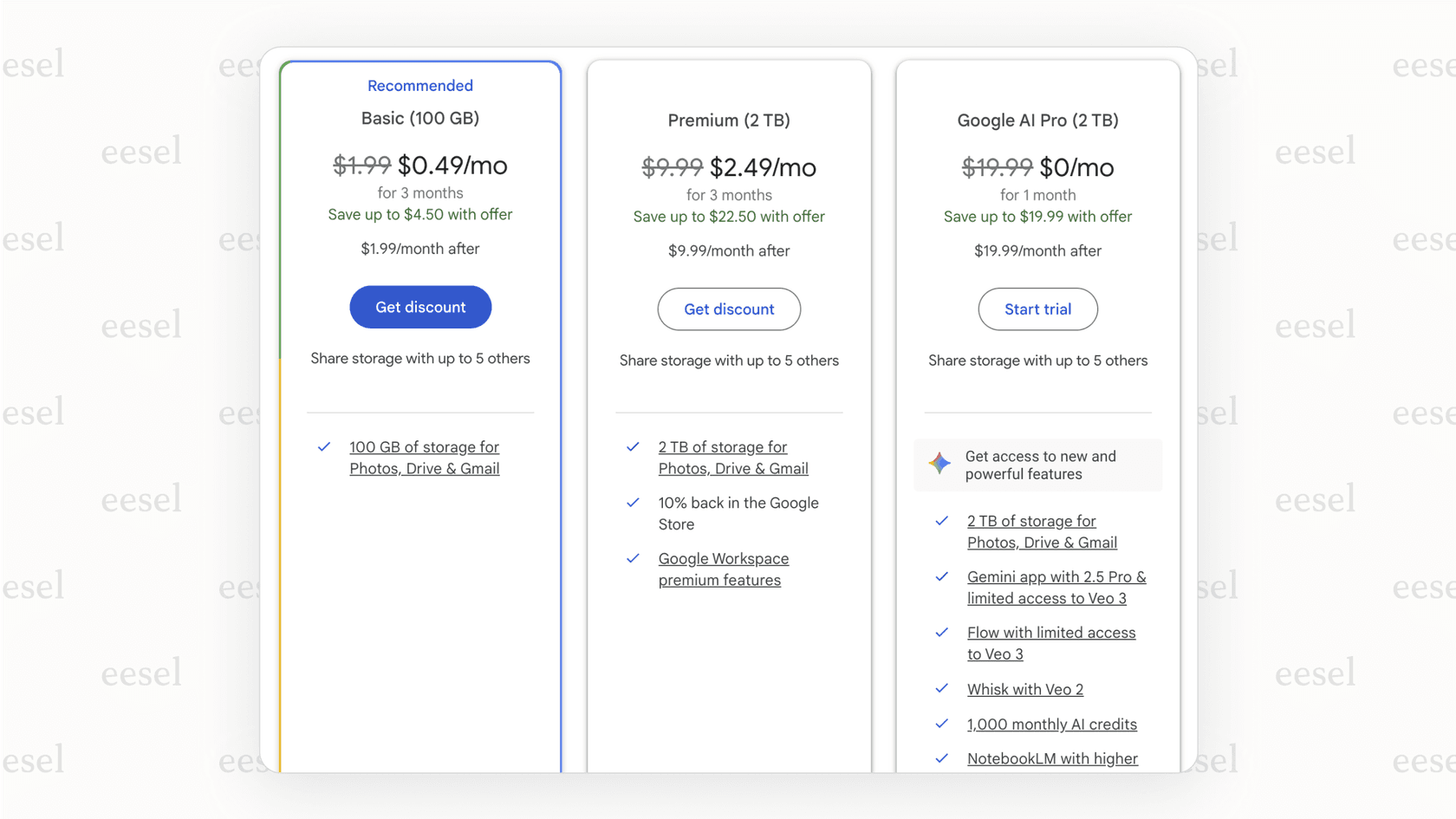
| Plan | Price (Monthly) | Price (Annual) | Storage | What You Really Get |
|---|---|---|---|---|
| Free | $0 | $0 | 15 GB | Shared across Drive, Gmail, & Photos. |
| Basic | $1.99/mo | $19.99/yr | 100 GB | Share with up to 5 others, access to Google support. |
| Premium | $9.99/mo | $99.99/yr | 2 TB | Everything in Basic + 10% back on Google Store purchases, premium Workspace features (like longer Meet calls). |
| AI Pro | $19.99/mo | N/A | 2 TB | Everything in Premium + Access to Gemini Advanced, Gemini in Docs, Gmail, and other AI tools. |
_Note: Prices are based on the US region and can change. Source: Plans & Pricing to Upgrade Your Cloud Storage - Google One_*
Who are these Google One plans actually for?
- Free (15 GB): This is for the minimalist. If you mostly write in Google Docs (which take up almost no space) and are disciplined about cleaning out your Gmail, you might be able to survive on this. For a while, anyway.
- Basic (100 GB): This is the sweet spot for most individuals. It gives you enough breathing room to automatically back up your phone's photos and videos without worrying, and to store a decent amount of files.
- Premium (2 TB): This is the plan for families, content creators, or the designated family photo archivist. If you're storing big files like high-res photos and 4K video, or have multiple people needing to back up their devices, the 2 TB plan has plenty of space and some nice perks.
- AI Pro (2 TB): This one’s for the tech enthusiasts and professionals who want to go all-in on Google's AI. If you want Gemini to help draft your emails, organize ideas in Docs, or generate images, this plan bolts that access onto your storage.
Google Drive pricing for your business: Google Workspace plans
For businesses, Google Drive pricing is wrapped inside a Google Workspace subscription. This is a big deal, because you're not just buying storage space ,you're getting a whole suite of tools built for security, administration, and teamwork. It’s what transforms Google Drive from a personal shoebox of files into a secure hub for your entire company.
Google Workspace tiers
The business plans scale up based on storage, security needs, and how many people you can have in a Google Meet call. One of the biggest unlocks with the paid plans is Shared Drives, which is a must-have for any team.
| Plan | Price (per user/mo) | Pooled Storage | What You Really Get |
|---|---|---|---|
| Business Starter | $6 | 30 GB per user | Custom email, 100-person video meetings, standard security. |
| Business Standard | $12 | 2 TB per user | Everything in Starter + 150-person meetings with recording, Shared Drives. |
| Business Plus | $18 | 5 TB per user | Everything in Standard + 500-person meetings, eDiscovery, better security. |
| Enterprise | Contact Sales | As much as you need | Everything in Plus + Top-tier encryption, advanced controls, premium support. |
*Note: Prices assume an annual commitment in the US region. Source: Compare Flexible Pricing Plan Options | Google Workspace
Understanding pooled storage and shared drives
Two concepts are key to seeing the value in Google Workspace.
First is Pooled Storage. Unlike a personal plan where your storage is just for you, business storage is combined across all users. If your team of 10 is on the Business Standard plan, you don't have 10 separate 2 TB drives. Instead, your company gets one giant 20 TB pool of storage (10 users x 2 TB). This is super flexible because some people on your team will use a ton of storage, while others will barely use any.
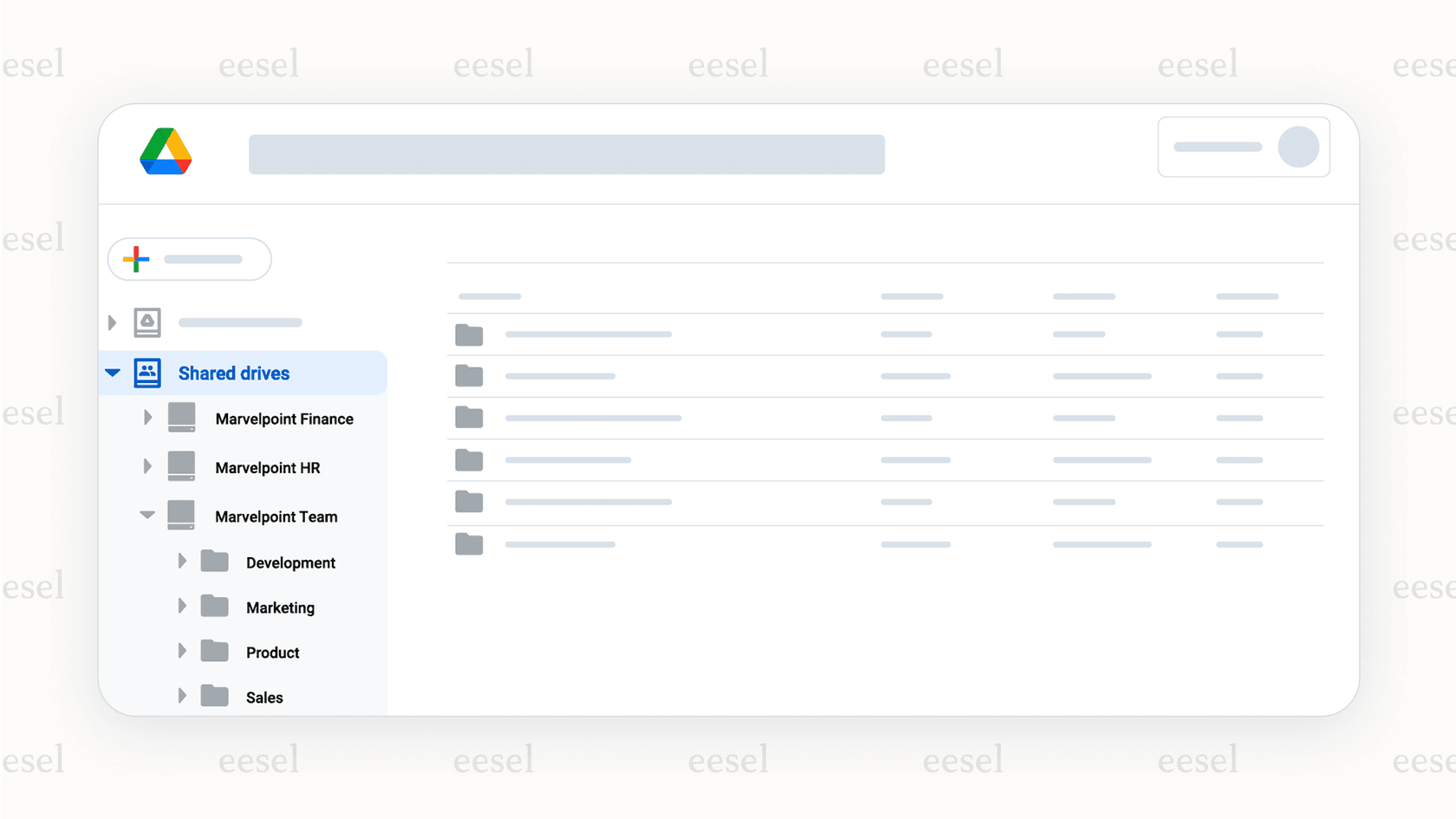
Okay, pay attention to this next part, because it's a huge deal for businesses: Shared Drives. In a regular Google Drive, every file is "owned" by the person who uploaded it. If that employee leaves, their files can become a nightmare to track down and transfer. With Shared Drives, the team owns the files. This is a lifesaver for making sure important documents don't walk out the door when an employee does.
Beyond Google Drive pricing: When Google Drive isn't enough for your customer support team
Here’s the catch: for all its strengths, Google Drive is basically a digital library. The information just sits on the shelf. For a busy customer support team that needs answers now, this creates some real headaches. Using Google Drive and Docs to store your internal knowledge is smart, but it quickly hits a wall when your team needs to use that information in real-time.
The info is a pain to find
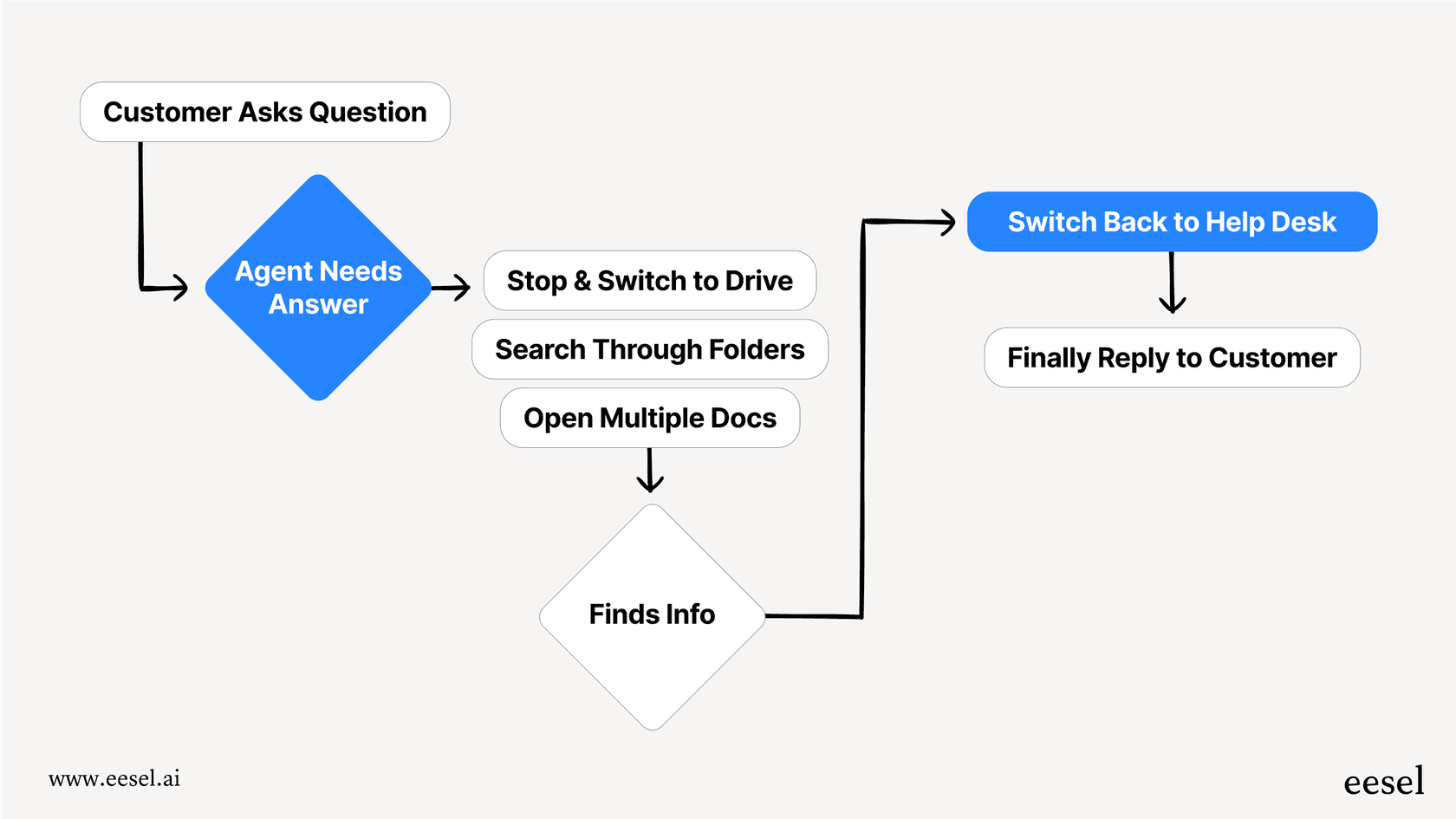
When a customer asks a question, an agent has to stop what they're doing, jump over to Drive, and start digging through folders and documents, hoping to find the right answer. Every second they spend searching is a second a customer is left waiting, which is bad news for your response times and customer satisfaction.
Your knowledge is stranded on an island
Your support team lives in tools like Zendesk, Freshdesk, or Intercom. They talk to each other in Slack or MS Teams. But the answers they need are stranded over in Google Drive. That constant context-switching is exhausting and a massive drain on productivity.
It's a creation tool, not an automation tool
Google's own AI, Gemini, is great at helping you write a new policy in a Google Doc. But it can't take that policy and use it to automatically answer a customer ticket or resolve an employee's question in Slack. It helps you create the knowledge, but it doesn't help you use it.
Making your Google Drive knowledge base actually work for you
The answer isn't to ditch Google Drive. All that knowledge you've carefully documented is gold. You just need a way to connect that static knowledge to the places where your team actually works.
That’s where a tool like eesel AI steps in. It acts like a smart bridge, connecting the information in your Google Docs, help center, and past support tickets directly to your team's workflow. Instead of agents digging for answers, an AI Copilot instantly drafts accurate replies right inside their help desk. An AI Internal Chat bot can answer team questions in Slack by referencing the content in your Google Drive, effectively turning your documentation into a 24/7 expert that's always on call.
Picking the right Google Drive pricing plan
Figuring out Google Drive pricing doesn't have to be a headache. It really just boils down to one question: are you using it for personal stuff or for your business?
For you and your family, Google One gives you simple storage upgrades with a few nice extras. For your business, Google Workspace is the way to go, giving you a secure, collaborative platform where Drive is just one piece of the puzzle.
Choosing the right plan is the first step. But the real win is making sure the information you store there is easy for your team to find and use.
Put your Google Drive knowledge to work with eesel AI
Don't let your valuable SOPs and guides gather digital dust. eesel AI can activate the information locked inside your Google Docs, turning it into automated support, instant agent assistance, and an internal expert for your team. You'll cut down on repetitive work, see your response times drop, and give your team the gift of instant, accurate answers.
Ready to unlock the knowledge hidden in your Google Drive? Start a free trial of eesel AI or book a demo to see how it works.
Frequently asked questions


AI agents for Google Drive
Share this article

Article by
Stevia Putri
Stevia Putri is a marketing generalist at eesel AI, where she helps turn powerful AI tools into stories that resonate. She’s driven by curiosity, clarity, and the human side of technology.