The ultimate guide to a Slack AI integration with Google Drive


Last edited October 20, 2025
Let's be honest, your team's brain is split in two. All the quick chats, project updates, and day-to-day decisions happen in Slack. But all the official, important stuff, project plans, HR policies, marketing briefs, lives in Google Drive.
The result is that nobody knows where to find anything. Getting a simple answer means either scrolling through a month of Slack messages or getting lost in a maze of Google Drive folders. It's a constant interruption, and it’s why your team keeps asking the same questions over and over again.
The fix isn't about ditching one tool for the other. It's about making them work together, intelligently. A Slack AI integration with Google Drive can create a single source of truth that lives right inside the app your team uses all day long.
This guide will walk you through the options, from the basic setup everyone starts with to the more advanced AI platforms that finally deliver on the promise of instant, accurate answers.
What is a Slack AI integration with Google Drive?
Before we get into the "how," let's quickly touch on the "what."
You already know what these tools are. Slack is your company's digital office, it's fast, messy, and full of context about what's happening right now. Google Drive is the official library, it's where polished, long-term documents go to live.
A real Slack AI integration with Google Drive does more than just let you share links. It lets an AI read and understand everything, from the casual chats in Slack to the official guides in Drive. The whole point is to let anyone on your team ask a question in plain English and get one clear, correct answer pulled from all of your company's knowledge, no matter where it's stored.
The native Slack AI integration with Google Drive: What it does (and doesn't do)
Slack has its own built-in way to connect with Google Drive, and it's also added its own Slack AI features into the mix. This is where most teams start, so let's look at what you get.
Core features of the native integration
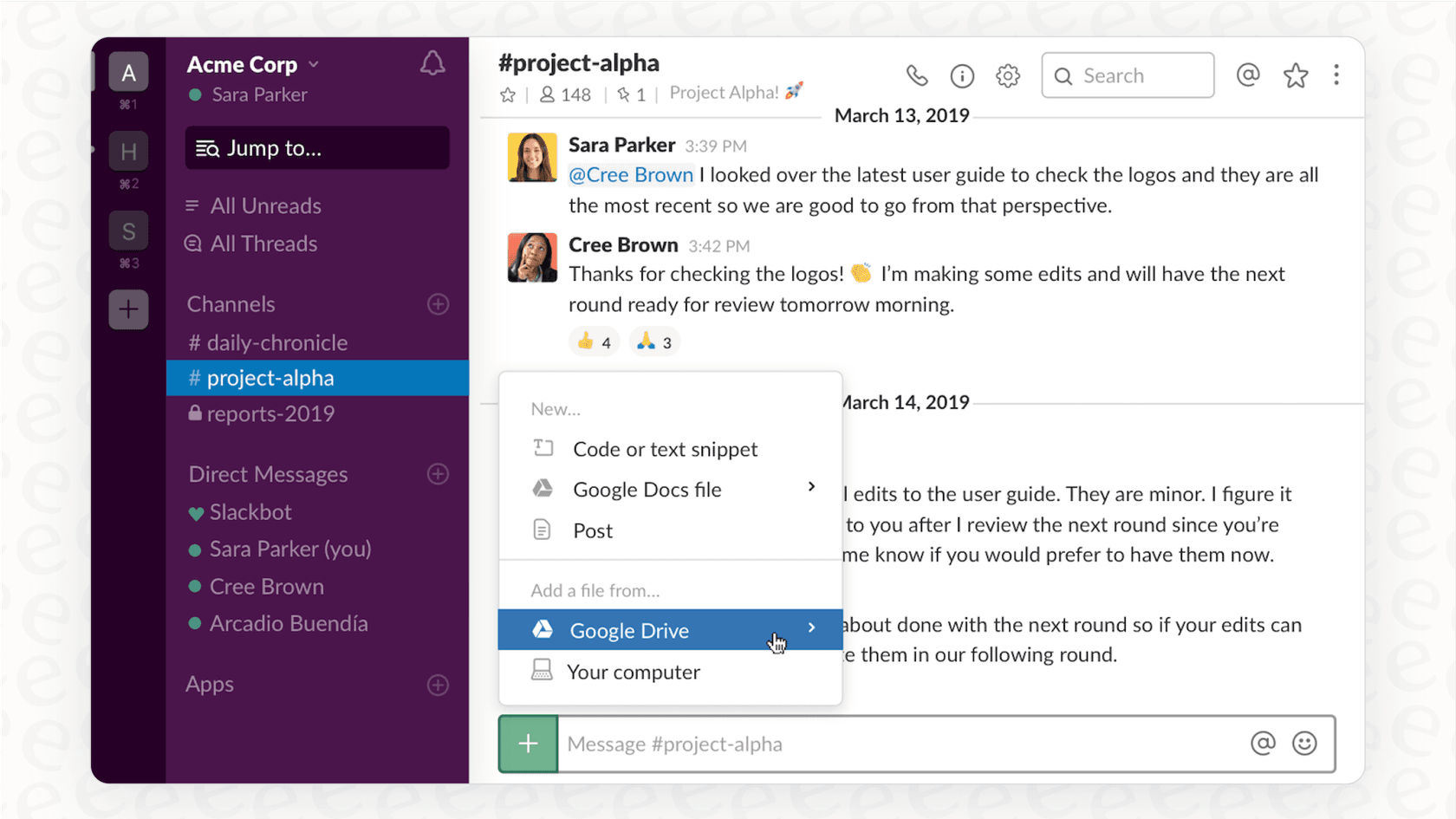
The official Google Drive app for Slack is pretty handy for the basics. It lets you:
-
Share files and see previews: When you drop a Google Drive link in Slack, it shows a preview so people know what they're clicking on.
-
Get notifications: The app gives you a heads-up in Slack when someone comments on your doc, asks for access, or shares something with you.
-
Do things from within Slack: You can create new Docs, Sheets, or Slides with a quick slash command and even grant file access without leaving Slack, which is a nice little time-saver.
The role of Slack AI
If you're on a paid plan, you get access to Slack AI. Think of it as a smarter search bar. You can ask it a question, and it will try to find relevant bits from your Slack history and any connected files, including those from Google Drive. It can also give you the gist of a long channel or thread, which is great for catching up.
Pricing for Slack AI
These AI features are part of Slack's paid plans, so what you can do with AI depends on your subscription.
| Plan | Price (Annual) | Key AI Features |
|---|---|---|
| Pro | $7.25/user/month | Basic AI: Conversation summaries, search, daily recaps, file summaries. |
| Business+ | $12.50/user/month | Advanced AI: All Pro features + AI workflow generation. |
| Enterprise Grid | Contact Sales | Enterprise-Grade AI: All Business+ features + Enterprise Search across connected systems. |
Pricing from Slack's official pricing page.
Limitations of the native integration
While the built-in tools are helpful, they don't create a truly reliable knowledge base. This is the point where a lot of teams get frustrated and start looking for something better.
Here’s where it falls short:
-
There’s no quality control: Slack's AI will dig up an answer for you, but it treats a random opinion from a 2021 Slack thread with the same weight as the official HR policy you just updated in Google Drive. It just finds keywords, leaving you to figure out what's actually current and correct.
-
You can't control the AI: You can't teach Slack AI what a "good" answer is. You can't tell it to prioritize information from one Google Drive folder over another, or to ignore noisy channels. You're stuck with its default settings for tone, personality, and when it should give up and escalate to a human.
-
It’s a closed system: Your company’s knowledge is probably scattered across more places than just Slack and Google Drive. What about your wiki in Confluence, your project plans in Notion, or your customer support tickets in Zendesk? The native Slack AI can't access any of that, leaving huge blind spots.
-
You can’t test it beforehand: There’s no way to see how Slack AI will answer common questions before you unleash it on your team. You just have to turn it on and cross your fingers, which can be a bit nerve-wracking when it comes to important internal information.
Going beyond the basics: Using an advanced AI platform
When the out-of-the-box tools aren't cutting it, you need something built specifically for this problem. This is where dedicated AI platforms come in. They aren't just about searching better; they're about building a single, reliable brain for your company.
How advanced platforms create a unified knowledge hub
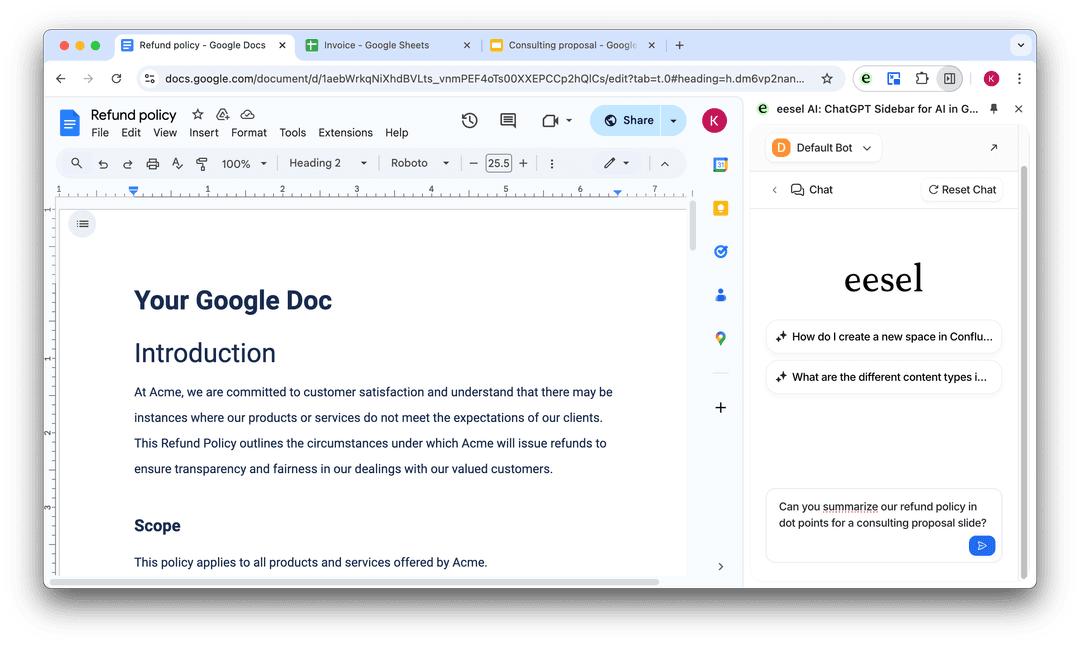
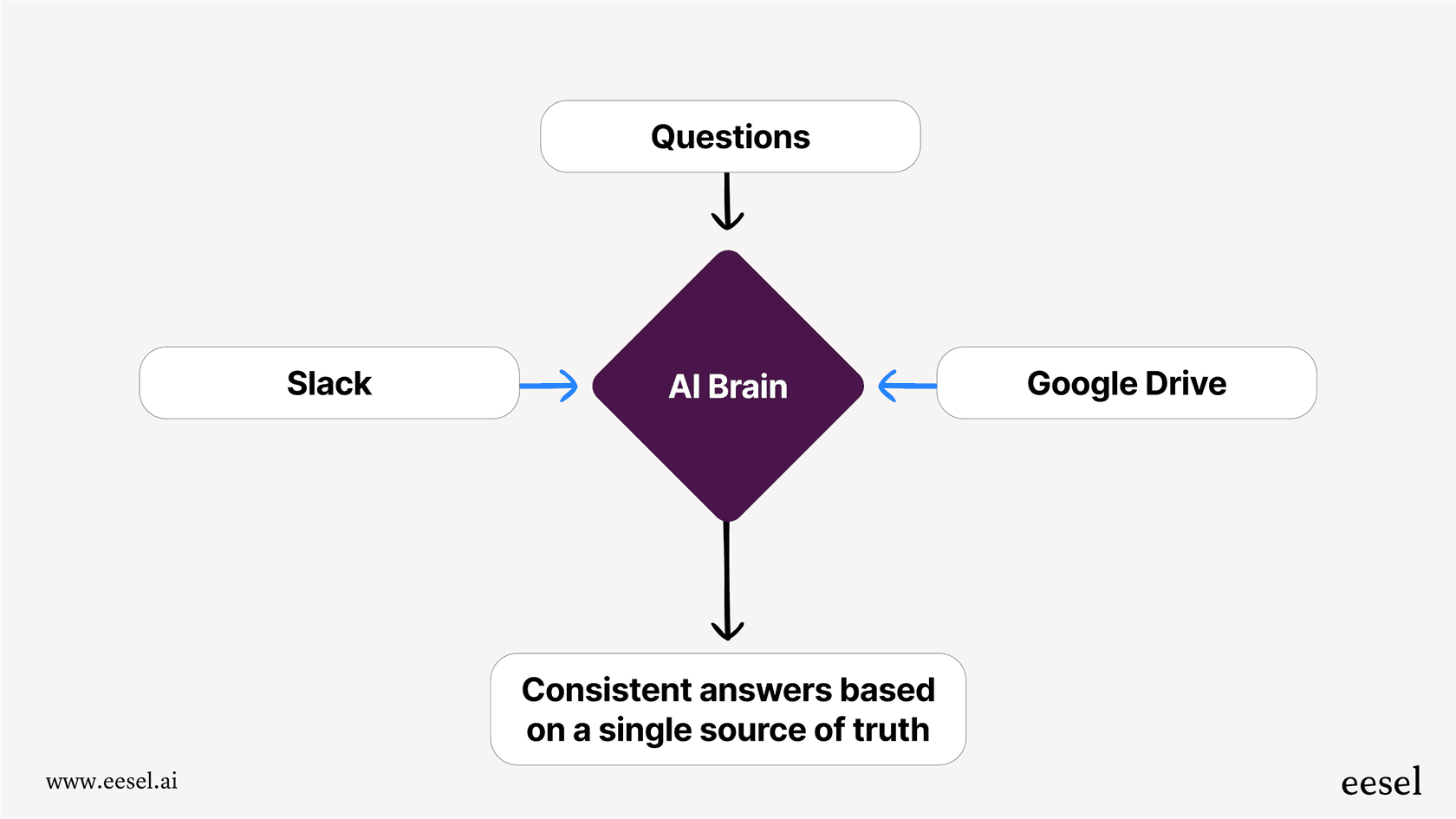
Instead of just searching through a mess of files and messages, an advanced platform like eesel AI connects to all your apps, reads the information, and uses it to train a dedicated AI agent. This means you can bring together knowledge from everywhere.
With eesel AI, you can instantly connect to tools your team already uses, like:
-
Company Wikis: Pull in all the structured knowledge from places like Confluence, Notion, and even random PDFs.
-
Internal Chat: Learn from old Slack conversations to understand your team's unique language and problem-solving habits.
-
Help Desks: Absorb past tickets and macros from tools like Zendesk and Freshdesk to learn your company's common issues and how they're solved.
This gives the AI a complete picture of your organization, so it can answer questions with real confidence.
Go live in minutes with a self-serve setup
If you've ever been stuck in a cycle of sales demos and onboarding calls just to try a new tool, you know how frustrating it can be. Many AI platforms make you talk to a salesperson and then wait weeks or months for a complicated setup.
eesel AI was built to be different. It’s completely self-serve. You can sign up, connect your apps with a few clicks, and have your first AI agent working in minutes. No developers needed, no waiting around.
Total control and risk-free testing
This is where dedicated platforms really shine. You get to decide exactly how your AI works.
-
Selective Automation: You control what the AI is allowed to answer. You can start small, pointing it only to an "IT Policies" folder in Google Drive. If a question is outside that scope, it will know to escalate. This lets you grow its responsibilities as you get more comfortable.
-
Customizable AI Persona: A simple prompt editor lets you shape the AI's personality. For instance, you could tell it: "You are the IT Help Bot. Only answer questions using documents from the 'IT Policies' Google Drive folder. If asked anything else, respond with: 'I can only help with IT questions. Please ask in #general.'"
-
Powerful Simulation Mode: This is a huge advantage of eesel AI. Before the AI talks to a single employee, you can test it against your past Slack conversations. The simulation shows you exactly how it would have responded, so you can tweak its accuracy and tone until it's perfect. You can go live knowing exactly how it will perform.
Transparent and predictable pricing
Nobody likes getting a surprise bill. A lot of AI tools use confusing pricing models that charge you per "resolution," which means you pay more when your team uses it more. With eesel AI, the pricing is simple and upfront.
You pay a flat monthly rate based on usage tiers, so you always know what your bill will be. Plus, you can cancel anytime, so you’re not locked into a long contract.
| Plan | Price (Annual) | Key Features for Internal Chat |
|---|---|---|
| Team | $239/month | Up to 1,000 AI interactions/mo, train on docs/websites, Slack integration. |
| Business | $639/month | Up to 3,000 AI interactions/mo, train on past tickets, MS Teams, AI Actions, bulk simulation. |
| Custom | Contact Sales | Unlimited interactions, advanced controls, custom integrations. |
Pricing from the eesel AI pricing page.
Build an intelligent knowledge base with a Slack AI integration with Google Drive
The native Slack AI integration with Google Drive is a fine place to start. It makes sharing files and doing basic searches a little easier. But if you actually want to stop repetitive questions and build a central source of truth, you’ll hit its limits pretty quickly.
To turn your scattered docs and chaotic conversations into a smart, reliable knowledge base, you need a platform designed for the job. eesel AI gives you an easy setup you can complete in minutes, with the power to connect all your knowledge, test everything with confidence, and stay in complete control. It's how you stop hunting for information and start using it.
Next steps
Help your team spend less time searching and more time working by giving them instant, accurate answers right in Slack.
Start your free eesel AI trial or book a demo to see how you can unify your knowledge in minutes.
Frequently asked questions

AI agents for Google Drive
Share this article

Article by
Kenneth Pangan
Writer and marketer for over ten years, Kenneth Pangan splits his time between history, politics, and art with plenty of interruptions from his dogs demanding attention.