Gorgias web widget: a complete guide to setup, AI, and costs in 2026


Last edited June 15, 2026

Table of Contents
- What is the Gorgias web widget?
- What the Gorgias web widget can actually do
- How to set up the Gorgias web widget
- How to customize the widget's look and behavior
- Turning on AI Agent for the chat widget
- How much the Gorgias web widget costs
- The limits of the Gorgias web widget (and where it bites)
- Try eesel AI
What is the Gorgias web widget?
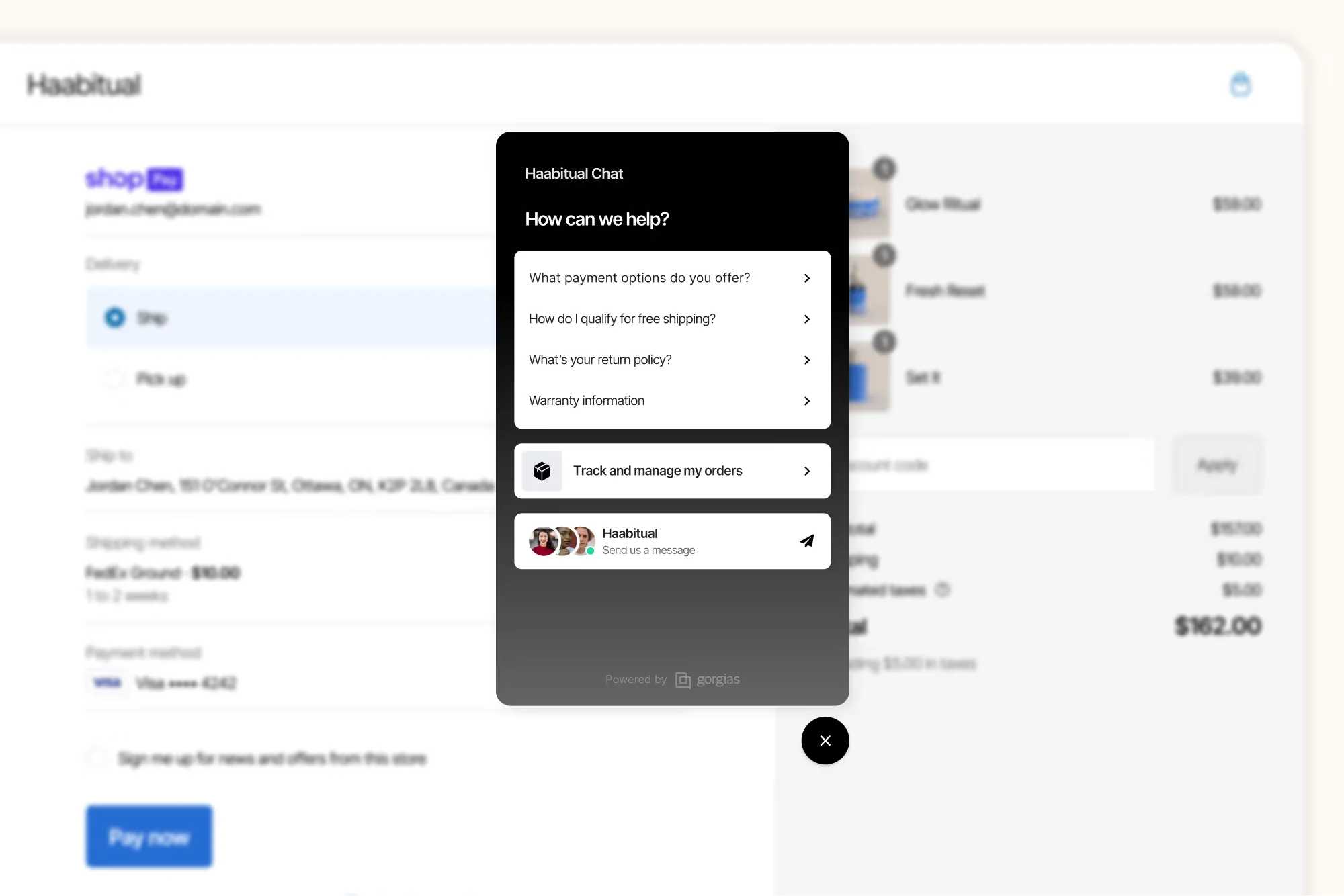
Gorgias is an ecommerce-focused helpdesk, and the web widget is its front door on your storefront. It's the chat bubble a shopper taps to ask "where's my order?" or "what's your return policy?", and every one of those conversations lands in the same unified inbox as your email, SMS, and social channels like WhatsApp.
What makes it different from a generic live chat box is what sits behind it. Because Gorgias has a native Shopify integration, the moment a shopper opens the widget, your agents (and the AI) can see the customer's order history, cart, and subscription status, then cancel, refund, or discount right inside the chat. That's the whole pitch: it's a Shopify-first ecommerce helpdesk, not a chat tool with a Shopify plugin bolted on.
That Shopify-native angle is the single most-cited reason teams pick it. As one operator put it in a r/CRM thread:
"Gorgias is designed for Shopify users. It shows order details, refunds and cancellations all in one place which saves time."
Gorgias claims the widget powers conversations for 40% of Shopify brands, which is a fair signal that the live chat side is well-trodden. The interesting question for most teams isn't whether the chat box works, it's what you can make it do automatically, and what that costs. So let's build it up piece by piece.
What the Gorgias web widget can actually do
Out of the box, the widget is more than a message box. Here are the capabilities worth knowing before you install it.
Live chat and offline capture
The core is real-time live chat between shoppers and your agents, available on every plan from Starter up. When you're outside business hours or live chat is off, the widget switches to offline capture: the shopper fills in a form that opens an async email ticket instead, so nothing gets dropped overnight.
Order self-service
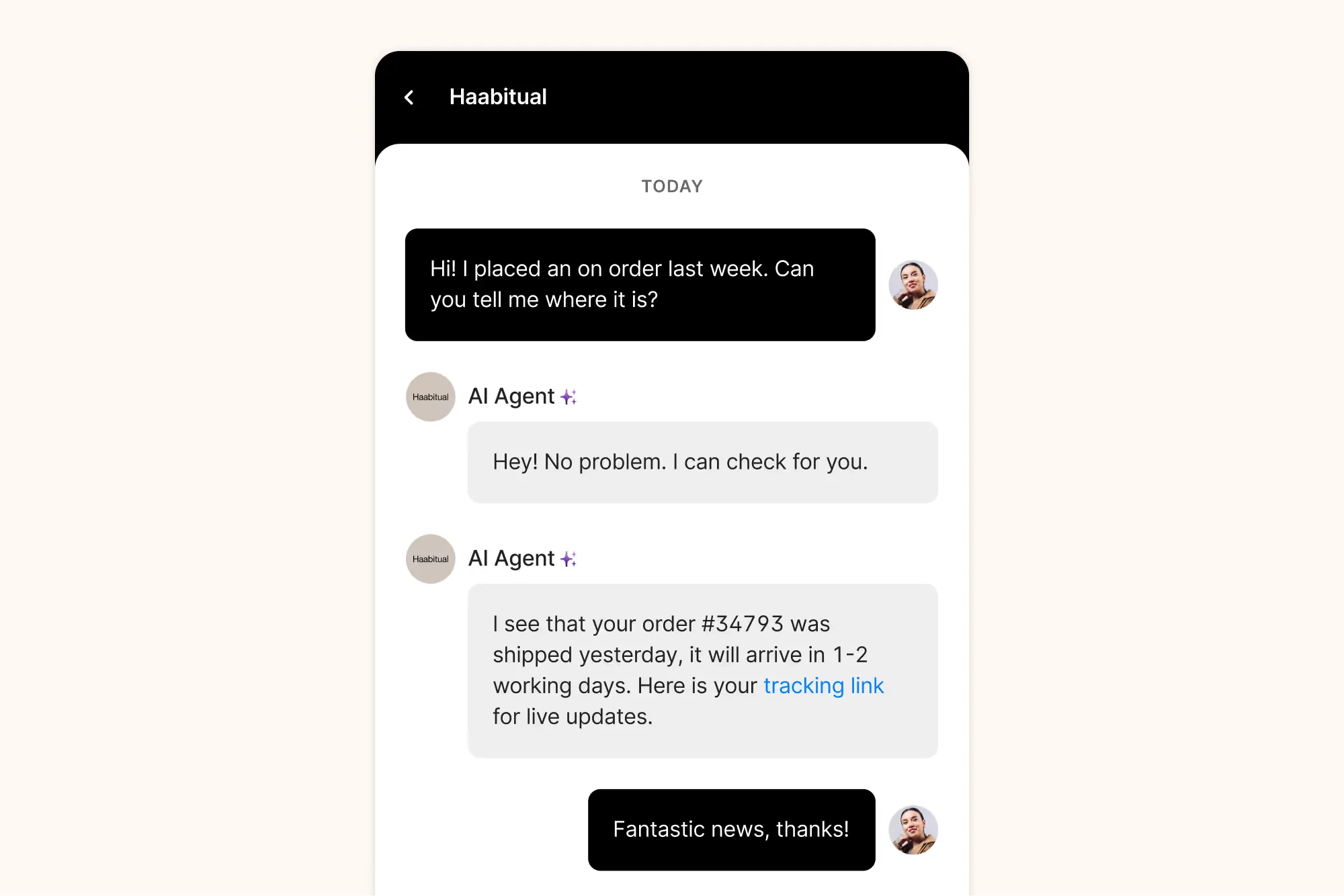
With an AI Agent subscription and a connected store, the widget can show a shopper their orders directly, with Track and Report issue buttons, so they can check shipping status without ever reaching an agent.
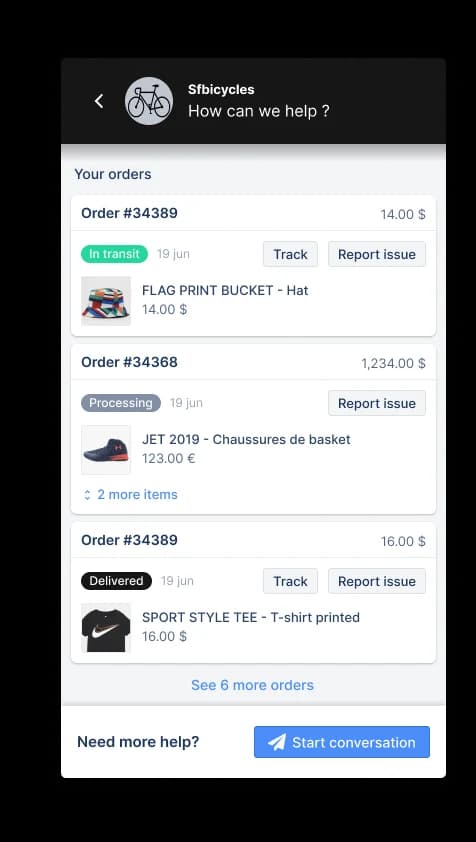
This is the bread-and-butter of ecommerce support. "Where is my order" (WISMO) questions are a huge slice of most stores' volume, and self-service tracking is one of the cleanest ways to deflect them. If that's most of your inbox, our guide to the best order tracking chatbots is worth a read alongside this.
Product recommendations and revenue
Gorgias leans hard into "conversations that drive revenue." The widget's AI can answer pre-sale product questions and recommend items mid-chat, which is the Shopify shopping assistant angle in action.
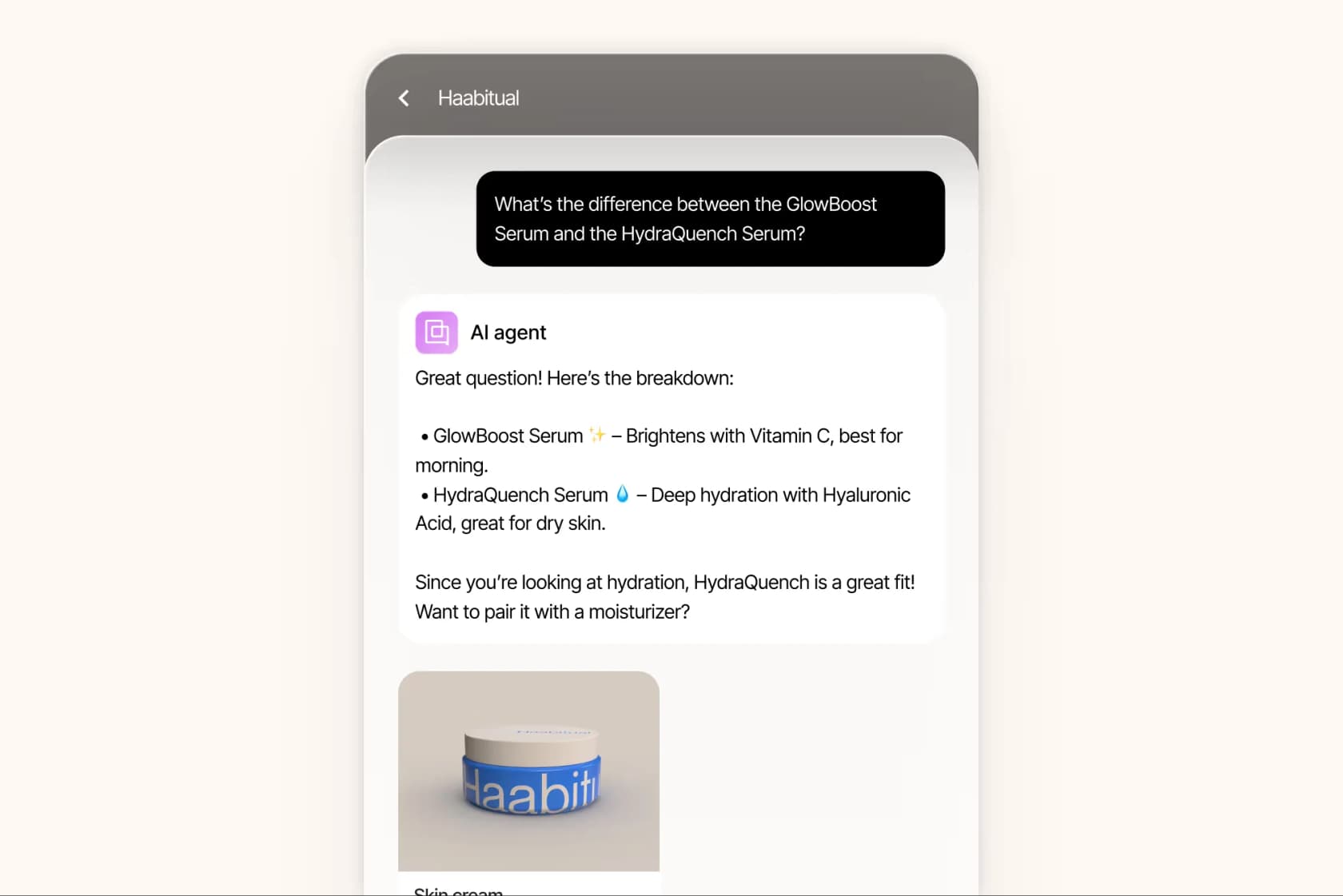
BareMinerals, a Gorgias customer, reported an 8.83x ROI and described the upsell tone as feeling "helpful, not pushy." It's a genuine strength, as long as you're set up to feed the AI good product knowledge.
Proactive chat campaigns
Finally, the widget can start conversations on its own. Chat campaigns trigger a message based on the page a visitor is on (a product page, the cart, checkout), which is how brands run "here's a code" nudges. Mia Chapa of Glamnetic called it the most successful of all their campaigns, since the discount "is coming from what looks like a chat."
How to set up the Gorgias web widget
Setup is quick on Shopify, and a bit more involved everywhere else. Before you start: only the account owner or admins can set up chat, and if you're on an ecommerce platform you need to connect your store to Gorgias first.
Here's the path, straight from the Gorgias chat setup docs:
- From your helpdesk, click the Settings icon (bottom-left), open Channels in the sidebar, then Chat, then + New chat (top-right).
- Set the basics: give the chat a name, pick a default language (add more if you support them), and choose whether you're installing on an ecommerce platform or any other website.
- Pick your connection mode: allow live chat messages (real-time) or offline capture only (async tickets).
- Brand it: set a brand color, upload a logo, and choose the launcher position.
- Install and launch.
That last step is where Shopify shines. Choose Quick install for Shopify and click Install, and the widget goes live with no code. For specific Shopify pages, headless setups, BigCommerce, Magento, or Google Tag Manager, you switch to manual install and drop the chat script onto your site yourself.
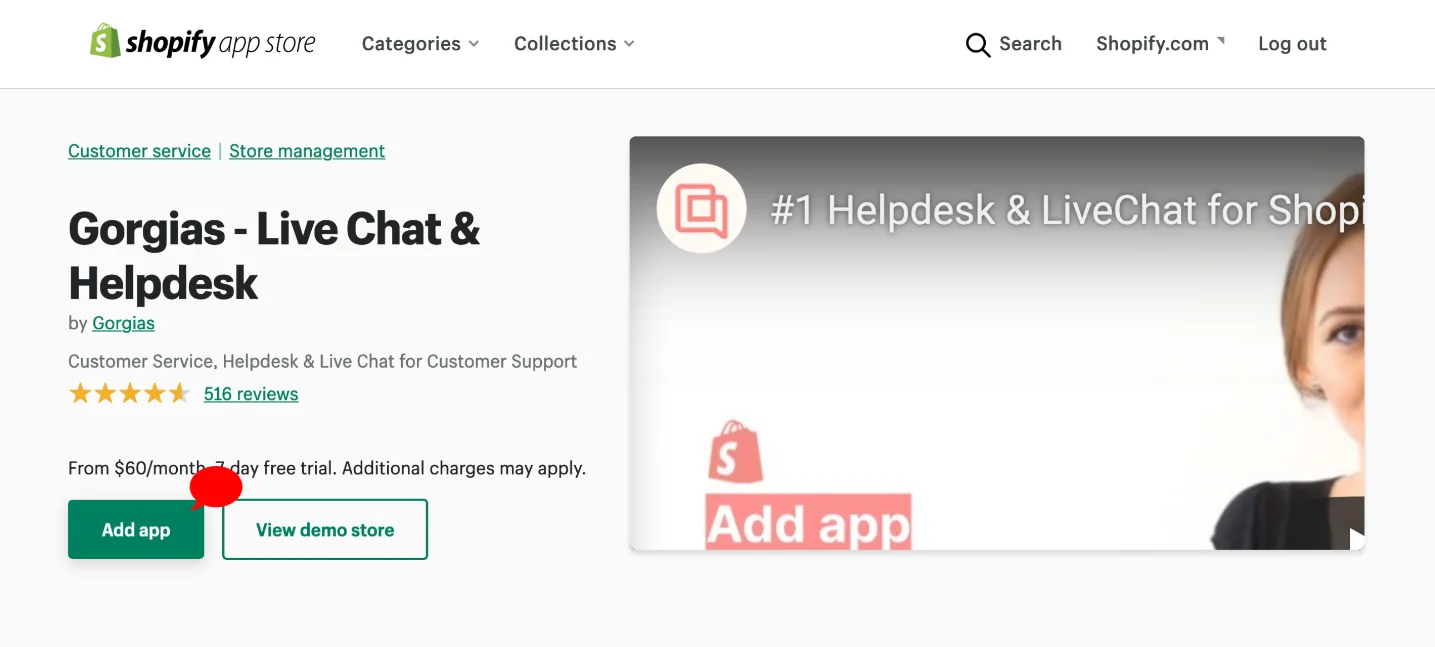
If you'd rather not start from scratch, Gorgias is listed in the Shopify App Store as "Gorgias - Live Chat & Helpdesk," and you can add it from there.
One quirk worth flagging: if you add chat to your Shopify checkout page, the widget is locked to the bottom-right corner and ignores your position settings. And stores with strict content security policies may need to allowlist Gorgias's chat domains before the bubble shows up at all.
How to customize the widget's look and behavior
Once it's live, customization happens under Settings → Channels → Chat → your chat integration → Appearance, with a live preview on the right. The appearance docs cover the main levers:
- Colors: change the header and conversation-bubble colors, with a gradient or solid fill. (Heads up: the default color outside business hours is gray unless you toggle "keep main color.")
- Company logo: show a logo instead of the chat title, and note that uploading one also replaces the default robot icon on automated messages.
- Intro message: set different header text for inside vs outside business hours.
- Font, agent avatar, and launcher: pick a font, customize how agents appear, and choose a standard launcher or a custom label.
- Widget position: default bottom-right, or nudge it by pixels to avoid overlapping other widgets.
For anything deeper, Gorgias exposes a JavaScript API via the GorgiasChat window object and lets you inject custom HTML or Shopify Liquid. Just know that HTML and JS customizations are explicitly unofficial and "have limited support," so treat them as build-at-your-own-risk rather than a supported feature.
Turning on AI Agent for the chat widget
This is where the widget gets interesting, and where the requirements tighten up. To run AI Agent on chat you need an active AI Agent subscription, Lead/Admin/Owner permissions, a connected Shopify store, and at least one knowledge source added first.
Here's the loop the AI actually runs through on each chat:
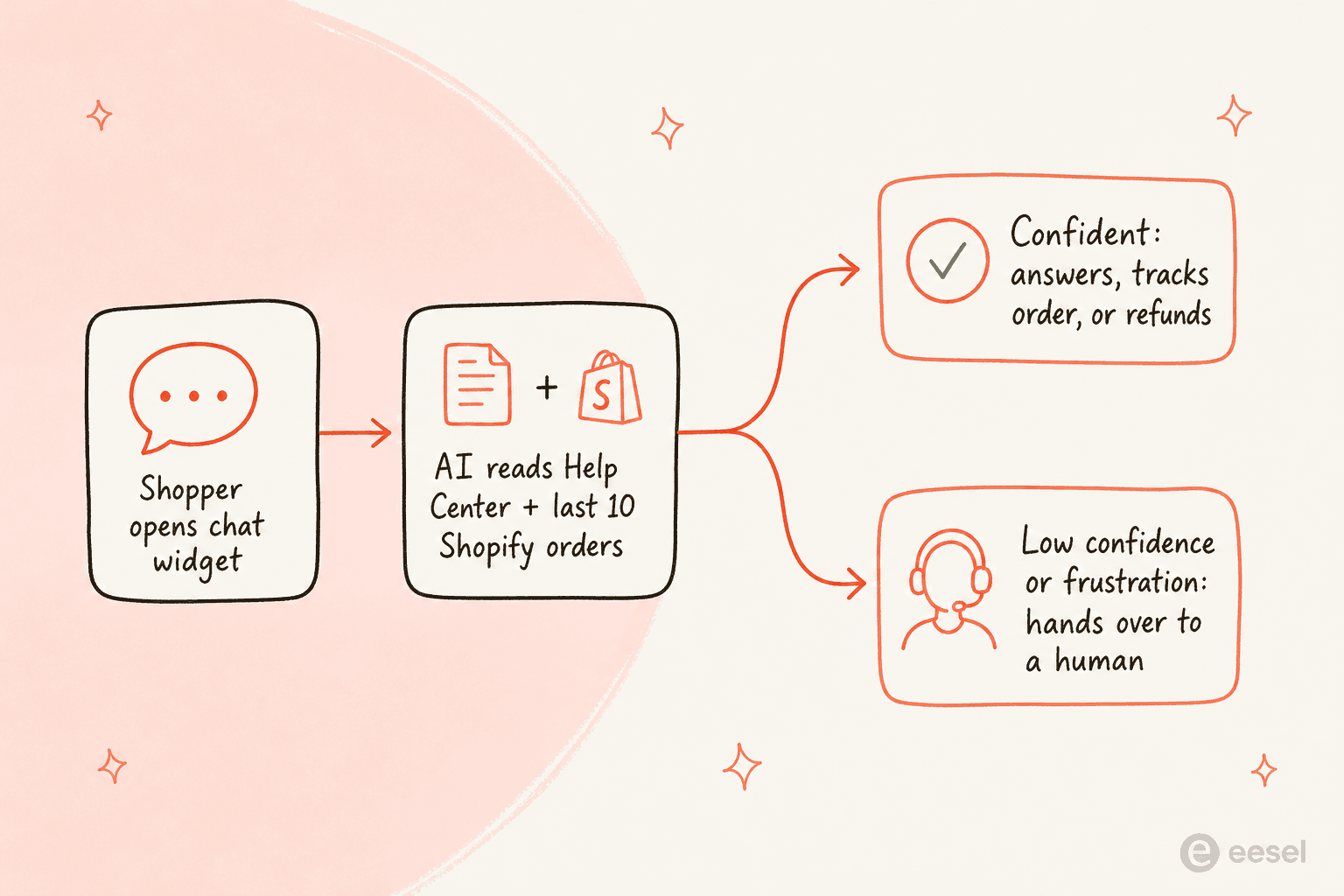
Once enabled (via the top-left dropdown → AI Agent → Deploy → Chat), the AI Agent on chat answers using your Help Center, website, and Guidance, and adapts to a shorter, more conversational tone for chat. For order-specific questions it asks the shopper to sign in with an email or SMS code first.
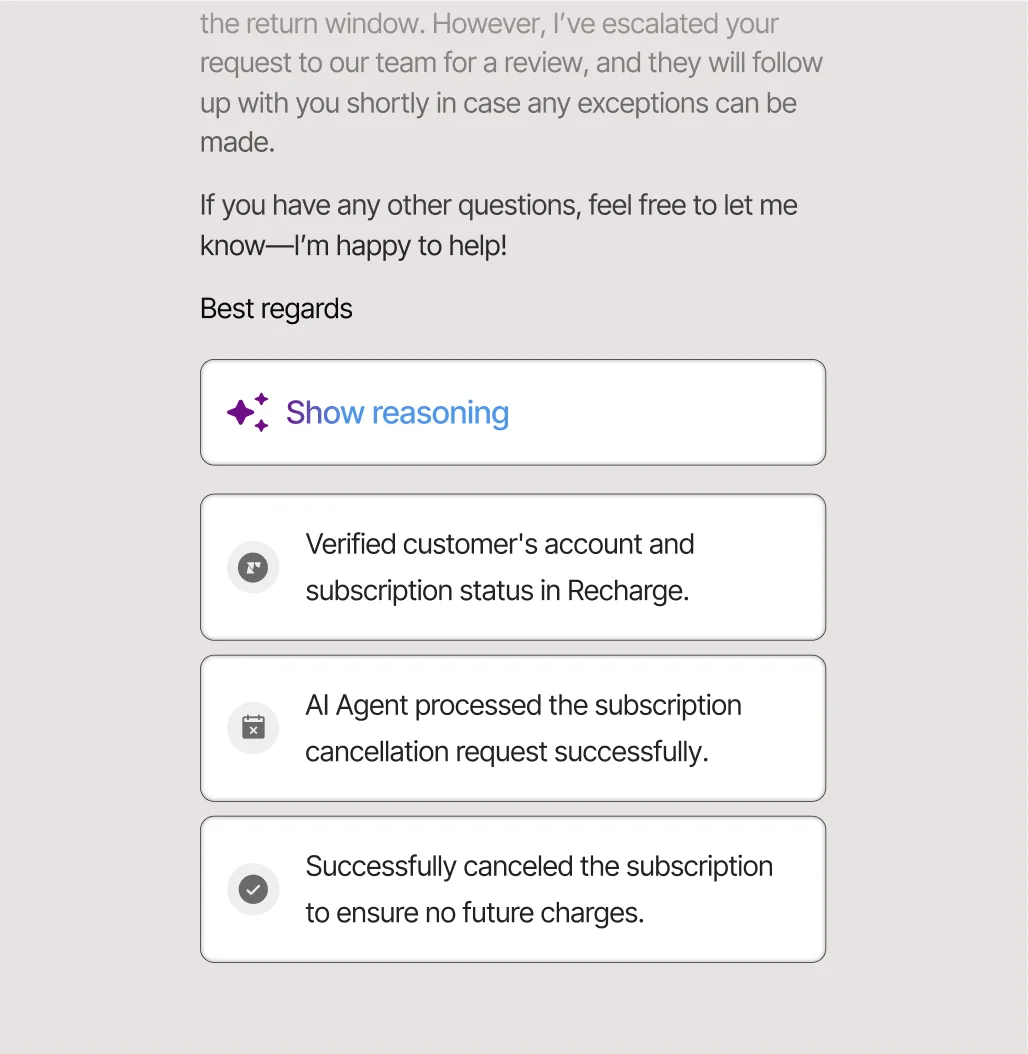
The part that builds trust: a generated reply has to clear a second AI model's confidence threshold before it sends, and "if it can't find an answer, it won't respond." That grounding is the main guard against an AI chatbot answering incorrectly. It hands over to a human on low confidence, a configured handover topic, detected frustration, or an action that errors out. You can even see its reasoning on a resolved ticket.
A few limits worth knowing before you rely on it: AI Agent on chat is Shopify-only (no BigCommerce, Magento, or WooCommerce), it can only read a shopper's last 10 orders, its initial greeting can't be customized, and turning it on auto-disables Article Recommendations in chat. It also generates its own replies and ignores your macro library entirely, so your saved Gorgias macros only help your human agents.
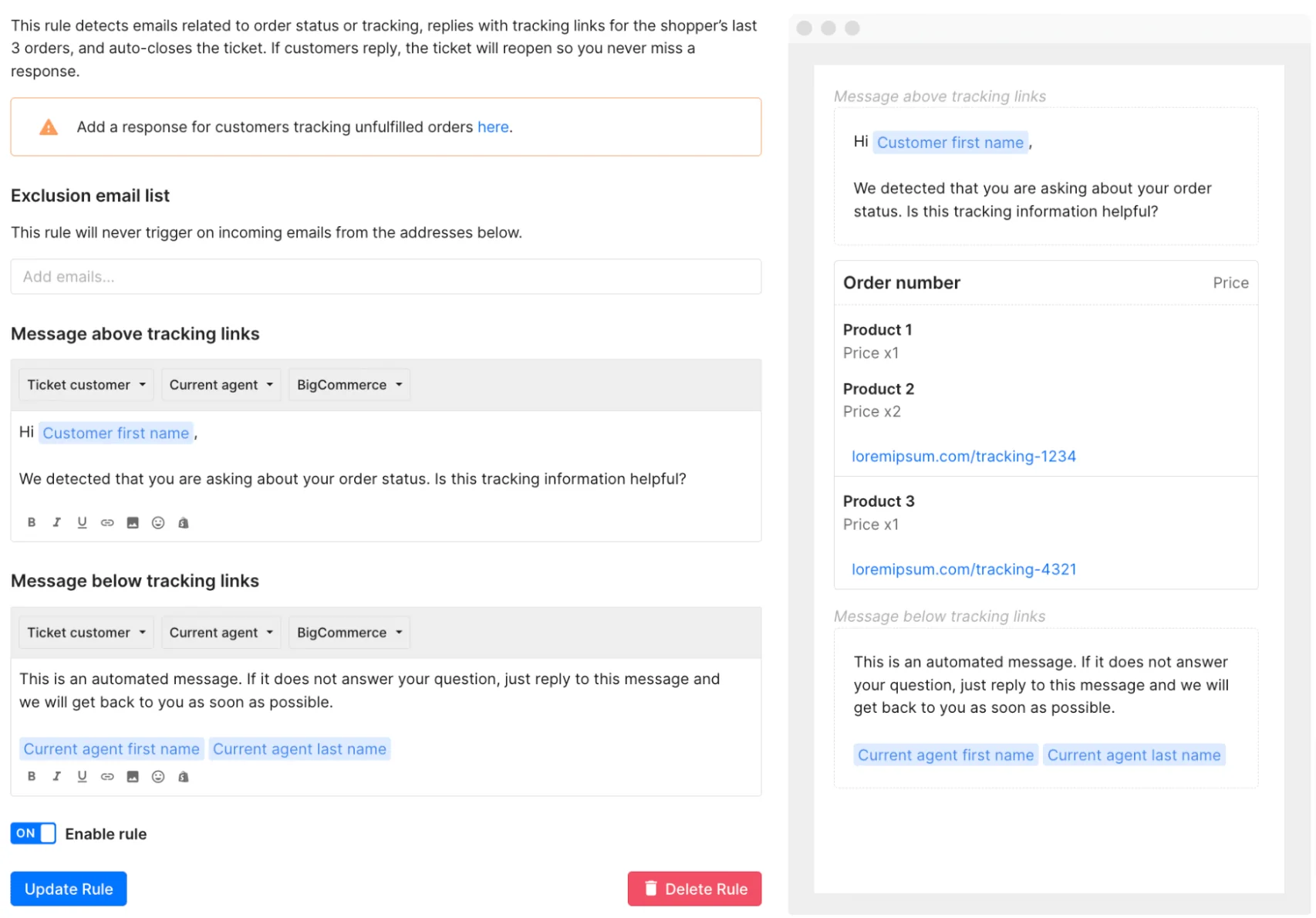
You'll also lean on Rules for the non-AI automation, like auto-replying with tracking links. Just watch for the classic footgun: an auto-reply Rule plus AI Agent will both fire and double-message the customer until you reconcile them.
How much the Gorgias web widget costs
Live chat itself is included on every plan. What costs money is volume and automation. Gorgias prices on billable tickets, not seats, across four self-serve tiers plus Enterprise:
| Plan | From (monthly) | Tickets/mo | AI resolutions included | Helpdesk overage | Seats |
|---|---|---|---|---|---|
| Starter | $10 | 50 | 0 | $0.40 / ticket | 3 |
| Basic | $50 | 300 | 60 | $40 / 100 | 500 |
| Pro (recommended) | $300 | 2,000 | 600 | $36 / 100 | 500 |
| Advanced | $750 | 5,000 | 2,500 | $36 / 100 | 500 |
| Enterprise | Custom | 5,000+ | Custom | $32 / 100 | 500 |
The number that surprises people is how AI is billed. The AI Agent is a usage add-on charged per resolved conversation: $0.90 each on annual plans, $1.00 on monthly. And every AI interaction also counts as a billable helpdesk ticket. So when the AI resolves a chat on its own, two fees stack on the same conversation.
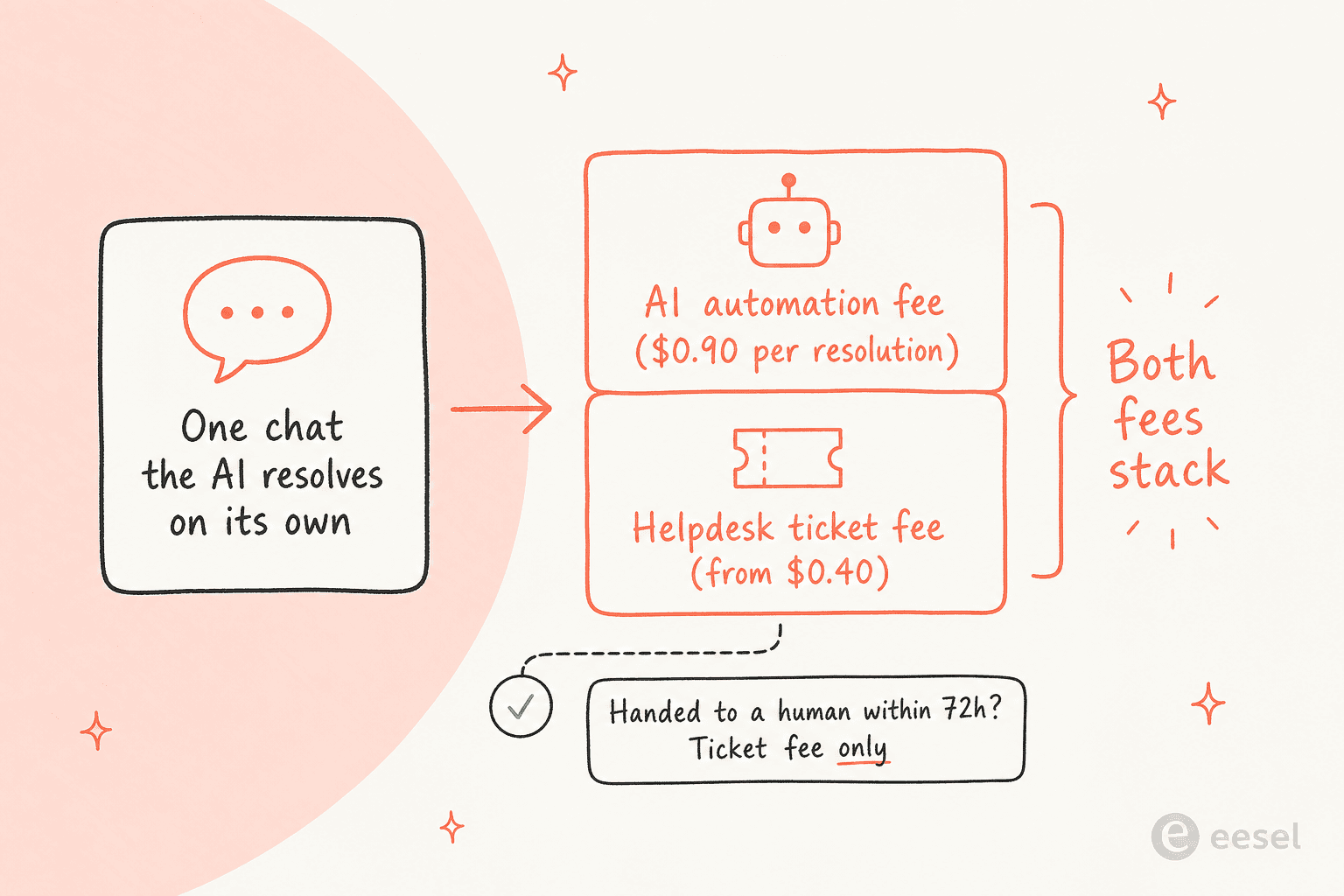
If a human steps in within 72 hours, you're only charged the ticket fee, not the automation fee. That's a fairer model than it first looks, but it does mean your bill scales directly with how much you automate, which is the opposite of the flat-fee predictability some teams want. For the full picture, see our Gorgias AI pricing breakdown.
The limits of the Gorgias web widget (and where it bites)
Gorgias is a strong product, so the honest critique isn't "it's bad," it's "it's specialized, and that specialization has edges."
It's expensive at small scale. This is the loudest theme in the community. In one r/CRM comparison, Gorgias came in around 3x the cost of Zendesk for a similar ticket volume, which is why it rarely tops a list of the cheapest AI helpdesk apps. As one user summed it up:
"Gorgias is awesome if you're super deep into Shopify workflows... The downside is the price adds up quick once your volume grows."
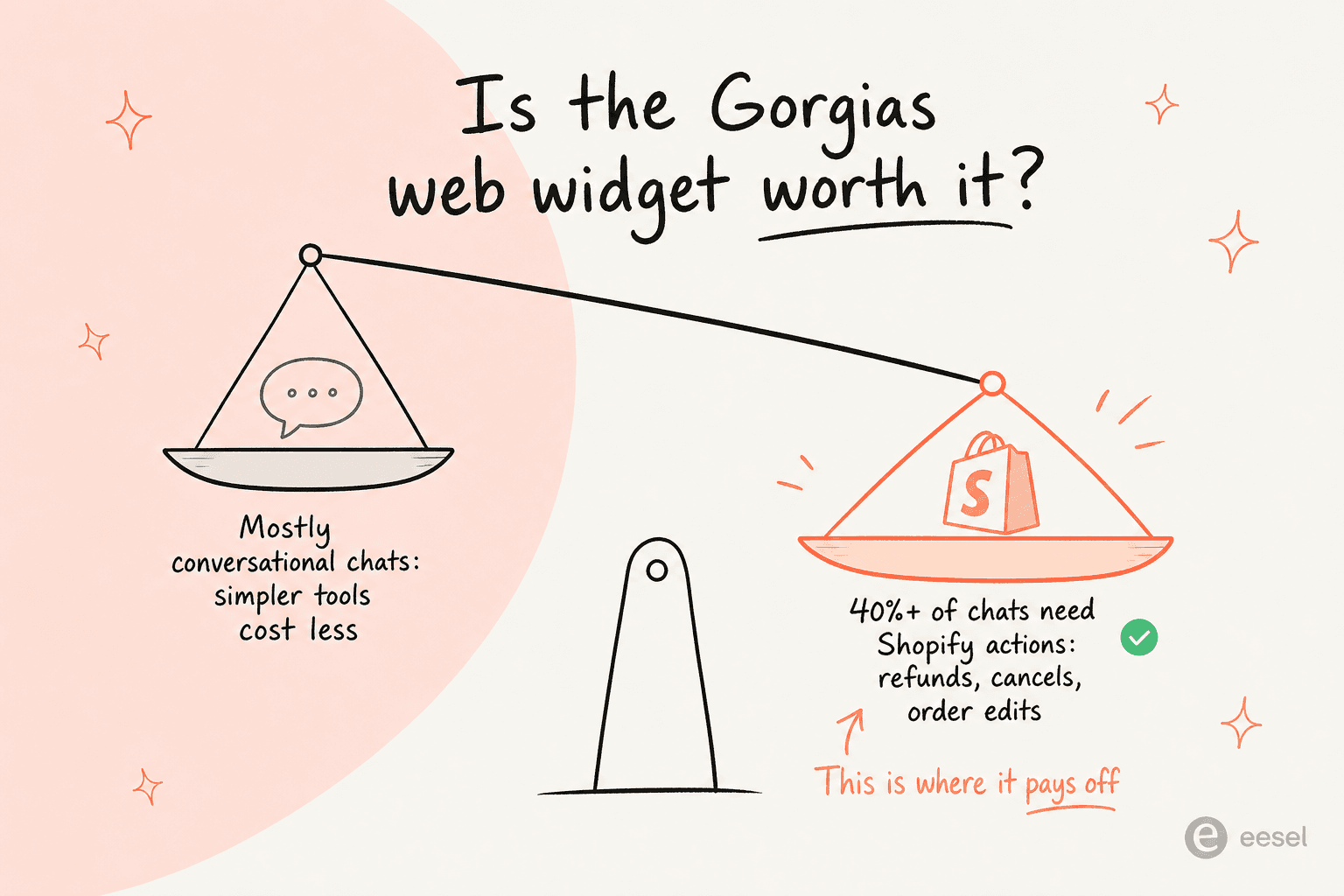
The community's rule of thumb is useful here, so it's worth internalizing before you commit:
It's Shopify or bust for AI. The widget installs anywhere, but the AI Agent only works on Shopify. If you run BigCommerce, Magento, WooCommerce, or a custom cart, you get live chat and offline capture, and not much automation.
Automation has a ceiling. Gorgias's own marketing caps the AI at automating "60% of email and chat conversations," which is honest, but it means roughly 40% still needs humans (worth weighing against the cost of a human agent), and setup (Skills, Actions, Guidance, Rules) is real configuration work, not plug-and-play.
The deeper point a few Reddit threads kept circling: most teams optimize for handling tickets faster, when the bigger win is reducing ticket volume in the first place. That's a job for an AI layer that learns from your actual resolved tickets, not just your help center.
Try eesel AI
If you're on Shopify and 40%+ of your chats are real order actions, the Gorgias web widget is a fair pick. But if you're not on Shopify, or you want AI that works across the helpdesk you already run without per-resolution surprises, that's exactly what eesel AI is built for.
eesel learns from your past tickets, help docs, and Shopify data on day one, drafts or auto-sends replies inside your existing inbox, and lets you simulate on real historical tickets before going live, so you see your deflection rate before you pay for it. Pricing is usage-based with no per-seat fees and no platform fee on the standard plans, which sidesteps the stacked-fee math above.
It's a different shape of tool than a chat widget: one AI teammate across customer service, Slack, and email, rather than a bubble tied to one storefront. You can try eesel free, no credit card needed.
Frequently Asked Questions

Share this article

Article by
Riellvriany Indriawan
Riell is a designer and writer at eesel AI with about two years of experience researching CX platforms, AI chatbots, and helpdesk software. She combines her design background with a sharp eye for how these tools actually look and feel in practice — making her comparisons unusually visual and user-focused.