How to connect your advanced AI agent to Freshdesk: A complete guide


Last edited January 16, 2026

Hooking an AI agent up to your help desk can feel like a huge win for your support team. It’s not just about knocking down ticket counts, it's about getting customers answers instantly, saving your agents from answering the same questions over and over, and generally making things run a whole lot smoother. If you’re on Freshdesk, you have several excellent options for getting an AI agent set up to support your workflow.
Lots of teams look for these automations to save time and energy. Drowning in a sea of simple, repetitive tickets is common, and finding the right road to a smart, automated fix is the goal.
This guide will walk you through two ways to get it done. First, we’ll look at using Freshdesk’s built-in AI, Freddy AI. Then, we'll dive into how to connect an advanced AI agent using a flexible tool like eesel AI that works alongside your help desk. By the end, you'll know exactly what it takes to give your customers 24/7 support and help your team get more done.
What you'll need to get started
Alright, before we jump in, let’s get our ducks in a row. A little prep work now will save you a ton of headaches down the road.
For the native Freshdesk method:
-
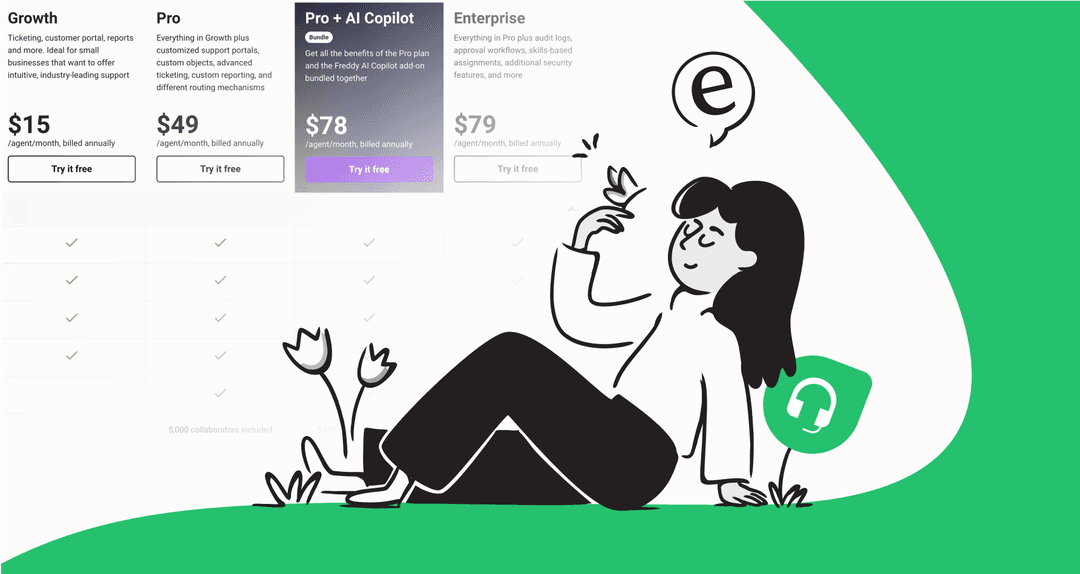
A Freshdesk account on the Pro or Enterprise plan. Freshdesk provides these advanced AI features on their tiered plans to match your team's scale and needs.
-
Admin access to your Freshdesk account so you can get into the settings.
-
A knowledge base that’s ready to go. Freddy AI learns from your solution articles, so they should be current and filled out for best results.
For the advanced eesel AI method:
-
Any Freshdesk account. Any plan works with this integration.
-
An eesel AI account. You can sign up for free and get going in a few minutes without having to talk to a salesperson.
-
Access to wherever your team keeps its knowledge. This might be your help center, but it could also be Google Docs, Confluence, old ticket conversations, or even Slack channels.
Method 1: Configuring the native Freshdesk AI agent (Freddy AI)
Freshdesk has its own built-in AI, Freddy AI, which is a powerful native solution for many automation needs. If you want a setup that stays completely within the Freshworks ecosystem, it's a great place to start. Let's walk through the setup process inside Freshdesk so you can see how it works.
Step 1: Create and configure your AI agent
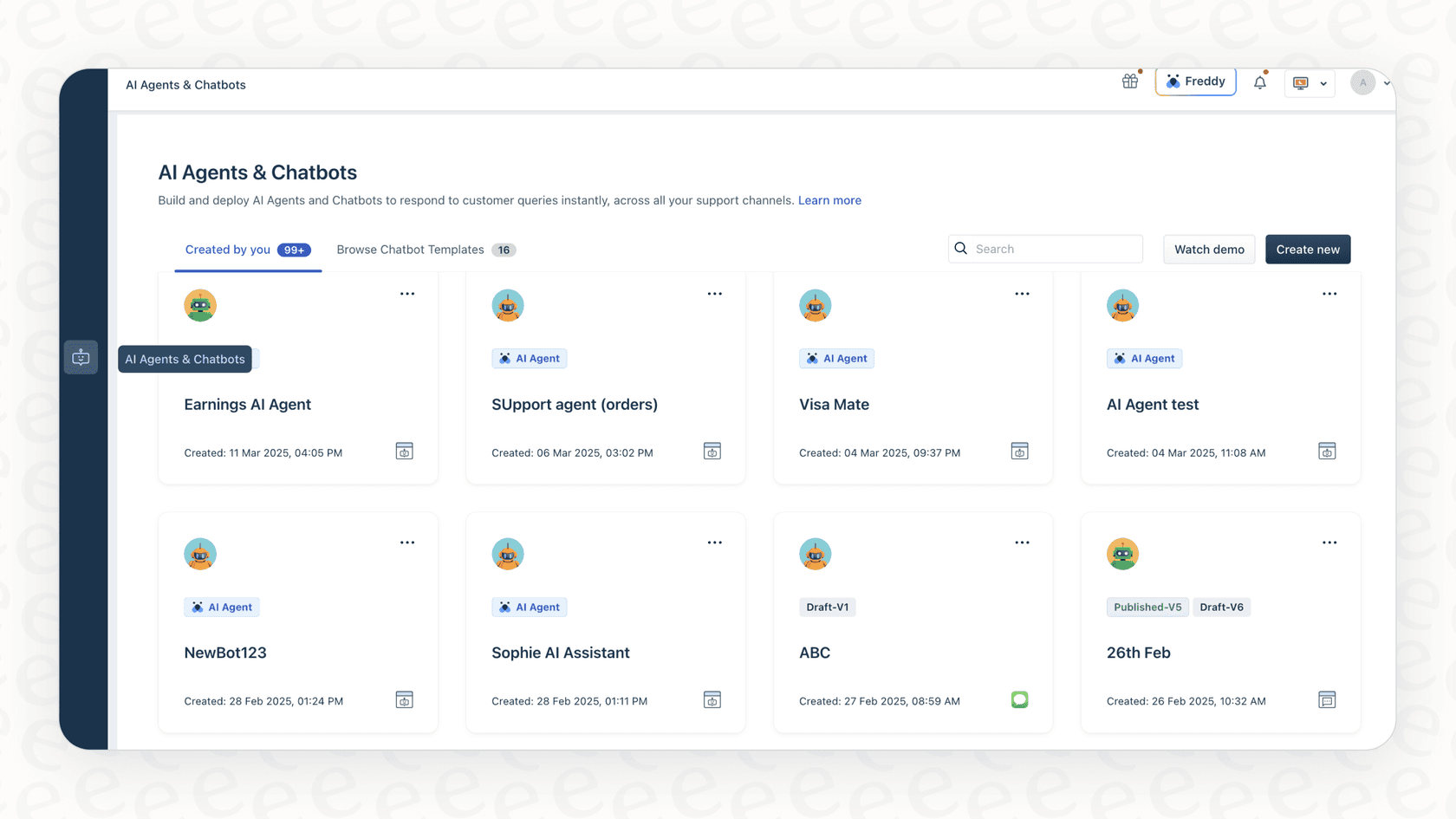
First up, you have to build the agent. Inside your Freshdesk admin panel, you'll find what Freshworks calls the "AI Agent Studio." From there, you just click "Create New Agent," give it a name, and pick its main language. This part is simple and gets the framework of your bot in place.
Step 2: Add your knowledge sources
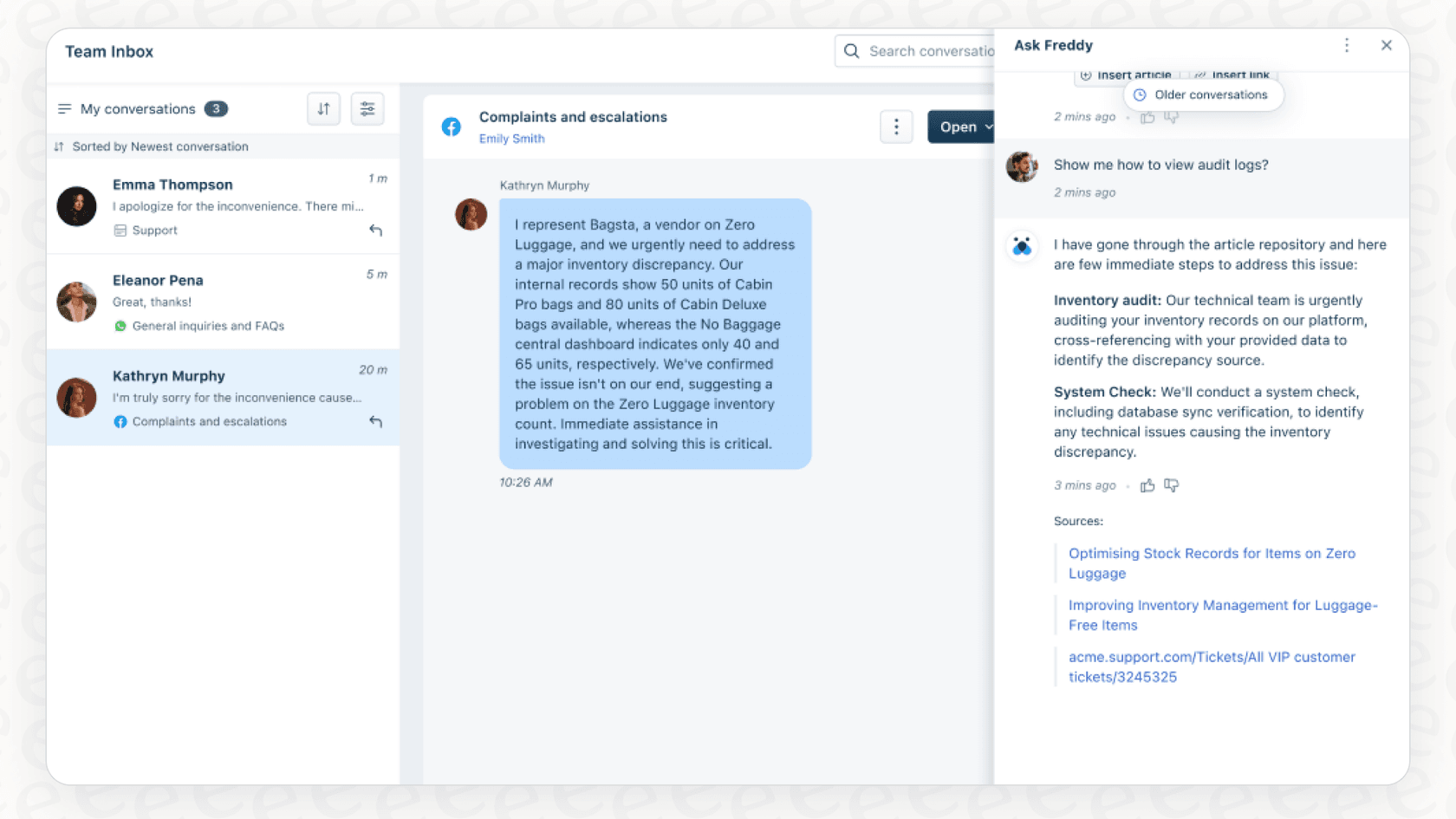
Next, you have to feed your AI agent some information. According to Freshworks' own documentation, you can upload files like PDFs and DOCX, point it to public web pages, or have it learn from your existing Freshdesk solution articles.
Freddy AI is designed to integrate deeply with your Freshdesk content. If you have info spread across Confluence pages, internal Google Docs, or Notion, you can look at using an integration to bring all that data into your Freshdesk workflow.
Step 3: Define the AI persona and responses
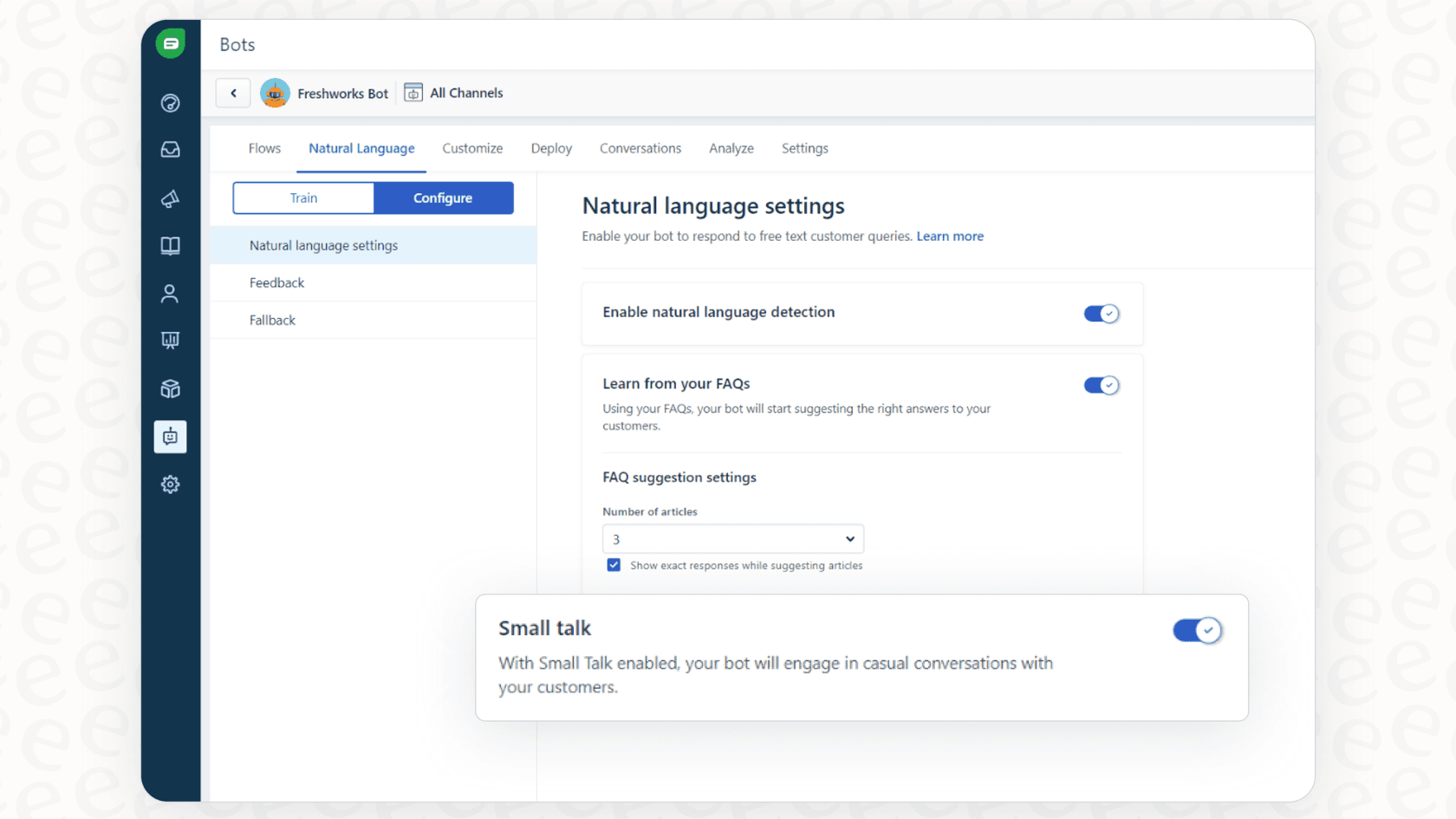
Once your agent has some knowledge to work with, you can tweak its personality. You can give it a name, an avatar, and adjust its persona to better fit your brand’s voice.
You can also set up pre-written messages for different situations, like a welcome greeting, what to say when handing off to a human, and a message for when it doesn't know the answer. This ensures your bot provides consistent, brand-aligned responses.
Step 4: Map to a channel and go live
The last step is to connect your new AI agent to a support channel, like email or web chat, and turn it on. Freshdesk has built-in analytics that let you track how many conversations it’s handling and how often it’s resolving problems.
While Freshdesk provides excellent core functionality, you might find that highly specialized tasks, like custom order logic from your e-commerce platform, are best served by adding a dedicated tool to your ecosystem.
Method 2: Connecting an advanced AI agent with eesel AI
If you have highly specialized needs or knowledge stored in many external apps, a dedicated AI platform that integrates with Freshdesk is a great bet. Let’s walk through how to connect an advanced AI agent to Freshdesk. eesel AI is built to plug right into your Freshdesk setup, adding specialized capabilities to your existing ecosystem.
Step 1: Connect Freshdesk in minutes, not months
One of the best parts of using a dedicated integration is the quick setup. With eesel AI, you connect your Freshdesk account with one click. No fighting with complicated APIs, no waiting for developers. You can literally sign up and connect eesel AI to your help desk in less than five minutes. It’s a self-serve approach that complements your existing Freshdesk tools.
Step 2: Unify all your knowledge, instantly
An AI agent is only as good as the information it can access. eesel AI works with Freshdesk by connecting to over 100 knowledge sources.
-
Help desks: It doesn’t just read your help center articles; it can also learn from past Freshdesk tickets and macros to pick up your brand voice and common fixes.
-
Company wikis: It connects easily to the places your team gets work done, like Confluence, Google Docs, and Notion.
-
Other sources: You can even pull in knowledge from Slack threads, PDFs, and public websites.
By pulling everything together, your AI gets a complete view of your business, meaning it can give accurate and relevant answers to customers directly within Freshdesk.

Step 3: Build custom workflows with total control
You can build an agent that handles highly specialized tasks. eesel AI has a powerful and fully customizable workflow engine that gives you precise control over what your AI does within your Freshdesk environment.
For instance, you can create custom AI Actions to:
-
Look up real-time order information from Shopify.
-
Automatically tag and route tickets based on what the customer is asking about.
-
Escalate a conversation to a specific person or department based on specific keywords.
You also get a flexible prompt editor to fine-tune the AI's tone and instructions, ensuring it always sounds like your brand.

Step 4: Test with confidence in simulation mode
Pushing a new AI live is an important step to get right. eesel AI helps with its simulation mode.
You can test your AI agent on thousands of your old tickets in a safe environment. It will show you how the AI would have answered each ticket, what its resolution rate would have been, and how much time it would have saved your team. This lets you tweak your settings and see the benefits before you go live.

Pro tips for a successful integration
Getting your AI agent live is just the beginning. Here are a few tips to make sure it goes smoothly.
Pro tip
Your AI is only as good as its knowledge. Before you go live, spend a little time making sure your documentation is accurate and current. The good news? You don't have to guess what's missing. eesel AI's dashboard points out knowledge gaps by showing you what customers are asking that the AI can't answer, giving you a clear to-do list for new content.
Pro tip
Don't fly blind. One of the best ways to ensure success is to test your bot before flipping the switch, which leads to a much better customer experience. Always use a simulation tool to check your AI's performance. It helps you catch details early and build trust with your team and leadership.
Which method is right for you?
So, which way should you go?
Freshdesk’s own Freddy AI is a robust, integrated choice that works perfectly for teams heavily invested in the Freshworks ecosystem. It provides a reliable, built-in experience for automating core support tasks and managing your help center content.
For teams with very specialized needs or data spread across many external apps, adding a dedicated AI tool to your Freshdesk setup is a great way to extend your help desk's capabilities. When you learn how to connect your advanced AI agent to Freshdesk with a tool like eesel AI, you get extra control and access to all of your company's knowledge.
Don't just automate, make your customer support better. Sign up for eesel AI for free and get your advanced agent running in Freshdesk today.
Frequently asked questions


Automate your Freshdesk with AI agents
Share this article

Article by
Stevia Putri
Stevia Putri is a marketing generalist at eesel AI, where she helps turn powerful AI tools into stories that resonate. She’s driven by curiosity, clarity, and the human side of technology.