Ideogram review (2026): Best-in-class AI text-to-image


Last edited October 6, 2025
The world of AI image generators is officially packed. It feels like every week there’s a new tool promising to turn your wildest thoughts into incredible visuals. But in the middle of all that noise, Ideogram has managed to stand out, mainly because it nails one thing most other tools get laughably wrong: text.
If you’re a creator, marketer, or just someone curious about AI art, you’ve probably wondered if Ideogram is the right tool for your projects in 2025. It’s a totally fair question. So, let's get into it. We'll look at its best features, unpack the pricing, cover the not-so-great parts, and figure out who it’s actually for.
What is Ideogram?
At its heart, Ideogram is a text-to-image AI. You type in a prompt, and it spits out images, logos, and posters. Simple enough. But its real claim to fame is how well it handles text within those images. It creates readable, stylish text that actually looks like it belongs there.
If you've ever tried to make a poster with another AI tool and ended up with a jumble of nonsensical letters, you know what a big deal this is. This one skill has made it a favorite for designers, marketers, and even authors. People are using it for everything from brainstorming logos to designing entire book covers. I saw one App Store review where a user called it their "go-to tool for cover design, marketing art, and creative prompts that actually match the tone of my writing." You can use it on the web or through its mobile app, and there are both free and paid options to get started.
Key features that make Ideogram stand out
The AI image scene is crowded, but Ideogram has a few tricks up its sleeve that keep people coming back for more.
Superior text and typography generation
Let’s start with the headliner: Ideogram is fantastic at generating text inside images. This is its signature feature and, for a lot of people, the main reason to even use it. While other popular models like Midjourney can really struggle with basic spelling or placing text in a logical spot, Ideogram often gets it right on the first try.
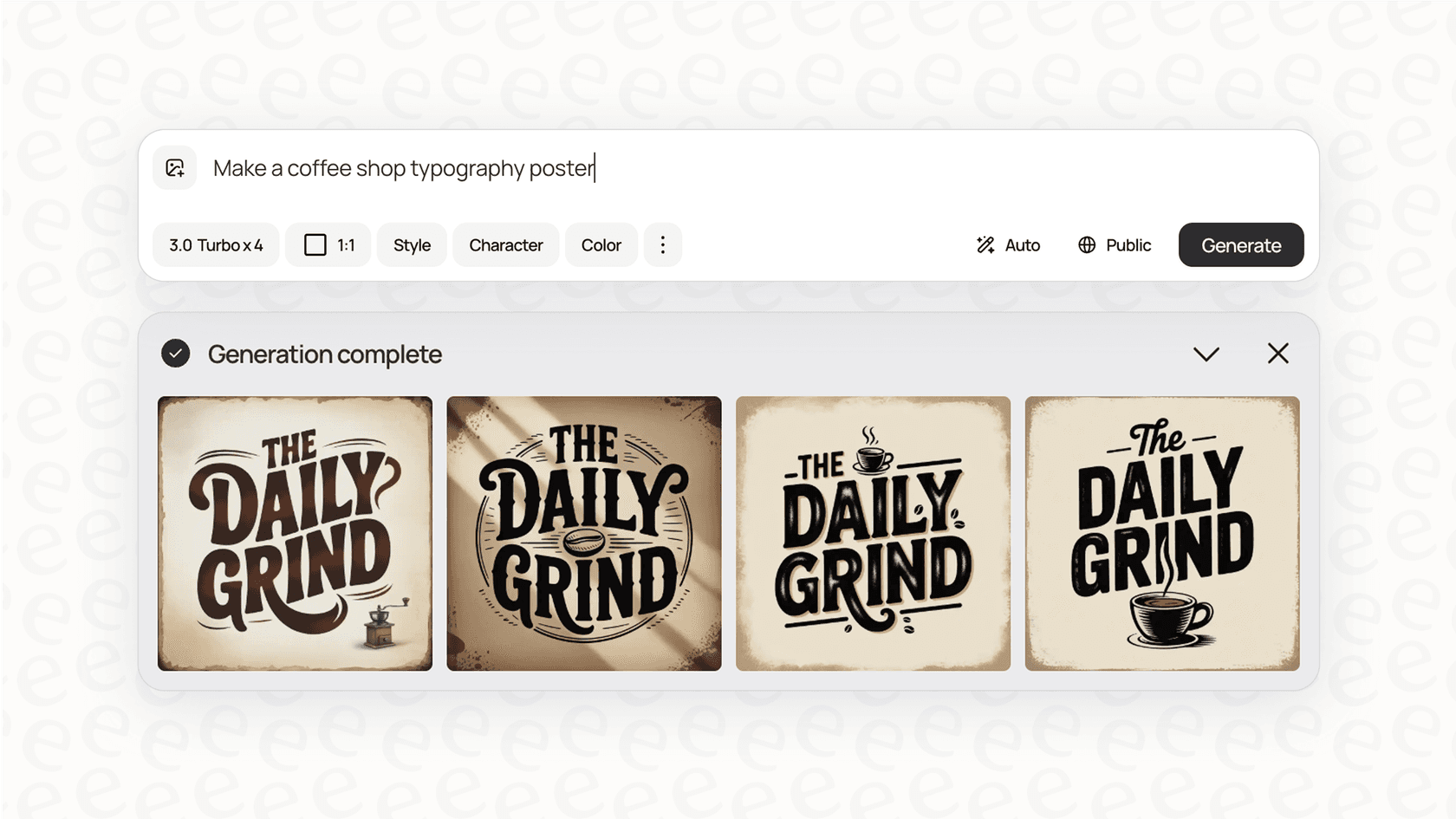
This opens up a ton of practical uses, letting you create posters with catchy headlines, t-shirt designs with witty slogans, and brand logos that actually spell the company's name right. For anyone in print-on-demand or branding, this feature alone is huge. It’s not just about getting the letters right; it’s about making them look like they belong in the image, with the right style and composition.
The Magic Prompt feature
Ideogram has a feature called "Magic Prompt," which is a pretty neat tool for both beginners and experienced users. It works by taking your simple, direct prompt and beefing it up into something more detailed and descriptive. The whole point is to generate images that are more artistic and visually interesting than what your original short prompt might have created.
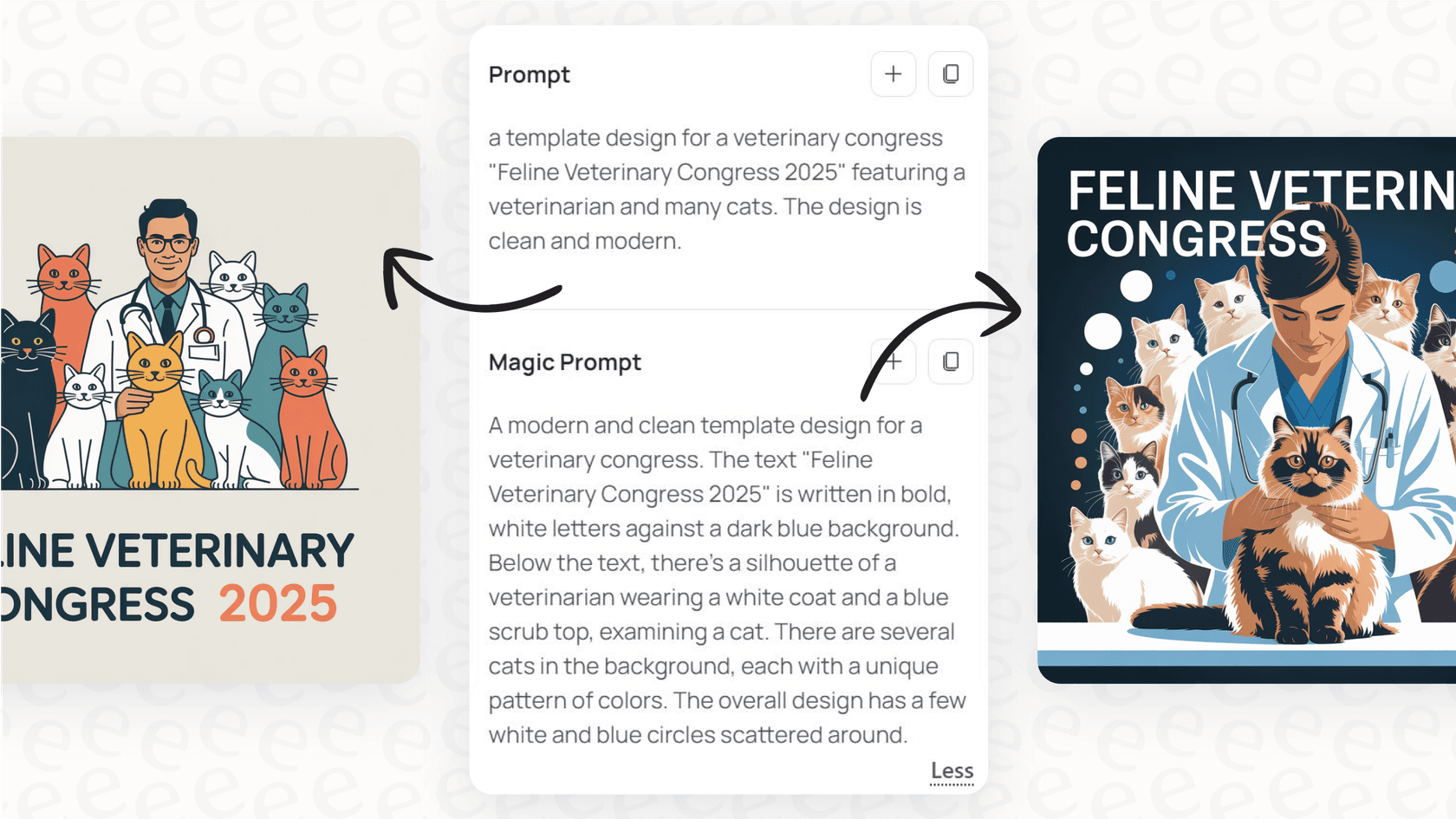
For instance, a review on Medium tested this out with the simple prompt "a group of people at an indoor birthday party." The result was fine, but a little bland. With Magic Prompt on, Ideogram turned that into something much more detailed, leading to a professional-looking photo with way better lighting and composition. It's a nice way to get better results without needing a PhD in prompt engineering.
Advanced editing with the Ideogram canvas
Beyond just making images, Ideogram also has a built-in editor called the Canvas. This is where you can tweak your creations without having to drag them into another program. The Canvas lets you do things like remixing (using one image to inspire a new one), inpainting (picking a part of an image and changing just that), and outpainting (making the image bigger by extending its borders).
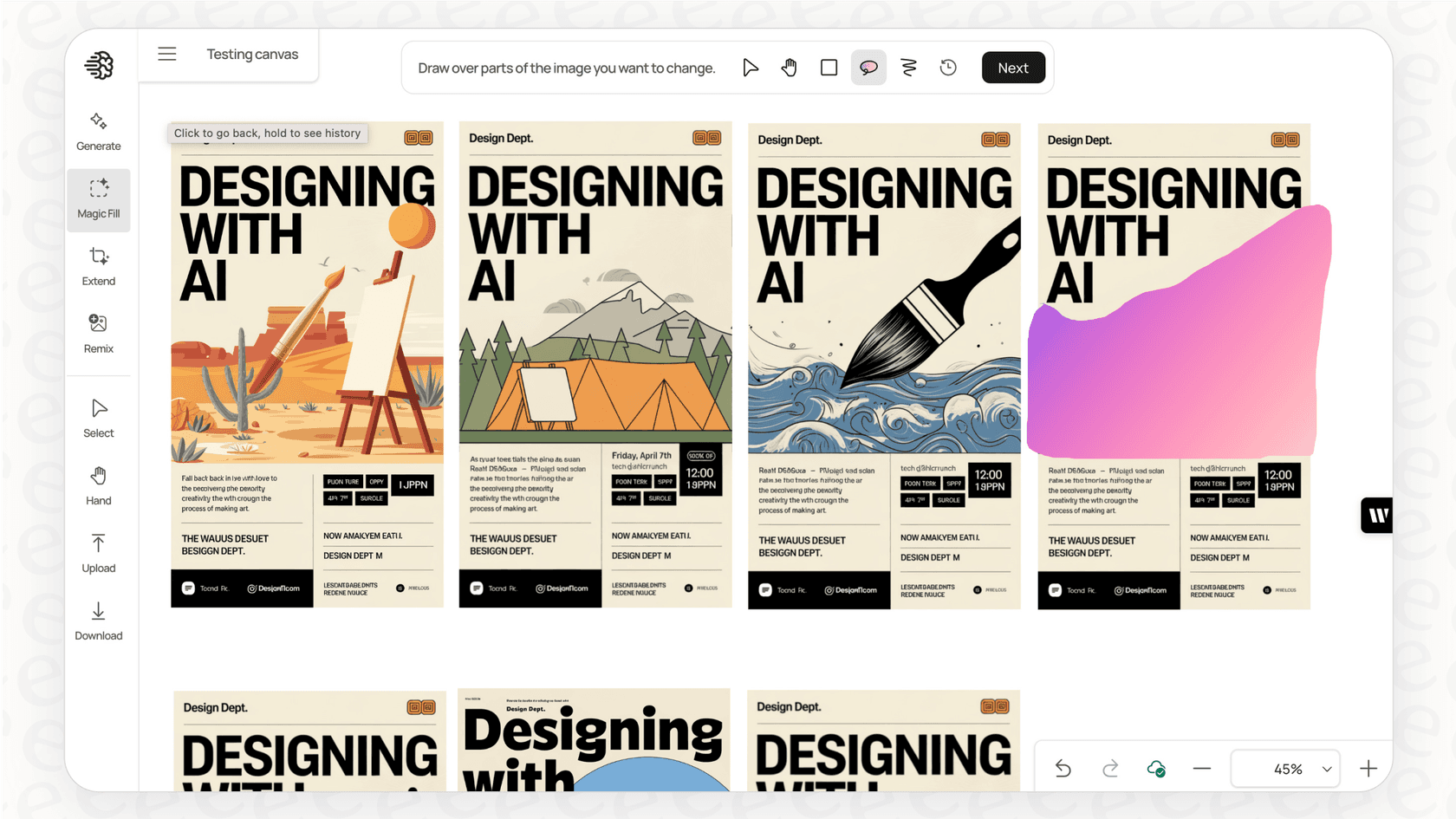
It's a really useful addition, though some people find it has a bit of a learning curve. The way it manages layers, in particular, can take some getting used to. But if you spend an hour or two playing around with it, you can start making some pretty detailed edits and combining different ideas into one finished piece.
Batch generation
If you need to make a bunch of images at once, the batch generation feature is a massive time-saver. You can upload a simple CSV file filled with different prompts and let Ideogram create them all in one shot. This is super helpful for scaling up creative work. You could use it to whip up dozens of variations for a mood board, create mockups for an entire online store, or build out a portfolio of stock images.
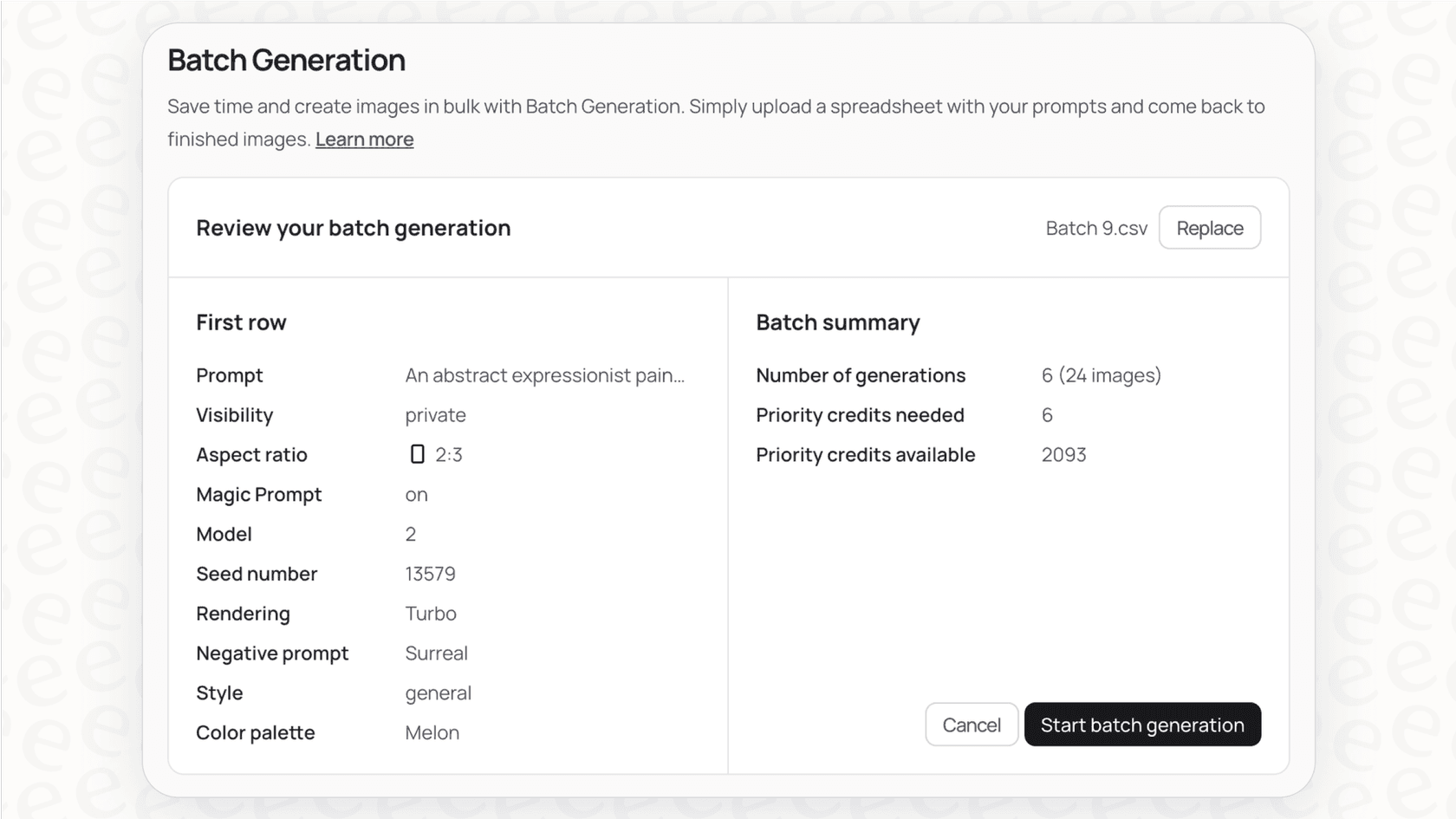
This is something a lot of competitors, including the ever-popular Midjourney, don’t offer. It gives Ideogram a clear edge for anyone who needs to produce a high volume of images.
A complete breakdown of Ideogram pricing
So, how much does Ideogram cost? It runs on a freemium model with a credit system. You get a few free generations, and the paid plans give you more credits and extra features. It’s good to know how the credits work: "slow" credits are for the free queue (which can mean long waits), while "priority" credits let you cut the line. The credit cost for each image also changes based on the AI model and settings you pick.
Here’s a full breakdown of the personal pricing plans, based on what's listed on their site and in the App Store.
| Plan | Billed Monthly | Billed Yearly (Effective Rate) | Key Features & Credits |
|---|---|---|---|
| Free | $0 | $0 | Limited slow credits (10 credits, which is about 5 generations per day). |
| Basic | $11.99 | $7/month | 400 priority credits per month, 100 slow credits per day, ability to queue multiple generations. |
| Plus | $28.99 | $15/month | Everything in Basic, plus 1,000 priority credits, unlimited slow credits, private generation, image upload, and character consistency. |
| Pro | $85.99 | $42/month | Everything in Plus, plus 3,500 priority credits, the largest generation queue, and batch generation. |
The Free plan is perfect for just messing around and seeing what it can do. The Basic plan is a good fit for hobbyists who want faster results. The Plus and Pro plans are geared toward professionals and businesses that need things like private generations (so your work isn't public), the option to upload your own images, and a much larger batch of priority credits.
Common limitations and user concerns
No tool is perfect, and feedback from communities like Reddit points to a few common issues you should know about before diving in.
Inconsistent image quality and prompt adherence
A regular complaint is that Ideogram's image quality can be a bit all over the place. Some longtime users feel the quality has dipped recently, with one person saying, "The quality of the outputs have become less reliable and not exactly following prompts like before." This can happen when AI models get updated, but it’s definitely frustrating when you can't get the result you’re looking for. While Ideogram is great with simple prompts, it sometimes fumbles with complex scenes that need specific placement of multiple subjects.
The upscaler's creative liberties
Ideogram has an upscaler to boost the resolution of your images, but it can sometimes get a little too "creative." One detailed review found that even with the settings cranked to stick as closely as possible to the original, the upscaler still made noticeable changes. Details like eye color, skin tone, and facial features were different in the final high-res image. For anyone who needs to keep specific details consistent for a character or brand, this can be a real headache.
Slow generation and the credit system
If you’re on the free plan, be prepared to wait. People often complain about long queues for "slow" generations, which can feel like a nudge to upgrade. The credit system itself can also be a little confusing. The cost of a single generation isn’t fixed; it changes depending on the model and quality settings you choose. One user also pointed out that the mobile app seems to chew through more credits per generation than the web app, which can drain your daily allowance faster than you'd expect.
The verdict: Who is Ideogram for?
After looking at the features, pricing, and common complaints, it's pretty clear that Ideogram is a solid tool, but it's not for everybody.
It’s a fantastic choice for anyone whose work revolves around images with text. Marketers creating social media graphics, designers prototyping logos, authors designing book covers, and entrepreneurs making t-shirt mockups will find its typography skills incredibly valuable.
However, if your work demands perfect anatomical detail in busy scenes, or if you need an upscaler that preserves every last detail without adding its own artistic flair, you might want to check out some alternatives. Ideogram is great for a lot of things, but its weak spots in these areas mean it might not be the best tool for every single creative project.
Beyond Ideogram images: How AI is transforming business workflows
It's interesting to see how generative AI tools like Ideogram are changing creative work. At the same time, another type of AI is quietly overhauling business tasks like customer support. Many creators and small businesses who use Ideogram to build their brand eventually hit a new wall: scaling their customer service. Answering the same questions over and over again by hand is a huge time-sink, pulling you away from the creative work that actually grows your business.
This is where AI-powered support comes in. Instead of creating images from prompts, these tools create accurate, helpful answers from your own company knowledge. For teams that want to offer instant support without a complicated setup, a tool like eesel AI is a great option. It hooks into your existing help desk and knowledge sources (like past tickets, help articles, and Google Docs) to handle frontline support, letting you focus on the bigger picture.
Final thoughts on Ideogram
Ideogram is a strong player in the crowded AI image field, mostly because it's one of the best out there at handling text. It’s easy to use, versatile, and has a set of features that are especially useful for marketing and design.
And as you use AI to scale up your creative work, it’s worth thinking about how it can also scale up your business. With platforms like eesel AI, you can put your customer support on autopilot and get back to what you do best, creating.
Frequently asked questions

Share this article

Article by
Kenneth Pangan
Writer and marketer for over ten years, Kenneth Pangan splits his time between history, politics, and art with plenty of interruptions from his dogs demanding attention.