A clear guide to Microsoft Edge Copilot pricing


Last edited October 28, 2025

If you’re trying to figure out Microsoft’s AI offerings, you're not alone. The whole thing can feel like a puzzle, especially with the name "Copilot" popping up everywhere. We've all seen the promises about AI assistants that will revolutionize our work, but when it comes time to use them, the practical value isn't always clear. It often leaves you asking, "Is this thing actually worth the money?"
If you're looking for a straight answer, you've come to the right place. This guide will give you a clear, no-nonsense breakdown of the Microsoft Edge Copilot pricing, what you get at each level, and help you decide if it’s the right investment for you.
What is Microsoft Copilot?
First, let's clear something up: "Copilot" isn't one single app. It’s Microsoft's brand name for a bunch of different AI features, and what it does changes completely depending on where you find it. To make sense of the pricing, you have to know the different flavors.
-
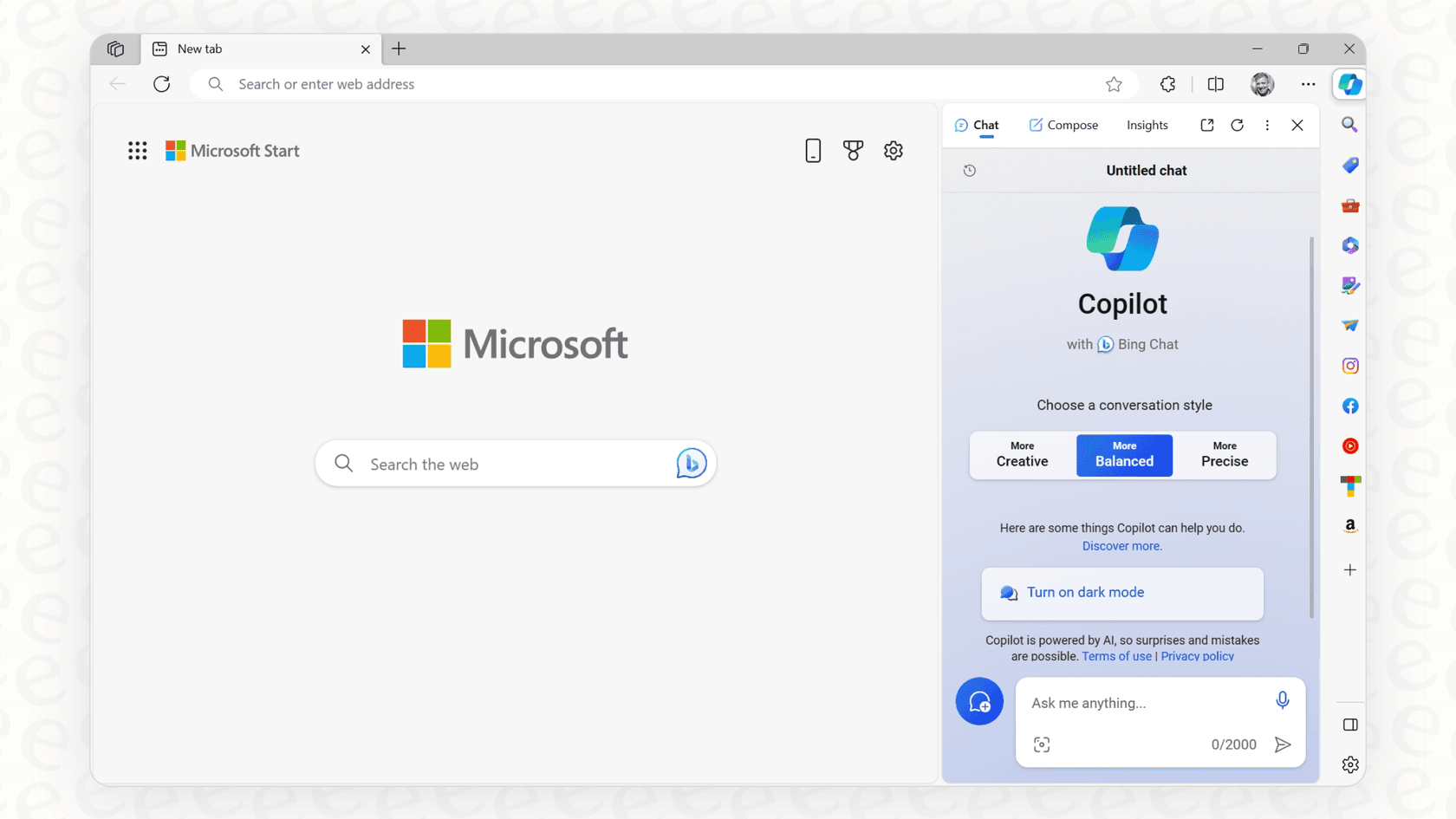
Copilot in Edge: This is the AI assistant living in the sidebar of your Microsoft Edge browser. It’s handy for web-based stuff like summarizing an article you're reading, drafting a quick email, or creating images.
-
Copilot in Windows: This version is built into the operating system itself. It helps you find files, change PC settings, or answer questions without having to open a browser first.
-
Copilot (the free website): This is the chatbot you can use at copilot.microsoft.com. It feels a lot like the free version of ChatGPT and is a good place to ask general questions.
-
Copilot for Microsoft 365: This is the one aimed at businesses. It’s a paid service that plugs directly into apps like Outlook, Teams, Word, and Excel and is supposed to be grounded in your company's own data.
Basically, the version you're using determines what you can do and what, if anything, you'll pay.
A full breakdown of Microsoft Edge Copilot pricing
The basic Copilot features you see in the Edge browser are totally free. For simple, everyday tasks, this free tier is pretty decent. You can get quick summaries of web pages, chat with the AI, and even generate a few images using "boosts" (which is just Microsoft’s term for faster generation).

But here’s the thing: to get Copilot’s real power, like higher usage limits and the much-hyped integration with your desktop apps, you’ll need to open your wallet for a Microsoft 365 subscription.
Microsoft Edge Copilot pricing for individuals and families
For personal use, the more advanced Copilot features are bundled into Microsoft’s consumer 365 plans. Here’s how they compare.
-
Microsoft 365 Personal ($9.99/month): This is for one person. It unlocks Copilot inside desktop apps like Word, Excel, and PowerPoint and gives you more generous usage limits than the free version.
-
Microsoft 365 Family ($12.99/month): This plan can be shared with up to six people, but there's a huge catch. The advanced Copilot features are only for the person who owns the subscription. The other five family members are out of luck.
-
Microsoft 365 Premium ($19.99/month): This is the top tier for "power users." It gives you the highest usage limits and a few exclusive features, but once again, these perks are only for the main account holder.
This pricing can feel a bit deceptive, especially if you were hoping to share the AI goodness with your family or a small team. This table should make it clearer.
| Feature | Copilot (Free in Edge) | Microsoft 365 Personal | Microsoft 365 Family | Microsoft 365 Premium |
|---|---|---|---|---|
| Price | Free | $9.99/month | $12.99/month | $19.99/month |
| Primary Use | Web browsing assistance | Solo user productivity | Household use | AI power users |
| Copilot in M365 Apps | No | Yes (1 person) | Yes (Subscription owner only) | Yes (Subscription owner only) |
| Usage Limits | Standard | Higher than free | Higher than free | Highest |
| Exclusive Features | No | No | No | Yes |
Microsoft Edge Copilot pricing for businesses
For professional teams, the product is called "Copilot for Microsoft 365," and the price jumps significantly.
Copilot for Microsoft 365 is $30 per user, per month, with an annual commitment required.
The most important detail here is that this is an add-on. To even be eligible to buy it, each person on your team also needs a separate Microsoft 365 license, like Business Standard ($12.50/user/month) or Business Premium ($22/user/month). So, that $30 fee is just the beginning. The actual cost to get one employee up and running with Copilot is more like $42.50 or $52 per month.
This is the plan that unlocks the features most businesses want: an AI that can access your company’s internal information (emails, chats, documents) and work directly within your day-to-day apps.
The hidden costs and limitations
The monthly fee is only one part of the equation. Once you dig in, you’ll find some real-world limitations and hidden costs that might make you second-guess the investment.
The context and integration headache
One of the biggest promises of Copilot is that it can connect the dots between your different apps. The problem is, it only works if your entire digital life is perfectly organized inside the Microsoft ecosystem. For Copilot to summarize a project's status, it needs the presentation, the spreadsheet, and the Teams chat to all be stored neatly in OneDrive or SharePoint.
This creates a serious "ecosystem lock-in." If your team uses Google Docs to collaborate or relies on a Confluence wiki for its knowledge, Copilot is completely blind to that information. To get the tool working as advertised, you might have to undertake a massive data migration project, which is a headache most companies aren't ready for.
A lack of control for specific workflows
Copilot is a generalist AI. It’s a jack-of-all-trades, master of none. It can help an employee draft a generic email, sure, but it doesn't have the specialized logic to handle a complex business process, like a customer support queue.
It’s pretty rigid. You can't easily teach it custom actions, tell it how to escalate tickets, or tweak its personality for a customer-facing role without shelling out for the very expensive and complicated Copilot Studio. This lack of control makes it a tough sell for teams that need to follow precise, repeatable steps.
Is the value of Microsoft Edge Copilot pricing really worth it?
When you add everything up, the base Microsoft 365 license plus the $30 per-user Copilot add-on, the costs climb fast. This has led a lot of people to feel that the value just isn't there, especially when free or more focused tools can do specific things better.
A better choice for customer support and internal Q&A
For teams that handle support, IT, and operations, a general-purpose AI like Copilot often creates more work than it saves. These teams need a tool that’s actually built for their specific workflows.
If Copilot feels too broad for your team's needs, it might be worth looking at tools designed for that exact job. An AI platform like eesel AI is a great example. It was built from the ground up for customer service, IT service management, and bringing all of your internal knowledge together.
Get it running in minutes, not months
Forget about long data migrations and complicated setups. With eesel AI, you can connect your help desk and have a working AI assistant in minutes, all by yourself. You never even have to talk to a salesperson.
Even better, eesel AI has a powerful simulation mode. This lets you test the AI on thousands of your past tickets to see exactly how it would have responded. You can forecast its resolution rate and get comfortable with its performance before you ever turn it on for your customers. It’s a risk-free way to start, which is something you just don't get with Copilot.

Unify all your knowledge, not just Microsoft files
Copilot's biggest blind spot is its inability to see outside the Microsoft bubble. eesel AI is designed to connect to the tools you already use. It instantly hooks into dozens of platforms, including help desks like Zendesk and Freshdesk, company wikis like Confluence, and chat tools like Slack.
This means your AI actually has the full picture. It learns from past tickets, internal documents, and help center articles, no matter where they are, so it can give much more accurate and helpful answers.

Full control and straightforward pricing
While Copilot is a one-size-fits-all tool, eesel AI gives you a workflow engine you can completely customize. You can define your AI's tone of voice, set up custom actions (like looking up order information), and create specific rules for how and when it should automate tasks.
Best of all, the pricing is transparent and predictable. There are no surprise per-resolution fees, so you won't get an unexpectedly huge bill after a busy month. This allows you to prove a clear and consistent return on your investment.

Is Microsoft Copilot the right AI for you?
Microsoft Copilot is a broad AI assistant with a complicated price tag. It can be a decent tool for general productivity, but only if you are fully committed to the Microsoft ecosystem.
For specialized teams in areas like customer support or internal IT, its limitations in context, control, and cost are hard to ignore. For these roles, a purpose-built AI platform will almost always give you a faster, more reliable, and clearer return.
Ready for an AI assistant that's actually built for your support team, integrates with all your tools, and offers a clear ROI? Start your free eesel AI trial and see how quickly you can automate your frontline support.
Frequently asked questions

Share this article

Article by
Kenneth Pangan
Writer and marketer for over ten years, Kenneth Pangan splits his time between history, politics, and art with plenty of interruptions from his dogs demanding attention.