A complete Notion Mail overview: Features, limitations, and what's next (2025)


Last edited October 17, 2025

It seems like Notion is trying to become the one app to rule them all. First, they gave us Notion Calendar, and now they’re coming for our inboxes with Notion Mail. The big promise is to clean up the email mess and make it feel as organized as a fresh Notion page.
But let's be real: is it just a pretty new skin for Gmail, or is it a tool that can actually change how your team gets work done?
In this complete Notion Mail overview, we're going to break down everything you need to know. We’ll look at its best features, get into the pricing, and then talk about the major drawbacks that might make it a non-starter for professional teams. Finally, we’ll explore what a genuinely automated email workflow looks like and how you can get there.
At its heart, Notion Mail is an email client that puts that classic, minimalist Notion vibe on top of your Gmail account. The whole idea is to take the chaos of a typical inbox and turn it into something focused and manageable.
Think of it as the third piece of Notion's productivity puzzle, meant to sit right alongside your main workspace and calendar. The goal is to create one smooth ecosystem where you can handle tasks, your schedule, and all your messages without constantly jumping between apps.
Instead of old-school folders, Notion Mail uses "views" and AI-powered labels to automatically sort your emails. You can set up rules based on who sent it, the topic, or how urgent it is. While it uses Notion AI to help you write replies, its main job is to give you a cleaner, less distracting email experience.
Key features of Notion Mail
Notion Mail has a few neat tricks up its sleeve to streamline how you handle email. It’s a mix of that familiar Notion feel with some smart AI functions.
A clean, minimalist user interface
The first thing that hits you about Notion Mail is the design. It gets rid of all the visual noise from other inboxes and gives you a simple, text-focused layout that feels just like the Notion app. This stripped-down look is all about helping you focus.
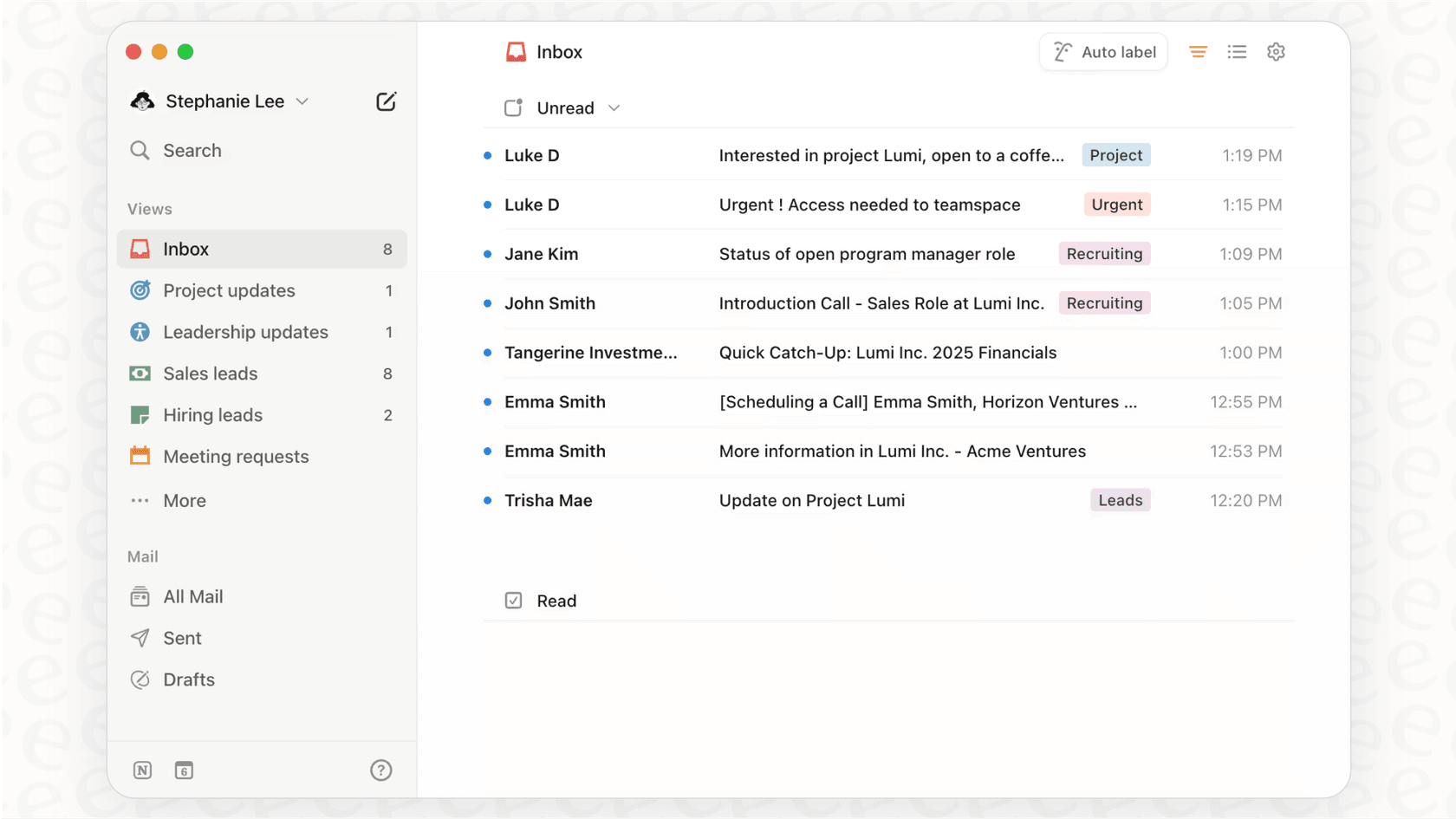
You can tweak the layout with different reading styles, switch between light and dark modes, and change font sizes to make it easy on your eyes. If you find Gmail's interface a bit much, Notion Mail will feel like a breath of fresh air.
AI-powered organization with auto-labeling and custom views
This is probably Notion Mail’s most interesting feature. Instead of manually setting up folders and filters, you can just tell Notion AI what you want in plain English. For instance, you could create a rule like, "Label all emails from recruiters about the new design role," and the AI will tag those messages for you automatically.

From there, you can create "views," which are basically custom inboxes for different things. You could set up views for:
-
Hiring: A single place for all candidate applications and interview emails.
-
Client Projects: Shows only messages from specific client email addresses.
-
Invoices: Filters out everything except emails with receipts or payment reminders.
-
Newsletters: Keeps all the promotional stuff out of your main inbox so you can focus.
This approach is a lot more flexible than traditional folders and lets you build an inbox that actually fits how you work.
AI-assisted writing and snippets
Notion AI is built right into the email composer. It can help you draft a quick reply, polish your writing, switch up the tone, or make your message shorter. It can't summarize incoming emails for you, but it’s still handy for speeding up the writing part.

There are also "snippets," which are just reusable email templates. You can save templates for common replies, like confirming a customer request or sending a follow-up email, and pop them in with a quick command. Snippets can even use dynamic bits like {first_name} to personalize messages on the fly.
Integrated scheduling with Notion Calendar
To stop the endless back-and-forth of trying to schedule a meeting, Notion Mail connects directly with Notion Calendar. Right from the email composer, you can pull up your calendar, pick some available times, and generate a scheduling link.
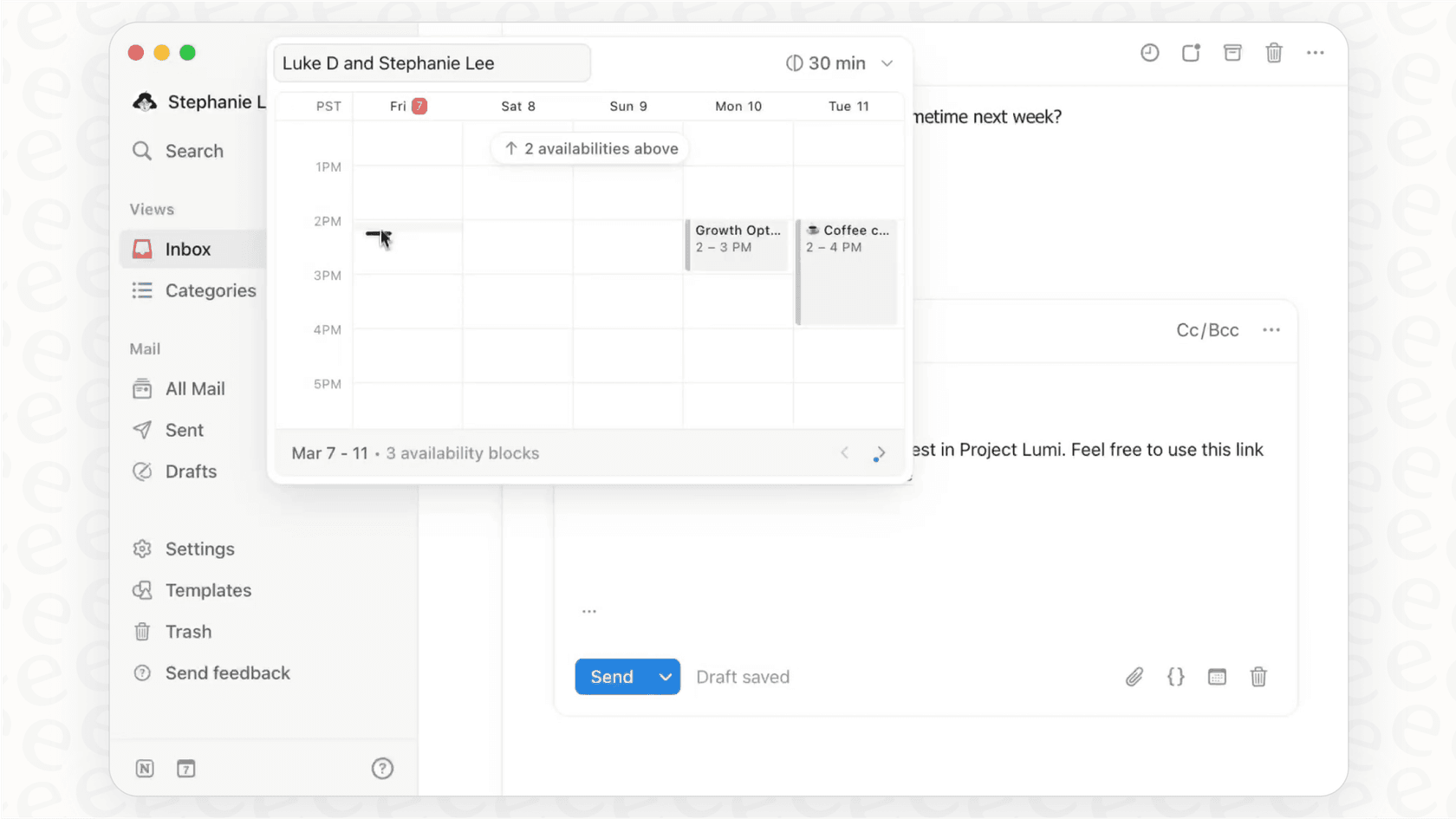
When the other person clicks the link, they can choose a slot that works for them, and the event gets added to both of your calendars automatically. It’s a simple feature, but it saves a ton of time and is a great perk if you’re already using the rest of the Notion suite.
Notion Mail pricing explained
So, what's the catch? While Notion Mail itself is free, the AI features that make it interesting are part of the paid Notion AI add-on. You can connect your Gmail account and use the clean interface for free, but things like AI auto-labeling and the AI writer will cost you.
The Notion AI add-on is $10 per user per month (or $8 if you pay for the year upfront). This is on top of whatever you’re already paying for one of Notion's core workspace plans.
Here’s a quick look at the plans you can add Notion AI to:
| Plan | Price (Billed Annually) | Key Features |
|---|---|---|
| Free | $0 | Unlimited blocks for individuals, limited block trial for teams. |
| Plus | $8 per user/month | Unlimited blocks and file uploads, 30-day page history. |
| Business | $15 per user/month | SAML SSO, private teamspaces, 90-day page history. |
| Enterprise | Custom | Advanced security, audit log, dedicated success manager. |
Limitations of Notion Mail for teams
Notion Mail is a solid tool for one person trying to tame their inbox. But when it comes to teams working together, especially in areas like customer support or sales, it has some pretty big holes.
Shallow integration with Notion databases
This is the one that really stings.
This completely breaks the "all-in-one" promise. A support team can't just send a customer email over to their project board as a new ticket. A sales team can't add a new lead from an email directly into their CRM database. You’re stuck copy-pasting everything manually, which kind of defeats the purpose of having an integrated tool in the first place.
Limited to a single email provider (Gmail only)
Right now, Notion Mail only works with Gmail. There's no support for Microsoft Outlook, custom domains, or any other email providers. For the millions of businesses running on Microsoft 365 or using their own company domains, this is an immediate dealbreaker. It positions Notion Mail more as a tool for individuals rather than a serious business solution.
Lack of true automation and collaboration features
Notion Mail is built for a solo act, not a team. It's missing all the key features you need for collaborative work and real automation. For example, it can’t:
-
Automatically sort and send emails to the right person or department.
-
Let you assign emails to teammates for follow-up.
-
Allow for internal notes or collaborative draft writing.
-
Track things like resolution times or other key support metrics.
For any team handling a steady stream of messages, like a customer support desk or an IT help desk, these aren't just nice-to-haves; they're essential. They need a system that does more than just organize, it needs to automate the entire process.
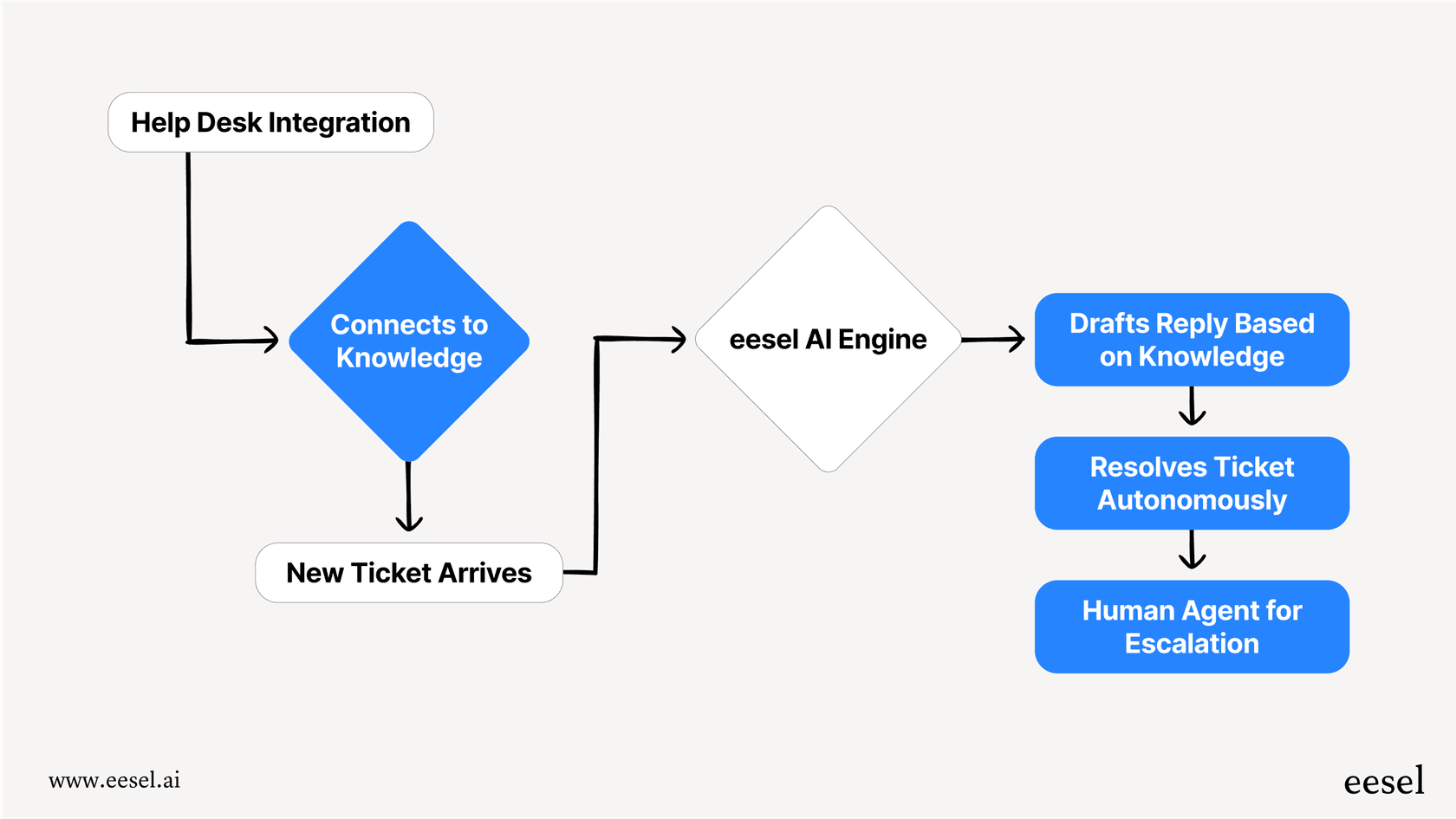
This is where a dedicated AI platform like eesel AI comes into play. Instead of just slapping a new face on your inbox, eesel AI connects to your existing help desk (like Zendesk or Intercom) and your knowledge sources (including Notion) to act as a fully autonomous support agent. It can sort tickets, write smart replies based on your team's existing documents, and even solve problems on its own.
No mobile app and other missing power-user features
As it stands, Notion Mail has no iOS or Android app. That means you can't manage your email on the go, which is a basic requirement for most professionals these days. It’s also missing other common features for power users, like "send later," read receipts, or advanced search tools, which limits how useful it can be for serious work.
Is Notion Mail right for you?
So, what’s the final verdict?
For individual Gmail users who are already deep in the Notion world, Notion Mail is a beautifully designed tool that can definitely make email feel less stressful. The clean interface and AI-powered views offer a calm, focused way to manage a personal inbox.
But for professional teams, especially in support, sales, or IT, Notion Mail just doesn't cut it. The flimsy database integration, lack of team features, Gmail-only support, and no mobile app make it the wrong tool for managing shared inboxes or building automated workflows. It organizes messages nicely, but it doesn't actually help you solve them efficiently as a team.
If you’ve moved past simply organizing and are ready to actually automate your team's work, you'll need something built for the job.
Turn your team's knowledge into an automated support engine
Instead of just organizing emails, what if you could resolve them automatically? eesel AI is a fully customizable AI platform that connects to your help desk and all of your company's knowledge (including Notion, Confluence, and past tickets) to automate your frontline support.
With eesel AI, you can:
-
Go live in minutes, not months, with a setup that’s actually self-serve.
-
Bring all your knowledge together to provide instant, accurate answers.
-
Automate ticket sorting, tagging, and resolution with a powerful workflow engine.
-
Safely test your setup on old tickets with our simulation mode before you flip the switch.
Explore eesel AI to see how real support automation can transform your team's productivity.
Frequently asked questions


Share this article

Article by
Stevia Putri
Stevia Putri is a marketing generalist at eesel AI, where she helps turn powerful AI tools into stories that resonate. She’s driven by curiosity, clarity, and the human side of technology.