Notion vs Airtable: Which tool is right for your team in 2025?

Last edited September 26, 2025
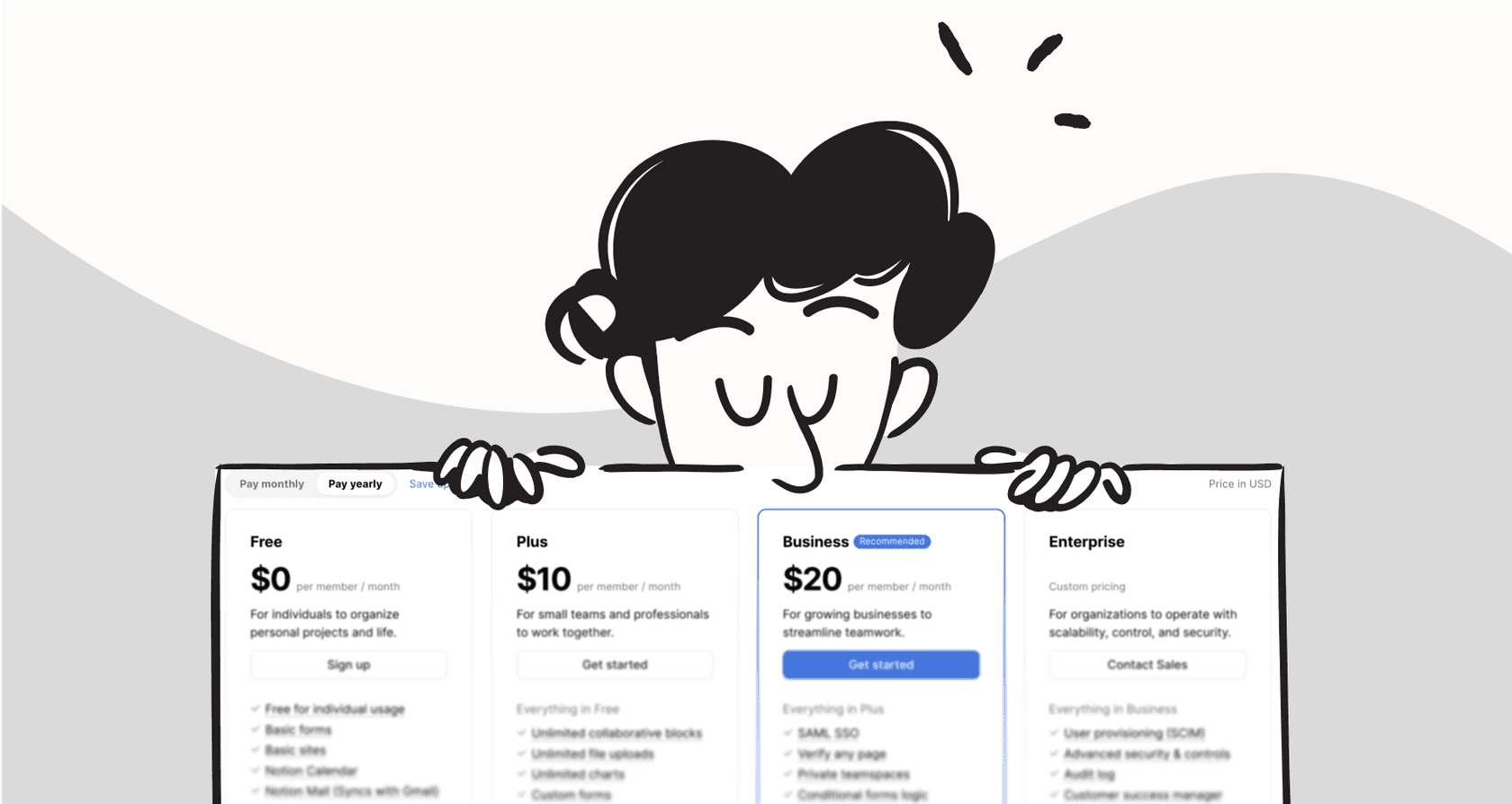
Table of Contents
- What is Airtable? The spreadsheet-database hybrid
- What is Notion? The all-in-one workspace
- Notion vs Airtable: A head-to-head feature comparison
- Notion vs Airtable: Pricing compared
- The verdict: When to choose Notion vs Airtable
- The challenge: Siloed knowledge and support headaches
- The solution: Unify your workspace with an AI layer
- Final thoughts
It seems like every team is using either Notion or Airtable these days, right? They’re the darlings of the modern workplace, both promising to organize everything from marketing campaigns to company retreats. But that’s usually where the clarity ends.
While they might look similar at a glance, they’re built from completely different blueprints. One is basically a super-flexible digital notebook, and the other is a powerful database that just happens to look like a spreadsheet. Picking the wrong one can lead to clunky workflows and a whole lot of team frustration.
This guide is here to help you figure it out. We’re putting Notion and Airtable side-by-side to compare their core features, pricing, and what they’re actually good at. By the end, you’ll have a much better idea of which tool is the right fit for your team.
What is Airtable? The spreadsheet-database hybrid
Think of Airtable as a spreadsheet that got a major upgrade. At its core, it's a relational database, but it has the friendly, familiar feel of Google Sheets or Excel, which makes it way less intimidating than it sounds. It’s built to organize and connect structured information.
To really get Airtable, you just need to know a few key terms:
-
Bases: This is your whole project, like a single database. For instance, a "Content Marketing" base would hold everything you need for your content strategy.
-
Tables: These are like the individual tabs in a spreadsheet. Your "Content Marketing" base might have tables for "Blog Posts," "Authors," and "Social Media Campaigns."
-
Fields: These are your columns, but they’re much smarter than typical spreadsheet columns. You can set them up to hold specific types of data, like attachments, checkboxes, dropdown menus, or even links to records in other tables.
-
Views: This is where the real fun begins. A view is just a different way of looking at the same data. You can see your blog posts in a simple grid, switch to a calendar to see when they’re scheduled to go live, or use a Kanban board to track their progress from "Idea" to "Published."
Airtable’s biggest strength is its ability to manage structured data. It’s perfect for building detailed project trackers, simple CRMs, and any other workflow that relies on clean, connected information.
What is Notion? The all-in-one workspace
If Airtable is a souped-up database, Notion is a digital box of LEGOs. It's a ridiculously flexible workspace where you can build almost anything you can think of, from a basic to-do list to a sprawling company-wide wiki.
The core ideas in Notion are simple but powerful:
-
Pages: A page is your basic building block. It can be a simple document, a team dashboard, or a project hub. You can also nest pages inside other pages, creating a really deep and organized structure.
-
Blocks: Everything you put on a Notion page is a "block." This could be a paragraph of text, a checklist item, an image, a video, a snippet of code, or even an entire database. You can drag and drop these blocks around to create completely custom layouts.
-
Databases: In Notion, a database is just another type of block you can pop into any page. They work like simple tables and can be viewed as boards, lists, calendars, or galleries.
Notion truly shines when it comes to creating and organizing documents. It's the go-to for building knowledge bases, company wikis, meeting notes, and project plans where the written context is just as important as the data itself.
Notion vs Airtable: A head-to-head feature comparison
Alright, now that we have a feel for what each tool is about, let's get into the details. We'll break down how they stack up in the areas that matter most, from data handling to AI features, to see where each one really stands out.
Core functionality: Databases vs. documents
This is the most important difference between the two. Airtable is all about data, while Notion is all about documents.
Airtable gives you the power of a real relational database. It’s made to handle large, complex sets of information with speed and accuracy. You can easily link records between different tables (like linking a client in your "Clients" table to several projects in your "Projects" table) and keep your data clean with specific field types like barcodes or currency. The whole experience is built around structured data.
Notion’s databases, on the other hand, are a feature you use inside a document. They’re great for adding a quick task list to a project brief or keeping track of meeting notes on a team homepage. But they just don't have the raw power of Airtable. As your Notion databases get bigger, you might notice they start to feel a bit slow. The linking between databases is more basic, and the field types are more general. It’s all about adding a bit of structure to a free-form page.
| Feature | Airtable | Notion |
|---|---|---|
| Primary Focus | Relational Database | Document & Wiki |
| Data Handling | High-performance, large datasets | Slower with large datasets |
| Relational Links | Advanced, multi-table linking | Basic relations between databases |
| Field Types | Extensive & specific (e.g., barcodes) | More general (text, number, date, etc.) |
| Flexibility | Structured, data-centric views | Free-form pages with embedded tables |
Automations and integrations
Airtable has a clear advantage here. It comes with a powerful, built-in automation engine that lets you create some pretty complex workflows without ever leaving the app. You can set up triggers (like "when a record is updated") that kick off a series of actions (like "send a Slack message and create a calendar event"). Its API is also famously solid, making it a favorite for developers and anyone using no-code tools.
Notion's own automation features are much more limited, mostly just for simple notifications. If you want to do anything more advanced, you'll need to bring in third-party tools like Zapier or Make. While its API has gotten a lot better over the years, it still can’t match the out-of-the-box automation muscle that Airtable offers.
AI capabilities
Both platforms have jumped on the AI bandwagon, but they use it for very different things, which makes sense given their core focus.
Airtable's AI is designed to help you organize, analyze, and understand your data. You can use it to automatically sort customer feedback, summarize long notes, or generate reports based on the information in your bases. It’s an AI that works on your data.
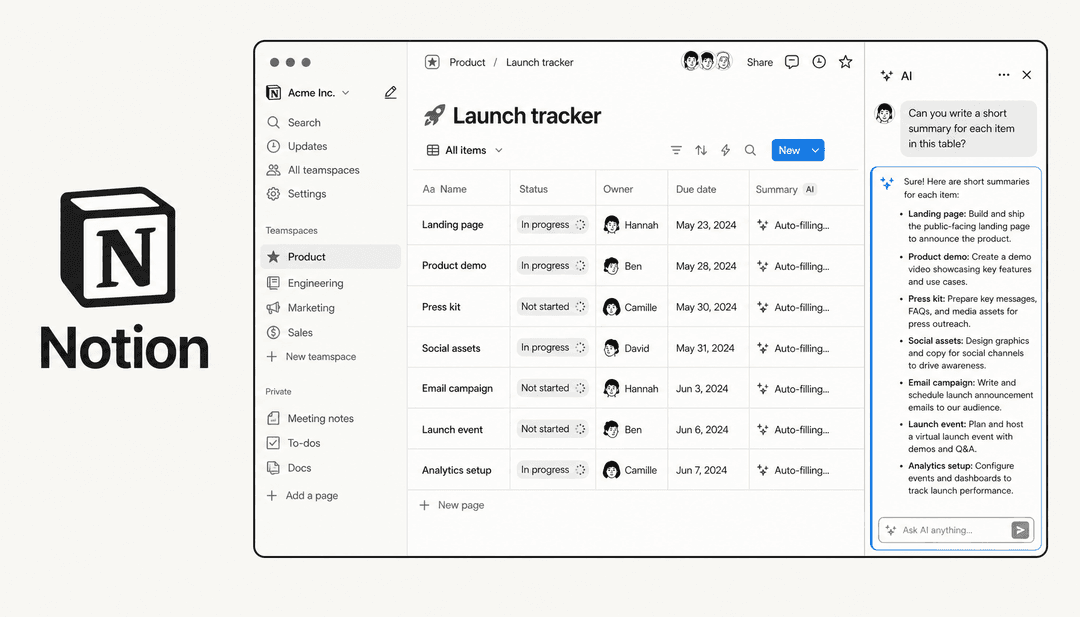
Notion AI, on the other hand, acts more like a creative partner. It's built right into the text editor and is there to help you write and brainstorm. You can ask it to whip up a first draft of a blog post, turn your messy meeting notes into a neat list of action items, translate text, or even answer questions about content from across your entire workspace. It’s an AI that works with your words.
Collaboration and sharing
When it comes to sharing, Airtable gives you more secure and specific controls. You can create a shareable link for a particular view of your data and even choose to hide certain fields. This is super handy for sharing some, but not all, data with clients or freelancers without revealing sensitive information. Airtable’s native forms are also a huge plus, making it incredibly easy to collect information from people and have it automatically populate your base.
Notion's sharing is all page-based. While you can share a page publicly or with guests, it does have a bit of a security quirk. If you share a filtered view of a database, someone who knows their way around Notion can sometimes find their way back to the original database and see data you might have wanted to keep hidden. This makes it less than ideal if you need to share sensitive information and restrict access to certain fields.
Notion vs Airtable: Pricing compared
Both tools offer pretty good free plans to get you started, but their paid tiers are structured differently and offer different kinds of value depending on what your team needs.
Airtable pricing
Airtable's pricing is based on data capacity and access to more advanced features. The per-user cost can add up fast for bigger teams, so it's something to keep in mind.
-
Free: $0 for up to 5 editors, but you're limited to 1,000 records per base and 1GB of attachments.
-
Team: Starts at $24 per seat/month ($20 if billed annually). This gets you up to 50,000 records per base, 20GB of attachments, and 25,000 automation runs per month.
-
Business: Starts at $54 per seat/month ($45 if billed annually). This includes 125,000 records per base, 100GB of attachments, and 100,000 automation runs.
-
Enterprise Scale: Custom pricing for large organizations that need up to 500,000 records per base and advanced security controls.
You can see all the details on Airtable's official pricing page.
Notion pricing
Notion's pricing is usually more affordable, especially for teams that are focused more on documentation and collaboration than heavy-duty data management.
-
Free: $0 for individuals, with some limits for teams and support for up to 10 guests.
-
Plus: Starts at $10 per seat/month ($8 if billed annually). This unlocks unlimited blocks and file uploads for teams and lets you have up to 100 guests.
-
Business: Starts at $20 per seat/month ($18 if billed annually). This adds features like SAML SSO for better security and advanced page analytics.
-
Enterprise: Custom pricing that includes more advanced security, an audit log, and a dedicated success manager.
For the full breakdown, check out Notion's official pricing page.
The verdict: When to choose Notion vs Airtable
So, after all that, the choice should be a lot clearer. It really just boils down to what you’re trying to do.
Choose Airtable if: your work is all about structured data. You need a powerful, fast database to run your key processes, build automations, and share information securely with fine-tuned controls. It’s the obvious choice for data-heavy workflows.
Choose Notion if: your main goal is to create a central home for your team's knowledge. Your work is centered around documents, and you need a flexible, all-in-one space for writing, planning, and some light project management. It’s the king of wikis and collaboration.
Of course, for a lot of teams, the real answer is that they need both. And that's where a whole new headache begins.
The challenge: Siloed knowledge and support headaches
Here's a story you might find familiar: your marketing team tracks all their campaign data in Airtable, while the product team writes up feature specs in Notion. Meanwhile, your support team has its public-facing policies in a Zendesk help center and internal procedures saved in Google Docs.
Then a customer asks a question that touches on information from all those places. Your support agent has to start hopping between four different tabs, trying to piece together an answer from scattered information. This constant context-switching is slow, inefficient, and a perfect recipe for giving inconsistent or incomplete answers. It's frustrating for your team and even more frustrating for your customers. When your knowledge is all over the place, your support quality drops.
graph TD A[Customer Asks a Question] --> B{Support Agent Needs Answer}; B --> C[Searches Notion for Specs]; B --> D[Searches Airtable for Data]; B --> E[Searches Zendesk for Policies]; B --> F[Searches Google Docs for Procedures]; C --> G((Incomplete Answer)); D --> G; E --> G; F --> G; G --> H[Delayed & Inconsistent Response to Customer];
The solution: Unify your workspace with an AI layer
Instead of trying to force everyone onto one tool, what if you could connect them all with an intelligent layer that understands your company’s knowledge, no matter where it’s stored?
That's exactly what eesel AI does. It's an AI platform that plugs into all the tools you already use, including Notion, Airtable, your help desk, and internal wikis, to create a single, unified brain for your company.
This approach fixes the silo problem almost immediately:
-
Unified Knowledge: An AI agent trained on all your sources can give one complete, accurate answer, pulling a policy from Notion and customer data from Airtable in the same response.
-
Go Live in Minutes: Setting up eesel AI isn't some huge, months-long project. With simple, one-click integrations, you can connect all your knowledge sources and have a powerful AI assistant ready to go, without needing to sit through long sales calls or get developers involved.
-
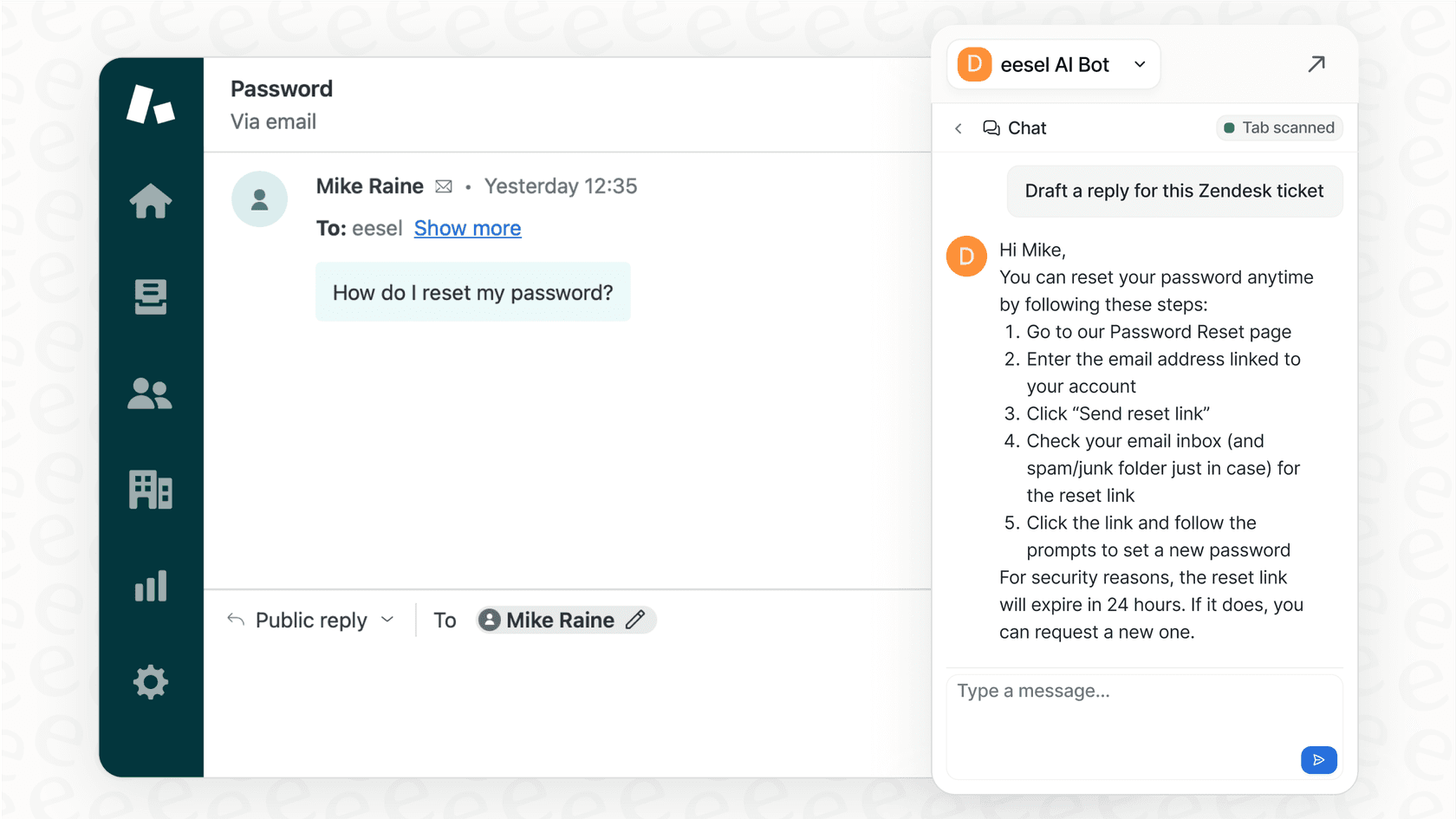
Contextual Answers for Everyone: Whether you have a fully autonomous AI Agent handling customer questions or an AI Copilot helping your human agents draft replies, the answers are always sourced from your entire knowledge base. Your team gets the right information, right where they're working.
Final thoughts
So, Notion vs Airtable? At the end of the day, it's pretty simple: Notion is the master of documents, and Airtable is the king of data. Use them for what they’re best at.
But don't let that choice create an even bigger problem of scattered information. The smarter move is to connect them. An intelligent platform like eesel AI can break down those knowledge silos and help your teams get back to doing their best work.
Ready to bring all your knowledge together? Get started with eesel AI for free.
Frequently asked questions

Share this article

Article by
Stevia Putri
Stevia Putri is a marketing generalist at eesel AI, where she helps turn powerful AI tools into stories that resonate. She’s driven by curiosity, clarity, and the human side of technology.