Olark pricing in 2026: every plan, PowerUp, and hidden cost


Last edited June 21, 2026

How much does Olark cost?
Olark keeps its plan structure refreshingly simple compared to most helpdesks: one core product, one AI tier, and a free fallback. Here's the full picture.
| Plan | Price | Billable unit | Best for |
|---|---|---|---|
| Free account | $0 | 1 agent | A hobby site or a quick test; capped at 20 chats/month, 1 automation rule, no transcripts |
| Standard | From $29/month per seat | Per seat (agent) | Small teams that want full live chat with reporting and integrations |
| Pro | Custom quote | Custom | Teams that want Olark's AI (CoPilot), a dedicated account manager, and all PowerUps bundled |
| PowerUps | $29-99/month each | Flat add-on | Adding translation, visitor insights, white-label, or cobrowsing à la carte |
A few things worth knowing before the per-plan detail:
- The $29 is a "starting at" per-seat rate. Olark doesn't publish a separate annual-vs-monthly number; the discount comes from committing to a 1- or 2-year subscription that you pay in full upfront.
- You can install Olark on unlimited domains and subdomains from one account at no extra cost, which is more generous than most.
- There's no per-role pricing difference between an agent and an admin.
One quick note on numbers you'll see elsewhere: G2 lists Olark from $17/month while Capterra shows $29/month. Those review-site figures lag and disagree, so I'm treating Olark's own pricing page as the source of truth here, the same way I'd check a vendor's live page over any third-party summary.
Olark Standard ($29/seat): what you actually get
Standard is the plan most small teams will land on. For your per-seat fee you get the customizable chatbox, advanced reporting, agent groups, targeted chat, basic integrations, and email and chat support. Olark also bakes in WCAG 2.1 AA accessibility certification, which is rare in this category and a real selling point if accessibility compliance matters to you.
The day-to-day work happens in a clean browser-based operator console, and the setup really is a copy-paste JavaScript snippet, no developer required.
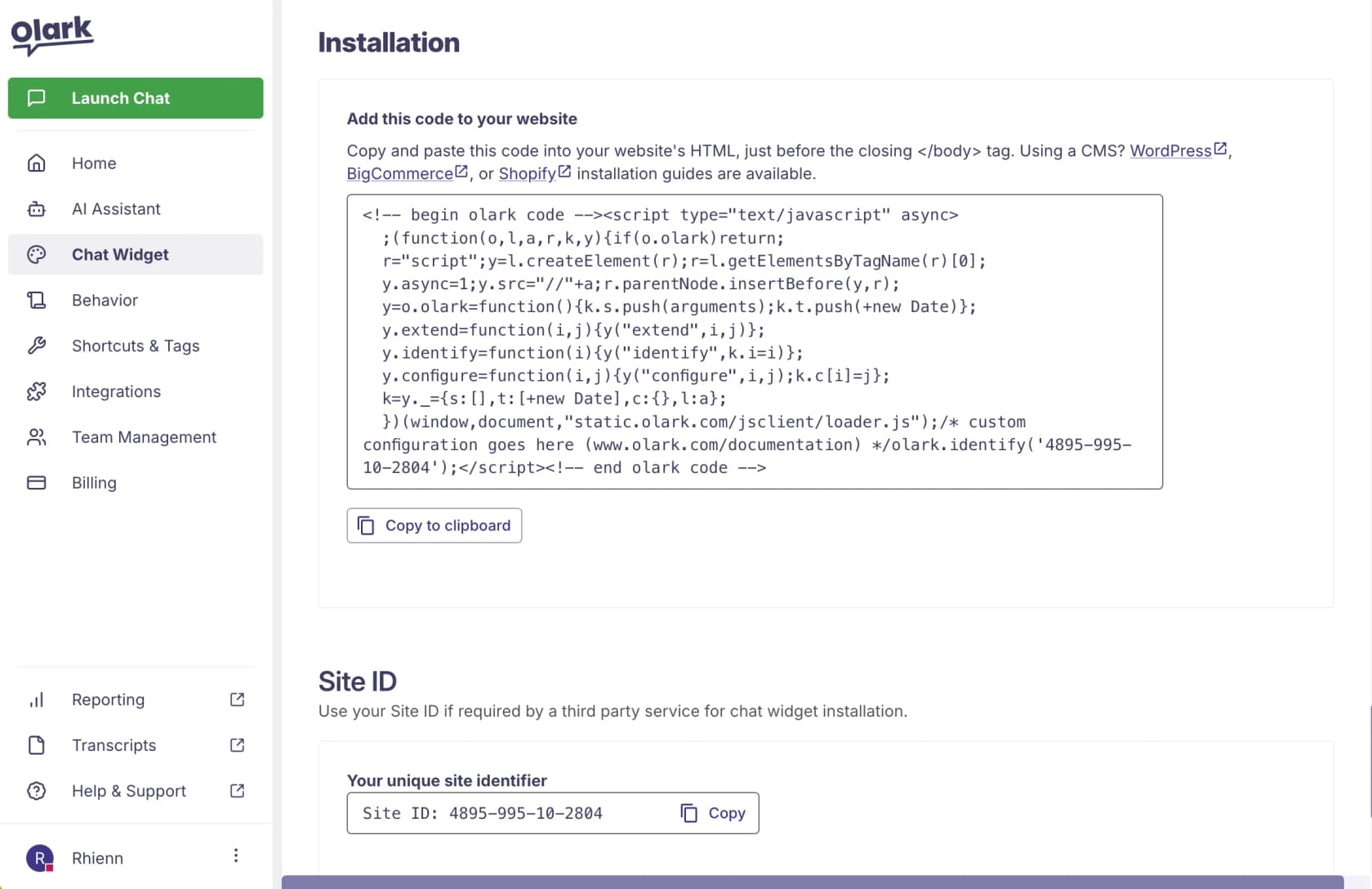
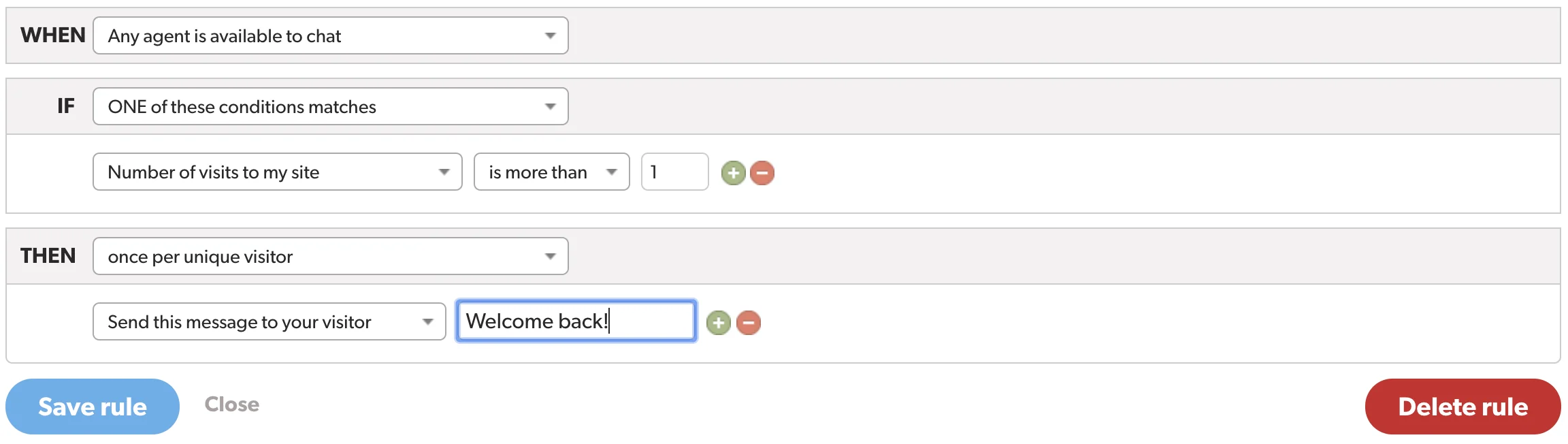
The piece Olark leans on hardest is its no-code automation rules: simple if-then triggers that show or hide the chatbox, fire a proactive message, or block a visitor based on behavior. It's positioned as a lightweight alternative to a full chatbot, and for a lot of small sites it's enough.
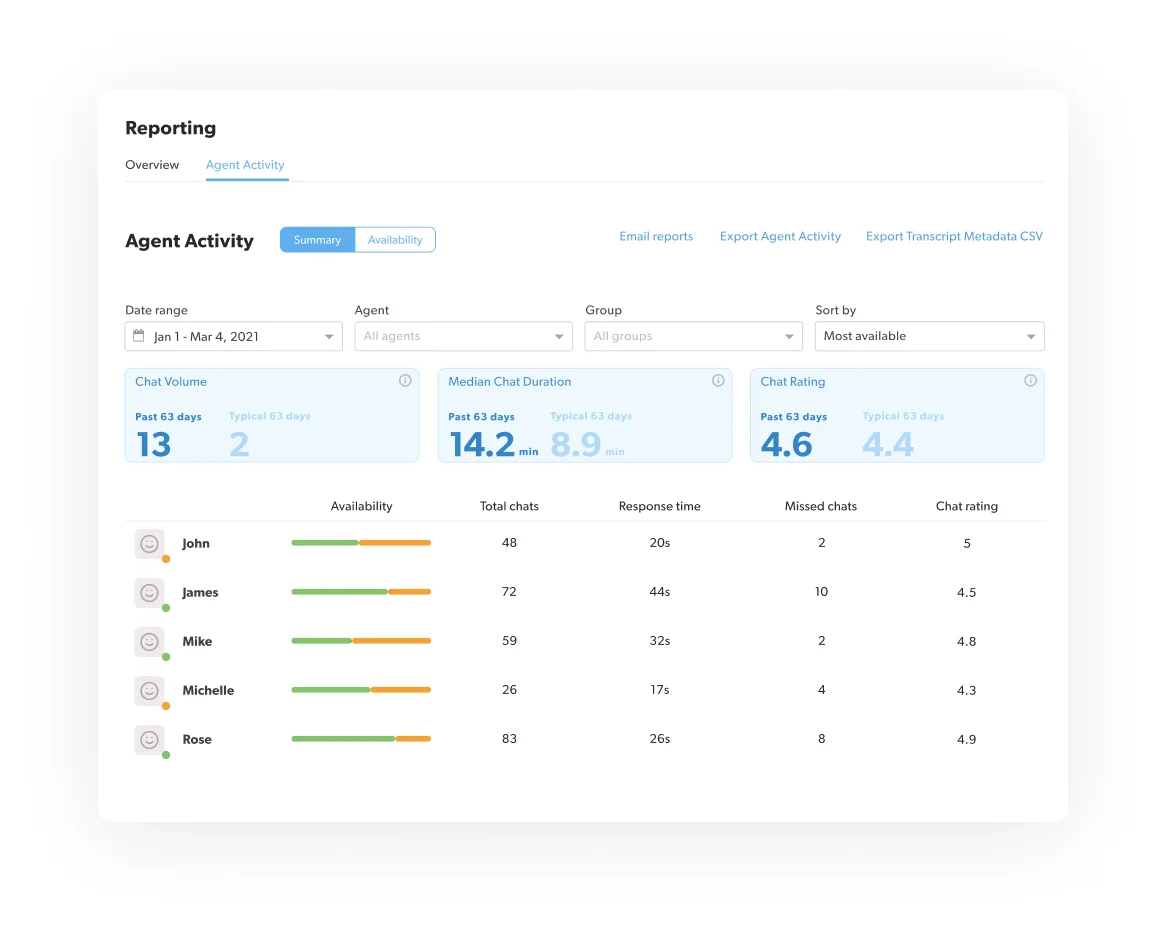
Reporting is solid for the price: searchable transcripts, customizable pre-chat surveys, CSV exports, and per-agent activity reports covering chat volume, response time, and chat ratings.
Olark Pro: the AI tier with no public price
If you want Olark's chatbot and AI, you're on Olark Pro, and there's no public price, you book a demo and get a quote. Pro includes everything in Standard plus CoPilot (Olark's AI chatbot), all PowerUps bundled in, a dedicated account manager, live training, custom chat routing, and first priority in the support queue.
CoPilot's pitch is "human-first" AI that qualifies leads, books them into a CRM, deflects repetitive FAQs, and routes chats by geography or VIP status. The unusual part is that Olark builds and programs the bots for you rather than handing you a builder, which is a fair fit for teams without the bandwidth to configure automation themselves.
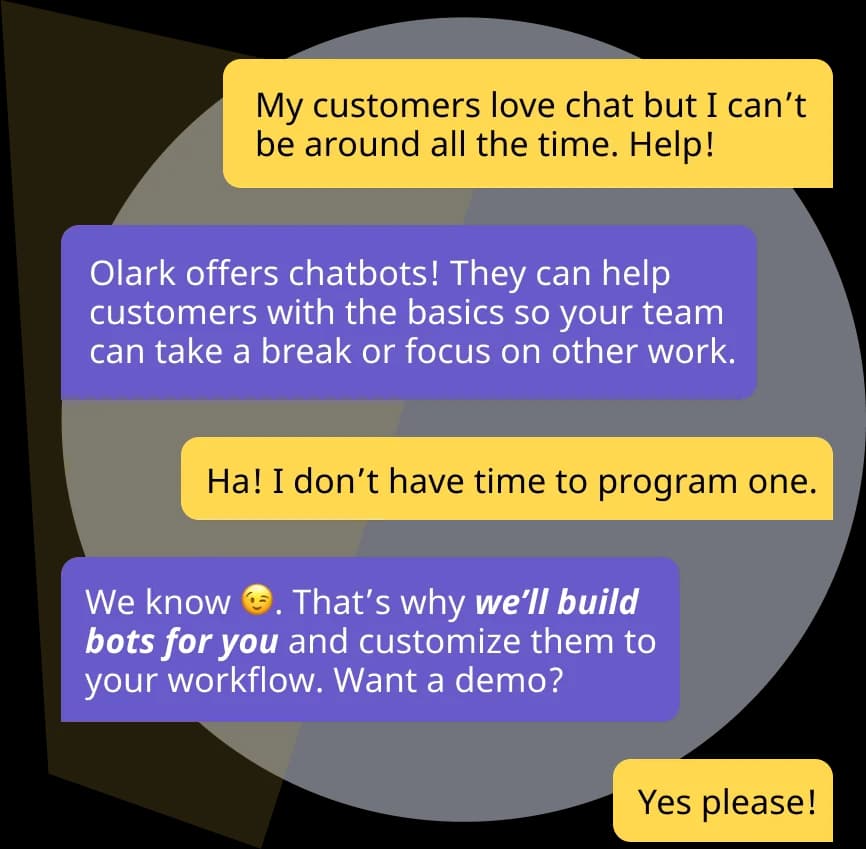
The flip side: a quote-based AI tier means you can't easily sanity-check the cost against your ticket volume, and "we build your bots" means you're dependent on Olark's team for changes. If you'd rather keep AI self-serve and tied to a visible per-conversation rate, that's exactly the gap layering a dedicated AI agent on top of your chat tool is meant to fill.
The PowerUps: where the bill actually grows
Here's the part that catches people. Several features you might assume are included are actually paid PowerUps, each billed as a flat monthly add-on on top of your seats.
| PowerUp | Price | What it does |
|---|---|---|
| Live Chat Translation | $29/month | Real-time two-way translation across 100+ languages |
| Visitor Insights | $59-99/month | Lead scoring from public social and company data |
| Non-Branded Chatbox | $59/month | Removes the "Olark" link for a white-label look |
| Visitor Cobrowsing | Sales quote | Visitors share their screen during a chat |
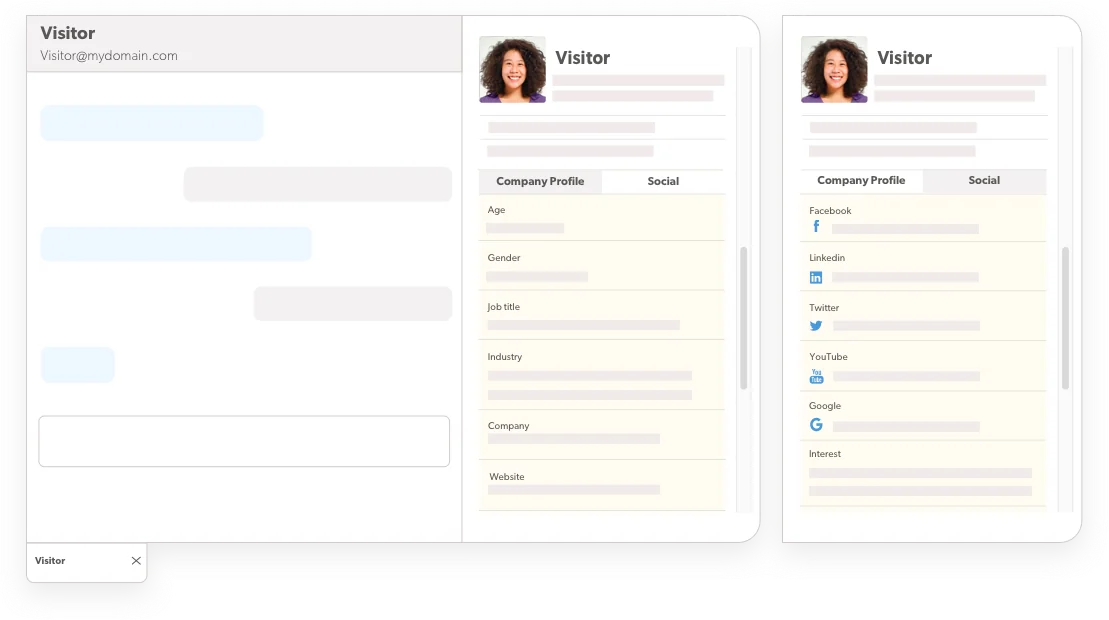
The PowerUp pricing is flat, so it doesn't scale with team size, which is the good news. The less good news is that the things teams most often want (translation for international customers, a clean white-label box, lead enrichment) are exactly the ones gated behind these add-ons. Stack two or three and you've doubled your effective per-seat cost.
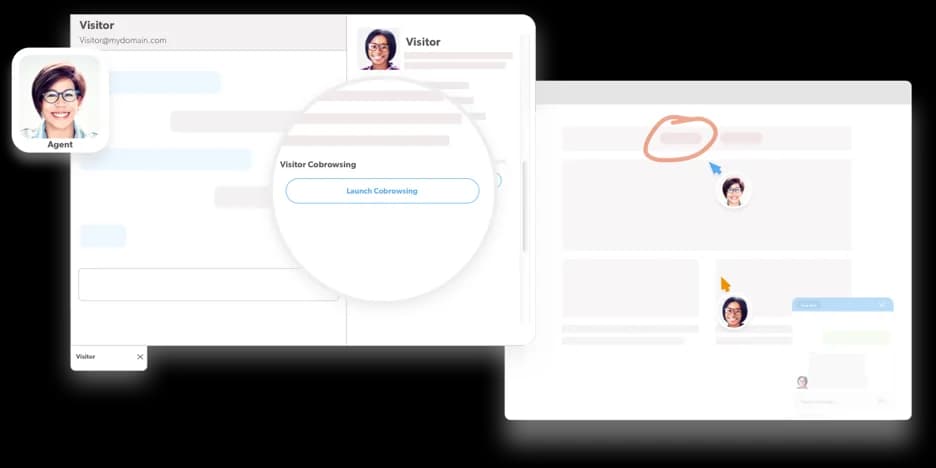
This add-on fatigue is the single most consistent gripe in the wild. One ecommerce operator put the model bluntly on Reddit:
their add-on pricing is a real turn-off. I went from using tawk.to for free with as many triggers as I wanted to being limited to 2 triggers on my $14x2 a month Chat plan (plus another $100/month in Support fee)
The real monthly cost (worked examples)
The sticker price assumes one agent and no add-ons. Almost nobody runs it that way. Here's what the bill actually looks like as you add seats and the PowerUps most teams end up wanting.
| Setup | Seats | PowerUps | Monthly cost |
|---|---|---|---|
| Solo founder | 1 | None | $29 |
| Small team | 3 | None | $87 |
| Growing team | 5 | None | $145 |
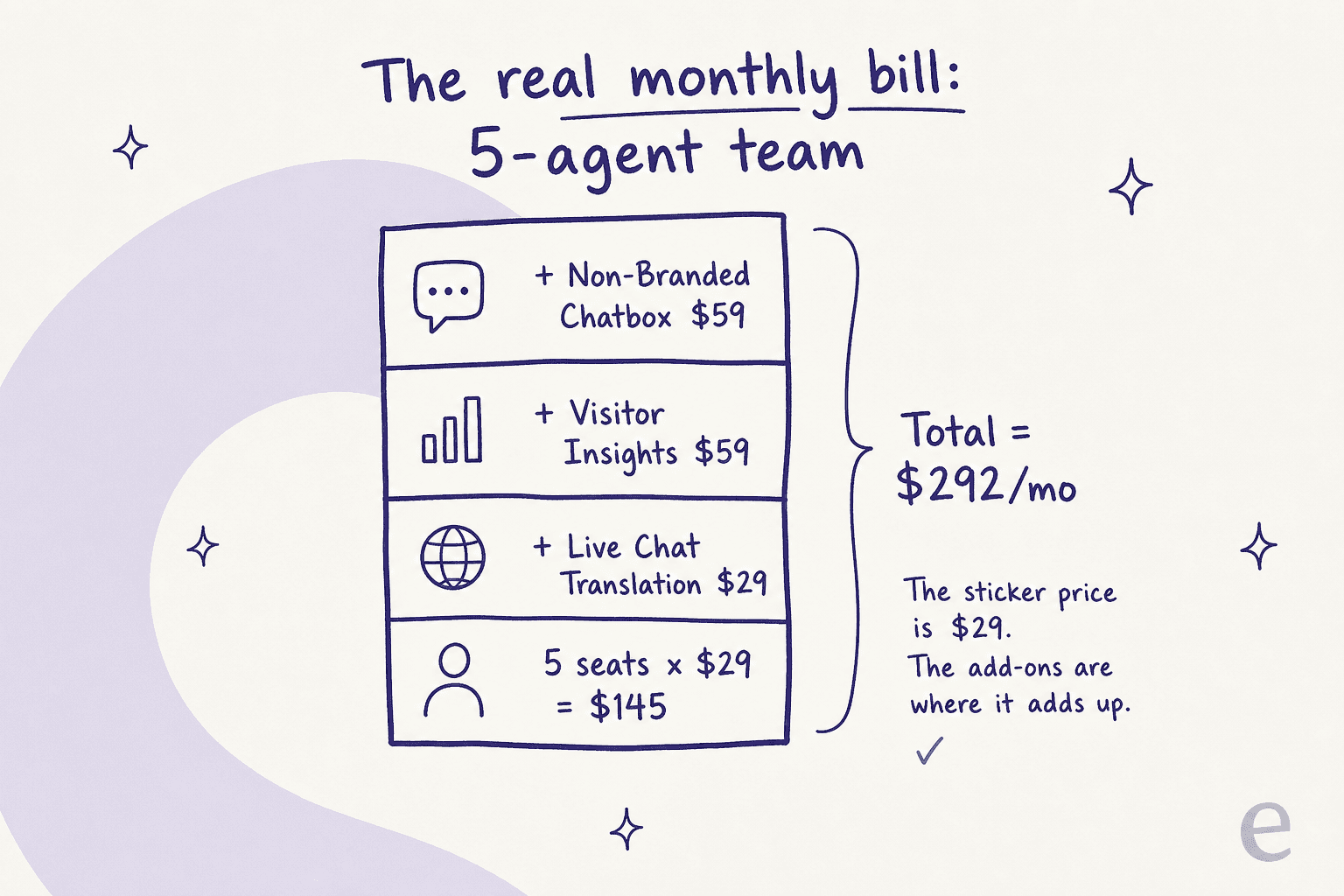
| Growing team + extras | 5 | Translation + Insights + Non-branded | ~$292 |
| Bigger team | 10 | None | $290 |
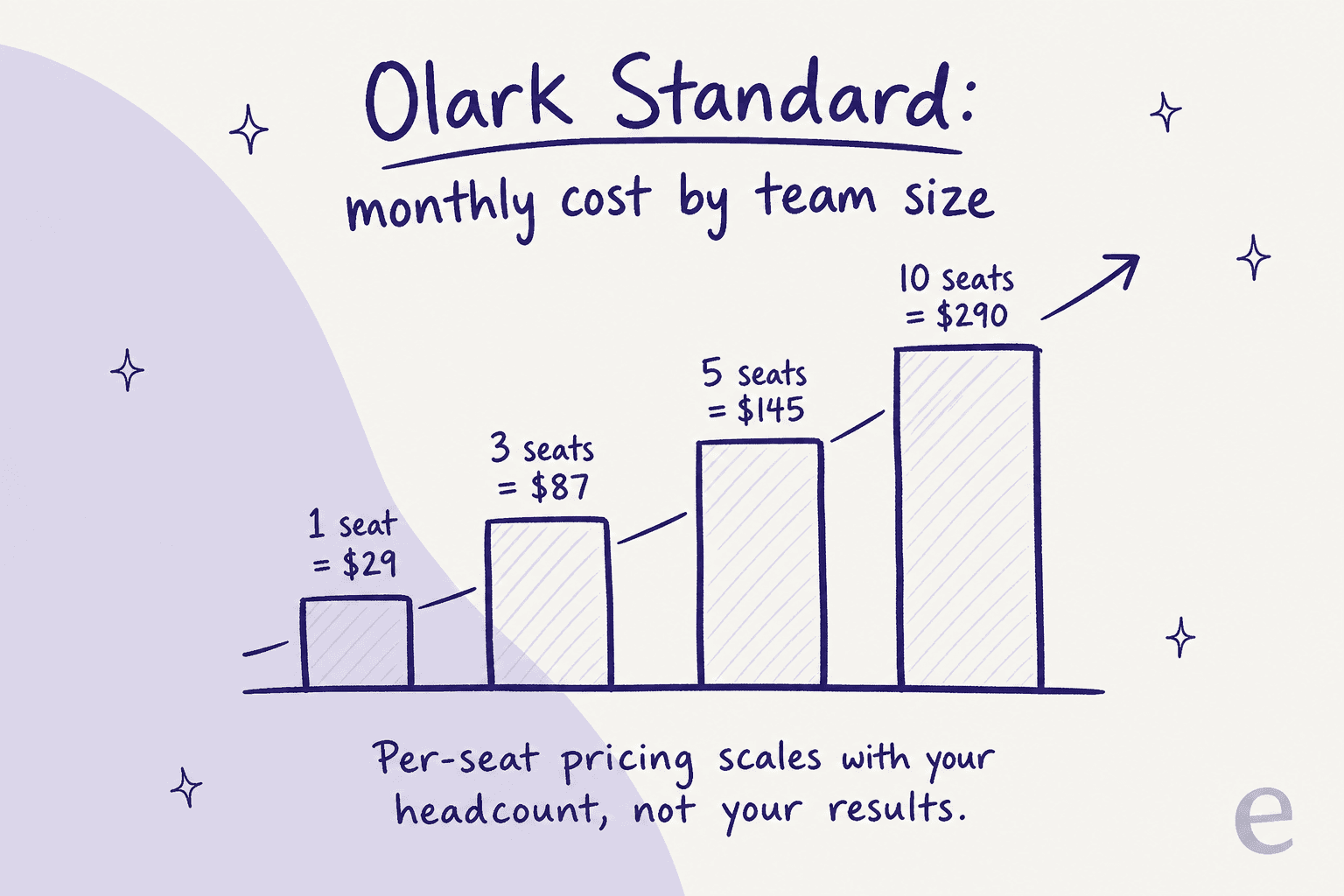
That fourth row is the one to sit with. The $29 plan becomes a ~$292 plan once you've added the three most-requested PowerUps to a 5-person team, and every new hire pushes it up another $29 (plus more if you add their PowerUp access).
The hidden costs nobody quotes you
Beyond the per-seat math, a few things are worth flagging before you sign a one- or two-year term:
- No shared seats. You buy seats in fixed increments and can't share a login across agents, so part-time or overflow staff still cost a full seat.
- The free plan locks away transcripts. On the free account you get no transcript access at all, only 1 automation rule, and you can't hide the chatbox. Upgrading retroactively unlocks the history.
- Prepaid refunds are credit-only. A Trustpilot reviewer who wanted out of a two-year prepaid plan reported Olark "do not offer a refund, only a credit to the account," then switched to a cheaper competitor. Paying upfront for the discount means committing real cash.
- Security gaps. Olark states it does not certify compliance to any security standard (no SOC 2 or ISO claim), and the chatbox is not PCI-DSS compliant, so it explicitly advises against collecting card numbers in chat. SSL is standard and transcripts are encrypted, but if you need a SOC 2 report for procurement, that's a real blocker.
None of these are dealbreakers for a small site. They're the kind of thing that bites once you've grown past the plan you signed up for, which is precisely when switching is most painful.
What users actually think of the value
To be fair to Olark, people who use it generally like it. It rates 4.3/5 across 224 reviews on G2 and 4.5/5 across 471 on Capterra, with a 4.4 value-for-money sub-score. The praise is consistent: easy to install, clean to use, and good value for a small team.
Olark is hands down the best chat software based on functionality, ease of use, and price.
The friction shows up at the edges, almost always around cost as you grow or limits on a single plan. A free-trial reviewer on Capterra noted simply that "Olark can be more expensive than some of the other options on the market," and on Reddit the recurring pattern is people leaving paid chat tools for free tawk.to or automation-forward alternatives like Tidio. It's telling that Olark's most active organic discussion peaked years ago; in current 2026 live chat roundups it tends to sit mid-pack behind newer, AI-led tools.
If you're cross-shopping, our guides to Olark alternatives, Olark vs LiveChat, and the best AI live chat software go deeper on where it wins and loses.
Per-seat vs per-conversation: the question behind the price
Here's the reframe I'd want before buying any live chat tool. Olark's model ties your bill to how many people you employ. That made sense when "live chat" meant a human typing in a box. It makes much less sense now, when a good chunk of incoming chats can be answered automatically, because you end up paying per seat for capacity you increasingly don't need a human for.
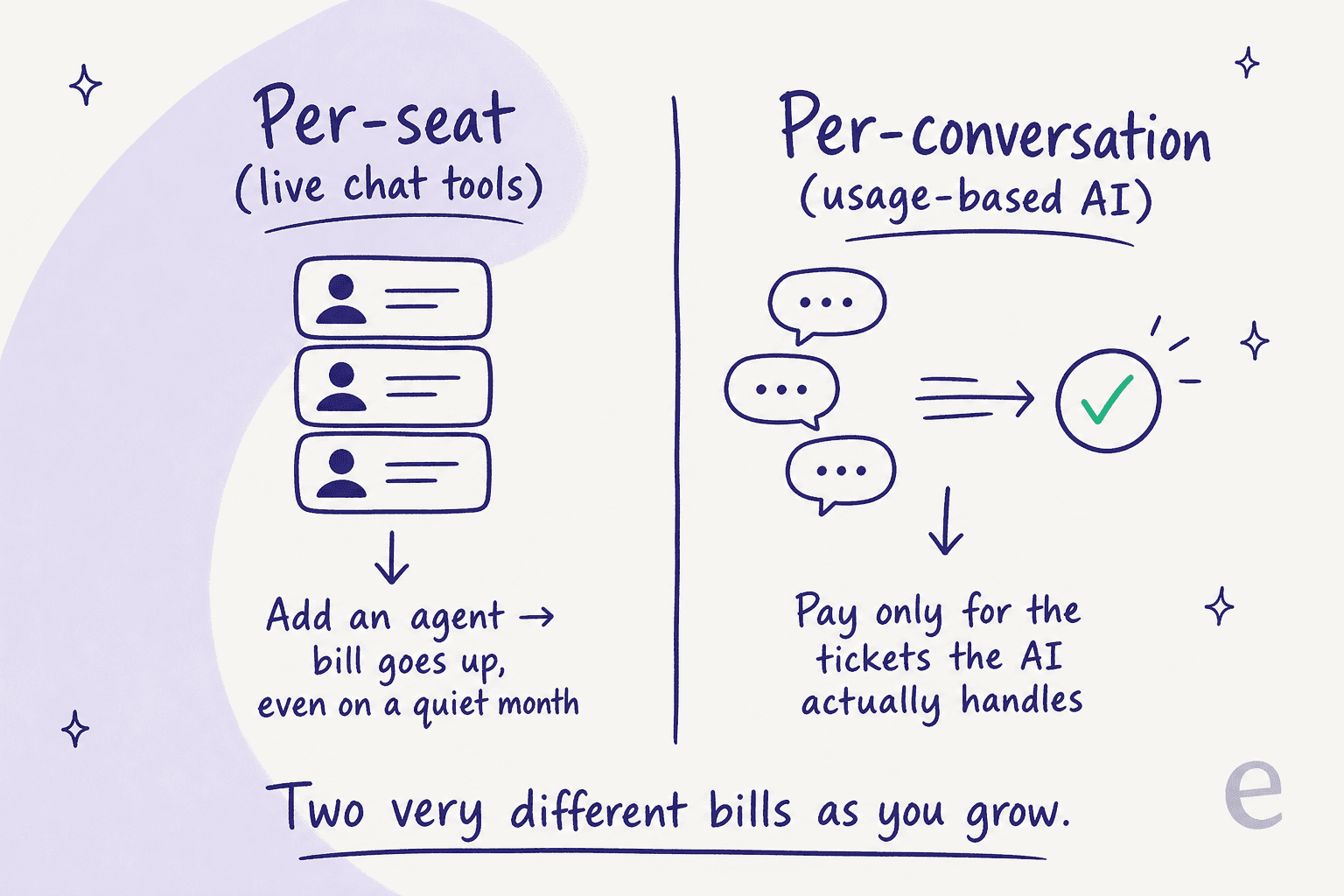
When I've run the numbers with teams, models that bill per outcome or per conversation behave very differently from per-seat at scale. In one cost analysis we did with a team handling ~1,000 tickets a month, a per-resolution model came out around $792/month, and during a seasonal spike to 4,000 tickets it jumped to over $3,000, while a flat or usage-capped model stayed predictable. The lesson isn't "per-seat is always bad", it's that the right pricing model depends on whether your cost should track headcount, resolutions, or conversations. For a small, stable team, Olark's per-seat simplicity is fine. For a team that's growing or whose volume swings, it's the thing that quietly gets expensive.
Try eesel AI on top of your live chat
If you like your chat tool but want real AI without an enterprise quote or a per-seat penalty, that's where eesel AI fits. Instead of replacing your setup, eesel layers onto your existing helpdesk and chat, learns from your past tickets and help docs on day one, and drafts or auto-answers the repetitive questions, billed per conversation it actually handles, not per seat.

Because we've watched confident-sounding bots quietly give wrong answers, every rollout runs in a simulation against your historical tickets first, so you see the coverage and accuracy before a single customer hits the live agent. One team, Gridwise, saw eesel resolve 73% of tier-1 requests in the first month, with results showing inside a 7-day trial. There's a free trial with no credit card, and pricing starts at $0.40 per ticket with no platform fee, no per-seat fees, and no minimum. Try eesel and see what it deflects before you renew anything.
Frequently Asked Questions

Share this article