A practical guide to OpenAI Codex integrations with Discord


Last edited November 14, 2025

Table of Contents
Here’s a practical guide to OpenAI Codex integrations with Discord.
AI coding assistants are getting pretty good, but they're often stuck inside your editor. They've started moving beyond being solo tools and are becoming more like collaborative teammates, joining the conversations where work actually gets done. For a lot of engineering teams, that place is Discord, the hub for real-time problem-solving, code reviews, and project updates.
So, how do you bring the power of an AI like OpenAI Codex into your team’s daily chats?
While it sounds like a perfect match, it's a bit more complicated than you'd hope. This guide will walk you through the real-world ways to set up OpenAI Codex integrations with Discord. We'll cover the unofficial methods that actually work, the officially supported alternatives, and the major limitations you'll bump into. Let’s look at what’s possible today and what it really takes to build a smart AI assistant for your team.
What are OpenAI Codex and Discord?
Before we get into the nitty-gritty, let's do a quick intro to the two tools we're talking about.
What is OpenAI Codex?
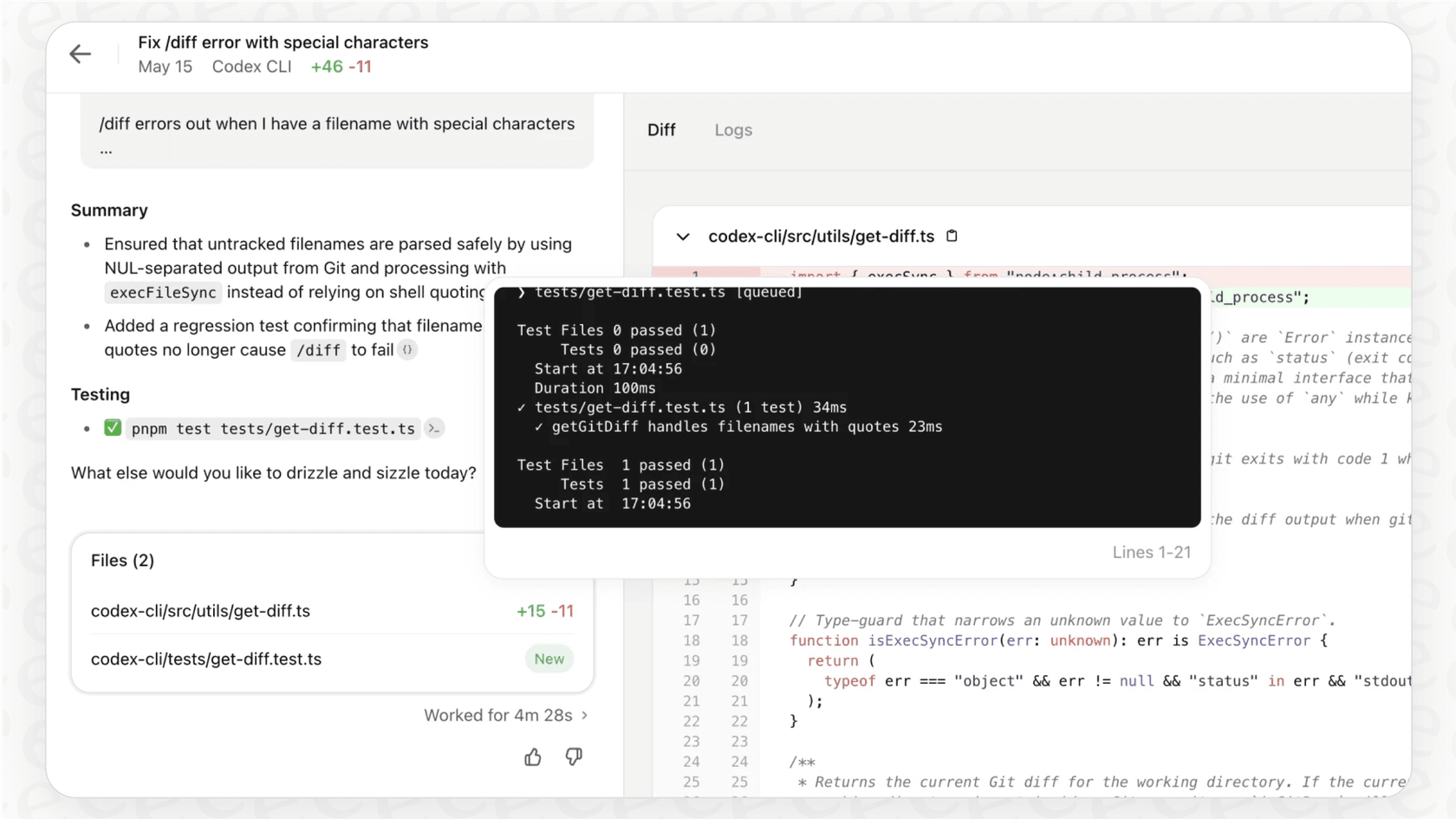
OpenAI Codex is an AI agent built specifically for software engineering. It's way more than a simple code generator; it’s a tool that can find its way around your repositories, run commands, review pull requests, and even fix bugs. It’s powered by advanced models and built right into the paid ChatGPT plans (Plus, Pro, and Business). You can use it in your terminal, your IDE, or in the cloud. Think of it as a junior developer that can handle tasks on its own.
What is Discord?
Discord is a communication platform that’s become a go-to for tech communities and dev teams. It gives you real-time chat, voice channels, and screen sharing, making it a great spot for working together. The best part for us is its bot-friendly API, which lets developers build custom apps and automations that live right inside their servers. This is what opens the door for all sorts of creative integrations.
How to create OpenAI Codex integrations with Discord
Since there isn't an official, one-click integration, the community has come up with a couple of workarounds. These methods get the job done, but they each have their own trade-offs in terms of how complex and useful they are.
Method 1: Using webhooks for simple updates
The most straightforward way to get Codex to "talk" to Discord is by using webhooks.
As one developer on Reddit figured out, you can just tell Codex to send progress updates to a specific channel.

This method is perfect for one-way notifications. For instance, if you give Codex a long-running task, like refactoring a big file, you can ask it to post a message in a Discord channel once it's finished.
Here's the general idea of how it works:
-
Create a webhook in your Discord server’s settings under "Integrations." Give it a name, pick a channel, and copy the webhook URL.
-
Give the URL to Codex as part of your prompt.
-
Tell Codex to send a POST request to that URL with a JSON payload containing the message you want to send.
Method 2: Building a custom Discord bot
If you want a truly interactive setup, you’ll have to roll up your sleeves and build a custom Discord bot. This is the path taken by community projects like "CodAI" and "Hyperbot." It's a lot more powerful, but also a whole lot more work.
The basic setup has a few key parts:
-
A bot application you create using the Discord API (with libraries like "discord.js" for Node.js or "discord.py" for Python).
-
The bot's code listens for commands in a channel (like "@CodexBot fix this bug...").
-
When it hears a command, the bot's backend calls the Codex CLI or API with the user's request.
-
The response from Codex is then grabbed, formatted, and posted back to the Discord channel by your bot.
This creates a real conversational loop where your team can chat with Codex directly. The downside, however, is pretty big. This isn't a weekend project. It takes a lot of development effort, secure hosting, and regular maintenance to deal with API changes, bugs, and security updates. A bot that isn't properly secured could easily become a way for someone to run harmful code on your server.
The official alternative: The Codex Slack integration
While an official Discord integration is still just a wish, OpenAI does offer a native, fully-supported integration for Slack. This gives us a clear idea of what a first-party integration should look like and shines a light on what’s missing from the Discord workarounds.
The official Slack app lets users assign tasks, ask coding questions, and get updates from Codex right inside Slack channels. It can even pick up context from the conversation to figure out what you're asking. It's smooth, powerful, and secure. But it also comes with two huge limitations.
Limitation 1: You're locked in
If your team lives in Discord or Microsoft Teams, you're out of luck. The official integration is only for Slack, which means you have to choose between your team's chat tool and your AI coding assistant. This splits up workflows and can leave some of your team out of the loop.
Limitation 2: It only knows about code
The Codex Slack integration is a specialist. It’s an expert on code, but that's it. It can't answer questions about your product roadmap in Google Docs, your internal processes documented in Confluence, or solutions buried in old support tickets. This creates knowledge silos. Your developers still have to switch apps, search different systems, or bug their colleagues to get the full story, which is the exact opposite of what an AI helper should do.
Beyond single-purpose integrations: The need for a single source of truth
So let's quickly review the situation. Building a custom OpenAI Codex integration with Discord is a big, time-consuming project. Using the official Slack integration is easy, but it isolates your AI and forces you onto a platform you might not use.
The dream is an AI agent that works inside your team's favorite chat app, whether that's Slack, MS Teams, or something else. But even more important, that agent should be trained on all your company's knowledge, not just the code. It should be able to answer questions about HR policies, find the latest marketing assets, and explain a feature's history by looking at both the code and the original design doc.
This is exactly the problem eesel AI was created to solve. While specialized tools like Codex are amazing for code, answering your team's internal questions requires pulling information from everywhere.
-
Get started in minutes, not months: Instead of spending weeks coding and debugging a custom bot, eesel AI lets you connect your knowledge sources and chat tools with a few clicks. You can have a working, secure AI assistant ready to go in the time it takes to finish your coffee.
-
Bring all your knowledge together: eesel AI learns from everything. Connect it to Confluence, Google Docs, Notion, and even past conversations. It pulls all that info together to give complete answers, right inside the tools your team already uses.
-
AI Internal Chat: This is the kind of professional solution people are trying to build with custom Codex bots. eesel AI's Internal Chat is secure, simple to set up, and connects to all your apps, giving your team one reliable place to ask anything.
OpenAI Codex pricing for Discord integrations
It's also worth knowing how you actually pay for Codex. It isn't a standalone product you can buy off the shelf. Access is bundled with paid ChatGPT subscriptions. If you want your team to use it, whether through a custom bot or the command line, each person will need a qualifying plan.
Here's a quick look at the plans that include Codex:
| Plan | Includes Codex Access | Key Features |
|---|---|---|
| Free | No | Limited access to older models. |
| Plus | Yes | Standard access for individuals to the Codex agent. |
| Pro | Yes | Expanded access and higher usage limits for individuals. |
| Business / Enterprise | Yes | Includes workspace features, admin controls, and options for additional credits. |
While usage is included in the monthly fee, the Business and Enterprise plans let companies buy extra credits for teams that are using it a lot.
Choose the right tool for the job
Getting OpenAI Codex to work with Discord is doable if you're willing to do some custom development, but it's a real investment of time and effort. The official Slack integration is a much smoother option, but it cuts your AI off from the rest of your company's knowledge and doesn't help if your team isn't on Slack.
For highly specialized, hands-on coding tasks, Codex is still an incredible tool. But when it comes to building a truly helpful AI assistant that can answer all of your team's internal questions, the real challenge isn't just connecting to an API. It's about bringing all your scattered information together into a single, smart brain.
Instead of building a bot from scratch, see how you can launch a secure, knowledgeable AI assistant in Slack or MS Teams in just a few minutes. Get started with eesel AI today.
Frequently asked questions

Share this article

Article by
Stevia Putri
Stevia Putri is a marketing generalist at eesel AI, where she helps turn powerful AI tools into stories that resonate. She’s driven by curiosity, clarity, and the human side of technology.