A practical guide to Atlassian Rovo Agent Skills in 2026


Last edited June 24, 2026

Table of Contents
You’ve probably heard about Atlassian's Rovo and its promise of AI "teammates" that can automate tasks right inside Jira, Confluence, and Jira Service Management. It sounds pretty good on the surface, who wouldn’t want an AI assistant to take care of the tedious parts of their day?
At the core of this promise are Rovo Agent Skills, which are the specific actions these AI agents can actually perform. But what can they really do? This guide gives you a clear, no-fluff look at what these skills are, how they work, where they fall short, and how they compare to more flexible tools that work across all your apps.
What are Atlassian Rovo Agent Skills?
Think of Rovo Agent Skills as pre-built commands that let a Rovo AI agent do more than just answer questions. They’re what turn the agent from a simple search tool into an active helper that can take action in your workflow.
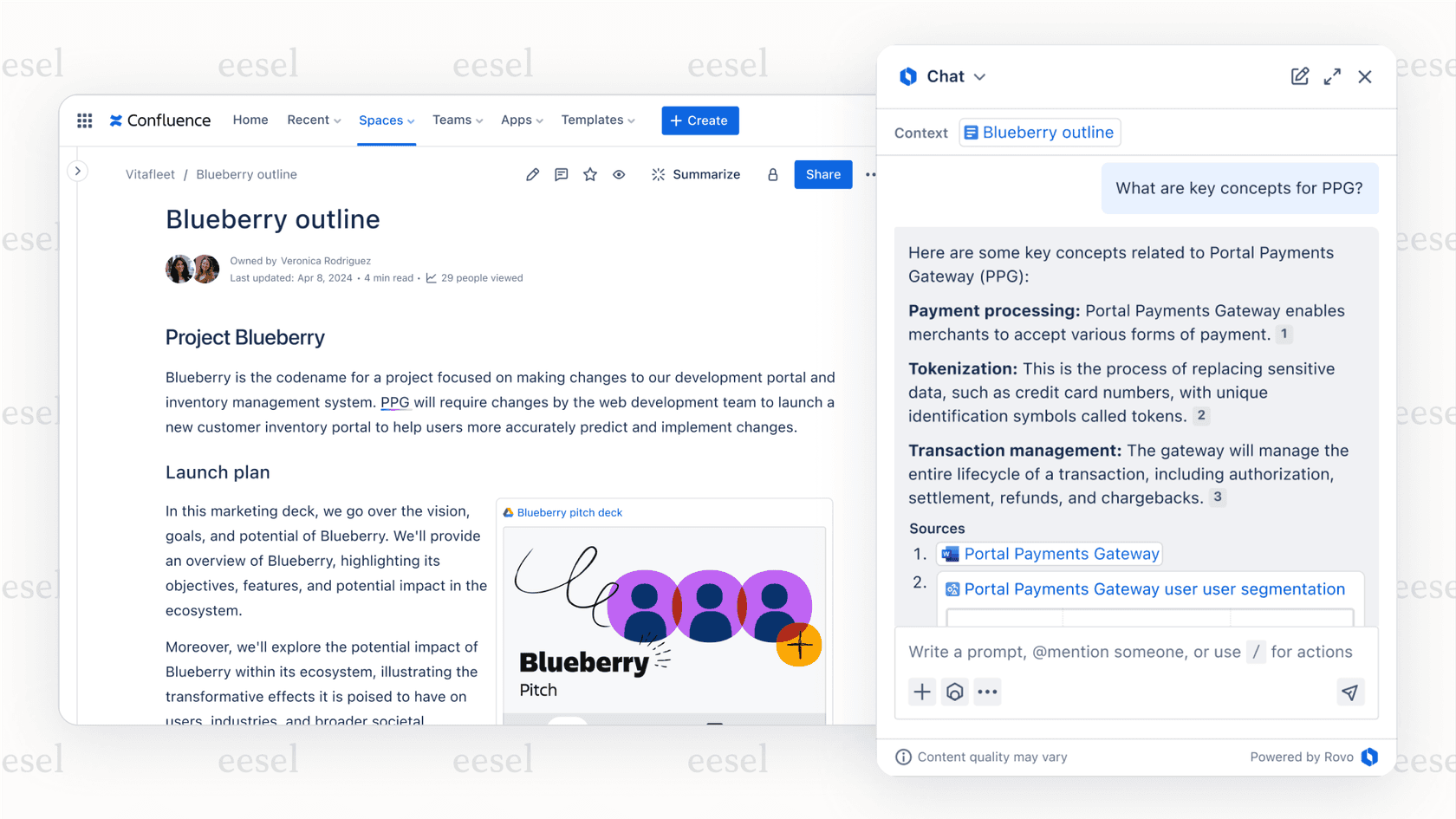
These skills cover a bunch of different actions, like creating Jira issues, publishing Confluence pages, or even poking a few third-party apps (though that part is still in early stages). The whole idea is to give an agent a focused set of skills for a specific job. In fact, Atlassian suggests giving each agent fewer than five skills to keep it from getting confused. By limiting what an agent can do, you can build specialized helpers, like a "Release Notes Drafter" or a "Bug Triage Assistant," that are really good at one thing. If you're weighing the wider toolset, our roundup of AI agents for Jira is a good companion read.
What can you actually do with Rovo Agent Skills?
While there are dozens of skills you can use, they mostly fit into a few main categories that help teams with common, everyday headaches.
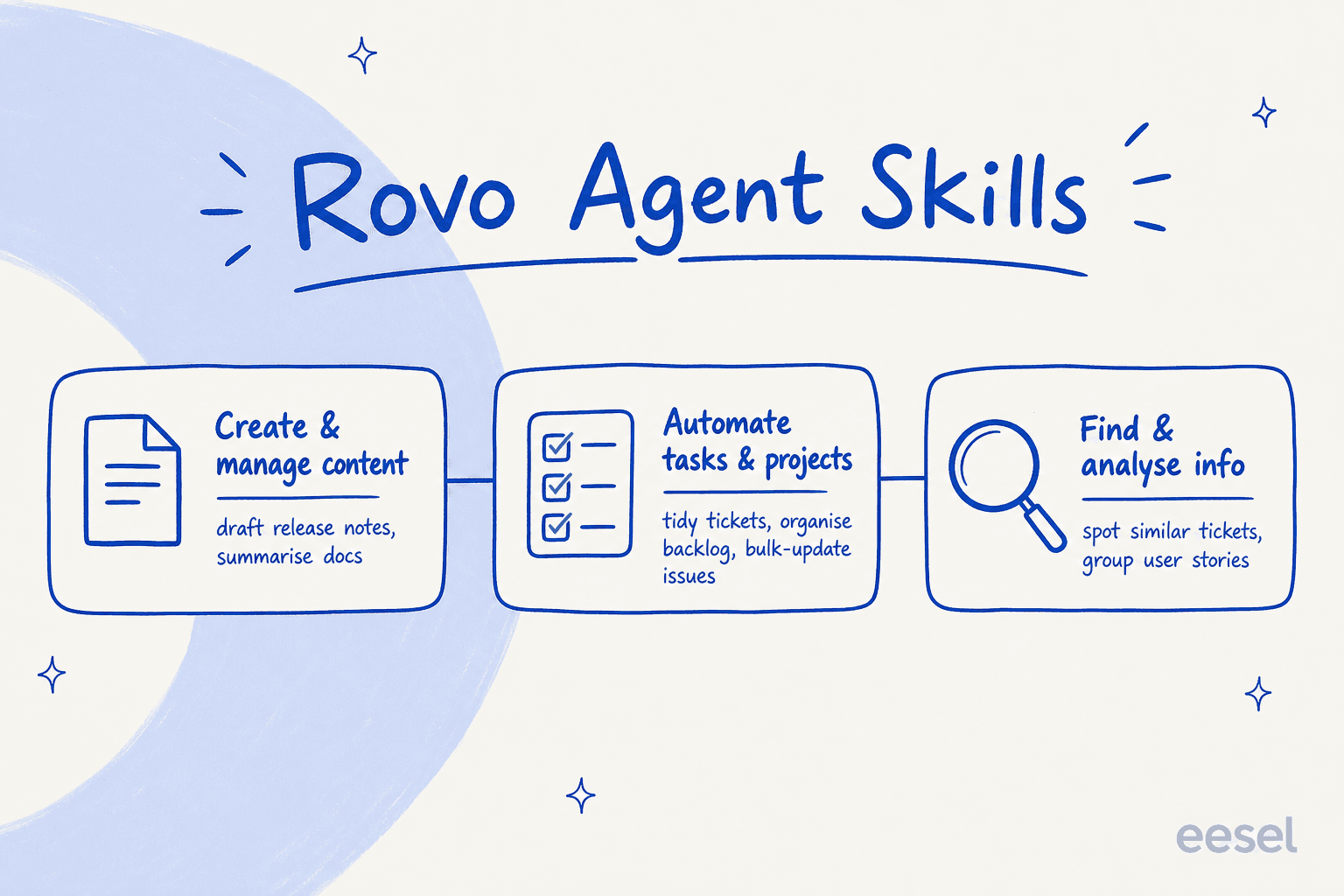
Creating and managing content
Let's be honest, nobody enjoys drafting documents from scratch. These skills are all about getting an agent to do the heavy lifting of generating and organizing content within your Atlassian tools.
For example, an agent can scan all the completed Jira issues in a release and automatically pull together a draft of the release notes on a Confluence page. Or, if you have a long meeting transcript, you can ask an agent to create a quick summary with the key decisions and who’s responsible for what. It can also spin up new project pages from templates, the same idea behind onboarding flows in Confluence, saving you a few clicks every time you start something new. This is the same territory as Atlassian Intelligence in Confluence, just packaged as agent actions.
Automating tasks and projects
This is where Rovo agents start to feel like a real helping hand, directly managing your Jira issues and helping to clean up messy backlogs.
-
Tidying up tickets: An agent can look at new bug reports and check if they have all the necessary info, like steps to reproduce the issue. If something’s missing, it can flag the ticket or add a comment asking for more details.
-
Organizing the backlog: A product manager could ask an agent to find all the unassigned issues with the "Q3-feature" label and pull them into the current sprint.
-
Updating in bulk: You can tell an agent to comment on or change the status of up to 20 Jira tickets at once. It’s a small thing, but super handy for clearing out old, stale issues. Teams running Jira Service Management AI lean on this for routine queue hygiene.
Finding and analyzing information
These skills help you dig up information that’s buried deep inside your Atlassian account, turning scattered data into something you can actually use.
In Jira Service Management, for instance, an agent can find other tickets with similar descriptions. This is great for spotting recurring problems before they become a huge deal. You could also feed it a list of user stories, and it can suggest how to group them into logical epics based on common themes. For a fuller picture of where the platform is headed, see our review of Jira Service Management's AI.
How to build your own Rovo Agent Skills
Atlassian gives you two paths for building custom agents, and they’re aimed at very different people. This is where things can get a little complicated.
First, there’s Rovo Studio, the low-code/no-code approach. This is a visual builder designed for people who aren’t developers. The process is pretty simple: you tell the agent what its goal is, point it to knowledge sources like specific Confluence spaces or Jira projects, write instructions in plain English, and pick from a list of pre-made actions. It’s good for simple tasks, but you’ll hit its limits pretty fast. You’re stuck with the actions Atlassian gives you, and trying to build any kind of multi-step logic gets frustrating.
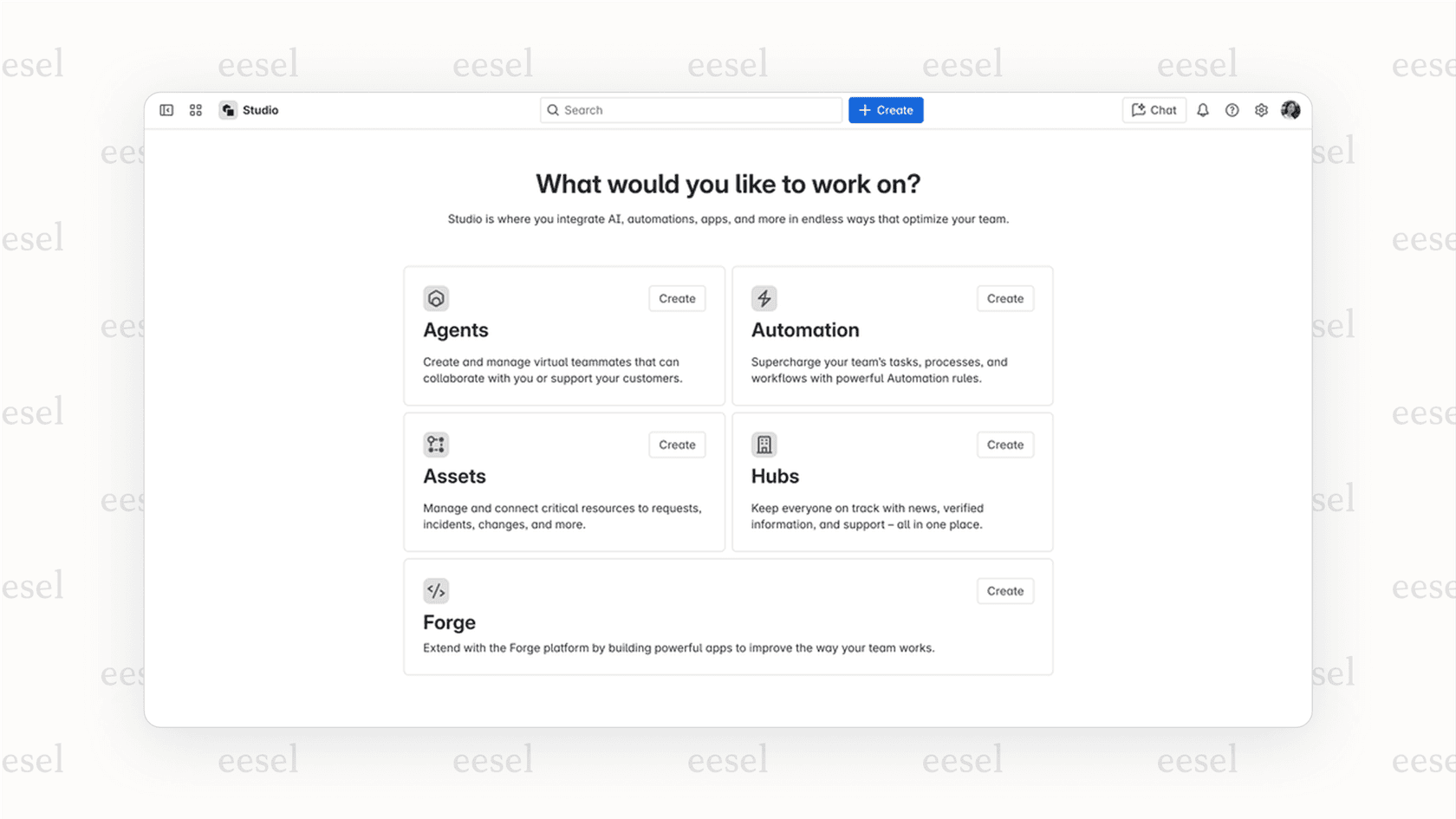
Then you have Atlassian Forge, the pro-code approach. This is Atlassian's full developer platform, which gives you all the flexibility you could want for creating custom apps and agents. It requires you to write JavaScript or TypeScript to define your own logic and actions. While it's powerful, it also means you need a developer on hand, which is a big ask for most support, IT, and operations teams. If a developer route isn't realistic for you, an AI plugin for Jira that's configurable without code is usually the saner middle ground.
The big catch: Locked in the Atlassian world
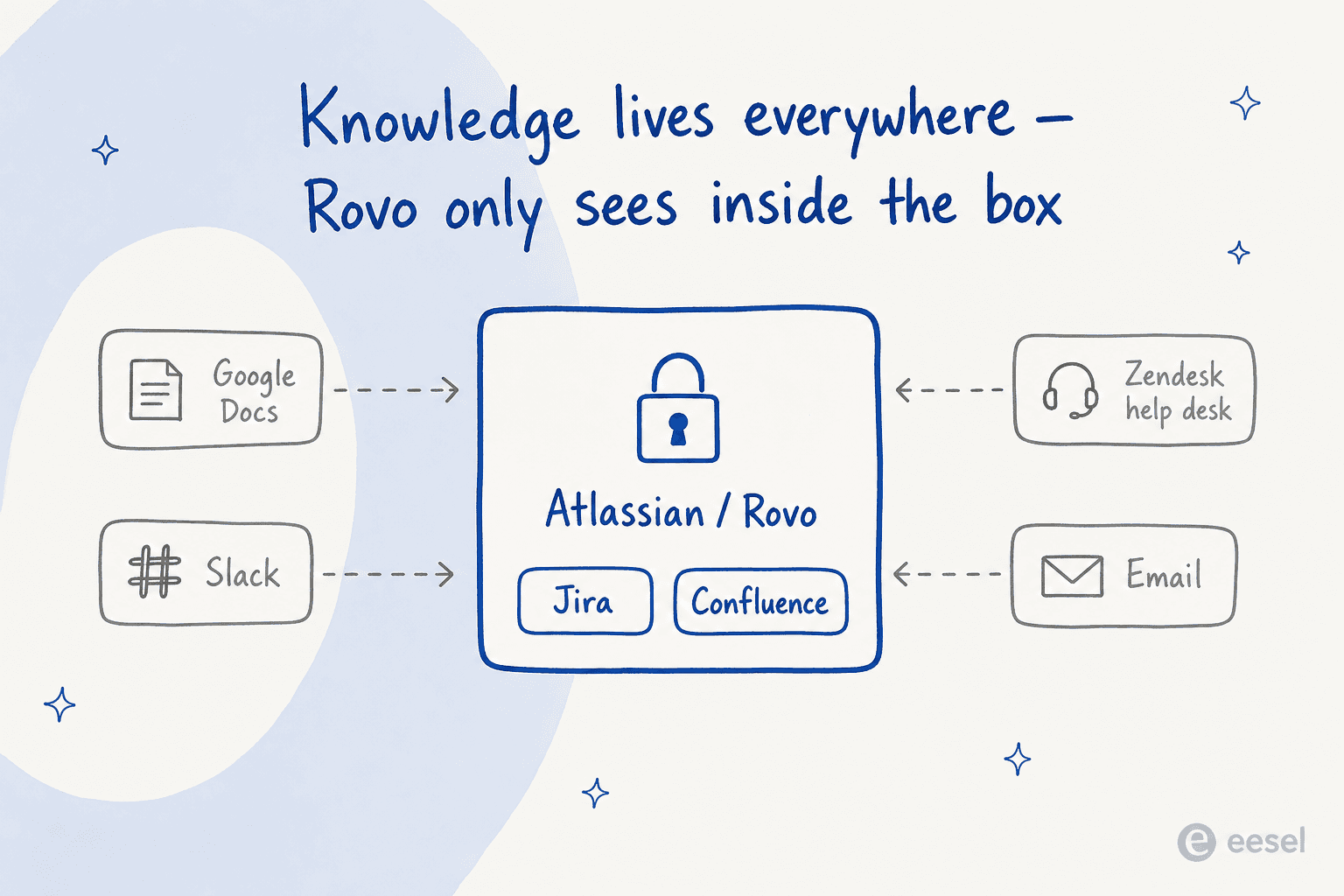
Rovo's greatest strength is also its biggest weakness: it works really well, but only as long as you stay inside the Atlassian bubble. Here are a few real-world problems you’ll likely run into.
-
Your knowledge is everywhere: Most teams don't keep everything in Atlassian. You probably have critical information in Google Docs, important conversations happening in Slack, and your customer support history living in a help desk like Zendesk. Rovo can't see or act on any of that external knowledge, meaning your AI agent is always working with one hand tied behind its back.
-
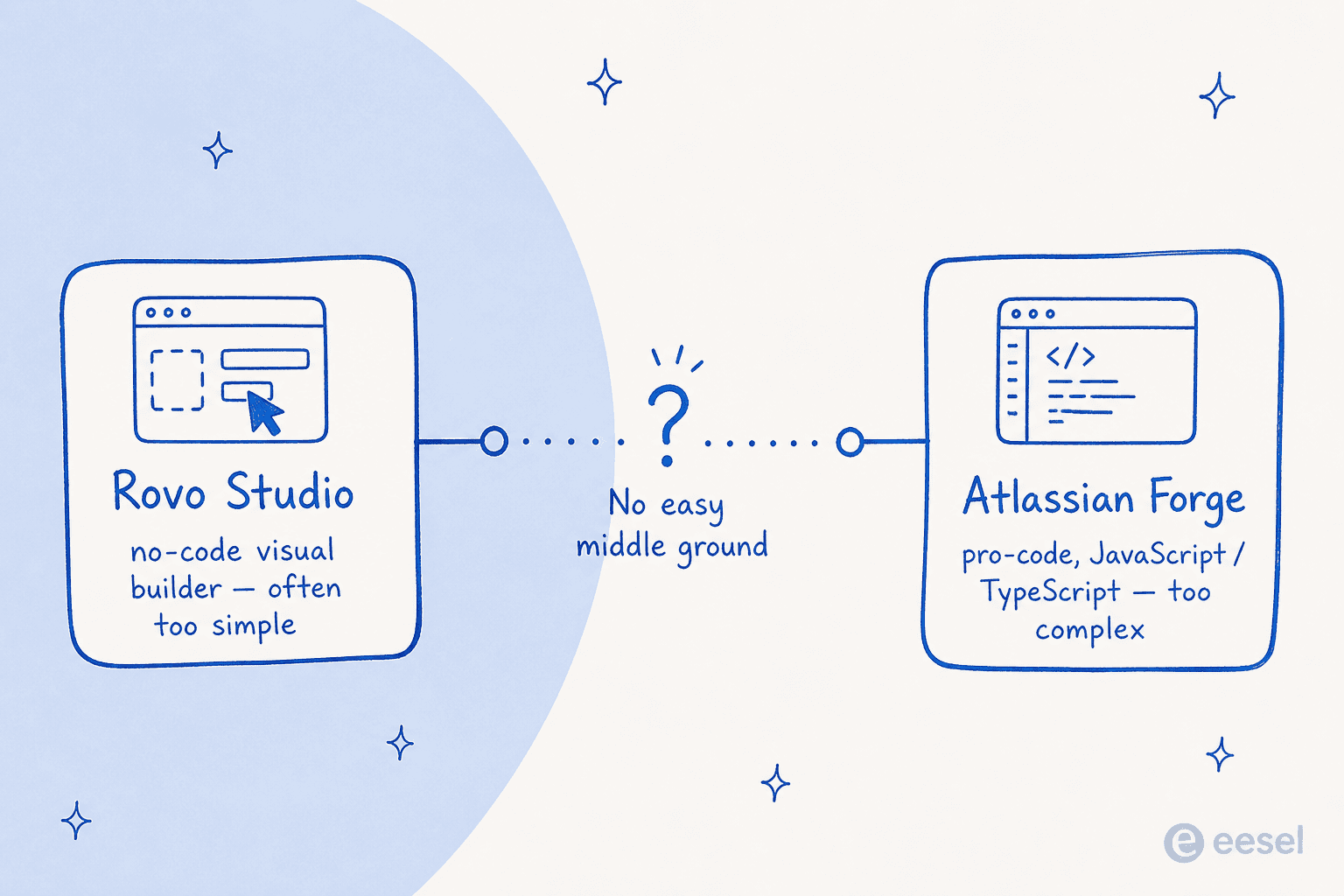
The "too simple" or "too complex" problem: The no-code option (Studio) is often too basic for what you actually want to do, while the powerful option (Forge) is way too technical for the business users who need the automation. There’s no easy middle ground for a team lead who wants to build a slightly more advanced workflow without waiting for a developer.
-
You have to test it live: With Rovo, there isn't a great way to see how an agent will perform on old data before you turn it on. You build it, test it manually on a couple of examples, and kind of just hope for the best. This "test in production" approach feels risky, and it's a fast route to the kind of AI hallucinations that erode trust in a support context.
Instead of being locked into one ecosystem, what if you could connect all your tools with an AI that's actually built for the people using it? This is why it's worth looking at tools designed to unify your scattered knowledge from day one, like eesel AI.
A different approach: Unifying your knowledge with eesel AI
eesel AI is built to solve the exact problems that a platform-locked tool like Rovo creates. It connects to all your apps, is easy enough for anyone on the team to use, and lets you test your automations with confidence.
- Get started in minutes, not months: You don't have to wrestle with a complicated setup or wait in line for a developer. With eesel AI's self-serve approach, you can connect your helpdesk, knowledge bases like Confluence or Google Docs, and deploy an AI agent in the time it takes to grab a coffee. Our notes on training AI on your knowledge base show how quick that grounding step is.

-
Real control for everyone: The eesel AI workflow engine gives you detailed control through a simple interface. You can define custom actions, set a specific tone of voice, and decide exactly which tickets to automate without writing any code. It’s the powerful-but-simple middle ground that Rovo is missing, much like a good AI for IT service management gives ops teams real levers without a Forge project.
-
Test before you launch: Unlike Rovo, eesel AI comes with a simulation mode. You can run your AI on thousands of your past support tickets to see exactly how it would have performed. This gives you an accurate forecast of its resolution rate and lets you fine-tune its behavior before it ever talks to a real customer.

Want an AI that works across Jira and everything outside it? eesel plugs into your help desk and wikis in a few minutes, learns from your past tickets, and lets you simulate before you go live. Try eesel free.
A quick look at pricing
-
Atlassian Rovo: As of 2026, Atlassian Rovo is auto-included in the paid Standard, Premium, and Enterprise Cloud plans, and usage is metered in Rovo credits with a monthly allowance per plan. There's no separate Rovo line item, but heavier agent use can push you past the allowance, where extra usage is billed on top, so the "free" framing only holds until you actually lean on it. (Atlassian also sells a separate Rovo Dev agent for engineers at $20 per developer per month.)
-
eesel AI: eesel AI has straightforward, usage-based pricing with no per-seat fees and no hidden charge for each resolution. You pay for the AI interactions you actually use, with flexible monthly plans you can cancel anytime, so the cost scales with value instead of being baked into a bigger subscription you're already paying for.
| Feature | Atlassian Rovo | eesel AI |
|---|---|---|
| Primary Use Case | Automation within the Atlassian ecosystem | Cross-platform knowledge unification and automation |
| Integrations | Limited to Atlassian tools (Jira, Confluence) | Connects to numerous apps (Google Docs, Slack, Zendesk, etc.) |
| Builder Type | No-code (Rovo Studio) & Pro-code (Forge) | Simple, powerful no-code workflow engine |
| Testing | Manual testing on live data | Simulation mode on historical data |
| Pricing Model | Credit-metered, bundled with paid Cloud plans | Usage-based, no per-seat fees, flexible monthly options |
The bottom line: Think beyond a single platform
Rovo Agent Skills are a decent step forward for automation, but only if your team's entire universe exists inside Atlassian products. For most of us, that's just not how work gets done.
Real workflow automation needs a tool that can connect to and act on information wherever it lives, across your help desk, internal wikis, and team chat. If you're running support or IT and want something that's easy to set up, powerful enough for real-world workflows, and works with your entire tech stack, a dedicated platform like eesel AI is probably the more practical choice, and our guide to the IT help desk in 2026 digs into where that pays off.
Frequently asked questions

Share this article

Article by
Alicia Kirana Utomo
Kira is a writer at eesel AI with a Computer Science background and over a year of hands-on experience evaluating AI-powered customer service tools. She focuses on breaking down how helpdesk platforms and AI agents actually work so that support teams can make better buying decisions.