A complete guide to ServiceNow AI use cases in 2025

Last edited November 20, 2025

If your team uses ServiceNow, you’ve probably heard a lot about its new AI features. IT and support teams are always looking for ways to resolve issues faster and keep everyone happy, and ServiceNow is betting big that AI is the answer. They’ve been building a ton of intelligent features right into their platform, from the Now Assist helper to fully autonomous AI Agents.
But what do all these tools actually do? This guide will walk you through the most common ServiceNow AI use cases. We’ll cover how they work, where you might hit some snags, and what it really takes to get them up and running.
What is ServiceNow AI?
ServiceNow AI isn't one single thing you buy. It’s a whole set of AI tools built directly into the ServiceNow Platform. Their big idea is to have one unified system for AI, data, and workflows so everything works together seamlessly.
You'll mainly come across two components:
-
Now Assist: Think of this as a generative AI sidekick for your team. It helps agents and employees by doing things like summarizing long, messy ticket histories, drafting resolution notes, or finding answers to questions typed in plain English.
-
AI Agents: These are a step beyond assistance. They’re designed to be autonomous workers that can handle tasks on their own without a human clicking buttons. They can triage new incidents, solve common requests, and manage processes that connect to other systems.
All of this is built on top of foundational tools like Flow Designer, which lets you build automations without code, and Integration Hub, which is how ServiceNow talks to your other apps.
Exploring the top ServiceNow AI use cases
ServiceNow has put its AI to work on some of the biggest headaches in IT service management and customer support. Here are a few of the most impactful examples.
Automating incident and case management
One of the best things ServiceNow AI can do is help automate the lifecycle of a support ticket, from the moment it’s created to the minute it’s closed.
-
Triage and route new incidents: Instead of a person having to read every new IT incident, an AI Agent can scan it, figure out what it’s about based on the text and past tickets, and send it to the right team automatically. This means issues get looked at by the right people, faster.
-
Summarize complex cases: We’ve all seen those tickets with a mile-long comment history. Now Assist can read through all of it and give an agent a quick summary, so they can get up to speed without spending an hour reading.
-
Resolve common issues on its own: For those repetitive problems that pop up all the time, AI Agents can actually investigate and fix them. They follow pre-built workflows, look up answers in knowledge articles, and can even make changes in other connected systems to solve the problem.
graph TD A[New Incident Created] --> B{AI Agent Triage}; B --> C[Categorize & Prioritize]; C --> D{Is it a common issue?}; D -- Yes --> E[Autonomous Resolution]; D -- No --> F[Route to Human Agent]; F --> G[Now Assist Summarizes Case]; G --> H[Human Agent Resolves]; E --> I[Incident Closed]; H --> I;
Making self-service less painful
The goal of any good self-service portal is to help people find answers themselves so they don't have to create a ticket in the first place. ServiceNow uses AI to make this a better experience.
-
Smarter chatbots: The ServiceNow Virtual Agent, with Now Assist, can have a surprisingly natural conversation. It can pull answers from a knowledge base to answer questions or even help someone order a new laptop from the service catalog, all within the chat window.
-
Better search results: AI Search tries to understand what someone is actually looking for, not just the keywords they typed. This helps it deliver more relevant, useful answers and cuts down on frustrating searches that lead nowhere.
Giving developers and admins a boost
It’s not just for front-line support. ServiceNow also has some AI use cases aimed at the technical folks who build and maintain the platform.
-
Text-to-code: With Now Assist for Creator, a developer can describe a function in plain English, and the AI will suggest the code for it. This can seriously speed up the process of building custom apps on the platform.
-
Text-to-flow: In a similar way, an admin can describe a business process, and the AI will create a draft workflow in Flow Designer. It gives them a great head start on building out more complex automations.
How ServiceNow AI use cases connect to your scattered knowledge
Let's be honest, an AI is pretty useless if it can't access the right information. A huge problem for most companies is that their knowledge is spread out everywhere, living in different SharePoint sites, Confluence spaces, and folders of Google Docs.
ServiceNow’s answer to this is its Workflow Data Fabric and External Content Connectors. These are tools designed to reach into those other systems, pull out the content, and make it available inside ServiceNow’s search and AI tools.
The all-in-one platform approach
ServiceNow uses its Integration Hub to build these connections. The whole idea is to bring all your external data into the ServiceNow world. It's a powerful approach, but it means you have to configure connectors, map out your data, and manage everything from within the ServiceNow ecosystem.
While this makes for a tightly connected experience, there’s a catch: it can be a lot of work to set up. ServiceNow’s own documentation recently celebrated that their new SharePoint connector cuts the setup from over 50 steps down to just three. That tells you a lot about how complicated the old process was. It’s a big commitment to their platform, not a simple, lightweight connection.
A more flexible way to unify knowledge
What if you want the benefits of AI without having to move your entire world into a single platform? Sometimes, a more flexible tool is a better fit.
This is where tools like eesel AI come in. It’s built to plug directly into the help desk you already use (like Zendesk or Jira Service Management) and securely connect to all your knowledge sources in minutes. Whether your docs are in Confluence, Google Docs, or Notion, you can link them up and get started right away.
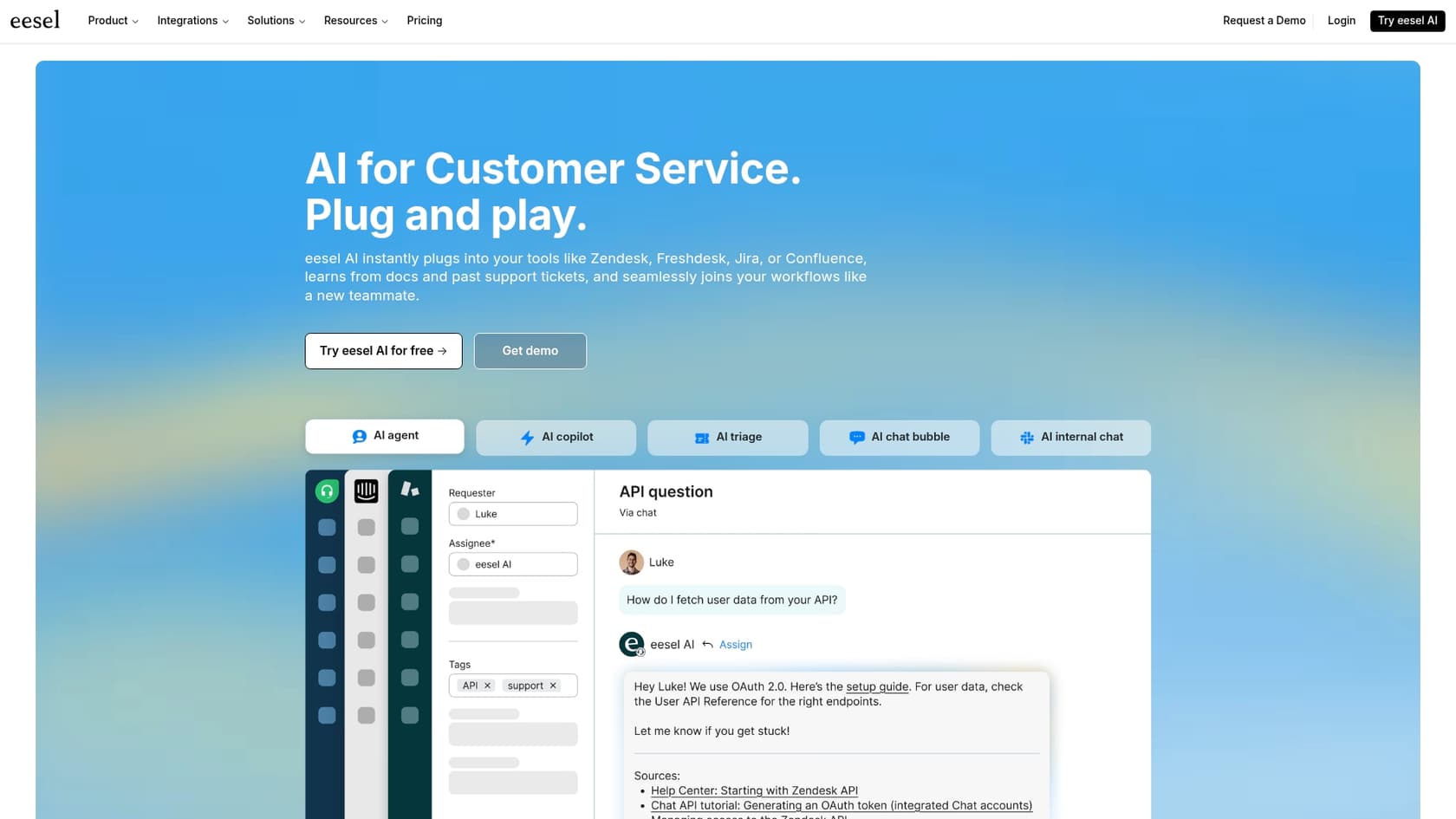
This "plug and play" approach lets you get a powerful AI agent up and running without having to change your existing tools or start a massive platform project.
How to get and pay for these ServiceNow AI use cases
Turning on these AI features isn’t just a matter of checking a box in your settings. It usually means buying into a higher product tier and going through a pretty involved setup process.
Setup and customization
Most of the building and tweaking of AI workflows happens in tools like AI Agent Studio and Flow Designer.
These are impressive low-code tools that give you a lot of control. But they also have a steep learning curve and are part of the massive, sometimes overwhelming, ServiceNow platform. Getting started isn't really a self-service affair. You'll likely be talking to sales reps, sitting through demos, and working with a guided onboarding team.
Understanding pricing
Here’s the important part: ServiceNow’s best AI features aren’t usually included in the standard packages. They’re often reserved for the pricier, enterprise-level plans and might even require you to buy separate add-on licenses. The final price is almost always custom-quoted, so you won't find it on a public pricing page.
| Plan Tier | Key AI/Automation Features Included | Key AI Add-ons |
|---|---|---|
| ITSM Standard | Core automation (Incident, Problem, Change Management). No advanced AI. | - |
| ITSM Pro | Virtual Agent, Predictive Intelligence, DevOps Change Velocity. | Now Assist for ITSM, AI Agents (via Pro Plus add-on). |
| ITSM Enterprise | All Pro features plus Process Mining and Workforce Optimization. | Now Assist for ITSM, AI Agents (via Enterprise Plus add-on). |
The takeaway here is pretty clear. To get access to the most powerful tools like AI Agents, you have to buy a "Pro Plus" or "Enterprise Plus" add-on, which can make your bill a lot bigger. The complicated, multi-tiered pricing makes it tough to figure out what you'll actually end up paying.
In comparison, alternatives like eesel AI have simple, transparent pricing based on how much you use it. The plans are straightforward with no surprise fees, which makes it much easier to try out AI and predict your costs.
Final thoughts: Powerful, but with a catch
There’s no question that ServiceNow has built a powerful, deeply integrated set of AI tools that can handle some very complex work. If your organization is already all-in on the ServiceNow ecosystem, their single-platform approach offers a consistent and robust way to automate your workflows.
But that power comes with a pretty big catch: it’s complex, it's expensive, and it locks you into their ecosystem. Getting the most out of ServiceNow AI use cases is a major project. It takes specialized knowledge, a lot of configuration, and a full commitment to their way of doing things.
For teams that want to move faster and improve the tools they already use, like Zendesk, Jira Service Management, or Slack, without a massive migration, there’s a more practical path.
This is where a solution like eesel AI's AI Agent really makes sense. It gives you powerful ticket automation and instantly connects to all your knowledge, plugging right into your current help desk in just a few minutes. You get to augment your stack with AI today, instead of planning a project to replace it tomorrow.
Ready to see how much easier AI-powered support can be? Check out eesel AI.
Frequently asked questions

Share this article

Article by
Kenneth Pangan
Writer and marketer for over ten years, Kenneth Pangan splits his time between history, politics, and art with plenty of interruptions from his dogs demanding attention.