15 SharePoint alternatives for team collaboration (2026)

Last edited January 18, 2026

Table of Contents
- What are SharePoint alternatives?
- How we picked the best SharePoint alternatives
- A quick comparison of the top SharePoint alternatives in 2026
- The 10 best SharePoint alternatives for 2026
- 1. eesel AI: A top SharePoint alternative for instant answers
- 2. Confluence: A SharePoint alternative for project collaboration
- 3. Notion: A SharePoint alternative for building your own workspace
- 4. Google Workspace: A SharePoint alternative for easy cloud-based productivity
- 5. Microsoft Teams: A SharePoint alternative for chat-based work
- 6. Slack: One of the best SharePoint alternatives for real-time messaging
- 7. Slite: A SharePoint alternative for clean knowledge sharing
- 8. Asana: One of the top SharePoint alternatives for organizing projects
- 9. ClickUp: A customizable SharePoint alternative for everything
- 10. Box: A SharePoint alternative for enterprise-level security
- How to choose the right SharePoint alternatives
- Why the best SharePoint alternatives help you answer, not just store
For what feels like forever, SharePoint has been the default choice for company intranets and document management. But let's be honest, its clunky interface, confusing setup, and search function that seems to hide things on purpose often leaves teams pulling their hair out. If you're done wrestling with a system that feels more like a digital attic than a useful tool, you’re in the right place.
This guide will walk you through the 10 best SharePoint alternatives built for modern teams. We'll look at everything from all-in-one workspaces to sharp project management tools. More importantly, we'll explore a new way of thinking about your company knowledge. Instead of just finding a new shelf for your documents, what if you could make everything your team knows instantly reachable and ready to use?
What are SharePoint alternatives?
SharePoint is Microsoft's web-based platform that businesses use to create internal websites (or intranets) for sharing files and information. While it can do a lot, its one-size-fits-all design often creates more problems than it solves.
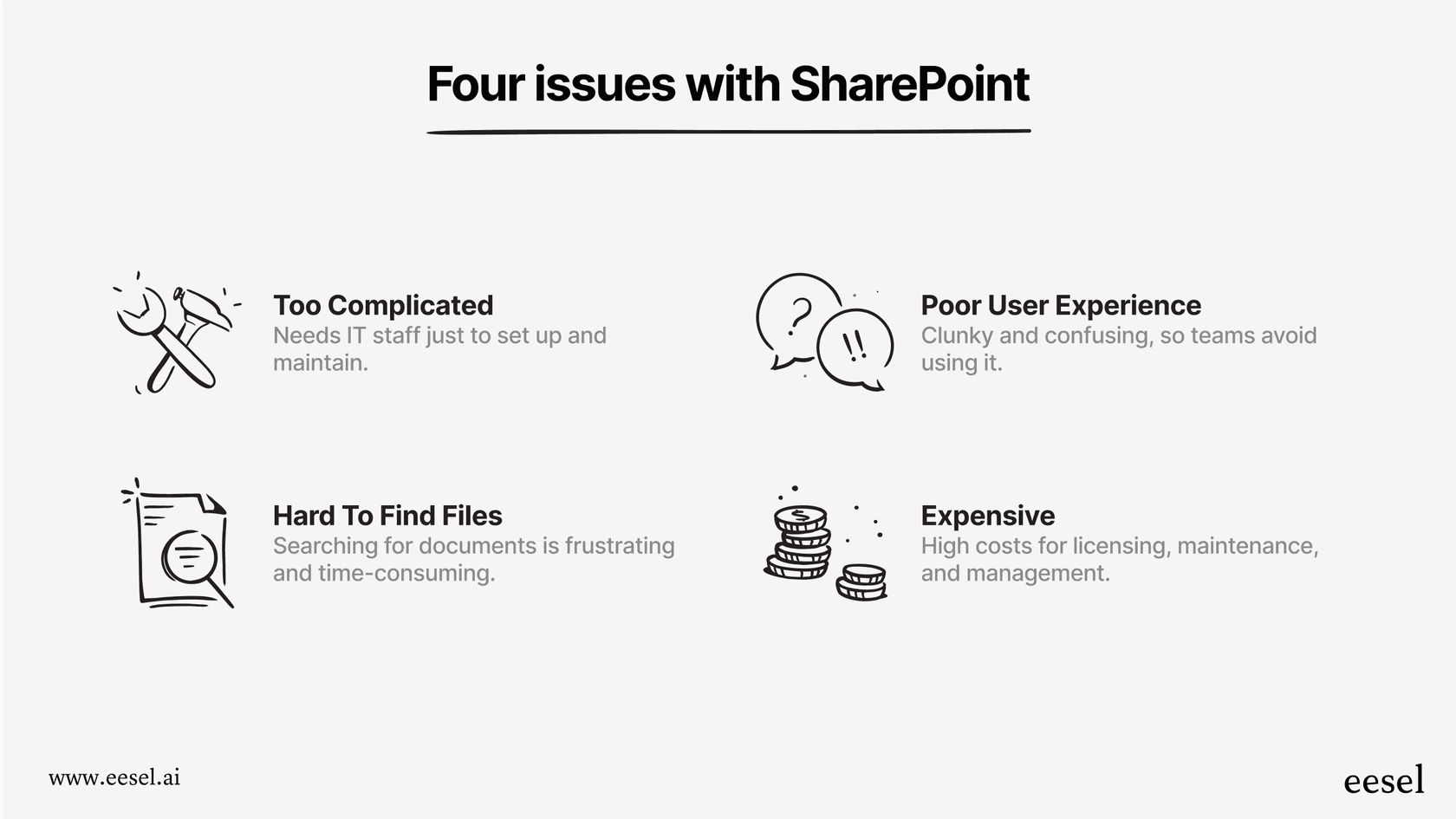
This is why so many companies start looking for SharePoint alternatives. They're usually trying to escape a few common headaches:
- It’s just too complicated. SharePoint often needs a dedicated IT person (or team) to get it running, customize it, and keep it from breaking.
- The user experience is rough. A lot of people find it confusing and clunky, which means nobody on the team actually wants to use it.
- You can never find anything. Digging for a specific file buried in layers of sites and folders is a special kind of nightmare.
- It gets expensive. Between licensing, maintenance, and paying someone to manage it, the costs can pile up, fast.
The alternatives we’ll cover aim to fix these issues with cleaner interfaces, more focused features, and straightforward pricing.
How we picked the best SharePoint alternatives
To put this list together, we thought about the main reasons teams break up with SharePoint. We judged each tool on a few key things:
- Ease of use: How simple is it for your team to get started without a week-long training session? We looked for intuitive tools that just make sense.
- Collaboration features: Does it actually help your team work together? We're talking about things like co-editing documents in real-time, leaving comments, assigning tasks, and chatting.
- Plays well with others: How well does it connect to the tools you already rely on every day, like Slack, Google Workspace, or Zendesk?
- Pricing: We looked at the overall value, checking for hidden fees and making sure the price makes sense as your team grows.
- Making knowledge easy to find: This one’s a biggie. How well does the tool make your information useful once it's stored? We gave extra points to platforms that help teams get instant answers, not just store files.
A quick comparison of the top SharePoint alternatives in 2026
| Tool | Best For | Starting Price (per user/month) | Key Feature | G2 Rating |
|---|---|---|---|---|
| eesel AI | Instant answers from your existing docs | Custom (from $239/mo for team) | AI that answers questions using your company knowledge | N/A |
| Confluence | Project collaboration for tech teams | $5.75 | Connects seamlessly with Jira | 4.1 / 5 |
| Notion | Building your own all-in-one workspace | $8 | Super flexible pages and databases | 4.7 / 5 |
| Google Workspace | Simple, cloud-based collaboration | $7.20 | Top-notch real-time editing in Docs & Sheets | 4.6 / 5 |
| Microsoft Teams | Chat-based work in the M365 world | $4.00 | Combines chat, meetings, and files | 4.3 / 5 |
| Slack | Team messaging and app integrations | $8.75 | The gold standard for team chat | 4.5 / 5 |
| Slite | Clean and simple knowledge bases | $10 | Easy UI and content verification | 4.6 / 5 |
| Asana | Organizing projects and tasks | $8.50 | Powerful workflows and project tracking | 4.4 / 5 |
| ClickUp | A customizable all-in-one platform | $10 | Combines tasks, docs, chat, and more | 4.7 / 5 |
| Box | Super secure, enterprise-level file storage | $15 | Heavy-duty security and compliance | 4.2 / 5 |
The 10 best SharePoint alternatives for 2026
Here’s our detailed look at the top tools that can replace or work alongside SharePoint.
1. eesel AI: A top SharePoint alternative for instant answers
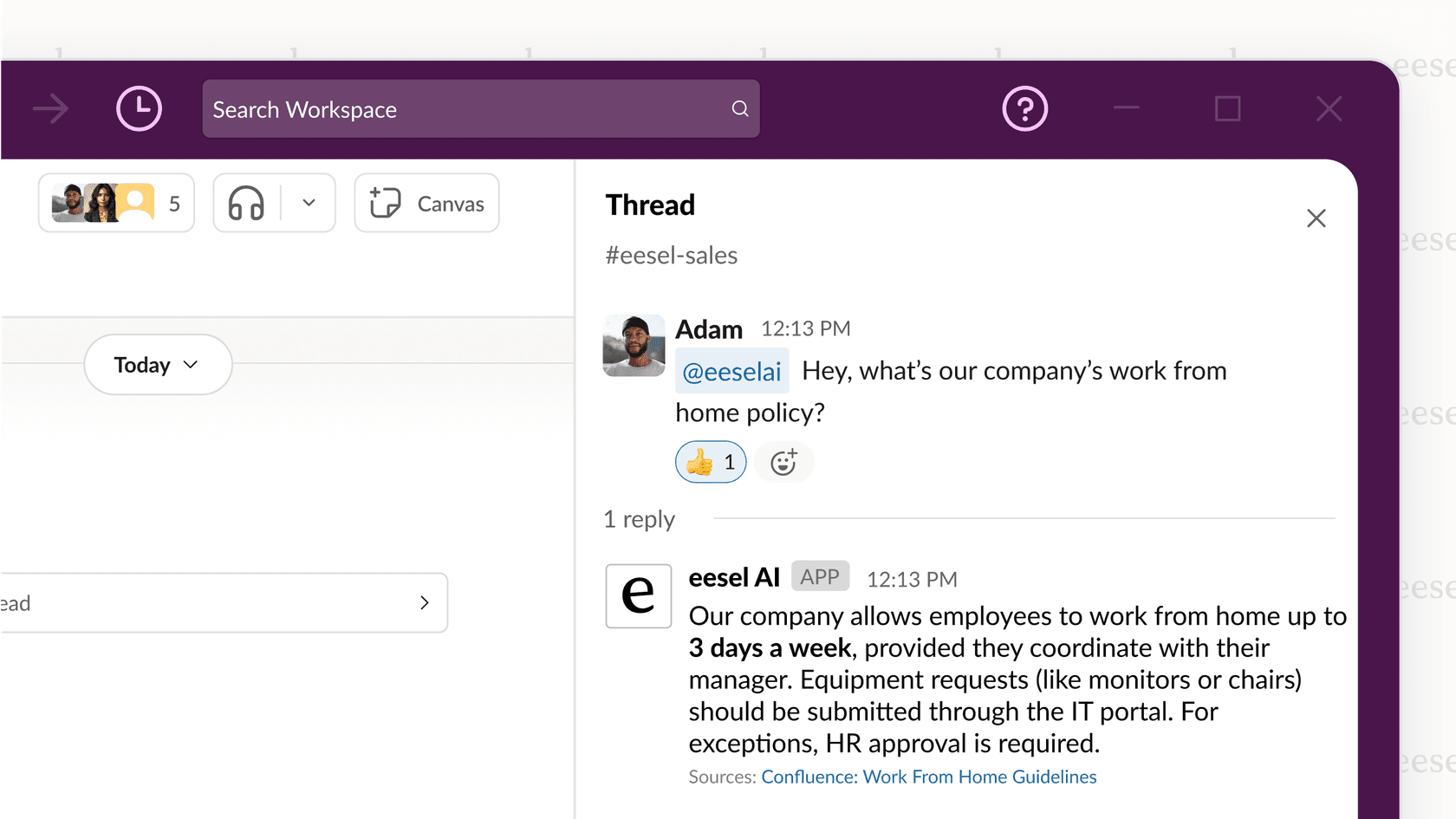
Instead of being just another place to put your documents, eesel AI takes a different angle. It’s like an intelligent assistant that connects to all the places you already keep your knowledge, whether that’s SharePoint, Confluence, Google Docs, or old support tickets. It fixes the biggest SharePoint problem: actually getting to your information. With eesel AI, your team can ask questions in Slack or Microsoft Teams and get immediate answers pulled straight from your official docs. No more folder-digging.
- Pros: Brings all your scattered knowledge together, helps automate support for customers and employees, connects with your current tools, and is surprisingly easy to set up.
- Cons: It's not for creating documents from scratch; it works by making the knowledge you already have more powerful.
- Pricing: The Team plan starts at $239/month (when billed annually), giving you up to 3 bots and 1,000 AI interactions.
2. Confluence: A SharePoint alternative for project collaboration
From Atlassian, Confluence is a hugely popular SharePoint replacement, especially for product and engineering teams. It's a mature, reliable platform that powers collaboration for thousands of companies. It is fantastic for creating structured knowledge bases, project plans, and meeting notes. Its biggest win is how deeply it connects with Jira, letting you link your project docs directly to development tickets. It keeps content organized in "spaces" and "pages," which provides an impressive amount of structure for your documentation.
- Pros: Amazing integration with the Atlassian suite (especially Jira), a huge library of templates, and great for organized documentation. It offers tiered plans to match different team sizes.
- Cons: The platform offers a wide range of powerful features which may take a little time to fully explore, though it is highly rewarding once set up.
- Pro Tip: To give your Confluence search a serious boost, you can hook it up to a tool like eesel AI. Your team can get answers from your docs without ever having to leave their chat app.
- Pricing: Has a free plan for up to 10 users. Paid plans start at $5.75 per user per month.
3. Notion: A SharePoint alternative for building your own workspace
Notion has built a huge following among teams that love to customize everything. It’s a true all-in-one workspace that blends documents, wikis, task lists, and databases into one clean-looking tool. You can build a simple team wiki or a complex project tracker, all in the same place. It's built on a system of "blocks" that lets you create a central hub for information that fits exactly how your team works.
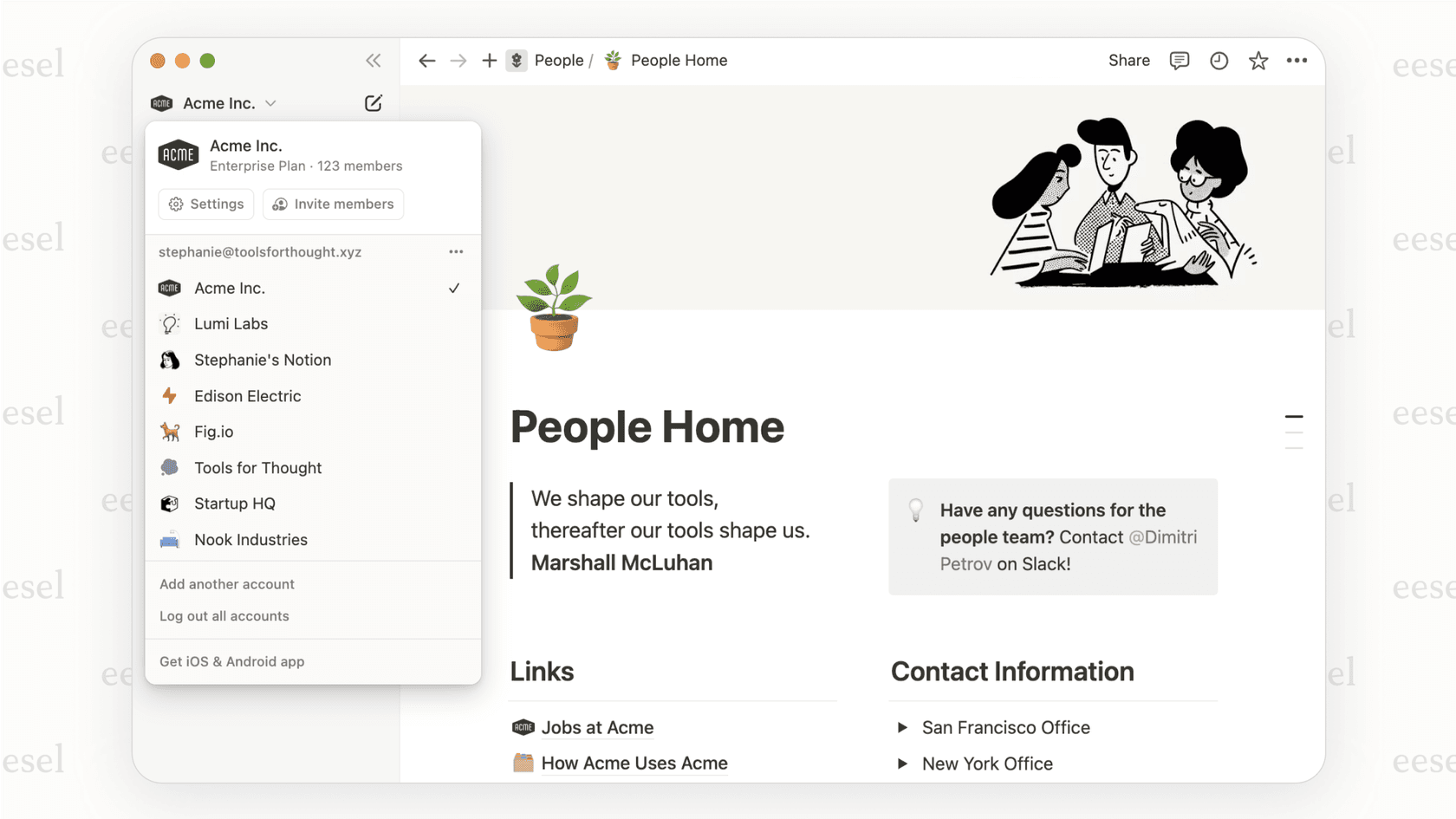
- Pros: Incredibly flexible and customizable, beautiful minimalist design, and really powerful databases.
- Cons: All that flexibility can be overwhelming at first, and it can sometimes get slow if you build a massive workspace.
- Pricing: There's a solid free plan for individuals. Team plans start at $8 per user per month.
4. Google Workspace: A SharePoint alternative for easy cloud-based productivity
For a lot of companies, Google Workspace is the default SharePoint alternative. With Google Drive at its core, you get a bundle of cloud-first tools like Docs, Sheets, and Slides that work together perfectly. The standout feature is its amazing real-time collaboration, where multiple people can type, edit, and comment on a document at the same time. It's familiar and simple, making it a no-brainer for teams who want to get work done without a lot of fuss.
- Pros: Fantastic real-time co-editing, an interface everyone already knows, and everything works together seamlessly.
- Cons: Google Drive can turn into a digital junk drawer fast if you don't have strict rules for organizing folders, making it hard to find anything.
- Pro Tip: You can fix the Google Drive chaos by connecting it to eesel AI. It can find answers hidden inside your documents and serve them up to your team in seconds.
- Pricing: The Business Starter plan kicks off at $7.20 per user per month.
5. Microsoft Teams: A SharePoint alternative for chat-based work
Often seen as a friendlier front door to SharePoint, Microsoft Teams is a collaboration tool built around chat. It pulls messaging, video meetings, and file storage into a single app. Since any file you share in a Teams channel gets saved to a SharePoint site in the background, it provides a more conversational way to manage documents. If your company is already deep in the Microsoft 365 world, this is the logical choice.
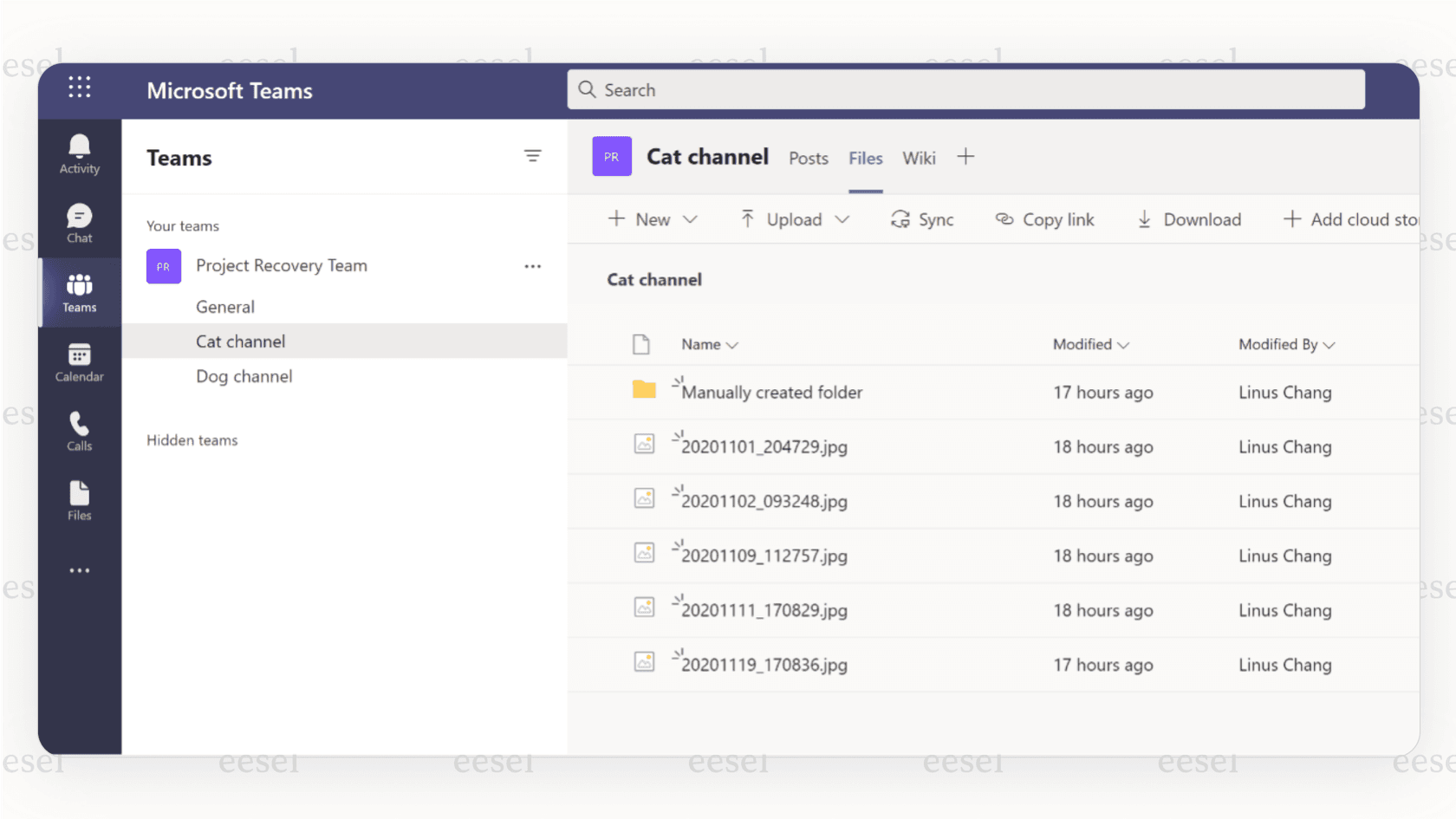
- Pros: Connects perfectly with the entire Microsoft 365 suite and puts conversations and files in one place.
- Cons: Managing files can get weird since it's separate from the SharePoint backend. A lot of important knowledge ends up lost in long chat threads.
- Pricing: It’s included in most Microsoft 365 Business plans, and there's a standalone Teams Essentials plan for $4.00 per user per month.
6. Slack: One of the best SharePoint alternatives for real-time messaging
Slack changed the game for team communication and is still a top pick for businesses that live on real-time chat. While it's not a document manager itself, its fantastic search and huge library of app integrations let it act as the command center for your team's work. It’s perfect for quick conversations and plugging all your different tools into one feed.
- Pros: The best chat experience out there, a massive number of app integrations, and great for cutting down on internal emails.
- Cons: It's not built for storing permanent knowledge (people call this the "Slack black hole" for a reason), and the price can creep up on you with bigger teams.
- Pro Tip: The eesel AI Slack integration turns that "black hole" into an asset. You can deploy an AI assistant that answers your team's questions right inside any channel.
- Pricing: Has a free plan with a limited message history. Paid plans start at $8.75 per user per month.
7. Slite: A SharePoint alternative for clean knowledge sharing
Slite is a beautifully designed, self-maintaining knowledge base that keeps itself current based on information from your company’s entire tool stack. It is built for teams who want to write things down and keep them organized and trustworthy, with an AI agent that detects drift and drafts fixes for human approval.
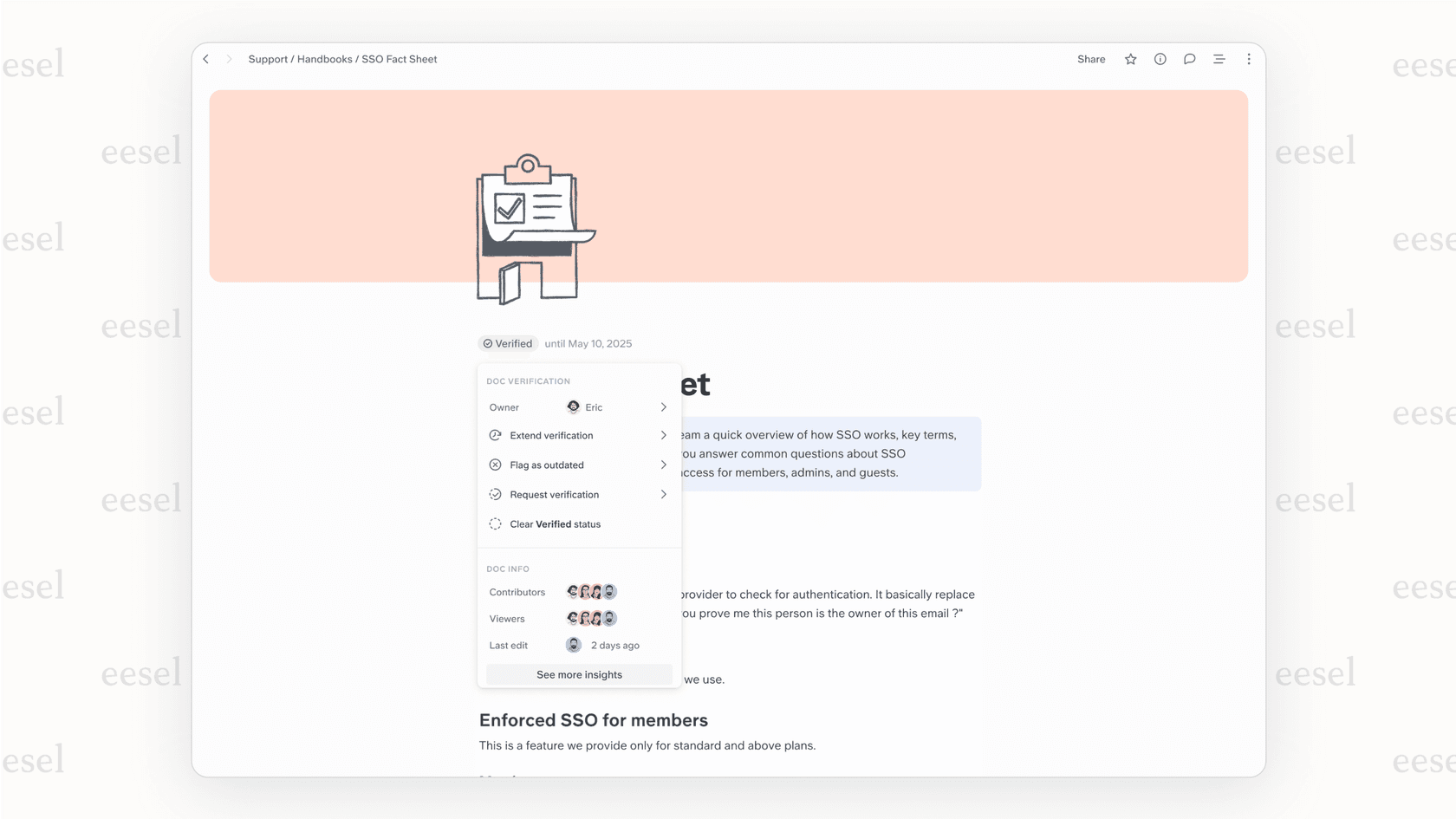
- Pros: Clean, fast, intuitive interface built specifically for knowledge sharing. Verification and the Slite Agent help keep content up to date. Ask AI search cites its sources.
- Cons: Focused on documentation rather than task or project management.
- Pricing: Basic is $10/user/mo (billed annually). Pro is $20/user/mo and adds the Slite Agent and cross-tool search. No free plan; 14-day trial available.
8. Asana: One of the top SharePoint alternatives for organizing projects
If your main gripe with SharePoint is that it’s a terrible project management tool, then Asana is a powerful alternative. It's a top-tier tool that helps teams manage all their work, from small daily tasks to big company goals. While you can attach project files, its real power is in tracking tasks, automating workflows, and giving everyone a clear view of project progress with lists, boards, and timelines.
- Pros: Great for managing complex projects with lots of moving parts, automating repetitive work, and seeing the big picture.
- Cons: Its document management features are pretty basic; it’s not meant to be your company's central knowledge base.
- Pricing: A basic free plan is available. Paid plans start at $8.50 per user per month.
9. ClickUp: A customizable SharePoint alternative for everything
ClickUp's tagline is "one app to replace them all," and they're not kidding. It's an ambitious platform packed with features, combining tasks, docs, chat, goals, and whiteboards into one super-customizable tool. For teams trying to find a single app to run their entire workflow, ClickUp is a compelling and affordable option. You can tweak its views and workflows to fit just about any process.
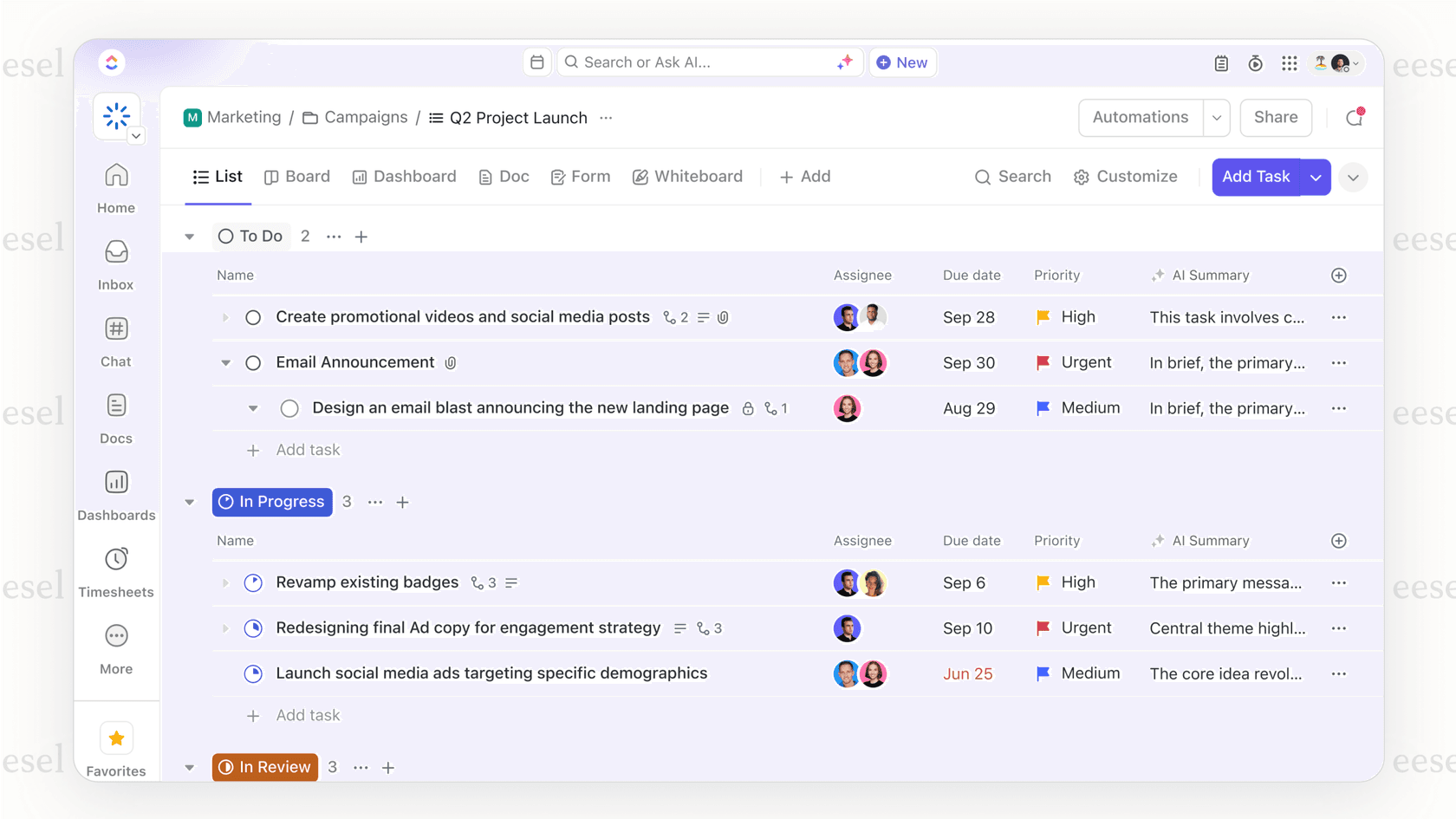
- Pros: An incredible number of features, highly customizable, and a great bang for your buck.
- Cons: The sheer number of options can be a lot for new users to take in, and the platform can occasionally feel a bit sluggish.
- Pricing: Offers a very generous free plan. Paid plans start at $10 per user per month.
10. Box: A SharePoint alternative for enterprise-level security
If security and legal compliance are your absolute top concerns, Box is a leading SharePoint alternative. It’s a cloud platform focused on enterprise-grade security, governance, and compliance, supporting standards like HIPAA and FINRA. While it handles file sharing and collaboration just fine, its main job is to securely manage content at scale, giving you detailed audit trails and tight control over permissions.
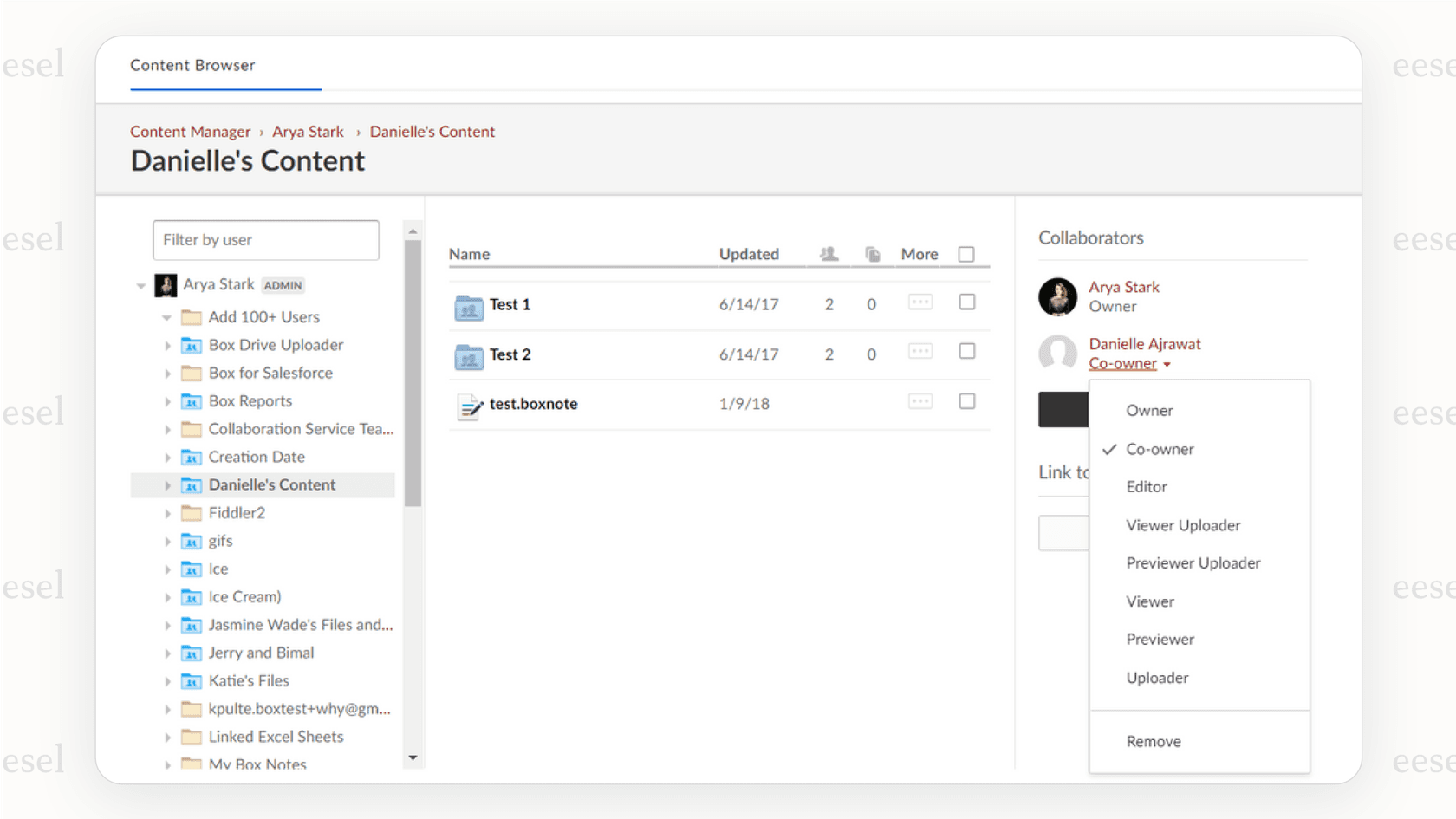
- Pros: Top-of-the-line security and compliance features, powerful admin controls, and works well for sharing files securely with outside partners.
- Cons: Not as focused on real-time editing as Google Workspace; the interface feels more like a file cabinet than a collaborative workspace.
- Pricing: Business plans start at $15 per user per month.
How to choose the right SharePoint alternatives
With so many choices, picking the right one can feel like a chore. Here's a simple way to think through it.
Figure out your biggest headache
First, what's your number one complaint about SharePoint?
- Is it just a messy place to store files? Look at tools like Confluence, Slite, or Notion.
- Is it awful for managing projects? Check out Asana or ClickUp.
- Is real-time communication the problem? Slack or Microsoft Teams could be the fix.
- Is it that nobody can ever find anything? This is where a tool like eesel AI shines, because it makes information easy to get, no matter where it's stored.
Look at the tools you already use
The best tool is one that fits in with your current workflow. If your team lives in Google Workspace, an alternative that plays nice with Google Drive is a must. If you're an all-Microsoft-everything company, Teams is probably the path of least resistance. If you use a mix of everything, a tool like eesel AI can act as a bridge, connecting all your different knowledge sources together.
Think beyond storage
Just having information saved somewhere isn't enough. The real magic happens when your team can actually find and use that information the moment they need it. A traditional knowledge base can quickly become a digital graveyard where good information goes to die. Before you pick a replacement, ask yourself: "How will this tool help my team get answers faster?" Shifting your focus from just storing information to making it accessible is how you really improve productivity.
Why the best SharePoint alternatives help you answer, not just store
Choosing a SharePoint alternative isn't just about finding a new place to park your files. It’s a chance to completely change how your team finds and uses information. While traditional options like Confluence and Notion have nicer interfaces for organizing knowledge, they can still turn into information silos over time.
Confluence, in particular, stands out as a powerful, enterprise-grade solution that can scale with your organization. By adding an intelligent layer like eesel AI on top of your existing tools, you give your team the power of instant answers, cut down on repetitive questions, and finally unlock the value of all the knowledge you’ve worked so hard to create.
Ready to make your company’s knowledge actually work for you? Give eesel AI a try for free or book a demo and see how it can transform your team’s productivity.
Frequently asked questions

Share this article

Article by
Stevia Putri
Stevia Putri is a marketing generalist at eesel AI, where she helps turn powerful AI tools into stories that resonate. She’s driven by curiosity, clarity, and the human side of technology.