Tabnine overview: A deep dive into the AI coding assistant in 2025

Last edited October 1, 2025
Let’s be honest, we’ve all had those days. You’re in the flow, pushing to get a new feature out the door, and suddenly you’re stuck writing the same boilerplate code for the tenth time. Or maybe you're digging through a massive legacy codebase with no docs, feeling more like an archaeologist than a dev. It’s tough to stay creative when the pressure is on and the boring stuff gets in the way.
This is the exact headache that AI coding assistants like Tabnine are meant to fix. They were one of the first on the scene, and their whole goal is to be a smart sidekick that lives right in your editor. In this Tabnine overview, we'll dig into what it does, how it works, what it costs, and help you figure out if it's the right tool for you or your team.
What exactly is Tabnine?
So, what is Tabnine, really? In simple terms, it's an AI assistant that plugs straight into your favorite IDE, whether that's VS Code, JetBrains, or something else. Its main gig is to give you smart code completions and a chat window where you can ask for help with all sorts of coding tasks.
It’s not just a fancy autocomplete, though. Unlike a lot of generic AI tools, Tabnine was built specifically for developers. It’s designed to learn from your team’s unique codebase, your specific coding conventions, and even your personal style over time. The longer you use it, the more it starts to feel like it's reading your mind.
The big thing that makes Tabnine stand out, especially for companies, is their whole philosophy: "the AI that you control." They put a ton of effort into privacy, personalization, and security, which are usually the biggest roadblocks for businesses wanting to use AI. You'll see this idea of control pop up again and again in their features and how you can set it up.
Key features and capabilities
Alright, let's get into the specifics. What can Tabnine actually do for you? Its powers can be broken down into a few key areas that all work together to make coding feel less like a chore.
AI-powered code completion and generation
This is what Tabnine is famous for. It takes the simple suggestions your IDE gives you and cranks them up to eleven.
-
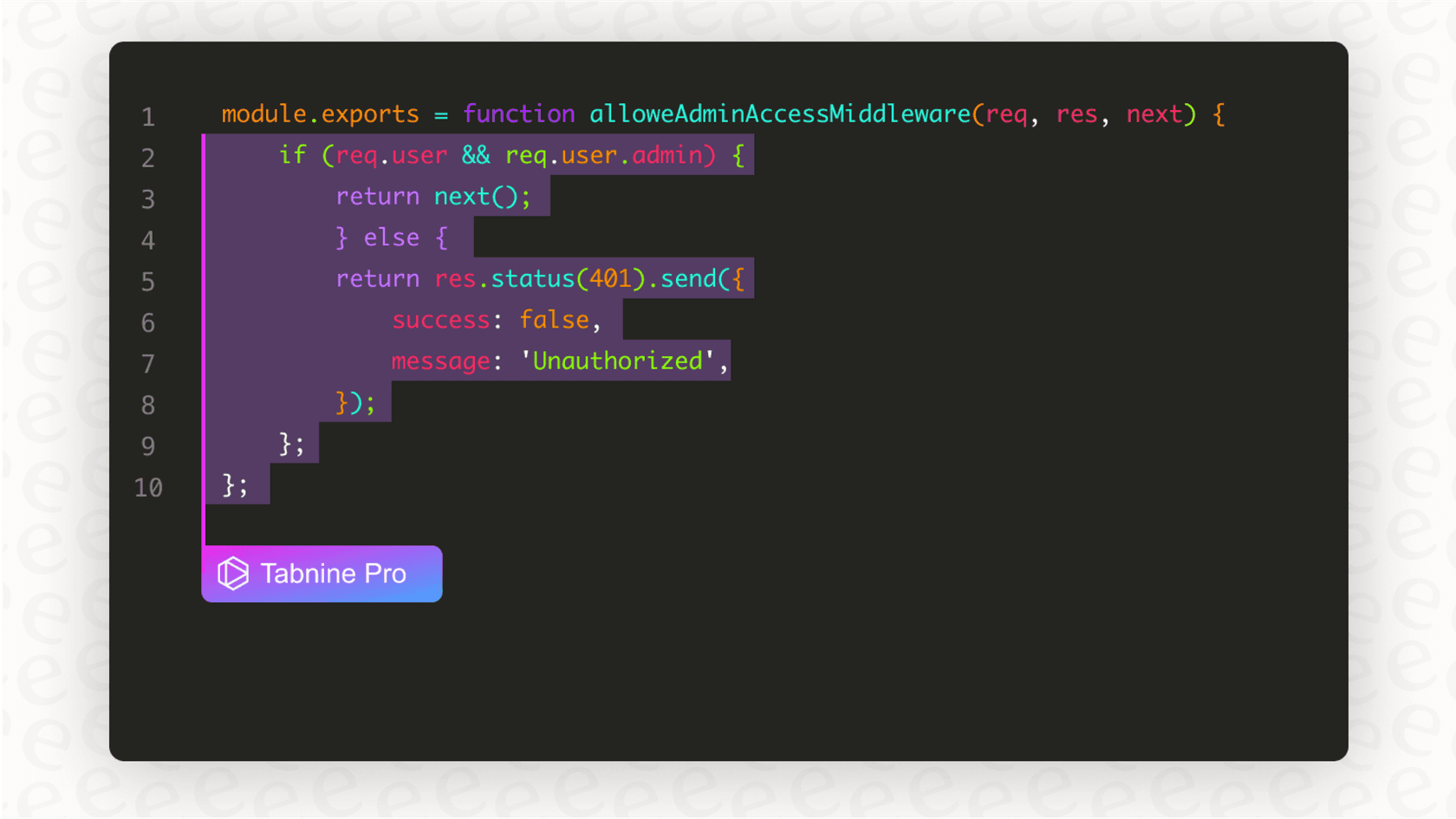
Code Completion: Tabnine doesn't just guess the next variable name you're going to type. It actively analyzes the code you've written, the other files in your project, and common patterns to predict and generate entire lines or even whole chunks of code. This is a massive time-saver for repetitive tasks like setting up API calls or writing configuration files.
-
Natural Language to Code: This feels a bit like magic. You can write a comment in plain English explaining what you need the code to do, and Tabnine will generate it for you. Imagine you're working with a new database library. Instead of digging through its documentation to figure out the exact syntax for a query, you can just write a comment: "// connect to postgres with env vars and get all active users from the 'customers' table who signed up in the last 30 days". Tabnine will then spit out the correct, ready-to-use code block, saving you a trip to Stack Overflow and keeping you in the flow.
- Context-Awareness: This is the secret sauce that makes the suggestions so good. Tabnine doesn't just look at the one file you have open. It scans your entire project to understand how everything fits together. This means the code it suggests is much more likely to be relevant and correct for your specific project, using your variable names and following your architectural patterns.
Tabnine Chat: A conversational coding partner
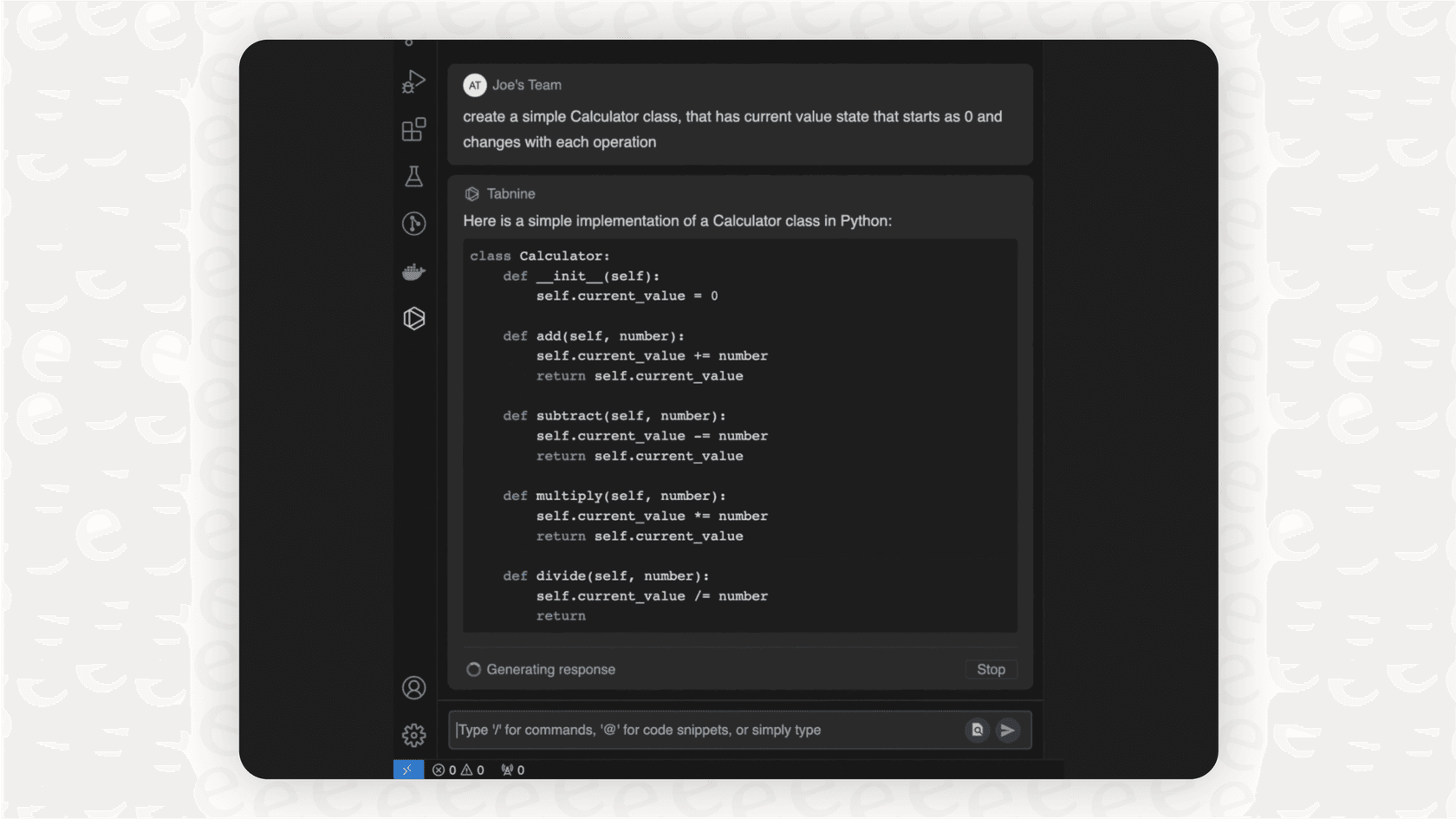
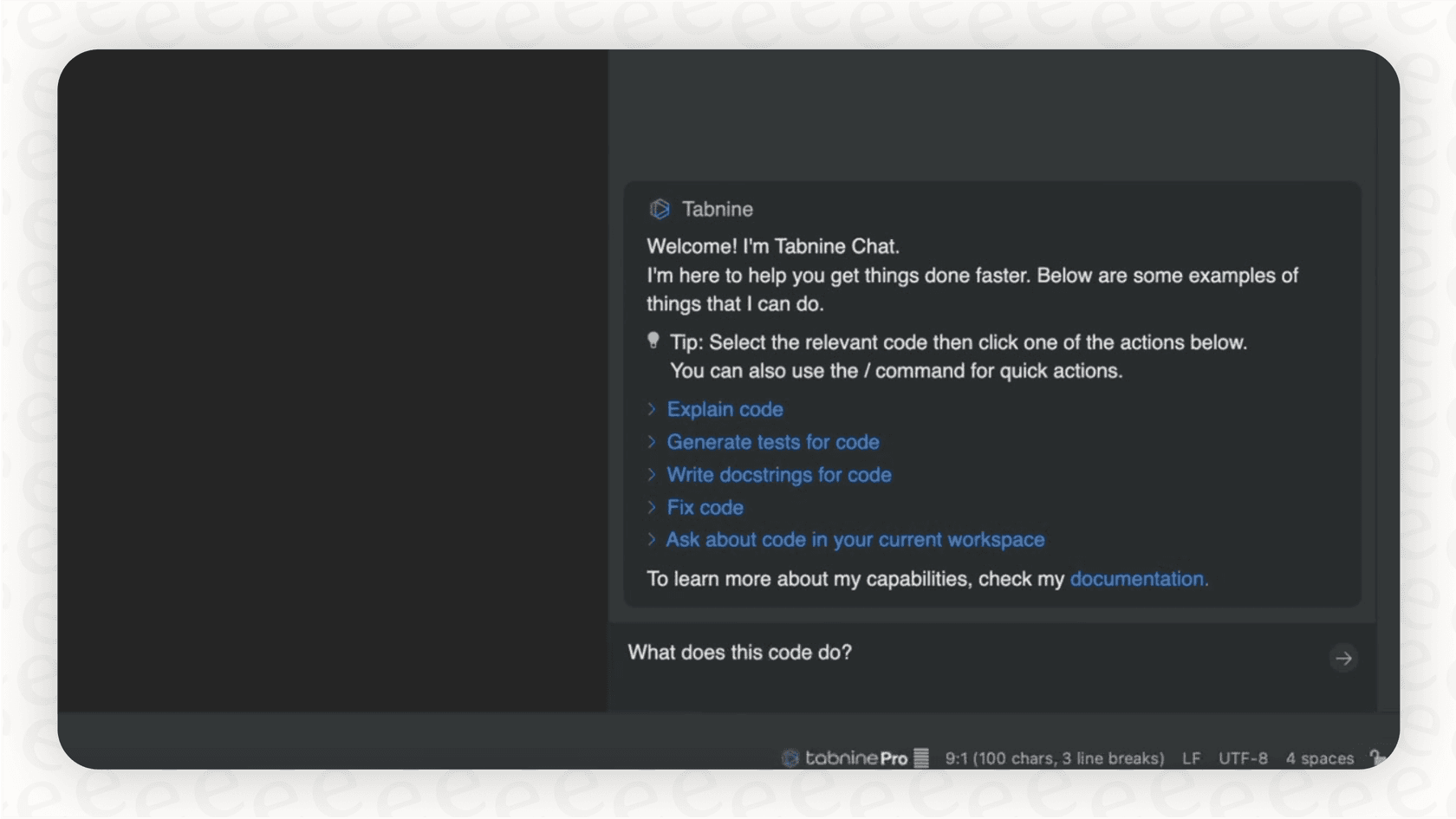
Living right inside your IDE, Tabnine Chat gives you a way to talk to the AI. It's like having a senior developer you can ask questions without ever leaving your editor or feeling like you're interrupting someone.
Here are a few things it's great for:
-
Generate code: You can give it a high-level command like, "Create a Python function that takes a URL, downloads the JSON data, and saves it to a file," and it will write the whole thing for you.
-
Explain code: We've all stumbled upon a piece of old, uncommented code that makes no sense. Just highlight it and ask Tabnine, "What on earth does this do?" It will break it down into a simple English explanation.
-
Generate unit tests: Writing tests is super important, but let's be real, it can be tedious. You can select a function and ask Tabnine to write the unit tests for you. It's a huge help for getting your test coverage up without the grind.
-
Find and fix errors: When you get a cryptic error message, you can just ask Tabnine to take a look. It will analyze the code and the error and suggest a fix.
One of the coolest things here is that you're not locked into one AI model. You can switch between powerful models like GPT-4o and Claude 3.5 Sonnet for complex tasks, or use Tabnine's own "Protected" model when you're working on sensitive code and privacy is your top priority.
Enterprise-grade security, privacy, and compliance
This is probably Tabnine's biggest selling point for businesses. When you're dealing with proprietary code, you can't just send it off to some random AI service.
-
Privacy-First Approach: Tabnine's "Protected" models are only trained on open-source code that has permissive licenses (like MIT or Apache 2.0). This is a huge deal because it protects your company from the legal nightmare of accidentally using copyrighted code in your products. For their enterprise customers, they even offer IP indemnification, which is basically an insurance policy for your code.
-
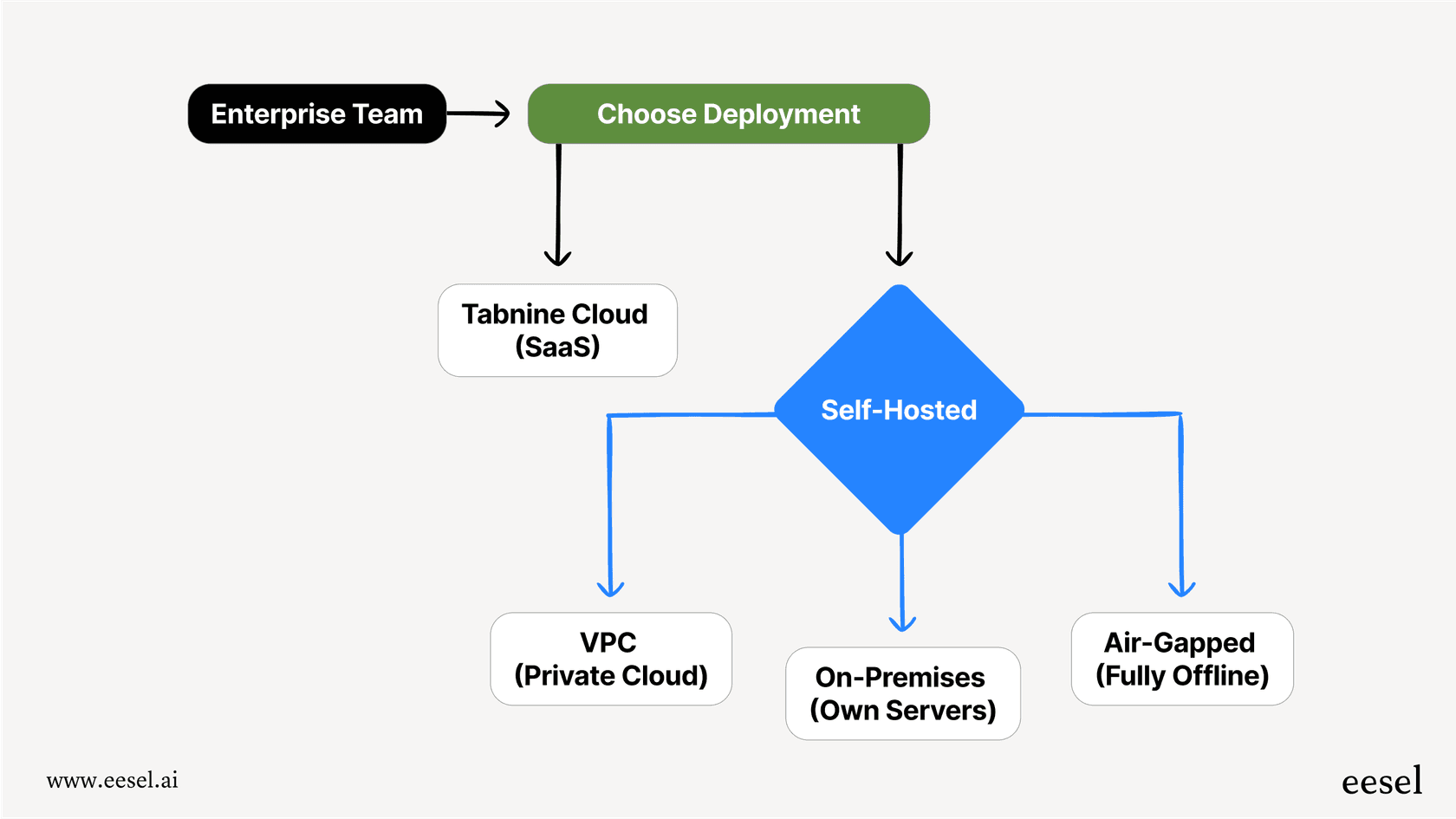
Deployment Flexibility: A lot of AI tools are cloud-only, which is a non-starter for many companies. Tabnine lets you choose. You can use their standard cloud service, or you can host it yourself in your own private cloud (VPC), on your own servers (on-premises), or even in a completely offline, air-gapped environment. This gives companies in regulated industries like finance or healthcare the control they absolutely need.
- Zero Data Retention: If you use the cloud version, Tabnine is very clear: they don't save your code, and they definitely don't use it to train their models. Your code is sent to generate a response, and then it's gone.
How Tabnine enhances the developer workflow
Okay, features are nice, but how does this tool actually change your day-to-day work? Here’s a look at how Tabnine fits into the typical software development process.
-
Planning and Understanding Code: We've all been the new person on a project, staring at thousands of lines of code and feeling completely lost. The Code Explain and Onboarding Agent is a lifesaver here. Instead of constantly pinging a senior dev, you can highlight a huge, confusing function and ask Tabnine Chat to explain it in plain English. This helps you get up to speed way faster without feeling like a nuisance.
-
Creating and Refactoring Code: This is where you'll see the most immediate impact. The smart code completions drastically reduce the amount of typing you have to do. It handles the boilerplate, freeing up your brainpower to focus on the tricky business logic that actually requires your expertise. It's also great for refactoring, suggesting more efficient ways to write a function or helping you update old code to modern standards.
-
Testing and Debugging: Tabnine's Testing Agent can look at your code and your existing tests to automatically generate new test cases. This helps ensure your code is solid without you having to manually write every single test from scratch. And when a bug does pop up, the Code Fix Agent can analyze the error message and propose a fix right in your editor.
-
Documentation and Maintenance: Good documentation is what separates a healthy codebase from a future nightmare, but it's often the first thing to get skipped when deadlines are tight. The Documentation Agent can automatically generate docstrings, comments, and other documentation for your code, making it much easier for your team (and future you) to understand and maintain.
Tabnine pricing plans
Tabnine has a few different plans, so you can pick what works for you, from a solo developer just starting out to a massive company.
| Plan | Price (per user/month) | Key Features | Ideal For |
|---|---|---|---|
| Basic | Free | Basic AI code completions, local processing. | Individual developers, students, and open-source projects. |
| Pro | $12 | Access to advanced AI models, personalization, team admin tools. | Professional developers and small teams. |
| Enterprise | $39 (with annual commitment) | Private deployment (VPC/on-prem), custom models, advanced security, IP indemnification, integrations with Jira/Confluence. | Large organizations with strict security and compliance needs. |
The Pro plan has a 90-day free trial, which is more than enough time to figure out if it's a good fit for your daily work. The price jump to the Enterprise plan is pretty big, but for companies that need the private hosting and legal protections, those features are essential and well worth the cost.
Potential limitations and considerations
No tool is a silver bullet, and this Tabnine overview wouldn't be complete without an honest look at some of its limitations.
-
The suggestions aren't perfect. Look, it's an AI. The code it suggests won't always be 100% correct. Sometimes it’s a bit off, maybe not the most efficient, or could even introduce a sneaky bug. Think of it as a junior dev helping you out, you still need to be the senior dev who reviews the code before it gets committed.
-
It can use a bit of processing power. Running a powerful AI model inside your IDE can take up some resources. On a decent modern computer, you probably won't notice it, but if you're working on an older laptop, you might see a slight slowdown.
-
It only knows about your code. Tabnine is fantastic at understanding the context within your codebase. It knows your files, your functions, and your coding style inside and out. But its world ends there. It has no idea about the project requirements written up in Confluence, the bug report details in Jira, or the important conversation about deployment that just happened in Slack. This creates a knowledge gap between the code you're writing and all the business context that surrounds it.
A powerful developer ally, but what about the rest of the workflow?
So, what's the final verdict in this Tabnine overview? It's a seriously solid AI coding assistant. Its focus on security, privacy, and flexible deployment makes it a great option for bigger companies that need tight control over their code. For individual developers and small teams, it can dramatically speed up the coding process.
But let's face it, being a productive developer isn't just about pumping out code faster. It’s also about all the other stuff: finding that one piece of documentation, figuring out what a feature request actually means, or getting a quick answer without bothering a teammate.
That's the exact gap a tool like eesel AI is designed to fill. While Tabnine is an expert on your codebase, eesel AI is an expert on your company's entire knowledge base. It connects to all the apps your team uses to store information, like Google Docs, Confluence, and Slack, to give you instant, accurate answers.
eesel AI is the perfect partner for a development team using a tool like Tabnine. While Tabnine helps a developer write a new function, eesel AI can answer their question about the company's API authentication standards from a Confluence page, all without them having to leave their workflow. It bridges the gap that coding-only assistants simply can't.
So while you’re speeding up your coding with an assistant like Tabnine, give your team's knowledge sharing a boost with eesel AI. You can get started in just a few minutes and see for yourself how much smoother work can be when all the answers are right at your fingertips.
Frequently asked questions

Share this article

Article by
Stevia Putri
Stevia Putri is a marketing generalist at eesel AI, where she helps turn powerful AI tools into stories that resonate. She’s driven by curiosity, clarity, and the human side of technology.