A complete guide to Tabnine pricing in 2025

Last edited October 1, 2025
Let's be real, AI coding assistants are pretty much standard gear for dev teams these days. And it makes sense, they promise to handle the boring, repetitive tasks, speed up your workflow, and let you focus on the interesting challenges that actually require your brainpower. Tabnine is a big name in this space, and millions of developers are already using its AI assistant to write code faster.
But picking the right tool isn’t as simple as comparing feature lists. You have to think about the total cost, which goes way beyond the monthly subscription. We’re talking about things like security, how it’s deployed, and how quickly your team can actually start getting value from it. This guide will walk you through the complete Tabnine pricing structure for 2025, so you can see exactly what you’re paying for and learn how to figure out the true return on investment (ROI) for any AI tool you're considering.
What is Tabnine?
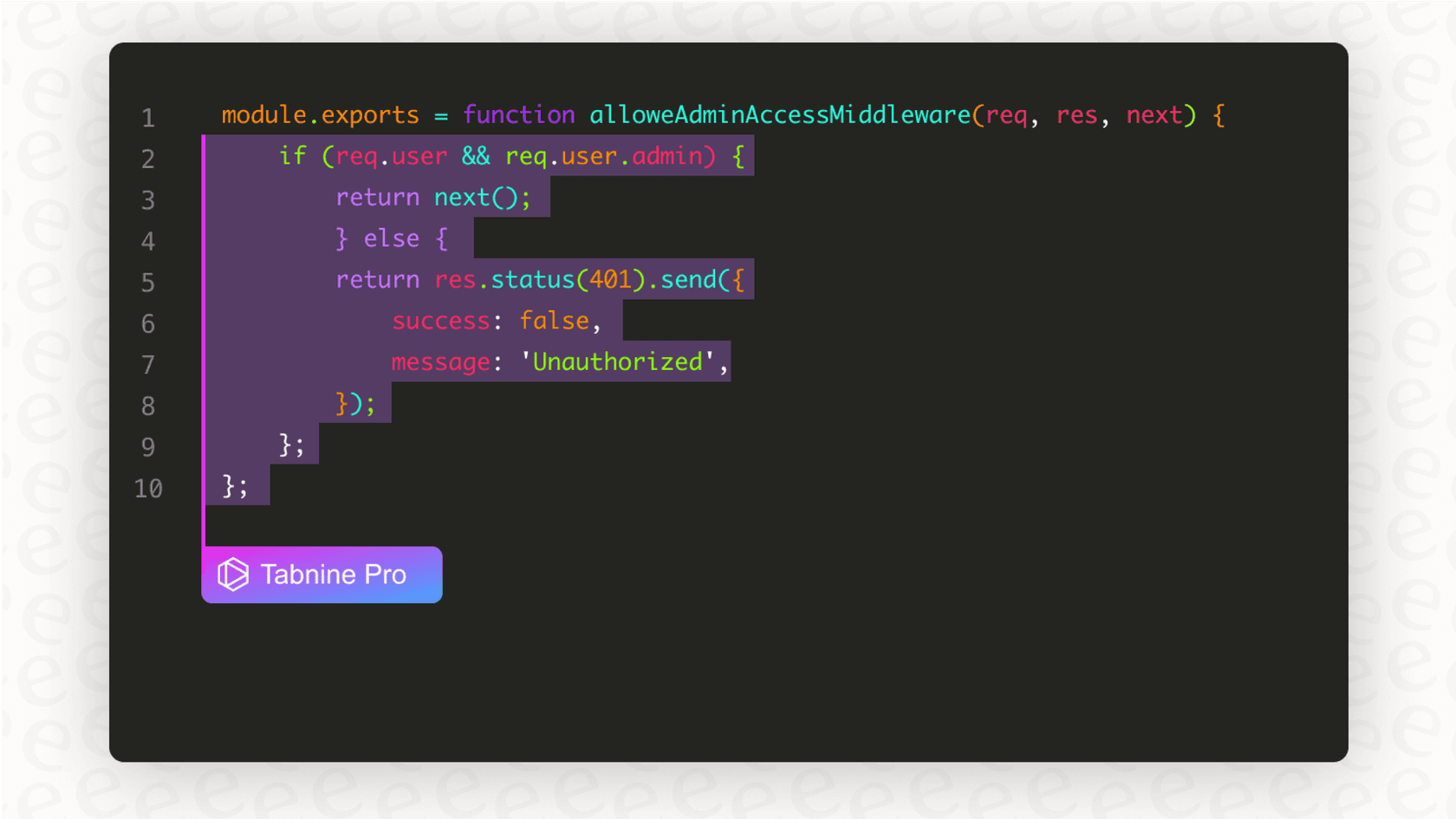
So, what exactly is Tabnine? At its heart, it’s an AI-powered code completion tool that works right inside your favorite IDE, whether that's VS Code, a JetBrains product, or something else. As you type, it suggests snippets of code, finishes entire functions for you, and can even write whole blocks of code from a simple instruction you write in plain English. The main goal is to make the whole process of building software feel quicker and a lot less repetitive.
It’s a popular tool for a reason and is trusted by developers and big companies all over the world. What helps it stand out is its serious focus on personalization and security. It gives teams a lot of control over how the AI works, especially when it comes to keeping your code private, which is a huge deal for most businesses.
A complete breakdown of Tabnine pricing plans
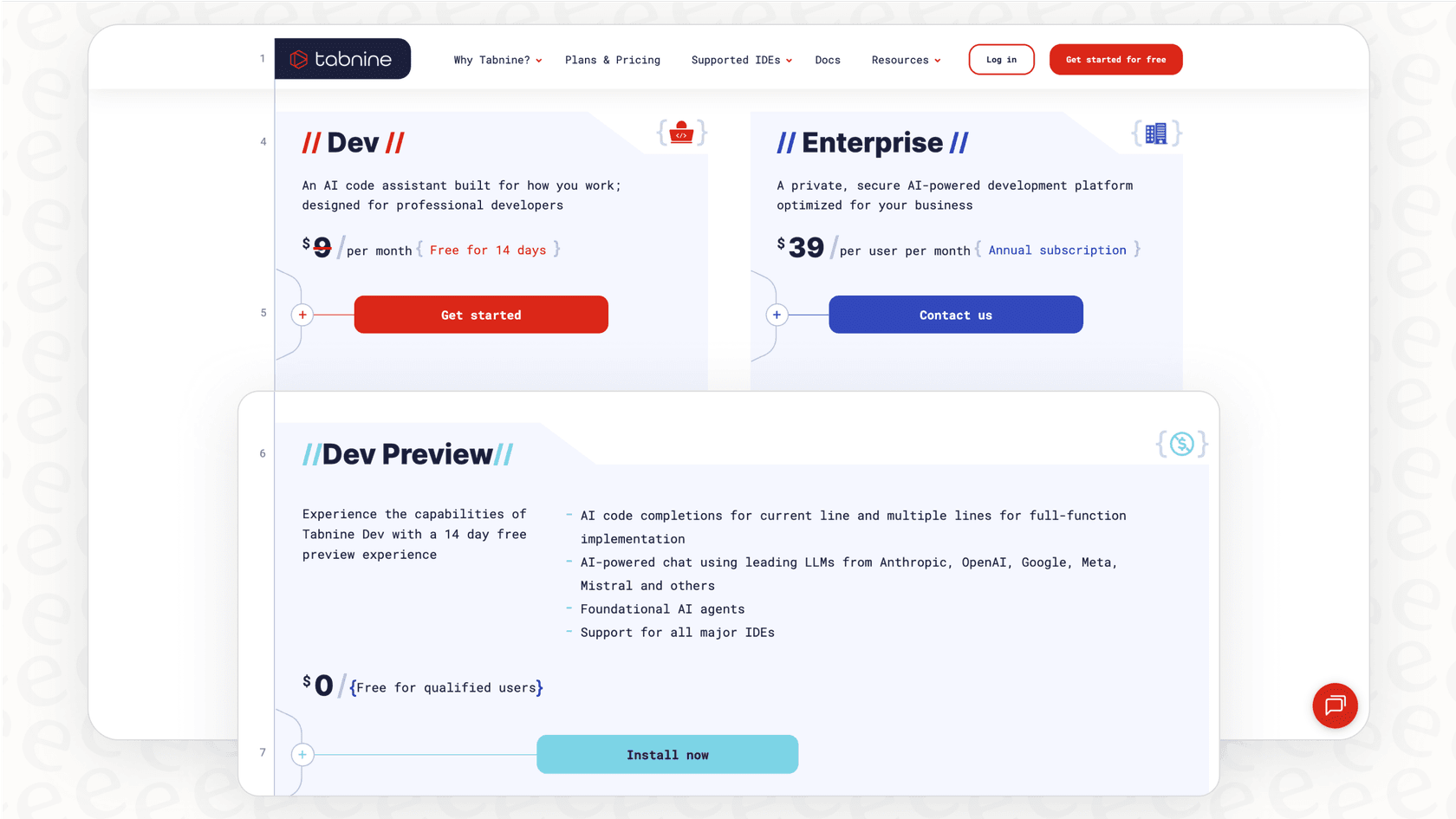
Tabnine’s pricing is broken down into a few different tiers. Each one is built for a different kind of user, from a student tinkering on a project to a massive company with strict security protocols. Let's dig into what each plan actually gives you.
The Tabnine pricing tiers
Here’s a quick side-by-side comparison of Tabnine’s plans. The prices you see here are for annual billing, which usually saves you a bit of cash compared to paying month-to-month.
| Feature | Dev Preview (Free) | Dev Plan ($9/user/month) | Enterprise Plan ($39/user/month) |
|---|---|---|---|
| Price | $0 | $9 per user/month | $39 per user/month |
| Target User | Individuals, Students | Professional Developers, Small Teams | Large Organizations, Regulated Industries |
| Core AI Features | Basic code completions, Foundational AI agents | AI chat, Full function completion, Natural language to code | Everything in Dev, plus advanced agents (code review, Jira implementation) |
| Personalization | Local IDE context only | Local IDE context | Advanced context from entire codebase (GitHub, GitLab, etc.) |
| Deployment | SaaS | SaaS | SaaS, VPC, On-premises, or fully air-gapped |
| Security | Standard | Enterprise-grade security | IP indemnification, Admin controls, Private models |
| Support | Community | Ticket-based support | Priority support & team training |
What's included in each Tabnine pricing plan?
A table is great for a quick look, but let's talk about what it feels like to use each of these plans.
Dev Preview (Free)
The free plan is a great way to dip your toes in if you’re a solo developer or just curious about AI code completion. It gives you basic, short suggestions and access to some of the starter AI agents. It’s perfect for trying out the core features without spending a dime, but you won’t get the really powerful stuff like full-function completions or the AI chat. Think of it as a trial that never ends.
Dev Plan
For $9 per user a month (and you get a 14-day free trial to start), the Dev plan is the go-to for most professional developers and small teams. This is where you unlock the features that make a real difference in your day-to-day work. You get the AI chat right in your IDE, whole-line and full-function completions, and the ability to turn a simple comment into a working piece of code. It's a big jump from the free version and has all the key tools most developers will need.
Enterprise Plan
At $39 per user per month, the Enterprise plan is for the big players, companies where security and compliance aren't just suggestions, they're rules. This plan has everything from the Dev tier but adds some mission-critical features. You get flexible deployment options (including hosting it on your own servers, completely disconnected from the internet), connections to your company's entire codebase for super-relevant suggestions, and IP indemnification to protect you from legal trouble. It's the full package for businesses that need to tweak the AI to their own standards while making sure their code stays completely private.
Beyond the sticker price: What to look for in Tabnine pricing
The monthly fee on a pricing page is just one part of the story. When you're looking at an AI tool, the real cost is often hidden in things like security, compliance, and deployment. These are the factors that decide whether a tool will actually work for your company or just create new problems and risks.
Deployment options and data privacy
One of the biggest differences between AI coding tools is where your code and data actually go. Most tools, including the well-known GitHub Copilot, are cloud-only. That works for a lot of people, but it’s a complete deal-breaker for companies in regulated fields like finance, healthcare, or government.
This is an area where Tabnine’s flexibility is a big plus. They offer pretty much every deployment option you can think of:
-
SaaS: The standard version where everything runs on their cloud servers.
-
Virtual Private Cloud (VPC): A private, fenced-off area of the cloud that’s just for your organization.
-
On-Premises/Air-Gapped: You can host Tabnine entirely on your own servers, completely cut off from the public internet. This is the ultimate guarantee that your proprietary code never leaves your network.
Tabnine also says it has a zero data retention policy for its main models. In plain English, that means your code isn't stored by them or used to train their general AI. For any company worried about protecting its trade secrets, that’s a promise you want to see.
IP protection and compliance
Here’s a huge risk with AI coding tools that a lot of people don't think about: where do the code suggestions come from? Many AI models are trained on a massive pile of public code from all over the internet, and some of that code has tricky or restrictive licenses. If the AI suggests a snippet that happens to match copyrighted code, using it could land your company in legal hot water.
This isn't just a hypothetical problem. GitHub, Microsoft, and OpenAI are currently facing a class-action lawsuit over this exact issue.
Tabnine tries to get ahead of this by training its own models only on open-source code with permissive licenses (like MIT or Apache 2.0). This seriously cuts down the risk of the AI spitting out code that could cause IP headaches later. For their enterprise customers, they also offer IP indemnification, which is basically legal backup. If you face a copyright claim because of code Tabnine suggested, they’ll help cover you. It's an extra layer of protection that lets you sleep a little better at night.
How to evaluate the ROI of your plan
At the end of the day, you're not just buying a tool; you're making an investment. For an AI coding assistant, that return on investment is usually measured in developer time. If it helps your team ship better code faster, it's probably paying for itself.
But there’s another factor that’s just as important: time-to-value. How long does it take from the day you sign up until your team is actually benefiting from the tool?
The importance of setup time and adoption
A tool can have the most incredible features, but if it takes weeks of sales calls, mandatory demos, and a complicated setup just to get it running, you're losing value from day one. The longer it takes to get started, the longer it takes to see any ROI.
Just like developers get the most out of tools they can just pick up and use, support teams see the fastest returns from AI platforms that are easy to set up yourself. For example, with a tool like eesel AI, a support manager can connect their helpdesk and launch a helpful AI agent in a matter of minutes, not months. This skips the long, drawn-out sales process you often see with other enterprise AI products.
Simulating performance before you commit
One of the biggest gambles with any AI tool is that you never really know how well it will work for your specific needs until after you've already bought it. Will it get your team's unique coding style? Will it follow your company's internal guidelines?
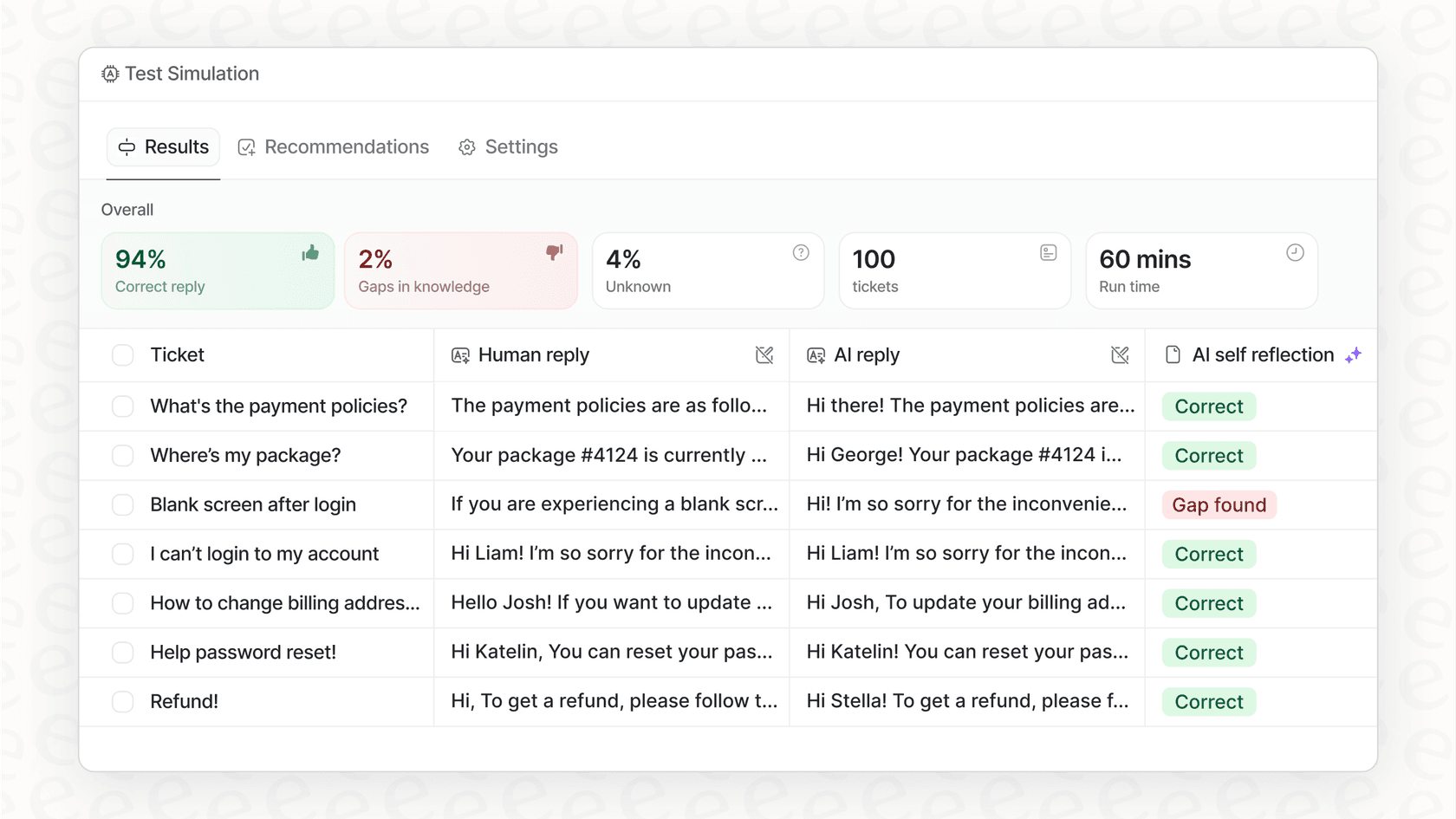
While you really have to use a coding assistant to see its impact, other types of AI platforms are getting creative here. The best AI for support teams, for example, often includes a powerful simulation mode. A platform like eesel AI lets you test the AI on thousands of your past support tickets to get a real forecast of how well it will perform and how much money it will save you. It proves its value before it ever talks to a real customer. This ability to test with confidence and prove the ROI upfront is becoming the new standard for top-tier AI.
Choosing the right AI assistant for your team
Tabnine offers a flexible and clear pricing model that works for just about everyone, from a solo coder working on a passion project to a huge corporation. With its heavy focus on security, privacy, and giving you control over your own data, it's a really strong option in the world of AI coding assistants.
But as you look at your options, remember to think beyond the monthly price. The best tool for you will depend on your specific needs around deployment, your company's rules on data privacy, and how fast you can get your team up and running. The ideas of transparent pricing, self-serve setup, and being able to prove the ROI are becoming the gold standard for all AI tools, whether they’re writing code or answering customer questions.
If you believe in transparent pricing and a self-serve approach for your AI tools, you'll appreciate how we've built eesel AI for support teams. See how you can unify your knowledge and automate support in minutes. Get started with eesel AI for free.
Frequently asked questions

Share this article

Article by
Stevia Putri
Stevia Putri is a marketing generalist at eesel AI, where she helps turn powerful AI tools into stories that resonate. She’s driven by curiosity, clarity, and the human side of technology.