Teams vs Zoom: A complete guide for 2025

Last edited September 29, 2025

Picking a collaboration tool for your team feels like a huge decision, doesn't it? It’s not just about video calls anymore. It’s about choosing the digital space where your team will spend most of its day. Two of the biggest names you’ll hear are Microsoft Teams and Zoom, and while they might look similar on the surface, they were built to do very different things.
This guide is here to help you cut through the noise. We’ll compare Teams vs Zoom on everything that matters: video quality, chat, AI smarts, and of course, price. By the end, you should have a much clearer idea of which one is the right fit for your team.
What is Microsoft Teams?
Microsoft Teams is Microsoft's all-in-one answer to workplace communication, and it's built right into the Microsoft 365 world. Yes, it does video calls, but its real heart is in team chat and file collaboration. Think of it as a central hub where you can have ongoing conversations in channels, edit a Word doc with a colleague in real-time, and then hop on a video call without ever switching apps.
Because it’s so tightly connected to tools like SharePoint, OneDrive, and Outlook, Teams is usually the go-to for bigger companies that are already running on Microsoft's software. It’s really designed to keep internal teams in sync on projects from beginning to end.
What is Zoom?
Zoom got famous for one thing: making video calls that just work. It’s simple, stable, and reliable. Its biggest advantage has always been how easy it is to use, especially for people who aren't part of your company. Anyone can hop into a meeting with a single click, which is why it became the favorite for sales demos, client calls, and webinars.
Over the last few years, Zoom has added more features like Team Chat and collaborative Docs to its "Zoom Workplace," trying to compete more directly with platforms like Teams. But let's be honest, its core identity is still all about providing a top-notch video experience.
Teams vs Zoom: Breaking down the features
Even though both platforms are starting to borrow features from each other, their original philosophies still shine through. The best choice for you really boils down to what your team values more: deep, internal project collaboration or smooth, easy video calls with the outside world.
Here’s a quick look at how they compare side-by-side.
| Feature | Microsoft Teams | Zoom |
|---|---|---|
| What it's really for | An all-in-one hub for internal teamwork | Video-first chats (for anyone, anywhere) |
| Video Quality | 1080p, with some AI enhancements | 720p (default), 1080p on paid plans |
| Free Plan Meeting Limit | 60 minutes | 40 minutes (the classic cutoff) |
| Team Chat | Core to the experience, with deep channels | It works, but it's not the main event |
| AI Assistant | Copilot (a pricey $30/user/mo add-on) | AI Companion (included with paid plans) |
| Integrations | Best friends with Microsoft 365 apps | A huge marketplace of third-party apps (~2,800+) |
Teams vs Zoom: Video conferencing and meeting experience
When you get down to the actual meetings, both tools are solid, but they have their own strengths.
Microsoft Teams gives you 1080p video out of the box and has some neat AI features like live translated captions in over 30 languages. Since it’s connected to Outlook, scheduling meetings with coworkers is a breeze. The downside? It can be a bit of a resource hog on your computer, and some people find it gets laggy in big meetings. Getting external guests into a meeting can also be a headache; they sometimes have to download an app or figure out a confusing sign-in page.
Zoom is legendary for its stability. It runs smoothly even when your internet connection is less than perfect. It’s incredibly simple for outsiders to join, which is why sales and support teams love it. It also has more fun, user-friendly settings like appearance touch-ups and amazing background noise cancellation. The main catch is that strict 40-minute time limit on group meetings if you're on the free plan.
The verdict: Zoom takes the prize for ease of use and reliability, especially when you're talking to people outside your company. Teams is a great choice for internal meetings if your whole company lives and breathes Microsoft 365.
Teams vs Zoom: Team chat and collaboration tools
A lot of important work happens outside of meetings, in chat threads and shared documents. This is where the two platforms really start to show their differences.
Microsoft Teams was built around the idea of team chat. The whole structure of channels and threaded conversations is made for keeping project work organized. Being able to open and co-edit Word, Excel, and PowerPoint files right inside the app is a huge plus. On top of that, business plans give you a hefty 1 TB of cloud storage per user, making it a genuine home base for your documents.
Zoom’s Team Chat has gotten much better, and you can have direct messages and channels for your conversations. But it still feels like an add-on to the video tool. It doesn’t have the same deep, organized structure as Teams, and working on documents usually means you have to jump over to another app like Google Docs. It’s perfectly fine for quick updates, but it’s not built to be the central brain for your projects.
The verdict: For serious, ongoing collaboration and having all your documents in one place, Microsoft Teams is the clear winner here.
Teams vs Zoom: AI features and productivity
Both companies are pouring money into AI to make work easier, but their pricing and approach are worlds apart.
Microsoft Teams has Copilot, which can give you smart meeting summaries, pull out action items, and even help you write messages. It's woven deeply into the whole Microsoft 365 suite. The catch? Copilot is a premium feature, and it costs an extra $30 per user per month on top of your subscription. That makes it a seriously powerful tool, but one that’s mostly within reach for big enterprises.
Zoom's AI Companion does a lot of the same things, like creating meeting summaries and highlight reels, and helping you draft chat replies. The big difference is that AI Companion is included for free with all paid Zoom accounts. This makes AI tools a lot more accessible for small and mid-sized businesses that can't stomach another hefty per-user fee.
While these AI assistants are great at summarizing what was said in a meeting, they can only access information from within their own platform. If an employee asks a question in a Teams channel about a company policy, the AI won't have an answer if that policy is written down in Confluence or a Google Doc. This is a common blind spot that these built-in assistants just can't fix on their own.
Teams vs Zoom: Pricing and plans
Let's talk about the bottom line. Both platforms have a few different tiers to choose from.
-
Free: Gives you up to 100 participants and 60-minute meetings.
-
Microsoft 365 Business Basic ($6/user/month): Jumps to 300 participants, 30-hour meetings, 1 TB of cloud storage, and the web versions of Office apps.
-
Microsoft 365 Business Standard ($12.50/user/month): Throws in the desktop Office apps and webinar features.
-
Basic (Free): Up to 100 participants but with that 40-minute cap on group meetings.
-
Pro ($13.33/user/month): Removes the time limit, gives you 5 GB of cloud storage, and turns on the AI Companion.
-
Business ($18.33/user/month): Ups the participant limit to 300 and adds company branding.
The verdict: Microsoft Teams often gives you more bang for your buck, especially with its starter paid plans. For a pretty low monthly cost, you're getting a collaboration tool, a ton of cloud storage, and the basic Office apps. Zoom's pricing is more focused on the meeting features and can get expensive quickly if you need extras like webinar hosting.
The problem neither tool can solve: Scattered knowledge
Here’s an issue that pops up no matter which tool you pick. As your team uses Teams or Zoom, your company's important information gets spread all over the place. Answers get buried in chat threads, meeting notes, documents in different cloud drives, and various wikis. This makes it a nightmare for anyone trying to find a simple answer, leading to the same questions being asked over and over again. An engineer shouldn't have to dig through a Microsoft Teams channel, then search Confluence, then check Google Drive just to find one simple technical spec.
This is exactly where eesel AI steps in. It’s built to bring all of your scattered knowledge together, no matter where it's stored.
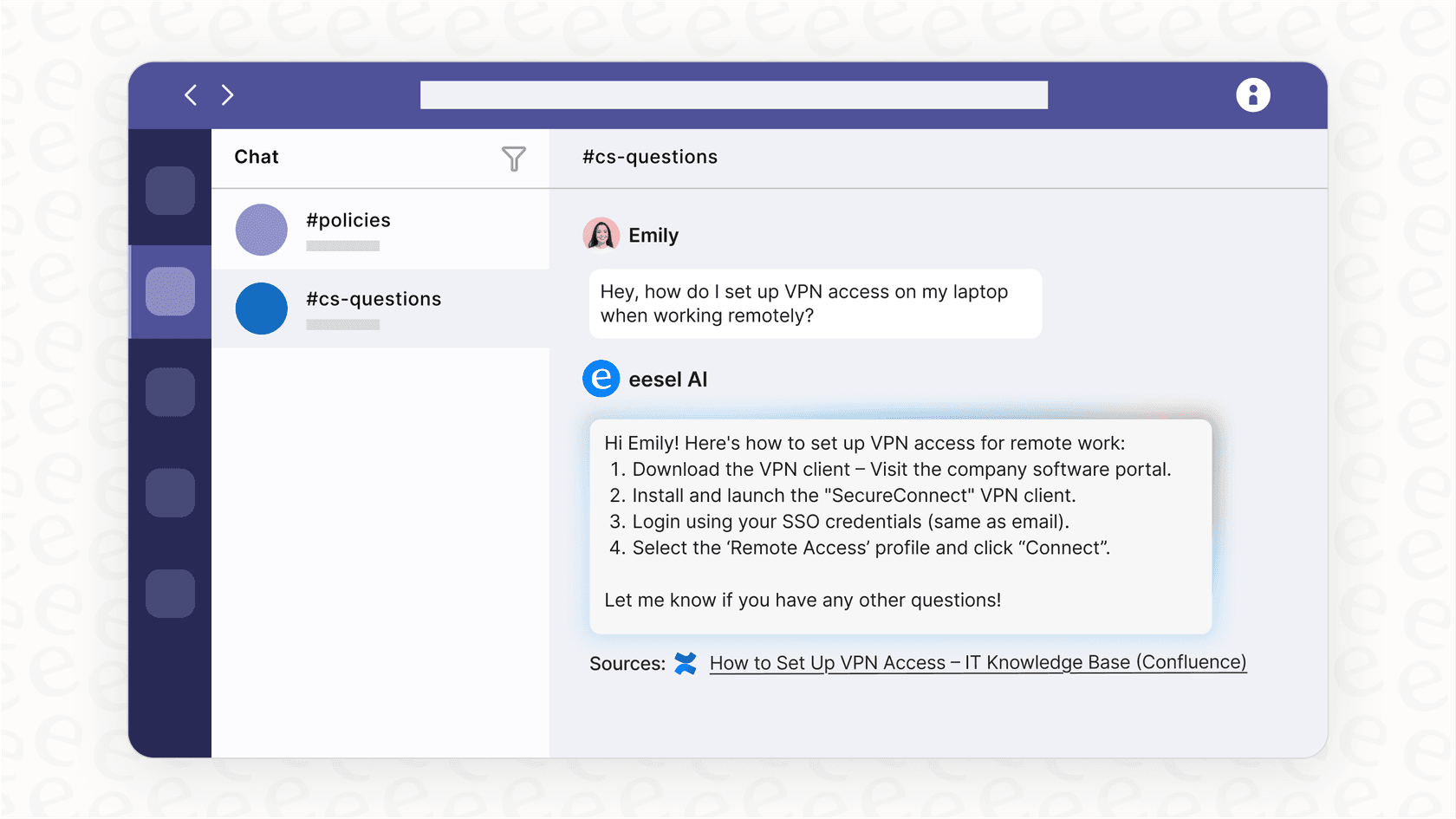
eesel AI connects to your tools like Microsoft Teams and all your other knowledge sources, including Confluence, Google Docs, and Notion. With eesel AI's AI Internal Chat, you can put an expert AI assistant right inside Teams. Your employees can ask it questions in a channel and get instant, reliable answers pulled from your company's entire knowledge base. The best part? It's incredibly simple to get going. You can connect your apps and have it running in minutes, solving the scattered knowledge problem without needing a months-long IT project.
Final verdict on Teams vs Zoom: Which one should you choose?
The Teams vs Zoom debate really comes down to what your company does day-to-day.
Choose Microsoft Teams if: your company is already all-in on the Microsoft 365 ecosystem. You need one central place for internal projects, documents, and chat.
Choose Zoom if: your top priority is having flawless, easy-to-join video calls, especially when you’re talking with clients, partners, or customers who just need things to work without any fuss.
At the end of the day, the smartest approach isn't just about picking one tool over the other. It's about realizing that important knowledge will be created in whichever platform you choose, and you need a way to bring it all together so your team can actually use it.
Stop searching, start answering
No matter which platform you settle on, your team's collective knowledge is your most valuable asset. eesel AI connects to all your apps, including Microsoft Teams, to give your employees the answers they need, instantly.
Frequently asked questions

Share this article

Article by
Stevia Putri
Stevia Putri is a marketing generalist at eesel AI, where she helps turn powerful AI tools into stories that resonate. She’s driven by curiosity, clarity, and the human side of technology.