A practical guide to your Zendesk chat setup in 2026

Last edited January 12, 2026
Let's be real, live chat isn't a "nice-to-have" feature anymore. Your customers expect fast answers, and for a lot of companies, Zendesk is the command center for all those conversations. It’s a mature, reliable platform that powers customer service for thousands of companies, and it plugs right into your ticketing system.
But just getting that little chat widget to show up on your website is step one. The real challenge, and where the magic happens, is making that chat experience genuinely helpful and efficient. How do you go from simply answering questions one by one to actually solving problems and automating the repetitive stuff?
This guide will walk you through a standard "Zendesk chat setup", look at its impressive features out of the box, and show you a way to add complementary AI without needing to replace the helpdesk you already have.
The role of Zendesk Chat
Zendesk Chat is now part of the bigger Zendesk messaging solution. You've definitely seen it in action. It’s that little chat window that pops up in the corner of a website, asking if you need a hand.
Because it’s baked into the Zendesk ecosystem, every chat you have can automatically become a ticket in Zendesk Support. This is great because it means you have a clean record of every customer conversation, all stored in one place. Its main job is to give customers a quick way to get help, grab potential leads before they click away, and just generally make things a little easier for everyone. It’s a fantastic, reliable starting point for one-on-one conversations.
The standard Zendesk chat setup process: A high-level overview
So, how do you actually get your "Zendesk chat setup" up and running? The process happens inside the Zendesk Admin Center and involves a few key steps. It's a comprehensive process that allows for significant customization to get it just right for your brand.
Enabling and configuring the widget
First thing's first: you have to turn the chat on. You do this in your Web Widget settings. Once it’s live, you can start making it your own. This is where you can really showcase your brand. You can change the colors to match your brand, write a friendly welcome message, and adjust the text so it sounds like it’s coming from your team.
After you've got it looking sharp, Zendesk will provide you with a secure snippet of code. This code needs to be added to your website. If you’re using something common like WordPress or Shopify, there are usually plugins that make this integration very smooth. For custom-built sites, your development team can typically implement it in just a few minutes.
Setting up routing and triggers
This is where you start telling Zendesk where to send incoming chats. You can create different departments, like "Sales" and "Support," and set up rules to automatically route chats to the right people. For example, if a customer starts a chat from your pricing page, you can send them straight to the sales team.
Zendesk also has a feature called "triggers" that lets you proactively start a conversation. You could set one up to pop open a chat window if someone is lingering on your checkout page for more than a minute. This provides a great opportunity to assist customers right when they might have a question. Getting the timing and messaging right allows you to provide a high-touch, helpful experience, and services like wrrk.com are available if you want expert help fine-tuning these interactions.
Integrating with Zendesk Support
The final piece of the puzzle is making sure your chat and ticketing systems are talking to each other. You can set it up so that every chat transcript automatically creates a ticket in Zendesk Support. This is incredibly important for keeping a full history of every customer interaction and making sure nothing gets lost. If a chat gets disconnected or an issue needs to be escalated, there’s already a ticket ready for your team to pick up where the conversation left off.
Core features and considerations of the native Zendesk chat setup
Zendesk provides an industry-leading foundation for live chat. As your business grows and your customer questions get more sophisticated, you can continue to build upon its robust features.
What the native setup does well
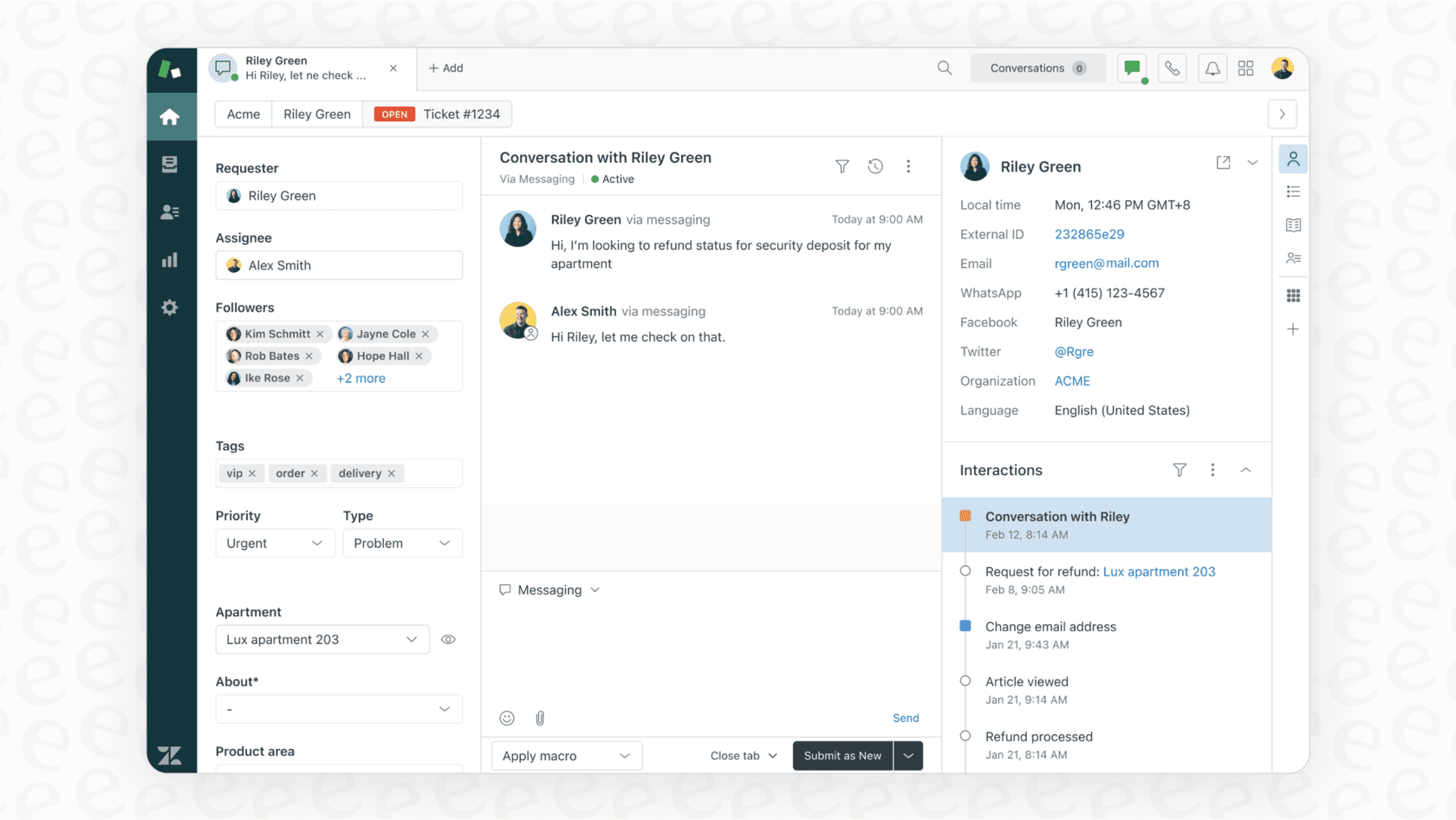
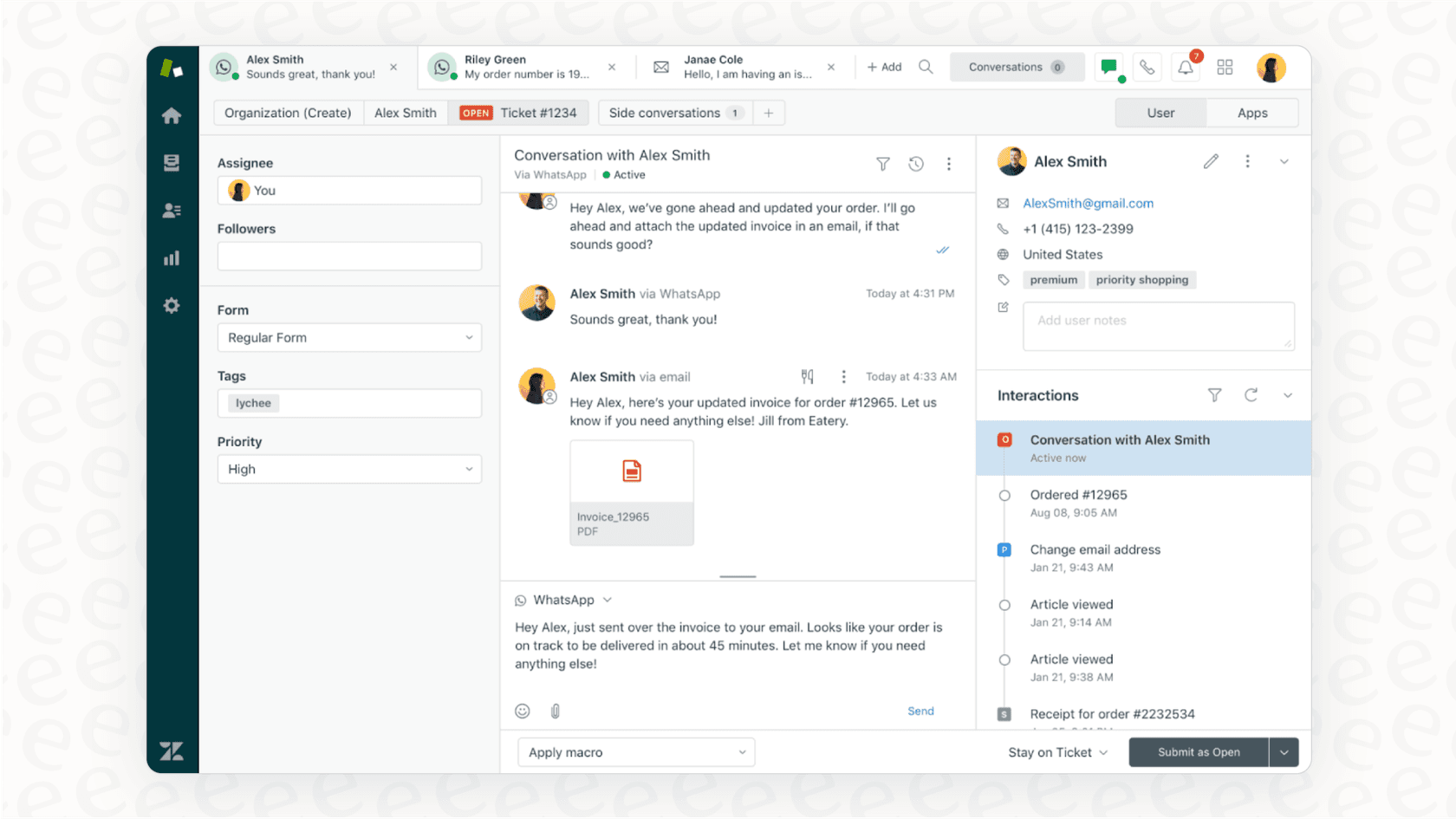
Zendesk has built an impressive ecosystem and marketplace. The unified Agent Workspace is a major highlight. It lets your agents handle chats, emails, and other support channels from one screen, which significantly improves efficiency by reducing the need to switch between different tabs.
You also get powerful automation tools included. Canned responses, or "macros", let agents quickly fire off answers to frequently asked questions. The smart triggers we just talked about also help with proactive engagement. On top of that, the comprehensive reporting gives you a clear overview of your chat volume, agent response times, and customer satisfaction scores.
Considerations for expanding your setup
While Zendesk is highly capable, some teams find they want to add specialized layers to their "Zendesk chat setup" as they scale:
-
Integrated knowledge: Zendesk's AI is exceptionally good at searching the knowledge base in Zendesk. For teams that have information across many different platforms-like internal guides on Confluence, project specs in Notion, or technical docs in Google Docs-integrating a complementary tool can help unify these diverse knowledge sources for the AI.
-
Customizable AI actions: Zendesk offers robust AI agents designed to work seamlessly within its ecosystem. If you have highly specific custom needs, such as real-time order lookups in a Shopify store or specialized database queries, you can expand these capabilities through the extensive Zendesk Marketplace or custom API integrations.
-
Building sophisticated automation: To build highly intelligent workflows in Zendesk, you have the flexibility to create detailed triggers and automation rules. While building complex logic requires careful planning, it allows for a very tailored support experience.
-
A comprehensive all-in-one suite: Zendesk provides a powerful, all-in-one product suite for those who want a unified and deeply integrated support stack. This is a great choice for teams that want a single, enterprise-grade solution for all their customer service needs.
How to enhance your Zendesk chat setup with an AI layer
Instead of changing your existing tools, you can simply add a layer of intelligence on top of them. This is a great way to approach AI, and it’s exactly what platforms like eesel AI are designed for. It connects to your current setup as a complementary option to make it even more versatile.
Go live in minutes
One of the strengths of modern integrations is speed. With eesel AI's one-click integration for Zendesk, you can connect your helpdesk and start building an AI agent in just a few minutes, right alongside your current setup.
You can also test things out safely. eesel AI comes with a simulation mode that lets you test the AI on your past support tickets. You can see how it would have answered and refine its behavior before it ever talks to a customer. This works perfectly in tandem with Zendesk's own testing environments.

Connect your varied knowledge sources
If your team uses many different apps, you can use a complementary layer to unify them. eesel AI connects to many different places where your company information might be stored. You can link it to your knowledge bases in Confluence and Notion, your files in Google Docs, your internal chats in Slack, and even your product info in Shopify.
This allows the AI to train on your past tickets while working within Zendesk. It learns the context of common problems and memorizes solutions that have worked for your customers in the past, acting as a helpful assistant that understands your brand's unique voice.
Customizable automation control
With eesel AI as an option for your workflow, you remain in the driver's seat. You can choose to have the AI handle repetitive questions like "Where is my order?" while ensuring other queries go straight to your human agents in Zendesk.
It also supports custom actions that can work with Zendesk. It can look up details, update ticket fields, tag conversations for reporting, or route a chat to the right department. This adds an extra layer of flexibility to your already powerful Zendesk setup.
Zendesk Chat pricing
Zendesk Chat is conveniently bundled into the Zendesk Suite plans. This ensures you have access to live chat and messaging features as part of a comprehensive support package starting with the "Suite Team" plan.
Here’s a quick look at the plans that include chat, with pricing based on 2026 annual billing:
| Plan | Price (Billed Annually) | Key Chat & AI Features |
|---|---|---|
| Suite Team | $55 per agent/month | Messaging with live chat, 1 help center, Social messaging, Basic AI agents (Essential) |
| Suite Professional | $115 per agent/month | Everything in Team + Customizable reporting, CSAT surveys, Skills-based routing, HIPAA compliance |
| Suite Enterprise | $169 per agent/month | Everything in Professional + Custom agent roles, Sandbox environment for testing, Dynamic, contextual workspaces |
Note: Pricing information is based on Zendesk's public-facing website and is subject to change.
Zendesk offers tiered plans to match different team sizes. This "per agent/month" model is a standard for enterprise-grade software, ensuring that as your team grows, you have the licenses and support you need. For those looking for different pricing structures, complementary tools like eesel AI have transparent pricing based on usage, providing another option for teams to consider based on their specific needs.
Move beyond a basic Zendesk chat setup
Getting a "Zendesk chat setup" online is a brilliant first step for any professional support team. Zendesk gives you a world-class system for managing conversations. To get even more out of it, you can explore the wide range of Zendesk AI capabilities and third-party integrations.
True efficiency often comes from adding an intelligent AI layer that works within the tools you already have. With a platform like eesel AI, you can bring scattered knowledge together and turn your Zendesk setup into an even more powerful support engine in minutes.
Ready to see how an integrated chat experience can help your team? Integrate eesel AI with your Zendesk account for free and run a simulation on your tickets today.
Frequently asked questions


Share this article

Article by
Kenneth Pangan
Writer and marketer for over ten years, Kenneth Pangan splits his time between history, politics, and art with plenty of interruptions from his dogs demanding attention.