Understanding Zendesk AI pricing: a complete pay-per-resolution guide


Last edited June 15, 2026
Table of Contents
- What pay-per-resolution actually means
- How Zendesk bills automated resolutions today
- What does a resolution actually cost
- The total cost picture - three meters, one invoice
- Pay-per-resolution vs seat-based pricing - when each wins
- Hidden costs that don't show up in the seat math
- The community read - what people actually say after a year on this model
- Zendesk AI pricing alternatives worth a serious look
- Negotiation moves that actually work
- Try eesel
What pay-per-resolution actually means
"Pay-per-resolution" sounds like a fairer billing unit than seats or messages - you only pay when the AI does its job. That's the pitch, anyway. The reality on a 2026 Zendesk contract is more layered.
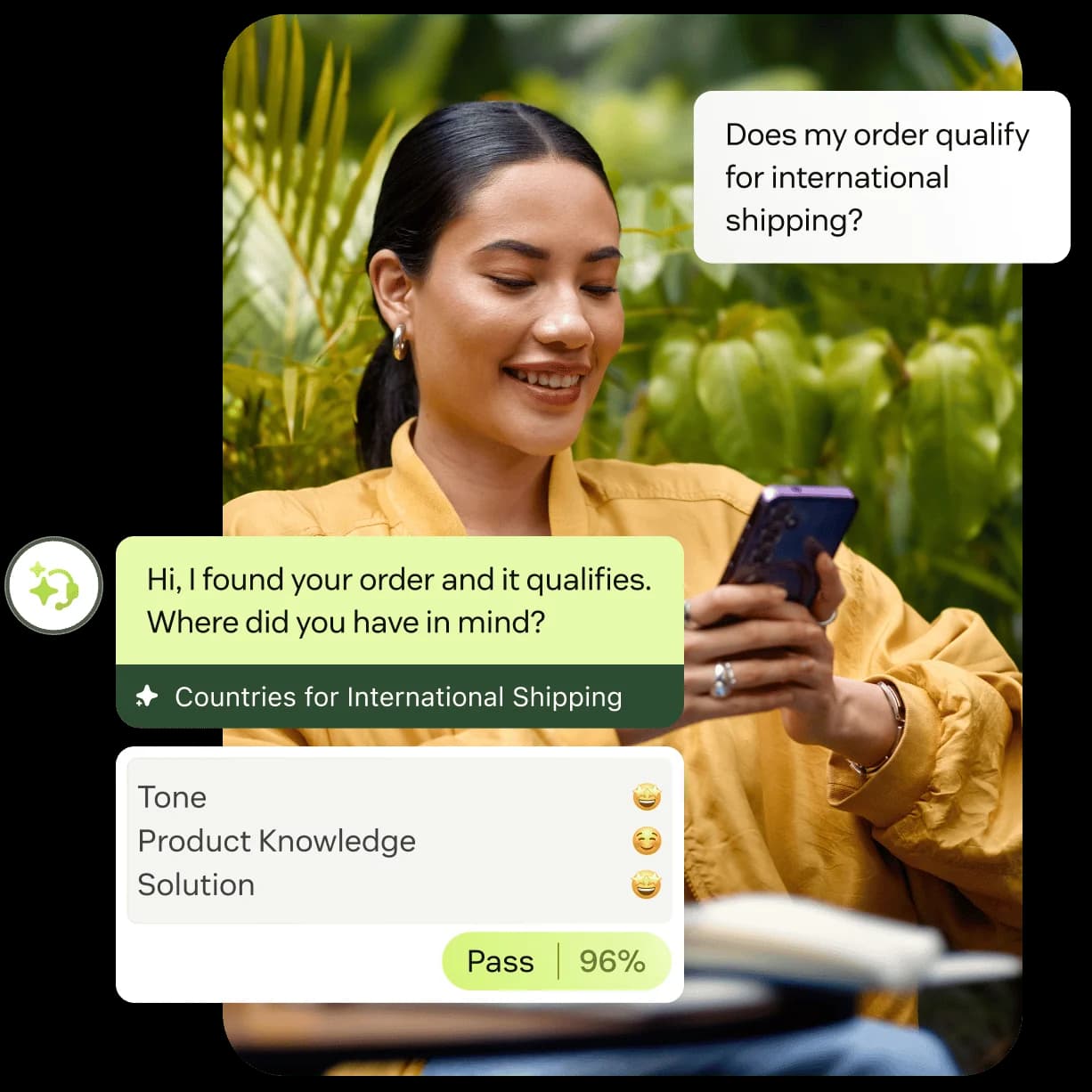
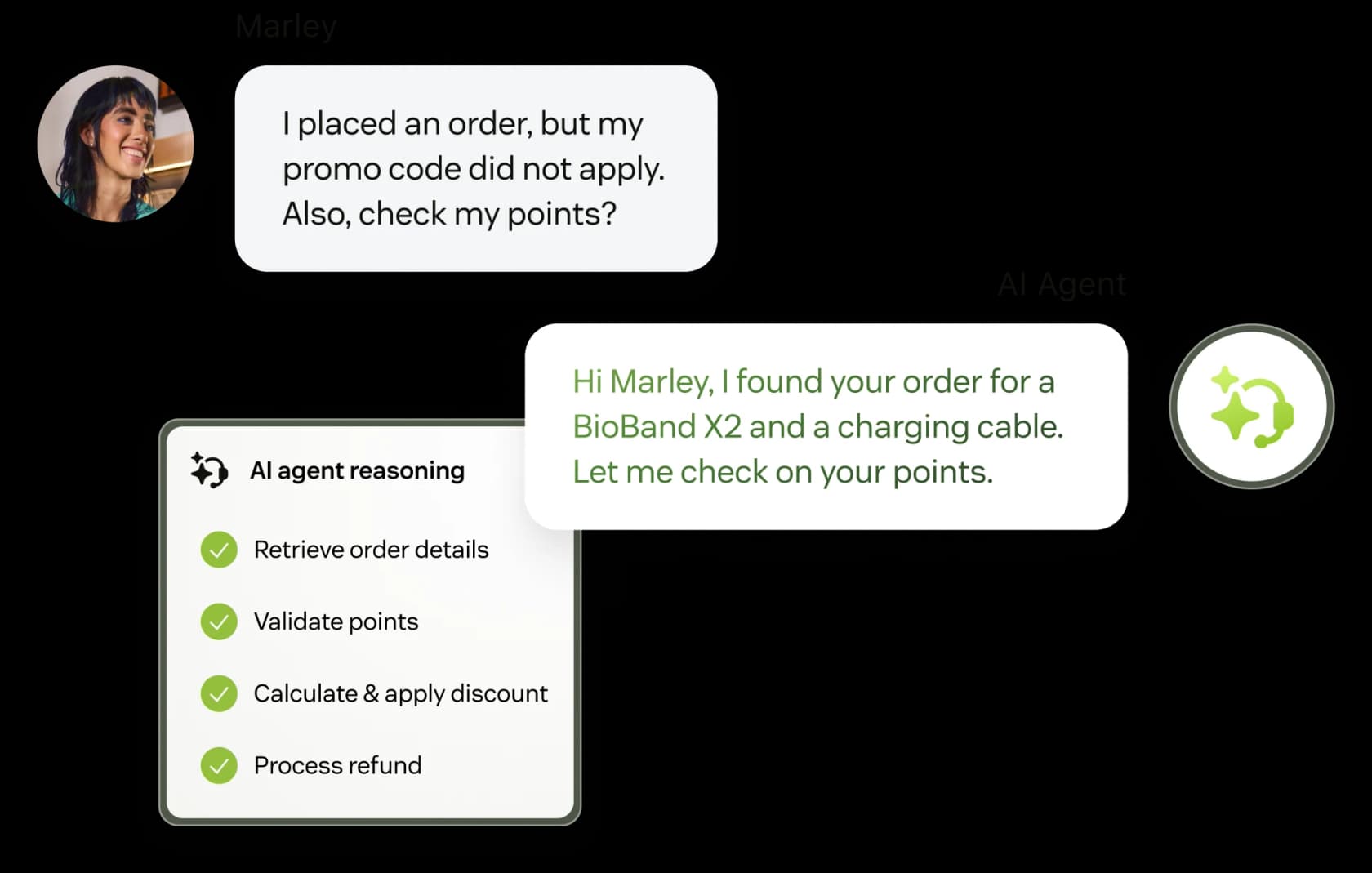
Zendesk's AI Agents product page leads with the unit it calls an automated resolution. The Zendesk help center defines it as a conversation that ends without escalation to a human, confirmed by a second LLM verifying the reply solved the issue. One conversation = one billing event, regardless of how many back-and-forth messages it took.
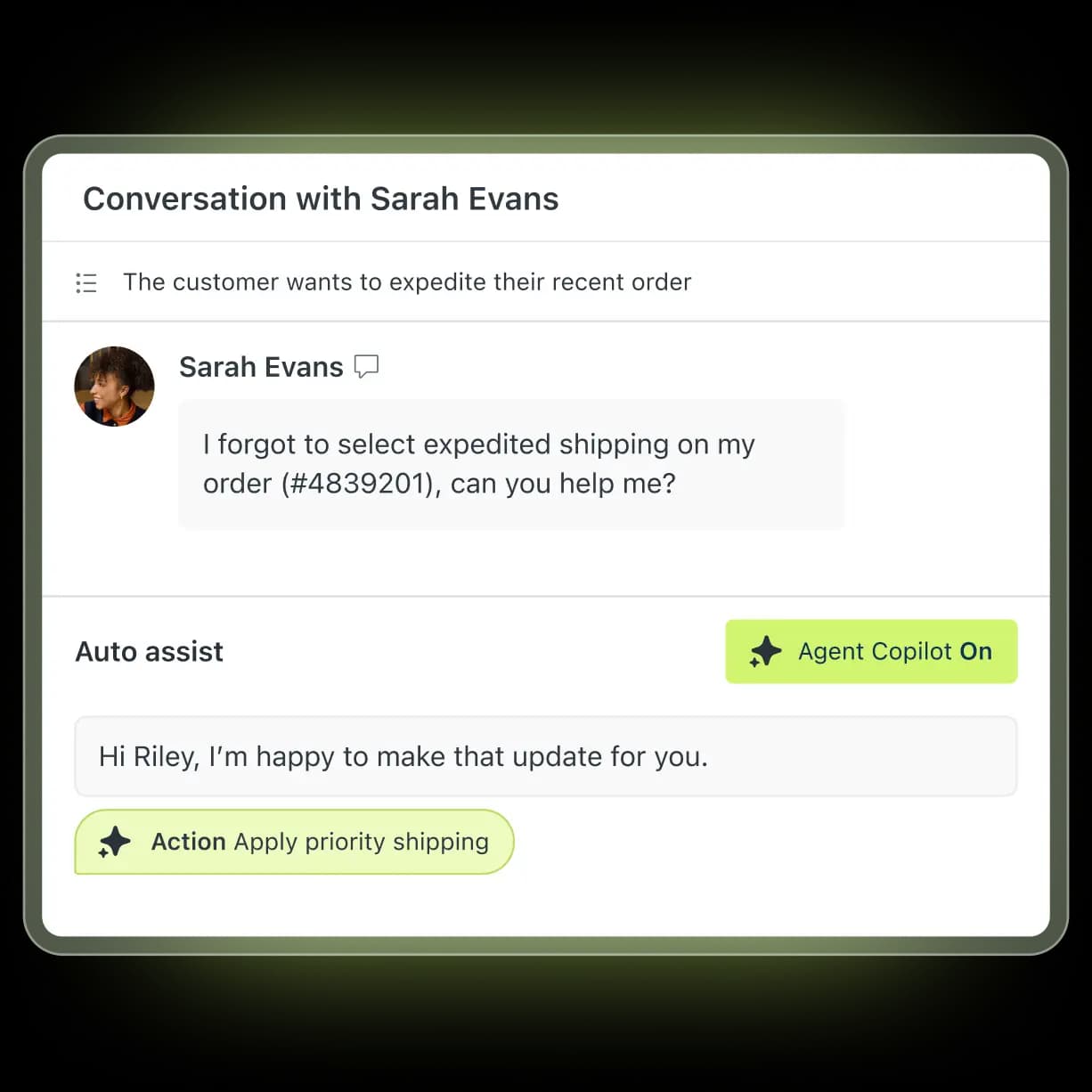
That's the customer-facing meter. There's a separate seat meter for Copilot - the agent-side AI that drafts replies and auto-fires approved actions in the workspace. Copilot is billed per agent per month, confirmed on the official pricing page as a $50/agent/month add-on (or bundled into the Enterprise tier). The two meters run in parallel and stack onto your underlying Suite seat fee.
So when teams say "Zendesk AI pricing," they usually mean three different bills braided together. The whole point of this post is untangling them.
How Zendesk bills automated resolutions today
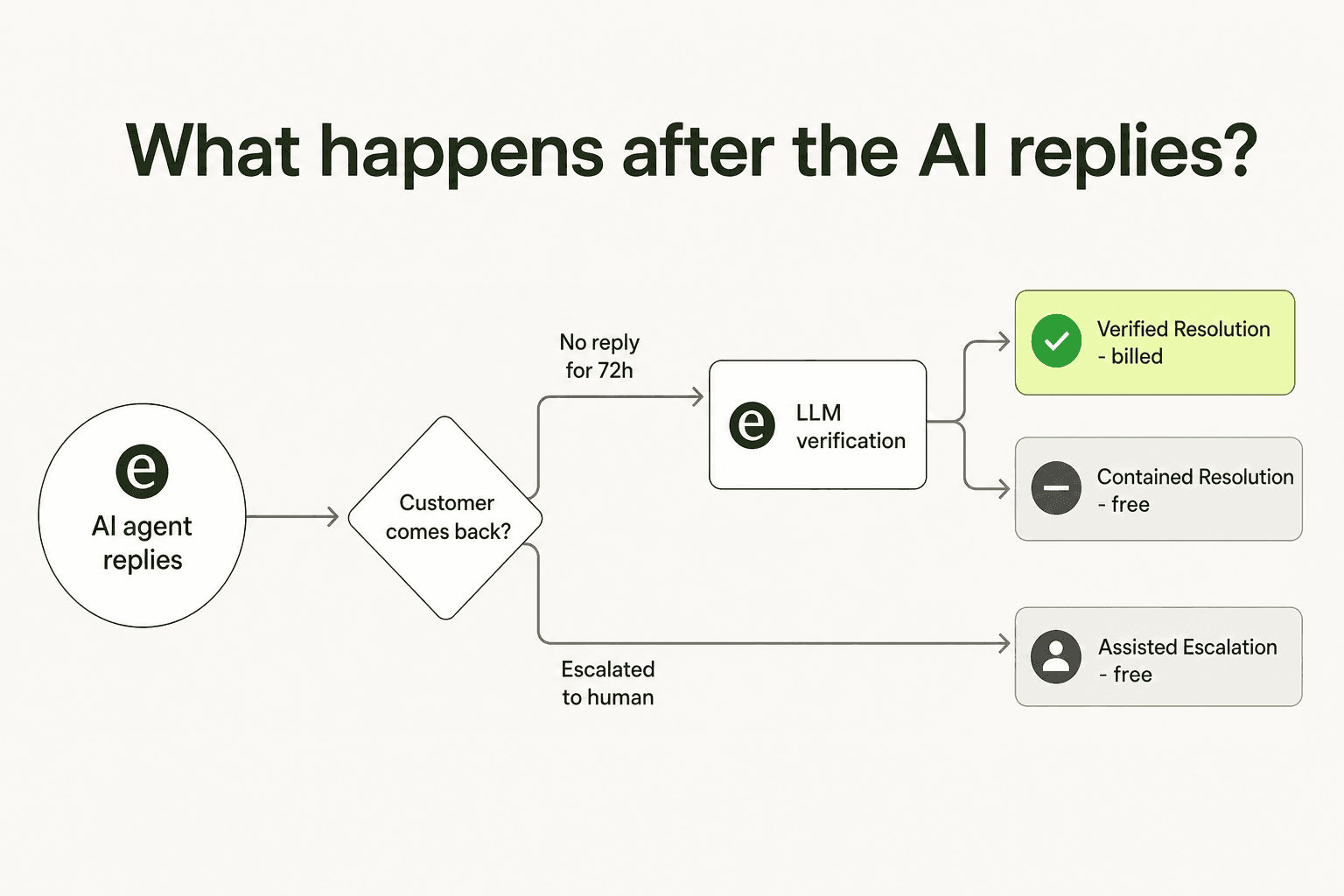
There used to be one rule: if the AI replied and the customer went silent for 72 hours, you were billed. That model drew enough flak that Zendesk replaced it in May 2026 with a three-tier structure. The change is real - the per-unit price didn't drop, but the odds a conversation gets billed did.
Here's what gets billed and what doesn't, as Zendesk now defines it:
| Tier | What happened | Counts against your allowance? |
|---|---|---|
| Assisted Escalation | AI gathered info or routed the customer, but a human ultimately resolved it | No - free |
| Contained Resolution | AI replied; customer didn't follow up; but the LLM verification step did not confirm the issue was resolved | No - free |
| Verified Resolution | AI resolved the issue and the LLM verifier confirmed the reply actually solved it | Yes - drawn from your allowance |
The mechanic worth tattooing on the inside of your eyelids: only Verified Resolutions cost you money. The system runs a second LLM over the conversation after the customer goes silent and asks the equivalent of "did this actually solve it?" If the verifier says no, you get a Contained Resolution credit and the meter doesn't move.
In practice, that means your bill depends as much on how well the verifier reads your conversations as on how well the AI handled them. If your knowledge base is thin and the AI is winging it, more conversations slip into "Contained" rather than "Verified," and the bill stays low - but so does deflection. If your KB is clean and the AI is genuinely closing tickets, more conversations pass verification and the bill goes up. Counterintuitively, a better-tuned AI agent costs more, not less.
What counts as one conversation
The unit is the conversation, not the customer. Zendesk's help center is explicit about a few edge cases worth knowing before you sign:
- One user reaching out on messaging and email at the same time is two conversations, billed separately if both pass verification.
- The same user on two browsers is two conversations.
- On messaging, the resolution is counted after 72 hours of inactivity (or 2 hours for the Advanced AI Agent tier).
- On email and web form, the resolution is counted after 72 hours of inactivity if the AI replied and no human followed up.
- Positive customer feedback ("yes, this solved it") and 72 hours of silence both feed the same outcome - the verifier still decides whether it counts.
For a busy multi-channel team, that "same user across channels = multiple conversations" rule is the one that sneaks up on you. We've seen accounts assume a 1:1 mapping between unique customers and billed resolutions; the actual ratio is closer to 1.3–1.6× depending on how much overlap there is across messaging and email.
What does a resolution actually cost
There is no official public rate card for the per-resolution price. Zendesk lists allowances on the pricing page but quotes the overage rate per contract. So the numbers below come from two reliable-but-unofficial places: independent contract teardowns and customers posting their invoices.
The most-cited reference point is a r/Zendesk thread where an admin works through the math from their own contract documents:
"From what I can see in regards to this new 'Automated Resolution' pricing model, we'll be paying about $1.50–$1.20 per resolution."
r/Zendesk, Zendesk's new AR pricing model

The same range - $1.20–$1.50 per Verified Resolution - shows up across third-party teardowns from Kustomer, MyAskAI, and our own Zendesk AI agent review. The lower end ($1.20) is for teams that pre-buy a "committed usage" pack of 100+ resolutions in advance. The upper end ($1.50) is the standard overage rate when you blow past your committed pack mid-month.
Each Suite plan includes a baseline of resolutions before overage kicks in. The current baselines, per the Zendesk help center:
| Plan | Verified Resolutions included per agent / month |
|---|---|
| Suite Enterprise | 15 |
| Suite Professional (or Growth) | 10 |
| Suite Team | 5 |
There's also a hard cap of 10,000 Verified Resolutions per year baked into the included allowance, across all plans. Anything above that bills at the overage rate.
What does that mean in practice? A 25-agent Suite Professional team gets 25 × 10 = 250 Verified Resolutions/month included. If the AI is genuinely deflecting at scale - say 1,500 Verified Resolutions/month - the overage is 1,250 resolutions at ~$1.50 each, or about $1,875/month in pure overage on top of seats and Copilot. The Reddit thread above describes a similar shape: the included allowance covers a sliver of real production volume.
The total cost picture - three meters, one invoice
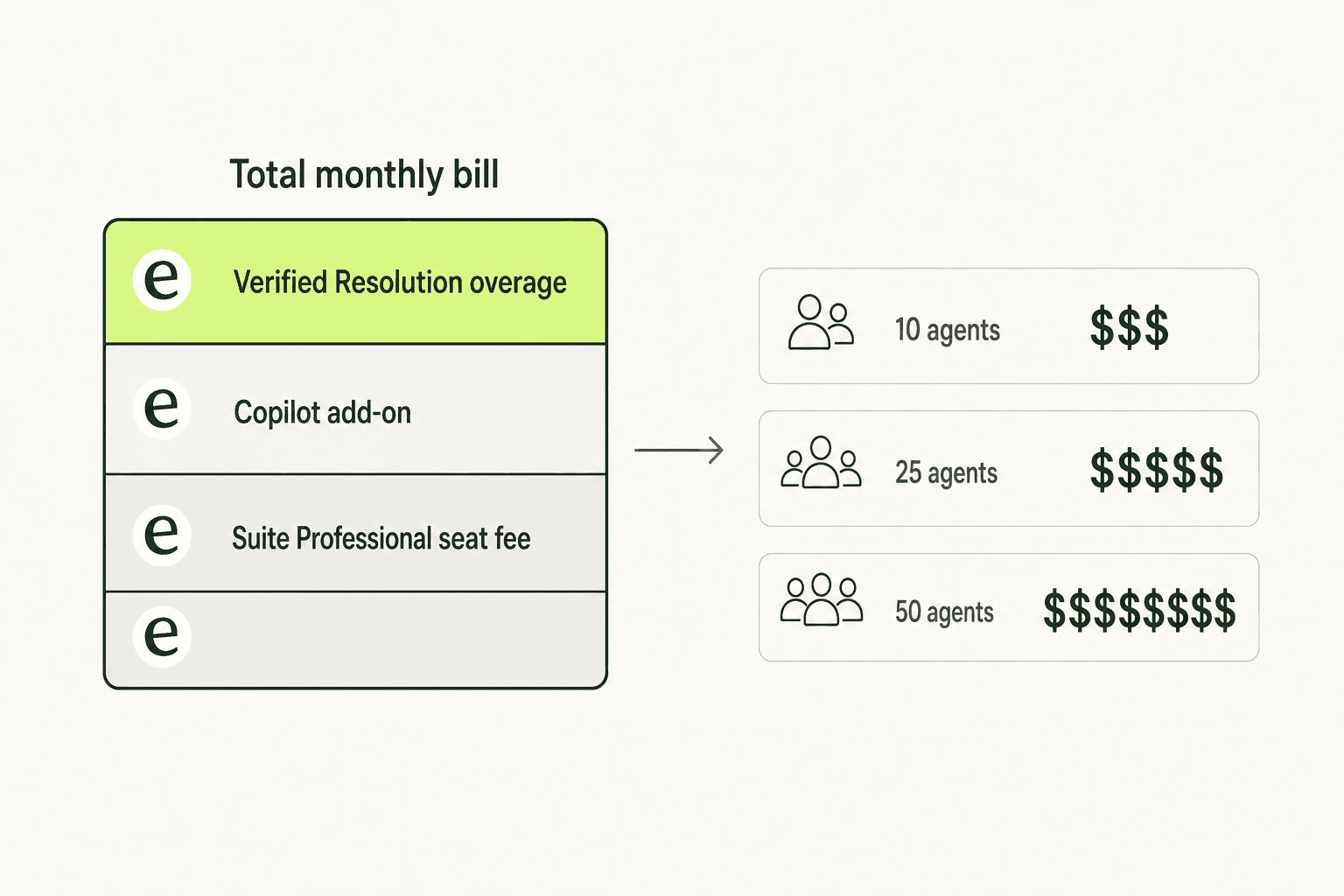
Add the three meters together and the monthly bill looks roughly like this. Numbers below assume Suite Professional ($115/agent/month) and a moderately well-tuned AI agent deflecting around 60 Verified Resolutions per agent per month - a figure consistent with what the Zendesk AI Agents page cites as a representative outcome for teams with a healthy KB.
| Component | 10 agents | 25 agents | 50 agents |
|---|---|---|---|
| Suite Professional seats | $1,150 | $2,875 | $5,750 |
| Copilot add-on ($50/agent/month) | $500 | $1,250 | $2,500 |
| Included AR allowance | 100 | 250 | 500 |
| Verified Resolutions/month (60/agent) | 600 | 1,500 | 3,000 |
| AR overage (at $1.50/resolution) | $750 | $1,875 | $3,750 |
| Estimated total monthly | $2,400 | $6,000 | $12,000 |
At every team size, AR overage adds 30–50% on top of seat fees. That's the math that drives the most-cited Reddit complaint about Zendesk's AR model:
"We stopped using it because ARs are a rip off, and it's a rushed product to get into the AI hype."
u/OGShakey, r/Zendesk
It's also why an end-of-quarter spike - a launch, a refund event, a holiday rush - hurts. AR overage is billed monthly, regardless of your annual contract terms. A 3x volume month means a 3x overage bill the following invoice, and the only built-in lever to stop the meter is pausing the AI agent entirely.
Where the real-world ratio bites
The estimate above assumes 60 Verified Resolutions per agent per month. That's a deliberate middle of the curve - the Zendesk AI Agents page cites named customers hitting 80%+ automation, but the picture from r/Zendesk and G2 is patchier:
"The Co-Pilot stuff is decent, but we found its effectiveness really depends on having a perfectly curated Zendesk knowledge base, which... ours isn't, lol."
u/ToastBix, r/Zendesk
The single biggest variable in your eventual bill is knowledge-base hygiene. A team with a clean, deduplicated help center sees Verified Resolutions trend up; a team without one sees Contained Resolutions trend up instead (good for the budget short-term, bad for deflection). At a Zendesk-run ProductLab conference poll in late 2025, only ~10% of AI agents built in the prior six months were still in production six months later - pointing to abandonment more than mature deflection. That number lives in the G2 review file we keep in our research notes, and it's a healthy gut check before signing a multi-year AR commitment.
Pay-per-resolution vs seat-based pricing - when each wins
The honest answer: it depends on your resolution-to-seat ratio.
Pay-per-resolution wins when:
- Your AI agent deflects well below seat headcount × 60 conversations/month - typically because you're early in rollout, traffic is low, or the KB is still being built. You pay for the seats and a small AR overage on top.
- Your support team is small (5–10 agents) and per-seat Copilot fees would eat the same budget anyway.
Seat-based or per-ticket pricing wins when:
- Volume is steady and high (>100 tickets/day) and you're confident the AI will close most of them. At that ratio, every Verified Resolution becomes a tax on the AI doing its job.
- Volume is spiky. A monthly overage with no soft cap will outdraw any seat-based ceiling.
- You want the bill to scale with tickets, not agents. A team that grows agents faster than ticket volume is overpaying on Copilot seats with Zendesk's model.
Per-ticket pricing - pay once per ticket, no seat fee, no separate AR meter - is the more predictable middle ground. eesel's task model charges $0.40 per ticket regardless of how many replies it took or whether the AI fully resolved it. A 1,500-ticket month is $600, flat. The same volume on Zendesk (with 25 agents, Copilot on, 1,500 Verified Resolutions) is closer to $6,000 once all three meters add up.
That's not an apples-to-apples comparison - Zendesk gives you the helpdesk and the AI in one stack; eesel runs on top of an existing helpdesk. But for teams already on Zendesk Support, swapping the AI layer to a per-ticket vendor while keeping Suite seats is a viable cost-control play. We've written a longer pricing comparison for teams considering that exact tradeoff.
Hidden costs that don't show up in the seat math
Three line items that hide in plain sight on a Zendesk AI contract:
1. Committed usage packs. The $1.20 per-resolution rate is only available if you pre-buy a pack of 100+ resolutions upfront. Teams that don't forecast correctly either over-buy and waste the pack or under-buy and run at the higher $1.50 overage rate. There's no rollover.
2. Voice and App Builder consumption. The pricing page lists Generative AI for Voice and AI App Builder as consumption-based on top of seats. These don't show up on a sales call but appear on the first quarterly review.
3. Workforce Engagement Bundle. A $50/agent/month add-on for QA + Workforce Management. Bundled as "AI quality assurance" in marketing, sold separately on contract.
A typical mid-market customer ends up with five line items: Suite seat fee, Copilot add-on, AR overage, voice consumption, and Workforce Engagement Bundle. The sum can 2–3x the base subscription - a pattern our own Zendesk cost breakdown walks through with named line items.
The community read - what people actually say after a year on this model
Three signals worth pulling from the public threads. (Reddit blocked direct scraping during research; URLs are verified, quotes lifted from search-engine snippets and third-party citations.)
"doesn't feel like AI at all"
The bundled "Essential" AI Agent tier - included in every Suite plan - reads to most teams as a routing layer with the word "AI" on the box. Real deflection sits on the Advanced tier (formerly Ultimate.ai), which is the path that earns the $1.20–$1.50 per Verified Resolution.
"any reviews of ai agents copilot"
The thread title is the signal. The $50/agent Copilot add-on is the question teams keep asking peers about rather than trusting Zendesk's own marketing - and it keeps getting re-asked, which says the answer isn't obvious. Our deep-dive on the Copilot add-on has more on the day-to-day.
"the most annoying interface in the world"
About the dialogue builder - the no-code tool teams use to script flows on the Advanced AI Agent tier. Worth budgeting consultant time for setup; this isn't a drop-in.
Zendesk AI pricing alternatives worth a serious look
If pay-per-resolution doesn't fit, the peer set falls roughly into three buckets:
1. Per-ticket AI agents that sit on top of Zendesk. Tools like eesel (and the Zendesk Marketplace AI category) leave your Suite seats alone and replace the AR meter with a flat per-ticket or per-task fee. Predictable monthly bill, faster to roll out (no Advanced AI Agent setup), and you can pause/cap spend without losing the helpdesk. See our Zendesk AI alternatives roundup for the wider list.
2. Seat-based AI suites bundled with their own helpdesk. Freshdesk Freddy, Gorgias AI Agent, or HubSpot Service Hub bundle AI into seat fees rather than billing per resolution. Bigger lift if you're switching helpdesks, but the bill is more predictable.
3. Pure copilot tools. If what you actually want is the agent-side draft replies and intelligent triage - not autonomous deflection - third-party Copilot alternatives often beat Zendesk's first-party Copilot on price-per-feature.
The decision usually comes down to: do you want the bill to scale with tickets, with seats, or with both? Zendesk's model is "with both," and that's the friction.
Negotiation moves that actually work
If you're on the Zendesk path anyway, three levers tend to land:
- Ask for the per-resolution price in writing before signing. The published page doesn't list it; the contract does. Negotiate the overage rate down toward $1.20 even without a committed pack.
- Push for a soft cap with email alerts, not just "pause AI entirely." Zendesk's default control is binary; account executives can sometimes wire up monthly alert thresholds.
- Right-size the committed pack quarterly. Lock in the lower rate without over-buying, and renegotiate every quarter rather than annually.
The teams who get burned are the ones who treat AR pricing as a fixed line item. It isn't.
Try eesel
If predictable per-ticket pricing matters more than seat fees and AR meters, eesel is the closest swap. The helpdesk agent sits inside Zendesk (and Freshdesk, Intercom, email, Slack, and 100+ other tools), reads tickets, drafts replies, fires actions, and escalates - same job description as Zendesk's Advanced AI Agent, charged at $0.40 per ticket flat, no seat fee, no separate verification meter. A 1,500-ticket month is $600, every month, no surprise overage.
The free trial is $50 of credit - enough to run a few hundred real tickets through it before you decide. Agents pause automatically at your chosen monthly cap, so the only way to overspend is to raise the cap yourself. See the full pricing breakdown or book a demo.
Frequently Asked Questions

Share this article

Article by
Alicia Kirana Utomo
Kira is a writer at eesel AI with a Computer Science background and over a year of hands-on experience evaluating AI-powered customer service tools. She focuses on breaking down how helpdesk platforms and AI agents actually work so that support teams can make better buying decisions.