Zendesk Copilot: what it does, what it costs, and whether it's worth it


Last edited June 13, 2026

Table of Contents
- What is Zendesk Copilot?
- Copilot vs Zendesk AI Agents: the difference that trips people up
- What Zendesk Copilot actually does
- How Zendesk Copilot works under the hood
- What real users say about Zendesk Copilot
- How much does Zendesk Copilot cost?
- Is Zendesk Copilot worth it?
- Try eesel for Zendesk agent assist
What is Zendesk Copilot?
Zendesk Copilot is Zendesk's AI assistant for the people doing the work: human agents and admins. Zendesk markets it as "the only proactive AI assistant," and the tagline on the product page is "AI assistance for every role behind every resolution." In plain terms, it lives inside the Zendesk agent workspace and feeds your team real-time guidance grounded in your own knowledge, policies, macros, and ticket context.
That's a different job from the one most people picture when they hear "Zendesk AI." The headline-grabbing piece is Zendesk AI Agents, the customer-facing bots that try to resolve tickets without a human. Copilot is the quieter companion that makes the human faster once a ticket lands on their desk. If you've used agent assist tools or any AI copilot for customer service before, the shape will feel familiar, Copilot is Zendesk's first-party take on the category.
Copilot vs Zendesk AI Agents: the difference that trips people up
This is the distinction worth getting straight before you buy anything, because Zendesk sells (and bills) the two products separately. Here's how Zendesk itself draws the line on the Copilot page:
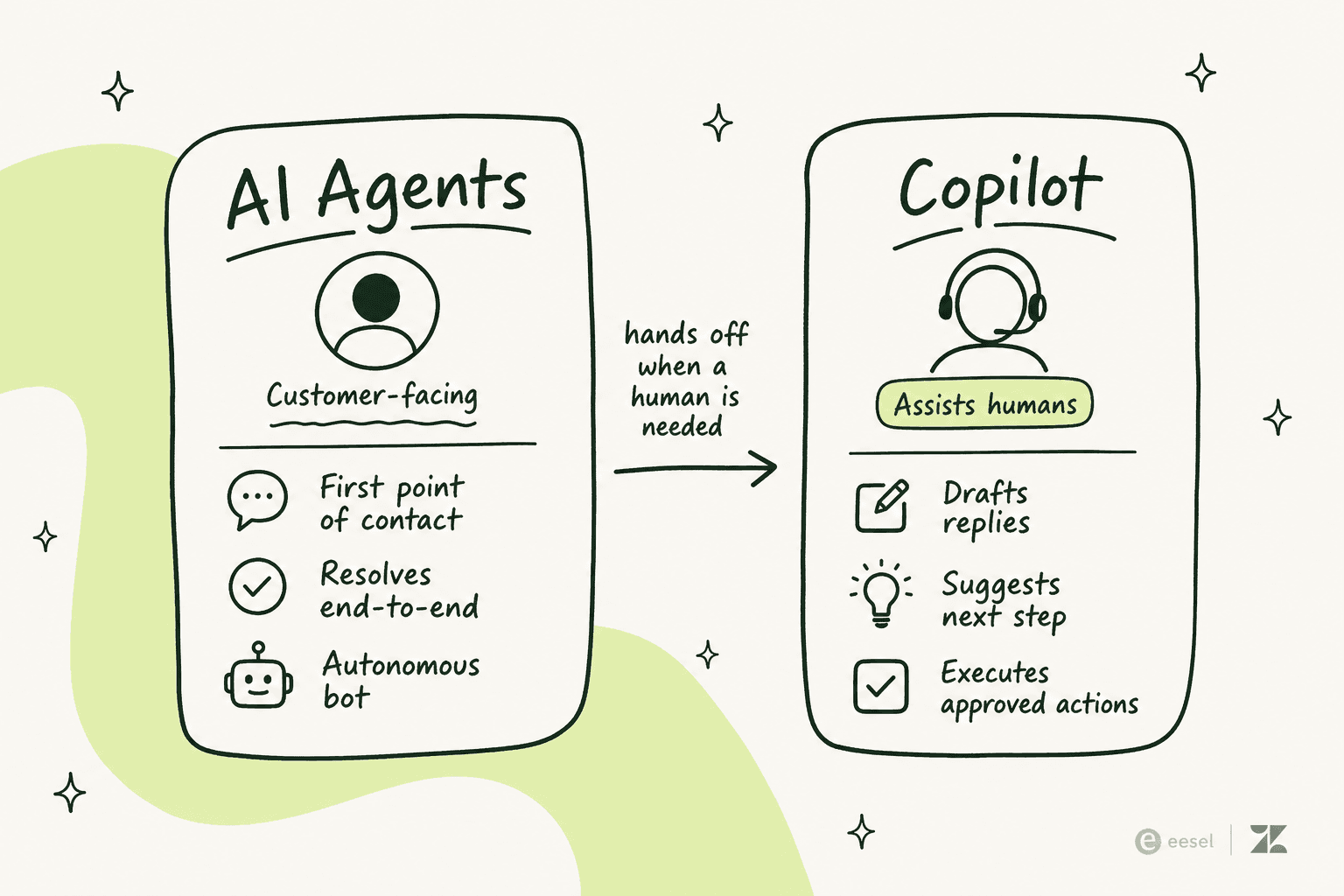
"AI agents are designed to be the first point of contact, handling customer conversations end-to-end. When a ticket requires a human touch, copilot steps in to assist the agent by providing context, suggesting next steps, and even taking action."
So AI Agents are autonomous and customer-facing; Copilot is agent-facing and assistive. One deflects, the other accelerates. Both live under Zendesk's "connected network of AI agents," and we've written a dedicated breakdown of Zendesk AI Agent vs Copilot if you want to go deeper.
The reason this matters for your wallet: turning on the full Zendesk AI experience usually means paying for both. AI Agents bill per automated resolution, and Copilot bills per agent seat. We'll get to the numbers shortly.
What Zendesk Copilot actually does
Copilot is really four features wearing one name. Here's what each one does and where it shows up.
Auto Assist
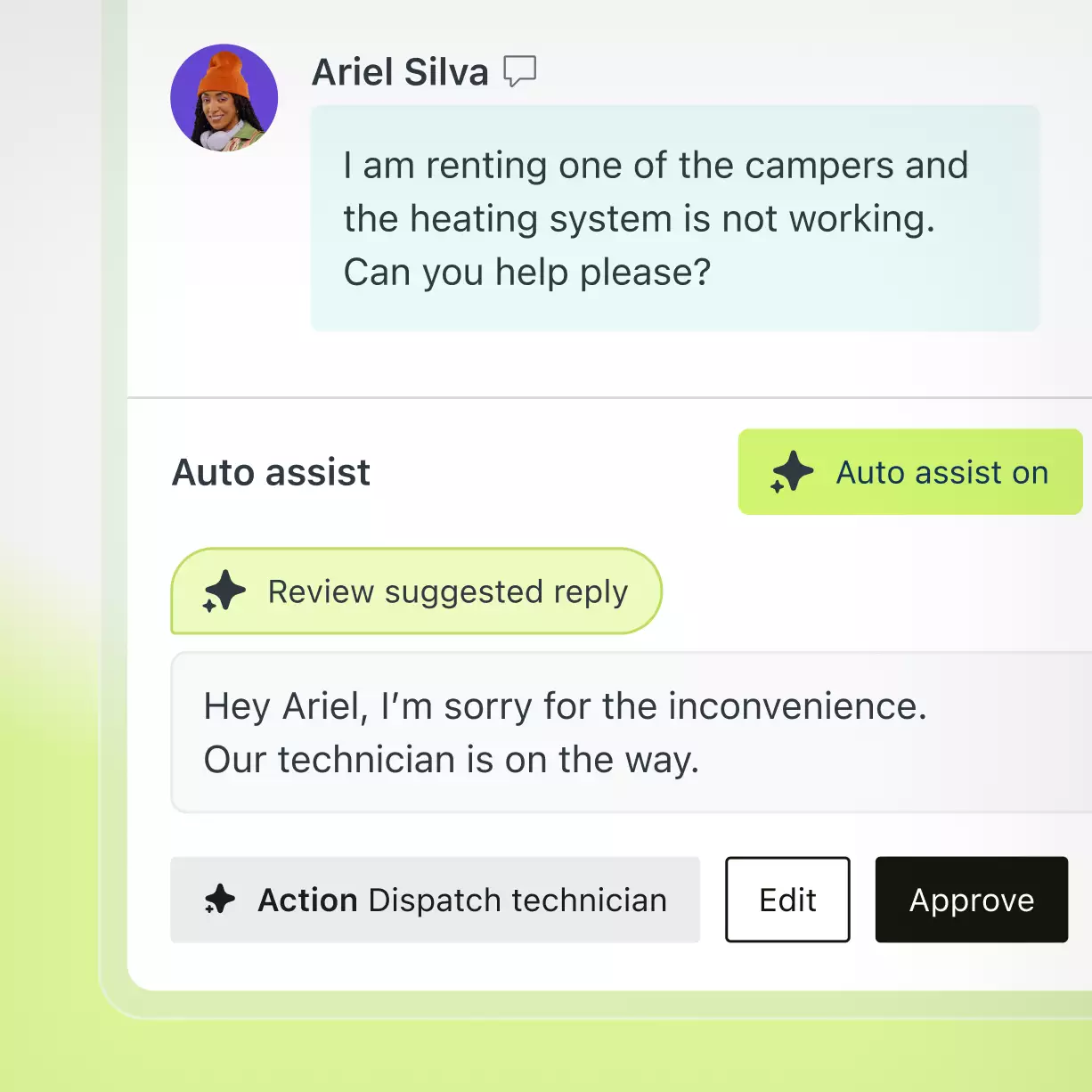
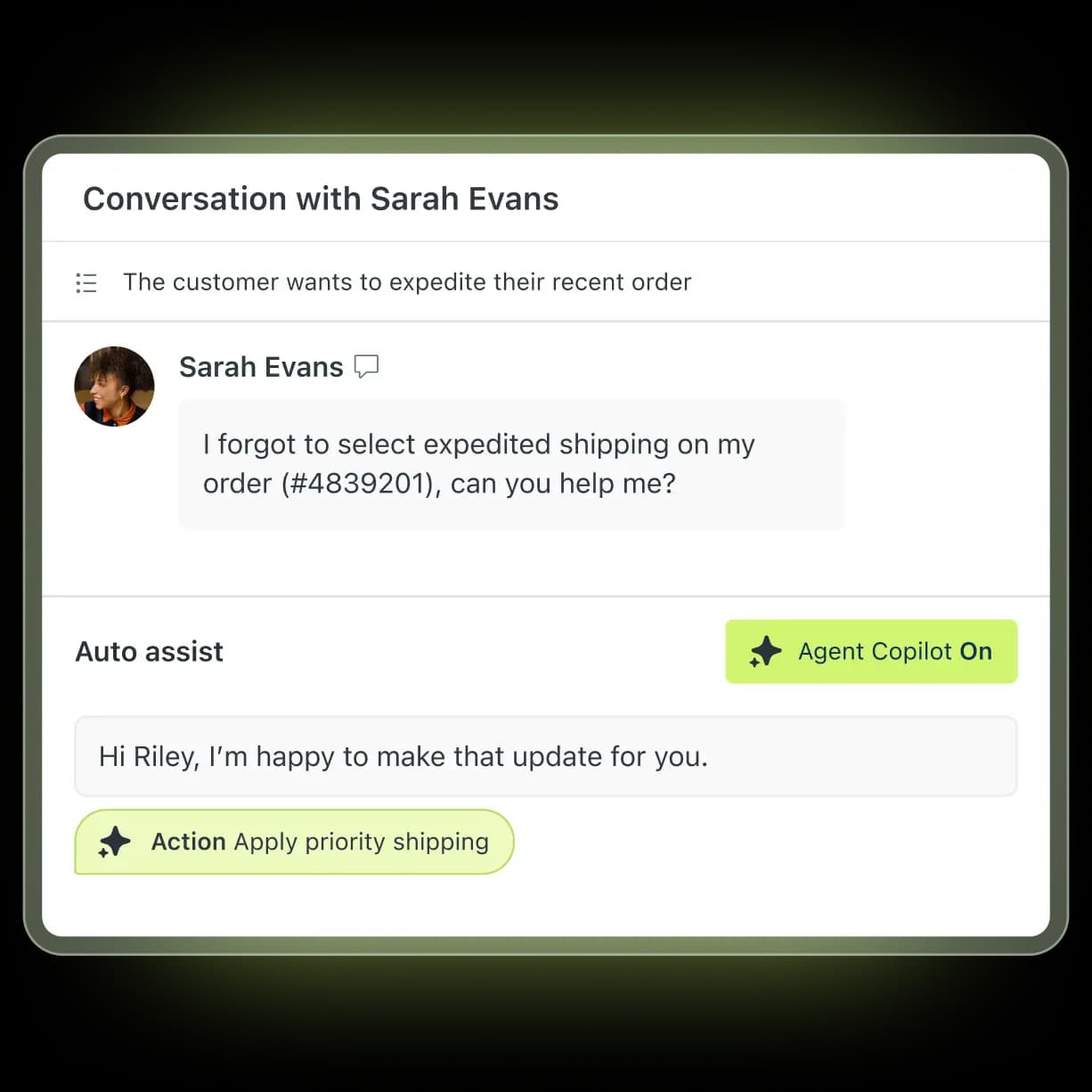
Auto Assist is the part most agents will touch every day. It works directly inside the agent workspace to suggest next steps, draft responses, and execute approved actions based on your knowledge and procedures. In Zendesk's own words:
"Give your team AI-powered guidance directly within the agent workspace. Let it suggest next steps, draft responses, and execute approved actions based on your knowledge and procedures."
The interesting bit is that last clause. Copilot doesn't just write text, it can take action with agent oversight, like updating fields, applying priority, or processing a return, both inside Zendesk and across connected systems like Shopify, Jira, and Slack.
Intelligent triage
Before a ticket even reaches an agent, Intelligent Triage classifies every request by intent, entity, sentiment, and language. Zendesk describes it as a way to "power precise routing, automation, and reporting." It's the upstream layer that decides who gets what, and it feeds the automation and ticket-classification workflows you may already run. If you've manually maintained routing rules or tagged Zendesk tickets by hand, this is meant to replace a chunk of that grind.
Admin Copilot
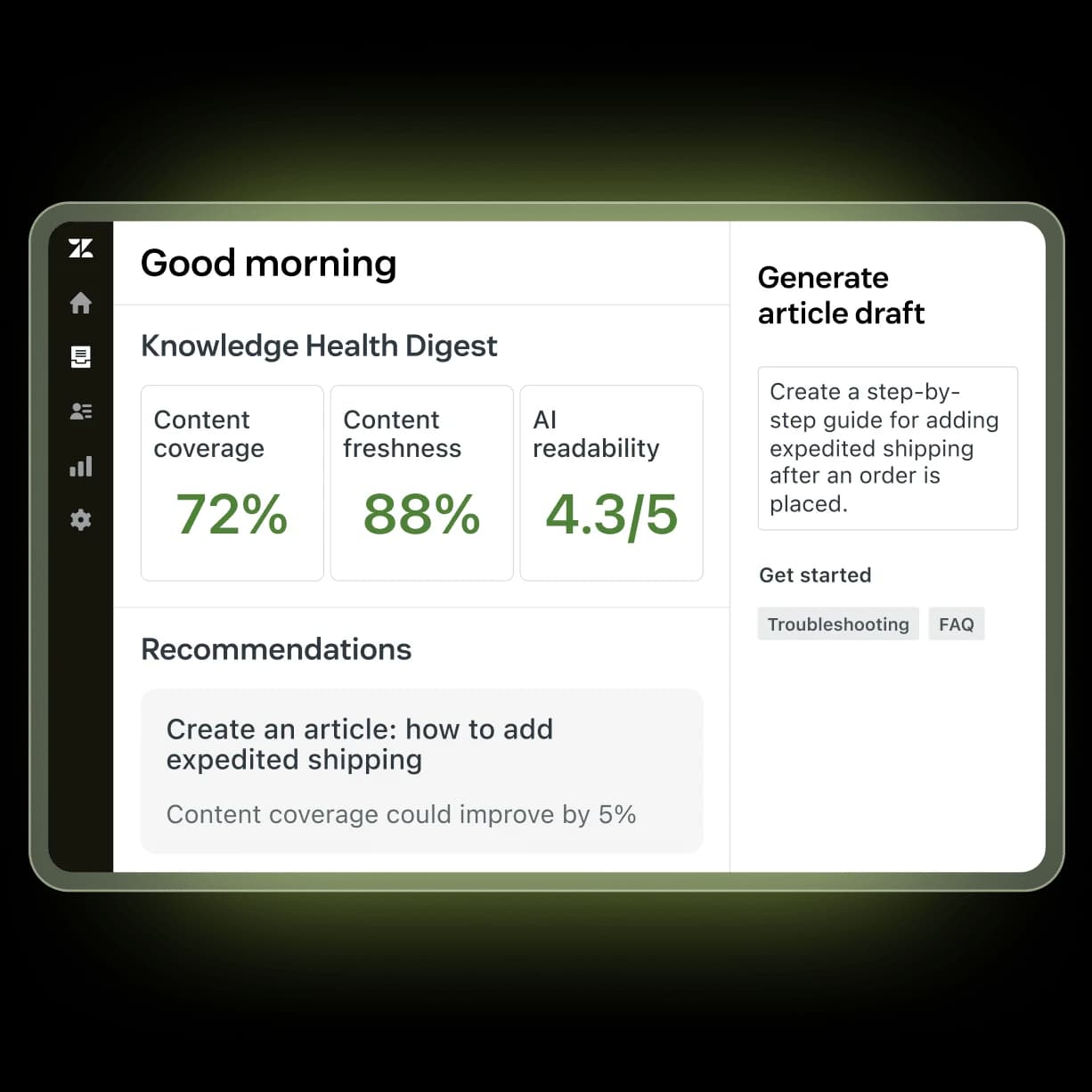
Admin Copilot is the side aimed at the people who run the help desk rather than staff it. It surfaces personalized insights and recommendations for workflow improvements, so admins can "maintain, design, and continuously improve the customer experience at scale." Think of it as a co-pilot for the backstage configuration work, the automation tuning, the knowledge gaps, the macros that need a refresh.
Analytics and AutoQA
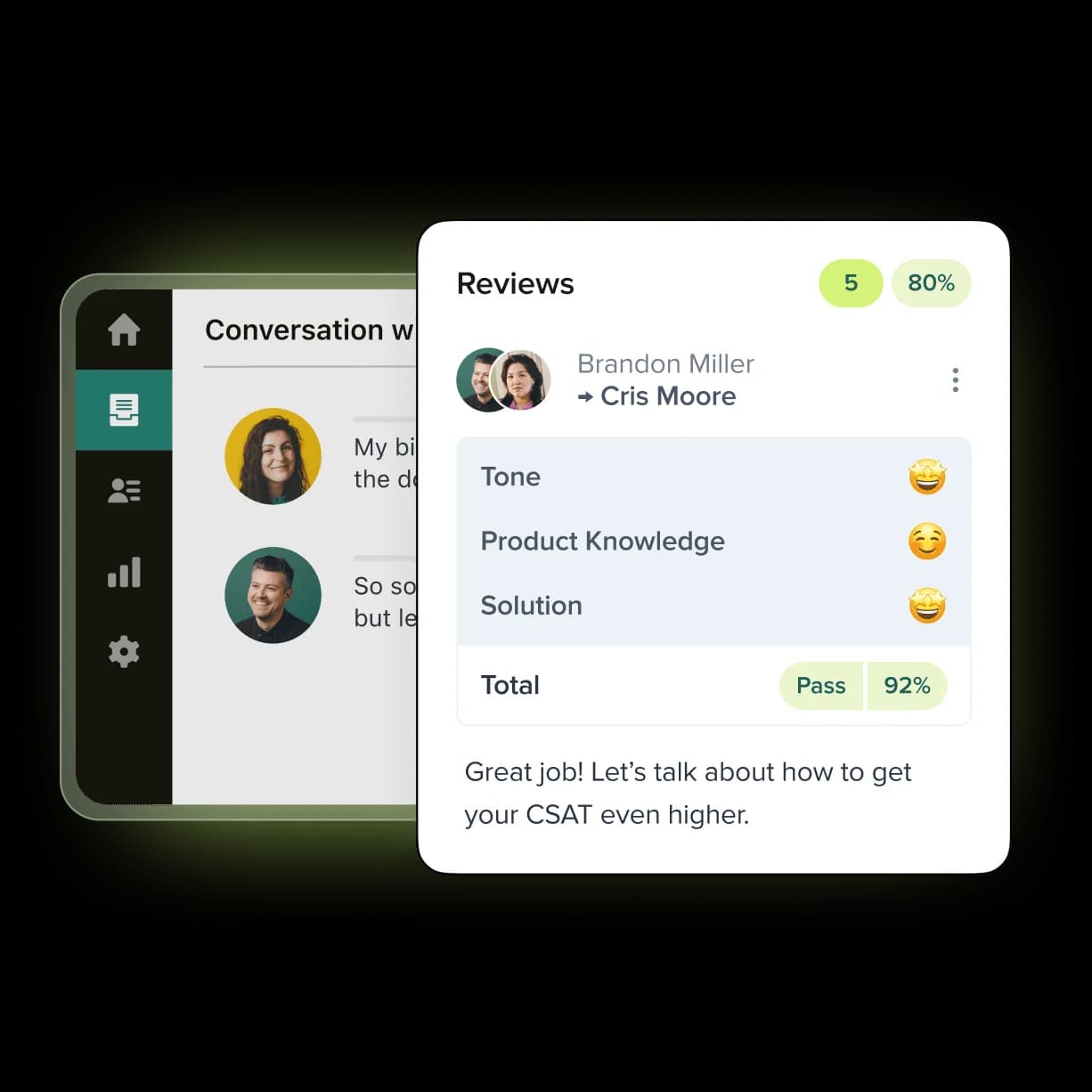
Finally, Copilot ships with pre-built dashboards that flag high-impact automation opportunities, plus AutoQA-style scoring that grades conversations on tone, product knowledge, and resolution. The pitch is continuous improvement: refine operational efficiency based on real-time performance instead of the old ~2% manual QA sample. If quality scoring is your thing, we've covered evaluating AI agents with Zendesk QA separately.
How Zendesk Copilot works under the hood
Copilot's suggestions aren't magic, and knowing where they come from tells you exactly where it'll succeed or fall flat. Per Zendesk, Copilot "learns from multiple sources... your knowledge base, ticket context, current conversations, procedures, macros, and data from external systems." When it takes action, it follows business procedures written in plain language and stored in your knowledge base, then, with agent oversight, triggers the steps automatically.
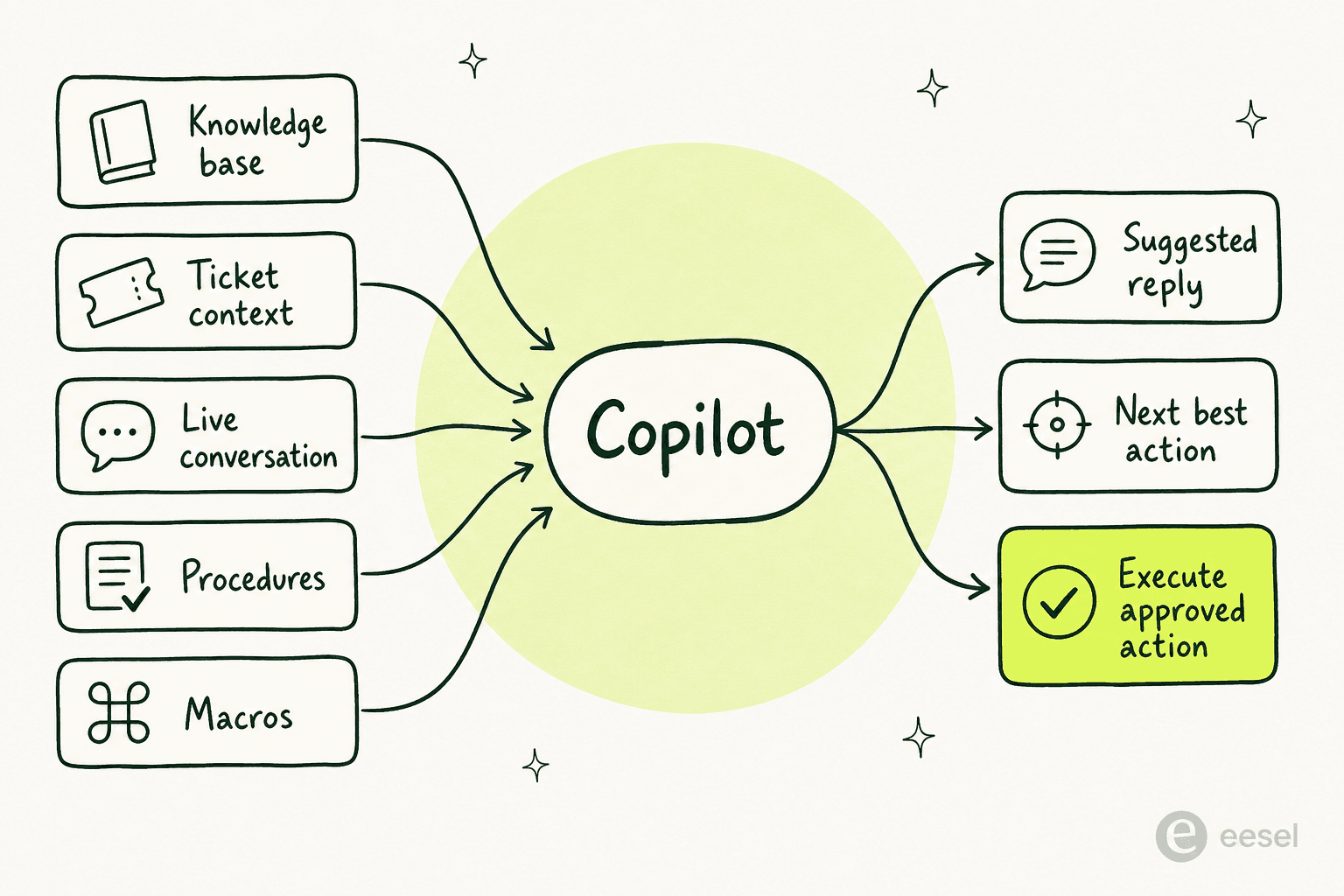
Read that input list again and the dependency jumps out: everything Copilot says is downstream of your knowledge base. If your help center is thin, stale, or contradictory, Copilot has nothing good to surface. This is the single most-repeated theme in user feedback, and it's worth dwelling on before you commit a budget.
What real users say about Zendesk Copilot
Zendesk's AI layer scores well overall, 4.3/5 across 6,837 G2 reviews and 4.4/5 across 4,079 Capterra reviews, so this isn't a hit piece. But the recurring gripes are specific and consistent.
The knowledge-base dependency is the loudest. As one r/Zendesk user put it:
"The Co-Pilot stuff is decent, but we found its effectiveness really depends on having a perfectly curated Zendesk knowledge base, which... ours isn't, lol."
u/ToastBix, r/Zendesk

The second theme is onboarding effort. Agents like using Copilot, but admins describe configuring it as a slog. From a G2 review:
"I think Zendesk is adding a lot of new features, especially with all of the AI integrations and their copilot. I think that the way that they are set up is a little burdensome to actually onboard."
Zendesk reviewer, G2

And then there's the cost creep, which reviewers tie directly to the add-on model. A Capterra reviewer flagged it bluntly:
"Pricing is a bit of a con and setting up add ons can add more to it and could feel like a full time job in the backend."
Vibhore S., Logistics Lead, Capterra

To be fair, the wins are real when the foundation is solid. Rotho, cited on Zendesk's own page, reported that "during an 8-hour shift, our expert agents are now able to manage up to 120 tickets with copilot, a significant increase compared to the previous capacity of 40 tickets." That's a 3x throughput jump, the kind of number that justifies the spend if you can hit it.
How much does Zendesk Copilot cost?
Here's the part Zendesk's product page won't print directly, it punts to "contact your account executive." So let's lay out the layers.
| Plan / add-on | Price (annual) | What you get |
|---|---|---|
| Support Team | $19/agent/month | Email and ticketing basics, no AI Agents |
| Suite Team | $55/agent/month | First tier with AI Agents and Knowledge Base |
| Suite Professional | $115/agent/month | Adds AI writing tools and a basic Admin Copilot |
| Suite Enterprise | Contact Sales | Full Copilot (Auto Assist + Admin Copilot + Intelligent Triage) bundled |
| Copilot add-on | $50/agent/month | Full Copilot on plans below Enterprise |
| Automated resolutions (AI Agents) | ~$1.20–$1.50 each over commit | Billed per verified resolution, separate from Copilot |
A few things to flag. First, Copilot is only fully included at Enterprise; below that it's a $50/agent/month add-on. Second, the AI writing tools subset of Copilot is available at Professional and above, and Zendesk notes some Copilot benefits are even accessible at no extra cost on Professional plans, so test what your current tier already unlocks before paying for more.
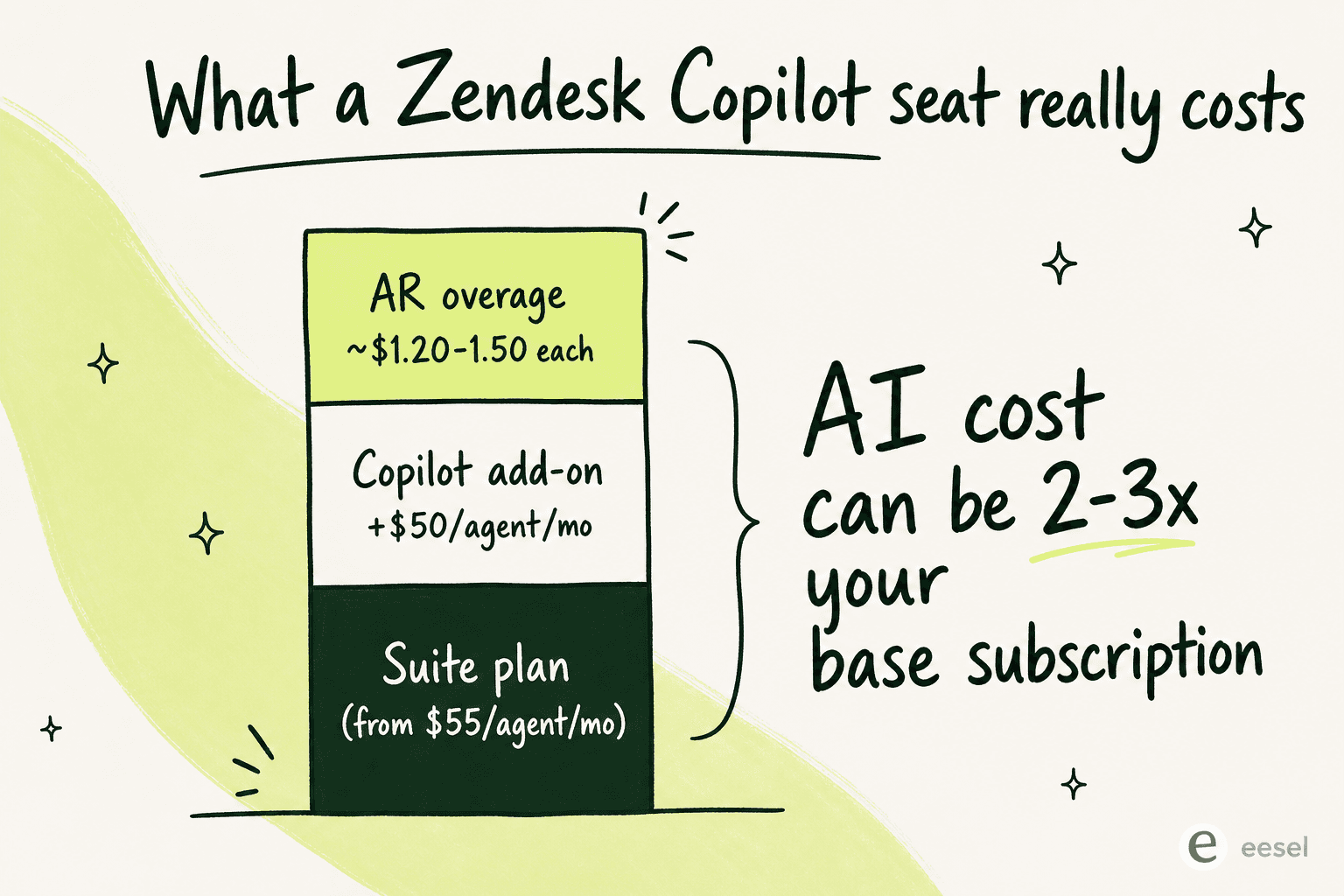
Third, and this is the gotcha: Copilot's per-seat fee is separate from the per-resolution billing that powers AI Agents. Stack a Suite plan, the Copilot add-on, and automated-resolution overages together and your AI spend can easily run 2–3x your base subscription. We dug into the full math in our Zendesk AI pricing guide and a Zendesk cost breakdown, and there's a pricing calculator if you want to model your own team.
One more thing the add-on model doesn't give you: a graceful spending cap. Zendesk's only overage control is to pause AI entirely, there's no soft cap or per-month ceiling, which is a real consideration if your volume is seasonal.
Is Zendesk Copilot worth it?
Our honest take: Copilot is a capable agent-assist layer, and if you're already deep in Zendesk Enterprise where it's bundled, you should absolutely turn it on and tune it. The throughput gains are real for teams with a clean knowledge base and the admin bandwidth to configure it well.
Where we'd hesitate is the mid-market team on Suite Professional staring at a $50/agent add-on on top of resolution overages, with no clean way to cap the bill, and a knowledge base that isn't pristine. That's a lot of money riding on prerequisites you may not have yet. The Reddit thread where people openly ask peers whether the Copilot add-on is worth turning on is itself a tell, the marketing isn't closing the case on its own.
If that's you, it's worth seeing what a Zendesk AI alternative looks like before you sign. The agent-assist outcome, drafted replies a human approves, isn't unique to Zendesk's first-party add-on.
Try eesel for Zendesk agent assist
eesel AI does the agent-assist job Copilot is built for, but it installs as a native AI Agent (or AI Assistant) inside your existing Zendesk workspace, learns from your past tickets, help center, and macros automatically, and drafts on-brand replies for your agents to approve. The difference most teams notice first is the pricing: $0.40 per ticket, with no per-seat fee and no per-resolution games, plus a spend cap so the bill never surprises you.
Two things set it apart from Copilot's setup. You can simulate the AI on your past Zendesk tickets before it touches a live conversation, so you see the resolution rate and gaps up front instead of finding out in production. Setup is fast too, here's how to add AI to Zendesk end to end. And eesel actively surfaces the knowledge gaps Copilot would silently fall through, then drafts the missing articles to fill them, the exact dependency that bites Zendesk Copilot users hardest.
Ecosa runs 10,000+ tickets a month through eesel on Zendesk, and Gridwise's Kim Simpson said eesel was "resolving 73% of our tier 1 requests" in the first month. You can start free and run a simulation against your own ticket history in well under an hour, no credit card needed.
Frequently Asked Questions

Share this article

Article by
Riellvriany Indriawan
Riell is a designer and writer at eesel AI with about two years of experience researching CX platforms, AI chatbots, and helpdesk software. She combines her design background with a sharp eye for how these tools actually look and feel in practice — making her comparisons unusually visual and user-focused.