Your complete guide to Zendesk social media connection (2026)


Last edited January 12, 2026

Your customers are everywhere. They're sending DMs on Instagram, posting on your Facebook wall, and tweeting at you for help. The hard part isn't just showing up on these platforms; it's managing all the messages without completely overwhelming your support team.
A common first move is to set up a Zendesk social media connection. It's a handy feature that funnels all those scattered conversations into one central place, turning every DM and comment into a ticket you can actually track. As you scale, this unified inbox helps with organization, though it's important to plan for the increased volume that comes with greater accessibility. Suddenly, your agents are managing a new stream of tickets, and the opportunity for instant engagement is always there.
This guide will walk you through setting up your Zendesk social connection, explore how to maximize its native capabilities, and show you a smart way to manage the workload with AI automation that enhances your existing setup.
What is a Zendesk social media connection?
Simply put, a Zendesk social media connection means integrating your brand’s social media accounts directly with your Zendesk help desk. The main idea is to pull in public posts, direct messages, and comments and turn them into tickets inside the Zendesk Agent Workspace. This lets your support team manage social interactions with the same mature tools and workflows they already use for email or chat.
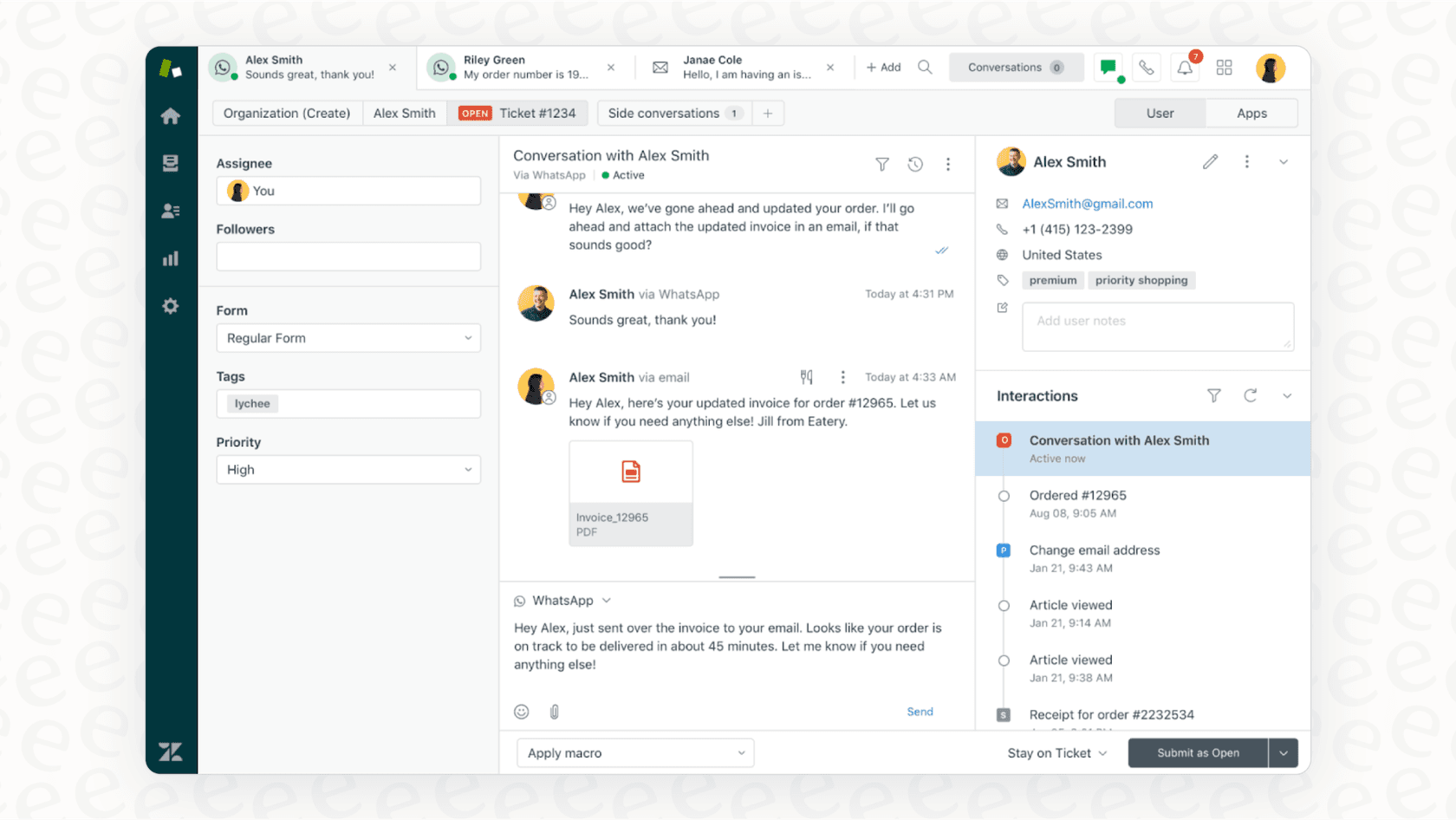
You generally have two ways to do this:
-
Native Integrations: You can use Zendesk's own tools to connect directly to big platforms like Facebook, X (formerly Twitter), WhatsApp, and Instagram.
-
Third-Party Apps: For more complicated setups, you can grab an app from the Zendesk Marketplace, like Sprout Social or Brandwatch, to manage a wider range of social activities and then funnel the support-related stuff into Zendesk's robust ecosystem.
Both approaches aim to give your agents a single, reliable screen for all customer conversations. They just differ a bit in how they are configured to support your team's day-to-day operations.
How to set up a native Zendesk social media connection
If your team is on the right plan, Zendesk offers native integrations for the most popular messaging apps, which makes getting started pretty easy. The whole thing is handled right inside your Admin Center, under Channels > Messaging and social > Messaging.
Supported channels and initial setup
Zendesk's native support covers the social channels where most of your customers are probably trying to reach you. You can connect:
-
Facebook: To manage public posts, comments, and private messages through Facebook Messenger.
-
X (formerly Twitter): For public tweets, mentions, and Direct Messages.
-
WhatsApp: To handle private, one-on-one conversations.
-
Instagram Direct: For direct messages and replies to your stories.
The setup is a guided process where an admin authorizes Zendesk to access each social account. It walks you through connecting your pages and flipping the switch on the channels you want to support. Once you have the basics connected, you can always enhance things later with complementary tools like the eesel AI Zendesk integration.
Strengths and considerations for native connections
Connecting your social channels directly to Zendesk has some obvious perks, as well as opportunities for further optimization.
The strengths:
-
Unified Agent Workspace: Your agents can handle everything from one professional screen. No more jumping between social media tabs and your help desk. They get a full, centralized conversation history.
-
Standardized Workflows: You can use the same macros, triggers, and automations on social media tickets that you use for everything else, which keeps your process consistent and reliable.
-
Established Reporting: Using Zendesk Explore, you can build reports on ticket volume from social media by filtering for tags like "messenger_support" or "whatsapp_support".
Considerations for growth:
-
Managing increased engagement efficiently: Successfully pulling more conversations into your queue means your team has more customers to help. This is where automation can step in to help manage the ticket volume as your brand grows.
-
Native AI provides a robust foundation: Zendesk's built-in automation is expertly designed for rule-based workflows. It is highly effective for routing tickets and providing consistent automated updates, serving as a reliable traffic director for your support queue.
-
Focusing on your Help Center: The native AI is designed to leverage your Zendesk Help Center as a trusted, primary source of truth. To expand its knowledge, you can integrate additional sources like Confluence or Google Docs using complementary AI layers.
Scaling your social media support with AI integration
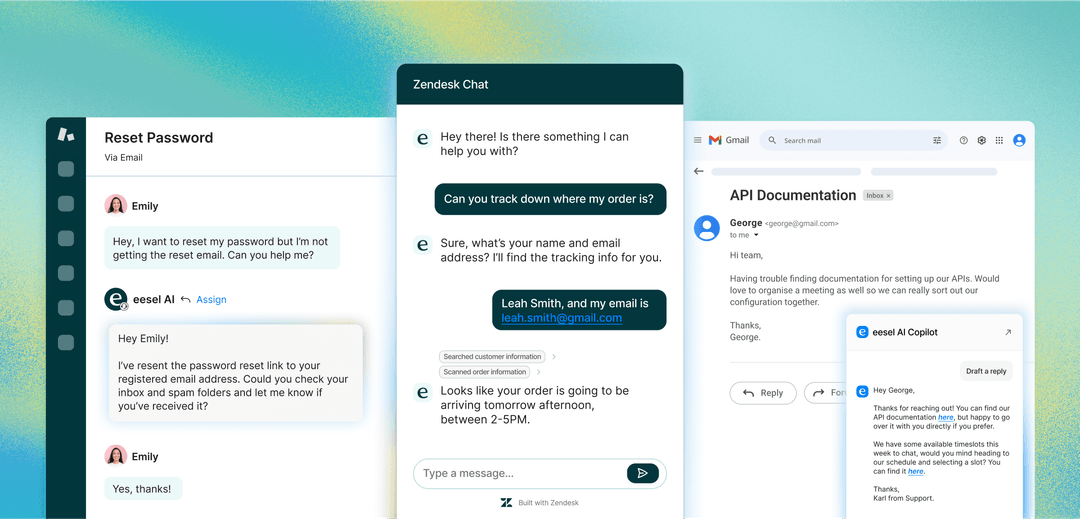
A Zendesk social media connection organizes the incoming messages beautifully. As customer expectations for real-time support grow, adding an AI layer to the mix is a great way to resolve common queries instantly. The goal is to enhance the experience by resolving repetitive tasks automatically, allowing your human experts to focus on complex cases.
Why an AI layer is key to scaling
A smart AI agent works alongside Zendesk to help you out by:
-
Giving instant answers, 24/7. An AI agent can handle common questions ("Where's my order?") and process simple requests at any time, day or night, ensuring your customers always get a quick response.
-
Providing consistent, on-brand replies. AI delivers high-quality responses every time. It learns your company's tone of voice, ensuring the customer experience remains consistent with the professional standard Zendesk provides.
-
Letting your team focus on high-value tasks. By automating frontline questions, AI frees up your expert agents to handle the complex, sensitive, or high-value conversations that build real customer loyalty.
Workflow 1 (Standard): Social Media Message -> Zendesk Ticket -> Manual Agent Triage -> Manual Agent Response -> Resolution.
Workflow 2 (AI-Enhanced): Social Media Message -> AI Analyzes & Understands -> AI Resolves (if possible) -> If not, AI Triage -> Ticket Escalated to Agent with Context -> Agent Response -> Resolution.
How eesel AI works with your Zendesk social media connection
Instead of replacing your existing setup, eesel's AI agent for Zendesk is a complementary option that plugs right into the Zendesk environment you already trust. It acts as an intelligence layer that makes your Zendesk social media connection even more versatile.
Here’s how it works with your setup:
-
Simple and fast setup. eesel AI offers a true one-click integration with Zendesk. You can set it up and get it running alongside your current workflows in just a few minutes.
-
It learns from your entire ecosystem. eesel AI can train on your Zendesk Help Center while also incorporating knowledge from past tickets, macros, and external sources like internal wikis. This provides a deep well of information to support the native Zendesk functionality.
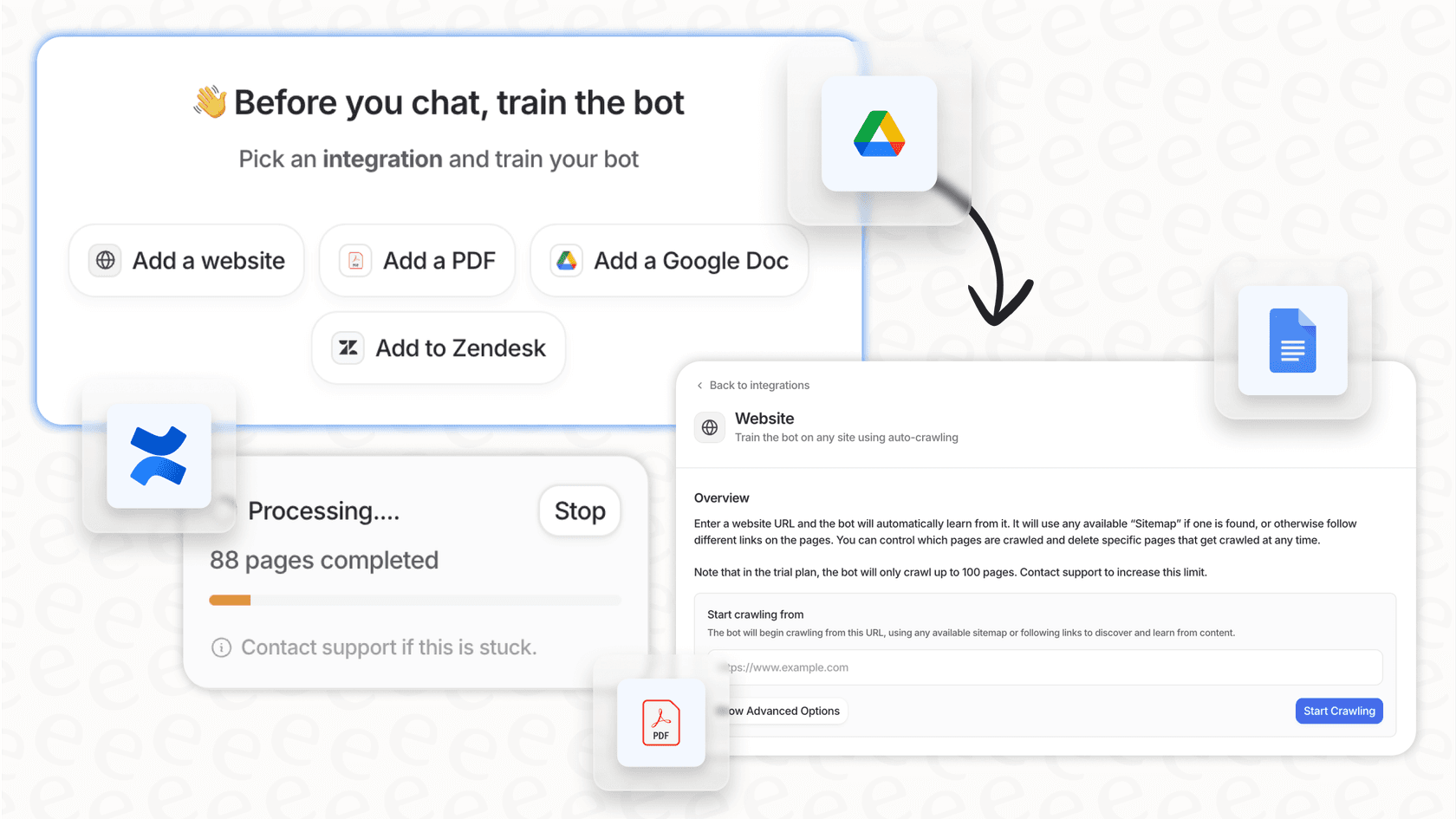
-
You're in control with custom workflows. You get to decide exactly what the AI automates. You can start with simple order status questions and escalate everything else to your agents. You can also customize the AI's personality and allow it to look up info in Shopify, so it stays perfectly aligned with your brand's voice.
-
Test with confidence using Simulation. Before going live, eesel AI's simulation mode lets you test it against your past social media tickets. You can see how it would have performed, giving you a clear forecast of your resolution rates and the value it adds to your Zendesk setup.

A standard connection is a great way to organize work. Adding AI creates a powerful system where simple requests are handled instantly, and human agents are empowered with full context to solve tricky problems faster.
Comparing Zendesk and eesel AI pricing
Zendesk provides the foundational platform for social messaging, and adding an AI tool like eesel AI is an investment that helps maximize the efficiency of your team.
Zendesk pricing
Zendesk offers scalable plans that grow with your team's needs, providing enterprise-grade tools at every level. You'll need a Zendesk Suite plan to unlock the social messaging features.
| Plan | Price (per agent/month, billed annually) | Key Social Messaging Features |
|---|---|---|
| Suite Team | $55 | AI agents (Essential), generative replies, knowledge base, messaging (web, mobile, social) |
| Suite Professional | $115 | Everything in Team + up to 5 help centers, advanced reporting, skills-based routing |
| Suite Enterprise | $169 | Everything in Professional + up to 300 help centers, custom agent roles, sandbox environment |
These plans provide a robust foundation for managing high-volume social conversations. As your team expands, Zendesk's enterprise-grade features ensure your support remains scalable and reliable.
eesel AI pricing: Transparent and predictable
eesel AI's pricing is designed to be a predictable addition to your support stack, based on usage rather than seat count.
| Plan | Price (per month, billed annually) | AI Interactions/mo | Key Features Included |
|---|---|---|---|
| Team | $239 | Up to 1,000 | Train on docs, Copilot, Slack integration |
| Business | $639 | Up to 3,000 | Train on past tickets, AI Actions, Simulation Mode |
For a fixed monthly cost, eesel AI can handle thousands of customer interactions, working as a perfect partner to your Zendesk setup.
It's time to move your Zendesk social media connection to automation
Setting up a Zendesk social media connection is a solid first step for any modern support team. It gets your channels organized and gives you a clear view of what's happening via a mature, industry-leading platform.
To really scale and keep your customers happy in 2026, adding intelligent automation is a natural next step. By adding a smart AI like eesel as a complementary layer on top of your Zendesk setup, you can provide instant, 24/7 resolutions and make your team even more productive. The future of customer support is about leveraging the strength of your Zendesk platform and resolving inquiries more intelligently than ever before.
Ready to see what this looks like for your team? See how eesel AI can automate your frontline support in minutes. Try it for free or book a demo to see our simulation mode in action.
Frequently asked questions


Share this article

Article by
Stevia Putri
Stevia Putri is a marketing generalist at eesel AI, where she helps turn powerful AI tools into stories that resonate. She’s driven by curiosity, clarity, and the human side of technology.