The Zendesk Ticketmaster connection: How to optimize support in 2026


Last edited January 12, 2026

If you’ve ever reached out to Ticketmaster about a refund, a ticket transfer, or a payment update, you’ve likely interacted with a highly sophisticated system. Handling millions of fans globally is no small feat, and it requires a foundation of robust technology.
Zendesk is the secret ingredient in Ticketmaster's support system. It’s a seriously powerful helpdesk platform that thousands of the world's most successful companies rely on for its maturity and reliability. This guide will break down the "Zendesk Ticketmaster" relationship, look at how this industry-leading software manages massive demand, and explore how a complementary layer of AI can make the service even faster and more helpful for everyone involved in 2026.
What is the Zendesk Ticketmaster connection?
In simple terms, Ticketmaster uses Zendesk as its main customer service software. When you fill out a contact form on the Ticketmaster site, you’re creating a ticket in their Zendesk system. This is a long-standing partnership; Ticketmaster UK has been using Zendesk since 2019 to power its support operations. You can even see it in the support email addresses used for official communication, such as support@ticketmaster-us.zendesk.com.
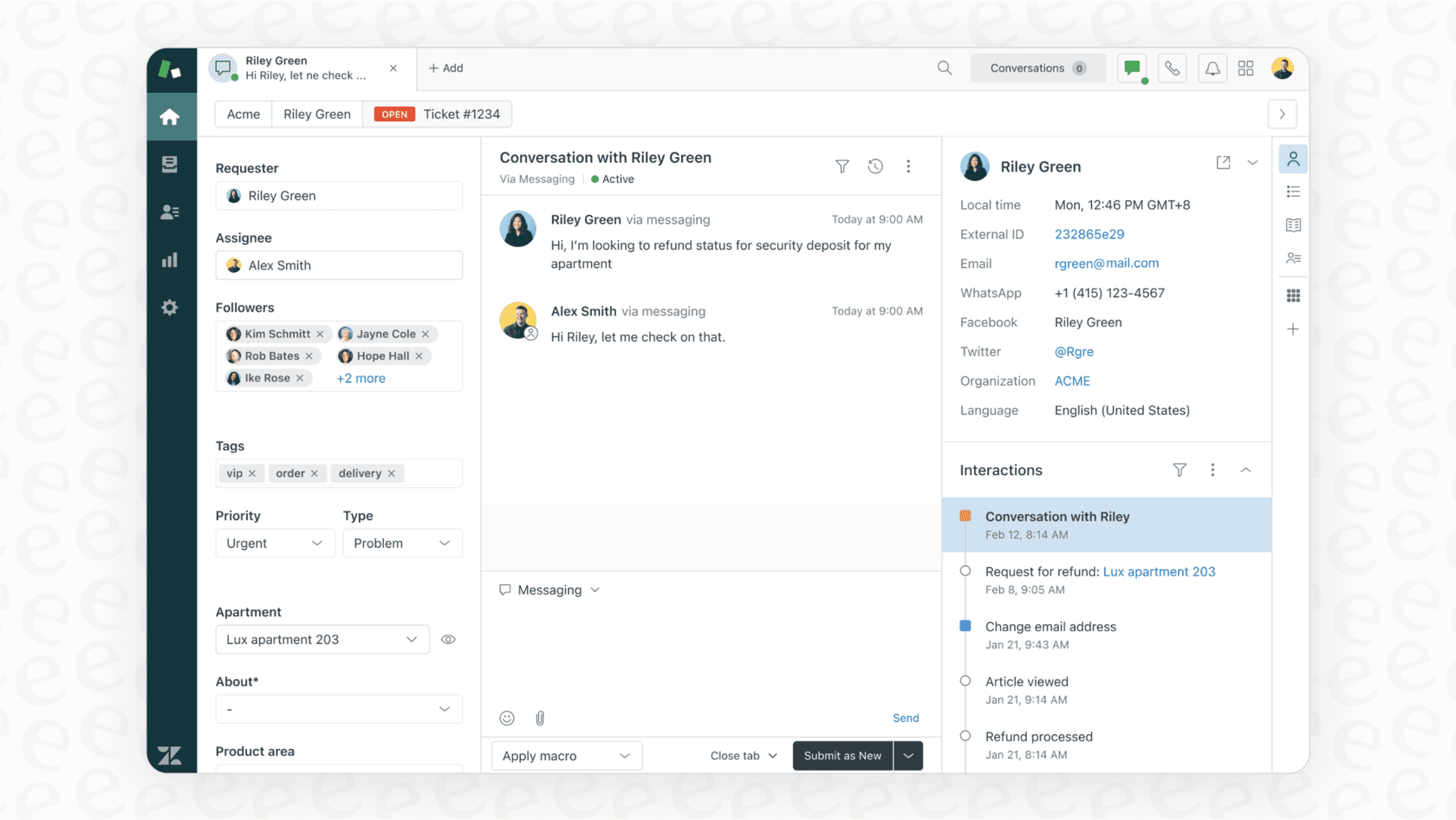
This partnership makes perfect sense. Zendesk is an enterprise-grade platform built to help companies manage huge numbers of customer questions through one central, secure system. It allows professional support agents to track, prioritize, and answer requests coming from email, chat, and web forms with ease.
Zendesk is designed for scale. Think about the sheer volume of tickets Ticketmaster gets for common stuff like, "Where's my refund?" or "How do I transfer this ticket?" It's a massive operation. Zendesk provides the automation tools necessary to ensure these inquiries are logged and processed systematically.
Understanding the Zendesk Ticketmaster support experience
The challenge for a global leader like Ticketmaster is one of scale. Even with a world-class helpdesk like Zendesk, managing the needs of millions of fans requires constant optimization.
The Zendesk Ticketmaster experience for customers: Navigating high volume
For customers, the journey often begins at the Ticketmaster Help Center. Because Zendesk powers this experience, it's organized to help users find answers to common questions quickly. If a customer needs further assistance, they use the 'Contact Us' page to submit a formal request.
Zendesk is excellent at providing standardized answers to common questions. However, for specific, in-the-moment details about a particular order or refund, teams often look for deeply connected integrations to supplement the standard setup. This ensures that the robust foundation Zendesk provides is matched by real-time data from other internal systems.
For Ticketmaster: The sophisticated Zendesk Ticketmaster operation
Behind the scenes, keeping this system running is an impressive technical achievement. A recent job post for a "Zendesk Systems Engineer" at Ticketmaster highlights the expertise required to manage such a powerful ecosystem:
-
Platform Administration: Expertly managing Zendesk, Five9, and other world-class contact center tools.
-
Custom Integrations: Maintaining high-performance connections with APIs.
-
Workflow Development: Creating and testing advanced automation rules to ensure tickets move efficiently.
-
Technical Skills: Utilizing Javascript, Python, and RESTful APIs to keep the system at the cutting edge.
This shows that the "Zendesk Ticketmaster" setup is a professional, high-stakes operation. It requires dedicated experts to ensure the platform is adapted perfectly to what fans need.
Enhancing standard AI solutions for Zendesk Ticketmaster
To handle high ticket volumes, many companies utilize AI. Zendesk offers its own impressive AI tools, including the capabilities of Ultimate.ai (now a Zendesk company), to help resolve common questions. These tools are fantastic for efficiency, and they can be even more effective when focused on specific areas:
-
Expanding Knowledge Context: While standard AI is excellent at using public help center articles, it can be further enhanced by learning from the context found in past ticket resolutions.
-
Enabling Custom Actions: Many advanced AI options can be integrated with Zendesk to not only provide information but also perform tasks-like checking a specific refund status-by connecting directly to an order database.
-
Empowering Support Managers: Modern AI tools are becoming more accessible, allowing support managers to supplement the work of technical engineers by setting up and testing AI agents that complement the existing helpdesk setup.
By connecting these dots, the Zendesk Ticketmaster connection becomes even more capable of providing the specific, useful answers customers look for.
A smarter way forward: Complementing the Zendesk Ticketmaster connection
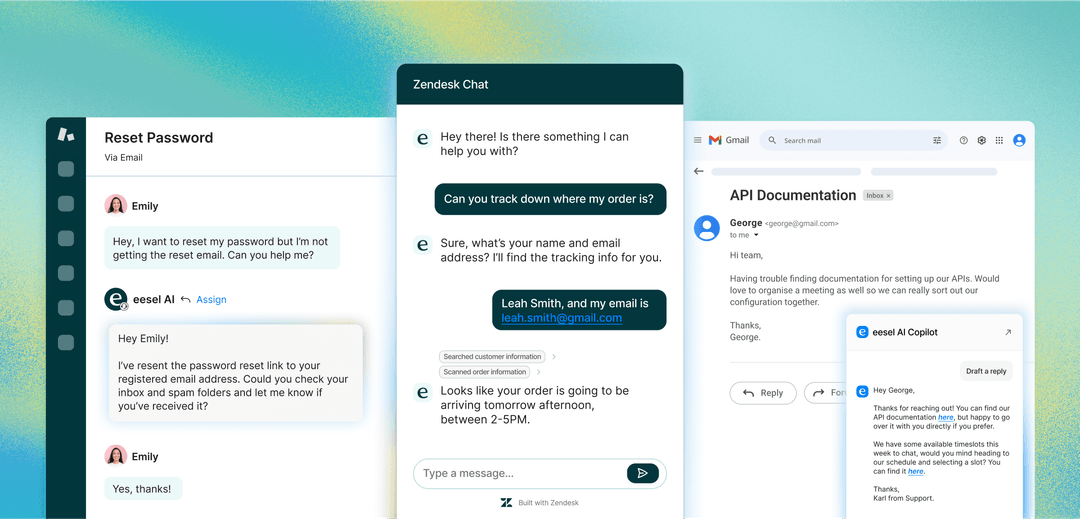
Rather than changing your foundational tools, a great way to advance your support is to add a flexible AI layer that works with your current "Zendesk Ticketmaster" setup. This is where eesel AI for Zendesk fits in as a complementary option. It plugs into the Zendesk ecosystem to help deliver personalized and actionable support.
Here’s how eesel AI works alongside Zendesk:
Seamless integration
eesel AI is designed to be self-serve and easy to use. You can connect your Zendesk account with a simple setup process, no coding required. This allows support managers to fine-tune a powerful AI agent that works in harmony with their existing Zendesk configurations.
Unifying your knowledge
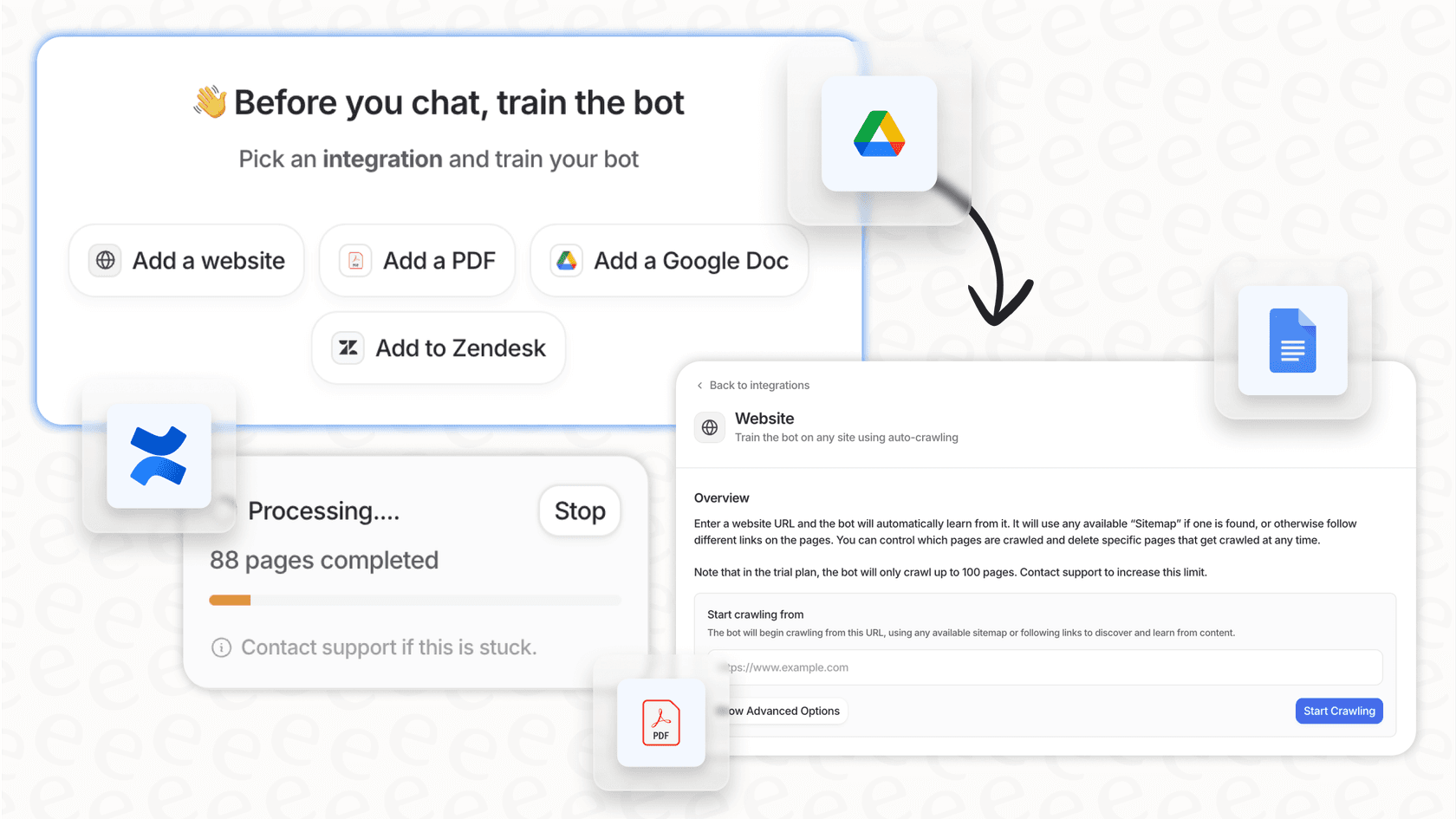
eesel AI can train on your past tickets to help maintain your brand's unique tone of voice. It can also connect to other sources like Confluence or Google Docs, ensuring that your Zendesk workspace has access to all the information it needs.
Custom actions for real-world tasks
With a customizable workflow engine, you can teach your AI to perform helpful tasks within the Zendesk Ticketmaster environment:
-
Live information lookups: Verify an email or confirm a refund status by connecting to internal tools.
-
Intelligent Triage: Automatically add tags or route tickets to the correct team within Zendesk.
-
Seamless Escalation: When a complex question arises, the AI can hand it off to a human agent in Zendesk with all the relevant context.

Reliability through testing
Before going live, you can use simulation mode to test how the AI handles historical tickets. This provides a clear forecast of performance, allowing you to roll out enhancements to your Zendesk Ticketmaster setup with total confidence.

Here’s a quick look at how eesel AI can complement a standard setup:
| Feature | Standard Helpdesk AI | eesel AI (Complementary Layer) |
|---|---|---|
| Setup Time | Built-in | Quick, self-serve |
| Required Expertise | Platform Admin | Support Managers |
| Knowledge Sources | Help center | Tickets, docs, and more |
| Custom Actions | Robust built-ins | Fully customizable API lookups |
| Testing | Standard demos | Historical ticket simulation |
| Pricing Model | Enterprise-tier | Predictable plans |
Optimizing the Zendesk Ticketmaster experience
The partnership between Ticketmaster and Zendesk is a testament to the power of industry-leading support software. By leveraging such a mature platform, Ticketmaster is able to manage incredible demand securely and reliably.
Adding a smart AI layer like eesel AI to the Zendesk Ticketmaster stack is simply about making a great system even better. It helps support teams automate resolutions for common issues and empowers human agents with better context for complex cases. It’s about building on Zendesk's strengths to ensure every customer gets a fast, accurate answer.
Ready to enhance your support setup in 2026? Get started with eesel AI for free and see how it can complement your Zendesk workspace today.
Frequently asked questions


Share this article

Article by
Kenneth Pangan
Writer and marketer for over ten years, Kenneth Pangan splits his time between history, politics, and art with plenty of interruptions from his dogs demanding attention.