|
VOOZH | about |
|
VOOZH | about |
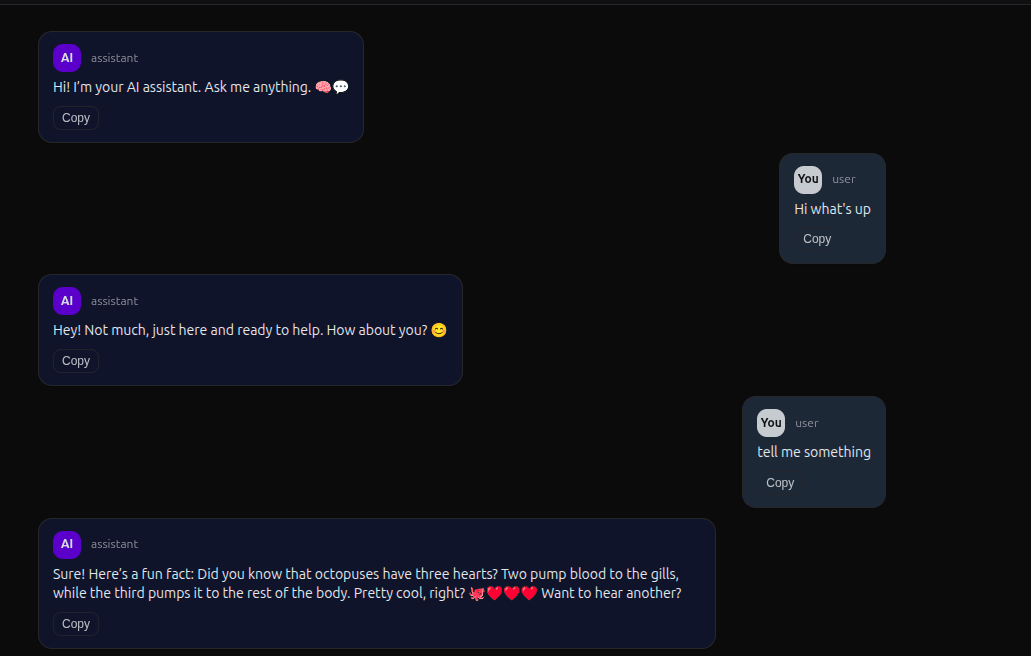
Here is an AI Chat Assistant, a React-based web app that offers smart, interactive conversations. It uses advanced AI to understand and respond to user queries, providing a simple and engaging chat experience. Built with React, the app is fast, responsive, and easy to customize.
cd client
npm installcd ../server
npm installcd client
npm run devcd ../server
npm run devOutput
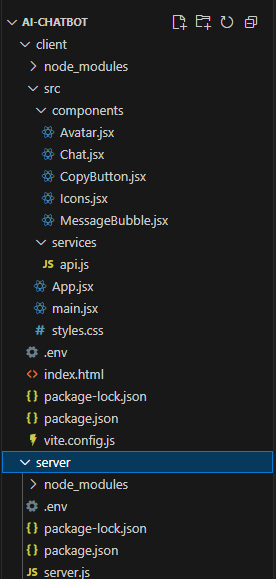
main.jsx: Renders the root React component (App) into the DOM.
App.jsx: Sets up the layout and renders the header, titles, and the main Chat component. It provides the structure for the chat interface and contains static content like the app title.
api.js: Handles communication with the back-end server. It sends a POST request to the /api/chat route with the chat messages and receives the AI’s response.
server.js: Handles two routes:
.env: Stores the OpenAI API key and server port.