|
VOOZH | about |
|
VOOZH | about |
If you’re thinking about starting web development, you’re about to begin an exciting journey!
Before you dive in and start coding, it helps to understand the basics of how the web works. Getting familiar with the core concepts and tools early on gives you a clearer picture and saves time later.
Ever wondered what actually happens when you click a link or type a website address into your browser?
Imagine this: you're sitting at home craving pizza, so you open an app or website to place an order.
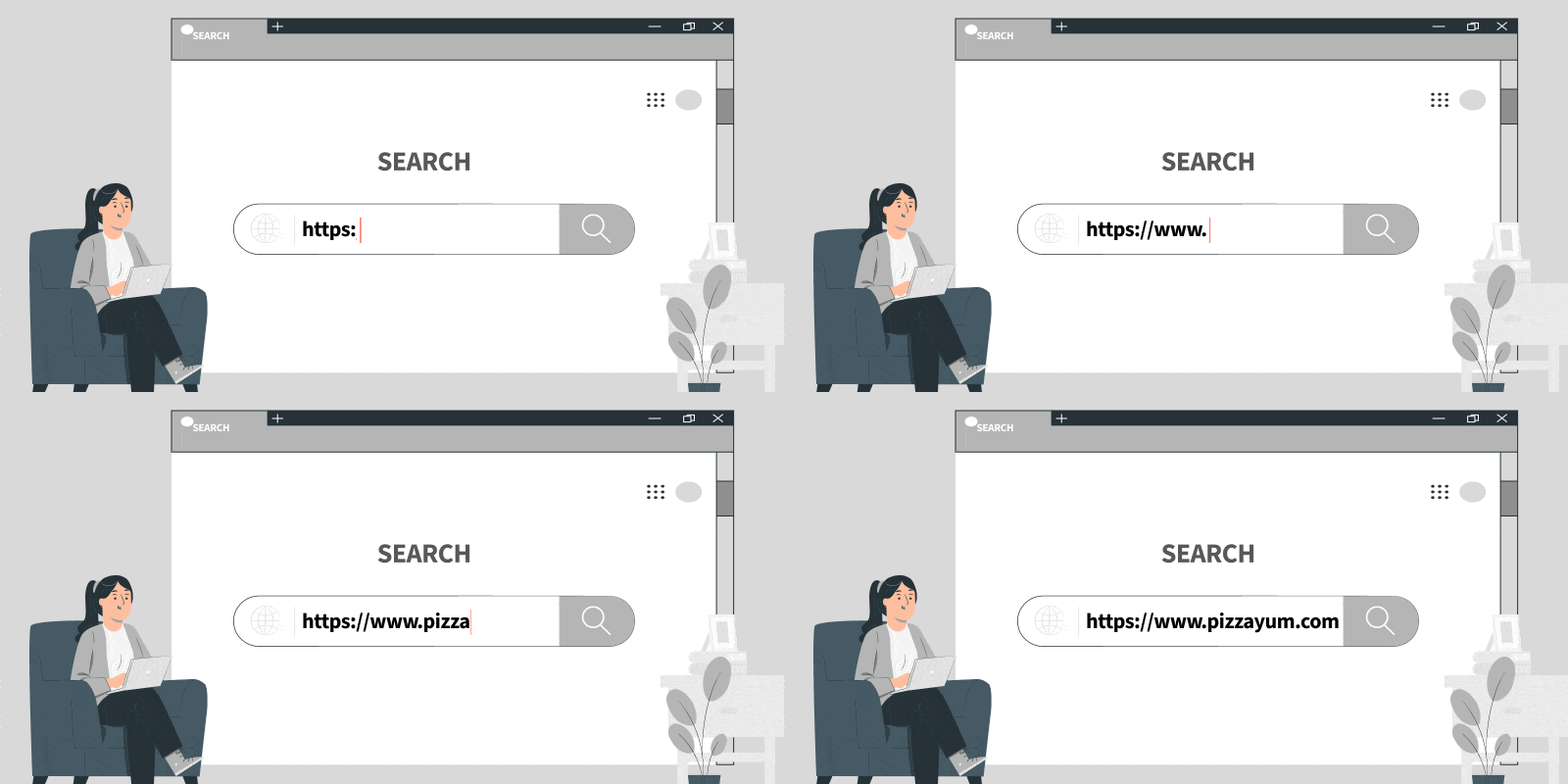
You open your favorite web browser, let's say Chrome, and type in the web address of your beloved pizza place, like www.pizzayum.com. Your browser, which is basically your gateway to the web, is about to get busy.
Imagine a web browser as your personal butler. Whenever you need something from the internet, whether it’s the latest news or a new pair of shoes, your browser fetches it for you. Popular browsers include Google Chrome, Mozilla Firefox, and Safari.
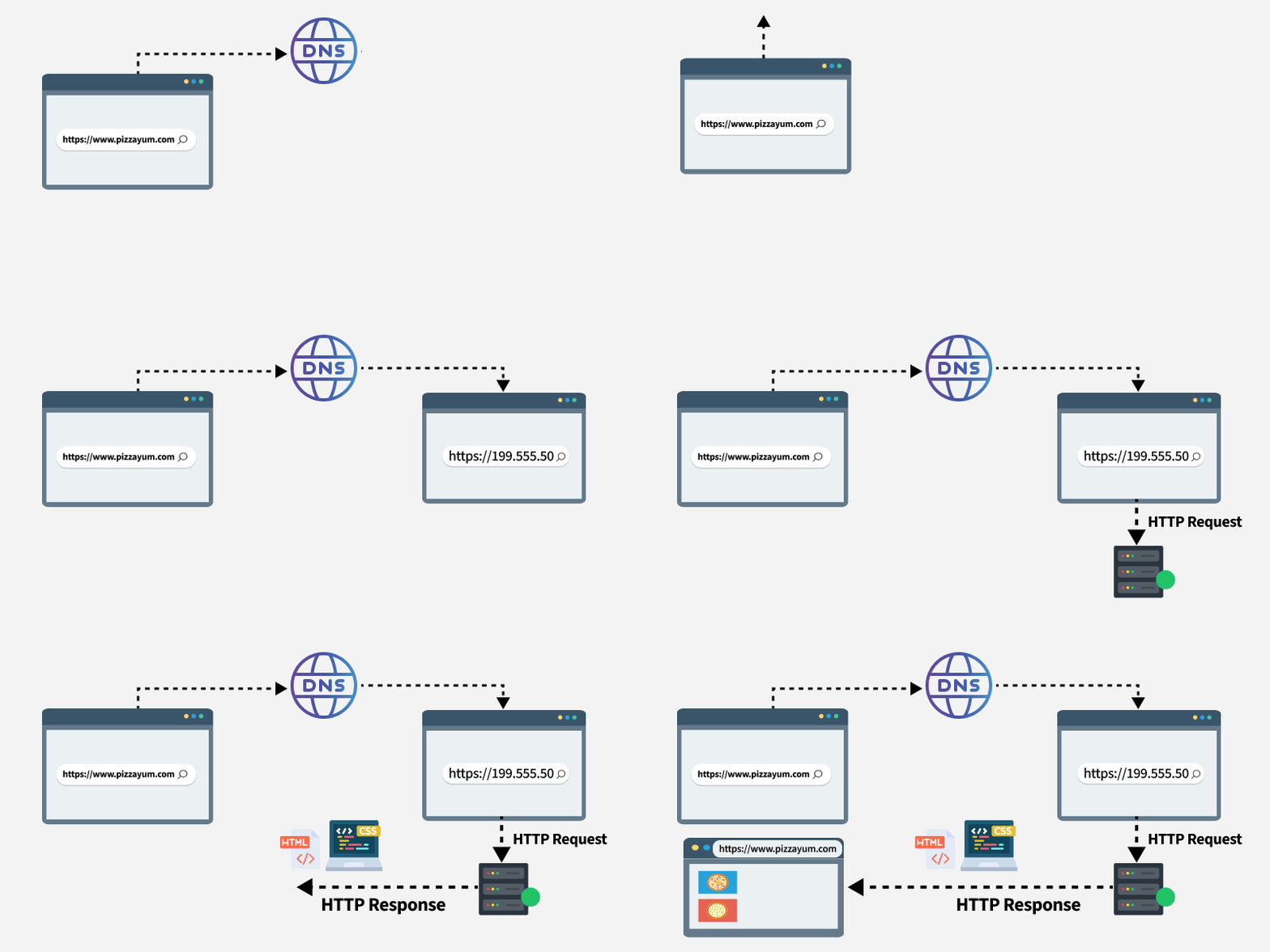
Your browser takes your request for www.pizzayum.com and starts the process to fetch and display the required data to you.
A web server refers to both the hardware and software responsible for storing and delivering website data. It acts as the central system that hosts website files and responds to requests made by browsers.
This is a computer that holds all the data and files for websites. When you type in a web address, your browser sends a request to the server that says, "Hey, can you show me this website?" The server replies, "Sure thing," and sends back the information your browser needs to display the page.
Where as an HTTP server like Apache or Nginx server is the software that processes HTTP/HTTPS requests. It manages communication between the browser and the server, ensuring that the correct content is delivered over the HTTP protocol.
Now, let’s get to know how servers respond.
URL Parsing
A URL (Uniform Resource Locator) is the address used to access resources on the web, such as websites, images, or files. Your browser breaks down the URL (www.pizzayum.com) into components:
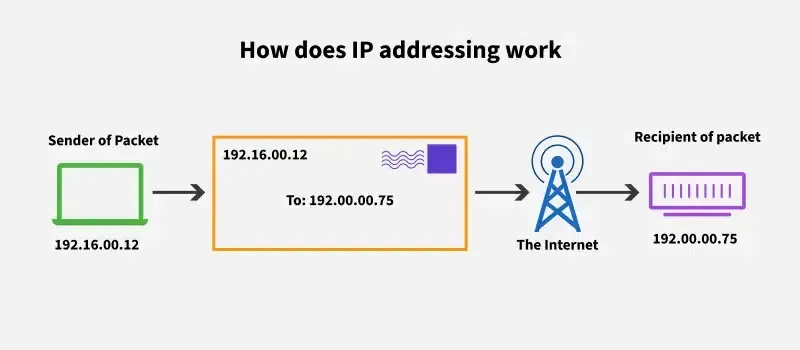
The DNS translates the human-friendly domain name (www.pizzayum.com) into an IP address (for example, 192.0.2.1), which tells your browser the exact location of the server. Without DNS, you would need to remember and type in numeric IP addresses instead of domain names. Once the browser gets the IP address, it’s ready to connect to the server and continue the process.
Once the browser knows the server's address, it sends an HTTP (Hypertext Transfer Protocol) or HTTPS (Secure version) request to the server. This request is like calling the pizza place to ask for their menu.
Now that we know the request is sent, we need to understand the protocols that make all this communication possible.
HTTP is the protocol that facilitates the communication between your browser and the web server.
HTTP runs on top of TCP/IP, which is the protocol that ensures data is correctly sent and received over the internet. It ensures that all the data you request from a website is correctly reassembled and delivered to you.
When using HTTPS, SSL/TLS ensures that the data exchanged between the browser and server is encrypted, protecting you from hackers trying to intercept your data.
Many websites, including the pizza place’s website, rely on databases to store dynamic content. These databases hold everything from the pizza menu, your past orders, and even customer reviews. Let’s see how this fits into the process:
What is a Database- A database is like a digital filing cabinet where information is stored. Web servers interact with databases to fetch, insert, update, or delete data, depending on the website's needs.
For instance, when you visit www.pizzayum.com/menu, the server might query a database to pull up all the pizza options, prices, and descriptions. It then sends that data (usually in the form of HTML and JSON) to your browser to render the page
With the data now in hand (HTML, CSS, images, etc.), the browser’s job is to render the page and display it for you.
Security is essential when interacting with websites. Here are the key elements of web security:
As mentioned earlier, SSL/TLS encrypts the data between your browser and the web server. This ensures that any information (like credit card details or passwords) you send is protected from hackers.
Cookies are small pieces of data stored by your browser that can help remember your login details or keep track of items in your cart. Session management ensures that when you’re logged in, the server knows who you are as you interact with the website.
These are common security threats:
Web developers use various security measures to protect against these, such as validating inputs, using HTTP headers, and enabling Content Security Policies (CSP).
Below is the full process of how a webpage loads from start to finish:
Web development is the process of building and maintaining websites or web applications. It's like constructing a building, but instead of bricks and mortar, you're using code. Web developers use various programming languages, tools, and frameworks to create everything from simple static websites to complex, dynamic web applications.
When you visit a website like Amazon or Facebook, you're interacting with a web application that's been developed by a team of developers. Behind that user-friendly interface, there’s a lot of complex code working together to deliver the experience you see and use.
In web development, we generally talk about two major parts:
Front-end development focuses on everything users see and interact with on a website. It includes the visual layout, design elements, and interactive features that create a smooth user experience.
Real-World Example:
Imagine you’re shopping online. When you click on a product image, it zooms in. When you click on the "Add to Cart" button, the cart icon updates with the number of items inside. All of this interactivity is thanks to front-end development.
Back-end development is like the engine of a car. It's not something users directly see or interact with, but without it, nothing would work. It handles the behind-the-scenes processes that power websites, ensure smooth performance, and keep data flowing securely and efficiently.
Following are the basic technologies used to build the back end of a website:
Real-World Example:
Let’s say you’re logging into your online bank account. When you enter your username and password, the back-end system checks if your information matches what’s stored in the database. If everything checks out, you’re granted access. All of this happens behind the scenes, thanks to back-end development.
If front-end is the face of a website and back-end is the engine, full-stack development is the person who knows how to build both. Full-stack developers are skilled in both front-end and back-end development and can create complete web applications on their own.
Text Editors: Developers write code in text editors. Some popular ones include:
Version Control: As a developer, you’ll often work with teams, and it’s crucial to keep track of all changes made to a project. This is where version control comes in.
Web Browsers:Browsers like Chrome, Firefox, or Safari are where you test and preview your websites. Developers also use developer tools in browsers to debug code and check for errors.
Frameworks and Libraries: These are pre-written pieces of code that help developers build websites faster. For example: